Andrei L.
 Hi
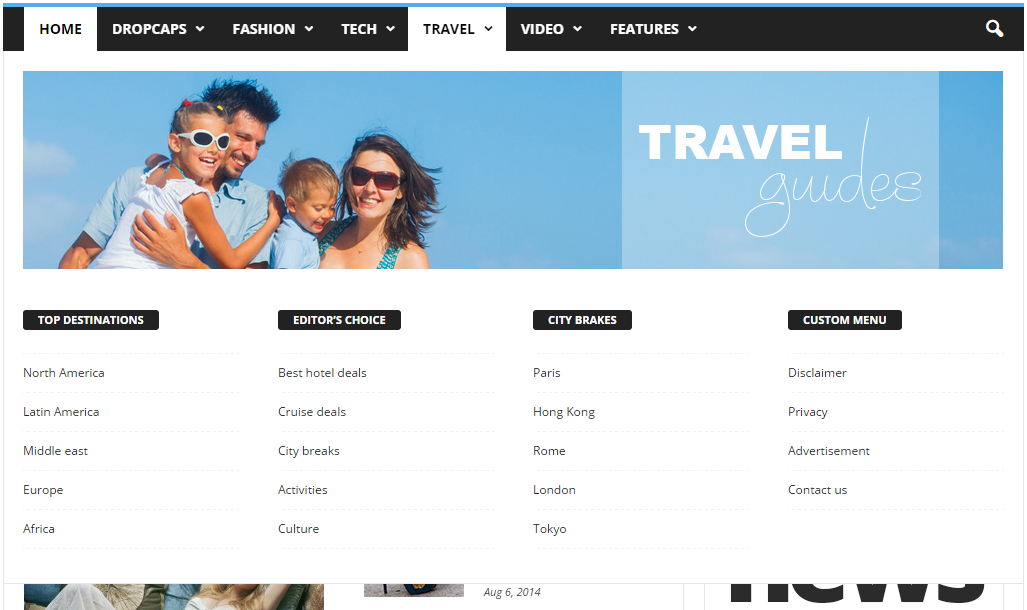
You can’t set a category page as mega menu page. The theme allows you to set only a page as mega menu page. You have to create your page in Visual Composer then only add the page id as it’s indicated in our documentation.
For example this page: https://forum.tagdiv.com/wp-content/uploads/2014/10/page-menu.png is made in Visual Composer then it’s id is added in menu item.
Here is another example: this is how a page built in VC looks: http://screencast.com/t/TrlKlshc4K and this is how the same page displayed in mega menu looks: http://screencast.com/t/VRbI0pDpRzaI All page content added with Visual Composer it’s displayed in mega menu.
We can’t provide any html code as the mega menu is generated by php from dynamic content.
Please refer to our documentation for more details about block settings and how they can be used: https://forum.tagdiv.com/block-settings-tutorial/ You can also check this topic for more details about adding different post types i blocks: https://forum.tagdiv.com/topic/visual-composer-unable-to-pull-data-from-custom-content-types/
Thanks!
Andrei L. Hi
We have only theme’s documentation which can be found here: https://forum.tagdiv.com/wordpress-information/ and also have some videos on youtube which can help users to understand how the theme works: https://www.youtube.com/watch?v=o7JSltCqpCI&list=PL6CsDkMaejhrfEuAth6JVYLPmFwFzNFwY
I hope this helps.
Thanks!
Andrei L. Hi
Please check this topic for more details about this errors: https://forum.tagdiv.com/topic/issue-with-installing-and-uninstalling-demos/
Thanks!
Andrei L. Hi
Try to deactivate all plugins except Visual Composer, clear all caches then test again. If the problem is still there you can also switch to a default wp-theme and test again.
Let us know how it goes and if you still can’t manage to fix this address us via email at contact@tagdiv.com including a link to this conversation and also give us wp-access so we can have a closer look at this and we will get back to your as soon as possible.
Thanks!
Andrei L. Hi
Glad you ave managed to solve this.
As for the license you don’t need one. Visual Composer comes bundled with our theme and is not necessary an activation key so you can ignore the message.
Thanks!
Andrei L. Hi
Th script which display the ad is not from the theme: http://screencast.com/t/MCK9MsMbT03t Check your ad-codes added in theme panel. You may have a script which calls an external script in order to display the ad. As I mentioned above the actual html structure and css rules applied on it don’t allow its control from outside.
Thanks!
Andrei L. Hi
I’ve checked your site an noticed that you’re using an older version of the theme, also Visual Composer is outdated: http://screencast.com/t/56sL6yVwO7
Try to update the theme at V 2.3.6, and Visual Composer at V 4.11.2 following our documentation: https://forum.tagdiv.com/newsmag-how-to-update-the-theme/ – https://forum.tagdiv.com/newsmag-how-to-update-visual-composer-plugin/ deactivate all other plugins, clear all caches and test again.
Thanks!
Andrei L. Hi
I am not sure why this happens as the theme is tested and works fine. Please check if the parameters from system status have the values indicated in our documentation: https://forum.tagdiv.com/system-status-parameters-guide/ – http://screencast.com/t/PxbD4zSlajj Also you can switch to a default wp-theme and check if the problem is still there.
If you still can’t manage to solve this address us via email at contact@tagdiv.com including a link to this conversation and also give us wp-access so we can have a closer look at this and we will get back to your as soon as possible.
Thanks!
Andrei L. Hi
I’ve checked your site and noticed that you don’t have a background-image, only a background color. You can set a background image from theme panel > background: http://screencast.com/t/5tZWQl0JJ
Thanks!
Andrei L. Hi
I assume that you’re using blog template which display latest article published. The theme don’t have an option to add blocks/grids on blog page. However this can be achieved using do_shortcode function. For more details in this regard please check this topic: https://forum.tagdiv.com/topic/big-grid-on-blog-page/
If this is not what you mean please provide your site url and more specific details about what you’re trying to do so I can inspect it closer and get back to you with a more accurate answer.
Thanks!
Andrei L. Hi
Make sure that yo’re using V 4.11.2 of Visual Composer which is included in theme’s path, also try to deactivate all plugins except VC, clear all caches, purge cdn files if you’re using and test again. Here is our update documentation for Visual Composer: https://forum.tagdiv.com/newsmag-how-to-update-visual-composer-plugin/
Let me know how it goes and if you still can’t manage to solve this issue please provide your site url so I can have a closer look.
Thanks
!
Andrei L. Hi
After WordPress updated at V 4.5 there appeared a jQuery conflict in our theme. We fixed this conflict and the current theme version available on themeforest works fine, also we included last version of Visual Composer plugin.
Try to update the theme at V 2.3.6, and Visual Composer at V 4.11.2 following our documentation: https://forum.tagdiv.com/newsmag-how-to-update-the-theme/ – https://forum.tagdiv.com/newsmag-how-to-update-visual-composer-plugin/ deactivate all other plugins, clear all caches and test again.
Thanks!
Andrei L. Hi
Try this css in theme panel > custom code > custom css: http://screencast.com/t/j1vPxMUAqi85
.td-big-grid-post .entry-title a{

    color: red;

}
Thanks!
Andrei L. Hi
The theme don’t not controls the images compression, that is controlled by WordPress. However by follwing the indicated tutorial you can set your awn compression for for the images, just add this line in functions.php then regenerate your thumbnails.
add_filter( 'jpeg_quality', create_function( '', 'return 100;' ) );
Thanks!
Andrei L. Hi
The difference between the original image and the thumb displayed my occur because wordpress compress each image to keep the image size as low as possible. Follow this tutorial to increase the compression rate: https://premium.wpmudev.org/blog/fix-jpeg-compression/ Also you’ll have to regenerate your thumbs so the changes to be applied: https://forum.tagdiv.com/thumbnails-fix-strange-looking-images-on-blocks/
Thanks!
Andrei L. Hi
Unfortunately the theme don’t have an option to set as background image only for header sections. This can be achieved only by editing the file which generate the header style that you’re using and insert there the html code for the background image: http://screencast.com/t/KhknTZXQL9
We can’t offer customization services at the moment so if you still need guidance on this or you’re not aware of the steps you need to take in this regard please consider hiring a developer or a freelancer to do this for you.
Thanks!
Andrei L. Hi
It seems to be a css issue but unfortunately i can’t offer a solution now as this is not a code from the theme and I am not aware of its functionality. Please provide a link where I can inspect this closer and maybe I can help.
Thanks!
Andrei L. Hi
Please make sure that you’ve updated the theme according with our documentation: https://forum.tagdiv.com/newsmag-newsmag-documentation/ Also update Visual Composer plugin at V 4.11.2 which is included in theme’s path: https://forum.tagdiv.com/newsmag-how-to-update-visual-composer-plugin/ deactivate all others plugins except VC, clear all caches, purge cdn files if you’re using then test again.
Let me know how it goes.
Thanks!
Andrei L. Hi
You can hide these tags from theme panel > categories: http://screencast.com/t/ejqFkiiz3K – http://screencast.com/t/yTEHyVrqHu
Thanks!
Andrei L. Hi
You can achieve that by adjusting the code from loop-single.php. Just replace the original code with this one: http://pastebin.com/DZLhyFxP – http://screencast.com/t/ej2tajOPK then add this css in theme panel > custom code > custom css:
.td-post-template-default .td-modal-image img{

margin-bottom: 0;

}
The result should be like here: http://screencast.com/t/Oa4AN0wwgs
Thanks!
Andrei L. Hi
Try to deactivate all plugin except Visual Composer, clear all caches then test again.
If you still can’t manage to solve this issue please provide your site url so I can have a closer look.
Thanks!
Andrei L. Hi
This is the original line for Scroll to top button: http://screencast.com/t/9u828yT4zmKd
<div class="td-scroll-up"><i class="td-icon-menu-up"></i></div>
Thanks!
-
This reply was modified 10 years by Andrei L..
Andrei L. Hi
Make sure that you’re using last version of Visual Composer included in theme’s path, V 4.11.2: https://forum.tagdiv.com/newsmag-how-to-update-visual-composer-plugin/ deactivate all other plugins except VC, clear all caches then test again.
If you still can’t mange to solve this issue please provide your site url so I can have a closer look.
Thanks!
Andrei L. Hi
Glad you have manged to solve this.
Thanks for letting us know and for your message!
Andrei L. Hi
I assume that you’re using a plugin to add that ad on the page as it’s not generated by theme’s spots. Also its html source don’t allow to target it with css from outside as it’s css is added inline: http://screencast.com/t/HbAKMMmdku0 You have to edit the plugin/script which generate the ad and change these rules for mobile devices.
To target only mobile devices use media queries:
@media(max-width: 768px){

//css code goes here;

.elemnt-css-clas{

display: none;

}

}
Thanks!