Bettina
 Hello Eduardo!
Check this guide: https://forum.tagdiv.com/what-is-ajax-preloading/
Limit the number of backups: https://app.screencast.com/M5Wco6Td6nymr
You need to optimize your website:
https://forum.tagdiv.com/how-to-make-the-site-faster/
Here are some tips to help you enhance your WordPress site’s page speed:
Optimize Images: Compress images before uploading them to your WordPress site. You can use plugins like WP Smush or EWWW Image Optimizer to automatically optimize images without losing quality.
Utilize Caching: Implement caching to reduce server load and speed up page loading times. WordPress caching plugins like WP Super Cache, WP Rocket, or W3 Total Cache can generate static HTML files of your pages to serve users instead of dynamically generating them each time.
Minify CSS and JavaScript: Minify your CSS and JavaScript files to remove unnecessary characters and reduce file sizes. This can be done manually or through plugins like Autoptimize, WP Rocket or W3 Total Cache.
Enable GZIP Compression: Enable GZIP compression on your server to reduce the size of files sent from your server to users’ browsers. Most hosting providers offer GZIP compression, but you can enable it through plugins like WP Rocket or W3 Total Cache.
Optimize Database: Regularly clean up and optimize your WordPress database to remove unnecessary data and improve performance. You can use plugins like WP-Optimize to automate this process.
Limit External Requests: Minimize the number of external requests your website makes by reducing the use of external scripts and widgets. Each external request adds overhead to your page’s loading time.
Enable Lazy Loading: Implement lazy loading for images, videos, and iframes so that they are only loaded when they are visible on the user’s screen. This can significantly reduce initial page loading times.
Optimize Server Response Time: Choose a reliable hosting provider with fast server response times. Consider using a content delivery network (CDN) to serve your content from servers closer to your users.
Regularly Update Plugins and Themes: Keep your WordPress core, plugins, and themes updated to the latest versions to ensure compatibility with the latest performance optimizations and security patches.
Ads can significantly impact the speed of your WordPress website since they often involve loading external resources and scripts. You can try to limit the number of ads, optimize ad sizes and formats, and implement lazy loading on your ads.
Thank you!
Bettina Hello!
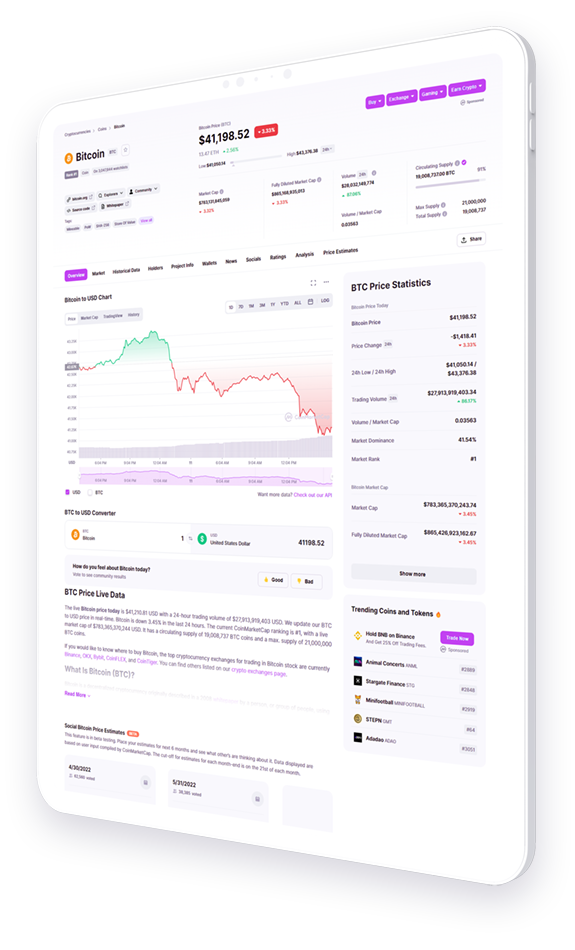
The image uploaded there looks like this with transparent background: https://demo.tagdiv.com/newspaper_blockchain_pro/wp-content/uploads/2022/04/ipad-hero-image.png
Thank you!
Bettina Bettina Hello!
Ask your host about this and please them to help you.
Thank you!
Bettina Hello!
That image effect is like that because of the image. You can try uploading the homepage again from the Cloud Library. Edit the homepage with the tagdiv Composer, click here:https://app.screencast.com/fV9QOkXeiUdYM and search for the blockchain homepage, click and install it again.
Thank you!
Bettina Hello!
Check the theme requirements and set the htaccess file as instructed here: https://forum.tagdiv.com/requirements-for-newspaper/
Pay attention to the host documentation as well.
Delete the lines you’ve added with PHP values and add them in the PHP.ini file.
Thank you!
Bettina Hello!
You can do that so easily with the help of the tagdiv Composer, for example: https://app.screencast.com/4AvVH5JJuqWxA This value can be added on a row or any element and control the position.
Set the row as stretch row and content, and the second row as simple. We have some settings for the rows and different stretch sizes: https://www.screencast.com/t/bsbB5P97A
Thank you!
Bettina Hello!
You can create a page with the same design and add it into your modal popup shortcode.
You can also change the background and copy-paste the icons from your footer into the page of the modal popup. See how the background is set for that mobile menu in the Newspaper -> theme panel -> theme colors -> Mobile menu -> background gradient color option.
Thank you!
Bettina Hello!
Incorrect file permissions on the server can prevent featured images from displaying. To fix this, check and adjust the permissions of your image directory—typically, directories should be set to 755 and files to 644.
Also, please check that you meet all the theme requirements: https://forum.tagdiv.com/requirements-for-newspaper/
Thank you!
Bettina Hello!
Unfortunately, there is a problem with the mobile pages and that option. Can you unset the mobile page and make the changes directly on your homepage on the tablet viewports?
Thank you!
Bettina Hello!
If you assign a cloud template there, then the button will appear.
You can get in touch with us via email at contact@tagdiv.com and provide the following:
– admin URL and credentials
– a link to this topic to identify you
Thank you!
Bettina Hello!
I mean you edit it weekly and add a new link there.
Thank you!
Bettina Hello!
I see more articles do not have a featured image. See how you’ve set it up here: https://adityanewsnetwork.com/twelve-year-old-mentally-retarded-minor-raped-victim-five-months-pregnant-mother-files-case/
Thank you!
Bettina Hello!
You did not seem to assign the template and the mobile page you’ve built. Mobile pages: https://tagdiv.com/newspaper-10-3-7-update-brings-customizable-and-fast-mobile-pages
Homepage set up: https://forum.tagdiv.com/homepage-how-to-build-and-set-it/
About Cloud Library Templates: https://forum.tagdiv.com/cloud-library-templates/
Thank you!
Bettina Hello!
Do you have any errors when you are saving the article?
Please provide me more information(screenshots/video) about the issue and your website link.
A solution for sending a screenshot/video is this:
Download, capture, and send: https://www.techsmith.com/jing-tool.html
After making the screenshot, you will have a link; paste it here.
Thank you!
Bettina Hello!
Make sure all the required plugins are up to date.
If you want, we can take a look, see exactly the issue and let you know what you can do there. Please contact us via email at contact@tagdiv.com and provide the following:
– admin url and credentials
– more details about the issue
– a link to this topic in order to identify you
Thank you!
Bettina Hello!
It helps you to display a custom field in the button URL, for example, but we have the shortcode custom field as well: https://forum.tagdiv.com/custom-fields-support/
You can display a custom field for a post or listing in a block on your homepage. You should use a custom module template displayed with the help of the flex block builder: https://forum.tagdiv.com/modules-builder-newspaper-theme/
Thank you!
Bettina Hello!
Please check this guide to see how you can set a featured image: https://forum.tagdiv.com/featured-image-or-video/
Thank you!
Bettina Hello!
First of all enable those options from the Website Manager: https://app.screencast.com/2vO2Dg4wS1s7d
A workaround could be to add the mobile menu to the desktop viewport and hide it from the CSS tab: https://app.screencast.com/ocBb9hWOVZRPs. Access the tablet viewport: https://app.screencast.com/Terq3h8SWoR7P and hide the normal menu.
Thank you!
Bettina Hello!
Strange! I’ve checked your website, and everything seems to display just fine. Did you solve your issue? If not, you can get in touch with us via email at contact@tagdiv.com and provide the following:
– admin URL and credentials
– a link to this topic to identify you
Thank you!
Bettina Hello!
Strange! If you want, we can take a look, see exactly the issue and let you know what you can do there. Please contact us via email at contact@tagdiv.com and provide the following:
– admin url and credentials
– more details about the issue
– a link to this topic in order to identify you
Thank you!
Bettina Hello!
Check this guide: https://forum.tagdiv.com/modules-builder-newspaper-theme/
Regarding the design, you can split a row into 2 and add an inner row splitter into 4, and you will have 8 columns, like in your example.
Thank you!
Bettina Hello!
Please check this guide to see how you can set a featured image: https://forum.tagdiv.com/featured-image-or-video/
Thank you!
Bettina Hello!
It seems to be a default template that can not be customized with the tagdiv Composer.
Thank you!
Bettina Hello!
This is how it works our Newsletter plugin: https://forum.tagdiv.com/the-newsletter-plugin/
You can use the Raw HTML shortcode, and style it via CSS.
A shortcode (wpforms) can be inserted by using the element called “Column text” or “Text with title”. “Column text” and “text with title” elements have a button called “edit content” and if you click on that button, the WP Editor will open and you can add some text/code/shortcode there. Close the WP Editor from X, save the changes from Composer and view the page to see the changes.
Thank you!