Edward Edward
 Check this settings (Enable or disable comments number on blocks and modules):

-
This reply was modified 8 years by
Edward.
Edward https://forum.tagdiv.com/smart-sidebar-2/
See section Creating a new sidebar and below.
Edward Each update packages contains a patch folder
– https://forum.tagdiv.com/whats-included/
You can update the theme by replacing the current files with the ones from the patch folder.
But if you have any doubts, it is better to update the theme via FTP way because this is the surest method in this case, according to developers documentation from here -> https://forum.tagdiv.com/how-to-update-the-theme-2/
Edward Какие-то модификации в Тему вносили?
По умолчанию не должно такого быть, демо: https://demo.tagdiv.com/newspaper/td-post-mcdonell-kanye-west-highlights-difficulties-for-celebrities/
Заголовок поста по дефолту имеет тег H1. У вас сейчас он H3.
<header class=”td-post-title”>
<h3 class=”entry-title td-module-title”>Крапивница — фото, симптомы и лечение у детей</h3>
<div class=”td-module-meta-info”>
</div>
</header>
Edward Edward 1. To use wpdiscuz system you need to install it. For all other questions about wpDiscuz please contact the developer support forum: https://gvectors.com/forum/
Edward Edward The commentator must be logged into the system so that the counter correctly shows the number of comments.
Edward Edward Если речь идёт об этом: https://demo.tagdiv.com/newspaper/social-counter-widget/
то штатных средств добавления других счётчиков нет.
https://forum.tagdiv.com/tagdiv-social-counter-tutorial-2/
Используйте / пробуйте сторонние плагины.
Edward Please wait for the official response of the technical support. Day off today, as you see in the banner at the top of the forum.
Edward 
Edward 1. Firstly – disable all untested plugins.
2. Please check the server minimum requirements to be met, system status parameters to be increased according to documentation from here -> https://forum.tagdiv.com/system-status-parameters-guide/
3. Try again
* Recommended (tested) plugins:
WordPress SEO – SEO plugin
WP Super Cache – caching plugin
Contact form 7 – used to make contact forms
WooCommerce – eCommerce solution
bbPress – forum plugin
BuddyPress – social network plugin
Font Awesome 4 Menus – icon pack, supported in the theme menus
Wp User Avatar – Change users avatars
Jetpack – plugin with lots of features *it may slow down your site
Edward Edward Edward
Edward Quite well! Сheer! ))
Edward Sorry, I’m not a tech support there. Wait for the official response from the developers after the Easter holidays.
Edward Try to enabled this options:

Edward Without any plugins:

Result:

Edward Edward Support:
The problem is known. You can either fix it yourself: https://forum.tagdiv.com/topic/social-counter-and-instagram-problem/
or waiting for the official update (as promised – after the holidays), where this error will be fixed.
Edward Maybe this topic will help you: https://forum.tagdiv.com/topic/multiple-authors-co-authors-on-articles-author-links-and-author-boxes/
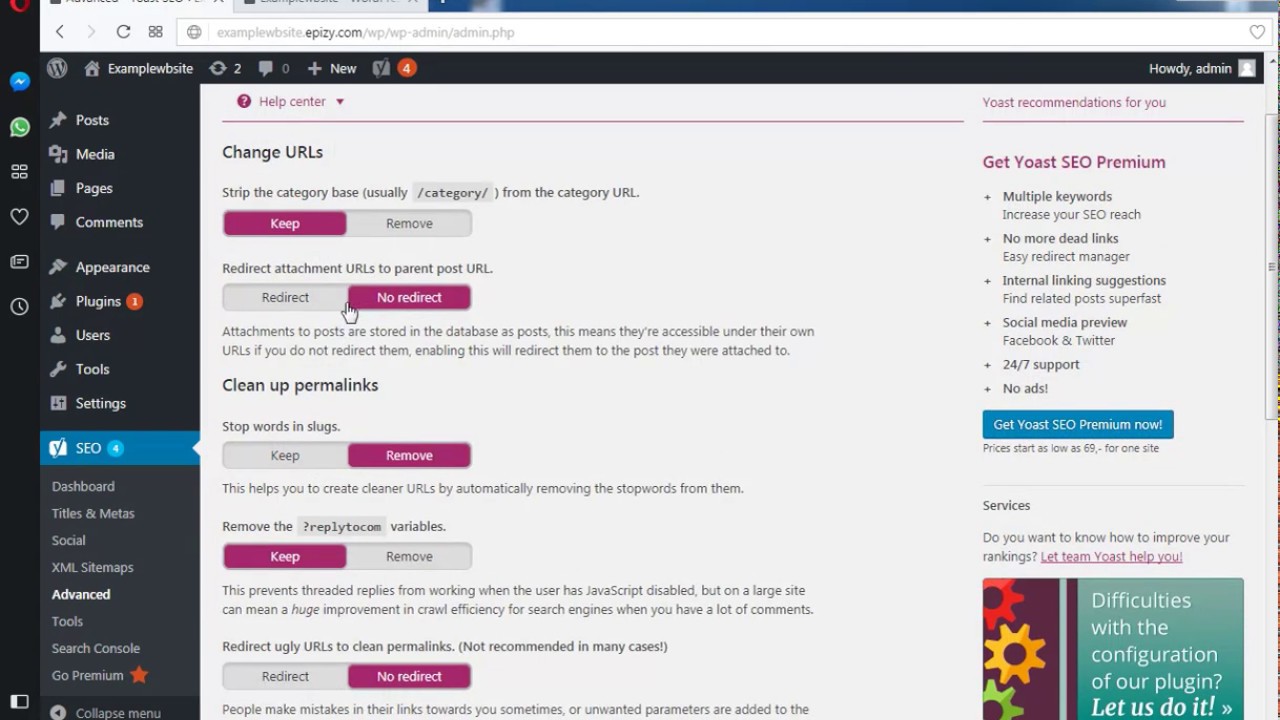
Edward When you upload an image or a video to WordPress, WordPress automatically creates an attachment URL for it, next to allowing you to link to the media item directly. This is much the same as a post URL, but it has no real SEO value. Most sites therefore never use these attachment URLs, but because WordPress sometimes links to them, they do start being indexed by search engines.
Install Yoast SEO plugin:
Yoast SEO long had a feature that allowed you to redirect attachment URLs for images to the post they were embedded in.
https://yoast.com/testing-yoast-seo-7-0/#media