

 Edward
 In your case to do this point before update:
Deactivate the current “Newspaper” theme from the Appearance > Themes section by simply activating a different theme. Once you activate a different theme, delete the Newspaper theme.
Edward The simplest language:
1. Make backup folder of your site: ../wp-content/themes/Newspaper
2. Delete this folder (Newspaper) with all content.
3. Upload and extract zip file Newspaper.zip with the theme from themeforest.net to your folder ../wp-content/themes/
4. Enjoy!
If you don’t want to read “10 pages of text in a user manual” just watch the video:
Edward Edward Edward https://forum.tagdiv.com/how-to-update-the-theme-2/
Firstly always backup the files and the database, in case something goes wrong with the server you could use the backup to revert to the previous state.
Read section A. Update the theme via FTP
Edward Nothing to remove or change. It is necessary to observe basic safety rules.
Read the first two points at this link: https://yoast.com/wordpress-security/
1. Don’t use admin as a username
2. Create an editor account for yourself
As a rule, this is enough.
Also read this tutorial: https://forum.tagdiv.com/topic/tutorial-good-basic-security-practices/
Edward Try to restore the permalinks, please go in settings and click on save:
Edward The speed booster is an optional plugin and it is tested only with these plugins – http://screencast.com/t/hcjLnOqh4i2 and if you use other plugins it will be automatically disabled. A lot of people install the plugin without knowing what it does and after that, they add many plugins and some of them are not written fine so the developer took this decision. If you want to always enable speed booster, delete this code from speed booster file: http://screencast.com/t/RZLIOPUNdqh
Edward 1. Search in Google: “http error 500” (this issue does not apply to the theme)
1. Check Requirements for Newspaper: https://forum.tagdiv.com/requirements-for-newspaper/
2. Install the theme via FTP: https://forum.tagdiv.com/install-via-ftp/
Edward Update the theme via FTP: https://forum.tagdiv.com/how-to-update-the-theme-2/
 Edward
 https://forum.tagdiv.com/modal-window/
Global settings:
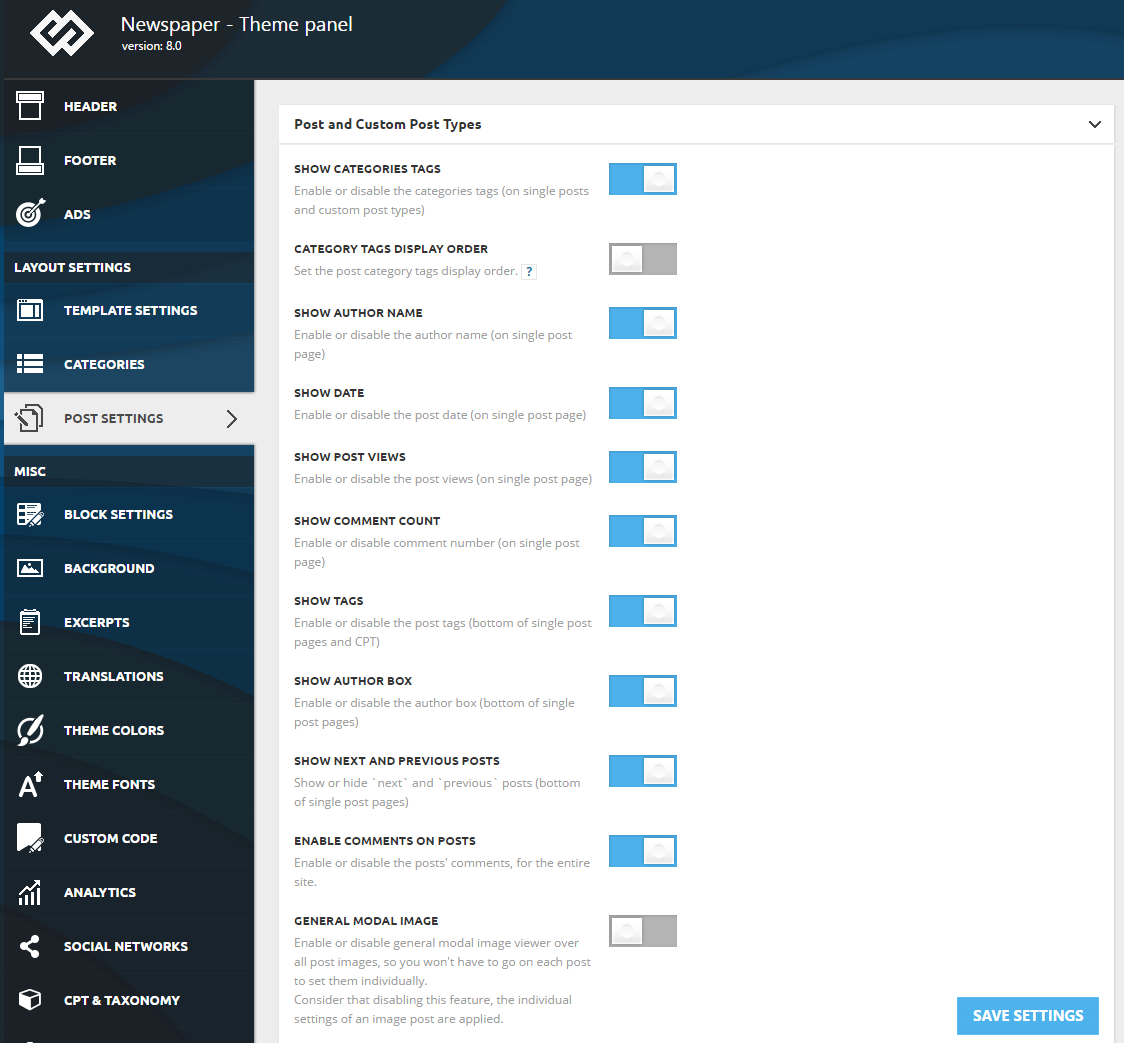
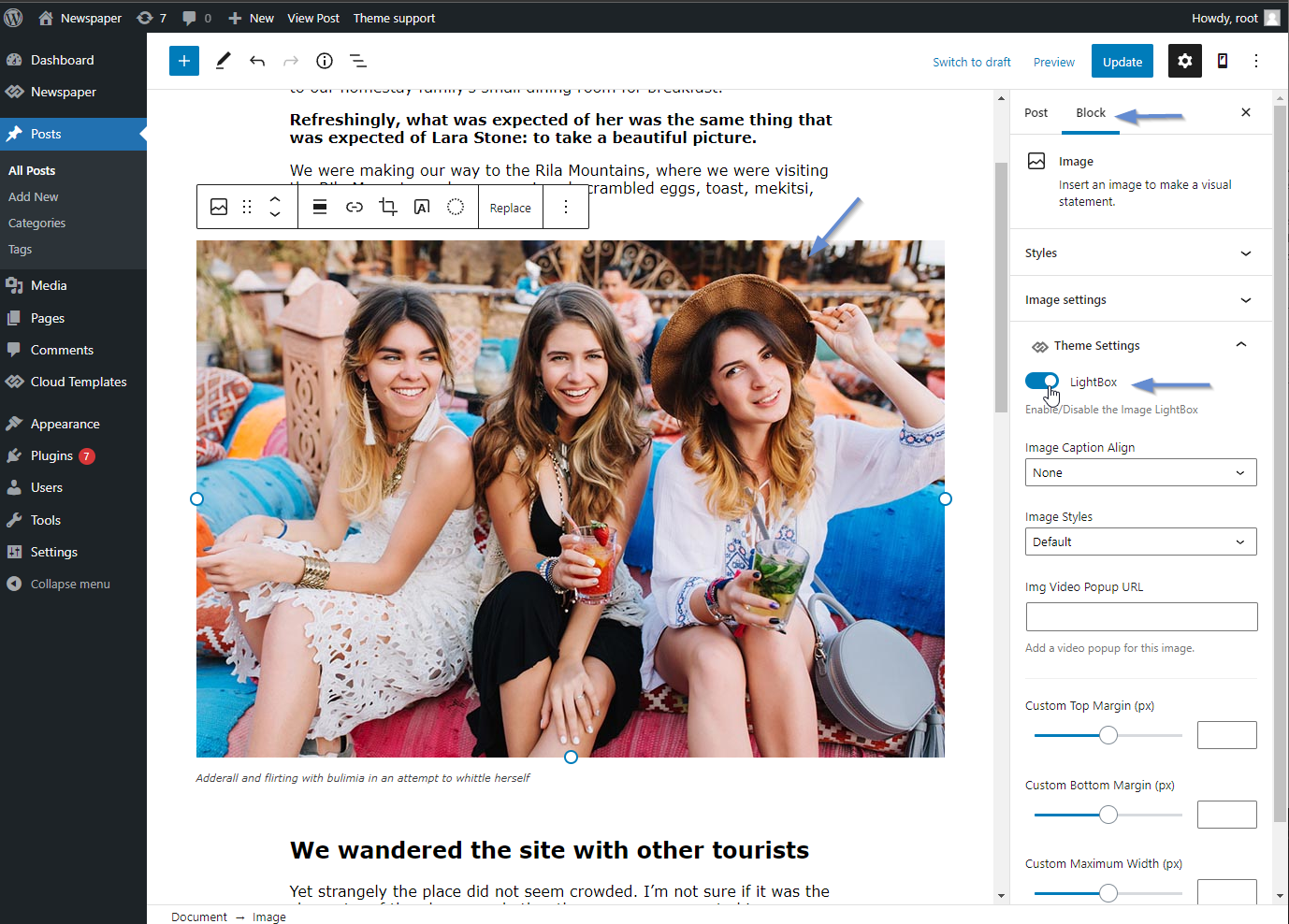
The modal can be enabled globally from Theme Panel -> Post Settings. The modal will apply to all post images, so you won’t have to go to each post to set them individually. If this feature is disabled, the individual imaged settings are applied.
Edward Edward https://forum.tagdiv.com/topic/2-sites-1-theme-newspaper/#post-250518
Normally, the Envato policy allows using a theme only on one install. You can, however, use the theme on a sub-domain if you plan on creating a testing site, but if we are talking about totally different sites with different content, then only one theme per install is legally allowed. If the second site is totally different from the first as content, you should purchase another license.
Edward tagDiv Slide Gallery:
Edward By default, the themes don’t come with any OG data.
Developers recommended to use the WordPress SEO by Yoast plugin.
Edward 
Edward Edward Firstly disable any untested plugins (WP Rocket and etc.).
AMP URL is URL + /amp in your address:
https://www.interestinganswers.com/animals/do-ants-have-hearts/amp
See example for demo-site of developers:
Edward Edward Install the theme via FTP.
Check this guide: https://forum.tagdiv.com/install-via-ftp/
Edward Используйте инспектор браузера, чтобы определить, какой цвет и шрифт используется в цитатах: https://forum.tagdiv.com/create-custom-code-using-the-browsers-inspector/

Edward Demo-site for example:
AMP url (just add “/amp” to link): https://demo.tagdiv.com/newspaper_crypto/td-post-ripple-ceo-and-ethereum-co-founder-bash-ico-industry/amp/
Edward Edward 
