

 Edward
 Try this (info 2012 year, disable sharedaddy):
From the Jetpack section of your blog’s Dashboard, click “Learn More” on the Sharing module. The “Configure” button to the right will change to a “Deactivate” button so you can deactivate the Sharing module.
Edward If you want to have more control over post view count, please notice that you can handle it from Custom Fields from each post editor, like this -> https://www.screencast.com/t/fGWl7fxh6 -> https://www.screencast.com/t/wmrhc7pLPMk2
Edward 
Edward When you activate the WordPress theme by default (Twenty Seventeen for example), the site also falls?
Edward Edward Edward Edward Note that WP makes images from anything added to the media manager, per the default sizes shown on the settings > media page for *all* themes, defaulting to those most commonly used by the default blog themes included with WP.
The only solution that works across all themes, is to simply use the FTP method for common images, and then use the media manager only for the ‘featured’ image for a story.
===
When I ran out of almost all the disk space on the hosting I had to manually delete all unused previews. Yes and it’s sad. Now I use ftp-Protocol to upload photos to the article.
And use the media manager only for the ‘featured’ image for a story.
UPD. Да, к сожалению, лишние превью пришлось удалять вручную. Может быть есть какой-нибудь плагин, который аккуратно это сделает за вас, надо искать…
Edward Make sure that you are using the latest version of the theme, disable all of the untested plugins (also try to disable jetpack) and test again.
AMP version of the post now ok. See for example: https://www.mashnol.org/add-story-Instagram-story-highlights/amp
Edward This problem appears when you install the theme on a site that already has content, right?
Read this manual: https://forum.tagdiv.com/thumbnails-fix-strange-looking-images-on-blocks/
Edward The best size for featured image does not exist because images will be cropped due to the fact that the aspect ratio of the images are different in different modules.
Edward Try to search and replace field of this text in Translate section of the Newspaper theme.

Edward Edward Before updating always backup the files and the database, in case something goes wrong with the server you could use the backup to revert to the previous state.
Update the theme via FTP:
Edward Alternatively use a third-party plugin. For example: https://wpdiscuz.com
The plugin offers a large set of customizations including color settings for administrator comments.
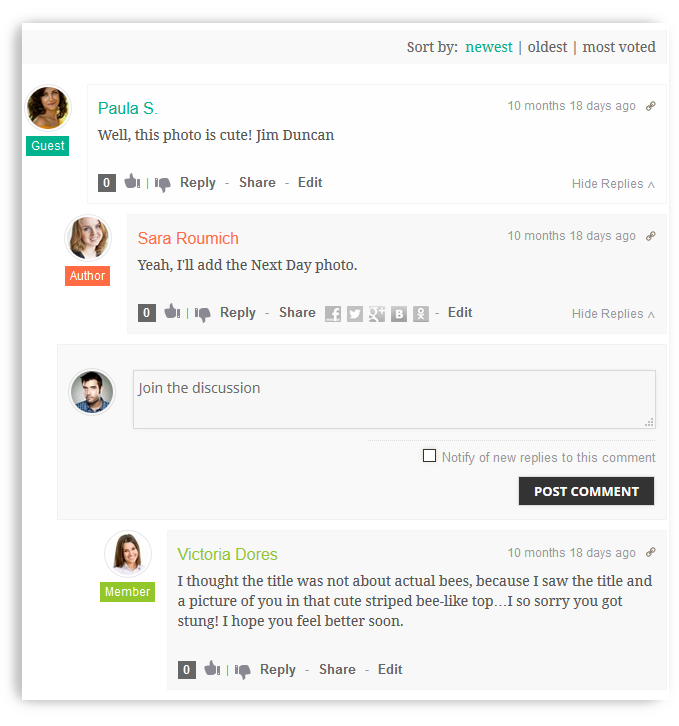
However please note that this plugin is not supported by the Newspaper theme developers.
Edward Edward The counter is updated with each page load.
For example: press F5 (reload page in browser) = +1 Post Counter.
Edward Make backup of your site with database.
Read section “A. Update the theme via FTP”: https://forum.tagdiv.com/how-to-update-the-theme-2/
Edward Install the Theme via FTP: https://forum.tagdiv.com/install-via-ftp/
Edward Edward The answer from the developers:
You could modify the theme as mentioned in this topic
– https://forum.tagdiv.com/topic/adding-link-format-posts/
By default the theme will provide only the standard post and video post. Maybe more formats will be added in the future, can’t say exactly.
Edward https://forum.tagdiv.com/search/Malware/
https://forum.tagdiv.com/topic/traffictrade-malware-newspaper-8-1-all-updated/
https://forum.tagdiv.com/topic/tutorial-good-basic-security-practices/
and etc.
In the most severe cases first: check your own computer for viruses; then treated with a MySQL database of your website; then re-installed WordPress from the official distribution, and only then installed the Newspaper Theme last version.
Edward Edward Try to diasable wp-rocket plugin or (and) lazyload effect.
Edward This is a preview for the child theme in the admin panel of your site:

