- NewspaperFlex Block Builder and Flex Loop Builder
- NewspaperHow to use the Flex Blocks cache option
- NewspaperHow to edit modules for Flex Block X
- NewspaperHow to insert a block inside the content of a post
- NewspaperFlex Block Settings Guide
- NewspaperMeta Info on Modules and Blocks
- NewspaperTheme modules and blocks
- NewspaperThumbnails – Fix strange looking images on blocks
- NewspaperBlock settings tutorial
- NewspaperCategory Tag on Modules/blocks
- NewspaperWP Rocket and Newspaper Theme: Optimization Guide
- NewspaperSearch setup for custom post type
- NewspapertagDiv Opt-In Builder – Emails
- NewspaperBookmark – Save For Later
- NewspaperModules Builder in Newspaper Theme
- NewspaperFilters and sorting for taxonomies
- NewspaperUser review system
- NewspaperWooCommerce: Happy “Add to Favorites!”
- NewspaperLockers
- NewspaperLeads
 Costea.Exari
Guys it’s possible to upload theme with all settings like here: http://demo.tagdiv.com/newspaper_black/
Or maybe you have some users with just view rights, and with this user i can try to look on your settings and apply these settings on my side. Because i’m trying to apply settings like here: http://demo.tagdiv.com/newspaper_black/ but i have a lot blockers with that.
 datomnz
Hi
Is there any way to put a fontawesome icon before the block title, as mocked up here: https://snag.gy/EqpQFg.jpg
Cheers
Tom
 javid
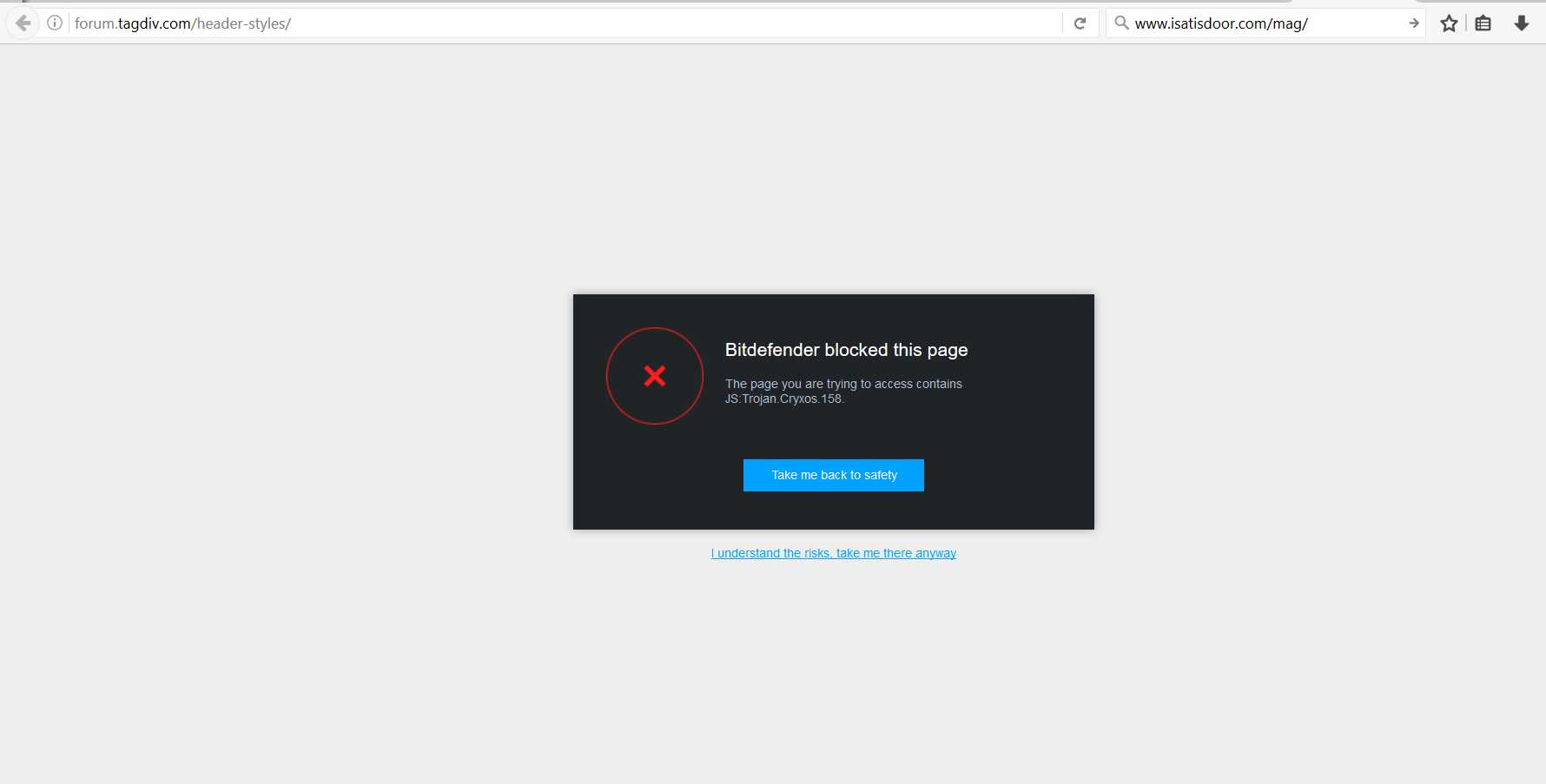
javid yes i have same problem . bitdefender blocked my site
 Ing Geek
Team! This is serious, again the forum was infected whit some virus or something similar and bitdefender antivirus sais its JS:Trojan.cryxos .
The virus problem its terrible because if im or not loged the antivirus blocks the site!!! And many peaople use bitdefender antivirus!!!
 manumahajan26
Sir i am using Adsense ad block for header top . This ad is showing on all page including page 404 . But according google policy it is not valid . than how can i remove top ad from invalid page such as 404
javidhi
today i check my site
coca.ir
and bitdefender blocked my site and your site
Bitdefender blocked this page
The page you are trying to access contains JS:Trojan.Cryxos.158.
http://www.coca.ir/wp-content/uploads/2016/12/2016-12-30_072352.png
 champagnemigraine
Hi, I’d like to have two blocks of solid color on one row, both taking up 50% of the entire screen. Currently they each take up a much smaller percentage. Essentially I want them to stretch over the entirety of the screen. I have attached a screenshot of my current situation. Additionally I would like no gap between the elements.
 Edward
 I added new post on Instagram but are not updated on the site
Please note that Instagram is not a live widget. It will grab the latest info but it will only make a few requests per day to the server to keep requests to a minimum.
https://forum.tagdiv.com/topic/instagram-widget-does-not-show-the-latest-pictures/#post-115169
 mpdimitrov
 Hi,
I have tried setting the limit post number to an even number and also edit the setting from WordPress->Reading but still there are these two blank spaces – http://imgur.com/a/jOvx1. The rest of the posts in the block are showing fine without gaps. What else can I try?
Thanks,
Mariyan
 krismali
Hi,
I have a number of text blocks on the page. I need to change border color for all of them. For some reason, it´s impossible. I go to “Text block settings” -> “Design settings” -> “Border color” -> select different color – > “Save changes” – > “Update”. Then go to see updated page and nothing changed. When go back to “Text block settings” -> “Design settings”, the “Border color” has the same color as before i changed it. As if changes don´t save. When i change background, everything works. When i change border color, it doesn´t save my selection. Can you help? I am attching the screen
 Alin [tagDiv]
 Hi,
Please provide your site url and a screenshot with your settings so we can take a closer look. I’m not sure how you say it works for Big Grid category tag and it doesn’t work for blocks as it is a global option in panel for this. Do you use a specific demo?
Thanks!
champagnemigraineHi,
I am trying to update the font of the category tag in a variety of modules and blocks. The font I am using is Quicksand. I am using it throughout my theme with no problems. I also am using it for the category tag in Big Grid 3. In the theme settings I have changed all the fonts to Quicksand and as mentioned this works for Big Grid 3. However, it doesn’t work for any of the blocks. Here the font is Open Sans, or whatever the default theme font is. When going into theme settings and changing the font for categories to one of the default available ones, it works. However, not for an imported Google Font.
 Catalin
 Hello di_aeiou,
I have checked on my side and the Block 16 has not been changed. It remained the same as before. Please check our demo tutorial here and there you will the behavior of this block if you will shrink the browser.
http://demo.tagdiv.com/newspaper/block-16/
Please provide more details about your problem if is not what you mean. Also, provide some useful screenshots for a better understanding.
Thanks for the message!
 Bogdan B.
 Hi,
It seems the blank spaces are because of the number of posts you set in block 4. Please use multiples of 3 if you do not use a sidebar and use multiples of 2 if you do use a sidebar Otherwise there will be gaps in the block.
Thank you!
Bogdan B. Hello,
No, you do not need coding skills to make a block show a particular category or tag. Each block has quite a decent number of settings you can choose from in order to set it to show what you want. Please check this topic: https://forum.tagdiv.com/block-settings-guide/
Thank you!
Bogdan B. Hello,
Unfortunately our theme does not have any such option. It can only be made through customizing the css.
Here is an example of how you can get them centered as you suggest:
.td-social-google, .td-social-pinterest{

display:none!important;

}

.td-classic-sharing{

display:block!important;

margin-top:10px;

text-align:center;

}

.td-post-sharing-top{

text-align:center;

}
Thanks.
Bogdan B. Hi,
Unfortunately I cannot see the block you mention on my end. You probably figure out how to remove it in the meantime.
Thanks.
Bogdan B. Hello,
1) You can change the excerpt font from here: http://screencast.com/t/9OHzvOAAAjF7
2) Each block can have a set number of posts you can change from the block settings. Please use this guide to set the number of posts you want on the homepage: https://forum.tagdiv.com/block-settings-guide/
Thank you!
datomnzHi
On a VC page I currently have ‘Block 11’ put on a column of my page.
I was wondering if a couple of amendments can easily be made though:
– The category tag overlaying the featured image, as per mockup here: https://snag.gy/sUWmP3.jpg
– the font size of the post title to be made a little smaller.
Thanks
Tom
 josflachs
 Nearly there. I’m astounded with what is possible in Newspaper!
I have one problem left:
In style.css on line 471 it reads:
.td-pb-row [class*="td-pb-span"] {

    display: block;

    float: left;

    min-height: 1px;

    padding-left: 24px;

    padding-right: 24px;

    position: relative;

}
I need to set the padding to 0. I added a no-padding class to row settings, but that doesn’t work.
.td-pb-row [class*="td-pb-span"] .no-padding {

padding-left 0;

padding-right0;

}
That’s what I need to solve.
One more question, if I may. I bought this theme for a different site. Right now I’m building on localhost. I’m allowed to do that, I think, for testing. Do correct me if I am wrong.
Do I have to buy a extra license if I want to deploy this site? I’m not asking for a freebie, I need to know in order to charge my client correctly.
Bogdan B. But the 2 images are identical in size. What tag are you referring to? What are you trying to achieve? Are you creating a custom block? do you want to add more elements to the block besides the thumb? I’m not understanding exactly how to help. Sorry. Try to inspect the code for module 10 and use it to replicate your custom built block.
Thank you!
 11wkfm
Hey there,
got a couple of questios about the theme.
1) I put a searchbar-widget an a custom link in the header add area.
Now i wonder if i can change the [SEARCH] Button somehow to the magnifier icon ?!
And ofc how i can manage to do this ?
2) is there an option remove the magnifier icon on the main menu ? (don’t need the dropdown search bar)
‘the medium’ (as seen in ur showcase section) modified the searchbar to not be drop down, is this a better way
then change the widget ?
3) Another question is about authors, i read that there is no build in option to show co-authors and so on.
I wonder if it’s possible to change the php files to show more than one author(role: author)
instead of using co-authors plugin and co-authors(role:co-author)
4) Is there a build-in way to show my latest youtube videos automatically on wp, i found only manuall ways
(e.g. youtube-block)
same for facebook posts, twitter. The Instagram-block is doing this already right ?
-if not, would you suggest usig ifttt or wp plugis to do this ? (if you have exp. with this)
5)i got some issues with the moble plugin on wp multisites.
so far i’m running a multisite, and had tg mobile plugin running as network activated.
does it only work if i manually activate the plugin for every site (guess that makes sense for this kind of plugins) ?
Is there any other known problems with the mobile plugin on multisites that i have to think of?
thanks so much,
alex
mpdimitrovHello,
We have been using the Newspaper 7 theme without any issues for awhile now. However recently we have been getting blank spaces on the homepage – http://imgur.com/a/o3mBf. The homepage is designed with visual composer and we are using block 4. Can you suggest how can we fix this?
Many thanks,
Mariyan
 dailyspectacle
The blocks in your newspaper template are great! But how do I get them to show just one category (and sub-catheories along the top) rather than just being all categories? It won’t let me edit them like usual content boxes in options, I presume it has to be done HTML?
 di_aeiou
 Hello Catalin,
We already tried clearing the caches and we also tried keeping only the theme and plugins from the bundle but the end result was the same, those blocks seem to have changed :/
We ran a diff between 7.5 and 7.6 of the theme, and we can confirm what you said, but in this case between 7.4 and 7.5 every template file changed to include the
$td_column_number = td_global::vc_get_column_number(); // get the column width of the block from the page builder API
instead of
$td_column_number = td_util::vc_get_column_number(); // get the column width of the block from the page builder API
We even removed the child theme and the problem persists :/
Thanks in advance
-
This reply was modified 9 years by
di_aeiou.