- NewsmagBlock settings tutorial
- NewsmagCategory tag on modules/blocks
- NewsmagtagDiv Composer Tutorial
- NewsmagWeather Widget
- NewsmagExchange widget
- NewsmagInstagram widget
- NewsmagHow to use the Visual Composer plugin
- NewsmagIntroduction
- NewsmagFooter templates
- NewsmagCustom ad spots
- NewsmagLoading image effects
- NewsmagSmart sidebar
- NewsmagFeatured images
- NewsmagGeneral settings
- Newsmag7 days post sorting
- NewsmagTheme thumbs
- NewsmagExcerpts introduction
- NewsmagTheme colors introduction
- NewsmagtagDiv slider gallery
- NewsmagVideo playlist
 george advies
There is a yellow blocked line under the Titles on my homepage. I can’t find it anywhere, I just need to change the color.
It’s here: http://nieuw.nieuwsbriefadviesraden.nl/
I mean the large titles, like “Uitgelicht” and “nieuws”
Thanks!
 Anamaria
 Hi,
You can use also, flex block but with the filter “Category -Current category”
Thank you!
Anamaria Hi,
Please deactivate, delete and reinstall tagDiv Composer and tagDiv Cloud Library from Newspaper plugins => https://www.screencast.com/t/OrzLvR2j and clear all cache.
Also, please go to the theme panel -> block settings -> inline css and disable the option to minify the css, clear the cache and check after.
Thank you!
 nachtwache
I want to exchange the block with the “latest articles” with some Adsense code.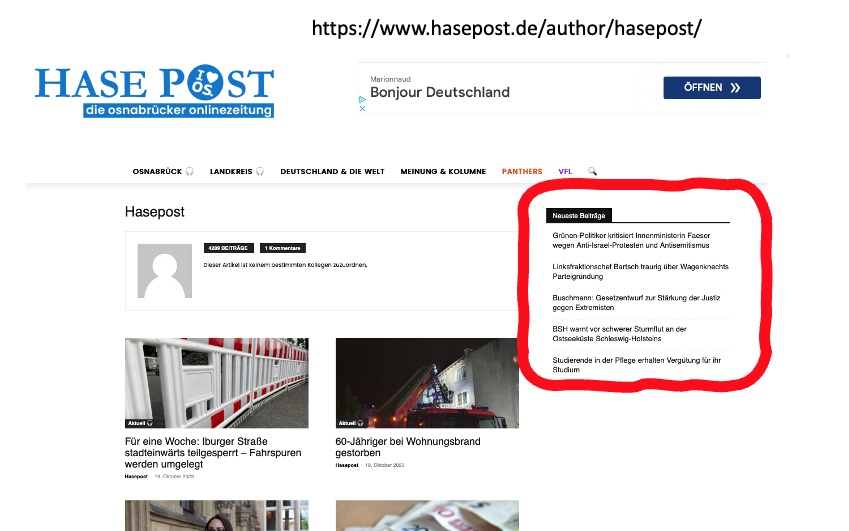
 elandroide
 Thank you for the info. I’ve checked the topic but it’s not working on my site. I’ve tried to get the underline by default for all the links inside the posts with this code and it doesn’t make any changes:
.tdb_single_content a {
border-bottom: 1px solid #ed1d25;
}
.tdb_single_content a:hover {
color: ##00a7c9;
}
Also I’ve tried this piece of CSS code recommended in the topic and still can’t get the underlined links:
.wpb_text_column a, .wpb_text_column a:hover, .td_block_text_with_title a, .td_block_text_with_title a:hover{
text-decoration: underline red!important;
}
Can you help me, please? Here’s a post of my website if you want to check: https://misterkernel.com/google-and-universal-music-want-artists-to-get-paid-for-ai-generated-music
Thank you in advance!
Anamaria Hi,
You can customize the category template. For the category template, please use posts loop; if you have set a posts loop then will display all posts in this category or you can use Flex Block/Big Grid Flex and set the filter to “Category -Current category” => https://i.imgur.com/7P99qx0.png and this is why the block will display posts for each category. So, please check the settings.
Thank you!
 Bavarde
Hi there,
I’m so happy with the Newspaper theme and I am about to complete my website https://wanderinparadise.com/, but I do have a few issues left to deal with. One of them is the category pages. Except for the header, they are all the same.
When I want to add on top a flex block showing all articles for the “category accommodations” it appears on top of all category pages instead of only this one.
Accommodation:
https://wanderinparadise.com/category/blog/accommodation-bora-bora/
Culture:
https://wanderinparadise.com/category/blog/bora-bora-culture/
How can I make sure that a category page shows only the articles of the category the page is made for?
Thanks in advance 🙂
 oposum
Dear Tagdiv team,
We’re migrating a big website (1)(190gb) running and older version of Newspaper (7 or 8), custom modded.
We made the new website (2) on a temporary domain and copied over some content, to get a preview.
But now we can’t migrate the rest of the content from the old site, images aren’t getting copied over and/or attached to posts.
Then we made a 1 to 1 exact copy (3) of the old website and put the latest newspaper theme over the old one. And tried copying the code on the pages ([tdc_zone type=”tdc_content”] etc), to get the same look as (2) but not really working. How should i put it together to get the same on (3) as on (2) but with all the content?
I can’t copy the blocks from the tagDiv composer from one site to another..
Hope it’s clear what we’re trying to do 🙂
Any advice appreciated!
 Calin
Calin Hi,
I understand what you mean, unfortunately, with the current implementation you can not filter the blocks after the guests added using cf. The thing is that in the current situation the only way to achieve an contributor page with articles that he contribute is by manually making a page for each one. However using the tag template can be a solution, but you also need to make a tag for each guest, and use as tag the name/username for that guest, in this way you can link the guest from article (the one made with cf) to the tag page with the guest name.
I hope this will help you!
Thank you!
 Alex
Alex— False alarm. After posting this, made further testing and seems to be working no problem.
Hi @ncalex,
There seems to be an issue with CPT Featured Image block.
Despite that “Featured Image Size” is set to Default 696×0, the front end still uses the full file.
“Featured Image Size” setting does not seem to react to any changes – always uses the full file.
Thank you.
 jriptide
I creating vendor profiles on my website that will show vendor related articles and events using a Block 9 module to display them. That said, when no related articles or events exist is there a way to have a message stating “no articles found” or “no events found” on the front-end, I see the “no posts” displayed in the TagDiv Composer, however it does not show a similar message on the public front-end.
 MKJ
MKJ Hi Anamaria,
you wrote via email:
I edited the template, and I deleted the code for that element.
Thank you very much, but I need to know HOW! The ad widget appeared after the update from 11 to 12, and we didn’t change the template. Obviously, the update added the ad. We would like to know, how we could fix this. For the next update, you know. 🙂
MKJ Hi there,
I don’t use the block editor. There is no widget whatsoever that contains your ad:

Please, see my first screenshot: “VIP Partner” is the title of the first widget.
MKJI’ve just updated a customer site from V11 to V12. Now, we have a Newspaper ad at the top of the default sidebar. It is only shown, if you’re not logged in. Are you kidding me? My customer paid for a license. Why on earth do you throw an ad for your product on his site? Now, this happened before. But this time, even after 30 minutes searching I couldn’t find a way to disable it. I could use CSS to hide the widget, but I don’t like dirty workarounds. In addition to that, you set an inline style to display: block. So, I would need to use !important to change this. Thank you for nothing! So, how can I get rid of this annoying widget?
Anamaria Hi,
Please go to the theme panel -> block settings -> inline css and disable the option to minify the css, clear the cache and check after.
Thank you!
Anamaria Hello,
You can apply the filter only on the Flex Block and Big Grid Flex -> https://imgur.com/Nnt3zGX
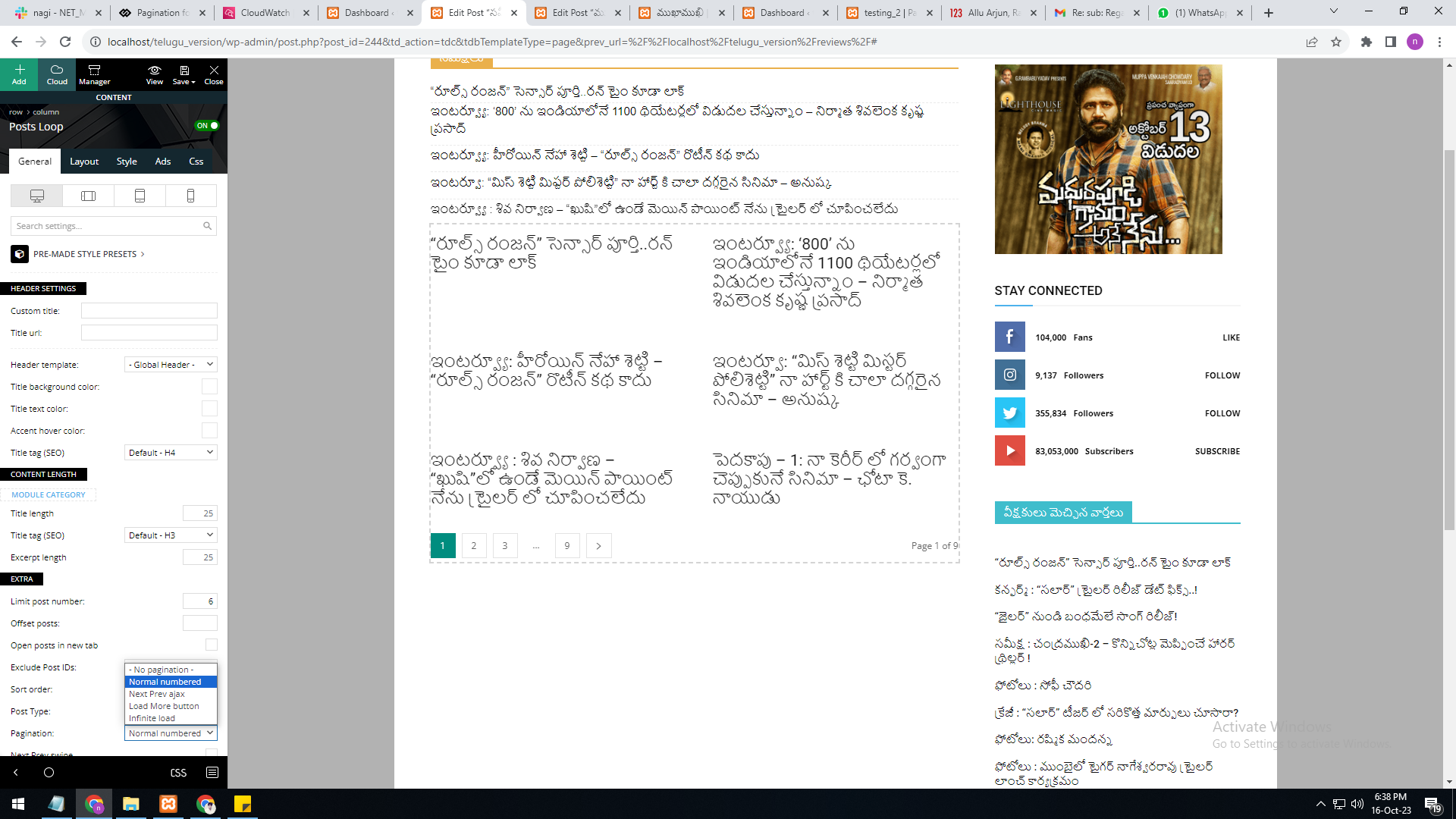
The Posts Loops settings are divided into 5 tabs: General, Layout, Style, ADS and CSS. The Posts loop is a special block and doesn’t have filtering options.
Also, one of the options for pagination of the Posts Loop has the option for normal numbered and the flex blocks do not have this option.
The Posts Loop is automatically filtering the posts depending on the cloud template you set (for example on the category page there will be posted posts from that category).
Thank you!
Anamaria Hi,
If you have the version 12.6.1, you can filter the blocks using custom filed, the custom filed needs to be the type of text assigned to the posts, or CPT and use this value in the post id or use type acf type true/falser to include,exclude posts https://i.imgur.com/bpiJMXL.png
Thank you!
Anamaria Hi,
Please go to the theme panel -> block settings -> inline css and disable the option to minify the css and clear the cache.
Thank you!
 nagi
nagiRespected Sir/Mam,
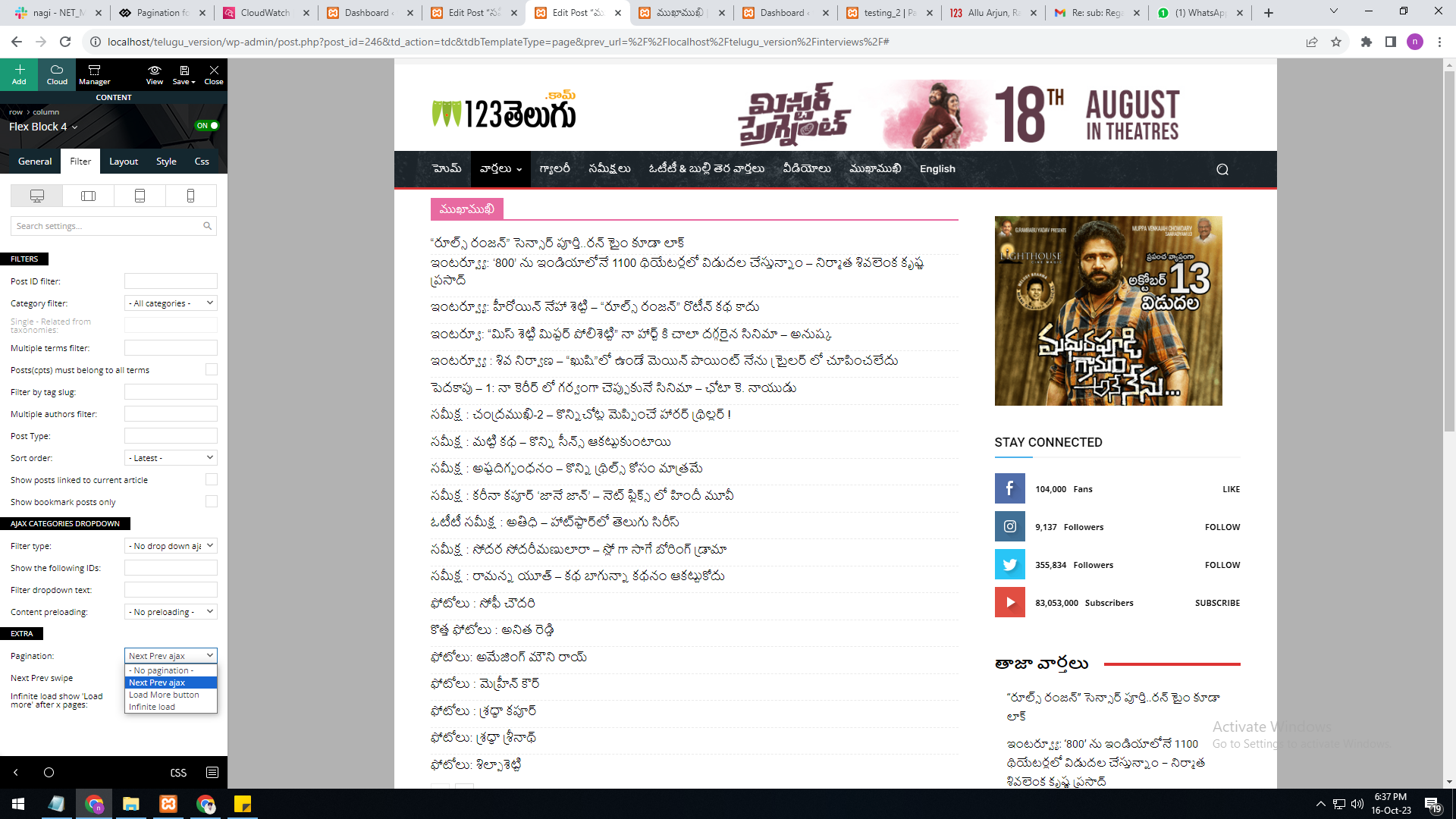
I am a developer at Mallemaala Entertainments, located in Hyderabad. We have a few requirements for our movie review website, 123telugu.com. I am hereby mentioning our requirements.
As per your reply, the numbering pagination is available in the loop concept. But we are not able to select the category option in it. The category filter option is not available in the loop concept.
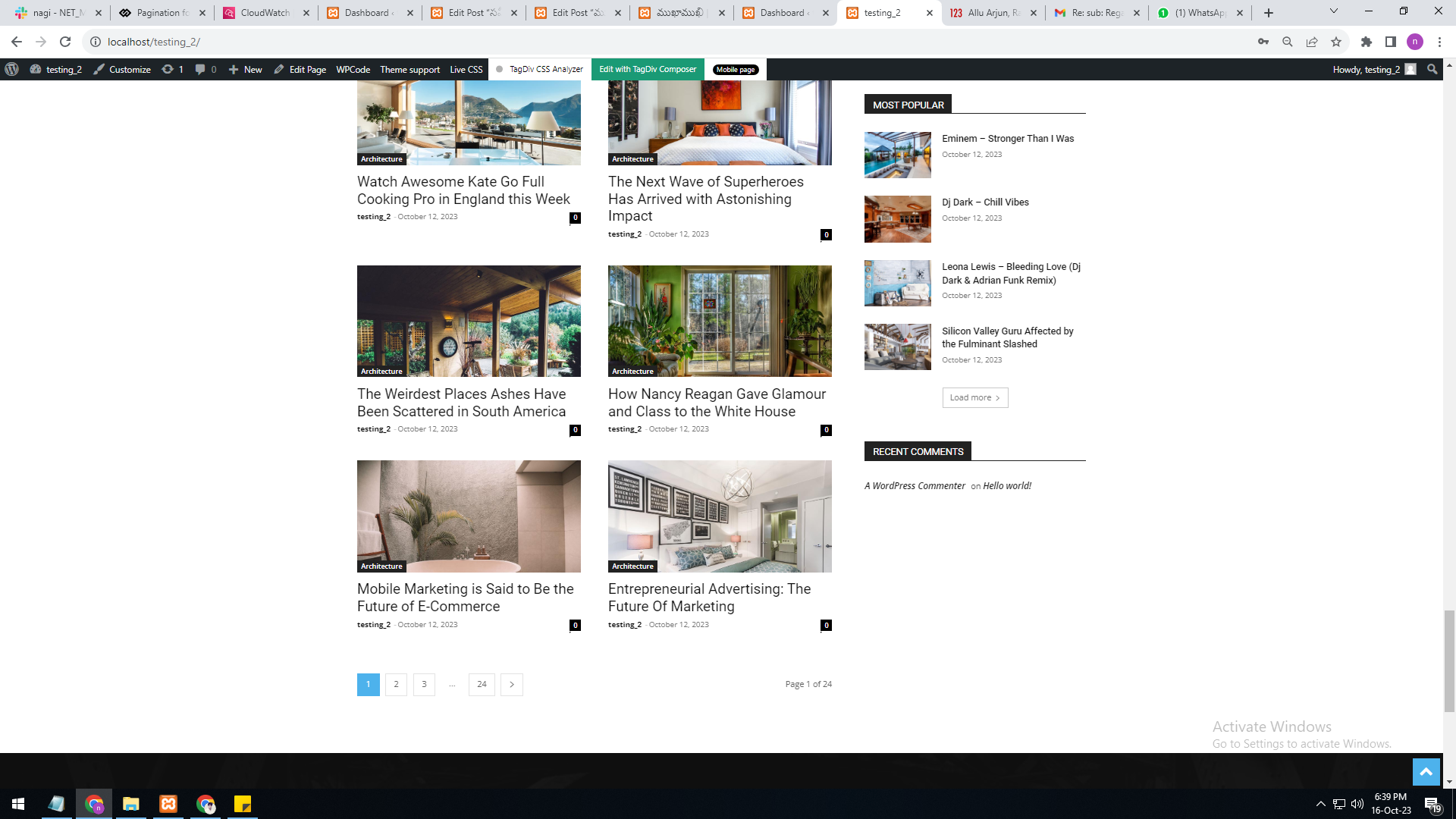
In single page, flex block 4, the category filter option is available, but the pagination currently has the options “next prev,” “more,” and “infinite load. But we need numbering pagination.
present my theme options
———————
https://gallery.123telugu.com/images/theme_test/Pagination_1.png
I want like this URLS link
————————
https://gallery.123telugu.com/images/theme_test/Pagination_2.png
https://gallery.123telugu.com/images/theme_test/Pagination_3.png
 ainci
ainci Hi,
we have for security reasons blocked certain countries from accessing our Website.
Could you please tell me from which country you are trying to enter our Website?
https://www.businesstodaynetwork.com/
https://www.businesstodaynetwork.com/?amp=1
Thank you.
Anamaria Hi,
You can also use, this code .td-pb-row.vc_row {
display:block!important;
}
Please set the code in live css.
Thank you!
nagi As per your reply, the numbering pagination is available in the loop concept. But we are not able to select the category option in it. The category filter option is not available in the loop concept.
In single page, flex block 4, the category filter option is available, but the pagination currently has the options “next prev,” “more,” and “infinite load.” But we need numbering pagination.
Anamaria Hi,
Unfortunately, for these blocks will not be added the pagination option.
Thank you!
 coinedition
We have hidden some of our row blocks using the display option under the CSS settings. Now we need to revert it back, how can we do that? We are not able to see the row section even in the tagDiv composer. How can we change the section settings(display) from hidden to show
 zklid
zklid Could you help me solve the problem, my site is blocked on the mobile side….