- NewspaperFlex Block Builder and Flex Loop Builder
- NewspaperHow to use the Flex Blocks cache option
- NewspaperHow to edit modules for Flex Block X
- NewspaperHow to insert a block inside the content of a post
- NewspaperFlex Block Settings Guide
- NewspaperMeta Info on Modules and Blocks
- NewspaperTheme modules and blocks
- NewspaperThumbnails – Fix strange looking images on blocks
- NewspaperBlock settings tutorial
- NewspaperCategory Tag on Modules/blocks
- NewspaperWP Rocket and Newspaper Theme: Optimization Guide
- NewspaperSearch setup for custom post type
- NewspapertagDiv Opt-In Builder – Emails
- NewspaperBookmark – Save For Later
- NewspaperModules Builder in Newspaper Theme
- NewspaperFilters and sorting for taxonomies
- NewspaperUser review system
- NewspaperWooCommerce: Happy “Add to Favorites!”
- NewspaperLockers
- NewspaperLeads
 Alice62
Is there a block where I can show posts that are short dialog jokes?
All the blocks I checked show excert as a plain text in one line. I need to show excerps (or whole post) on a couple of new lines.
Eg:
– Why did the chicken..?
– To get to …
 Anamaria
 Hello,
If the facts is the parent category and you have subcategories for that category then the block will display all posts from the subcategories.
Make sure the files the filer on the block is set on the “Category- Current category” https://i.imgur.com/hBcpUV9.jpg
Thank you!
Anamaria Hello,
1. If you have a header template you can edit with tagDiv Composer, select the header and change the background color https://i.imgur.com/yfovYPD.png, also you can do it for hover => https://i.imgur.com/QxUWuYe.png, if you have a standard template from Theme Panel , then you can edit the colors from Theme Panel -> Theme colors -> Header => https://i.imgur.com/BPOyLPQ.png
2. Unfortunately, I don’t know what element is, please provide more details.
3. If you referring to the block title, then, please set a space in the block title and change the header template => https://i.imgur.com/3L89aXR.jpg
If you don’t mean exactly that, please tell me.
Thank you!
 Calin
Calin Hi,
I think that there were a few users that inform us about that code or plugin they used, unfortunately, I’m not remembering one right now, but I will search on forum to see if I can find one.
About the opt-in builder, I think that you are referring to an “Show exclusive posts only” filter, if is so this is on our list to be added. An solution for the moment is to set on those post the category exclusive and filter the blocks after that category.
Thank you!
 natanaelgutz
Block menus do not appear since installation, what should I do to make them appear?
Os menus dos blocos não aparecem, desde a instalação, o que devo fazer para eles aparecerem?
Segue o Link do site https://oauditorio.com/
Link monstrando como deveria ser e como está
Link showing how it should be and how it is
https://oauditorio.com/sem-categoria/10/2021/image/
 abc
abcThis error message appears suddenly.
I do not know the cause of it.
I did not add any plugin and change setting.
It shows suddenly.
How can I fix it?
https://snipboard.io/oWmCLj.jpg
rg-editor .editor-styles-wrapper .wp-block2_66c, .td-gutenberg-editor .editor-styles-wrapper .wp-block2_66c > p, .td-gutenberg-editor .editor-styles-wrapper .wp-block2_66c .tdb-block-inner > p{ font-family:Rubik !important;font-size:15px !important;line-height:1.8 !important; }.td-gutenberg-editor .editor-styles-wrapper .wp-block2_66c h1{ font-family:Rubik !important;font-weight:500 !important; }.td-gutenberg-editor .editor-styles-wrapper .wp-block2_66c h2{ font-family:Rubik !important;font-weight:500 !important; }.td-gutenberg-editor .editor-styles-wrapper .wp-block2_66c h3:not(.tds-locker-title){ font-family:Rubik !important;font-weight:500 !important; }.td-gutenberg-editor .editor-styles-wrapper .wp-block2_66c h4{ font-family:Rubik !important;font-weight:500 !important; }.td-gutenberg-editor .editor-styles-wrapper .wp-block2_66c h5{ font-family:Rubik !important;font-weight:500 !important; }.td-gutenberg-editor .editor-styles-wrapper .wp-block2_66c h6{ font-family:Rubik !important;font-weight:500 !important; }.td-gutenberg-editor .editor-styles-wrapper .wp-block2_66c li{ font-family:Rubik !important;font-size:15px !important; }.td-gutenberg-editor .editor-styles-wrapper .wp-block2_66c li:before{ margin-top: 1px; line-height: 15px !important; }.td-gutenberg-editor .editor-styles-wrapper .wp-block2_66c .tdb-block-inner blockquote p{ font-family:Rubik !important; } /* portrait */ @media (min-width: 768px) and (max-width: 1018px){ .td-gutenberg-editor .editor-styles-wrapper .wp-block2_66c, .td-gutenberg-editor .editor-styles-wrapper .wp-block2_66c > p, .td-gutenberg-editor .editor-styles-wrapper .wp-block2_66c .tdb-block-inner > p{ font-family:Rubik !important;font-size:13px !important;line-height:1.8 !important; } } /* phone */ @media (max-width: 767px){ .td-gutenberg-editor .editor-styles-wrapper .wp-block2_66c, .td-gutenberg-editor .editor-styles-wrapper .wp-block2_66c > p, .td-gutenberg-editor .editor-styles-wrapper .wp-block2_66c .tdb-block-inner > p{ font-family:Rubik !important;font-size:13px !important;line-height:1.8 !important; } }
Anamaria Hello,
If you referring to the comment count on the blocks, please edit with tagDiv Composer https://www.screencast.com/t/QchBKjvCjU select the block, and in the tab called “Layout”, you can hide the comments => https://www.screencast.com/t/cHE1i1UUc4I
Hope this helps you!
Thank you!
Anamaria Hello Ana,
You need to change the class .alignright with .aligncenter
So, you need to use this code .wp-block-image .aligncenter>figcaption { =>
display: block;
}
https://i.imgur.com/l8XxQDV.png
Thank you!
Anamaria Hello,
You can remove the block with right-click => https://i.imgur.com/0bFZEPu.png or selecting the element and with drag & drop place into the deleting red zone from the bottom right of the page.
Also, please provide some screenshots with your changes.
Thank you!
Calin Hi,
When you add the featured image for a product, you’ll select the image and then the theme will automatically check the image thumbs and in case that those are not existing will display the default image size. Also on woo loop element you can set with tagDiv Composer on block the thumb size that you want to be used -=> https://i.imgur.com/ha48tB6.png
Now to make thumbs in case that those are not yet made by the theme, you need to generate them, for this please use our guide from here https://forum.tagdiv.com/thumbnails-fix-strange-looking-images-on-blocks/
Thank you!
 vinter
We are a new website and just getting started. Currently, we do not want to use Social Counters on our site – tried removing the block for Social Counter in Category template, but always remains. humaare.com
Anamaria Hello,
Please check the console if you have any errors when you try to open the wp editor, maybe is possible to be from the firewall or security module which blocks the admin-ajax.php request, which usually displays a 403 or 404 error.
If you don’t use a security plugin, please ask your host about this, maybe you have a security module that blocks this.
If you use a plugin like Wordfence please set it in learning mode.
Also, if you are using Cloudflare, please make sure that is set as in our guide https://forum.tagdiv.com/cloudflare-cdn/, you need to disable the Rocket Loader.
Thank you!
Anamaria Hello,
Please check the console when you try to open the wp editor, maybe is possible to be from the firewall or security module which blocks the admin-ajax.php request, which usually displays a 403 or 404 error.
If you don’t use a security plugin, please ask your host about this, maybe you have a security module that blocks this.
If you use a plugin like Wordfence please set it in learning mode.
Also, if you are using Cloudflare, please make sure that is set as in our guide https://forum.tagdiv.com/cloudflare-cdn/, you need to disable the Rocket Loader.
Thank you!
 Bettina
 Hello!
The tagDiv Shop plugin requires WooCommerce plugin to be installed and active!
Please install/activate WooCommerce plugin.
So, it should appear the templates too: https://www.screencast.com/t/Bmcn1KBX
The “woo product category” block appears to a WooCommerce product template.
These elements: https://imgur.com/a/6a20Bi2 will appear on every page, but the others only if you will assign a woo template and are specific to those templates.
Thank you!
Bettina Hello!
Please make sure you use the same template for all categories or you can duplicate it to have different sidebars. Check also the settings of the flex blocks and see which is the difference between them.
Let mw know the results!
Thank you!
 Matuser
Newspaper v11.2: How to fill MX5 of Grid-1 (h:534[px] x v:462[px] (ratio h/v = 0,865)) with picture h:1280[px] x v:606[px] (ratio h/v = 0,473)?
https://ibb.co/mG6ndjr
In settings for CATEGORY ( Newspaper -> Theme Panel -> Layout Settings -> CATEGORIES -> CATEGORY TOP POSTS STYLE ), in case of chosing Grid-1 https://ibb.co/RQzwLLk (is it the same what Big-Grid-1 at https://forum.tagdiv.com/theme-blocks-modules/ ?) MX5 Module of Grid-1 has dimentioning of horizontal:534[px] x vertical:462[px] (ratio h/v = 0,865) https://ibb.co/r4ShCJW .
In case a picture with different dimentioning is set as Featured Image for a post and is currently displayed in MX5 Module of Grid-1, the MX5 module window is only partially filled out with the picture leaving – depending on the picture aspect ratio – substantial part of the MX5 Module window greyed out (or with greyish gradient), which looks bad.
The example shows a .JPG picture of h:1280[px] x v:606[px] (ratio h/v = 0,473) https://ibb.co/YbZg7K9 filing out only around 2/3 of the MX5 Module (h:534[px] x v:462[px] (ratio h/v = 0,865)) leaving blank / grey space at the bottom https://ibb.co/mG6ndjr .
QUESTION:
How to configure the Newspaper theme (or where / how add (what) additional code / CSS / other) for the picture to fill out the full area of MX5 h:534[px] x v:462[px] window WITHOUT cropping / processing the image/picture in an EXTERNAL image editor program?
NOTE-1:
Preffered way would be either:
– CROPPING the image (if possible with choosing if it’s cropped center-based, left/right/up/down-based)
or
– stretchng the image PROPORTIONALY (so that it’s not deformed) and showing only part of it in the MX5 window (in this case this would give propably a similar efect for a site viewer as the image cropping)
NOTE-2:
Similar question applies to all other blocks modules in the Newspaper theme ( https://forum.tagdiv.com/theme-blocks-modules/ )
Thank you
 Herodie
 Another around here who would like to find that block.
 AnaPicado
Hello, we have an issue displaying the caption of the images in amp posts in our web (https://mifamiliaviajera.com). The caption looks right in not amp pages but in amp posts the caption extends in multiple lines as you can see


We have searched the forum and we found a similar problem where you give this solution
You can use this custom code to fix it => https://www.screencast.com/t/VjabZTHLukO
.wp-block-image .alignright>figcaption {
display: inline-block;
}
Set the code in Theme Panel -> Mobile Theme -> Custom Code =>
Can we use this code to solve our problem? or is it a different one.. in this case, what can we do?
Regards
Ana
 R7
R7Hi I would like to change from Round to Square on the Latest Articles Block, how can I change this setting?
It does look cool but I just prefer the squares since I am using video posts..
 nabatek
We have these errors on our site. Can you advice please. Thank you.
1. The REST API is one way WordPress, and other applications, communicate with the server. One example is the block editor screen, which relies on this to display, and save, your posts and pages.
The REST API request failed due to an error.
Error: cURL error 35: error:14094438:SSL routines:ssl3_read_bytes:tlsv1 alert internal error (http_request_failed)
2.Loopback requests are used to run scheduled events, and are also used by the built-in editors for themes and plugins to verify code stability.
The loopback request to your site failed, this means features relying on them are not currently working as expected.
Error: cURL error 35: error:14094438:SSL routines:ssl3_read_bytes:tlsv1 alert internal error (http_request_failed)
 bob@mrrogersweborhood.com
For ‘News’ category being excluded using multiple taxonomies filter, the ‘News’ category still shows in the dropdown selection.
Screenshots:
https://www.dropbox.com/s/nz0lpfkkj3lsn1g/Screenshot%202021-10-01%2012.39.37.png?dl=0
https://www.dropbox.com/s/95zizwaxqmfln67/Screenshot%202021-10-01%2012.39.30.png?dl=0
 Demir
DemirWhen I test and inspect my website with Chrome tools, the below CSS is one of the largest CSS files in the page and it is render blocking. So this file causes slow page speed score. Also 97.5% of this file seem unused CSS.
The file: /plugins/td-composer/legacy/Newspaper/assets/css/td_legacy_main.css
Is it safe to disable it for non-logged in users but load it just for admin? So that admin can design the website but visitors doesn’t need to load such a large file.
YES (disable it for visitors) or NO (keep it for both the admin and visitors)?
 zy331200
I am try to build an e-commerce website with newspaper theme, I am excited to know that V11.2 is able to support many woo commerce features after knowing from documentation. Anyway I am failed to do it when I creating a new page for my shop page, I can’t find “woo product category” block from my Tagdiv composer, which it is described in the documentation it should be available.
You can see from the image here what I have in my Tagdiv composer: https://imgur.com/a/6a20Bi2
And I am trying to install a shop template but I failed again, as it is not available in my cloud library: https://imgur.com/a/FuZ4o0i
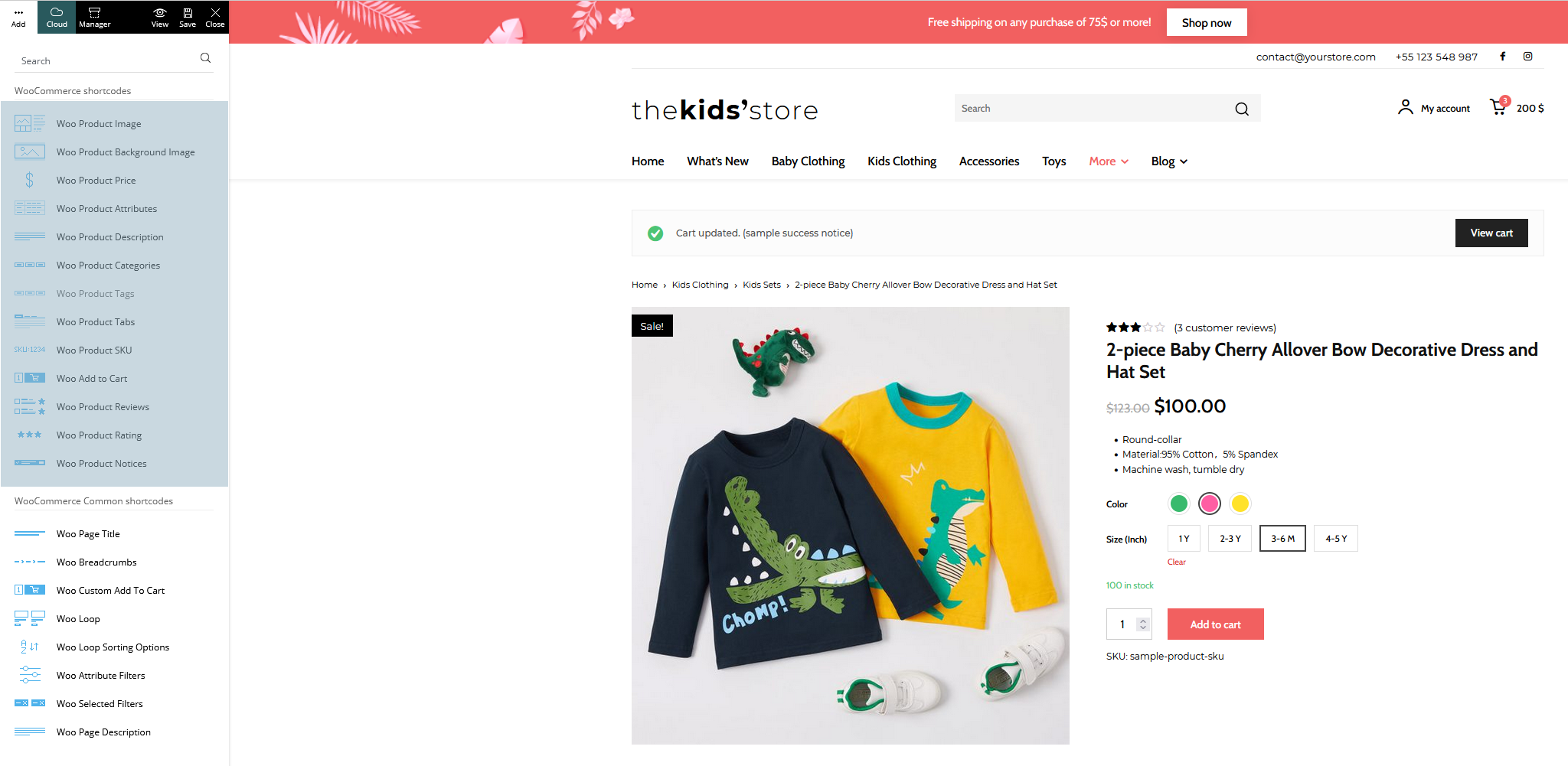
And in the Tagdiv newspaper documentation here, it shows all blocks related to woocommerce: https://forum.tagdiv.com/wp-content/uploads/2021/09/woo-shortcodes.png
Can any one tell me what I was doing wrong?
Anamaria Hello,
If you want to have only the numbers on that block, like in your examples, you can provide a CSS to set them, but if those numbers need to change automatically, unfortunately, then you can’t help.
I will put this suggestion on our list of suggestions.
Thank you!
 edwinlima
Hi,
I have created a website using the newspaper template but for two categories the side bar is not working properly, the links to the articles get surrounded by a square block, whereas for other categories it just works fine. For the category Tech is even weirder, the page number one doesn’t work fine but the page number shows just fine the side bar.
Not fine:
https://www.criptomania.info/category/tech/
https://www.criptomania.info/category/criptos/
Fine: https://www.criptomania.info/category/opinion/
Fine: https://www.criptomania.info/category/tech/page/2/
Any tips? Thanks in advance