
- NewspaperFlex Block Builder and Flex Loop Builder
- NewspaperHow to use the Flex Blocks cache option
- NewspaperHow to edit modules for Flex Block X
- NewspaperHow to insert a block inside the content of a post
- NewspaperFlex Block Settings Guide
- NewspaperMeta Info on Modules and Blocks
- NewspaperTheme modules and blocks
- NewspaperThumbnails – Fix strange looking images on blocks
- NewspaperBlock settings tutorial
- NewspaperCategory Tag on Modules/blocks
- NewspaperWP Rocket and Newspaper Theme: Optimization Guide
- NewspaperSearch setup for custom post type
- NewspapertagDiv Opt-In Builder – Emails
- NewspaperBookmark – Save For Later
- NewspaperModules Builder in Newspaper Theme
- NewspaperFilters and sorting for taxonomies
- NewspaperUser review system
- NewspaperWooCommerce: Happy “Add to Favorites!”
- NewspaperLockers
- NewspaperLeads
 Calin
Calin Hi,
I think that this has something to do with the settings you have made on the elements from the flex block 2, for example if you set a new flex block 2 element the image will be clickable. i think in your case can be related to some margin that has been set on some elements (check for margins set in %).
Thank you!
Calin Hi,
If is possible can you please provide some more details about the queries, maybe a list with theme if is possible. This will help us to investigate more. Also, a link to the website will help.
Using the “cache durations to our Flex Blocks (1 hour to 1 day)” will add transients, that cache from flex blocks is using transients and it will contribute to the transients situation you have
Calin Hi,
to have an article that is using a featured video that is set locally make sure that you set the article format on video https://i.imgur.com/iljRQYz.png then the video link in this place – https://i.imgur.com/MJhPSbS.png If is a a stored video the featured image needs to be set manually, if is a social link like youtube, then the thumb from the video will be display.
The upload problem usually means your server is timing out or blocking the upload (your host can help you with this).
Check these fast:
– Make sure post_max_size > upload_max_filesize in php.ini.
– If you use NGINX, add: client_max_body_size 512M;
– Temporarily disable security plugins (Wordfence, ModSecurity).
– Use FTP to upload to /wp-content/uploads/ if stuck.
If still broken: Check your server’s error logs there’s likely a timeout or security rule blocking it.
Calin Hi,
When you add a link on your website to another website:
– The link must be in the page’s HTML source code.
– It must not be blocked by robots.txt or have a rel=”nofollow” attribute if you want it to pass SEO value (PageRank).
– The page that contains the backlink must be crawlable and indexable by Google and other bots.
– The backlink must actually get crawled and indexed, which can take time.
Backlink checkers like Ahrefs don’t see the link instantly. They rely on their own bots crawling the web if they haven’t crawled your page yet, or if your page isn’t getting enough organic exposure, the backlink won’t appear.
 Bocha
BochaUsing Flex Block 2. Only the title of the post is clickable, linking to the post content. I want to make the whole featured image clickable. I’m unable to resolve the issue using CSS. The webpage is eldia.uy, and the flexblock 2 is the first image on the left.
 adityabansal
Hi,
I have around 25 submenu items under a single main menu category. I want to display them in a clean and simple layout — just plain text in 3 rows (no icons, no content blocks inside).
I’m using the Newspaper theme and noticed that the default template doesn’t give me control over the submenu layout. I tried importing the Blockchain Pro template, and I really liked how the first menu item “Ecosystem” shows the dropdown — that’s the style I’m aiming for. But I only want the 3-row layout, without any icons or extra formatting.
I even tried importing the header, but I couldn’t find a way to edit or recreate that exact dropdown style.
Here’s what I’m looking for:
📷 Sample desired layout
📷 Current menu layout
Could someone help me:
Achieve this layout using CSS in the default template?
Or guide me on how to access/customize the imported dropdown from Blockchain Pro?
Any help would be much appreciated!
Thanks.
 Antonio Ungaro
 Hello Calin
Thank you for your reply. We would like to provide more context. Please see the attached screenshot https://imgur.com/a/MVy57MR : as you can see, our site currently has over 9,000 td_query_ transients, and all of them appear to be generated by tagDiv components — mainly the Flex Blocks.
If what you mentioned is correct (that this number of transients is a sign of too many unique, uncached queries), then we must be misconfiguring something in our setup.
✅ We have already:
Assigned long cache durations to our Flex Blocks (1 hour to 1 day).
Reduced unnecessary offsets and unique combinations.
Enabled LiteSpeed Cache page caching.
We kindly ask for your guidance:
👉 What exactly could we be doing wrong?
👉 Could there be a setting or a known issue causing Flex Blocks to create so many unique transients despite our efforts?
We appreciate your support to help us identify what needs to be adjusted.
 ruslangr
 I just renewed support for 6 months.
I have two questions:
How do I properly add a video to the featured video block on articles? The video, that I uploaded into my server, not third party like youtube. I followed your instructions, but I’m still seeing the message “Your browser does not support the video tag” on mobile in all browsers:
Article: https://www.slavicsac.com/2025/05/21/skyline-cdl-school/
Also, how can I add a thumbnail to the featured video itself? It showing white screen instead of thumb.
 rafayhost
I’m using the Newspaper theme with LiteSpeed Cache and Cloudflare, and I have a question regarding the built-in weather block. I’m using the default weather block in the header, However, due to caching (LiteSpeed + Cloudflare), the weather info also gets cached along with the full page. As a result, it does not update in real-time for visitors. How to fix?
Calin Hi,
No, tagDiv modules shouldn’t generate thousands of td_query_ transients so quickly. This is a sign of too many unique, uncached queries.
This situation usually appears when the website has a large number of articles, pages, tags … also, those can be created by the flex cache option https://forum.tagdiv.com/use-flex-blocks-cache-option/
Use caching properly:
Enable a persistent object cache (Redis or Memcached).
Use a good page cache plugin (e.g., WP Rocket, LiteSpeed).
Antonio UngaroHello,
we are facing a serious issue with the number of transients generated by tagDiv components on our site.
In just a few hours, the system generates over 10,000 td_query_ transients*, filling up the database and significantly impacting backend performance, to the point of causing 500 errors and severe slowdowns.
We urgently need clarification on:
– Is this behavior considered normal for tagDiv modules (e.g., Flex Block, loops, dynamic blocks)?
– Are there specific theme options or best practices to limit the creation of transients or to consolidate query caching?- How can we reduce the database load without disabling key functionalities of the theme?
This situation is becoming unsustainable — we need a solution to avoid continuous DB overload and server strain.
Thank you for your prompt support.
 Lamb
Lamb Thanks this link is useful.
To make sure I have a proper understanding, If I install the child theme, do I need to install the child theme on all of these: single Templates + Modules + Headers + Blocks + Category template + Category top post style + Footer template ? As explained in this page https://forum.tagdiv.com/the-child-theme-support-tutorial/
If the plugin that we customized is the optin builder, is it related to child theme to install so that if I update the newspaper template, I don’t loose everytime all the code?
Maybe can I share with you the credentials of my website so you have a look at the customization done on the plugin optin builder and you tell me if child theme solves the issue of newspaper template update?
Thanks for your help.
Lamiaa
 retvly
 I tried once again from another email, but once again
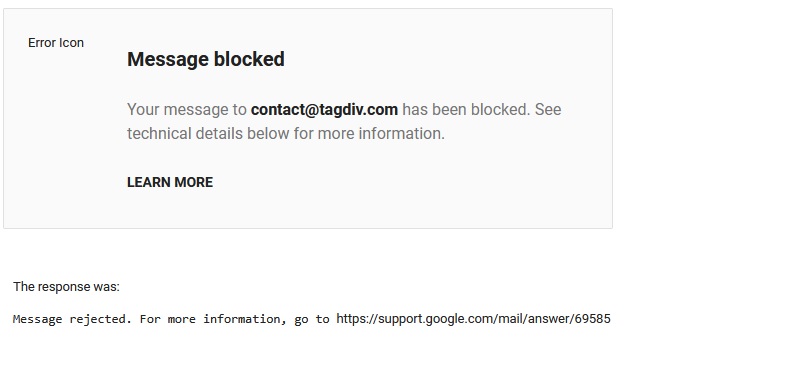
Message blocked
Your message to contact@tagdiv.com has been blocked. See technical details below for more information.
The issue comes from your mail, not Gmail
You are blocked from Gmail SMTP
Is there any other way to contact the support?
retvly The message wasn’t sent, it has been blocked for no specific reason
 David
David Ah, you’re right — I totally missed that it’s on the first page. I was looking under the “Layout” tab like in the Post Loop block, so I didn’t spot it.
Thanks so much for the clarification and the screenshot!
Calin Hi,
The flex block elements have the option for “Show modified date” – https://i.imgur.com/Z4mgA8d.png is not this what you mean?
Thank you!
DavidHey there!
It would be great if Flex Blocks could show the last modified date, just like the Post Loop block does with its “Show modified date” checkbox.
Right now, even though we can sort posts by “last modified”, it still shows the published date – which makes the order look wrong or confusing.
Adding that checkbox to Flex Blocks would make everything more consistent and clear for readers. Hope you’ll consider it!
Thanks a lot!
Calin Hi,
If you want to have the option to have unique articles on your website then you can try the unique option from the page – https://forum.tagdiv.com/unique-articles/
Also, you can use tagDiv Composer and set for each block a specific category – https://forum.tagdiv.com/flex-block-settings-guide/
Thank you!
Calin Hi,
You can create a layout like that using an inner row, then set in first inner column a flex 1 with one article https://i.imgur.com/JOxl3ww.png – https://i.imgur.com/pVv8aUF.png – https://i.imgur.com/k1sk8WF.png then in second one set the flex block 1 with image set on the left – https://i.imgur.com/eqpVo4n.png – https://i.imgur.com/fkpsCC7.png. If you want you can import some blocks from the cloud and set them on inner row – https://i.imgur.com/TvX0i0n.png
 odrz
odrzHi,
I need Flexblock3 to have excerpts also on the right side column, but as I understand previous posts that is not possible (?).
Therefore am trying to setup FlexBlock1 to look exactly as FlexBlock3, but I am not able to do it no matter what I try (always issue of formating).
Can you look at it from inside? how can I send you privately login data ?
 al-2
al-2 I see that I can’t simply insert the needed data in td_flex_block_3.php
I use tagDiv Composer v2.7 and Newspaper theme v10.3.9.1 and it will be a pain to do an update. Would you please tell me how to edit modules connected to this block? Maybe this approach will work?

Calin Hi Amy, you are right on default sidebar the elements can be add from “appearance” > “widgets”, you’ll need to add the element you need, for links you can try a button, a text with title (and set the text and link), or a code block – https://i.imgur.com/c1TG7sz.png
Thank you!
Calin Hi,
The flex block file are on this path:
– wp-content/plugins/td-composer/legacy/Newspaper/includes/shortcodes/td_flex_block_3.php
– wp-content/plugins/td-composer/legacy/Newspaper/includes/shortcodes/td_flex_block_3.php
Thank you!
Calin Hi,
Using tagDiv Composer on element you can enabled/disable the options that the block has.
To edit the block in code you need to do it in theme files, unfortunately the code will be lost when the theme will be updated.
To add multiple authors you can use this guide – https://forum.tagdiv.com/adding-multiple-authors-articles/
Thank you!
al-2Hello,
I want to edit elements in the Flex Block 3 to add/replace code in it:

Could you please tell me where I can find this file?



