
- NewspaperHow to use the Flex Blocks cache option
- NewspaperCache plugin – install and configure
- NewspaperWP Rocket and Newspaper Theme: Optimization Guide
- NewspaperFlex Block Settings Guide
- NewspaperGeneral Options that May Interfere with the Newspaper Theme
- NewspaperThe Newspaper Mobile Theme: Introduction
- NewspaperAutoptimize Plugin – install and configuration
- NewspaperHow to update a plugin
- NewspaperCloudflare (CDN)
- NewspaperFacebook Share
- NewsmagRequirements for Newsmag
- NewsmagHow to update the theme
- NewsmagtagDiv Social Counter tutorial
- NewsmagTop bar templates
- NewsmagAjax view count
- TutorialsWhat is Ajax preloading?
- NewspaperVideo Playlist
- Newspaper7 Days Post Sorting
- NewspaperAjax View Count
- NewspaperTop bar templates
 Calin
Calin Hi,
I just checked the website, and it looks like the element is displaying correctly. However, the issue shown here (https://i.imgur.com/k8gNiN3.png) seems to occur when entering the username and password.
Are you seeing any errors in the browser console? Also, does the problem persist when you deactivate all extra plugins and keep only the theme’s required plugins (without cache plugins)?
Thank you!
Calin Hi,
This issue is usually caused by the cache. When you log in, the cache is cleared, and afterward it stores the correct data.
What I will suggest is to exclude formcache from the js file for weather, for this exclude this file tdWeather.js
I hope this will help you!
Calin Hi,
Using the mobile theme and AMP is no longer recommended as it once was.
Mobile theme and amp ar limited you can use only the theme panel options under mobile theme
Also, for pages you need to set the content in mobile editor manually, content that must be created using the mobile editor, not other builders, and not copy/paste the page content in mobile editor.
Related to cache, when you are not using the responsive version, then you need to use a separate cache for the mobile version; otherwise, the mobile version will be displayed on desktop and the desktop version on mobile.
Thank you!
 zgdk2273
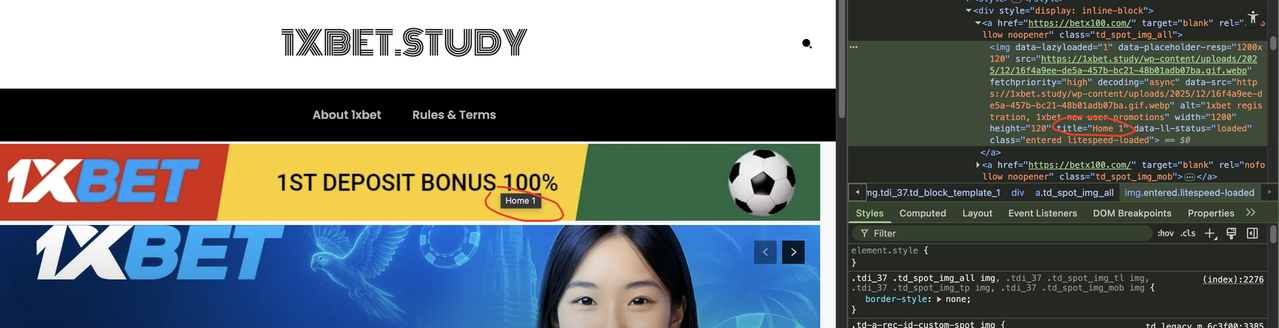
 Hello, thank you for your assistance. The issue of the “blank spaces” in the two ad slots has been resolved. One last issue is the display of the ad image title, which is related to SEO, so I think it’s necessary to address it. As shown in the image, I entered the title in the media section as you suggested, but the front-end still displays “home 1,” even though I’ve cleared all the cache.
Calin Hello,
This issue is very unlikely to be caused directly by the Newsmag theme. In most cases, it’s related to leftover cache, generated files, or plugins from the previous Kubio setup.
I recommend checking the following:
Cache cleanup beyond WP-Optimize
WP-Optimize doesn’t always remove theme-generated or server-level cache. If possible, please clear cache from the hosting panel and remove any generated /cache/ or minified asset folders (after backup).
Kubio leftovers
Make sure there are no Kubio-related plugins, mu-plugins, or injected CSS still active (Customizer, global styles, header/footer scripts).
CSS affecting the body layout
The overflow issue on the homepage strongly suggests a leftover global CSS rule, likely added by Kubio, which also explains the admin bar behavior.
Quick core check
Re-save permalinks and, if needed, temporarily disable plugins to rule out conflicts.
Your CSS fix is a valid temporary workaround, but the goal should be to remove the source of the conflicting styles so the site stays clean and stable.
Thank you!
Calin Hi,
This situation appears because you are using the tagDiv Mobile theme plugin instead of the responsive version. To have the same layout and content as on desktop, please go to plugins and look for the TD Mobile theme plugin, disable it, clear all cache, and the responsive version will be displayed.
I hope this will help you!
 Ariadna
 This also seems to affect all the caches with a different version of the website showing on all the browsers.
Thanks for your support.
AriadnaHello,
I changed my domain from Kubio to Newsmag just recently: hoteles-portomarin.es
Unfortunately now the WordPress ADmin Bar is not loading anymore.
For the moment I bypassed the problem with a Custom CSS.
But it also seems to affect the Cache problem.
Is there any solution to clean the old files so that the Theme is clean?
After many hours chatting with ChatGpt it is the change from Kubio to NewsMag that seems to be the problem.
Of course all the easy solutions like Users >> Show sidebar have already been done.
I also tried with WP-Optimise but it doesn’t change anything.
It seems to be a bigger problem with residues of the Kubio theme.
I hope that you can help me with this issue. Highly appreciated.
Here is the CSS that I used to bypass the problem:
———–
/* Fix admin bar hidden on homepage */
.home body {
overflow: visible !important;
}
.home #wpadminbar {
position: fixed !important;
top: 0 !important;
left: 0 !important;
right: 0 !important;
z-index: 999999 !important;
}
.home body.admin-bar {
margin-top: 32px !important;
}
@media (max-width: 782px) {
.home body.admin-bar {
margin-top: 46px !important;
}
}
————–
Thank you
Ariadna
Calin Hi,
This situation appears because you are using the tagDiv Mobile theme plugin instead of the responsive version. To have the same layout and content as on desktop, please go to plugins and look for the TD Mobile theme plugin, disable it, clear all cache, and the responsive version will be displayed.
I hope this will help you!
 thedoc
Hi, i keep seeing 2 RAWS HTML that i filled with a FB reel embed video one under the centra blue banner with the news, and the other on the right column. (https://staging.israele360.com/)
i have cleared the cache in different browsers but still seeing there, even if with tagdiv composer are not visible.
Any help on how to clear them definetly ?
thx
Calin Hi Mick,
I just checked the website using my mobile, and for me, it’s happeing that the problem with the header is like this, the logo is over the mobile menu – https://i.imgur.com/6WCLGzs.png, so maybe in your case it’s ok, on mobile, but it appears to be a more global problem. Could you please check the settings from teh cache plugin?
Calin Hi,
I just checked the screenshots and the provided link and nowit seems to look correct – https://i.imgur.com/0Q0qVor.png I believe it was something related to cache on css and js.
Thank you!
Calin Hi Mick, I just checked the mobile version of the website and there seems to be a problem with the way of the logo is displaying – https://i.imgur.com/X28vemy.png. This is over the menu.
What I suggest is to check the log on the website to see if the problem persists. If the problem is resolved, then you must check the settings from the cache plugin.
Thank you!
 hrhq2020
Hi,
I am having a problem with the mobile hamburger not being available on first page load.
It is not selectable when the homepage loads but will become available when the page is refreshed or by navigating to another page.
Website: https://hrheadquarters.ie
Affects iPhone Chrome and Safari.
Wordpress 6.8.3
Newspaper Theme 12.7.3
AMP is enabled for the site.
Caching: WPMUDev Hummingbird and Super Page Cache. Cloudflare is integrated
Thanks,
Mick
Calin Hi,
In case this is working when you are logged in and the cache is not applied, then it is related to the cache plugin settings (check the css and js settings from the cache plugin).
Thank you!
Calin Hi,
This may be due to a large number of cookies and other elements that are no longer cached. As a result, the page is loading without cached data, which increases the load time.
Thank you!
Calin Hi,
This is a common situation when a cache plugin is used with a shop, so you should ask for LiteSpeed support, help they will know what you should exclude:
https://blog.litespeedtech.com/2017/05/31/wpw-fixing-lscachewoocommerce-conflicts/
To exclude cookies from the cache, enter the values of the cookies in the Never Cache Cookies field:
woocommerce_cart_hash
woocommerce_items_in_cart
wp_woocommerce_session
woocommerce_recently_viewed
Thank you!
 mehmetkarakocc
Hi. My new woocommerce site is https://postista.com/
My problem is that when I add a product to my favorites or cart, it appears differently in the header of each page, or doesn’t appear at all. For example, I go to a product page and add it to my cart, but when I return to the homepage, the cart appears empty in the header. The same thing happens with the favorites button. You’ll easily understand if you try it on my site. Removing the LiteSpeed cache plugin seems to solve the problem, but I want to fix this issue without removing the plugin. Thank you.
Calin Hi,
For your site size and traffic, I recommend the following server specs:
– 4 CPU (3+ GHz)
– 8 GB RAM
– fast NVMe SSD storage (critical for DB performance)
– mariaDB/MySQL on the same server
– redis (dedicated) or an in-process object cache
With proper configuration, this setup is more than enough to handle a 40k-post site and 2GB database, and it will run very smoothly.
If you are interested in web hosting plans, you can also check our services – https://tagdivhost.com/. The host can be purchased using this link – https://client.tagdivhost.com/store/web-hosting
Thank you!
Calin Hi,
You need to do the same, but on the view count icon, after that save the changes and see when you are loged in, after that clear the cache.
Thank you!
Calin Hi,
This situation appears when the plugin tagDiv Mobile theme is installed, which will overwrite the responsive version of the website. My recommendation is to disable and delete the tagDiv Mobile theme plugin, clear the cache and check the results, the website will display the responsive version.
Thank you!
 anthonyisaif
Hello,
I’m experiencing an issue with my website where the desktop version displays correctly, but the mobile version is completely broken and does not load the theme properly.
Here’s what I’ve already done to try to fix the problem:
Removed AMP completely.
Cleared all cache (plugin cache, hosting/server cache, and browser cache).
Regenerated permalinks.
Cleared the Newspaper theme cache.
Despite this, the mobile version still does not display the normal responsive theme layout. My goal is for the site to load the same Newspaper theme design on both desktop and mobile (standard responsive version), without using AMP.
Could you please check what is causing the mobile view to break and help me resolve this issue?
Thank you in advance.
Mobile version👉👉https://prnt.sc/KCeppGPFFx_5
Desktop version👉👉 👉👉https://prnt.sc/Sp4ZtFdga1SF
Web: conantoni.net
 sifrance
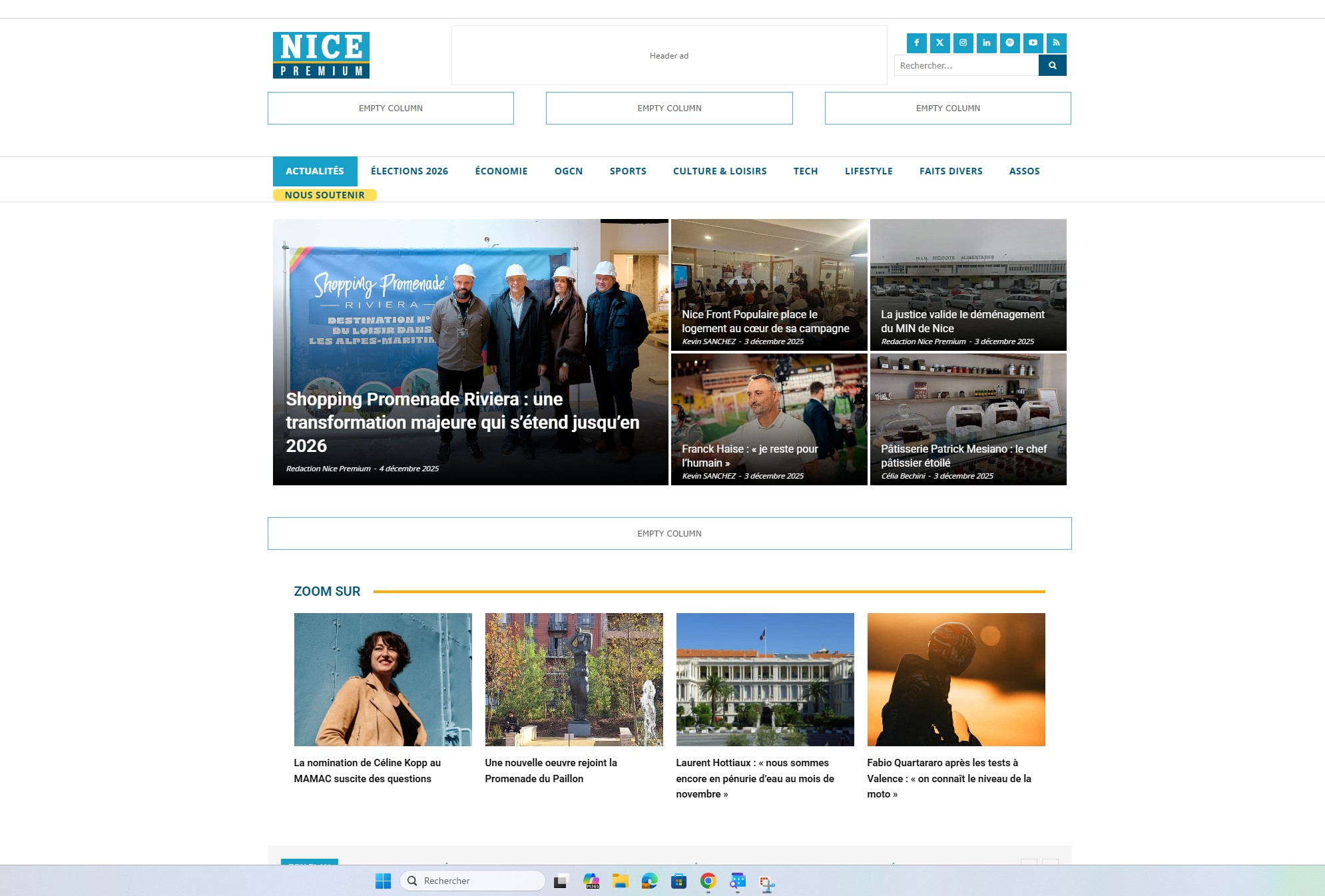
Since this morning the home page of the website nicepremium.fr is totally unformatted. But in the editor I can see the page correctly. I totaly removed all the cache present on the website and restarted the server to be sure that the problem don’t come from that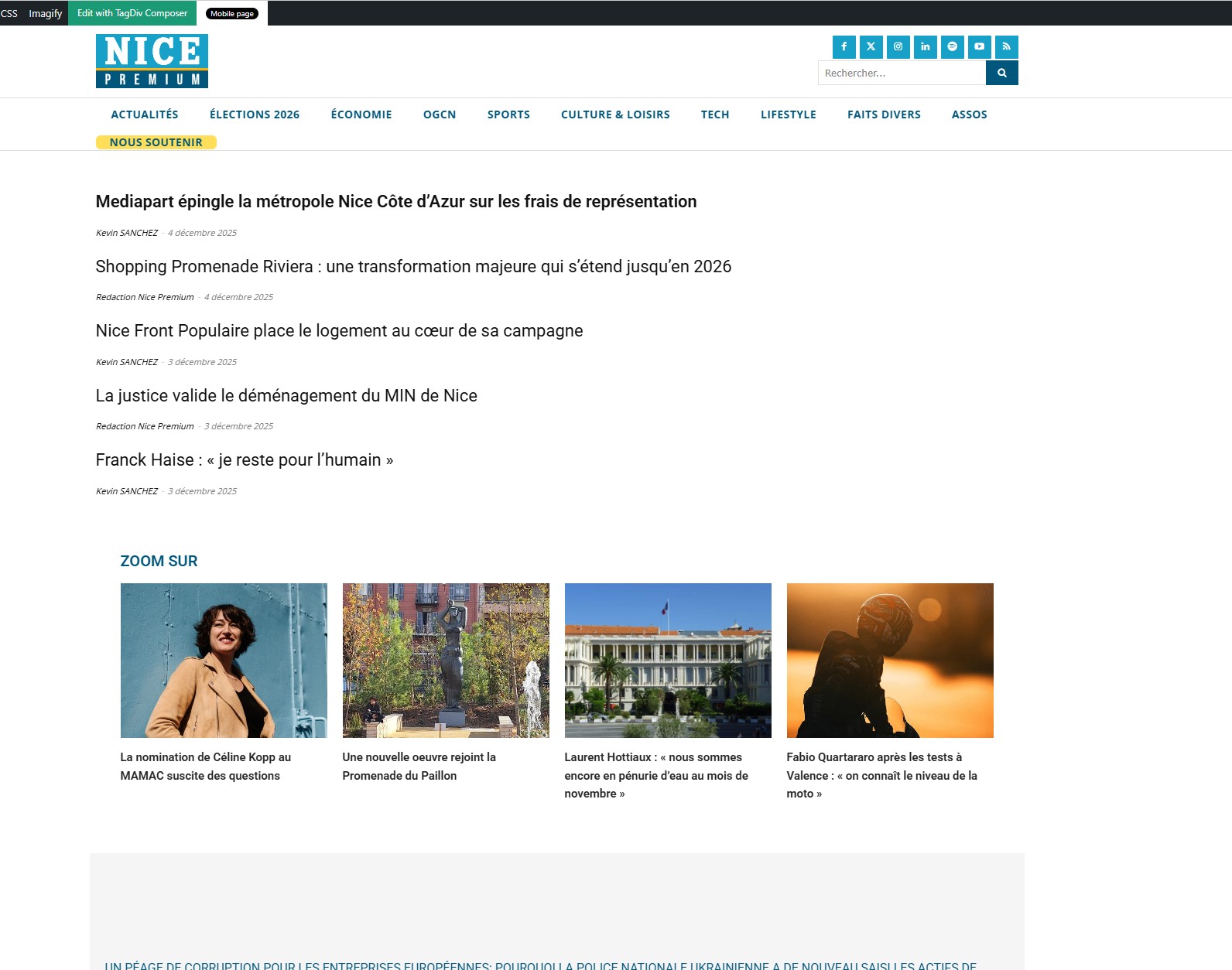
 Lekler
 Same here, I have tagDiv plugins and Simple Local Avatars,
W3 Total Cache, Yoast SEO, Wordfence Security only. Tried with W3 Total Cache disabled, same behaviour. It worked until recently even if W3TC was active all time.
 dennisjpitocco
 More info from our Site Administrator for your reference:
Please let the developer know that the theme is not throwing any errors (debug was turned on).
Site cache remains off.
Optimization remains off.
Object cache remains off.



