
- TutorialsFrom WPBakery to tagDiv Composer
- TutorialsDefault Block Settings Guide
- TutorialsOffset Feature
- TutorialstagDiv Social Counter Tutorial
- TutorialsHow to Update the WPBakery Page Builder plugin
 Poljakov
Accidentally I posted this in the Newsmag forum! I have the Newspaper theme, so I’ll post it here as well. So, I’m working on my website with the tagDiv composer and I’d like to align some images (single image or inline image) to the right, some to the left and some to center…my problem is that I have no idea how to do it??? Oh and I’m curious if it’s possible to wrap text around images? Thanks!
 Calin
Calin Hi,
If you make changes in theme files, and those can not be set in child theme, all those changes will be lose after theme update.The best way will be to use a single post template from tagDiv Cloud Library those templates can be edit with tagDiv Composer, and you can set the comment any were in the post.
Move the comments using drag and drop -> https://www.screencast.com/t/Lu2mV5S7OsR
Thank you!
 Catalin
 Hi,
Please make sure that you do not have another mobile theme activate, or plugin conflict, you will have to disable all other plugins and install the mobile theme first.
– https://www.screencast.com/t/o7c0lg6u It appears because you use the Jetpack mobile theme. Since the theme has already a mobile version, it doesn’t work with jetpack module.
-> https://jetpack.com/support/mobile-theme/
As a notice, please notice that the AMP for the pages will work only for the pages which are not created with TD Composer plugin.
Thanks.
Calin Hi,
The mobile theme is a plugin that provide you a better speed then responsive version of theme, but in order to achieve that speed you’ll need to use for pages that are made with builders ( tagDiv Composer, WPBakery ) only the classic editor also for mobile theme the content for pages need to be set in mobile editor -> https://www.screencast.com/t/ebUIzt4se
The ads/banners need too be set in mobile theme ads too ( img ), please check our documentation for the Mobile Theme: Automatic Optimization for Mobile with Newspaper Theme -> https://tagdiv.com/mobile-theme-automatic-optimization-for-mobile-newspaper-theme/
Thank you!
 vuolo89
I’m trying to import one of the Nomad headers from the Cloud Library. When it imports into the tagDiv Composer I only see what looks like an empty column instead of the header. Then when I try to look at the preview the header does not load properly and does not display like the preview in the Cloud Library. I’ve used the Cloud Library for other templates, such as Categories, successfully.
Does anyone know how to fix this?
Calin Hi,
1. Please provide some more details and some screenshots about this, for me is working to set more blocks with the same content -> https://www.screencast.com/t/ErJI3Yb1WdAQ
-> https://forum.tagdiv.com/block-settings-guide/
2. You can add those banners using the new header builder that was include in v9.5 -> https://tagdiv.com/header-main-menu-newspaper-theme/
3. For pages you can use tagDiv Composer and set a -> https://www.screencast.com/t/Qv8rD4ru7p
-> https://www.screencast.com/t/ajibC5Xm
-> https://www.screencast.com/t/JJbibq8crV
-> https://www.screencast.com/t/2fOktBfjyo
if you are using latest articles widgets Sidebar ads -> https://forum.tagdiv.com/sidebar-ads/
Thank you!
Calin Hi,
I inspect your website, and the share buttons form homepage are set with some plugins, are not from our theme and is an tested plugin, we do not know how is working with our theme, also we can not provide support for untested plugins, sorry!
The content from homepage that you have set is compose from one Page templates with Page Builder + Latest Articles + Pagination so the last part of page ( latest articles with right sidebar are part of template) and can not be change with tagDiv Composer and the content that is set with tagDiv Composer.
Thank you!
 jaydayarathna
I have installed newspaper 9.6 and wordpress 5.1.1. I cant edit any page using TD Composer. please help me.
 lkicknosway
I have a two column row with an inline single image in one column and text in the other. I can see the text and the image in TD composer but when I preview the page I can only see the text and get a broke image for the inline single image. Not sure why I can see the image within the TD composer and not on the page. I’m working in a staging environment here.
Cheers.
 ToniRM
Hi everyone!
I have a problem on tagdiv composer!
I don’t see the Header Manager button with Newspaper 9.6!
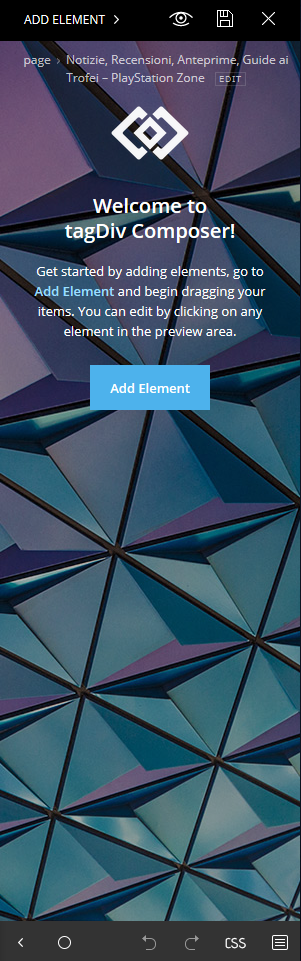
How can i solve it?
Thanks
Toni 🙂
 greenleaf
Can I create Pros & Cons (Like Button & Dislike Button ) Table For affiliate sites on TagDiv Composer ? if so then how?
If not then suggest me how can I create Pros Cons Table on any theme.
PoljakovI’m working on my website with the tagDiv composer and I’d like to align some images (single image or inline image) to the right, some to the left and some to center…my problem is that I have no idea how to do it??? Oh and I’m curious if it’s possible to wrap text around images? Thanks!
Calin Hi,
The mobile theme is a plugin that provide you a better speed then responsive version of theme, but in order to achieve that speed you’ll need to use for pages that are made with builders ( tagDiv Composer, WPBakery ) only the classic editor also for mobile theme the content for pages need to be set in mobile editor -> https://www.screencast.com/t/ebUIzt4se
Please check our documentation for the Mobile Theme: Automatic Optimization for Mobile with Newspaper Theme -> https://tagdiv.com/mobile-theme-automatic-optimization-for-mobile-newspaper-theme/
For those 3 blocks you’ll need to feature posts that have set feature category -> https://forum.tagdiv.com/featured-posts-2/ -> https://www.screencast.com/t/QsJ6ppY4
In order to set a menu for mobile theme you’ll need to go in appearance>menus https://www.screencast.com/t/1AXsFLJism
Thank you!
Calin Hi,
Please check our documentation for the Newsletter plugin – https://forum.tagdiv.com/the-newsletter-plugin/
You’ll need to edit the page with tagDiv Composer click on row and set the layout like this -> https://www.screencast.com/t/e7fkiTl1EJq after that add the Newsletter in sidebar -> https://www.screencast.com/t/wKEgqgcjDiMt -> https://www.screencast.com/t/jvoLiSwwYn6
If you want to set it in sidebar post you can set the code in a custom html https://www.screencast.com/t/L1gXiWkp7n3n -> https://www.screencast.com/t/pQft8xFSXI9f or you can set a single post template from tagdiv Cloud Library, edit the template with tagDiv Composer
-> https://www.screencast.com/t/8jLnhZT5
-> https://www.screencast.com/t/jdwF99utfjHS
do the same as for page, after that set the template on posts.
Thank you!
 ashfrupt27
this is very strange…the same certain section keeps appearing at the bottom end of my website under the “latest”, “abroad”, “videos”, “lifestyle”,”career” and “viral” categories. I cannot edit the template of these categories since they do not fall under the page template of the tagdiv composer. Do you know how i can edit or change it? heres a screenshot of the uneditable section. pls advise thanks
https://prnt.sc/mxttqz
 Simion C.
 Hi,
That would be possible by designing the header with the header builder. The header builder elements will be available in the composer if the cloud library plugin is active.
The rows have a setting to set gradient colors
– http://prntscr.com/mxtppz
You can place the header shortcodes in the header as you wish
– http://prntscr.com/mxtq49
Place a logo, a menu, social icons – http://prntscr.com/mxtqml there is also a search form element – http://prntscr.com/mxtqtl
I used a full stretched row and added the elements inline
– http://prntscr.com/mxtsbf – http://prntscr.com/mxtsjh – http://prntscr.com/mxtsp9
– http://prntscr.com/mxttbp
Then these can be fine tuned further.
You can add as many header menu elements you want – http://prntscr.com/mxtroh each can display the menu you want.
Thanks
Calin Hi,
You’ll need to edit the page with tagDiv Composer click on row and set the layout like this -> https://www.screencast.com/t/e7fkiTl1EJq after that add the Newsletter in sidebar -> https://www.screencast.com/t/wKEgqgcjDiMt -> https://www.screencast.com/t/jvoLiSwwYn6
If you want to set it in sidebar post you can set the code in a custom html https://www.screencast.com/t/L1gXiWkp7n3n -> https://www.screencast.com/t/pQft8xFSXI9f or you can set a single post template from tagdiv Cloud Library, edit the template with tagDiv Composer
-> https://www.screencast.com/t/8jLnhZT5
-> https://www.screencast.com/t/jdwF99utfjHS
do the same as for page, after that set the template on posts.
Thank you!
Catalin Hi,
If you want to use an Ad inside your header, you can use our premade header templates from here -> https://forum.tagdiv.com/header-styles/ Also, if you want a custom header style, you need to use the Header Builder which allows you to create your own header layout, using the TD Composer. -> https://tagdiv.com/newspaper-theme-customize-the-header-manager/
Thanks for your understanding!
Simion C. Hi,
You simply have to add a new page and edit it with the composer
– http://prntscr.com/mxsprv
Once in the composer you can begin adding elements – http://prntscr.com/mxsqip
– http://prntscr.com/mxsqo3
There are many elements in the composer, the main elements for displaying your posts are blocks and grids – https://forum.tagdiv.com/block-settings-guide/
If you have more questions or need help let me know.
Thanks
Calin Hi,
The mobile theme is a plugin that provide you a better speed then responsive version of theme, but in order to achieve that speed you’ll need to use for pages that are made with builders ( tagDiv Composer, WPBakery ) only the classic editor also for mobile theme the content for pages need to be set in mobile editor -> https://www.screencast.com/t/ebUIzt4se
You can check our live demo from here ->https://demo.tagdiv.com/newspaper_local_news/
Thank you!
 T.Ramada
 Thanks. I understand that browsers are considerably lenient. The question was more to do with tagDiv Composer as it is the thing that seems to be throwing the error. Would the single double quote in combination with inserted HTML fragment cause it to throw a wobbly?
The HTML I had inserted was small and was just copied from one your dynamically created pages – so, it was pure and well formed.
Also, what I cant understand is why it works for a while and then ceases to work after some time? By work here I mean switching in and out of tagDiv Composer.
Catalin Hi Borja,
I suppose that you want to change the Sticky header layout, right? If you want to make some changes over this section, notice that you can do it from Header Builder. Please check our documentation from here -> https://tagdiv.com/newspaper-theme-customize-the-header-manager/ -> https://www.screencast.com/t/m5Yuvoq6 Using the TD Composer, notice that you can create your own style for oyur header menu.
Please notice that if you want to have another menu on post pages, you should create another single with header template which customizes it as you wish (where you can show the Logo title in the top) and then, applies this template for your posts. -> https://www.screencast.com/t/stDbirHavj
If is not what you mean, please provide more details so I will be able to provide a more accurate response.
Hope this helps!
Thanks for your understanding!
 gaoweijun
art of home page Content compatible with TagDiv Composer, and part is not , and share page with twiter and facebook looks strange link home page
Simion C. I am assuming you want to add the slider in a page, first you must edit the page with the composer – http://prntscr.com/mxpupq
Then you can add the revolution slider element as I mentioned. Please let me know if you have more questions or need further help.
Calin Hi,
If you want you can use a demo -> https://tagdiv.com/newspaper-theme-installing-demos/
Fast-Start Your Site: 7 Fully Customizable Demos to Capture the Crowd! -> https://tagdiv.com/newspaper-theme-7-new-fully-customizable-demos/
You can build that page using tagDiv Composer, please check our documentation
Basics: Using the tagDiv Composer Front-End Page Builder -> https://tagdiv.com/tagdiv-composer-page-builder-basics/
How to Import and Edit a Cloud Library Page -> https://tagdiv.com/cloud-library-page-templates-newspaper-theme/
You can check our documentation and tutorials from here -> https://tagdiv.com/category/documentation/
If you have any question please let us know!
Thank you for your understanding!
