radon
radon Hello Bogdan, thanks for you help!
But in my case there is no image I can click on.
Look at the screenshots I provided:
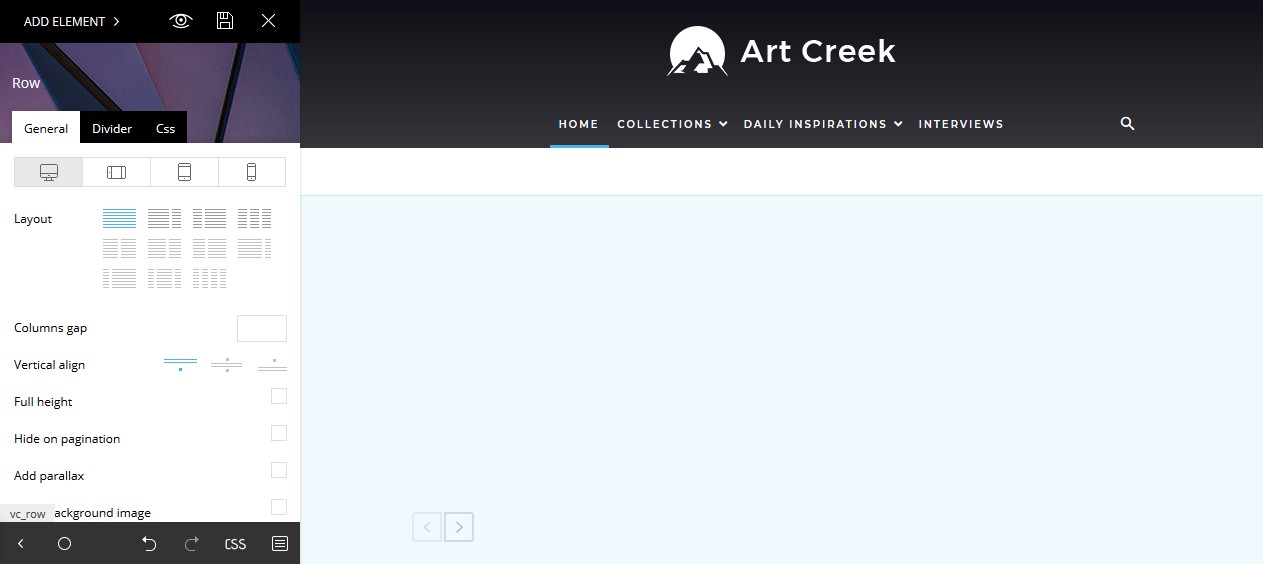
1. In the tagDiv Composer the top background image ist suddenly hidden: https://s15.directupload.net/images/181216/hs7v7t5i.jpg
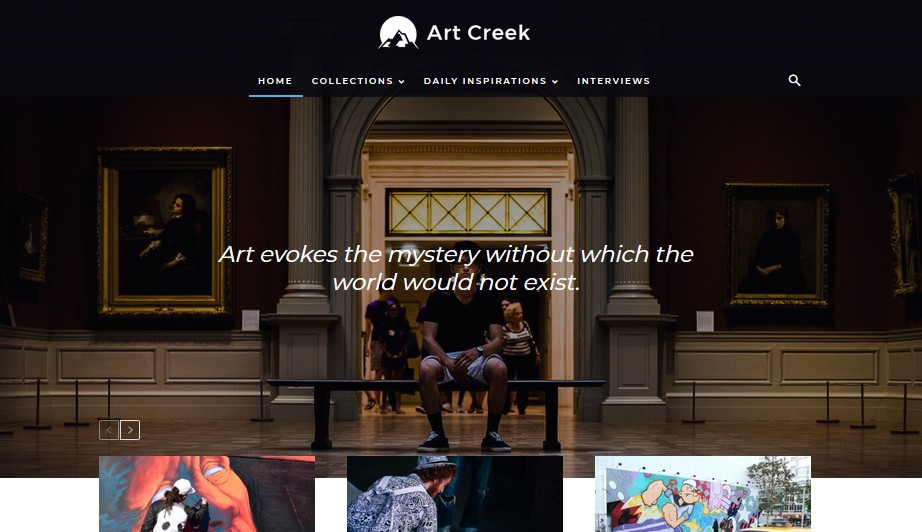
2. But the design looks normal on the page: https://s15.directupload.net/images/181216/3w5ncz6z.jpg
The page looks normal but in the tagDiv Composer the background ist white.
Tried to reinstall the demo, but it is still the same.
Take a look at this screen capture video I made, there you can see pretty well what I mean: https://www.youtube.com/watch?v=aRD0li0vCYM
-
This reply was modified 7 years by
radon.
 recifcaptif
Hello,
I recently updraded my complete website.
http://mrrecifcaptif.fr
I was in WP 4.9.9 and now 5.0.1
And from Newsletter 8 to 9.2.2
I tested lot of thing and all where OK so I putted all these update this WE in production.
But I noticed one issue on social counter and wanted to check.
As usualy I click on edit with TD composer but this send to a blank page.
http://mrrecifcaptif.fr/wp-admin/post.php?post_id=296&td_action=tdc&tdbTemplateType=page&prev_url=%2F%2Fmrrecifcaptif.fr%2F
I checked and there is no HTML code.
Just a blank page.
Is something changed there ?
shult I recreate my page and then how ?
(Someone made it for me I’m not a real webmaster ….)
Thanks
 Calin
Calin Hi,
This is on our features list, and we hope to be solved soon.
With TD Composer you can create only in tagDiv Cloud Library templates, and for the moment there is no other way to create new templates, sorry.
For the moment the only way seems to be to use the default theme templates, until this problem will be solved.
Sorry for the inconvenience.
Thank you for your understanding.
Calin Hi,
Please make sure that the theme system status is configured as mentioned in the requirements guide. Please follow the guide carefully
– https://forum.tagdiv.com/requirements-for-newspaper/
and please increase all requirements that are lower.
Also please make sure that all theme plugins are updated, and activated ( in specials tagDiv Composer and tagDic Cloud Library https://www.screencast.com/t/wxly3nDckb ).
If there are still some problems please provide some more details and some screenshots with the problem you have.
Thank you.
Calin Hi,
Please read our documentation for filter -> https://forum.tagdiv.com/block-settings-guide/
In widgets -> https://www.screencast.com/t/K5u9JBPB
Here you can see the category id
https://www.screencast.com/t/EwvPPshL93G
Create sidebar using tagDiv Composer
https://www.screencast.com/t/n07H6w8E
Here you see the category id
https://www.screencast.com/t/2dD0tieeRLn8
Thanks.
 Simion C.
 Hi,
It would depend on the error you are receiving. Be sure to check the theme requirements guide carefully, top to bottom
– https://forum.tagdiv.com/requirements-for-newspaper/
The code provided at the bottom fixed composer issues in many cases for example.
Are you editing pages built with the tagDiv composer or pages built in a different way? Editing pages that were not created with it will result in problems.
If this is happening for new pages as well, then there is a problem. Please send us admin login at contact@tagdiv.com so we can take a look. Mention what should we do to recreate the issue on your website. If possible provide cPanel or FTP, may be needed for the investigation.
Thanks
 stuartmasson
 We get similar errors from time to time when building pages in tagDiv composer. Usually, but not always, it’s a shortcode from a plugin or something similar.
We’re currently seeing it a lot on pages with bbPress shortcodes, so probably worth checking that. Once we delete all the bbPress code from that section of the page (you have to look for it on ‘edit page’ rather than via the composer), it solves the problem.
Hope this helps, or at least helps to narrow down the source of the problem.
Simion C. Hi,
You can add a new page same as before – https://www.screencast.com/t/rf7eRzHP
Then edit it it with the tagDiv composer. What is happening in your case that is preventing you from doing this?
Note that the Gutenberg editor can be disabled in you choose to, install the classic editor plugin
– https://wordpress.org/plugins/classic-editor/
Thanks
Simion C. Hi,
I use mostly Chrome, everything seems in order with the composer on my end. Have you identified a problem with Chrome and the composer? I will check it, let me know.
Calin Hi,
Please make sure that you have the latest version of theme, if not please update the theme
Also please make sure that all theme plugins are updated, and activated ( in specials tagDiv Composer and tagDic Cloud Library https://www.screencast.com/t/wxly3nDckb ).
If there are still some problems please provide some more details and some screenshots with the problem you have.
Thank you.
 tanteidee
Hi!
WordPress 4.9.6 + Newspaper 8.8.1, and at the moment I can not update to the latest versions.
I encounter the following problem, in 4-5 occasions I found myself with the tagDiv Composer 2.3 plugin disabled automatically with consequent appearance of codes on the pages.
What can you depend on? Did it happen to other users? What solution do you recommend to prevent it from happening again?
Thanks!
Calin Hi,
Please read our documentation about Font customization/ Default fonts: -> https://forum.tagdiv.com/font-customization/
Also please read this topic -> https://forum.tagdiv.com/topic/font-in-big-title-in-tag-composer/
Thank you for your understanding.
Calin Calin Hi,
TagDiv Composer is use to build pages and templates ( in order to build templates you need to use also TagDiv Cloud Library ) , you can not use it for posts.
Please deactivate all plugins that are non theme
This is how is look the TagDiv Composer button
https://www.screencast.com/t/iKkaTaPfKCr
https://www.screencast.com/t/MX4AOt4x
tagDiv Composer tutorial -> https://forum.tagdiv.com/tagdiv-composer-tutorial/
Also please make sure that the theme system status is configured as mentioned in the requirements guide. Please follow the guide carefully
– https://forum.tagdiv.com/requirements-for-newspaper/
and please increase all requirements that are lower, and follow all steps.
Thank you for your understanding.
Simion C. Hi,
Blank columns cannot be deleted, but they will also not be visible in the end result, so them being there is not a problem
In composer – https://www.screencast.com/t/FXVNJ8PejkJk
Result – https://www.screencast.com/t/oDfBwcfn
If you have a specific problem caused by these columns, please provide some more details about it and some screenshots or a link to the page in question. I will take a look.
Thanks
Calin Hi,
For Widget block background please read this topic -> https://forum.tagdiv.com/topic/widget-block-background/
Using tagDiv Composer
https://www.screencast.com/t/REt3ils5
Hope this will help you.
Thank you for your understanding.
Simion C. Hi,
Seems to refer to the top bar templates set in the theme panel. Those errors would be displayed if the tagDiv composer is inactive and a multi-purpose top bar style is set.
The solution is to either activate the tagDiv composer plugin, or change the top bar style to a different one in the theme panel
– https://www.screencast.com/t/1oNOg0tpZer
Thanks
Calin Hi,
Unfortunately I do not quite understand the problem you are referring to.
If you are rogering to the activate the theme key please read our documentation -> https://forum.tagdiv.com/newspaper-6-how-to-activate-the-theme/
If you refer to the composers plugins that come with the theme, then you can use them ( you do not need a separate key for that ).
If you bought a new Newspaper theme please add the licence key to your account on our forum, and you’ll get the support for the new theme, or extend your support ( by buying a support from themeforest ) for one of your licence (theme key) that you have add in your account on this forum.
Thank you for your understanding.
Simion C. Hi,
The category title in the category page is affected by this font setting for the page title
– https://www.screencast.com/t/MDdhYiOX
This setting is general and will affect all pages and category pages.
Using cloud category templates there are settings for the category title and description, in the composer directly (these can be set per template)
– https://www.screencast.com/t/nePGFMKDH0
*I can’t say I know what this AMP session stitching is, not familiar with it as well.
**Category pages will not work with AMP, only posts by default
– https://forum.tagdiv.com/tagdiv-amp-plugin-tutorial/
***That block header style is responsive by default, test this here
– https://demo.tagdiv.com/newspaper/block-header-13/
The big title will gradually reduce it’s font size, ending up like this on mobile
– https://www.screencast.com/t/1KDTnkZ5S
****Maybe by creating cloud templates for each category, and adding unique ads to each of them. Category templates can be created and set per category. This may not be a good solution if you have many categories however.
Thanks
 ashutoshjosh
 Hello Calin
Thanks a lot for your reply. I understand that the cloud library is a new feature and is not yet compatible with the WPML plugin.
May I please ask my question in a different way?
We have to create custom category pages other than the existing templates that are available. We did that using the cloud library but since they cannot be translated properly we cannot do that.
Is it possible to create a custom category page using the tagdiv composer? Or could we install visual builder and use that to edit the category in the edit category section?
We really need to translate the categories with or without using the cloud library?
Could you please suggest a work around so that I may just edit the category template for the translation, even if that has to be coded manually?
I thank you a lot for this in advance.
Regards
Ashutosh
 danielalhabsy
i use pagebuilder+latest article+pagination as my homepage template,
i try to modify latest article in my homepage, but can not find “Homepage Latest Article” section (tagdiv composer content) as this documentation https://forum.tagdiv.com/page-templates-2/
please help me what to do?
 cornelio70
 Gracias Calin, muchas gracias!
Resuelto: el error escrito a continuación solucionado
El error 520 de rayo: 47aadb857b2d530e • 2018-11-16 15:05:46 UTC
El servidor web está devolviendo un error desconocido
El error se producía al tratar de editar la pagina de inicio con el plugin TD Composer de mi web cuyo tema ahora es newspaper 9.2
A continuación la ultima parte de los requisitos del tema con la cual pude solucionar el problema colocando tres lineas de código en el archivo .htaccess
Requisito aplicado:
En algunos casos, la configuración predeterminada del módulo mod_substitute puede causar un error de tiempo de espera en TD Composer al cargar páginas grandes. Para solucionar este problema, debe agregar las siguientes líneas en el archivo .htaccess ubicado en la carpeta principal de su sitio web:
<IfModule mod_substitute.c>
SubstituteMaxLineLength 10M
</IfModule>
cornelio70 Gracias Calin, muchas gracias!
Resuelto: el error escrito a continuación solucionado
El error de rayo: 47aadb857b2d530e • 2018-11-16 15:05:46 UTC
El servidor web está devolviendo un error desconocido
El error se producía al tratar de editar la pagina de inicio con el plugin TD Composer de mi web cuyo tema ahora es newspaper 9.2
A continuación la ultima parte de los requisitos del tema con la cual pude solucionar el problema colocando tres lineas de código en el archivo .htaccess
Requisito aplicado:
En algunos casos, la configuración predeterminada del módulo mod_substitute puede causar un error de tiempo de espera en TD Composer al cargar páginas grandes. Para solucionar este problema, debe agregar las siguientes líneas en el archivo .htaccess ubicado en la carpeta principal de su sitio web:
<IfModule mod_substitute.c>
SubstituteMaxLineLength 10M
</IfModule>
radonHello, I tried to change the top Background Image on the Art Creek Design but I couldn’t find a way how.
1. In the tagDiv Composer the top background image ist suddenly hidden: https://s15.directupload.net/images/181216/hs7v7t5i.jpg
2. But the design looks normal on the page: https://s15.directupload.net/images/181216/3w5ncz6z.jpg
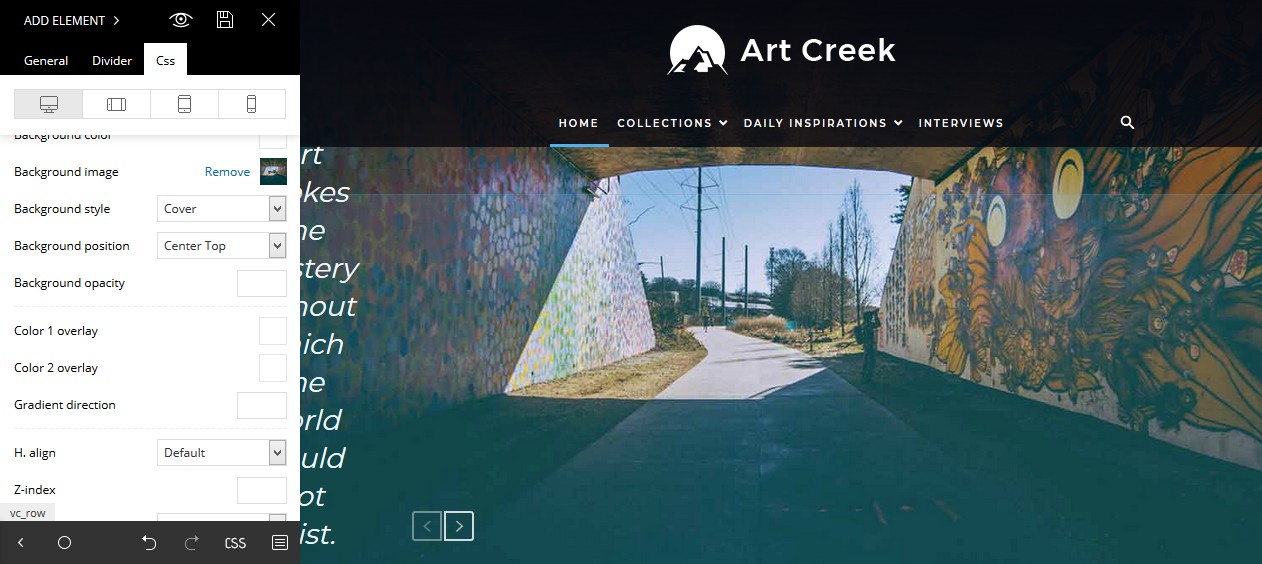
3. Tried to change “background image” on the CSS Tab and a image in the tagDiv Composer appear: https://s15.directupload.net/images/181216/uer843lr.jpg
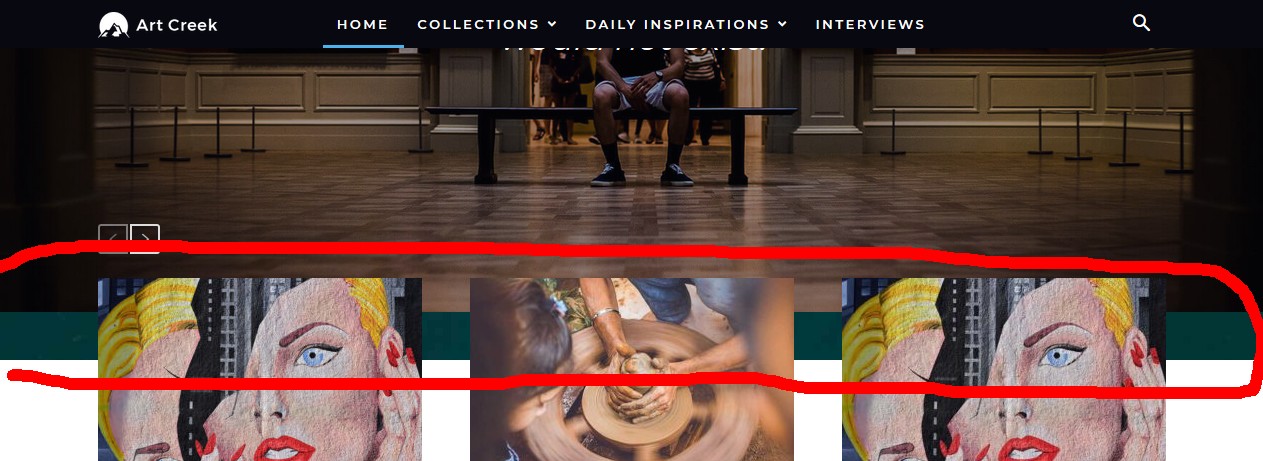
4. But on the real page it is behind/under the old image: https://s15.directupload.net/images/181216/kyg7cwoc.jpg
How can I change the top background image + change the text color?
Thanks a lot for your help and best regards!
 Giuliano_Gianfriglia
Hi,
I’ve purchased yestarday from Themeforest the Newspaper 9 theme. Today I try to install it on my WordPress 5.0.1 site and I have’t problem but, when I try to create a new page and using TAGDIV COMPOSER I received this error:
Fatal error: Out of memory (allocated 102760448) (tried to allocate 72 bytes) in /home/mhd-01/www.latavolarotonda.org/htdocs/wp-content/plugins/td-composer/includes/tdc_main.php on line 516
I try to change php service from 5.6 to 7.0, 7.1 and 7.2 without solving the problem.
I modify my wp-config with this:
define( ‘WP_MEMORY_LIMIT’, ‘128M’ );
define( ‘WP_MAX_MEMORY_LIMIT’, ‘256M’ );
and php.ini with:
max_input_vars = 5000
max_execution_time = 300
post_max_size = 50M
upload_max_filesize = 50M
I’ve got try any solution on the web but all of that can’t solve the problem. Have you any suggestion?