
- TutorialsFrom WPBakery to tagDiv Composer
- TutorialsDefault Block Settings Guide
- TutorialsOffset Feature
- TutorialstagDiv Social Counter Tutorial
- TutorialsHow to Update the WPBakery Page Builder plugin
 Anamaria
 Hello,
You can use a revision of the page https://www.wpbeginner.com/beginners-guide/complete-guide-to-wordpress-post-revisions/ or add the post loop from tagdiv Composer and customize it.
Thank you!
Anamaria Hello,
You need to translate the English (original language) the template for each language in part – https://i.imgur.com/CDmeHCf.png you should have them for each language cloud template – https://i.imgur.com/4agmUtg.png
A much simpler and faster alternative is to duplicate the cloud template you want to use in another language, edit it and select the desired language – https://i.imgur.com/z1CqgBo.png (edit the name) – https://i.imgur.com/dPX8ROs.png – https://i.imgur.com/Lc81IgP.png This method needs to be used to translate all cloud templates.
The pages are created with tagDiv Composer which is a page builder, when WPML is used it cannot translate everything that was built with the page builder and must be edited for each language separately. Please open the page in the editor and click on translate – https://i.imgur.com/TXH6y1c.png. After, if you duplicate the template, you can edit it to change the logo, menu, and whatever you want.
When you make the corrections, make sure you are on the page with the language you are editing, and if you use the cache, or object cache, please clear it.
Please check this topic https://forum.tagdiv.com/topic/missing-strings-on-wpml/
Thank you!
Anamaria Hello,
Do you use a child theme? Did you rename only the tagdiv Composer and not the theme? Please let me know what you have tried to do, such as updating a theme.
Thank you!
 roc-100
This plugin failed to load properly and is paused during recovery mode.
An error of type E_ERROR was caused in line 129 of the file /home3/leonjole/public_html/wp-content/plugins/td-composer-old/legacy/common/wp_booster/td_block.php. Error message: Uncaught Error: Call to a member function get_wp_query() on null in /home3/leonjole/public_html/wp-content/plugins/td-composer-old/legacy/common/wp_booster/td_block.php:129 Stack trace: #0 /home3/leonjole/public_html/wp-content/plugins/td-composer-old/legacy/Newspaper/includes/shortcodes/td_flex_block_1.php(1663): td_block->render(Array) #1 /home3/leonjole/public_html/wp-content/plugins/td-composer-old/legacy/common/wp_booster/td_global_blocks.php(27): td_flex_block_1->render(Array, ”) #2 /home3/leonjole/public_html/wp-includes/shortcodes.php(433): td_global_blocks::proxy_function(Array, ”, ‘td_flex_block_1’) #3 [internal function]: do_shortcode_tag(Array) #4 /home3/leonjole/public_html/wp-includes/shortcodes.php(273): preg_replace_callback(‘/\\[(\\[?)(vc_sep…’, ‘do_shortcode_ta…’, ‘[td_flex_block_…’) #5 /home3/leonjole/public_html/wp-content/plugins/td-composer-old/includes/tdc_composer_block.php(279): do_shortcode(‘[td_flex_block_…’) #6 /home3/leonjole/public_html/wp-content/plugins/td-composer-ol
 infograt
WP Editor in TagDiv Composer wont load
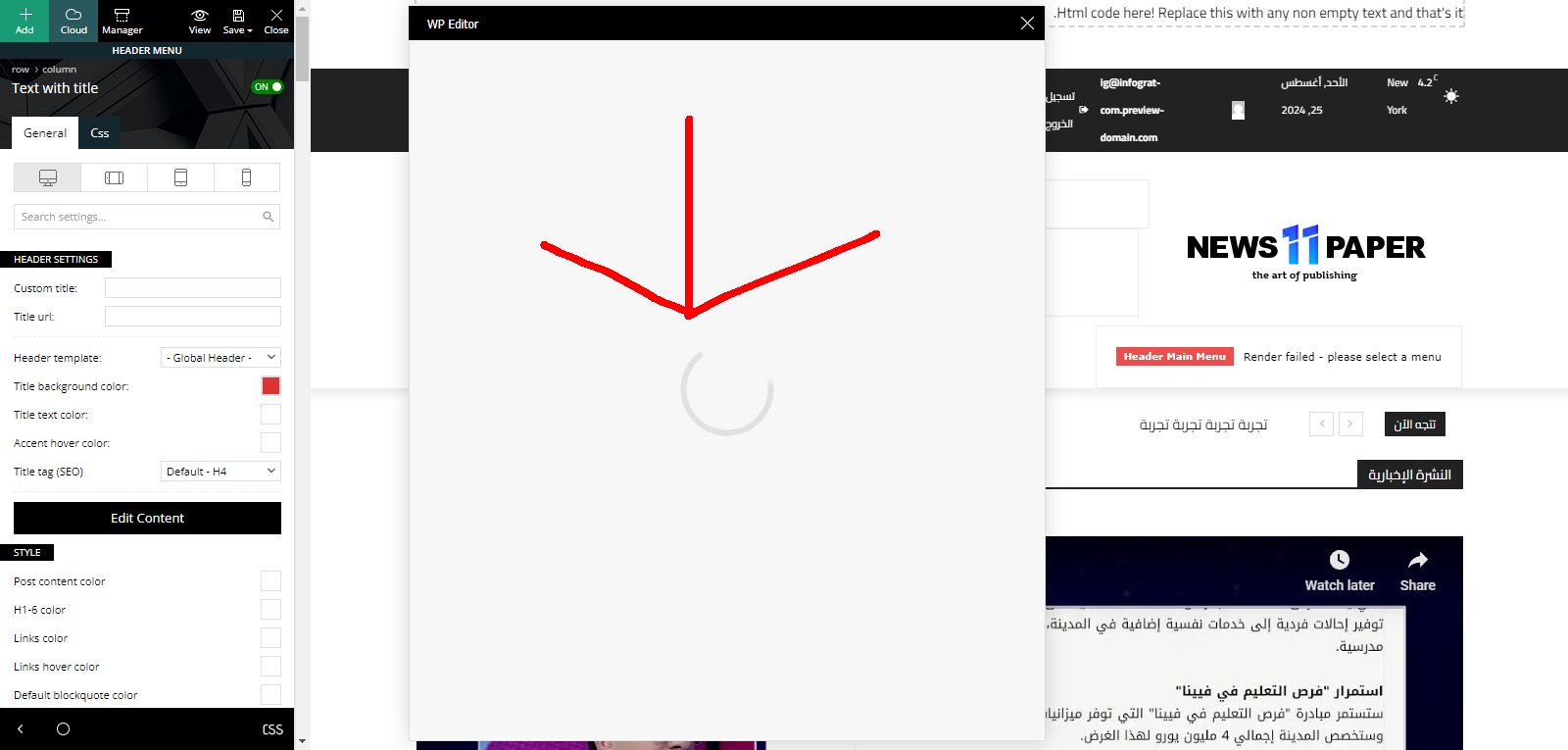
Site URL:
https://infograt-com.preview-domain.com/
 mattemkadia
Hi Guys, TD Composer 12.6.6, is it possible to have a 1200 wide header (and footer) with a boxed layout. At present the only options within Composer are ‘Stretch row and 1200px content’ when I’m simply looking for ‘1200px content’, with no full-width row stretch.
Thanks
Matt
 campbell
Hello team,
I am using parenting theme under the Newspaper theme v12.6.6, and I encounter a few issues with sticky header as below.
1. Under tagDiv composer, when I turn on the mobile menu sticky under manager, and then I click the header on my mobile view webpage, the box on the left hand side change from “mobile menu sticky” to “mobile menu”, so that I cannot edit the mobile menu sticky. I want to change the word “all about parenting” but there is no way I can edit it.
2. I notice there are a few social icons under the mobile menu, but I cannot find any way to edit the social icons.
Please assist, thank you!
 mkkecho
Hi there,
we have on our webpage http://www.mkk-echo.de each day the problem, that the WP Login is not working. Just when we deactivate the plugins
td-cloud-library
td-composer
Thats the errormessage from the wp-login page
“We have again access to the page. Then we have to reinstall a wordpress version and we can activate the plugins again, that the work is working as expected. After a couple of hours the same issue appears (most over night).”
We tried already different WordPress Version, deleting other plugins, etc. Nothing is helping.
What can we do here?
Thanks in advance
There was a critical error on your website. Please check the inbox of your website administrator email address for further instructions.
Learn more about troubleshooting in WordPress.
Anamaria Hello,
This is the section https://i.imgur.com/FSqXKEb.png please edit the page with tagdiv Composer and select the element after you can change the title SEO https://i.imgur.com/uuK90o9.png
Thank you!
Anamaria Hello,
You have the mobile theme plugin activated; please disable it.
Using our theme you can choose from 3 mobile versions
-> mobile responsive => https://www.screencast.com/t/oJ2ShOp47
-> mobile theme plugin => https://forum.tagdiv.com/the-mobile-theme/
-> mobile page => https://tagdiv.com/newspaper-10-3-7-update-brings-customizable-and-fast-mobile-pages/
If you created the mobile pages with tagDiv Composer, then when you install the Mobile Theme plugin, your pages will be overwritten by the plugin (the mobile theme comes with its templates for page, post, category, etc so your current templates from the desktop theme will get converted to the mobile theme layout, the page content is made without builders in mobile editor => https://www.screencast.com/t/xbgZG8kH also, the options that are provided to edit the mobile theme version are limited (this keeps the things simple)).
This is a video about Responsive Newspaper Theme, AMP & Mobile Theme, Mobile Pages & Templates -> https://www.youtube.com/watch?v=SpGkOnJeNZY
So, the mobile responsive is what you see then that you select the viewport on phone => https://www.screencast.com/t/matV17hH, so some settings may apply for each viewport(where is the border blue), and others are not(where the border is black).
The mobile page has the mobile templates from Cloud Library => https://www.screencast.com/t/YCcZ8rL8
Mobile responsive version of the theme and the mobile page editor can be edit with tagDiv Composer, the mobile theme plugin not.
For example, you can have the mobile theme plugin activate and use the mobile page/mobile responsive version for the homepage/pages, but for the categories pages/404 page you can’t use the mobile page/mobile responsive version if you have the mobile theme plugin activate.
So, if you want to design the pages with tagDiv Composer, you can use the mobile page or mobile responsive version.
Thank you!
Anamaria Hello,
I recommend to use 8.0,8.1 or 8.2 , but please also, update the theme to the latest version 12.6.6
I recommend that you update the theme manually https://forum.tagdiv.com/how-to-update-the-theme-2/ via FTP/cPanel/File Manager, also if possible disable extra plugins during the theme update to avoid any problems that may arise and make sure that you have activated the tagDiv Standard pack plugin to keep the website’s look. You can try to update the theme on a staging website.
After you update the theme, you need to update the theme plugins too.
In the worst cases, the settings in the theme panel may be lost (there have been isolated cases), in these cases, after the theme plugins that were previously used are activated, you will have to use a backup for the theme panel -> https://forum.tagdiv.com/import-export-theme-settings/
You could consider reinstalling the WordPress version, and checking for this plugin wp-zexit.php. It might be wise to inspect via FTP if it doesn’t appear in the WordPress -> Plugins. Additionally, using Wordfence to scan the website and remove unknown users would be prudent.
Change admin passwords and delete admin accounts you are not familiar with;
– Delete any weird/unknown plugins;
– Delete the weird/unknown themes;
– Clean unfamiliar Theme Panel injected code (example – https://i.imgur.com/4q70kCv.png);
– Clean WordPress files (example – https://i.imgur.com/stJCqiK.png)
Please block /wp-json/tdw/save_css
If an attacker wants to target this URL /wp-json/tdw/save_css they can do so. Even if the website uses a different theme, the attacker can still try that URL. We could add an option to be able to enable/disable the Live CSS, it will be considered. But for now in order to remove it this can only be done with a modification to the composer plugin. I think that all that removing it requires is to comment this line of code – https://prnt.sc/RtwvL5Nc4ikR -> https://prnt.sc/ymZmhdUfp57U But as I mentioned, the attacker can still try to access the URL.
If you want, you can contact our custom work team here, and they can help you update the theme safely: https://tagdiv.com/premium-customization-services/
Thank you!
 simplyben
I started having PHP errors on my site (I have a dedicated server with no other sites on it) and my webhost said that TD Composer hasn’t been updated since 2018 and isn’t compatible with PHP 8.3. When I moved back to 7.4, site works great. I never had a problem until this morning and have been using 8.3 for two months and 8.0+ for at least two years.
Anyone know which latest version of PHP works best with TagDiv Composer?
Anamaria Hello,
I would like to know if you created the page in the Gutenberg editor. If so, then please modify it, meaning recreate it using TagDiv Composer. If you use Gutenberg, there’s not much point in using a page builder because it can’t customize a page that was created using the Gutenberg editor or Classic editor. You create the page with TagDiv Composer and use the “Column Text” element to add text and images.
Please check this video about how can create a prebuilt website from scratch https://www.youtube.com/watch?v=SoGQ0d5kIBg
Thank you!
Anamaria Hello,
Posts and pages are of different types. For single post templates, special elements like single post content, single featured image, and so on are used, whereas on pages there are different elements, such as flex blocks. If you want certain blocks, they can be saved with a right-click and can be used on pages and templates.
Thank you!
 bogdan.martiniuc
Hi,
I’m using the woocommerce and td_woo plugin, and when i try to set the Woo Attribute Filters on category page, i get an error and i don’t really know how to solve the issue.
Maybe you can figure it out. If i disable the plugin, everythings works just fine.
Also, i reinstalled the plugin and still didn’t work.
Waiting for your reply. Thank you
Fatal error: Uncaught ArgumentCountError: 7 arguments are required, 6 given in /nas/content/live/pivotnoirdev/wp-content/plugins/td-woo/shortcodes/td_woo_attribute_filter.php:1703 Stack trace: #0 /nas/content/live/pivotnoirdev/wp-content/plugins/td-woo/shortcodes/td_woo_attribute_filter.php(1703): sprintf(‘<option class=”…’, ‘select’, ‘0-00’, ‘0.00%’, ”, ”) #1 /nas/content/live/pivotnoirdev/wp-content/plugins/td-composer/legacy/common/wp_booster/td_global_blocks.php(27): td_woo_attribute_filter->render(Array, ”) #2 /nas/content/live/pivotnoirdev/wp-includes/shortcodes.php(433): td_global_blocks::proxy_function(Array, ”, ‘td_woo_attribut…’) #3 [internal function]: do_shortcode_tag(Array) #4 /nas/content/live/pivotnoirdev/wp-includes/shortcodes.php(273): preg_replace_callback(‘/\\[(\\[?)(td_woo…’, ‘do_shortcode_ta…’, ‘[td_woo_filters…’) #5 /nas/content/live/pivotnoirdev/wp-content/plugins/td-composer/includes/tdc_composer_block.php(220): do_shortcode(‘[td_woo_filters…’) #6 /nas/content/live/pivotnoirdev/wp-content/plugins/td-composer/includes/shortcodes/vc_column.php(440): tdc_composer_block->do_shortcode(‘[td_woo_filters…’) #7 /nas/content/live/pivotnoirdev/wp-content/plugins/td-composer/legacy/common/wp_booster/td_global_blocks.php(27): vc_column->render(Array, ‘[td_woo_filters…’) #8 /nas/content/live/pivotnoirdev/wp-includes/shortcodes.php(433): td_global_blocks::proxy_function(Array, ‘[td_woo_filters…’, ‘vc_column’) #9 [internal function]: do_shortcode_tag(Array) #10 /nas/content/live/pivotnoirdev/wp-includes/shortcodes.php(273): preg_replace_callback(‘/\\[(\\[?)(vc_col…’, ‘do_shortcode_ta…’, ‘[vc_column widt…’) #11 /nas/content/live/pivotnoirdev/wp-content/plugins/td-composer/includes/tdc_composer_block.php(220): do_shortcode(‘[vc_column widt…’) #12 /nas/content/live/pivotnoirdev/wp-content/plugins/td-composer/includes/shortcodes/vc_row.php(1187): tdc_composer_block->do_shortcode(‘[vc_column widt…’) #13 /nas/content/live/pivotnoirdev/wp-content/plugins/td-composer/legacy/common/wp_booster/td_global_blocks.php(27): vc_row->render(Array, ‘[vc_column widt…’) #14 /nas/content/live/pivotnoirdev/wp-includes/shortcodes.php(433): td_global_blocks::proxy_function(Array, ‘[vc_column widt…’, ‘vc_row’) #15 [internal function]: do_shortcode_tag(Array) #16 /nas/content/live/pivotnoirdev/wp-includes/shortcodes.php(273): preg_replace_callback(‘/\\[(\\[?)(vc_row…’, ‘do_shortcode_ta…’, ‘[vc_row][vc_col…’) #17 /nas/content/live/pivotnoirdev/wp-content/plugins/td-composer/includes/tdc_composer_block.php(220): do_shortcode(‘[vc_row][vc_col…’) #18 /nas/content/live/pivotnoirdev/wp-content/plugins/td-composer/includes/shortcodes/tdc_zone.php(771): tdc_composer_block->do_shortcode(‘[vc_row][vc_col…’) #19 /nas/content/live/pivotnoirdev/wp-content/plugins/td-composer/legacy/common/wp_booster/td_global_blocks.php(27): tdc_zone->render(Array, ‘[vc_row][vc_col…’) #20 /nas/content/live/pivotnoirdev/wp-includes/shortcodes.php(433): td_global_blocks::proxy_function(Array, ‘[vc_row][vc_col…’, ‘tdc_zone’) #21 [internal function]: do_shortcode_tag(Array) #22 /nas/content/live/pivotnoirdev/wp-includes/shortcodes.php(273): preg_replace_callback(‘/\\[(\\[?)(tdc_zo…’, ‘do_shortcode_ta…’, ‘[tdc_zone type=…’) #23 /nas/content/live/pivotnoirdev/wp-includes/class-wp-hook.php(324): do_shortcode(‘[tdc_zone type=…’) #24 /nas/content/live/pivotnoirdev/wp-includes/plugin.php(205): WP_Hook->apply_filters(‘[tdc_zone type=…’, Array) #25 /nas/content/live/pivotnoirdev/wp-includes/post-template.php(256): apply_filters(‘the_content’, ‘[tdc_zone type=…’) #26 /nas/content/live/pivotnoirdev/wp-content/plugins/td-woo/templates/td_woo_view.php(65): the_content() #27 /nas/content/live/pivotnoirdev/wp-includes/template-loader.php(106): include(‘/nas/content/li…’) #28 /nas/content/live/pivotnoirdev/wp-blog-header.php(19): require_once(‘/nas/content/li…’) #29 /nas/content/live/pivotnoirdev/index.php(17): require(‘/nas/content/li…’) #30 {main} thrown in /nas/content/live/pivotnoirdev/wp-content/plugins/td-woo/shortcodes/td_woo_attribute_filter.php on line 1703
Anamaria Hello,
You need to update the theme, you should download the latest version of it from the Theme Forest account and download it.
I recommend that you update the theme manually https://forum.tagdiv.com/how-to-update-the-theme-2/ via FTP/cPanel/File Manager, also if possible disable extra plugins during the theme update to avoid any problems that may arise and make sure that you have activated the tagDiv Standard pack plugin to keep the website’s look. You can try to update the theme on a staging website.
After you update the theme, you need to update the theme plugins too.
In the worst cases, the settings in the theme panel may be lost (there have been isolated cases), in these cases, after the theme plugins that were previously used are activated, you will have to use a backup for the theme panel -> https://forum.tagdiv.com/import-export-theme-settings/
You could consider reinstalling the WordPress version, and checking for this plugin wp-zexit.php. It might be wise to inspect via FTP if it doesn’t appear in the WordPress -> Plugins. Additionally, using Wordfence to scan the website and remove unknown users would be prudent.
Change admin passwords and delete admin accounts you are not familiar with;
– Delete any weird/unknown plugins;
– Delete the weird/unknown themes;
– Clean unfamiliar Theme Panel injected code (example – https://i.imgur.com/4q70kCv.png);
– Clean WordPress files (example – https://i.imgur.com/stJCqiK.png)
Please block /wp-json/tdw/save_css
If an attacker wants to target this URL /wp-json/tdw/save_css they can do so. Even if the website uses a different theme, the attacker can still try that URL. We could add an option to be able to enable/disable the Live CSS, it will be considered. But for now in order to remove it this can only be done with a modification to the composer plugin. I think that all that removing it requires is to comment this line of code – https://prnt.sc/RtwvL5Nc4ikR -> https://prnt.sc/ymZmhdUfp57U But as I mentioned, the attacker can still try to access the URL.
If you want, you can contact our custom work team here, and they can help you update the theme safely: https://tagdiv.com/premium-customization-services/
Thank you!
 David Vascott Anamaria
 Hello,
The button is there because if you use cloud templates for the header and footer, you can edit them with tagdiv Composer on the front end. I think you use standard templates, which we no longer recommend because they are from the tagdiv standard pack, and this plugin is deprecated.
Thank you!
Anamaria Hello,
Yes, you need to copy the shortcode provided by Mailpoet and add the code in the column text element in the text area.
A shortcode can be inserted also by using the element called “Column text” or “Text with title”. “Column text” and “text with title” elements have a button called “edit content” and if you click on that button, the WP Editor will open, and you can add some text/code/shortcode there. Close the WP Editor from X, save the changes from Composer and view the page to see the changes.
Thank you!
 Bocha
BochaThe composer’s save button has the option to save contents or headers. I would like to disable the ability to save headers and footers in the front end. I believe they should only be edited in the back end. Is there an option to do that?
David VascottHi, I would like to use Mailpoet to send out a newsletter with content linking to my site. Among other things, it’s very useful to be able to build a newsletter within the WP dashboard.
However, the Newspaper theme and Mailpoet seem to be incompatible: I can only run Mailpoet if I deactivate tagdiv Composer (otherwise all Mailpoet pages within WordPress are replaced by an image of a giant coloured ball!)
Is there a way to run both at the same time?
Thanks!
 Massimo Camilli
Hello,
I have a problem in the “add elements” section in my pages, with the “Newspaper” theme. Everything seems to work with the tagdig composer, the edit page opens perfectly, but when I try to add an element from the section I can’t do any “drag and drop” of the selected element, basically in the composition area after releasing the selected element on the left nothing remains. Could you kindly tell me how to solve this problem? My wordrpess version is 6.6.. All my plugins are updated
Thanks for your support
Max
Anamaria Hi,
If the settings are not saved, you can inspect them by right-clicking -> inspect -> console -> select the error in the tab network -> preview, and you can see the cause.
Please check this topic https://forum.tagdiv.com/topic/tagdiv-composer-does-not-save-only-content-of-homepage/
Thank you!
Anamaria Hello,
Our theme is a frontend theme for most of the elements and changes, you’ll need to use the tagDiv Composer to edit the pages and templates for posts/categories, etc => https://i.imgur.com/I3OUYxr.jpg -> https://i.imgur.com/mMrEufY.jpg
Also, on our channel https://www.youtube.com/channel/UCOT1RiNysIPCTPSnVZskwtQ, you can find more videos that can help you and documentation https://forum.tagdiv.com/newspaper-theme-documentation/ and you can ask us here on the forum if you have any questions.
Please check this video about how can create a website from scratch https://www.youtube.com/watch?v=SoGQ0d5kIBg
You need to delete the pages made with composer and create them with the page builder if you want to use another theme.
Thank you!
Anamaria Hello,
A shortcode can be inserted also by using the element called “Column text” or “Text with title”. “Column text” and “text with title” elements have a button called “edit content” and if you click on that button, the WP Editor will open, and you can add some text/code/shortcode there. Close the WP Editor from X, save the changes from Composer and view the page to see the changes.
Thank you!



