- NewsmagtagDiv Composer Tutorial
- NewsmagHow to use the Visual Composer plugin
- NewsmagHow to update a plugin
- NewsmagWhat’s included in Newsmag theme package
- NewsmagRequirements for Newsmag
- NewsmagInstall via WordPress
- NewsmagInstall via FTP
- NewsmagBlock settings tutorial
- NewsmagtagDiv Social Counter tutorial
- NewsmagHow to update the WPBakery plugin
- NewsmagPage Menu
- NewsmagCustom ad spots
- NewsmagSmart sidebar
- NewsmagVideo playlist
- NewsmagPage templates
- NewsmagHomepage – How to build and set it
 JonPerez
Hello
I have a problem. My Visual Composer plugin does not work. I need to solve it urgently.
Thank you
 Jean-Paul
Hi Team,
I’m creating a new topic as someone else stepped on my topic with their own problem. This is urgent and important.
PROBLEM:
When I go in to edit a page and use the backend editor (Visual Composer), none of the elements are showing. This means that I can’t make any changes to any pages!
ATTEMPTED SOLUTIONS
I have updated Newspaper to V6.7.2
I have attempted to update Visual Composer – Failed. Showing version 4.9.
Nothing else is working.
Please help.
 se900se
 I have updated theme and visual composer, but not sure that problem is solved.
For some reason load time of site has increased as well.
Header images (previews of featured posts) almost never load.
Tried different browsers – same thing with everywhere, it’s just gives a grey screen.
Please see screenshot: http://imgur.com/j4mUq65
 Cybi
Cybi Hello support, don’t know if to post this here.. I posted it in another visual composer topic.
This visual composer seems to be an issue everywhere. I get this message in my admin..
Please activate your copy of the Ultimate Addons for Visual Composer to get update notifications, access to support features & other resources! And another that requires input of my Licence key, which I did, but gets error message.. I wanted to find help here, I found forum post on how to update visual composer.
https://forum.tagdiv.com/topic/how-to-update-visual-composer-2/
https://forum.tagdiv.com/update-the-visual-composer-plugin-wpbakery/
Now, I deleted the wpbakery , but I’ve no idea where to get this Newsmag\includes\plugins\js_composer.zip ..
REPLY
-
This reply was modified 10 years by
Cybi.
Cybi This visual composer seems to be an issue everywhere. I get this message in my admin..
Please activate your copy of the Ultimate Addons for Visual Composer to get update notifications, access to support features & other resources! And another that requires input of my Licence key, which I did, but gets error message.. I wanted to find help here, I found forum post on how to update visual composer.
https://forum.tagdiv.com/topic/how-to-update-visual-composer-2/
https://forum.tagdiv.com/update-the-visual-composer-plugin-wpbakery/
Now, I deleted the wpbakery , but I’ve no idea where to get this Newsmag\includes\plugins\js_composer.zip ..
Jean-PaulHi I have a bit of an urgent request for help!
If I click on any of my pages, in the visual composer edit mode, the elements to the page don’t show up! I see the Visual composer tab, but everything that makes up my page wont show!Can you help me with a solution please?
Thank you!
 simchris
 Theme does not control the permalink structure or rewrites/redirects of your site pages.
Try disabling all your plugins except visual composer, make sure you don’t have a ‘page’ named same thing as your website name, etc.
I don’t work here – just some feedback.
 nhatducdx
I’m using Visual Composer V4.8, included by Newspaper 6 theme.
When I working on Visual Composer Backend (Pic:http://prntscr.com/azcfue),
I can’t add anything, here is my screen when I click to “Text Block” element.
http://prntscr.com/azcghd
When I change to Backend Editor from WordPress defaut editor, it’s not work.
Before changing: http://prntscr.com/azcghd
And after: http://prntscr.com/azchh2
I try to deactive all third plugin installed, but it still not work like that. I also delete VC plugin and reinstalled it, but it still not work too.
Please help !
 NealWGN
Hi tagdiv
I’ve been creating a new website for a local newspaper down here in New Zealand. I’m super happy with the result – great theme!
http://www.waihekegulfnews.co.nz/wp/
We are not live yet as we have come across a big problem, and hoping that you may help. Spent thousands on it so far but we cannot go live yet … the issue seems to be a plugin conflict. In addition to having this local news website, we wanted to create a local business directory and for that we chose a plugin on Code Canyon called Sabai Directory – you may have heard of it.
Generally it works well, but on some browsers / certain pcs … and it seems quite random so I am unsure of why, we get errors on the page and the site, smetimes including a 400 Bad request error. It seems a little random.
When I disable all plugins apart from Sabai Directory and Visual Composer (and this is a customised VC that you have put together so I guess the support for it is with you?), on some Macs / pcs the I get serious errors … sometimes just code and no website at all – see the screenshots.
http://screencast.com/t/xi0RIrq0
http://screencast.com/t/6XOq05Ci
http://screencast.com/t/alMNvlYM6Mo
When I disable VC it’s all fine and the directory shows. When I enable VC and disable the directory it’s all fine, but then I don’t have the directory. When I have both
I guess the directory plugin owner will say it’s down to this version of VC, and you may say it’s down to the directory plugin. I’m asking both for support here.
But I’ve put in hours and hours, days of work into this and so hoping that you may please be able to help with any ideas. I have heard that 400 Bad request errors may be something to do with corrupt cookies so will look into that. We have cleared caches repeatedly, as well as browser cache too.
Any help that you could offer PLEASE?
The website may be viewed here:
http://www.waihekegulfnews.co.nz/wp/
Look forward to hearing back – Neal
simchris ACF 4 and ACF 5 Pro work for me.
Be sure to read the ACF docs in detail on how to insert either shortcode into “page” or ideally, make a new template file for that “page” (e.g., services.php) and put the actual shortcodes into the template.
Normally you should simply be able to place the shortcode for your field into the post box (in text edit mode, not visual mode),
e.g.,
[acf field="{$field_name}"]
https://www.advancedcustomfields.com/resources/displaying-custom-field-values-in-your-theme/
Hope that helps.
If it does NOT work, try disabling all plugins except visual composer (and ACF, of course!). 🙂
(( I don’t work here . . . ))
REF: ACF Support Forum:
https://support.advancedcustomfields.com/forums/forum/acf-pro/
 cobaltica
 Me too. It’s a javascript problem
composer-view.js?ver=4.7.4:7 Uncaught TypeError: $template.get is not a function
 Josan
Josan Do you want to show randome posts below the comment section like this? http://www.mysteryofindia.com/2016/04/awe-inspiring-shiva-temple-kakanmath.html
So here is guide:
1. create new page ( you don’t have to publish it)
2. Click backend Editer to use visual composer
3. Add Block 3 and select the options according to your preferences (like Title, category, Random posts or Latest posts)
4. After you finish adding the block click on Classic Mode to return on normal page
5. You will get a code like this [vc_row][vc_column][td_block_3 custom_title="" sort="random_posts" limit="3" ajax_pagination="infinite" ajax_pagination_infinite_stop="4"][/vc_column][/vc_row]
6. add PHP tag like this: <?php echo do_shortcode('your Visual composer code goes here'); ?>
7. Here is final code that we use on our site: <?php echo do_shortcode('[vc_row][vc_column][td_block_3 custom_title="" sort="random_posts" limit="3" ajax_pagination="infinite" ajax_pagination_infinite_stop="4"][/vc_column][/vc_row]'); ?>
8. Now you have to edit your SIngle_Template.php files. We are using template number 2,5,11 so We have added this code in these files. You can add this code in all the templates that you use.
9. Paste the code at end of file Single_template_##.php after this line </div> <!-- /.td-pb-row -->
and before this line: `</div> <!– /.td-container –>
</article> <!– /.post –>`
Thats it. it will work now.
Last thing add this code in Theme > Custom Code > Advanced CSS > Phones:
.td-pb-row {
    width: 100%;
    margin-left: 0;
    margin-right: 0;
}
It will fix some style issue in mobile phones.
-
This reply was modified 10 years by
Josan.
 emranthokroo
please help me my visual composer is not working
 Baltar
I can seemingly no longer update my main page of my website. When I click edit, I see the screenshot below

It doesn’t show me the blocks and modules any longer. Any help please?
 Andrei L.
 Hi
it could be a plugin conflict so try to deactivate all plugins except Visual Composer, clear all caches, purge cdn files if you’re using, deactivate the child theme then test again.
Thanks!
Andrei L. Hi
You can find the plugin in theme’s path. Make sure you download the last theme version available on themeforet then update Visual Composer plugin fro /plugins folder as it’s indicated in our documentation.
Thanks!
 Bogdan B.
 Hi,
We have not encountered such an issue before. Maybe you have a custom code in the theme files soewhere or a plugin that does this. Please try to restore the theme to it;s default state by removing any custom code and deactivating all plugins except visual composer, clear cache and reset cdn files.
(also check the custom code section in the theme panel and remove the code from there as well)
Let us know how it goes.
Thank you!
Bogdan B. Hi,
the update order does not make any difference. the latest version of wp is compatible with our latest version of the theme and the latest version of visual composer. So you can update WP, then the theme and then visual composer, but this order does not matter as long as you update all of the se items. Also make sure you update the social counter as well. We released a new update for it as facebook changed their code again and we had to adapt our social counter to the new one.
Thank you!
Bogdan B. Hi,
If I’m understanding this correctly, you want the ajax pagination to remember the position of the slide or load more button after you navigate to a post and hit the back button. Unfortunately this is no how the theme works. The ajax pagination does not change the URL so there is not way to get “back” to it. It;s a simple javascript widget that works on the current page, and not detected for navigation by browsers.
Please check our official demo to see how the pagination is supposed to work: http://demo.tagdiv.com/newspaper/
if your results are different that means there truly is a problem,. but if this pagination issue is present on our official demo, then it means that this is the way the pagination was created and there is no easy way to change it.
let us know if your results are any different than the our demo and if they are please provide as many details as possible with screenshots and a link so we can inspect the behavior of your ajax pagination.
Also please make sure you test the pagination without any plugins (except visual composer) as conflicting plugins usually make the pagination not work as expected.
Thank you!
Andrei L. Hi
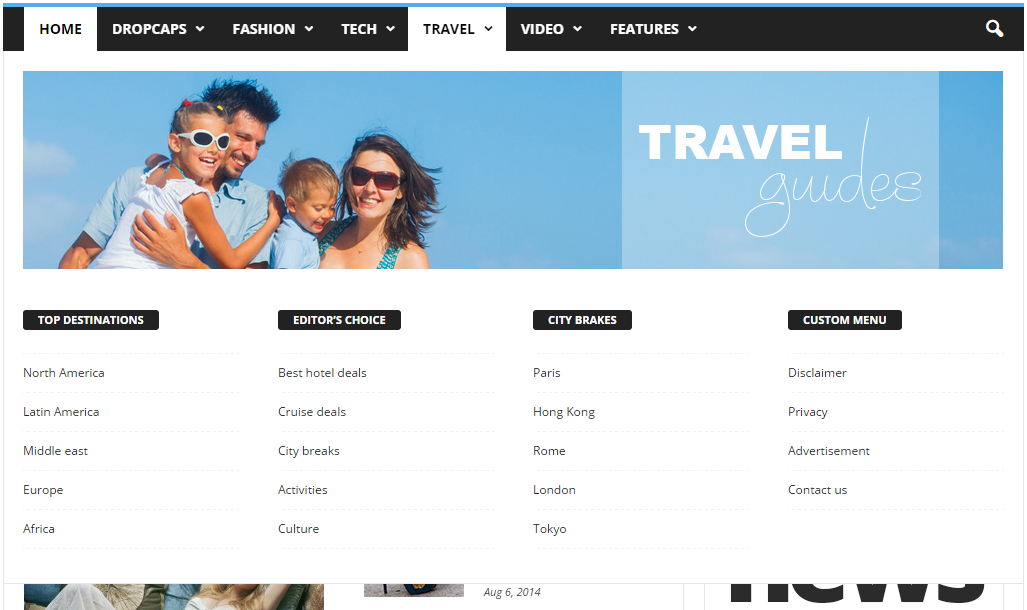
You can’t set a category page as mega menu page. The theme allows you to set only a page as mega menu page. You have to create your page in Visual Composer then only add the page id as it’s indicated in our documentation.
For example this page: https://forum.tagdiv.com/wp-content/uploads/2014/10/page-menu.png is made in Visual Composer then it’s id is added in menu item.
Here is another example: this is how a page built in VC looks: http://screencast.com/t/TrlKlshc4K and this is how the same page displayed in mega menu looks: http://screencast.com/t/VRbI0pDpRzaI All page content added with Visual Composer it’s displayed in mega menu.
We can’t provide any html code as the mega menu is generated by php from dynamic content.
Please refer to our documentation for more details about block settings and how they can be used: https://forum.tagdiv.com/block-settings-tutorial/ You can also check this topic for more details about adding different post types i blocks: https://forum.tagdiv.com/topic/visual-composer-unable-to-pull-data-from-custom-content-types/
Thanks!
Bogdan B. Hi,
The travel demo uses the background image a bit different. It has it set on the row in visual composer. You need to edit your homepage and access row settings: http://screencast.com/t/Z2VHdgzUTuV3
Thank you!
Bogdan B. Hi,
Please check every single ad spot filed and see if the ad is duplicated anywhere: http://screencast.com/t/szchgVVTnjo
A block 1 can be inserted through visual composer so you would generally find the block were you insert it. This is very confusing to me because you are asking us to find ads or elements that you (or someone else) inserted in the site. These do not have fixed positions so you will not only find them in a specific place. The ads or the theme blocks can be inserted in different ways in different places. It’s up to the site admin where these places will be.
An ad inserted inside a block 1, now that is something we have not heard before. Maybe there is custom code involved in the theme files.
In this case, we recommend doing a theme update as you use a very old version of our theme (3.4) we are now at version 6.7.2 This will require a bit of work though as all the code was changed in the theme since that version so you are better off deleting the theme files and installing a fresh version via ftp.
(I could not find any block 1 on your homepage)
Thanks.
Bogdan B. Hi,
On posts you can use visual composer or you can use shortcodes directly inside the post content, but that would mean adding it on every post in particular. Basically every visual composer element has it;s own shortcode you can see if you create a pge and add your element to it and then switch to classic and text mode. That shortcode can be pasted inside the post content in text mode and the element will render on the front-end.
You can also use an article inline ad after a set number of paragraphs for article ads: https://forum.tagdiv.com/article-ads/
Hope this helps.
Thank you!
Andrei L. Hi
Try to deactivate all plugins except Visual Composer, clear all caches then test again. If the problem is still there you can also switch to a default wp-theme and test again.
Let us know how it goes and if you still can’t manage to fix this address us via email at contact@tagdiv.com including a link to this conversation and also give us wp-access so we can have a closer look at this and we will get back to your as soon as possible.
Thanks!
Andrei L. Hi
Glad you ave managed to solve this.
As for the license you don’t need one. Visual Composer comes bundled with our theme and is not necessary an activation key so you can ignore the message.
Thanks!