
- ApiPractical example – How to add a new Block and Module
- Apitd_api_thumb::update
- Apitd_api_thumb::add
- ApiAPI – Thumbnail – Introduction
- Apitd_api_module::delete
- Apitd_api_module::update_key
- Apitd_api_module::update
- Apitd_api_module::add
- ApiAPI – Modules – Introduction
- Apitd_api_block::delete
- Apitd_api_block::update_key
- Apitd_api_block::update
- Apitd_api_block::add
- ApiAPI – Blocks – Introduction
- ApiUsing the Theme API in plugins
 random123
 I’ve got it! You had to use a color and make the transparency as transparent as possible. Doing “clear” defaulted to black. 
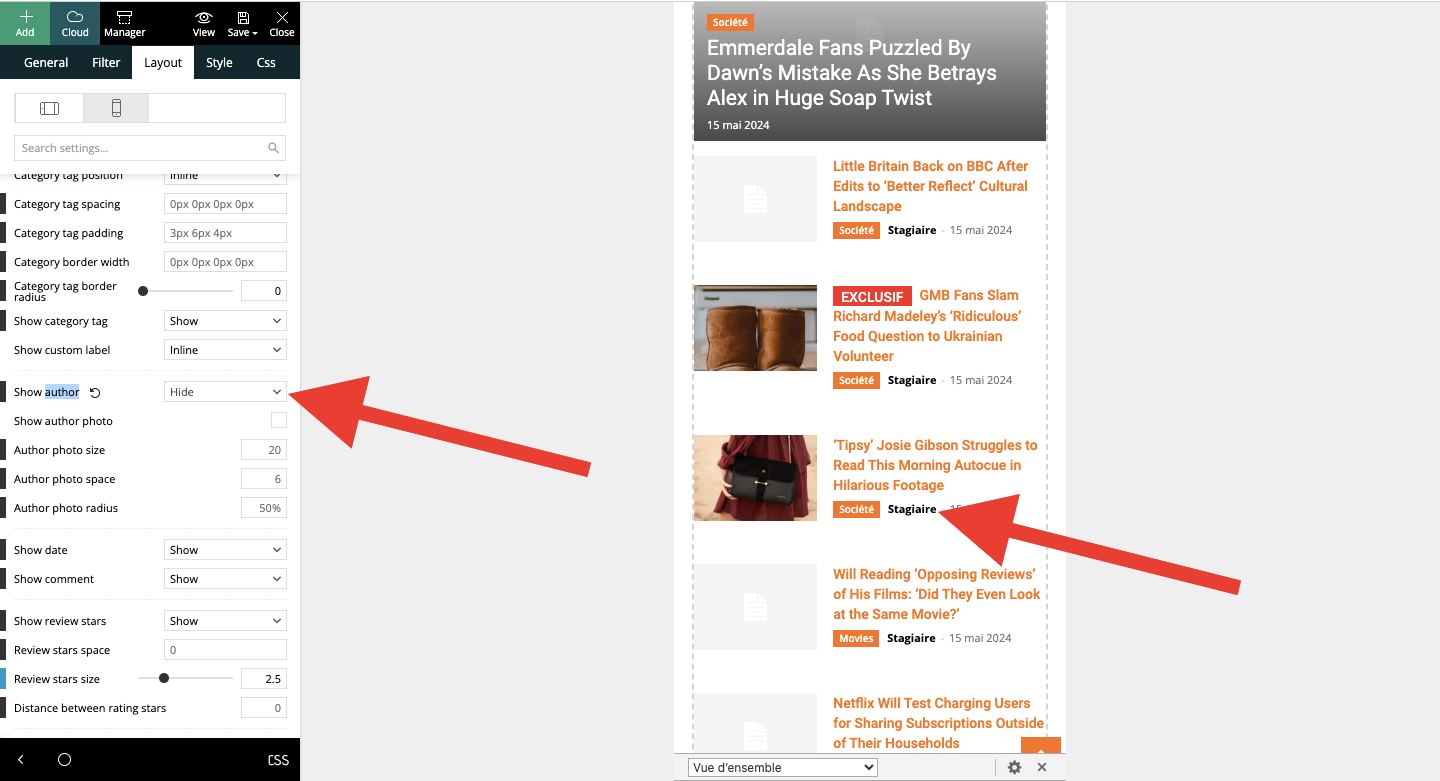
I have another question, please. On mobile, on the article template, I put “hide author’s name” in module 2 of Flex block 4. This doesn’t work. When I activate the “hide name” option, nothing happens. Same thing when I save. What can I do?
 Calin
Calin Hi Alex,
Indeed, it seems that the option is not apply on flex loop, flex loop 2 and also on flex loop builder and flex block builder elements.
I added this on our bugs list and one of our developer will fix it.
Thank you for taking your time to let us know about this!
 Anamaria
  Alex
AlexHi Calin,
Can you please check.
1. Theme version: 12.6.6
2. Webp format is generated by Ewww Image Optimizer as per your guide. But Lazy Load is disabled.
3. Theme Panel >> Block Settings >> Thumbs on Moduls/Blocks >> Use Webp Format enabled.
Issue: The system applies the Use Webp Forma option to Flex blocks, but does not seem to be applying it to the Posts Loop block. It still loads jpg instead of Webp.
(!) As previously discussed, this post is only for Calin.
Other TD team members, please do not respond.
Thank you.
Anamaria Hi,
You can add the flex blocks to the page using cloud templates. Please check the section where you can add the CSS; maybe there is a code added there to set the title center.
Thank you1
 Mark Gilbert
 I’ll check that CSS.
But – how can I get a Flex Block into the sidebar? Only possible with Cloud Templates, which I can’t use easily because of conflict with my paywall plugin?
Thanks
MG
Anamaria Hi,
If you add the block again on the page, will the text be in the same center? The flex blocks are not available in the widgets section.
Thank you!
Mark Gilbert So Block 9 is broken, as it’s a legacy widget? I’m happy to use Flex Block, and prefer it, but I don’t see it as a widget in Appearance / Widgets, where I build my sidebars.
How can I get Flex Blocks into the sidebar?
Thanks
Mark
Anamaria Hello,
I recommend using flex blocks instead of block 1-25 because the flex block has more options and creates the sidebar with the composer.
Thank you!
Anamaria Hello,
I recommend using module builder after you can create a module you want, add the custom field that you want and use the flex block builder to show them -> https://forum.tagdiv.com/modules-builder-newspaper-theme/ -> https://forum.tagdiv.com/flex-block-builder-flex-loop-builder/
Thank you!
 freddyvill
 seamie1990
Hi, how can I make images on Flex block 1 circular?
Mark Gilbert Thanks, Anamaria. I am using only Flex Blocks. For now I have found out that reducing the number of thumbnails on the site is dramatically reducing the number of files. I found I had numerous thumbs selected in my theme. I have turned most off and am regenerating thumbnails. So far, I have reduced the number from 261k to 197k and the regeneration process is only a third of the way through. So I should be fine for image capacity for some years!
Anamaria Hello,
For each thumbnail you enable, a copy of that image will be created. I recommend using Flex blocks instead of blocks 1-25, which are from the tagDiv standard pack and cannot be customized as a Flex Block. This plugin loads all the styles even if they are not used. Therefore, our theme creates thumbnails that are enabled in Theme Panel -> Block Settings => https://www.screencast.com/t/ZvDvpiBFKY3 -> https://forum.tagdiv.com/theme-thumbs/. Additionally, WordPress creates thumbnails at https://www.screencast.com/t/AMVBOZWto. Our suggestion is to review the blocks you use and ensure that the thumbnails are active only for that particular use => https://forum.tagdiv.com/theme-thumbs/.
Thank you!
random123Hello,
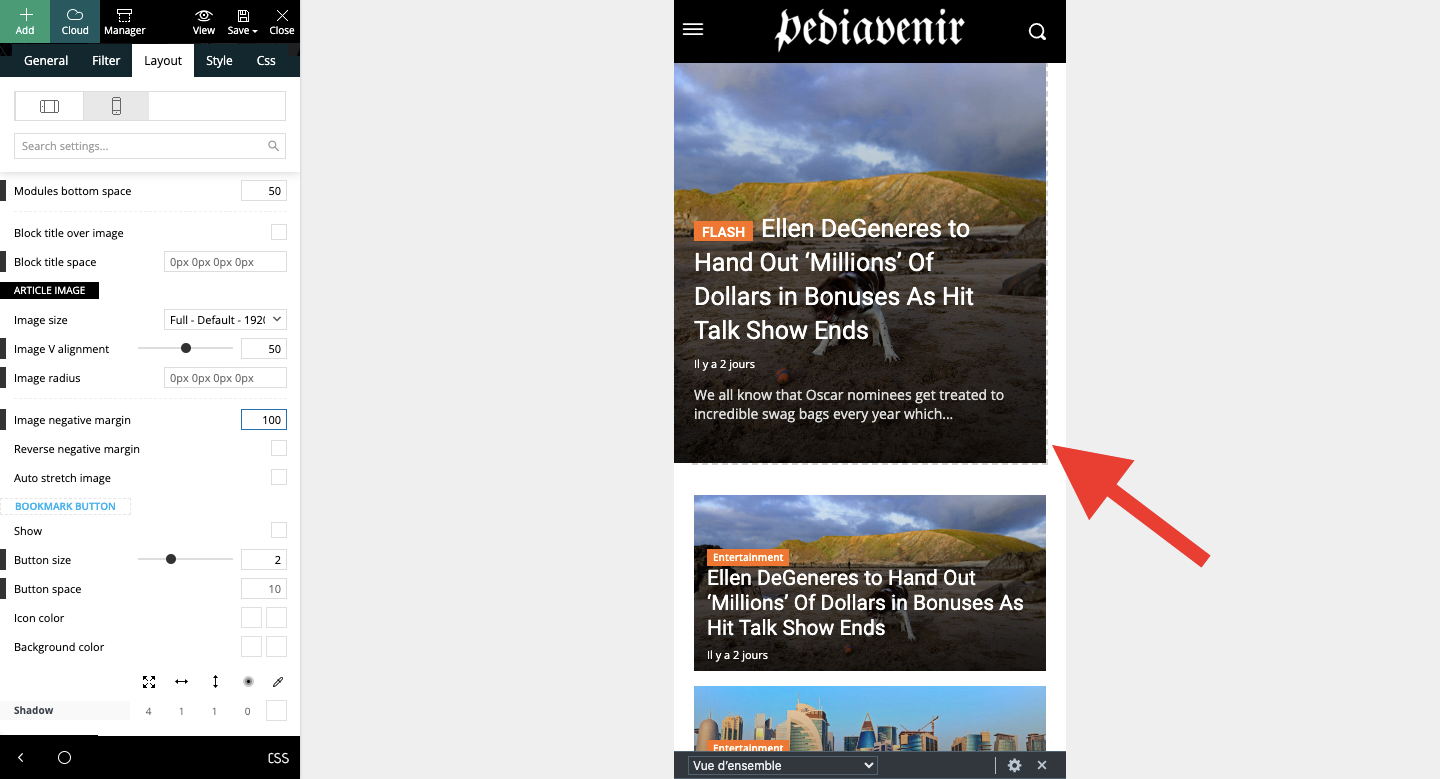
I’d like to make the flex box take up the whole width on mobile. I’ve tried several configurations but nothing works, there’s always this white space.
Thanks for your help!
Anamaria Hello,
You need to stretch the row -> https://imgur.com/QXIt4Gy -> https://tagdiv.com/flexibility-rows-columns-newspaper-theme/
-> https://tagdiv.com/how-to-add-delete-and-duplicate-row-newspaper-theme/
Also, you can change the language from here https://i.imgur.com/DcQ5n5b.png If you upload the translation from Theme Panel -> Translation -> Translation and some words didn’t get the translation, then its possible to change if you edit with tagDiv Composer => https://www.screencast.com/t/dlfnb0fnX5, for example for the search template, please edit it and select the elements -> https://i.imgur.com/emO3j5e.png
Thank you!
Anamaria Hello,
I recommend creating your own modules because they are made in the code and can be complicated to change https://forum.tagdiv.com/edit-modules-flex-block-x/
You can find more details here about modules
-> https://forum.tagdiv.com/modules-builder-newspaper-theme/
-> https://forum.tagdiv.com/flex-block-builder-flex-loop-builder/
Thank you!
Anamaria Hello,
If you want to filter the blocks based on a tag/category or taxonomy, I recommend using Flex Loop Filters and set there the taxonomies that you want. You can find more details here https://forum.tagdiv.com/filters-sorting-taxonomies/
Thank you!
 Yohanndev83
 Hi,
Well, I’m missing something then.
I took 2 screenshots here and highlighted where I work
https://postimg.cc/gallery/XVs8F8v
1: Flex Block 5 > Excerpt length: 1 (type theme panel parameters: “On letters” / but “On words” do the same result)
2: Article presented with excerpt used
Can you guid me where is,in TagDiv Composer, the file who is used for this flex block. I will try to test with php the output
thank you
Regards
 Bettina
 Hello!
Strange! I’ve tested Flex Block 1 with all pagination types, and it’s working well.
Are you sure that you have multiple articles? Also, check the console while this issue appears to see if there are any errors.
Thank you!
Bettina Hello!
I’ve tested on my end, and it is working as expected for Flex Block 5 too.
Documentation here: https://forum.tagdiv.com/excerpts-introduction/
Try with the same post once again.
Thank you!
 masterabbott
 Update: We have narrowed the issue to Flex Block 1. The issue continued to occur when we rolled the theme back. Flex Block 5 is working before and after the update. We have not tested whether 2-4 is working or not. We will use Flex Block 5 in the mean time. We have no idea why Flex Block 1 is misbehaving.
 Abder Fath
Hello,
I have a flex block builder with post type (example : restaurant), and I would like to only display restaurants that have these two taxonomies checked (example : fish and meat). It’s like the option “Posts(cpts) must belong to all terms” but for taxonomies and not terms. Is it possible, thank you!
masterabbottPagination no longer works with Flex Blocks since the update. We have attempted to switch to different types of flex blocks and use different modes of pagination (load more, pages, infinite load). The block simply shows infinite load icon. We have no issues with flex and post loops.
We have attempted to create new flex blocks and change the flex box types with no luck.
The plugins have been updated to the most recent versions. We are considering rolling back the update to see if that will address the issues.
Do you have a suggestion on next steps?
Yohanndev83Hi,
I did the last update v.12.6.6 on the theme Newspaper
The element “Flex Block 5” from “tagDiv Composer” is the only one when option: “Excerpt length” seem’s not working. I can hide it using option but not changing the amount of length, I got the full texte anyway. I tried with an other element and it’s working. Can you give me a patch or something to make it works on the element ?
thank you by advance
Regards


