
- NewspaperHeader Builder
- NewsmagHeader styles
- NewsmagHeader ads
- NewspaperHeader ads
- NewspaperHeader styles
- Apitd_api_header_style::delete
- Apitd_api_header_style::update_key
- Apitd_api_header_style::update
- Apitd_api_header_style::add
- ApiAPI – Header style – Introduction
- NewspaperSearch setup for custom post type
- NewspapertagDiv Composer – Website Manager
- NewspaperBookmark – Save For Later
- NewspaperWooCommerce: Happy “Add to Favorites!”
- NewspaperModal Popup
- NewspaperFlex Block Settings Guide
- NewspaperPosts Loop Element
- NewspaperHow to Add a Logo in Newspaper
- NewspaperDefault Category Settings
- NewspaperWhen tagDiv Composer is Not Working
 Calin
Calin Hi,
Yes, newspaper theme has the option to expand the header, footer and content using the theme builder (tagDiv Composer).
Unfortunately, there is no exchange option for license and this can be done only by refunding for the current theme and buy another one, sorry!
In case that this theme is not what you need, you can make a refund request here -> https://themeforest.net/refund_requests/new and we’ll approve it as soon as possible.
Thank you for your understanding!
 Robert Turner
Hi Guys
I’ve got an issue with the header on the 404 templates, tried a few different ones and they display perfectly when previewing the template but when you load a normal 404 then the menu is broken. Is this an issue in the latest upgrade?
https://medika.life (menu example)
https://medika.life/wobble (404 with broken menu)
Any advice welcomed.
 T2N
T2N Hello Anamaria,
Thanks for your reply. As I mentioned before, we have already replaced the logo several times:
1. Header: https://prnt.sc/12j1c2w
2. Mobile Header: https://prnt.sc/12j1gye
3. Mobile Footer: https://prnt.sc/12j1mhj
The width and height still not there.
Please advise.
 AjitSirohi
In the “Header” Option in the Theme Panel, no Styles are shown. Can not select any Header. Ver 10.4

 Anamaria
 Hello,
You can have a different header template if you use a mobile page for pages and cloud templates, for this you need to have assigned a mobile page for pages, for example like this => https://www.screencast.com/t/lektAhyjd after edit the mobile page with tagDiv Composer and convert the header template that you have for that page => https://www.screencast.com/t/udKjGPpf0, also for post create a mobile template, and you need to do the same steps like for page => https://www.screencast.com/t/wYK81I8RQ6Ub
Hope this helps you!
Thank you!
 myselfsanjay
Hi
For custom requirements, I need to add social login to my website using a third-party plugin. I tried and apply the same on the web version successfully by adding the required code into the following modal:
/wp-content/plugins/td-composer/legacy/Newspaper/parts/header/td-login-modal.php
But it’s not working for the mobile screen. Please help me to find out the modal code for the mobile screen so that I will able to add that social login feature for the mobile users as well.
Regards,
Sanjay Mishra
Anamaria Hello,
I just checked the website with PageSpeed Insights and seems you need to delete and add again the logo from the footer for the mobile version in Theme Panel -> Mobile Theme -> footer => https://www.screencast.com/t/TSxkvYmYkke3 and for desktop, you need to add again the logo from the footer and retina logo for header => https://www.screencast.com/t/duvfnjOzfU5u
Thank you!
Anamaria Hello,
To remove the sign in from mobile please go in Theme Panel -> Header -> Sign in/ Join ann disable the option => https://www.screencast.com/t/bRsMhYYu7V8
Hope this helps you!
Thank you!
Calin Hi,
If you want to activate the weather in top bar, then the api need to be set in theme panel > header> top bar -> https://i.imgur.com/LpsEGWq.png or if you want to set it with tagDiv Composer on pages then the api need to be set in widget -> https://i.imgur.com/YTHY5bD.png
Hope this will help you!
 dharmendra11
 Hello
I want a Bookmark button on my website header (https://ibb.co/zfB1TRH)
Example for Bookmark button (Check the Header) https://www.onlinedrugpharmacy.com/
Regards
 IvanPsy
I imported a rebuild website, only the structure, not the content.
In the header there is a column I want to delete, and I want to delete a row I accidentally added.
But when I click on them I see no option to delete them (named “empty column” in the screenshot).
How do I fix it?
Screenshot: https://drive.google.com/file/d/1DW_TxWN-G9FIwcgAMVfMp8Se-wrOr1Rk/view?usp=sharing
 Mbah Richard
Hello. My website is GizmoAfrica I pasted my AdSense code in the head ads section in themepanel but AdSense said they can’t find the code on my website. Please help
 rosalialarrea
Hello!
I want to show the same latest post both in header part and in the first article in Home page
How can I change it?
Please see the example below: https://prnt.sc/12hc0ok
dharmendra11 Hy
I need to add more things
Please tell me it’s possible or not
if possible then how
1. Bookmark button in the header of the website- both, the home page and the articles.
2. Reduce the size of the author box that appears at the end of the article. Keep the
image in the left corner and the text on the right in the same row. You can just keep
two lines of author’s bio and give a small read more option.(https://ibb.co/9htdz2c)
3. we need to put the Email subscription CTA button between the articles.
4. categories in the subheader in the form of a slider. Also keep the logo to the left
corner. and search button and menu button to the right. Keep the size of buttons and
logo small so they don’t take up the entire space on the header. Refer to this image
for the idea (https://ibb.co/gvqS4yP)
Anamaria Hello,
To change the logo you need edit the page with tagDiv Composer, select the header and change the text. I made a video that can help you => https://we.tl/t-pTEQbv0uAa
Thank you!
 Infofra
 hello, on the mobile browser, if you click on one of the articles it gives you the critical error.
And before it did’t update the header correction.
 SnakeEater
Hi,
I am trying to understand how to use a default site-wise mobile menu.
First of all:
– I have different page templates, each one of them with different desktop header templates.
– I am NOT using the mobile plugin.
What I am trying to achieve:
1) When I am on desktop, use the headers defined in each page template
2) When I am on mobile, just use a simple mobile sticky template
What’s the issue:
– I am currently unable to see any mobile header
Stuff I have tried:
– I have tried designing a mobile header within the mobile header zone (as explained here: https://forum.tagdiv.com/header-manager/). The header doesn’t show up, I assume because it is trying to load the custom desktop header?
– I have tried creating a mobile header blank template. Problem with this is that, after I create it, I have no idea how to set it as the default header when visiting the website from mobile.
All in all I am _very_ confused because there are so many option and it is unclear how to set a default behavior. Can you please send some help? :'(
Anamaria Hello,
The page speed is not related only to the theme that you are using, this is affected by plugins/content/ads/ external resources, etc.
I just checked your website and it looks that your images and thumbs are not optimized, for example, you can use EWWW Image Optimizer plugin, also, you can try other plugins like Autoptimize. Your website needs an optimal speed that’s why you need to make some settings also to help for the improvement.
Also, to increase the page speed you can check these similar topics for more solutions:
– https://forum.tagdiv.com/topic/optimize-script-to-improve-site-speed/
– https://www.infophilic.com/get-almost-100-pagespeed-newspaper-theme/
– https://forum.tagdiv.com/topic/a-few-tips-for-newspaper-x-speed-high-cpu-usage-issues/
– https://tagdiv.com/how-to-increase-page-loading-speed/
However, page loading speed can depend on many factors, and each website is unique from this point of view.
Let me explain some of these factors and maybe they give you some starting points for optimizing your website.
External factors: server speed, if you are using CDN or not, the external resources loaded by your website like ads, fonts, tracking scripts like Facebook Pixel, Google Analytics, Twitter analytics, Hotjar and so on.
Internal factors: the number of elements on the page, image size, image formats, if you are using mobile optimized layouts, console errors, if you are using the Standard Pack plugin on not if you are using PRO demo or a standard one.
By the way, we have such a great result with this new update and with our new tool: https://www.youtube.com/watch?v=tnkVapqhIHc
Our tool is running only on normal pages and not for posts or categories for example.
“This custom tool performs an automatic test to find missing CSS rules applied by user interaction. Moreover, you can manually interact with a chosen section/component from the page while the tool records all the involved CSS. It will generate the final CSS file for this page and also will split the rules in Critical CSS to be loaded in the website’s header.” ( https://tagdiv.com/whats-new-in-the-newspaper-theme-10-4-update/ )
Our tool is running only on normal pages and not for posts or categories for example.
Hope this helps you!
Thank you!
 hactor
Hi Team,
On my website the AMP plugin is not working. when I activate the AMP plugin and make changes in the plugin then header and footer CSS not working on the pages of the website. And also I checked the website for the amp page it says “Not an AMP page”.
Website: https://newschecker.in/
Snapshot: https://prnt.sc/12eywx0
Thanks.
 quest4knowledge
When I add a code in side bar ad or header ad or any of the custom ads, I do not see an option to open the links in a new tab. I can’t see it in the ad box widget either. The ads are opening in the same page and the user is directed away from my website. How to open the ad links in a new tab? Please let me know.
 blagoevgrad
Header Menu – not show post from categories, how to set?
After point with mouse – in every category posts as same
https://blagoevgrad.eu is site
Question is: how to change settings for each category to list latest posts when point with mouse ?
 blogdeforeo
Hi Guys,
I’m trying to edit my new blog using newspaper, but I’m running into an issue.
I could design the homepage and the header using tagdiv, but I can’t design single post template. I upload a blank template or an existing template, but I can’t edit it (see screenshot)
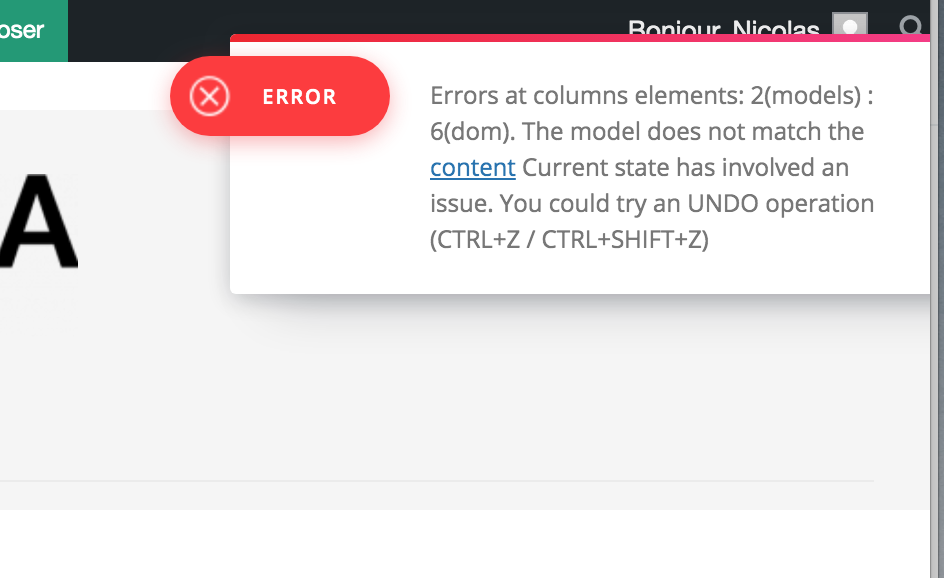
And also when I try to edit the name of the template I have this error :
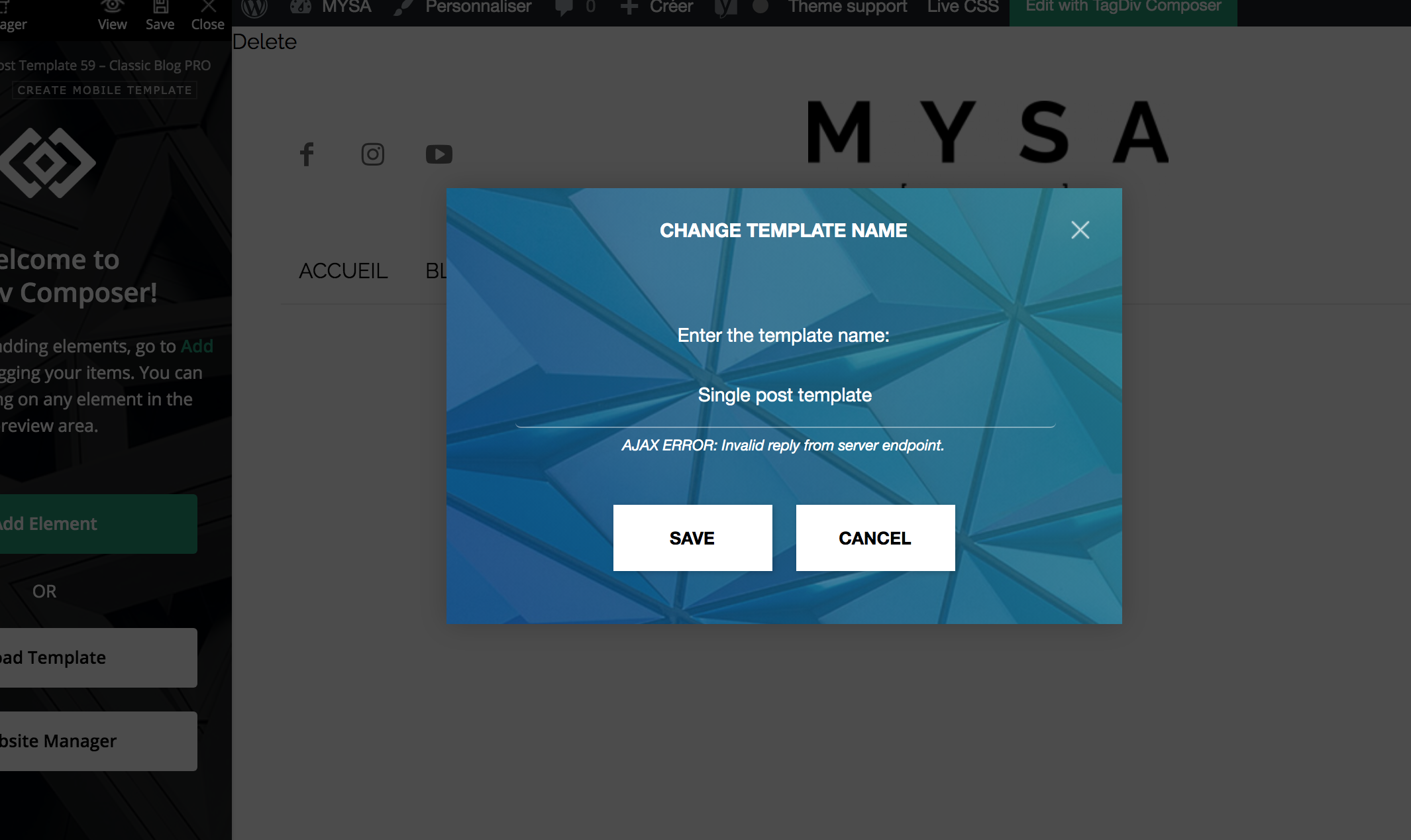
You can find the url of a single post here https://dev.foreo.com/fr/blog/foreo-sadresse-aux-entreprises-du-monde-entier-fabriquez-des-produits-pour-durer-pas-pour-se-casser-rapidement/
Thanks for your help,
Nicolas
 ashwintembhekar
i am not able to allow add the image logo to the cloud header template through tagdiv composer i uploaded the logo image but its not showing the image . it is only allowing text to be used as header and not image. i downloaded the header 7 template. i faced the same issue with london news and gadgets pro header templates. please help. i have gone throuh all the troubleshooting given in the forum but nothing works .
blagoevgradMissing Icons on header menu from home page, in other pages – in navigation menu icons are okay, but home page – icons missing?
Any ideas how to fix ?
 adrian_van_hal
Hello,
Could you please help me with providing the css code that I can add in the theme panel to make the gradient background not visible, just white. I have installed the Default Pro demo.
Earlier you provided this for the Default theme, which worked perfect with that: .td-header-gradient:before{display:none;}
However, it does not work with the Default Pro.
Many thanks,
Adrian


