- NewsmagHomepage – How to build and set it
- NewsmagtagDiv Composer Tutorial
- NewsmagNewsmag documentation
- NewsmagMain menu
- NewsmagLogo & Favicon
- NewsmagPage templates
 ctoweett
Hi. I realized that with the mobile plugin enabled, when I click a category page, the hamburger menu does not respond when I click it again to navigate to another section. I have to refresh the page for it to work. That is, like let’s say I click on category “money” from the homepage, then it opens the category, if click the menu again, it does not respond and I am stuck at that category, unless I refresh the page.
 Coterranea
 Hi people!
Thanks for your answers, very helpful. Unfortunately this hasn’t entirely solved my issue.
This is a short list of the current scenario:
1- My website uses self hosted ads/banners. No ad-sense ads.
2- I’m using AdRotate to manage my banners/ads.
3- I need 5 spots in the homepage to show 5 different ads.
4- Also I need 5 spots for the mobile version which uses a different size.
5- Newspaper only allows me to use 5 custom ads, so far good enough for item #2.
6- Raw HTML won’t help me render AdRotate’s code.
Am I missing something here? Any ideas?
Thanks!!!
 GusV
GusV Hi I was able to get the side bar to show on the right side of the homepage however, under the side bar on hompage named Bid On These Coins, only 2 posts are showing even though i have filtered three Post ID`s in the widgets [tagdive] Block 4, also I would like the heading to show on the hompage articles just like the side bar is showing. Please go to my homepage to see: http://vards.net
Thanks.
Gus
 nautispotsGusV
 Sorry i forgot to add this piont so you understand better on my homepage the block that says Bid On These Coins is in my Widget Sidbar and should go to the right of the page but as you see it stays at the top?.
Thanks.
Gus
GusV Hi Calin,
sorry but I am still having trouble I have used the widget sidebar on my homepage but i does not go to the right side of the page it just stays a the top. Please see here my hompage: http://vards.net
Thanks.
Gus
 mkmazid
I have WP multisite website which homepage is one of the networks.
to call other network content in the homepage I have to use below plugin which is working with shortcuts:
https://wordpress.org/plugins/network-posts-extended/
I was wondering to ask below questions:
is it possible to have other network posts in the blocks directly?

OR
how can i user the network posts extended shortcut in the BLOCK ?
My goal is to have blocks with other network posts
Thanks
 hakankenandemir
Hello. Our website works fine on every browser, but in Safari on big screen Macs texts and pictures on homepages stack.
This is the link to our website: test.birgun.net
I did some custom margin/padding settings on blocks, but website works fine on every browser except Safari.

GusV Hi I am trying to seperate the posts for the side homepage via the Widgets in the filter tab it asks for the Post ID filter? it also mentions to exclude posts from this block add them with ‘-‘ (ex: -7, – 16) where do i find these POST ID`s? it seems they go by numbers followed by , commers. Please direct me.
Thanks.
Gus
 3ftDeep
 Sorry. The link above has changed to this:
http://whystudyhere-com.sites.stackstaging.com/wsh-homepage/
-
This reply was modified 7 years by
3ftDeep.
 Calin
Calin Hi,
Please open a your homepage with tagDiv Composer, and drag a https://www.screencast.com/t/K1iXmqxA
Or if you are using widgets please check in Appearance
https://www.screencast.com/t/Q4cEoPIW
Hope this will help you.
Thanks.
 Rob576
I recently corrected my SSL so my site will forward to the HTTPS:// version but now on a mobile device the site renders showing code for the blocks. How can I fix this and its only seems to be on the homepage. If I click on any of my menu items other than the home or homepage on logo. It renders correctly.
 Dwight
Well, basically the title sums it up, the tagDiv composer is missing after updating WP and Newspaper, the Sticky blocks from the page are no longer sticky (not that I could fix them, since the composer is missing).
The homepage now also displays this bit of code, instead of the actual blocks:
[tdb_loop modules_on_row=”eyJwaG9uZSI6IjEwMCUiLCJhbGwiOiI1MCUifQ==” modules_gap=”eyJsYW5kc2NhcGUiOiI0MCIsInBvcnRyYWl0IjoiMjgifQ==” modules_category=”image” show_excerpt=”none” show_btn=”none” ajax_pagination=”numbered” custom_title=”NEWEST ARTICLES” block_template_id=”td_block_template_2″ header_text_color=”#ffffff” f_header_font_family=”629″ f_header_font_size=”26″ f_header_font_line_height=”1.2″ f_title_font_family=”159″ title_txt=”#ffffff” title_txt_hover=”#b5c3cb” author_txt=”#ffffff” com_bg=”#96446c” pag_a_bg=”#b5c3cb” pag_a_border=”#b5c3cb” pag_border=”#333333″ pag_text=”#aaaaaa” f_pag_font_family=”159″ f_title_font_size=”eyJwaG9uZSI6IjE0In0=” f_title_font_line_height=”eyJwaG9uZSI6IjEuMyJ9″]
Can you guys help me with some suggestions? Thanks.
GusVHi i would like to filter my posts to go into a different block tab my homepage is http://vards.net I need to place the three posts with coins into the right side bar block tab that says Bid On These Items. please check this link for the picture illustration: http://vards.net/antiques
Thanks.
Gus
 Sajjad
On Newspaper gadgets demo theme, we can find a colour shadow over the images in the home page (first grid). How can I also add clour layer over the images for the homepage on Big Grid 1?

 fratermaui
Hello support and team,
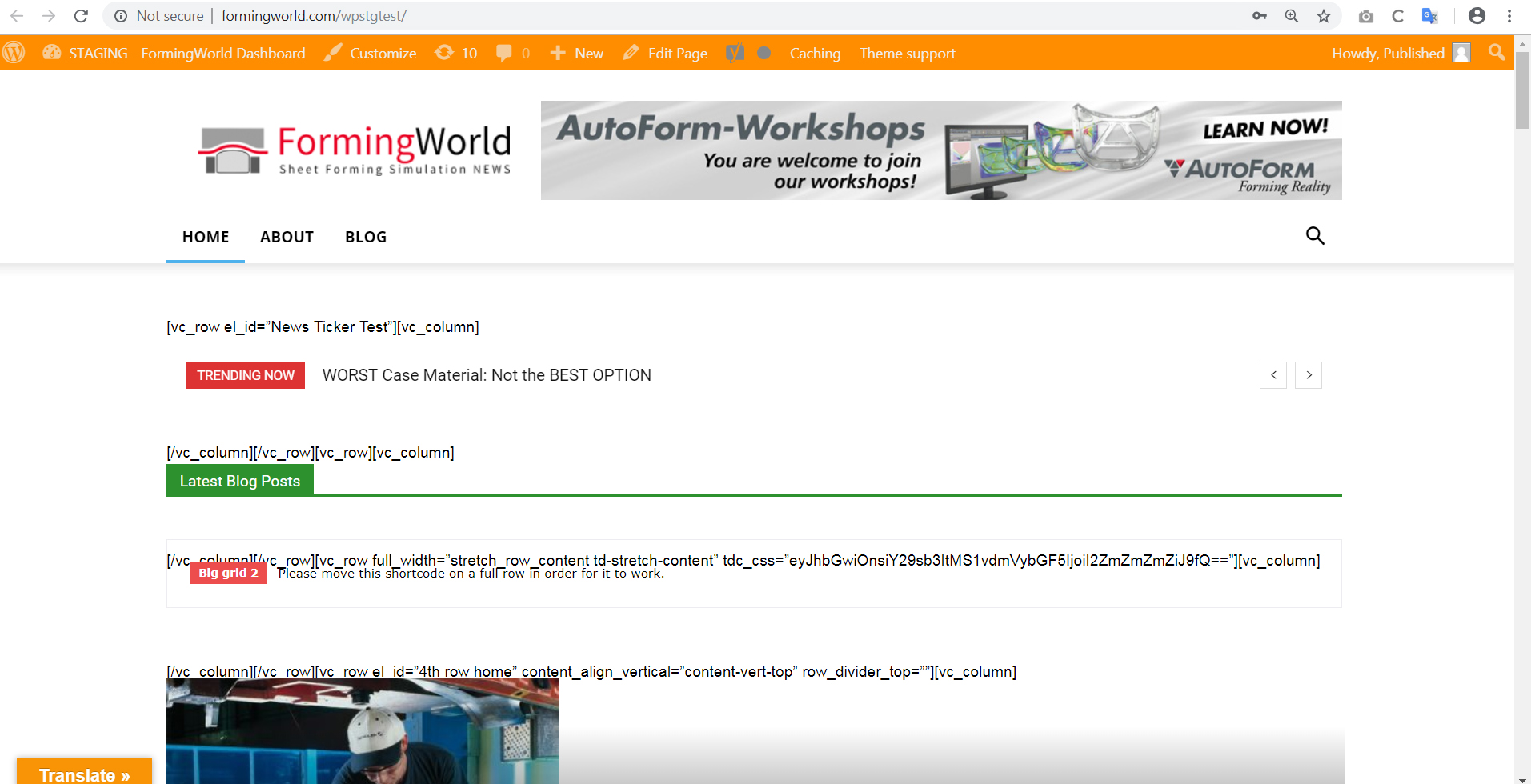
After doing an update of the theme my site falls apart. The structure of the homepage is broken, then code appears all over the homepage. I’ve tried the update in the older version of WordPress as well as the newest version.
This is what the damaged site looks like, please see link:
http://formingworld.com/wp-content/uploads/2018/12/Staging-Newspaper-Update-Sam-Clough.jpg
I can’t find any plugin conflicts, could someone please contact me, I can’t update the theme.
Many thanks, Sam Clough
Calin Hi,
The heading h3 is set in our theme for titles, and that demo (that you give for example) have on homepage 135 of titles and that is way appear 270 h3 ( there are 135 headings)
Please read those topics -> https://forum.tagdiv.com/topic/h1-h2-h3-tags-use/
Thank you for your understanding.
 rht999
 although i did not setup any page as homepage, but code worked well. thank you
 miltonrodas
 Hello, the newspaper status paremeters match your documentation, the only thing that my host won’t do is raise max_execution_time to 60 (limit for shared hosting is 30) –
I currently have:
max_input_vars = 5000
max_execution_size = 30
post_max_size = 50M
upload_max_filesize = 50M
memory_limit = 128M
There seems to be a disconnect between this demo theme (voice report) and the newspaper Theme panel. Examples: 1) The social network counts are not updated even though I put in my social networks in the theme panel (how does it grab the counts?) 2) also, the instagram feed at the bottom of the homepage…it won’t update and there seems to be no way of updating it within Theme panel.
Here are the screenshots for the menus not showing as you requested:
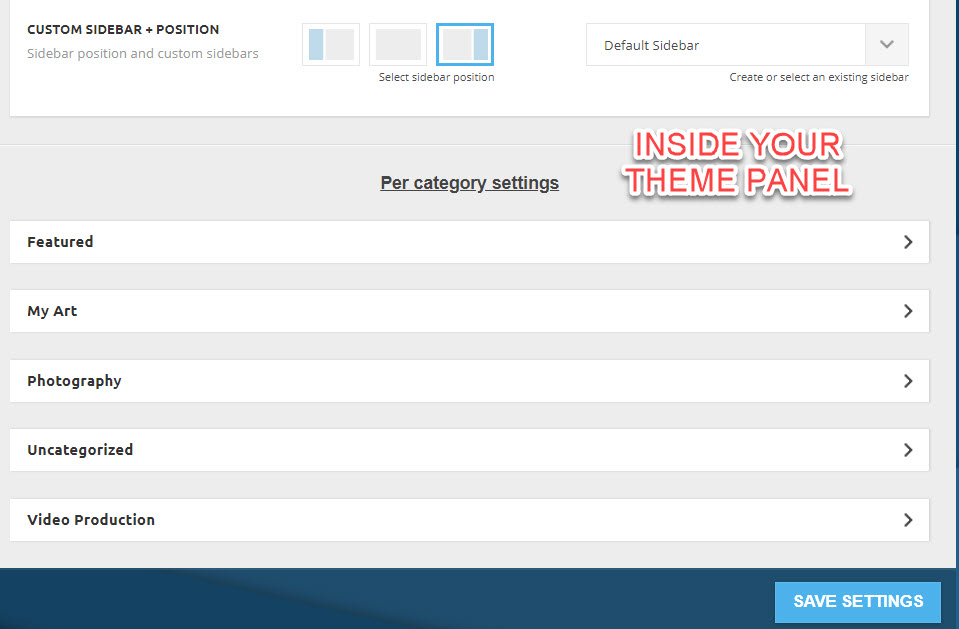
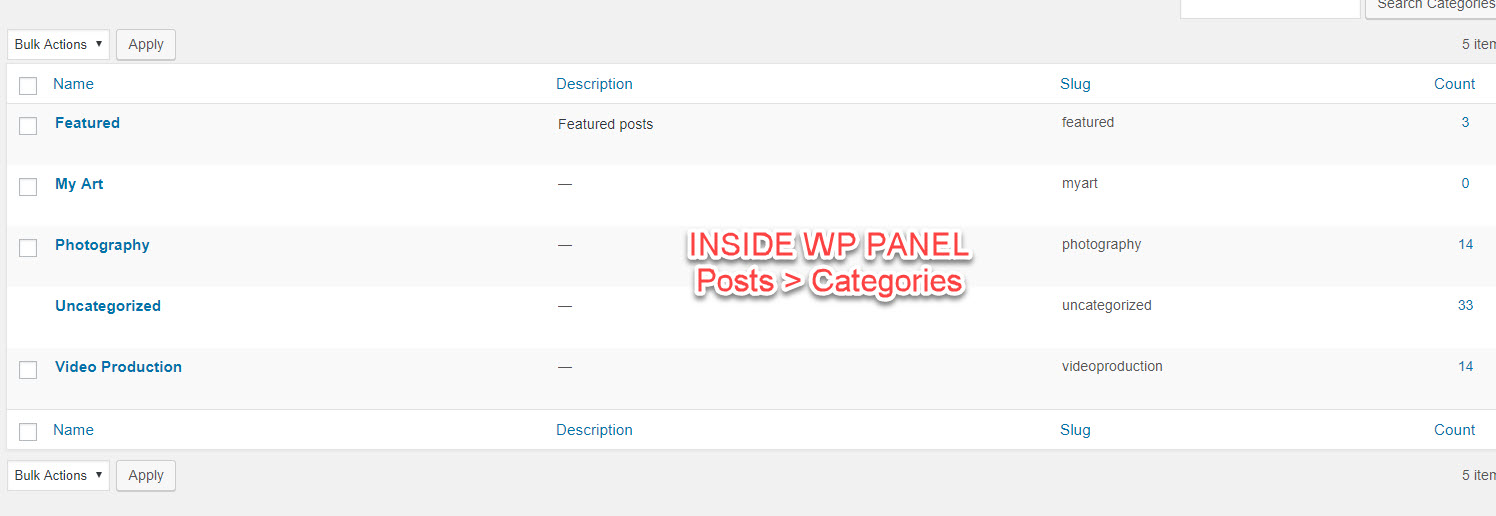
domain is: miltonrodas.com
Calin Hi,
You can use a custom css, or change the page template for the page that is set as homepage.
Here is the custom css, set it in Newspaper>Theme panel>Custom code>Custom css
.home .entry-crumbs{

  display: none;

}
Thank you for your understanding.
ctoweett I only tested the homepage. The search icon was not working. Could be only this respective mac (for a coworker).
Calin Hi,
Here is the custom css for homepage
.home .td-scroll-up{

  display:none;

}
If you want to hide form all devices place the css outside of @media (max-width: 767px){ } , if you want to be hide only for mobile set it inside the {}
Thank you.
 rrtoday
Using Current Version:
– Homepage has been set to “Optimize Preloading” of displaying additional news categories in Ajax Categories Drop Down
– Suddenly began displaying gray box instead of images associated with articles
– Switched to “No Preloading” and it solved the problem.
Tried to switch back and same issue. Cleaned all caches to no avail.
WORKAROUND: No preloading is fine for me, but others may run into this issue.
 Bogdan B.
 Hello,
You can install a demo both with or without content. Please read this guide: https://forum.tagdiv.com/installing-demos/
Install the demo with content to get the homepage, categories and posts. If you only want the homepage, you can use get just the homepage from any demo using the cloud library plugin https://forum.tagdiv.com/tagdiv-cloud-library-plugin/
You can import a premade homepage from the homepages tab.
Thank you!
 mislek
In https://forum.tagdiv.com/tagdiv-amp-plugin-tutorial/ it says, “Important note: The AMP template will only work on pages that do not use any page builder. Only pages that are created using the standard tiny mce editor will be valid AMP pages.”
What do you mean by “pages that don’t use any page builder” ? I guess, in Newspaper theme every single page has been made by page builder or at least any page can be modified by page builder. In short which pages can get AMP support can you be more specific ? (For example, will homepage get a AMP support ? )
Thanks!