- NewsmagHomepage – How to build and set it
- NewsmagtagDiv Composer Tutorial
- NewsmagNewsmag documentation
- NewsmagMain menu
- NewsmagLogo & Favicon
- NewsmagPage templates
 realworldnews
I changed the background image and all of a sudden it became all blurry
Have a look here – — https://candidtraveller.com/
I looked through theme panel, css tried all different settings allowed in there and still blurry
the image is a large size image and it is still blurry.
What is going on ?
 umarbajwa1
Hi,
I have installed Newspaper 9 theme on my blog. When I try to edit homepage using TG composer nothing load on the page and stuck,
Tried several times to uninstall and then install the theme back but the issue is the same. Thumbnails of the posts is also not showing.
Please help me in this regards, I’m attaching the screen shot for reference.
 JJ0000
This randomly started happening — the featured image from a YT video isn’t filling up the boxes on the homepage/categories, only a little over halfway of it. This happens no matter what size I put the featured image. Is this a bug?
 teter
teterWhen i click over on post in grid, i need to go to category page. How i can do?
Or show in the grid categories with our image

 stonebug
Hi,
I am trying to work on a staging website and tagDiv composer is not loading to edit (homepage and other pages). I get a blank screen.
I have searched the forum and tried all solutions.
My system status is ok, I have increased limits in php.ini and added the .htaccess code
Sometimes by disabling other plugins it worked, but not always.
 Catalin
 Hello ChampLife,
Unfortunately, the theme does not have any such an option for this functionality, sorry! Keep in mind that if you log-in at your website, after this, you will be redirected at the homepage. So, if you want to change this theme behavior, you should use a Redirect plugin, like 301 Redirect, or you can try using the Woocommerce Redirect plugin for this.
Also, if you are not aware of the steps which are needed to take in this case, please consider hiring a freelancer/developer to help you because we cannot provide custom services at the moment.
Thanks for your understanding!
 Bale
Balethe images in my homepage doesn’t appear properly.
also, it’s hardly indexed. why occur this problem? it seems like that there is no matter with my server.
please tell me how do i do
 hawaiiInformation
Hi,
I’m using v9.0.1 and noticed new width and max-width attributes on the images for Big Grid Slide > Grid Style 4- Bottom Box, which is causing 3 smaller-right-images to be cutoff horizontally vs filling the space.
View here on homepage: staging2.thehawaiiherald.com (v 9.0.1)
Not here on homepage: thehawaiiherald.com (v 8.5.1)
Is there an aspect ratio now being applied to these images now?
If so, is there a way I can comment it out? Thanks
<img width="284" height="160" src="https://staging2.thehawaiiherald.com/wp-content/uploads/2018/08/Okinawan-FestivalLeinani-Group.jpg" alt="Leinani Group from Okinawa will be part of the formal opening ceremonies on Saturday." />
 havard2k
Hi, this problem I have is probably not a big deal, but I think it’s a bit strange and would prefer if I could “clean up” whatever’s wrong.
If I google my site URL; boostatv.com, on spot 2 in the results I get a site with URL boostatv.com/page/2/ and title BoostATV.com | Optimize your ATV! – Part 2
The page looks just like my front page. The problem is that I cannot find this page on my list of pages, and I cannot remember ever making it either.
I did, however, make several “Homepages” early on, but I deleted all but one a long time ago.
Also, when I open my menu settings in WP and click “view all” under pages, I see two homepages:
Home: Boost ATV – Optimize your ATV!
and
Boost ATV – Optimize your ATV!
But again, I only see one homepage in my page-list. Any tips to why it’s like this? I’m aware it may not be theme-related, I just need to start somewhere to find what’s causing it. Thanks.
Balehi, I used Colormag by themegrill a months ago. but there was a problem about structured data so I’ve chosen this theme carefully to prevent any probs from theme that I installed. but a problem occurred which Images in my homepage
(https://meogtwi.com) haven’t shown up or appear slowly. so I’ve checked my SearchConsol first of all. and then I found an error (error code:500 WP-content/theme/Newspaper) and hardly images didn’t index. and then I call my hosting company. they told me this problem maybe occur in theme. how can I solve this problem ? I was trying to solve it myself, but didn’t work and I’m exhausted totally. please tell me how to settle it.
 Simion C.
 Hi,
Does it happen only with the homepage? We could take a look, send us an email at contact@tagdiv.com and provide admin login access and details about how we can recreate the issue in your website.
We may need to deactivate all your non-theme plugins for testing. Usually this problem is caused by various plugins. Or you can test this before sending the email and let us know.
Simion C. Indeed it is as you say, only if you choose install demo with content the homepage will be provided.
Sorry if this is an inconvenience, maybe another demo installation option will be provided in the future. But at the moment there are only these 2 options.
The workaround for that would be to install the demo without content, they copy the homepage content like I mentioned above, from the theme files.
 random8bit
The mobile homepage is extremely different to when i make it smaller.
http://puu.sh/By1Nd/edb56f3e99.jpg
Here is an example above but the website is http://random8bit.com
I understand breakpoints, but it’s almost a completely different view.
also loving the theme, it works flawlessly little bit confusing but I am usually only a backend developer not frontend.
 MOKANA
 Again, I created a brand new subdomain.
I install WordPress.
I set the settings so that the System Status is green in all areas.
No Plugs in were installed.
I installed the Newspaper Theme via the Zip file. I did not have to upload the decompressed directory structure.
Via this installation, all the supporting Tag plugin installed.
I only had to install the Bakery Visual Composer.
I then installed the Spa Heaven Demo and all supporting Images.
I made sure that under settings that it was set to Static Page and set the Page to Home.
I went to Pages and brought up the Home Spa Heaven Page.
No matter what I did, the text in all the Text boxes wold not convert to a visual display. I selected Various Template types, and still to Visual. I clicked on Classic Mode.
I click on TAG COMPOSER and received the above previously posted error message.
I then started from scratch again and tried creating a Homepage from the Cloud Templates. Exactly the same results.
Nothing displays on the subdomain web site except a single bar across the top.
 k2point0
 Hello,
I was trying to install the City News without Demo but wanted City News Homepage settings. I believe that your settings aren’t suitable for any established WordPress blogs because if anyone wants homepage of any demo, he has to install the demi with content which creates additional posts and settings. At the end, users have to manually delete the sample content which was added by Newspaper theme. I had to delete them including images, posts, pages and lot more. Don’t you think there should be a thrid option?
Catalin Hello ironsea,
Unfortunately, the theme does not have any such an option that allows creating a full-width homepage, sorry! The theme has been designed to have a fixed width and we do not recommend to increase or decrease it because the themețs layout can be broken.
Thanks for your understanding!
 StaLau17
Hello,
I have tried editing my homepage and when I click the “Edit with TD Composer” button, I receive a message, “This Page is Not Working”. Please help.
 ironsea
Hi,
We are using the Newsmag theme and we would like to make the homepage full width. Is it possible?
Simion C. Hi,
What exactly do you mean you are trying? Are there problems or errors when you install the demo you want? Please mention more details for a better understanding. You simply have to choose a demo and install it, as the guide says.
The demos can be installed with or without content
– https://www.screencast.com/t/tEquKCqP
– If you install a demo with content, the homepage will be provided.
– If you install a demo without content the homepage will not be provided.
But you can copy it from the theme files. For example the City News demo homepage code is here
– https://www.screencast.com/t/BNbWTCEvn
Copy that in a new page, configure it as you want, save it and set it as homepage.
Note that each demo has custom design (CSS), this will only be imported if you install the demo.
 Calin
Calin Hi,
Yes this is possible, for full width, you need to go in Newspaper > Theme panel > Template settings > Force full width, there you need to select Stretch container and content ( https://www.screencast.com/t/nGavZs2NA ) you can select only the container you desire to stretch.
The layout for the homage you can choose it from Cloud Template ( only if you like one of them), or you can create your own page (for cloud Select Cloud Templates > Add New then select Homepages, choose a page if you like it https://www.screencast.com/t/AOSKhVZO ) or create a new page and edit it with tagDiv Composer.
Then go in Settings > Reading select a static page and set the homepage ( https://www.screencast.com/t/4wzjRZvnNg2 )
Thank you.
 heedozz
I installed the AMP through the tutorial.
AMP tutorial:(https://forum.tagdiv.com/tagdiv-amp-plugin-tutorial/)
In fact, I added / amp at the end of my homepage url, so the /amp screen appeared.
Is not this automatically seen on mobile devices?
It does not make sense to put / amp at the end of the url address whenever i want to use the amp function.
I do not know much about amp yet.
Please answer some of these questions.
k2point0 Hello,
I am trying to install City News without Demo on YogeshKhetani.com blog. I applied that. Still not working. As described in the tutorial and videos, it’s not just Click and Install the demos.
I also checked Settings > WP Reading option, this shows up:
What do I need to select?
This tutorial isn’t helpful either: https://forum.tagdiv.com/installing-demos/
I need a solution on why Demos aren’t working! I just want the homepage of any Demos.
Is there something which I need to do in the Template Settings under Theme Panel?
 Calin
Calin Hi,
I just check your homepage and there not seem to be any kind of problems.
Thank you.
 adrian_van_hal
Hi,
I put the setting of a row to stretch row and content, then I add a column text, as content a screenwide image. However. The row looks like it is shown as settings are stretch with paddings. I would like to add an screen wide image on the top of the homepage. Unfortunately I cannot work with herobox or single image element because they are not responsive. IN case of using a hero box the image, which is a background, is only shown as part on a mobile view.
What can I do to create a screen wide image?
htps://europahypotheek.nl/frankrijkhypotheek > image is shown with paddings, while settings are row: stretch row and content; image is 2000 px wide.
Thank you.
Ad
 deanysus
Hi tagDiv team,
I’ve just updated the Newsmag theme to its latest version, and we’re having a few issues. Could you possibly help?
1. “Sharing” social media icons are not displaying properly: https://i.gyazo.com/af00b0bc835c09dc1f36dddd781bc46a.png
2. On mobile, featured images on homepage are not displaying: https://i.gyazo.com/5e113038ef3f3e27f865e92d45ce7e8c.png
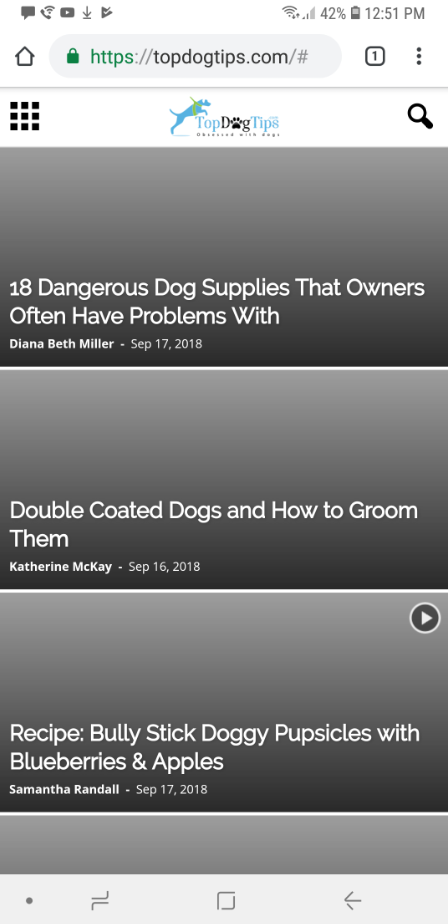
3. On mobile, “search” icon/function does not work. It only gives a “domain/#” (like in screenshot) link and doesn’t allow to search. We’ve had many people email us that they’re unable to search our site.
Any help on how to fix this would be appreciated!
Thank you.
Dean