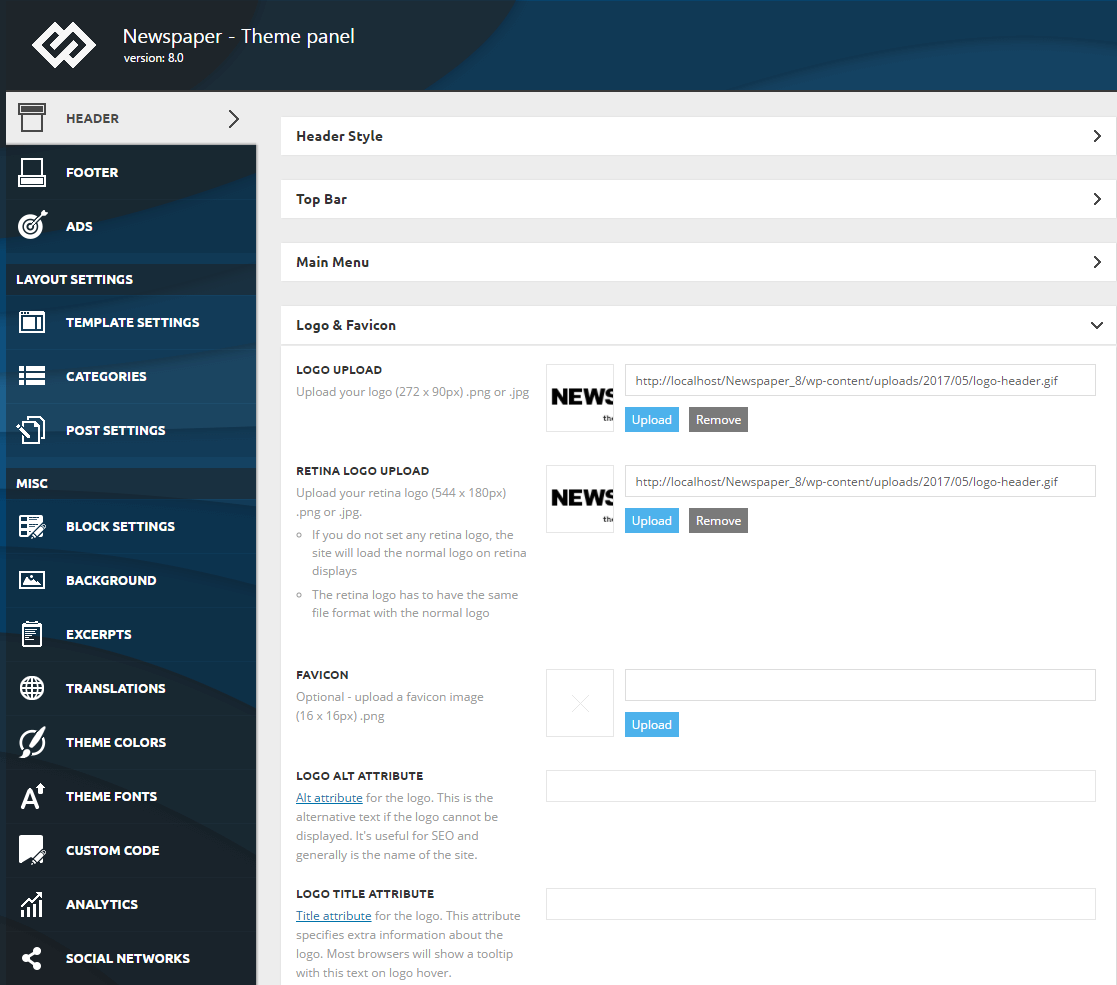
- NewspaperHow to Add a Logo in Newspaper
- NewsmagLogo & Favicon
- NewspaperShortcodes
- NewspaperHow to Set the Image Avatar
- NewspaperThe Mobile Theme
- NewsmagWhat’s included in Newsmag theme package
- NewsmagMain menu
- NewsmagHeader styles
- NewsmagFooter templates
- NewsmagTheme colors introduction
- NewspaperFavicon & iOS Bookmarklet
- NewspaperHeader styles
- NewspaperWhat’s Included in the Newspaper Theme Package
 Calin
Calin Hi,
For me your logo it looks normal now ->https://i.imgur.com/K8SzIC3.jpg
If this is not what you mean, please let me now!
Thank you!
Calin Hi,
I see that now the logo is display -> https://i.imgur.com/ESuJJ9W.png
If there are still some problems, or I miss something, please let me know.
Thank you!
 GuillaumeGuersan
Hi guys! On my website, I’ve 2 menus : left and right (logo in center). The left menu is perfect, but the right menu (“Header main menu” module) has a “fade in” effect. When we load the page, the menu is invisible and appear with a “fade in” effect.
My website: https://guersanguillaume.com/
I search on options and I don’t see ho to remove this effect.
Thanks for help 🙂
(I’m french, sorry for my english).
 Abder Fath
Hello,
Does Newspaper theme support WebP format? Since WordPress 5.8 is coming with WebP.
If it does, can I upload a WebP Logo instead of a PNG one? https://forum.tagdiv.com/wp-content/uploads/2015/05/logo-and-favicon.png
Thanks in advance!
PS: RIP PNG and JPEG 🙁
 eksod
eksodHey, I’m ecountering some problems regarding my website when accessing it from mobile.
I accessed it on 4 different devices. On two of them the search icon is not placed inline with the header logo and menu icon.
Also, on 2 devices the font size for the article title is different.
How can I solve this?
photos: https://ibb.co/X8nwQRv
https://ibb.co/Xs4DvwY
https://ibb.co/d5wKdKr
https://ibb.co/42YtXcC
website: https://4thesouls.com/
 Ümit BAYIR
Ümit BAYIRYou can apply for date and time under the news in this way. https://www.bilecikdostlari.com/logo/oneri.jpg
Example site link: https://www.bozuyukhaber.com.tr/zamaninda-mudahaleyle-buyumeden-sonduruldu-5854h.htm
 SocietyN
I’m mostly used to building responsive websites where I build a desktop theme and the mobile resizes accordingly, with the ability to do small tweaks to make it fit better. But I see in Newspaper that you offer a Mobile specific option. Is this required? If not, is it suggested to use this? We messed around and built a rough mobile homepage but not even the color or the logo is the same. I just want some guidance before I go and build the site.
 dannyscar
scarcity-studios.com
1 the social media block top right won’t save urls correctly
2 a “show full text” single column blogstream has appeared at the bottom of posts making page sizes massive
3 i can’t make the mobile header save a logo
4 sometimes, the mobile width homepage loads as a show-full-text blogstream again making the pages massive
this happens immediately on desktop view when i install the awful mobile theme plugin
 spiritedzine
Hi,
I’m using the Style News template and around my logo there is a lot of space. I was wondering if someone could tell me how to shrink the white space above and below. My website is spiritedzine.com.
 grdevan
Having Logo problem while mobile post page. In Tagdiv editor showing correctly… but in actual not working it.
https://www.realitybay.in/article/grand-la-casa-villas-in-chandapura/
 Vlad S
 Hello!
Please follow our guide here in order to learn about changing your logo: https://www.youtube.com/watch?v=HXQQygkCCJo&t=1s
Also you have to make sure that your Logo text is empty when trying to set an Image logo: https://www.screencast.com/t/tjPtEXt4j9F
Thank you!
 Kingoferrthang
Hi,
I find it difficult to get a logo on my site.
I don’t know how to get the logo on the mobile version of my site.
my website is https://celebsfamous.com
 AlviseCanal
 Hi @Anamaria,
will the options for the footer logo be really implemented in the next update?
We really need it.
It could improve a lot the pagespeed score and CLS.
Calin Hi Bilecikfriends, we are sorry for the inconveniences, but please notice that we try to help all our customers, also we do not make difference between the customers that no longer have support and we try to help them to, even if this is contradictory with the support rules.
Also any tie when you have a problem, please provide as many details and screenshots you can, that we can understand the problem you are facing, this will reduce the time to solved the problem.
Now about this submenu, the mega menu is not displaying correctly, this it how it should look like -> https://i.imgur.com/fawv6jH.png not like this -> https://i.imgur.com/huLxLLd.png please do not set sub-menu under a mega menu -> https://i.imgur.com/DYtV7Fa.png -> https://i.imgur.com/yR1huKj.png, this will make it to look like thishttps://i.imgur.com/iFQ9SRk.png
Also for the problem with the logo from footer that do not have height and width, what you can do is to use a page as a footer or use a footer cloud templates, those can use the logo element and this have the option to set the height and width on logo image.
The avoid major layout shift is not affecting your website https://i.imgur.com/C0pKggD.png the CLS for that elements is 0.
Thank you for your understanding!
 Anamaria
 Hello,
I just checked your website and I see only your logo https://www.screencast.com/t/MHbsEIebjH4
Thank you!
Calin Hi mycdnprince, Newsmag do not have an option to set the logo size, this can be choose from media when you upload the logo -> https://i.imgur.com/oCHmNsS.jpg also if you want that the logo to have the size that you choose from media you need to set a header style for full logo, then you need to choose one of those -> https://i.imgur.com/mLXhRR0.png
I hope this is what you need!
Let me know the results!
 Sentropi
there are 4 photos in this link
first, desktop website and home page = its perfect
second, (mobile theme activated) mobile home page with grids and latest posts its perfect for me again because i want it simple
third, desktop post page when you click the article you read it in this page so i edited this page to make it simle like my home page = its perfect for me
fourth picture is the problem because i delete those unnecessary social media icons or author name or date while i can delete them in desktop. how can i remove them? i looked into theme panel and mobile theme options i couldnt find anything.
mobile home page you guys give with mobile theme is perfectly simple. i went into theme panel closed footer header uploaded a logo choose 6 post grip and latest articles capped 10 posts. everything is simple. but i cant make any change on the post page with mobile theme. am i missing something? how can i remove those social media icons and others?
i dont want to create mobile template directly with tagvid composer and then use it. because its working slow that way. this mobile theme is perfectly fast and simple but i couldnt figure out how can i edit post pages. please help.
 MrFIemka
Hey, my website is mrfiemka.pl
I added the png logo in the settings options. I deleted the demo standard text version of the logo. Nevertheless, the “black pro” text logo appears on every page. Why? How to fix it in one click?
Ümit BAYIRÜmit BAYIR Ümit BAYIR Temada menu ayarlarında ekran görüntüsünü istiyorum. Fakat kategori eklemeden yeni sayfada açılmıyor.
I want to set up screen in menu settings in theme. But without adding category, new is not added.
-
This reply was modified 5 years by
Ümit BAYIR.
-
This reply was modified 5 years by
 teguhukeu
HI
I’m using the Construction version Pro theme.
I want to delete ‘text logo, text logo tagline’
Please, see the attached 1 images.
https://prnt.sc/1b1v3xv
Anamaria Hello,
I checked your website and seems the H1 around the logo is no longer set => https://www.screencast.com/t/kUul4K39b
Thank you!
 PeterBank
I’ve checked the box to remove H1 from the logo
https://bangkoknightlife.com/
But there is still a Heading 1 around the logo. Any help to get rid of the h1 on the logo, please.