- NewsmagSmart list ads
- NewsmagIntroduction
- NewsmagMain menu
- NewsmagLogo & Favicon
- NewsmagHeader ads
- NewsmagSmart sidebar
- NewsmagSharing buttons
- NewsmagCategory tag on modules/blocks
- NewsmagBackground introduction
- NewsmagTheme colors introduction
 adis990
 I don’t know how but I found it on the right.
Now I have installed the plugin for the mobile theme, I added it to the sub footer menu with the pages, but when I open them are they empty?
 Anamaria
 Hi,
unfortunately for the mobile theme, a different custom code must be made, for example here is made a custom code that applies to all categories both on desktop and on mobile.
https://forum.tagdiv.com/topic/category-color-and-filtering-options/
For your case, you need to have a code like this, but you need to set each category that you have
.td-module-image a[href$="/video/"], .td-meta-info-container a[href$="/video/"], .td-module-container a[href$="/video/"], .single .td-category a[href$="/video/"], .tdb_single_categories a[href$="/video/"], .entry-category a[href$="/video/"] {
background-color: blue;
}
.td-module-image a[href$="/fashion/"], .td-meta-info-container a[href$="/fashion/"], .td-module-container a[href$="/fashion/"], .single .td-category a[href$="/fashion/"], .tdb_single_categories a[href$="/fashion/"], .entry-category a[href$="/fashion/"] {
background-color: blue;
}
Also, if you want to have it on mobile theme you need to set the code in Theme Panel -> Mobile Theme -> Custom Code -> CSS => https://www.screencast.com/t/MvF9ApPZ43r -> https://i.imgur.com/hUP91q1.png
Thank you!
 im7thson
 Yes it was already translated there to Ultimele stiri, but when i view it in mobile still remain Latest articles.
 kappe79
Hi, if I let WordPress to show PHP errors
ini_set(‘display_errors’, 1);
ini_set(‘display_startup_errors’, 1);
error_reporting(E_ALL);
I get on the top of my webpage, in mobile version, the following alert:
Notice
Undefined index: color-1-overlay in <b>/var/www/vhosts/FOLDER_ON_SERVER/wp-content/plugins/td-composer/legacy/common/wp_booster/td_block.php</b> on line 2407
Notice
Undefined index: color-2-overlay in <b>/var/www/vhosts/FOLDER_ON_SERVER/wp-content/plugins/td-composer/legacy/common/wp_booster/td_block.php</b> on line 2407
Is it a theme error? How do I fix it?
Enzo
 guauda T0
Hi everyone,
I’ve been struggling for the past 3 days to get my home page to stack for mobile.
I’m not keen on creating an entirely new theme for mobile, but rather use the desktop version I have and have the elements stack.
This is currently happening, but text runs out of the screen resolution on mobile.
Help would be appreciated.
 kubick
 Working link:
https://tinyurl.com/2mred6jm
I don’t mean the mobile version for the desktop.
The default template design appears instead of London News Pro.
After clearing the cache of the entire page, London News Pro appears, but then the basic leyout returns again.
The problem concerns the appearance of desktop and mobile.

 Bettina
 Hello!
You can see all the cloud templates in Dashboard -> Cloud templates.
Please check our video tutorial about how to import and assign cloud library templates: https://www.youtube.com/watch?v=6m8-EebnfM0
If you have set up a mobile page you can easily shift or select no mobile pages. But if you delete it, then the mobile page is already there but blank. So, in this case you need to assign another mobile page, and then to select no mobile pages without deleting the previous one. After selecting no mobile pages, you can delete also the mobile pages which you created.
In conclusion, don’t delete first so you will don’t have any issues.
You can duplicate a template/layout for every category/post to have different template, make the specific changes and assign it to that category/post.
Check this topic: https://forum.tagdiv.com/topic/different-logo-in-categorypage/ ; Here I explained step by step how you can duplicate a template.
I just explained in that ticket about posts loop offset and how you can change it to achieve what you need.
For example: If you have the same template for posts, then it’s enough to edit one post with TagDiv Composer, and the changes will apply on every post that has assign the same template: https://www.screencast.com/t/quA3qQaZz8G. This is available also for the categories.
Thank you!
Anamaria Hello @mixos,
If you follow the steps which are presented in this tutorial here: https://tagdiv.com/how-to-increase-page-loading-speed/ you’ll be able to increase the speed of your website.
Also, to increase the page speed you can check these similar topics for more solutions:
– https://forum.tagdiv.com/topic/optimize-script-to-improve-site-speed/
– https://forum.tagdiv.com/topic/a-few-tips-for-newspaper-x-speed-high-cpu-usage-issues/
– https://tagdiv.com/how-to-increase-page-loading-speed/
– https://developers.google.com/speed/docs/insights/v5/about
– https://forum.tagdiv.com/topic/score-100100-pagespeed-with-newspaper-wordpress-theme/
– https://forum.tagdiv.com/topic/newspaper-theme-speedify-your-website/
Please give it a try and follow the steps which I presented above about page speed.
Also, check our guide from here: https://forum.tagdiv.com/how-to-make-the-site-faster/
To be able to optimize and to remove CLS and LCP please check these guide => https://developers.google.com/web/tools/lighthouse/ -> https://www.sqlpac.com/en/documents/google-pagespeeds-lighthouse-6-new-features-lcp-cls.html -> https://web.dev/lighthouse-whats-new-6.0/ -> https://web.dev/lcp/ -> https://web.dev/cls/
Please make sure to use our newest tool called tagDiv CSS Analyzer which comes in handy to resolve some of your issues. Take a look at the video guide here: https://www.youtube.com/watch?v=tnkVapqhIHc
“This custom tool performs an automatic test to find missing CSS rules applied by user interaction. Moreover, you can manually interact with a chosen section/component from the page while the tool records all the involved CSS. It will generate the final CSS file for this page and also will split the rules in Critical CSS to be loaded in the website’s header.” ( https://tagdiv.com/whats-new-in-the-newspaper-theme-10-4-update/ )
We tested our tool on our demos, and we have such great results!
Take a look at this topic because it could help you: https://forum.tagdiv.com/topic/css-analyzer-step-by-step-and-doubts/
Also, please set width on the logo https://i.imgur.com/oSUDVIU.png or try to remove and add it again.
For mobile, you can use a mobile theme plugin or mobile page, which can help to have a better score for mobile, you can find more information in these articles
-> https://forum.tagdiv.com/the-mobile-theme/
-> https://tagdiv.com/newspaper-10-3-7-update-brings-customizable-and-fast-mobile-pages/
This is a video about Responsive Newspaper Theme, AMP & Mobile Theme, Mobile Pages & Templates -> https://www.youtube.com/watch?v=SpGkOnJeNZY
Also, you can try to optimize your images, for example, you can use the EWWW Image Optimizer plugin, also, you can try other plugins like Autoptimize
Thank you!
im7thsonHow can it be translated category latest articles to another language in Tagdv Mobile Theme.
Bettina Hello!
I can’t see your website link. But, if you mean that you have the mobile version on desktop, I recommend you to test it when you have only TagDiv plugins and tested ones active and see the results.
Thank you!
Bettina Hello!
If you mean that you built mobile pages and you have the same news articles showing on all your categories, then try to use a Flex Block element for each page and select at the filter: Current category. In this mode you won’t have the same articles there.
If this is no what you mean, please let me know.
Thank you!
Bettina Hello!
On mobile you should click on this icon: https://www.screencast.com/t/8mdxB6P0mv in order to display the dropdown.
Let me know the results!
Thank you!
kubick I join the question.
I’ve been using a paid caching plugin for a while.
Currently, I am back to WP Super Cache. I have configured the plugin according to your instructions. I also configured CloudFlare as indicated. I have a plugin for mobile websites turned on.
On the desktop version of the page, my template appeared, alternating with the default one. I have tried various WP Super Cache settings and I think I managed to get it under control.
Unfortunately, nothing helps with the mobile version of the site. The default version of the mobile website is displayed.
Link to the site: shorturl.at/CHU37
 Anonymous
 dear Bettina,
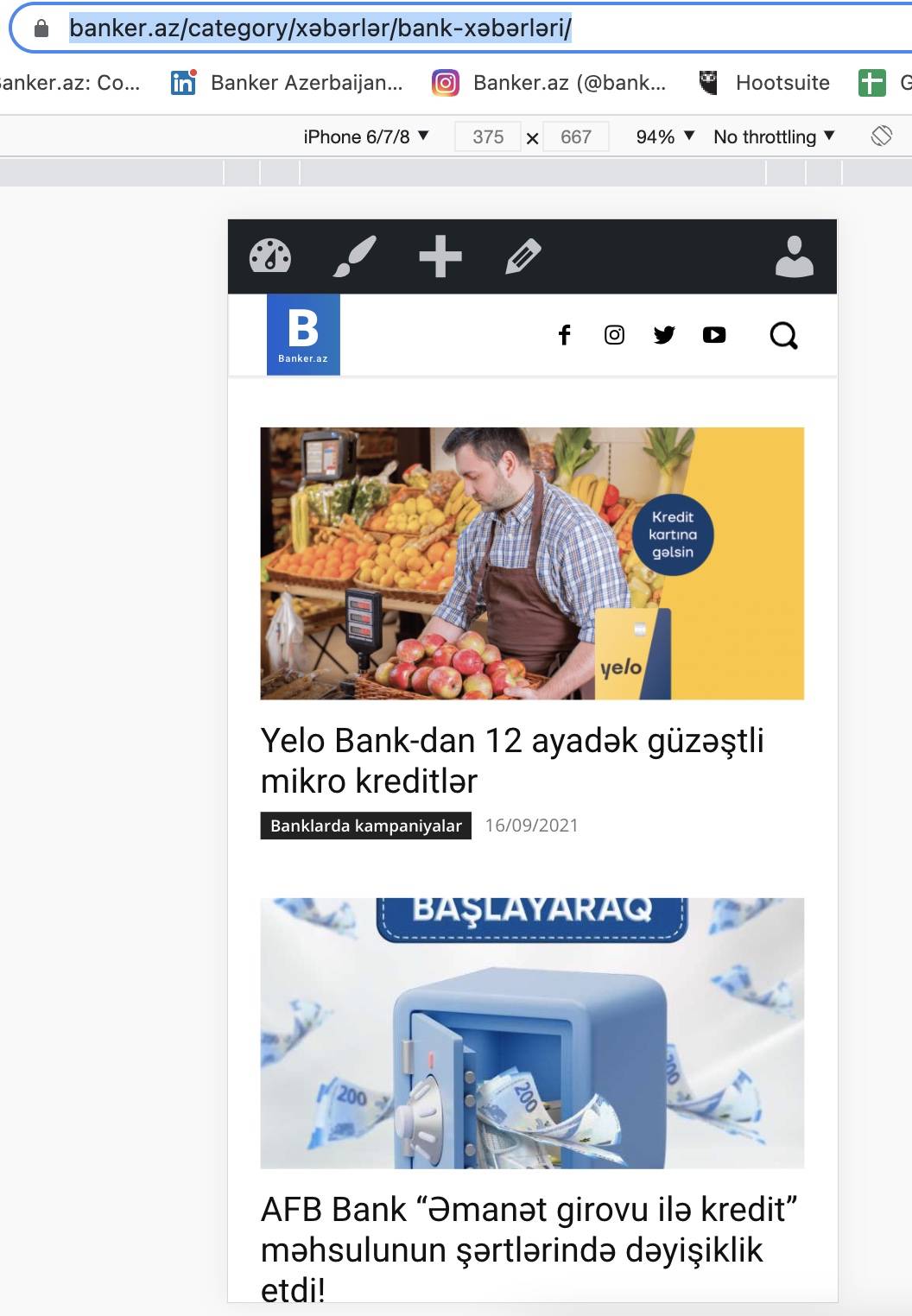
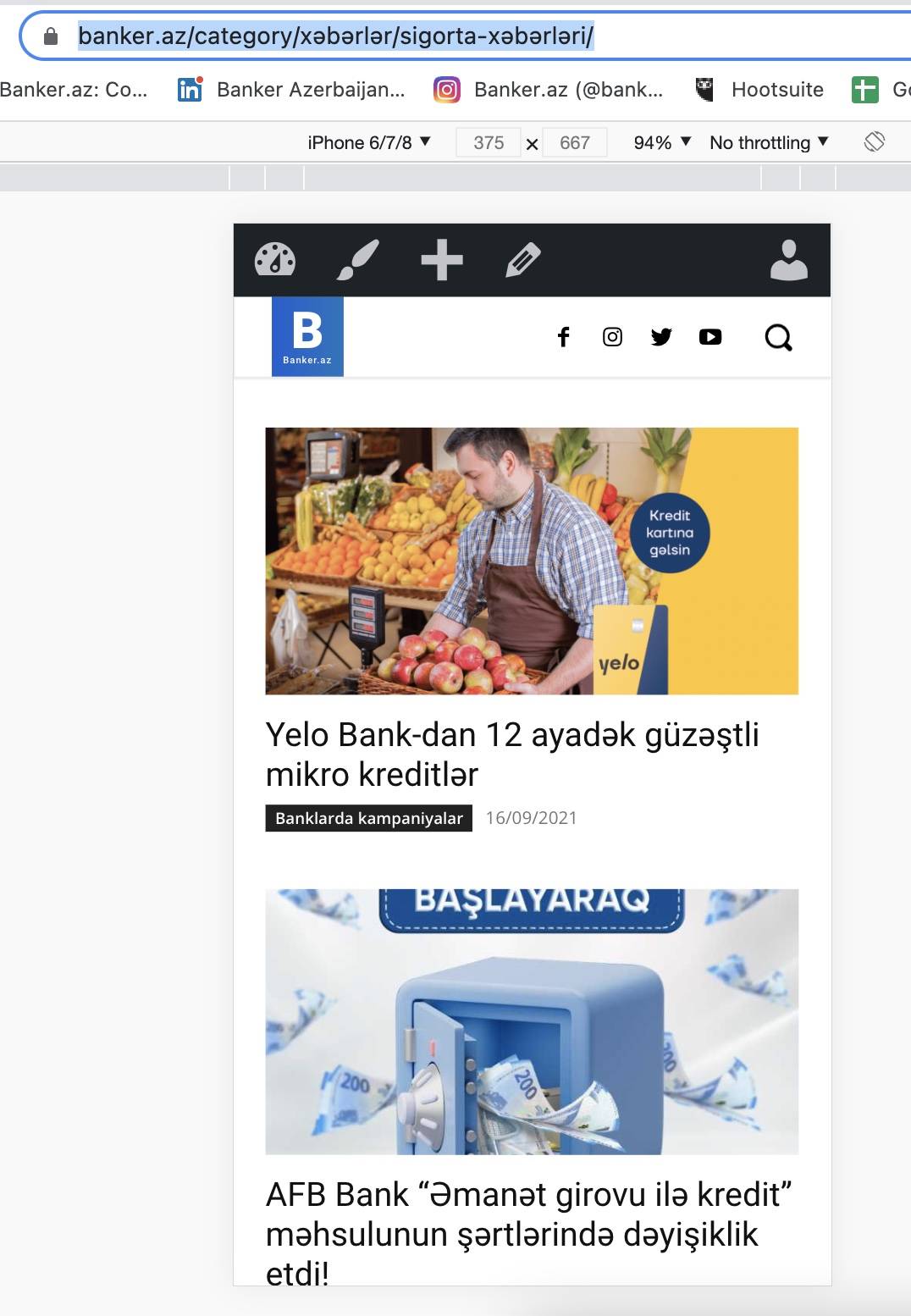
i’ve created mobile view which is shown for this category . it’s correct here https://banker.az/category/x%c9%99b%c9%99rl%c9%99r/bank-x%c9%99b%c9%99rl%c9%99ri/
the same thing shown here, inspite of that, it’s different sub category. in desktop it works fine. but in mobile it’s showing same category news that is for above category. https://banker.az/category/x%c9%99b%c9%99rl%c9%99r/sigorta-x%c9%99b%c9%99rl%c9%99ri/
my question is that, how make so that, i use same mobile layout with same blocks, but Category change ( which category users opens, to see news from that category) see relative news. like in desktop version. there we create page and it works with all sub categories.
https://banker.az/wp-content/uploads/2021/09/Screen-Shot-2021-09-16-at-18.42.20.jpg
https://banker.az/wp-content/uploads/2021/09/Screen-Shot-2021-09-16-at-18.42.14.jpg
 daehee.kim
I have a category that has some sub categories.
as you can see in the first picture. It shows dropdown in normal page.
But it doesn’t show the dropdown in mobile page(picture 2)
I pointed that the category list derived by
‘/wp-content/plugins/td-cloud-library/shortcodes/category/tdb_category_sibling_categories.php’
I’ve tested several changes in the file and it can be shown in the normal page.
But as I mentioned above, it doesn’t appear in mobile page.
I tried make a mobile template for the category(originally the category doesn’t have mobile template),
and it seems like reference same file(picture 3, 4)
But actually the mobile page didn’t reference the short code.
Please advise me what file I need to change to display the dropdown.
Bettina Hello!
I’ve checked your website on desktop and mobile version and I can see the same menu with same categories and subcategories.
Please provide more information about your issue if it still exists and some screenshots.
A solution for sending a screenshot is this:
Download, capture, send: https://www.techsmith.com/jing-tool.html
After making the screenshot, you will have a link, paste it here.
Thank you!
Anamaria Hello,
Seems you have the Mobile theme plugin activate, when you install and activate the Mobile Theme plugin, your pages will be overwritten by the plugin (the mobile theme comes with its own templates for page, post, category, etc so your current templates from the desktop theme will get converted to the mobile theme layout, the page content is made without builders in mobile editor => https://www.screencast.com/t/xbgZG8kH also, the options that are provided to edit the mobile theme version are limited (this keeps the things simple)).
Better deactivate the plugin and see the results
Also, if you create a mobile page, please make sure you assign it like this https://www.screencast.com/t/lektAhyjd
This is a video about Responsive Newspaper Theme, AMP & Mobile Theme, Mobile Pages & Templates -> https://www.youtube.com/watch?v=SpGkOnJeNZY
Thank you!
 Calin
Calin Hi BarbaraZ, once that the website was indexed by google, after you use the Yoast seo plugin to remove the cloud templates from google you nee also to re-index your website in this way the cloud templates will be removed from google search results.
About the mobile version, I do not quite understand the problem, are you using the mobile theme plugin and the mobile version it is display on desktop? can you please provide some examples or screenshots.
Thank you!
Anamaria Hello,
To display more of the 2 categories, you need to use a custom code to display the categories that are hidden.
.td-category {

overflow: initial;

}
Also, to change the color you need to use a custom code =>
 .td-category-siblings .td-category  a {

background-color: red;

color: white;

}
The code needs to be set in Theme Panel> Mobile Theme > Custom code> CSS.
Thank you!
Bettina Hello John!
I just replied you here in this topic: https://forum.tagdiv.com/topic/created-pages-are-not-showing-content-on-mobile-pages/
Thank you!
Bettina Hello!
If your page is made with the TagDiv Composer plugin, then deactivate the Mobile Theme plugin and see the results!
Thank you!
Anonymoushi
i’ve some news menu (parent category) and sub menu (sub category) under it . in mobile they don’t work correctly, they go to the desktop theme. should i create mobile theme for each sub category? or there is some way use standart option to set that view for all sub menus? my website is banker.az. how make so that, all sub categories under news category opens with same mobile view (but relevant news).
 Allen Clein
I want to customize the mobile menu page with additional widgets or content. Is this possible? For example, I want to add a search widget inside the mobile menu page.
 a_blogger
Dear support team,
according your guide I made a new mobile page. On the cellphone the “old page” will be shown. Now I would switch to the “new” page.
Question:
How can i switch to the new page?
Please refer
https://www.derspurgblogger.ch/issue-with-mobile-page/
 muktipolice
 There is a menu called Mobile in the attached video, but I don’t see it on my website at the moment. What should I do?