- NewspaperWP Rocket and Newspaper Theme: Optimization Guide
- TutorialsDefault Block Settings Guide
- TutorialsOffset Feature
 Olawax
Dear Support Team,
After update to your latest version I’m having issue with header template, some code display on the header page.
please see the attached image for more details.
Image link: https://drive.google.com/file/d/1x0g5gOGIDMlGOc5eCyptSpPjW09_C3pX/view?usp=sharing
Regards,
 AREZZOWEB
 I loaded the home and internal pages from the cloud templates but I can’t find a way to activate them within the theme. In fact, only the default version is displayed
Single Post Template – Week PRO
Homepage – Arezzo Informa Mobile template
 TheStormer
 Hi,
thanks for the hints. But they don’t solve my problem. I don’t need the upper head of the theme framework. Especially since I can not assign or select a template in the theme panel or even in the cloud templates under the templates for the WooCommerce product page (single-product). The item is simply missing.
So I come back to my simple question ;=) Why can’t I just customize the single-product.php and everything will fit?
The theme is now updated to 12.5.1
Greets
TheStormer
 the-website-builder
 Thanks a bunch for your prompt reply.
Ok referring to the same numbers above again:
1) Ok I understand its pro-services then for this piece. If I pay for something, can you also make it available in all future releases for everyone? I dont just want to buy a one-off custom fix that I will have to support forever on my own or with pro services through future product updates. I know this is a simple feature that will benefit everyone.
2) Regarding this https://prnt.sc/gjfNEMD7RE7I Can you please see if the same thing happens to you when you install the full Crypto Pro Template Demo with all example data? Im just trying to get the Posts Loop on the Home Page to work properly in the way I described. I agree it doesnt make sense why the excluded posts that I specified from one category, that I dont want to show up on the Posts Loop element, are still showing up only when logged out. I do need to use the Numbered Page Pagination…so I think the easiest solution is to figure out if theres a bug or something, and just get the Posts Loop Element working, since that Element already has what I need and I just need it to function properly. The Flex Block 1 works perfectly fine when excluding individual posts, so you would think that if this issue was with another plugin conflict on my site or something, that even the Flex Block 1 Elements woukd be having the same difficulty hiding specific posts with no category filter enabled, and it works perfect. The fact that this Posts Loop Element looks fine in admin mode/logged-in and then completely ignored the hidden posts properties when logged-out is very strange. I checked for plugin issues and CSS conflicts but Im not seeing anything.
3) How would you go about adding/creating a new block with new features? Are you referring to pro services here for this as well?
4) Are there any other blocks that you know of, where I can style them exactly the same as the Posts Loop, but still exclude categories? What other Elements could I try? There’s so many elements that I havent looked through every single one yet. Again Im just trying to stylize another Element to look the same as Posts Loop, with Numbered Pagination, and I can filter categories or posts from it. Pretty simple I hope.
5) Aside from pro services, and with the understanding that you folks can only provide support here, how does tagDiv go about taking feature requests in-general? I feel like every user of Newspaper Theme would want to be able to have the ability to use Numbered Pagination on a block of posts while being able to filter posts and categories. Im not sure sure how much pro services costs for this but if its not a lot of extra money then sure I maybe I’ll considee funding it. From a coding perspective, everything already exists and is written, I just need a Posts Loop Element with category filters, OR I need a Flex Block 1 Element with Pagination, and if that means just merging the functions of both into a new Block then that sounds possible and not that difficult to do in the future. Flex Block 1 already supports pagination, just not Numeric Pagination, so I just dont understand why its a difficult think to add the extra form of Pagination to Flex Block 1. Once again though, if there’s any other alternatives, Im happy to try it. Im just very curious how tagDiv handles feature requests. It sounds like there arent feature requests and just pro-services for anything that doesnt currently exist in terms of functionality? I just want to make sure I understand the full picture.
Thanks in advance one more for your time and help. 🙂
 Bettina
 Hello!
You can change that easily by using cloud templates and not default templates.
We recommend using cloud/PRO templates in order to have the possibility to edit them with the TagDiv Composer, which contains a lot of functions and features, Please check our tutorial here: https://forum.tagdiv.com/tagdiv-composer-tutorial/
More documentation about the cloud templates is here:
– https://forum.tagdiv.com/cloud-library-templates/
– https://forum.tagdiv.com/design-post-pages-using-cloud-library-templates/
– https://forum.tagdiv.com/cloud-library-category-templates/
Thank you!
Bettina Hello!
Yes, this kind of pagination is not available for the Flex Block 1 element.
This feature should work well: https://prnt.sc/gjfNEMD7RE7I (Check if you do not use some extra plugins that may interfere there.)
The Posts Loop element doesn’t have a tab with all the filter options, like flex block elements.
The Posts Loop is automatically filtering the posts depending on the cloud template you set (for example, on the category page, there will be posts from that category).
1. This will require custom work, which is not covered by the support team.
For customization and other services, you can contact our custom work team here: https://tagdiv.com/premium-customization-services/.
2. Something should interfere there. I’ve tested this feature on the latest update of the theme and plugins, and it is working well.
3. The blocks are different and work differently. We cannot change the way blocks work, but we could add a new block with new features.
Thank you so much for your understanding!
Bettina Hello @Manikant !
If you use default templates, then you can not customize them with the TagDiv Composer.
We recommend using cloud/PRO templates in order to have the possibility to edit them with the TagDiv Composer, which contains a lot of functions and features, Please check our tutorial here: https://forum.tagdiv.com/tagdiv-composer-tutorial/
More documentation about the cloud templates is here:
– https://forum.tagdiv.com/cloud-library-templates/
– https://forum.tagdiv.com/design-post-pages-using-cloud-library-templates/
– https://forum.tagdiv.com/cloud-library-category-templates/
Thank you!
Bettina Hello!
You can use multiple templates for your pages if they are customizable with the TagDiv Composer. You can duplicate a template, make it global, or set it separately.
If you mean the single cloud template, then this is possible for you. If you mean the blog page from WordPress, then unfortunately, you cannot change it unless you add a new cloud page with that name.
More documentation about the cloud templates is here:
– https://forum.tagdiv.com/cloud-library-templates/
– https://forum.tagdiv.com/design-post-pages-using-cloud-library-templates/
– https://forum.tagdiv.com/cloud-library-category-templates/
Thank you!
Bettina Hello @allindiablog !
Sure. You can have a global header that automatically goes on all your pages. And you can set one for the single template( edit it with the TagDiv Composer, change the header, save).
Thank you!
 banglak1993
How can I find and remove the adsbox on a pre-made page template when it is cleverly hidden?
I can’t find the adsbox on the edit page at all
https://ibb.co/GxdLRg3
But when viewed in guest mode they appear again
https://ibb.co/6mpvC88
the-website-builder Ironically, I have the same question today, and I found this post while searching the forums for an answer.
In addition to the questions above, can you tell me if is possible to just hide the sign-in/login/register options completely from the hamburger menu in mobile mode? I’m using a third-party membership plugin and I dont want to show the users this sign-up or login prompt from the mobile menu. Note: I answered this part of my question here: https://forum.tagdiv.com/topic/how-to-remove-sign-in-from-the-top-of-the-mobile-menu/
I’d also like to know how do I edit the mobile-menu for the social media icons that show-up within the mobile hamburger menu on the Crypto Pro Template, please? I cant click them and edit them from the TagDiv Composer, and all the links to Twitter/Facebook/etc are still just “#”. EDIT: I found this part in the forums, so this piece of my question is solved: https://forum.tagdiv.com/topic/how-can-i-edit-these-icons-on-mobile/
Unfortunately, after I tried both of the solutions that I noted here (in the links above), neither of these changes got rid of the mobile sign-up/login option, nor did my social media icons/links change. I have the Crypto Pro Template Demo installed. Help with this would be appreciate. Thanks!
FINAL EDIT: Okay, I figured out both my issues. The links above DO work, however, in order for me to TURN-OFF the sign-in from the HEADER section, I had to repeatedly hit save…like over and over without refreshing to make it “stick”. What i realized was I was turning off the Header => Sign-in/Join and clicking “Save”….if I refreshed my page, the setting was set back to “ON” again… Drove me crazy. I finally decided to just keep clicking “SAVE”, SAVE, SAVE, SAVE and then finally refreshed and the setting remained off. I’m on a very vanilla installation of WordPress 6.3.1 and on a good web host with PHP 8+ installed, I dont think its my site or server or caching causing this issue. I can even repeat this issue by trying to toggle this setting ON *or* OFF, and if I only click save once…the setting never sticks.
Regarding the social media icons, same issue…just need to hit the SAVE button like 10 times in a row before refreshing or leaving the page.
Not sure if this is only an issue on my side…but maybe this will help someone else in the future who finds my post here.
-
This reply was modified 3 years by
the-website-builder.
 chriswp
Hi there,
When updating posts I get an error message:
Update failed. Could not update the entry in the database.
My hosting company says the following:
It’s the theme causing a PHP Fatal Error:
PHP Fatal error: Uncaught Error: Class “td_global” not found in /www/hidden_773/public/wp-content/themes/Newspaper-child/page-pagebuilder-latest.php:6
Stack trace:
#0 /www/hidden/public/wp-includes/template-loader.php(106): include()
#1 /www/hidden/public/wp-blog-header.php(19): require_once(‘/www/hidden…’)
#2 /www/hidden/public/index.php(17): require(‘/www/hidden…’)
#3 {main}
thrown in /www/hidden_773/public/wp-content/themes/Newspaper-child/page-pagebuilder-latest.php on line 6″ while reading upstream, client: 217.60.022.167, server: hidden[.]dk, request: “GET / HTTP/2.0”, upstream: “fastcgi://unix:/var/run/php8.0-fpm-hidden.sock:”, host: “hidden[.]dk:14451”, referrer: “https[:]//hidden[.]dk/”
Replaced my website with hidden in the above.
Do you know what this is about?
TheStormerHai,
The product detail page should have a different coloured background. As far as I know, only the class „td-ss-main-content“ in der single-product.phps would have to be renamed / redefined. Interestingly, all(!) changes I make to template file woocommerce/single-product.php have no effect at all. Even if I delete the whole <div> container ;=)
Am I making a thought error? The class td-ss-main-content and thus the <div> container is already displayed in the frontend, so it must be the template. Nowhere else outside of the Newspaper Theme have I found the class. Nothing seems to be stored in the database either. Caching has of course been deleted ?
Where is my error or is there another possibility to set an individual page background per page, for example for category.php, page.php or single.php? There is no access to the single-product.php via the Cloud templates. Also not via the Theme panel
At the moment, Newspaper version 12.1.1 is still in use. The update is scheduled for the next few days.
I know the disadvantages of changing something directly in the template and not using a child theme ;=)
Thx for supporting me!
Best Rgds
TheStormer
the-website-builderHi there!
So I went down a deep and dark rabbit hole and I’m going crazy. I hope that you can please help me with this, even if its a feature request, I believe this is a simple change for you folks and I hope that you’ll implement this option/feature in your next release…and if you can please tell me what I need to modify as of right now to get this working…
I installed your Crypto News Pro Premade Template demo on my website and I absolutely love it. I’m trying to keep the original look and feel while just customizing my colors right now.
The issue that I ran into, is with the Posts Loop showing certain categories and posts that I didnt want to show up.
I did notice that your Posts Element has an “Exclude Post IDs” field, and this was good enough for me. I happily entered in -234, -456, -567, and so forth and I watched my Posts disappear one by one, which was exactly what I wanted. It was a pain to have to list all of the individual posts though. I do wish and hope that you folks can please consider adding an “Exclude Category IDs” option to the Posts Loop Element in the future.
I thought everything was fine, I saved my changes, and while logged-in as the WordPress admin, everything on the Homepage looked great, the posts I didnt want to see were not showing up.
Then I went to the front-end view of my website as a non-logged-in-user, and ALL of the posts that were hidden from my Posts Loop Element are still showing up. I cleared my WordPress cache, I completely disabled my WordPress cache, I flushed my browser cache, I tried multiple browsers and multiple PCs and multiple devices….somehow the “Exclude Post IDs” option works perfectly fine while logged-in as the WordPress Admin and editing the Homepage…but non-logged-in end-users still see all of the posts. Sad times for me 🙁 I spent many hours playing around with this to no avail.
Next, I searched in your forums and found another post with an answer from tagDiv staff stating that the Posts Loop does not support the filtering of categories, and I’m not sure if that was old and outdated info because there was no mention of excluding posts, which the Posts Loop Element cleary looks like it can/should at least filter Posts (even though its not working properly for me right now)… the result of this tagDiv forum post was to instead use another Element type like a Block, so that you can filter categories properly.
In my case, I prefer using the Flex Block 1, so I chose that and I began painstakingly recreating my new Flex Block 1 Element on my Homepage to look EXACTLY like the original Posts Loop Element on the Crypto News Pro template. I then tested that filtering my categories and posts per my preferences is working perfectly, and that’s good to go….
Everything is now perfect, EXCEPT for the fact that the Flex Block 1 Element does NOT offer a “Normal numbered” Pagination option like your Posts Loop Element does. The only options I have are to use left and right arrows (Next Previous ajax), load more, and infinite load….
1) So I need your help please. I really, really, really want/need to have the Page Numbers for pagination on the Flex Block 1 Element Is this something that you can help me enable right now? If so, I can be on my happy way and move forward. (PLEASE!).
2) If this cannot be done with making the Flex Block 1 user Numbered Pagination, then can you please explain and help me figure out why I’m having that particular issue that I described above, where the Posts Loop Element has the “Exclude Posts” option, and its works while I’m logged in as the WordPress Admin, but it doesnt work while I’m looking at the website as a regular non-logged-in user?
3) Also, can you please consider adding Category Filtering to the Posts Loop element in a future release as well?
Thank you very much in advance, for your time and help with explaining this issue to me. I hope you can help me get either my unwanted posts hidden properly on the Posts Loop Element, or that you can help me get Numbered Pagination working on the Flex Block 1 element.
This is the only issue preventing me from going-live on my website right now. I would be very grateful if you can help me resolve this soon.
the-website-builderHi there!
I’m having an issue where pages are not any showing list-items on the Crypto News Pro Premade Template (I installed the demo site and have been performing on minor work to it, so its a very basic install).
What I mean more specifically is in the following example:
I simply go into my wordpress (brand new 6.3.1 installation and vanilla with no extras except your template right now), and I create a new Page.
Within my new Page I add some text and I create a simple list within Gutenberg (here’s the HTML of it):
<li>List item one.</li>

<li>List item two.</li>

<li>List item three.</li>
Then, whether I preview the page or save/publish/view the page, all of the normal/regular text and content on the page looks perfectly fine, EXCEPT the list is just a big missing blank area. If I highlight over the “blank” / empty area where the list lives, I see my list text.
So for whatever reason, when I add any list items to any pre-existing or brand new pages, the text is all invisible when you visit the live webpage as admin or non-logged-in user.
Posts work perfectly fine for list items and whatnot.
Can you please explain to me why this is happening and how I can fix it?
I’ve read through some other older posts around different issues, I’d prefer to not have to manually edit the “Live CSS” on every Page I create. I’m hoping for a root-cause/permanent fix to this issue.
Thank you in advance for your time and help! 🙂
 jcmlny
Hi, I notice that in the AniGlobe Theme, when you try to duplicate a cloud template, does not work, the modifications that you make in the duplicated template also copies to the global and the others, be imposible to create several templates with different configurations … please fix that problem, I need to use different templates for different pages.
I also try to reinstall everything 3 times, local server, godaddy, …. seems to be that the problem is with the theme.
Thank you
https://drive.google.com/file/d/1_qYWt5EcEQwL5AeQUxPfnws29WGNfgJM/view?usp=drive_link
 Ringdal-maria
HI
I HAVE CREATED CUSTOM POST TAXONOMY TEMPLATE – SINGLE AND TAXONOMY – SINGLE IS SHOWINH NICELY ON WEBSITE BUT THE TAXONOMY TEMPLATE IS SAVED NICELY BUT DOES NOT SHOW AND ALWAYS GIVES AN 404 PAGE ? WHAT AM I DOING WRONG? I READ ALL THE GUIDE ON CUSTOM POSTS AND AM USING ACF.
I NEED HELP.
MARIA
PS BIG LETTERS=HANDICAPPED AND WORK WITH 1 HAND
Bettina Hello Tim!
I can see that you use a cloud template. So, all the templates can be found in Dashboard -> Cloud templates. The Standard Pack plugin is used only for the default templates.
More documentation about the cloud templates is here:
– https://forum.tagdiv.com/cloud-library-templates/
– https://forum.tagdiv.com/design-post-pages-using-cloud-library-templates/
– https://forum.tagdiv.com/cloud-library-category-templates/
Thank you!
 Tech Lifestyle
 Hi,
We have a same issue, duplicated content on Single Page Template. We have 2 different, standard and for Review. Few days ago all was good from start of using theme… You said “reset the style”, please which style?
Anyway I’m confused because this is first time I saw this bug.
Thanks for reply.
 MexicoNewsDaily
Hello TagDiv Support folks,
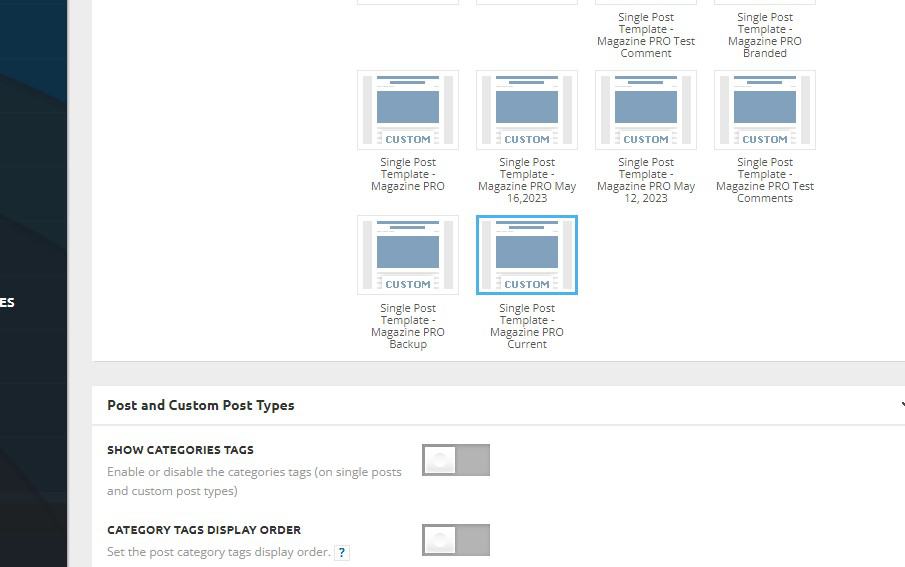
We are trying edit a Custom Single Post Template file but cannot find its’ location?
We assume it is in the plugins/td-standard-pack/Newspaper area …but not sure if a Custom Single Post Template is one of the 13 Single Post Templates….and if so, which one? Since in the “Newspaper” Theme Panel settings … the Post Type is a “Custom Single Post Template”…
(image capture)
https://mexiconewsdaily.com/wp-content/uploads/2023/09/TagDIv_Post_Template_Screenshot-2023-09-07-095538-2.jpg
Can you point us in the right direction?
I’d hate to have to try one by one… 🙁
Thanks
Tim Roman
 rafael-l
Hi there, I’m working in a new project here and now I’m using the “Gallery” from the theme.
It is very good, but I need to optimize for pagespeed and some other things.
It is taking the images from the “Post/CPT gallery”. Very ultra nice thing added recently.
I just need to know where to go so I can edit this gallery, just that.
I will need to customize so it takes small version of the images (those that WordPress generate thumbnail, average and
big), but when the user clicks on the image, it open’s the full image.
Here is the new post template I created: https://www.baixesoft.com/download/upscayl
Thank you very much for the attention!
Bettina Hello!
We have 3 options for mobile versions that you can use:
1. Responsive version: A responsive version of your website looks similar to the desktop version. TagDiv Composer is used to edit the page.Click on the mobile viewport: https://www.screencast.com/t/XDQJedlggSB. There, you can see your mobile version and edit or adjust the elements to look better.
2. Mobile pages: https://tagdiv.com/newspaper-10-3-7-update-brings-customizable-and-fast-mobile-pages
3. Mobile theme plugin: The Mobile Theme is a performance-optimized theme included in the main Newspaper theme that only loads on mobile devices. It comes with its own templates and designs for pages, posts, categories, etc., so your current templates from the desktop theme will get converted to the mobile theme layout. Please see https://forum.tagdiv.com/the-mobile-theme/ and https://forum.tagdiv.com/mobile-theme-introduction/ for more information.
A full explanation is here: https://www.youtube.com/watch?v=SpGkOnJeNZY
If you need to use the mobile version 1 or 2, then you need to uninstall the Mobile Theme plugin and AMP.
Unfortunately, AMP is not working with the cloud templates because the AMP’s layout is not fully customized.
The AMP version works best with default templates and not cloud templates. That’s why we integrated it with the Mobile theme plugin.
The feedback from our clients about AMP was negative and it is not used anymore, that’s why we didn’t add more customization options.
Thank you so much for understanding!
 vivreausmic
Hello,
On my website i have mobile plugin and amp plugin installed.
On the mobile plugin i choose Mobile + AMP
On the AMP plugin : Transitional mode with only AMP version on posts
I have a cloud template header and footer with mobile customized version.
When i navigate on my website in mobile all is perfect (menu, header, footer) in all the pages, but when i go to a post i have two choice : the mobile version i customized in cloud template with the header, the good fonts, colors,… and the AMP version with zero customisation, the website looks very bad.
I try to change the AMP version of the website in Theme Panel > Mobile Theme > Theme color, Theme fonts but no change !
2 questions :
– it’s possible to serve the mobile version customized in cloud template on the AMP version ?
– If the answer at the previous question is no, how to customized the AMP template ?
Sorry for my approximate english.
Thanks
Bettina Hello @lmulunda !
If you want to use a cloud template, then make sure that you use an element in that template which displays your featured image: https://prnt.sc/mr9yKECoGbXZ -> https://forum.tagdiv.com/featured-image-or-video/
More documentation about the cloud templates is here:
– https://forum.tagdiv.com/cloud-library-templates/
– https://forum.tagdiv.com/design-post-pages-using-cloud-library-templates/
– https://forum.tagdiv.com/cloud-library-category-templates/
Thank you!
Bettina Hello @nuggsog !
Your website can’t be reached. You should customize the homepage with the TagDiv Composer.
More documentation about the cloud templates is here:
– https://forum.tagdiv.com/cloud-library-templates/
– https://forum.tagdiv.com/design-post-pages-using-cloud-library-templates/
– https://forum.tagdiv.com/cloud-library-category-templates/
We have 3 options for mobile versions that you can use:
1. Responsive version: A responsive version of your website looks similar to the desktop version. TagDiv Composer is used to edit the page.Click on the mobile viewport: https://www.screencast.com/t/XDQJedlggSB. There, you can see your mobile version and edit or adjust the elements to look better.
2. Mobile pages: https://tagdiv.com/newspaper-10-3-7-update-brings-customizable-and-fast-mobile-pages
3. Mobile theme plugin: The Mobile Theme is a performance-optimized theme included in the main Newspaper theme that only loads on mobile devices. It comes with its own templates and designs for pages, posts, categories, etc., so your current templates from the desktop theme will get converted to the mobile theme layout. Please see https://forum.tagdiv.com/the-mobile-theme/ and https://forum.tagdiv.com/mobile-theme-introduction/ for more information.
A full explanation is here: https://www.youtube.com/watch?v=SpGkOnJeNZY
If you need to use the mobile version 1 or 2, then you need to uninstall the Mobile Theme plugin and AMP.
Thank you!