- NewspaperDesign your Post Pages using the Cloud Library Templates
- NewspaperDesign your post pages using the Default Templates
- NewsmagPage templates
- NewspaperPage templates
- NewspaperCreate a form contact page
- NewspaperCloud Library Templates
- NewspaperCloud Library – Category Templates
- NewsmagCategory templates
- NewsmagFooter templates
- NewsmagDefault post templates
- NewsmagPost templates
- NewsmagHomepage – How to build and set it
- NewspaperHomepage – How to build and set it
- NewspaperPost templates
- NewspaperDefault post templates
- NewspaperCategory templates
- NewspaperPost template ads
- Apitd_api_single_template::update_key
- Apitd_api_single_template::update
- Apitd_api_single_template::add
 irsad_alek
Error Respons
<!-- LOGIN MODAL -->
<div id="login-form" class="white-popup-block mfp-hide mfp-with-anim">
<div class="td-login-wrap">
<i class="td-icon-modal-back"></i>
<div id="td-login-div" class="td-login-form-div td-display-block">
<div class="td-login-panel-title">Masuk</div>
<div class="td-login-panel-descr">Selamat Datang! Masuk ke akun Anda</div>
<div class="td_display_err"></div>
<form action="#" method="post">
<div class="td-login-inputs"><input class="td-login-input" autocomplete="username" type="text" name="login_email" id="login_email" value="" required><label for="login_email">nama pengguna</label></div>
<div class="td-login-inputs"><input class="td-login-input" autocomplete="current-password" type="password" name="login_pass" id="login_pass" value="" required><label for="login_pass">kata sandi Anda</label></div>
<input type="button" name="login_button" id="login_button" class="wpb_button btn td-login-button" value="Masuk">
</form>
<div class="td-login-info-text">Forgot your password? Get help</div>
<div class="td-login-info-text">Privacy Policy</div>
</div>
<div id="td-forgot-pass-div" class="td-login-form-div td-display-none">
<div class="td-login-panel-title">Pemulihan password</div>
<div class="td-login-panel-descr">Memulihkan kata sandi anda</div>
<div class="td_display_err"></div>
<div class="td-login-inputs"><input class="td-login-input" type="text" name="forgot_email" id="forgot_email" value="" required><label for="forgot_email">email Anda</label></div>
<input type="button" name="forgot_button" id="forgot_button" class="wpb_button btn td-login-button" value="Kirim kata sandi saya">
<div class="td-login-info-text">Sebuah kata sandi akan dikirimkan ke email Anda.</div>
</div>
</div>
</div>
{"objects":[{"id":"11473","permalink":"https:\/\/zonakata.com\/tdb_templates\/zona-mobile-single-page\/","permalink_hash":"59:76cd4bf512c085a4a46479eaaceeae12","object_id":"17012","object_type":"post","object_sub_type":"tdb_templates","author_id":"1","post_parent":"0","title":null,"description":null,"breadcrumb_title":"zona-mobile-single-page","post_status":"publish","is_public":null,"is_protected":"0","has_public_posts":null,"number_of_pages":null,"canonical":null,"primary_focus_keyword":null,"primary_focus_keyword_score":null,"readability_score":"0","is_cornerstone":"0","is_robots_noindex":null,"is_robots_nofollow":"0","is_robots_noarchive":null,"is_robots_noimageindex":null,"is_robots_nosnippet":null,"twitter_title":null,"twitter_image":null,"twitter_description":null,"twitter_image_id":null,"twitter_image_source":null,"open_graph_title":null,"open_graph_description":null,"open_graph_image":null,"open_graph_image_id":null,"open_graph_image_source":null,"open_graph_image_meta":null,"link_count":"26","incoming_link_count":null,"prominent_words_version":null,"created_at":"2021-10-25 01:15:56","updated_at":"2021-10-25 02:37:33","blog_id":"1","language":null,"region":null,"schema_page_type":null,"schema_article_type":null,"has_ancestors":"0","estimated_reading_time_minutes":null,"version":"1"},{"id":"14111","permalink":"https:\/\/zonakata.com\/tdb_templates\/header-template-65-pulses-pro\/","permalink_hash":"65:704a8172d183eebbd91863eba982c596","object_id":"19610","object_type":"post","object_sub_type":"tdb_templates","author_id":"1","post_parent":"0","title":null,"description":null,"breadcrumb_title":"Header Template 65 – Pulses PRO","post_status":"publish","is_public":null,"is_protected":"0","has_public_posts":null,"number_of_pages":null,"canonical":null,"primary_focus_keyword":null,"primary_focus_keyword_score":null,"readability_score":"0","is_cornerstone":"0","is_robots_noindex":null,"is_robots_nofollow":"0","is_robots_noarchive":null,"is_robots_noimageindex":null,"is_robots_nosnippet":null,"twitter_title":null,"twitter_image":null,"twitter_description":null,"twitter_image_id":null,"twitter_image_source":null,"open_graph_title":null,"open_graph_description":null,"open_graph_image":null,"open_graph_image_id":null,"open_graph_image_source":null,"open_graph_image_meta":null,"link_count":"0","incoming_link_count":null,"prominent_words_version":null,"created_at":"2021-10-25 01:17:19","updated_at":"2021-10-25 02:37:33","blog_id":"1","language":null,"region":null,"schema_page_type":null,"schema_article_type":null,"has_ancestors":"0","estimated_reading_time_minutes":null,"version":"1"},{"id":"14112","permalink":"https:\/\/zonakata.com\/tdb_templates\/single-post-template-68-pulses-pro\/","permalink_hash":"70:6b8e83e8d49d169a568a2f1169ed7443","object_id":"19628","object_type":"post","object_sub_type":"tdb_templates","author_id":"1","post_parent":"0","title":null,"description":null,"breadcrumb_title":"zonakata-single-page","post_status":"publish","is_public":null,"is_protected":"0","has_public_posts":null,"number_of_pages":null,"canonical":null,"primary_focus_keyword":null,"primary_focus_keyword_score":null,"readability_score":"0","is_cornerstone":"0","is_robots_noindex":null,"is_robots_nofollow":"0","is_robots_noarchive":null,"is_robots_noimageindex":null,"is_robots_nosnippet":null,"twitter_title":null,"twitter_image":null,"twitter_description":null,"twitter_image_id":null,"twitter_image_source":null,"open_graph_title":null,"open_graph_description":null,"open_graph_image":null,"open_graph_image_id":null,"open_graph_image_source":null,"open_graph_image_meta":null,"link_count":"37","incoming_link_count":null,"prominent_words_version":null,"created_at":"2021-10-25 01:17:19","updated_at":"2021-10-25 02:37:33","blog_id":"1","language":null,"region":null,"schema_page_type":null,"schema_article_type":null,"has_ancestors":"0","estimated_reading_time_minutes":null,"version":"1"}],"next_url":false}
 forevermogulmag
Hello,
I am using the cloud template Category Template 32 – Life News PRO for my category pages and this layout displays subcategories tags. However, subcategories are showing for the categories that do not have a subcategory.
For example, these category pages do not have a subcategory but yet all these subcategories are showing up. How can I hide subcategories for the categories that do not have them.
https://forevermogul.com/entrepreneur
https://forevermogul.com/leadership
 thcp2020
Hi,
I hope you had a lovely weekend.
We are trying to create a template for a new page on our website similar to other pages.
When creating the page we have noticed that the ‘Single Post Share’ element does not display inline like on other pages.
Please see photos attached:
https://paste.pics/EIIU7
https://paste.pics/EIIUI
Please let us know how to get the ‘Single Post Share’ element to be inline with the author name, date and comment count.
All the best
Thomas
 bimerso
 Hi, question
why does the page blog not let to edit with tagDiv Composer ? is there a way to edit as template? because it looks bad.
looks like:
https://ibb.co/5RyDq6H
all post are in the same page each bellow another
 Tom C
Tom C Okay, thank you for your reply! 🙂
I just added the Woo Cart icon to the mobile header in the TagDiv Composer.
The 3 remaining things that I wanted to point out are:
1. The Apple Pay button does not show up on the product or checkout page in Safari’s desktop browser, but it does show up in the Safari mobile browser.
2. Also on the checkout page, there should be a checkbox to choose to subscribe or unsubscribe to our mailing list; but the checkbox is missing, therefore eliminating the chance for customers to opt out of subscribing.
I would like to ask that the dev team please look into the above two items, as I think it may be theme related. They were working before using the Newspaper (Gadget Blogs) templates (that also came with a Woocommerce / Shop extension for Newsletter theme).
3. My iPhone & iPad repeatedly prompts me to login with saved password (as mentioned above), and it does not do this on any desktop browsers.
Would someone please let me know where I could find the code for the login form in the theme or plugin editor, so I can take a look? Any help or pointing in a general direction for answers would be much appreciated.
Thank you.
 alessandrogini1
Hi there,
I can’t find where to customize the 404 error page template.
Thanks
 Bettina
 Hello!
We recommend to use cloud/PRO templates in order to have the possibility to edit them with the TagDiv Composer which contains a lot of functions and features, please check our tutorial here: https://forum.tagdiv.com/tagdiv-composer-tutorial/
Documentation here:
– https://forum.tagdiv.com/cloud-library-templates/
– https://forum.tagdiv.com/design-post-pages-using-cloud-library-templates/
– https://forum.tagdiv.com/cloud-library-category-templates/
Check also our video tutorials here: https://www.youtube.com/c/tagdivThemes/videos
Thank you!
 Anamaria
 Hello,
You can use AMP, but we offer support for the mobile version only with mobile theme + AMP plugin and set for AMP -> https://forum.tagdiv.com/tagdiv-amp-plugin-tutorial/ => https://i.imgur.com/1kMs1ds.png and set the AMP for posts => https://i.imgur.com/GLEeeoZ.png, but you can’t customize the layout for AMP with tagDiv Composer.
Also, you can try to use mobile page and mobile templates => https://i.imgur.com/dPqh0Ki.png -> https://i.imgur.com/8OLiK3x.png and check the page/post score.
Also, for page speed please check this topic https://forum.tagdiv.com/topic/why-is-my-websites-mobile-google-test-slow/
Thank you!
Bettina Hello Ade!
If you use a cloud/PRO template, then you can edit the page with the TagDiv Composer and delete the element with the ad. There is actually a recycle bin basket for every element if you just look carefully: https://www.screencast.com/t/wFYdqgpo6pT
Thank you!
 anand.kumar321@gmail.com
Since the upgrade of latest version. My mobile theme is not working even getting issue with amp pages. Getting this below error. Also, I have deactive, deleted, reinstalled plugin theme etc again. but it is not working.
wp_booster error:
td_res_context->get_att(modules_on_row) Internal error: The atts are not set yet(AKA: the render template method was called without atts)
/home/admin/web/******.com/public_html/wp-content/plugins/td-composer/legacy/common/wp_booster/td_css_res_compiler.php
Bettina Hello!
In order to have different elements inside for every category/post, you need to have different template for each category/post.
If you want the same style of your categories/posts, then you can duplicate a template/layout for every category/post to have different template, make the specific changes and assign it to that category/post.
Check this topic: https://forum.tagdiv.com/topic/different-logo-in-categorypage/ ; Here I explained step by step how you can duplicate a template.
Thank you!
Bettina Hello!
We recommend to use cloud/PRO templates in order to have the possibility to edit them with the TagDiv Composer which contains a lot of functions and features, please check our tutorial here: https://forum.tagdiv.com/tagdiv-composer-tutorial/
Documentation here:
– https://forum.tagdiv.com/cloud-library-templates/
– https://forum.tagdiv.com/design-post-pages-using-cloud-library-templates/
– https://forum.tagdiv.com/cloud-library-category-templates/
Check also our video tutorials here: https://www.youtube.com/c/tagdivThemes/videos
Thank you!
 Trennd
 Attributions appear only when using “Theme Template” in the shop base page.
See photo here: https://prnt.sc/1wzy21c
And when i use “Kids store – Woo Shop base template” they disappear.
See photo here: https://prnt.sc/1wzy8bc
Bettina Hello!
Let me explain you which options of mobile versions are:
1. Responsive version: A responsive version of your website is looking similar like on desktop, edit the page with TagDiv Composer, click on the mobile viewport: https://www.screencast.com/t/XDQJedlggSB ; there you can see your mobile version and you can edit the elements there.
2. Mobile pages: https://tagdiv.com/newspaper-10-3-7-update-brings-customizable-and-fast-mobile-pages/
3. Mobile theme plugin: The Mobile Theme is a performance optimized theme included in the Newspaper main theme and it loads only for mobile devices. It comes with its own templates for page, post, category, etc so your current templates from the desktop theme will get converted to the mobile theme layout. For more details, please take a look here: https://forum.tagdiv.com/the-mobile-theme/ https://forum.tagdiv.com/the-mobile-theme/
A full explanation you can find here: https://www.youtube.com/watch?v=SpGkOnJeNZY
We recommend to use cloud/PRO templates in order to have the possibility to edit them with the TagDiv Composer which contains a lot of functions and features, please check our tutorial here: https://forum.tagdiv.com/tagdiv-composer-tutorial/
Documentation here:
– https://forum.tagdiv.com/cloud-library-templates/
– https://forum.tagdiv.com/design-post-pages-using-cloud-library-templates/
– https://forum.tagdiv.com/cloud-library-category-templates/
Check also our video tutorials here: https://www.youtube.com/c/tagdivThemes/videos
Thank you!
Bettina Hello!
Just to be clear, let me explain you which options of mobile versions are:
1. Responsive version: A responsive version of your website is looking similar like on desktop, edit the page with TagDiv Composer, click on the mobile viewport: https://www.screencast.com/t/XDQJedlggSB ; there you can see your mobile version and you can edit the elements there.
2. Mobile pages: https://tagdiv.com/newspaper-10-3-7-update-brings-customizable-and-fast-mobile-pages/
3. Mobile theme plugin: The Mobile Theme is a performance optimized theme included in the Newspaper main theme and it loads only for mobile devices. It comes with its own templates for page, post, category, etc so your current templates from the desktop theme will get converted to the mobile theme layout. For more details, please take a look here: https://forum.tagdiv.com/the-mobile-theme/ https://forum.tagdiv.com/the-mobile-theme/
A full explanation you can find here: https://www.youtube.com/watch?v=SpGkOnJeNZY
If you need a responsive version or to build mobile pages, then please deactivate the Mobile theme plugin and see the results!
Thank you!
Anamaria Hello,
@Julia Colmsee,
Usually, that problem it is related to the CORS policy that are blocking the access, that should fix the problem, also I see that you have another problem https://www.screencast.com/t/6EpdZBQMela this problem can be solved using those guides:
– https://forum.tagdiv.com/topic/font-blocked-from-loading-by-cross-origin-resource-sharing-policy-no-access-co/
– https://stackoverflow.com/questions/25577981/font-from-origin-has-been-blocked-from-loading-by-cross-origin-resource-sharing
– https://webmasters.stackexchange.com/questions/71630/font-blocked-from-loading-by-cross-origin-resource-sharing-policy-no-access-co
The Posts Loops settings are divided into 4 tabs: General, Layout, Style, and CSS. The Posts loop is a special block and doesn’t have filtering options.
Also, one of the options for pagination of the Posts Loop has the option for normal numbered and the flex blocks do not have this option.
The Posts Loop is automatically filtering the posts depending on the cloud template you set (for example on the category page there will be posted posts from that category).
You can use the Flex Block or the Big Grid Flex Block to apply the filters and sorting. You can find more information in these articles https://forum.tagdiv.com/flex-block-settings-guide/ -> https://forum.tagdiv.com/big-grid-flex-settings/
Thank you!
Anamaria Hello,
The Posts Loops settings are divided into 4 tabs: General, Layout, Style, and CSS. The Posts loop is a special block and doesn’t have filtering options.
Also, one of the options for pagination of the Posts Loop has the option for normal numbered and the flex blocks do not have this option.
The Posts Loop is automatically filtering the posts depending on the cloud template you set (for example on the category page there will be posted posts from that category).
You can use the Flex Block or the Big Grid Flex Block to apply the filters and sorting. You can find more information in these articles https://forum.tagdiv.com/flex-block-settings-guide/ -> https://forum.tagdiv.com/big-grid-flex-settings/
Thank you!
 maxonline
I refer to this page only (which is using the template I’m testing): https://www.staging2.massimobasso.com/i-leoni-del-serengeti-e-la-migrazione-degli-gnu/
I’m trying to speed up the page, the main reason I’m switching from another theme, but results are not the best. .. But one thing at this time.
The issue ON MOBILE (no problem with DESKTOP) is LCP which is identified as it follows.
div.vc_column > div.wpb_wrapper > div.td_block_wrap > div.tdb-featured-image-bg
<div class=”tdb-featured-image-bg”>
Is it possible to exclude this image from lazy loading and preload or prioritize the loading of this image?
I’m using Wp-Rocket and Shortpixel adaptive images with my own CDN for JS and CSS.
Any other trick to speed up the entire page?
Thank you
Massimo
https://www.massimobasso.com
Anamaria Hello,
@Chyamaqa Please let me know if your issue was solved.
@fededav I answered you here https://forum.tagdiv.com/topic/page-template-not-customizable/#post-420556 please check it.
Thank you!
Anamaria Hello,
Unfortunately, I do not understand what settings are missing from your screenshot, because this is the structure for “Pagebuilder + latest articles + pagination” scroll more to see all settings https://forum.tagdiv.com/page-templates-2/
Also, please make sure you have the latest version of the theme 11.3.1, and do a test using only tagDiv plugins.
Thank you!
Bettina Hello!
Just to be clear, let me explain you which options of mobile versions are:
1. Responsive version: A responsive version of your website is looking similar like on desktop, edit the page with TagDiv Composer, click on the mobile viewport: https://www.screencast.com/t/XDQJedlggSB ; there you can see your mobile version and you can edit the elements there.
2. Mobile pages: https://tagdiv.com/newspaper-10-3-7-update-brings-customizable-and-fast-mobile-pages/
3. Mobile theme plugin: The Mobile Theme is a performance optimized theme included in the Newspaper main theme and it loads only for mobile devices. It comes with its own templates for page, post, category, etc so your current templates from the desktop theme will get converted to the mobile theme layout. For more details, please take a look here: https://forum.tagdiv.com/the-mobile-theme/ https://forum.tagdiv.com/the-mobile-theme/
If you want the Lead shortcode in your mobile version, then you need to use either the option 1 or 2. But, you need to deactivate Mobile Theme and AMP plugins in order to have that shortcode in your mobile version.
I hope it’s more understandable now!
Thank you!
 fededav
Hi, I cannot see the settings of the post loop.
In particular I want my latest article to be shown with just a preview, while actually I can only show them entirely, and you can understand by yourself that on an homepage is not possible.
here the image that shows that a part of the settings is missing https://imgur.com/a/0b81O8j
php 7.4, composer uninstalled and reinstalled, theme updated right now.
How can I solve?
 Anonymous
hi
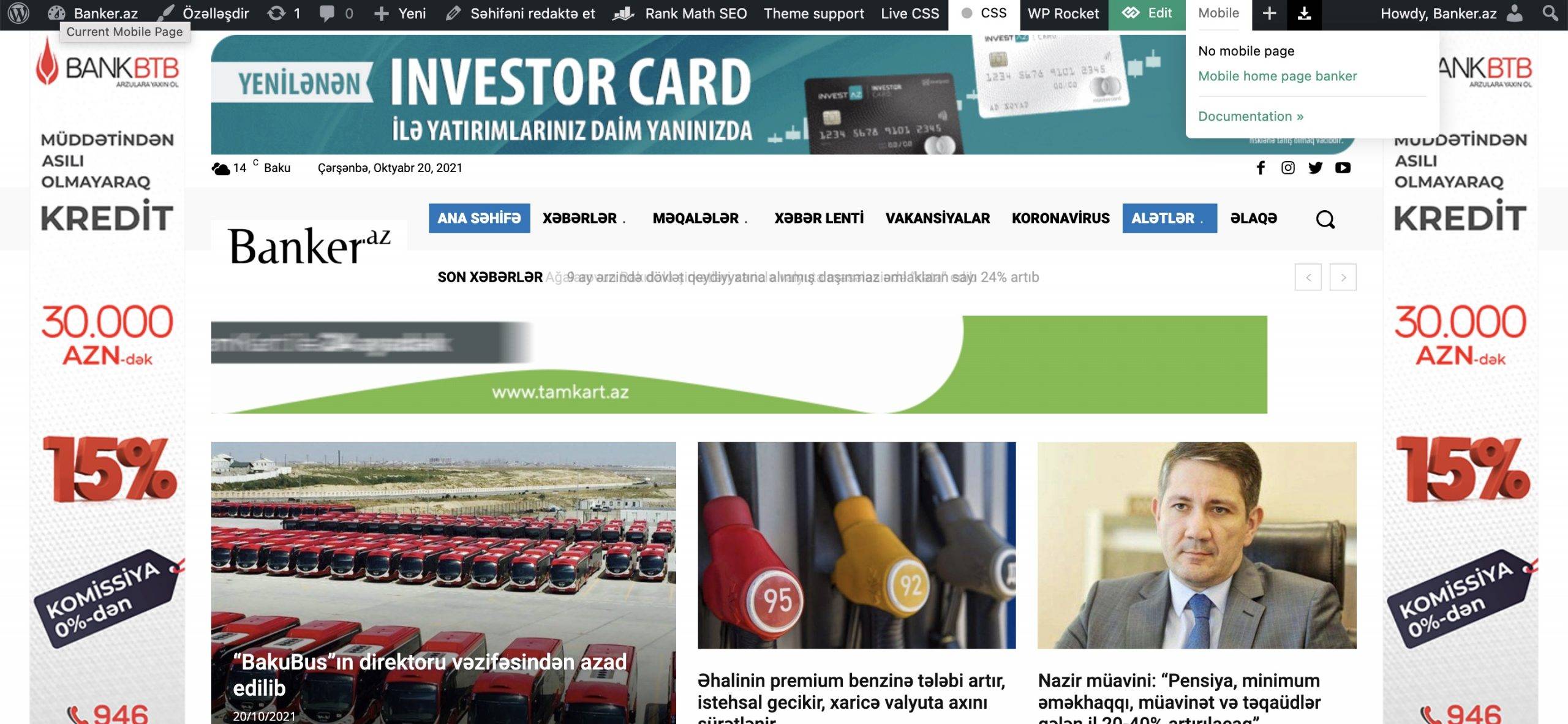
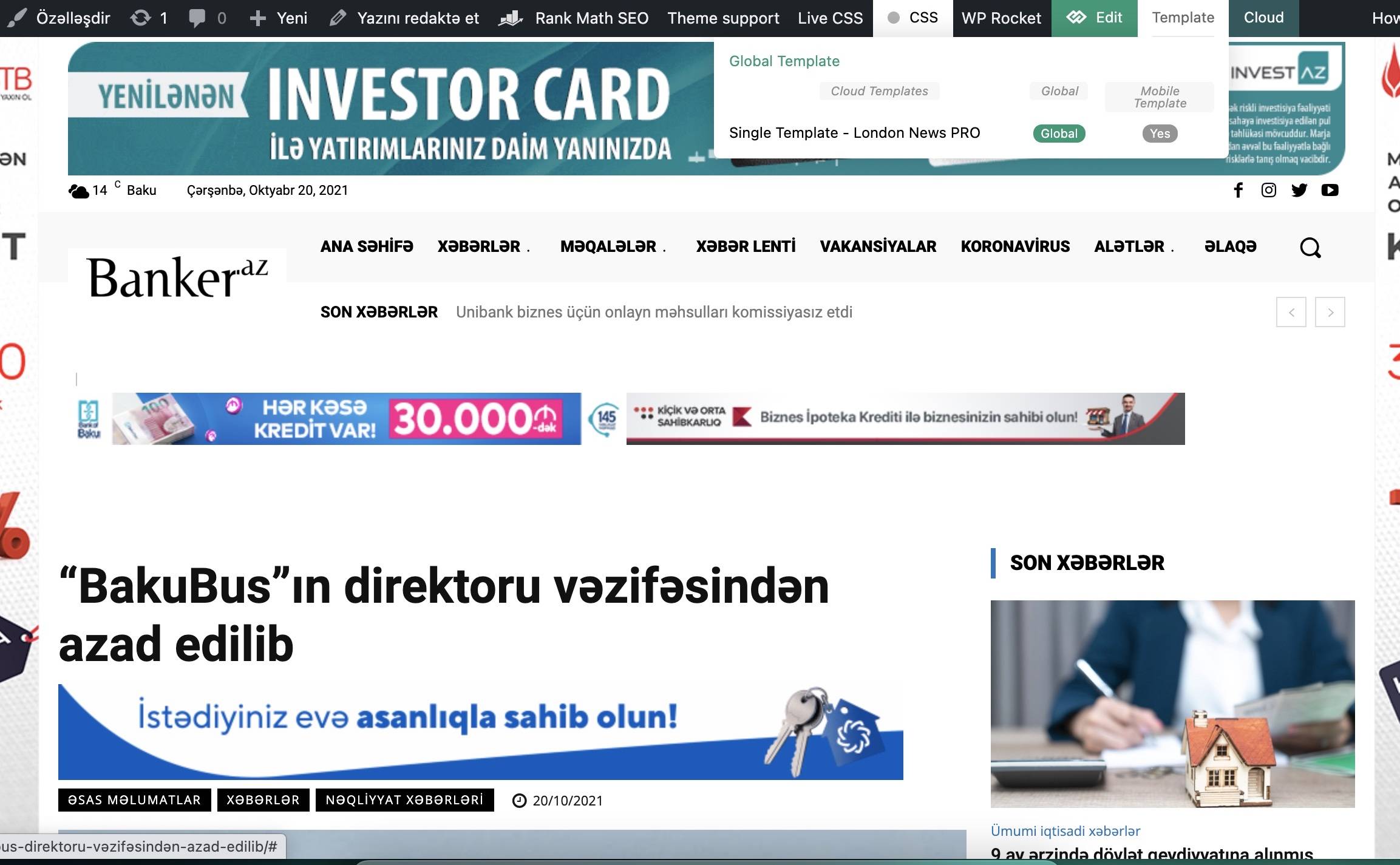
in my website (banker.az) i’ve changed something or something happened, in mobile it’s opening desktop version adapted ,not mobile theme. actually i created that theme for that page and it worked fine. can’t fix this issue. can you please tell me what i’m doing wrong? i’ve cleared cach ,didn’t helped.
https://banker.az/wp-content/uploads/2021/10/Screen-Shot-2021-10-20-at-16.45.19-scaled.jpg
https://banker.az/wp-content/uploads/2021/10/Screen-Shot-2021-10-20-at-16.52.02.jpg
Bettina Hello!
If you use Mobile theme or AMP plugin, then it will not display on mobile because those templates are not customizable with the TagDiv Composer and are overwriting the pages.
Thank you!
 mytwebsolutions
How to change the share buttons order in single page ?
I need like FACEBOOK, WHATSAPP,INSTAGRAM
Now it is Facebook, Twitter, Pinterest, WhatsApp
I checked in cloud templates > Single Post Template – Magazine PRO > but there is no option available for change the order