
- NewspaperDesign your Post Pages using the Cloud Library Templates
- NewspaperDesign your post pages using the Default Templates
- NewsmagPage templates
- NewspaperPage templates
- NewspaperCreate a form contact page
- NewspaperCloud Library Templates
- NewspaperCloud Library – Category Templates
- NewsmagCategory templates
- NewsmagFooter templates
- NewsmagDefault post templates
- NewsmagPost templates
- NewsmagHomepage – How to build and set it
- NewspaperHomepage – How to build and set it
- NewspaperPost templates
- NewspaperDefault post templates
- NewspaperCategory templates
- NewspaperPost template ads
- Apitd_api_single_template::update_key
- Apitd_api_single_template::update
- Apitd_api_single_template::add
 Bettina
 Hello!
In order to have the same dimensions, please be sure you use a cloud/PRO template as on desktop, so you can edit the pages with TagDiv Composer: https://forum.tagdiv.com/tagdiv-composer-tutorial/
Thank you!
 Anamaria
 Hello,
Unfortunately, you can’t have the same template for pages, like the post.
tagDiv Composer is a page and cloud builder, it can be used only for pages and cloud templates, therefore you can use it on a single post template from tagDiv cloud library to adjust the layout, but not to write the post content, for this, you need to use the WordPress editor.
You can find more tutorials on our channel on youtube =>https://www.youtube.com/user/tagdiv which can help you to design.
Thank you!
Anamaria Hello,
When you install and activate the Mobile Theme plugin, your pages will be overwritten by the plugin (the mobile theme comes with its own templates for page, post, category, etc so your current templates from the desktop theme will get converted to the mobile theme layout, the page content is made without builders in mobile editor => https://www.screencast.com/t/xbgZG8kH also, the options that are provided to edit the mobile theme version are limited (this keeps the things simple)).
You can check this video about the Newspaper theme version on mobile and how to edit them -> https://www.youtube.com/watch?v=SpGkOnJeNZY.
Hope this helps you!
Thank you!
Bettina Hello @sparky263!
Actually, you can’t turn a page into a template, but you can duplicate a page and use it as the basis of another page. About the shortcodes, for example if you copy the shortcodes from a single post template and paste them in a page, they won’t work because some of them are specific only for that template. Example: page title will work, but post content will not work.
Thank you!
 Yuri Mason
Hi,
I’m trying to change the article titles colour that are on my category pages. I can’t find the settings anywhere in the theme options and it’s just a theme template so I can’t use tagdiv to edit it.
https://www.dropbox.com/s/a3oq2xd7yp4x1dp/travel-untitled-perth.png?dl=0
 crodexter
Hello,
Where I can edit file for style 2 DEFAULT SITE POST TEMPLATE?
In version 8 it was in includes folder.
I think there should be default option to enable latest posts instead related posts.
I believe a lot of people would like to list only latest post under on each single post at the bottom of post.
Btw, I would like to move tag to the very end of post page.
I know there is option to use cloud templates and front end editor but I need only basic layout and it is easier to change code in template
Thank you
 blogdeforeo
Hi Guys,
I’m trying to edit my new blog using newspaper, but I’m running into an issue.
I could design the homepage and the header using tagdiv, but I can’t design single post template. I upload a blank template or an existing template, but I can’t edit it (see screenshot)
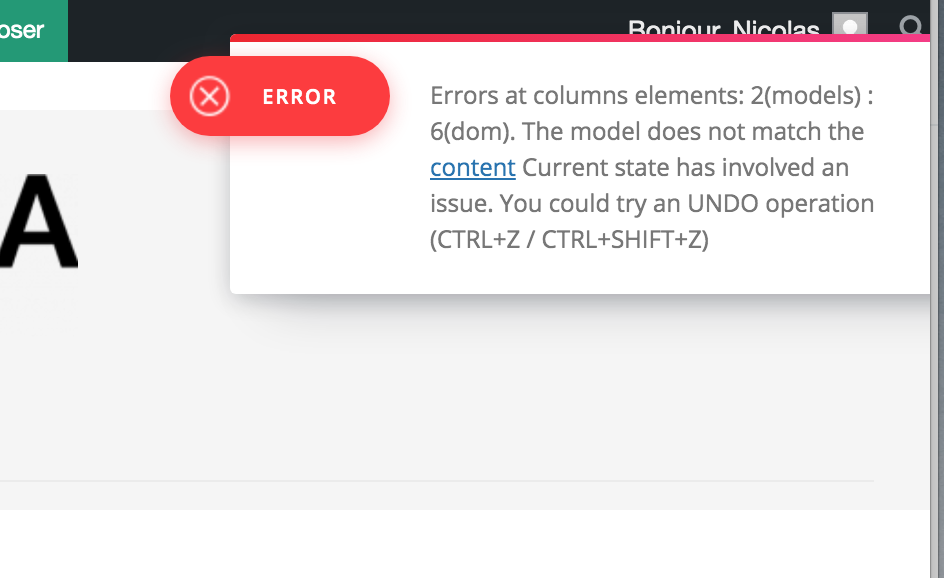
And also when I try to edit the name of the template I have this error :
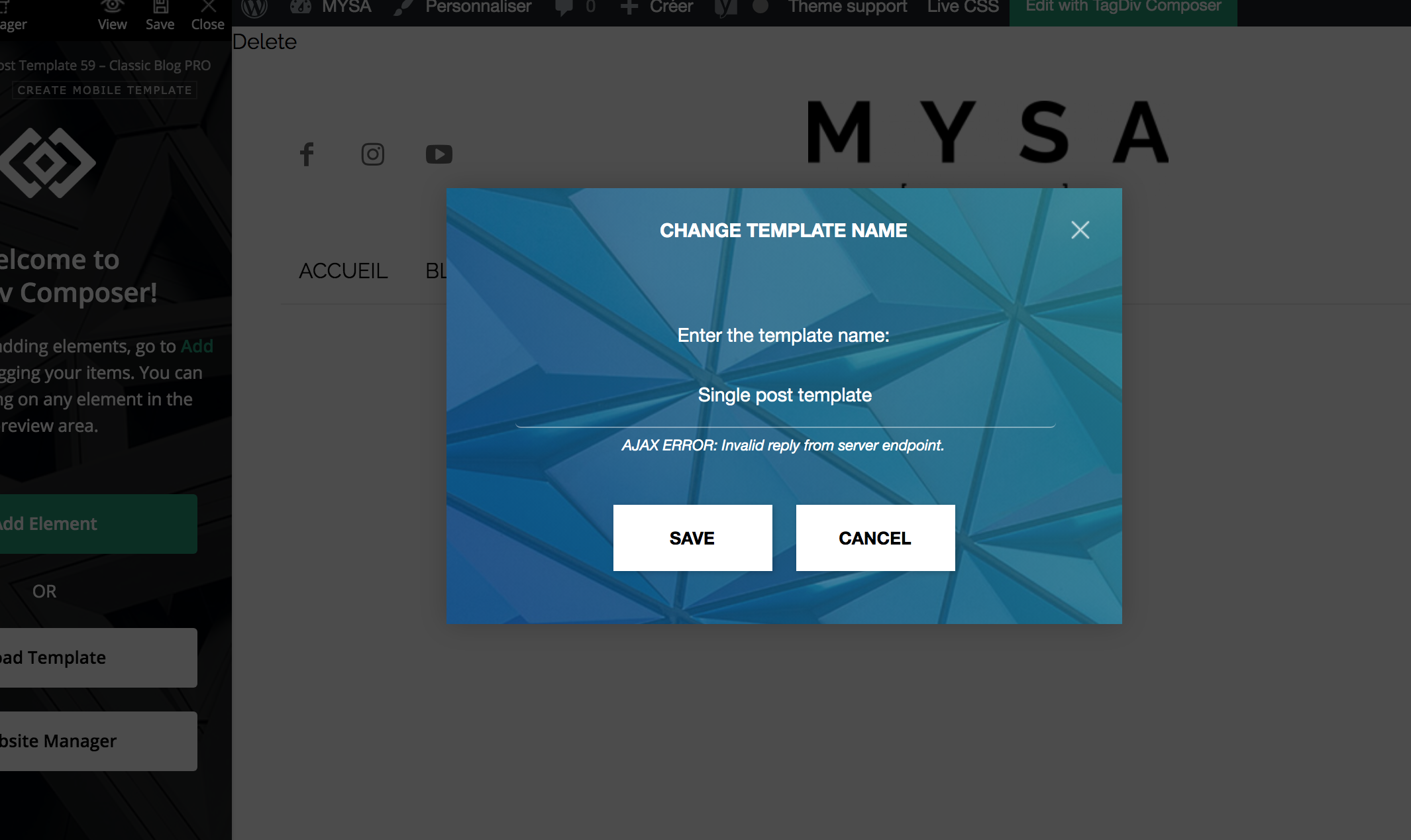
You can find the url of a single post here https://dev.foreo.com/fr/blog/foreo-sadresse-aux-entreprises-du-monde-entier-fabriquez-des-produits-pour-durer-pas-pour-se-casser-rapidement/
Thanks for your help,
Nicolas
 fscjasper
Hi,
I am using the Newspaper template with the “Gadgets Pro” prebuilt: https://demo.tagdiv.com/newspaper_gadgets_pro/, which works with Cloud Templates
Is there any way to have the pages in the same style as the posts? So the pages are using the same cloud template as the posts? I can’t seem to get it to work, and the pages look scrambled.
Thanks in advance.
 Nick
NickHello,
I use Fast News template on my website https://bucha.life and trying to add new element to column on home page but cannot doing it because it is creating just a name of element without possibility to work with it.
Please help.
NickHello,
Trying to install template of Fast News home page and cannot doing it.
It is just not installing and not redirecting to any other page or error message from Cloud Templates interface.
Please help.
 sparky263
 Thank you for your reply. You’ve provided some more information, but you still haven’t answered my question: how do you (can you?) turn a page into a template? Sorry to keep pressing you but perhaps there is a knowledge gap I’m missing here that you can fill in: if I understand things correctly, you can’t apply a template to a page, only to a post. Therefore you can’t turn a page into a template, because there is no point, because you can’t then apply it to a page. But what you can do is copy the shortcodes out of a template and paste it into a blank page to use that templates short codes as the core of a page. Alternatively, you can duplicate a page and use it as the basis of another page. Am I getting that right?
-
This reply was modified 5 years by
sparky263.
Bettina Hello!
1. I just replied you above. Did you re-install the plugin?
2. Please edit that page and set the template like this: https://www.screencast.com/t/DvSFLeTQoSOD
Thank you!
Bettina Hello!
This is correct like you can apply a template to a post but not to a page.
Currently, you can create a template for pages and you do need to create a mobile page for the duplicated page.
Unfortunately, at the moment, there is no other way to achieve what you need.
I hope is more clear now!
Thank you!
Anamaria Hello,
Unfortunately, according to the banner, we have an Easter holiday, which means a limited support schedule.
I checked your website and seems you have set display: none; on the footer => https://www.screencast.com/t/9ncdwyZwoE3
I think this problem is caused by using two page builder.
I understand you have created a mobile page, please make sure you set it => https://www.screencast.com/t/bYroSq7x8T9, also, the header and footer are taken from the standard ones. All you have to do is edit the mobile page, and in Manager (Website Manager) you need to import or the easy way is to convert the existent header like this => https://www.screencast.com/t/z924EIRIMr1Y
The same must be done for the footer.
You can find more tutorials on our channel on youtube =>https://www.youtube.com/user/tagdiv which can help you to redesign.
This is a video about Responsive Newspaper Theme, AMP & Mobile Theme, Mobile Pages & Templates -> https://www.youtube.com/watch?v=SpGkOnJeNZY
Hope this helps you!
Thank you!
 Calin
Calin Hi Heels.News,
Only installing a theme will not provide 98/100 speed, you also need to optimized it, please make some teste with our live demos https://demo.tagdiv.com/select_demo/select_demo_newspaper/
Those are optimize using the above guide, also for mobile is use the mobile page template, also we are using the new tool css analyzer https://tagdiv.com/whats-new-in-the-newspaper-theme-10-4-update/
Hope this will help you!
Anamaria Hello,
Where did you delete the footer? from the page with tagDiv Composer or from the backend?
if you deleted with the composer then go to Cloud Templates, and it should be there, edit it => https://www.screencast.com/t/yquLE1qr, and on the right, you will see the option to Revisions => https://www.screencast.com/t/bjd3BLmstE3J, and restore the version, like this => https://we.tl/t-OSsaNafw7k if delete it from Cloud Templates, then you need to find it in Trash =>https://www.screencast.com/t/AFBXg4Q1
Hope this helps you!
Thank you!
 squallhajime
Dear Support,
Are there any settings or ways to remove/hide all the #respond icons, which are displaying on homepage, category pages, 404 pages…

I am using Default Pro template
https://bit.ly/3t43rY5
https://bit.ly/3eLl3Tt
https://bit.ly/3aQaFZu
Please help
Regards.
sparky263 Hmm. I am not really sure what the point of your suggestions is here. If I understand what you are saying and your screenshots, it is to (1 and 2) copy the short codes out of one template (Tag Cloud Template) and paste it into another (3 and 4) (Single Cloud Template). And then I assume, save it away? So now the Single Cloud Template becomes the Search Cloud Template? Then I would have a template named Single Cloud Template that is really a Tag Cloud Template? Why would I want to do that? Can you pls clarify because I am confused as to what you are doing and why and how does it relate to the question I asked, which was how to turn a page into a template. Since I posted I have done more exploration, and it seems you can apply a template to a post but not to a page. Is this correct?
Because if so, how do I create/apply a template to a page? Can I do so? Or do I just create a duplicate of the page I want to copy, duplicate it, and then change its name?
And then do I have to create a new mobile page of the duplicated page? (I think I do but it would be nice if it created automatically during the duplicating step.)
Pls clarify, because I am confused about 1/ How to turn pages into templates 2/ how to apply templates to pages
-
This reply was modified 5 years by
 thewotme
Hi,
Since a while ago, maybe since the last time I updated the theme.
If I go directly into my website http://www.thewotme.com, the first part of the theme is not properly shown: New ticker & Big Grid Flex 5 are showing only text with withour format.
When I clic on “Edit with TagDiv composer”, the template or theme is correctly shown but not out of the “composer”. THe rest of the page and sections (Flex Block) are correctly working.
I have tried to change values (to refresh it) in the New Ticker & Big Grid Flex but it does not work, I have changed the Big Grid Flex 5 for another one (3) but … same.
I have also tried with another laptos, navigators, devices .. same
Version I have is 10.4
What can I do ?
 comms
comms I do have a cloud/PRO template for that page!
 Chris Baird
So while setting up a home page and placing the different flex blocks – Does each block have to have its own font/layout set up individually – or is there a way to set a master template – so they inherit the same Headline font and other fonts for other parts of the meta data . . . ?
Anamaria Hello,
The footer templates do not have the button to be edited with tagDiv Composer in the backend. Please check this guide:https://forum.tagdiv.com/footer-templates/
If you a Pro Prebuilt Website you can edit with tagDiv Composer the footer template can be edited only from the frontend if it is assigned, edit a page/post template with tagDiv Composer and go down to the footer. => https://www.screencast.com/t/rpfNhfyrF
Also, if you have a standard footer template https://www.screencast.com/t/ND7OiqEpPFK ->https://www.screencast.com/t/Z5ZdVYY4wAuP then you need to make changes in Theme Panel -> Footer.
Hope this helps you!
Thank you!
Bettina Hello!
Please make sure you have a cloud/PRO template for that single post/category template in order to assign your mobile page.
Thank you!
Anamaria Hello, @thefeedski,
Seems you have the Mobile theme plugin activate, when you install and activate the Mobile Theme plugin, your pages will be overwritten by the plugin (the mobile theme comes with its own templates for page, post, category, etc so your current templates from the desktop theme will get converted to the mobile theme layout, the page content is made without builders in mobile editor => https://www.screencast.com/t/xbgZG8kH also, the options that are provided to edit the mobile theme version are limited (this keeps the things simple)).
This issue can be from the plugin cache you use, when the mobile responsive version is displaying on the desktop, then you have a cache conflict, the plugin for the cache that you are using do not recognize the mobile and desktop cache. We recommend using WP Super Cache plugin https://forum.tagdiv.com/cache-plugin-install-and-configure/
Also, if you use other plugins for cache, those can interfere with the theme and causes this problem.
Hope this helps you!
Thank you!
Anamaria Hello,
If you have disabled these theme panel options and use a single post template then the settings will not apply, the theme panel settings apply on standard post template.
To delete the author box and related articles, edit with tagDiv Composer the Single Post Template => https://www.screencast.com/t/KWmBHU5juF6R select the element and with right-click => https://www.screencast.com/t/jcffF5bb87ft or with drag & drop place it into the deleting red zone from the bottom right of the page => https://www.screencast.com/t/DSbFuKBiru
Hope this helps you!
Thank you!

