
- NewspaperDesign your Post Pages using the Cloud Library Templates
- NewspaperDesign your post pages using the Default Templates
- NewsmagPage templates
- NewspaperPage templates
- NewspaperCreate a form contact page
- NewspaperCloud Library Templates
- NewspaperCloud Library – Category Templates
- NewsmagCategory templates
- NewsmagFooter templates
- NewsmagDefault post templates
- NewsmagPost templates
- NewsmagHomepage – How to build and set it
- NewspaperHomepage – How to build and set it
- NewspaperPost templates
- NewspaperDefault post templates
- NewspaperCategory templates
- NewspaperPost template ads
- Apitd_api_single_template::update_key
- Apitd_api_single_template::update
- Apitd_api_single_template::add
 Calin
Calin Hi,
Yes, if you want to have featured image for the category, then you need to set in theme panel a background image, this will be set as featured image on that category -> https://i.imgur.com/QI6eZsg.png -> https://i.imgur.com/DHq1YK7.jpg in category template from tagDiv Cloud Library need to be set the category background image -> https://i.imgur.com/pIk9S7D.jpg this can be done using tagDiv Composer.
Hope this will help you!
Thank you!
Calin Hi,
Make sure that you do not have a plugin conflict, please deactivate ALL plugins except tagDiv plugins, also if you are using child theme or cache plugin, deactivate them, clear all cache and try again.
Also please check if you do not have set a single post template from tagDiv Cloud Library, for these you need to set the ads using tagDiv Composer and edit the template -> https://imgur.com/ru2Z7X0
If there is still a problem, please provide me a link to your website.
Thank you!
Calin Hi shogunteam,
Please make sure that all the settings are like in our requirements, please follow the guide carefully
– https://forum.tagdiv.com/requirements-for-newspaper/
and please increase all requirements that are lower, and follow all steps.
Also sometimes you need to use a ssl plugin to set the https.
Hi kylian25,
Gossip your life magazine logo dis demo is using only cloud templates from tagDiv Cloud Library, you can edit it using tagDiv Composer, also the logo can be change using our video tutorial from here -> https://www.youtube.com/watch?v=HXQQygkCCJo
Hope this will help you!
Thank you!
Calin Hi,
Please notice that you are using an very old version of the theme, we recommend to make a full backup to your website and database also we recommend to make first time the update on a staging website were to set your current version and make the update.
Also the Newspaper Default Pro use only cloud template sand flex blocks, if you have set a demo in this moment and you do not overwrite the pages, post from this demo then should not be a problem.
How to Update the Newspaper Theme for WordPress -> https://tagdiv.com/update-newspaper-theme/
Thank you for your understanding!
Calin Hi,
As I can see this is a single post template from tagDiv Cloud Library, this can be edited using tagDiv Composer like this -> https://i.imgur.com/GxfF8If.png -> https://i.imgur.com/vakzWSk.png
Let me know the results!
Thank you!
Calin Hi,
If you want to remove the featured image from inside the posts/article, then you can do this only if you set and individual posts style without featured image like post style 5 or 12 -> https://i.imgur.com/jfXd6Ip.png or you can use a single post template from tagDiv Cloud Library and remove from it the featured image using tagDiv Composer and set the single post template as individual on the post where you want to hide the featured image.
Hope this will help you
Thank you!
 globe_slcc
When we tried to save a minor update to our home page — changing the text of a header from “Notice” to “Advertisement” — we received a “Success” message followed with by this error message:
“Invalid page template. Current state has involved an issue. You could try an UNDO operation (CTRL+Z / CTRL+SHIFT+Z)”
What would be causing this error message? We have not edited the home page since we launched the website, and we have never seen this error before today. All we did was change the text of a header.
How would we troubleshoot what is invalid about the page, if anything?
Thank you!
 merquart
Hey,
I’m trying to automatically insert tag_slugs for the flex_block_1, but I’m not sure how to do that.
I’ve got a bunch of like “profile pages” and would like to show a “more about this person” tab, which displays all posts that use the name of that person as a tag_slug.
I tried to do that with a small wordpress plugin, that simply returns the [td_flex_block_1] code with the name of that person. (see Image 1 and the code)
Image 1:

$ausgabe .= "[td_flex_block_1 modules_on_row='eyJhbGwiOiIzMy4zMzMzMzMzMyUiLCJwaG9uZSI6IjEwMCUifQ==' limit='6' hide_audio='yes' modules_gap='1.4%' image_height='65' hide_image='' image_width='' image_floated='' meta_padding='' image_radius='' meta_info_horiz='' modules_category='above' modules_category_margin='' show_cat='' show_author='' show_date='' show_review='none' show_com='none' show_excerpt='' show_btn='none' tag_slug='" . $artistname . "' sort='random_posts' td_ajax_preloading='preload' ajax_pagination='next_prev' meta_info_align='' custom_title='Mehr zum Thema " . $artistname . "' custom_url='https://thisismywebsite.de/tag/" . $artistname . "/' block_template_id='' accent_text_color='#48aba2' header_text_color='#ffffff']";
But on the page the code gets printed out 1:1 (see Image 2)
Image 2:
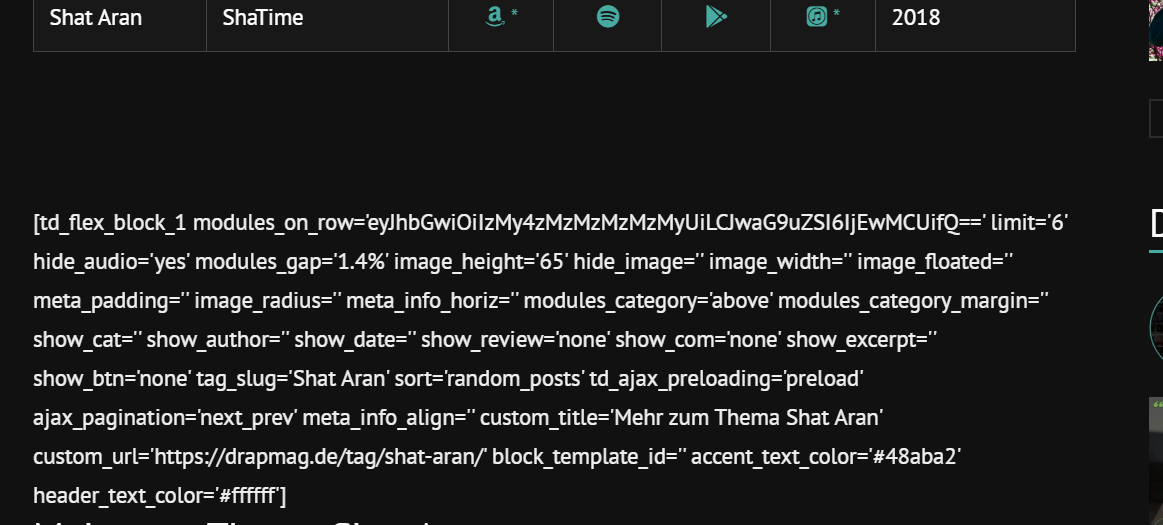
If I copy & paste this code like it is into the post it works (see image 3 & 4)
Image 3:
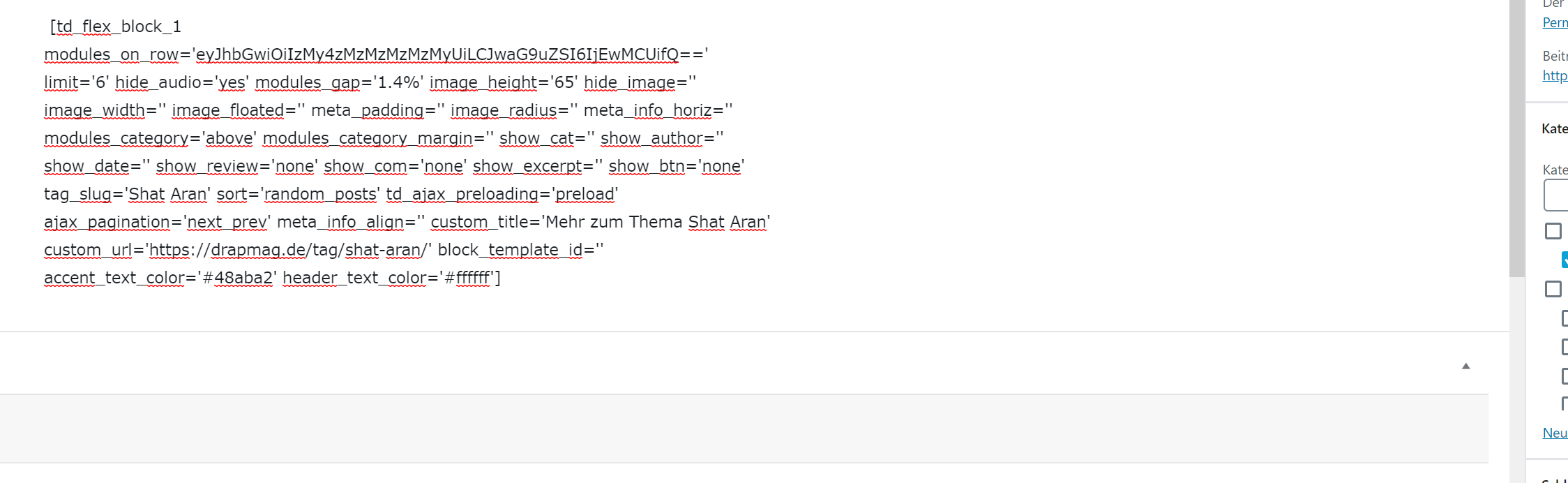
Image 4:

Is there anything I can do to make this work with using wordpress_shortcodes? Why does it get printed out plain when I’m using the method I tried? Or maybe there’s another workaround to use flex_block without manually changing the tag_slug on every page?
Big thanks in advance for your help.
Best regards
 Tonioc75
Hi,
I have been trying many things, but it’s never working fine.
How to get or create a default Page template (not Post template) that is working fine with the gadgets pro ?
Menu is always overlaping. The page title + content is always in the header menu zone ans starts with the menu zone.
When i’m trying to change a template on an existing page (i’m migrating a website with newspaper + gadgets pro template…) with the tagdiv composer, others pages are also impacted and content disappears in wp normal backoffice.
I never find the zone described here https://forum.tagdiv.com/page-templates-2/
I just the menu settings zone, not the page settings zone.
And when i manually edit the content page
[tdc_zone type=”tdc_content”][vc_row][vc_column]
MY PAGE CONTENT
[/vc_column][/vc_row][/tdc_zone]
it’s the same (menu overlaping, bizarre display)
Putain c’est chiant !!!! J’y suis depuis hier, ça me casse les c….
I just have normal pages like contact, rgpd, cookie policy, thank you page, etc
Please provide a page template, even a basic one.
Thanks
Calin Hi,
If you are not using the standard pack you’ll see only this in theme fonts -> https://i.imgur.com/F1dzxYq.png but you’ll still be able to add custom fonts, but without standard pack you use cloud templates and the fonts will be set directly on theme using tagDiv Composer -> https://i.imgur.com/fuOsVwz.png
Thank you!
 kblundy
I have a very large site working on V9.2.2
It uses WpBakery extensively across thousands of pages. I tried to install V10 on a testbed and I cannot get any pages to work with Wpbakery enabled and tagDiv disabled.
Is there a migration tool from 9.x to 10.x that doesn’t involve rebuilding thousands of pages?
Also, what is the last version of Newspaper that I can use with my existing site without having to make drastic changes? Where do I download it from, please?
I realise you see this as progress – but leaving paying customers with no upgrade options means it probably easier to move to a completely different template that still supports WPbakery / Visual Composer.
Please give me some options.
Calin Hi,
What I was suggesting was to set some empty spaces -> https://i.imgur.com/53L9eft.png results -> https://i.imgur.com/0pmieNd.png -> https://i.imgur.com/0pmieNd.png or better you can use this custom css: -> https://i.imgur.com/DrYUy7L.png
.tag .td-page-title {

  overflow-x: hidden;

  text-indent: -62px;

}
The code need to be set in theme panel> custom code> custom css.
Also if you want to remove this from code and you are using a the standard pack not a cloud stile for tags, then you can remove it from here -> wp-content/plugins/td-standard-pack/Newspaper/tag.php -> https://i.imgur.com/FRU4zso.png
Or using a cloud template for tags, you can edit it with tagDiv Composer -> https://i.imgur.com/oCCEBwS.png -> https://i.imgur.com/na8a6Uf.png
Hope this will help you!
Thank you!
 Josan
Josan Thanks for reply. Thats not problem. I want to hide featured image on certain the single post. By default I use and show the featured image on every post, but there are certain posts where I want to display featured image is only on homepage but hide inside the post.
Right now I have created a separate template from cloud library for such posts but I was thinking if its possible to add an option which allow us to choose whether we want to show/hide featured image.
Thanks
Calin Hi,
I think that you want to achieve something like on posts, unfortunately for the author templates there is no featured image as for posts, therefore you can not achieve the same, what you can do is to use an image for all these posts/page/ authors that do not have using Yoast SEO -> https://i.imgur.com/hcAKxTA.png
Thank you for your understanding!
Calin Hi,
Yes, setting the banner in theme panel will not work because you are using a single post template from tagDiv Cloud Library, this need to be edited with tagDiv Composer, click on the content and set the banner in ads tab, or set an ad box and place the banner in it.
-> https://i.imgur.com/vWg4rWC.png -> https://i.imgur.com/dIpCHMV.jpg -> https://i.imgur.com/M5P5jm2.jpg
Hope this will help you!
Thank you!
Calin Hi,
This css should help you with the categories -> https://i.imgur.com/gwVCbO7.png
.td_category_template_2 .td-category-siblings .td-category a {

  font-size: 14px;

}
You need to set the code in theme panel> custom code. custom css.
The font family for the title ‘कहानी’ should be editable from theme panel > Theme fonts > pages > https://i.imgur.com/e8eeQf7.png
Let me know the results!
Thank you!
 Jaddy1219
 Hi Calin,
Thank you for your reply.
I have updated theme and check the post looking in Yoast SEO is fine there is no date showing in desktop result.
If I request re-index my whole site in google search console then it is fine till next day morning. I’m not sure how it goes after theme update though, I will need to check tomorrow morning.
However, I have redirect function code because I stopped amp plugin then needed to redirect amp page to normal page address. Is this something to do?
Then how could I get rid of amp page from google search? it’s been a year.
the code is here:
/*AMP redirect*/
function redirect_to_canonical_from_amp() {
$url_orig = $_SERVER[“REQUEST_URI”];
if ( substr( $url_orig, -5 ) === ‘/amp/’ ) {
$url_canonical = substr( $url_orig, 0, strlen( $url_orig ) – 4 );
if ( wp_redirect( $url_canonical, 302 ) ) {
exit;
}
}
}
add_action( ‘parse_request’, ‘redirect_to_canonical_from_amp’ );
This amp page also increase my site coverage pages, of course. The site speed is 4.5s and hasn’t changed since I have deactivate standard pack plugin and created pages with templates.
Thank you as always!
Calin Hi,
Yes, you can achieve this using a single post template from tagDiv Cloud Library, edit it with tagDiv Composer and set the social element -> https://i.imgur.com/9jqHNh7.png -> https://i.imgur.com/dY06MBx.png -> https://i.imgur.com/poCQkW8.png
Hope this will help you!
Thank you!
Calin Hi,
You can set in Gutenberg editor the content width like this or if you want to increase the post content width you need to use a single post template from tagDiv Cloud Library, you can choose one that is already wider or you can edit it with tagDiv Composer and edit it -> https://i.imgur.com/qUrs1wX.png -> https://i.imgur.com/UvtLwlo.png -> https://i.imgur.com/WaWaqM7.png
Hope this will help you!
Thank you!
Calin Hi,
That demo is using cloud templates from tagDiv Cloud Library, in order to edit the sidebar from single post template, you need to use tagDiv Composer -> https://i.imgur.com/85Zv4Wz.png -> https://i.imgur.com/sratItv.png
Thank you!
 abn
abn under the cloud templates i try to use a footer template but am getting the error “Invalid Template!” and when i add new page and wanna add a cloud template i cannot find footer
 Adamhen86
Hi,
I recently disabled WP Bakery to make the switch to TagDiv Composer. I built a page entirely on TagDiv Composer without issue, including using some elements from the cloud templates.
Everything looks fine and seems to function, but I’m now getting the error message about the content not being created by TagDiv.
In looking at the the text on the WordPress editor, I’m seeing lines that look like Visual Composer. Please see below. This is a direct element from the TagDiv Cloud Library that I haven’t adjusted in any way.
[tdc_zone type=”tdc_content”][vc_row][vc_column][/vc_column][/vc_row][vc_row full_width=”stretch_row_1600 td-stretch-content”
Can you please let me know why I’m all of sudden getting this error message?
Thanks.
 Adaras
Hi,
I’m trying to switch over to cloud templates to be able to deactivate the Standard Pack Plugin and gain speed. However, I’m having a lot of problems. Especially with translating my footer.
I’ve tried to follow the steps here:
https://forum.tagdiv.com/topic/problems-on-sidebar-and-footer-translation-with-wpml/
But I can’t seem to add the tds_footer_page string for translation. When I click apply it doesn’t show up under String Translation and when I checked ‘translate texts in admin screens’ again the tds_footer_page had disappeared. I tried adding the tds_footer instead but it won’t show up under String Translations either.
Can you please help me?
I can also mention that my ‘max input vars’ is already changed to 10000 and that I meet all requirements.
My Cloud Footer Template is also the chosen footer cloud library template in the Theme panel.
Best wishes,
Ida
 Anonymous
 Yes , but it does not work like wpml content translation like post and page.
How would you set a global header for each language ? in the theme panel, I cannot do it.
With my solution, I can choose to translate any tdb_templates post type, and choose different menu or design for a language.
 enesozden
 Yeah but what I meant is not plugin. I have 2 table of contents when I use Cloud templates. I do not have any problem with default single page So plugin works with your theme for sure. But not with single page in cloud templates.



