
- NewspaperDesign your Post Pages using the Cloud Library Templates
- NewspaperDesign your post pages using the Default Templates
- NewsmagPage templates
- NewspaperPage templates
- NewspaperCreate a form contact page
- NewspaperCloud Library Templates
- NewspaperCloud Library – Category Templates
- NewsmagCategory templates
- NewsmagFooter templates
- NewsmagDefault post templates
- NewsmagPost templates
- NewsmagHomepage – How to build and set it
- NewspaperHomepage – How to build and set it
- NewspaperPost templates
- NewspaperDefault post templates
- NewspaperCategory templates
- NewspaperPost template ads
- Apitd_api_single_template::update_key
- Apitd_api_single_template::update
- Apitd_api_single_template::add
 beppepicaro
 Thank you for your reply.
1 – The style I am looking for is the one in the demo page https://demo.tagdiv.com/newspaper_tech/shop/. Now the styling is correct but only IF I don’t declare the page as a shopping page in woocomerce -> settings…
Now I just realised that when a page is set as a shop page the PAGE ATTRIBUTES box in the wordpress backend does not display the TEMPLATE options, usually it is set to -> DEFAULT TEMPLATE (other options, just to avoid confusion, are “pagebuilder + empty page”, “+ overlay menu” and so on…)
2 – Now I got how the sidebar works in this theme, it’s ok now.
3 – Ok!
4 – Thank you! Is it possible to put that code into the child theme? I put a copy of the file td_block_text_with_title.php, duly modified, on the child theme folder but it won’t work. Do I need to recreate the same folder tree in the child theme?
I have seen that block elements (like Block 3) have the styling I am looking for but the woocomerce categories are not visible in the “category filter” pull-down menu of the block settings of the WPBackery Page Builder. Maybe if we could select the category from the filter it would be easier and more flexible. I tried using shortcodes and IDs and slugs but it seems they are invisible.
Thank you.
-
This reply was modified 8 years by
beppepicaro.
 Simion C.
 Hi,
Unfortunately I cannot view the screenshot you provided
– https://www.screencast.com/t/b6RmIsEJnvrd
The space between the latest articles pagination and footer section could be reduced if needed, like this (default padding is 48px)
– https://www.screencast.com/t/y3wy9hSCXm6S
.page-template-page-pagebuilder-latest .td-main-content-wrap {

padding-bottom: 12px;

}
The code will work on pages with the latest articles template selected. It can be entered in Theme panel->Custom CSS.
Thanks
beppepicaroHello,
I have posts under the category “comics” which have all the same settings:
In the “Edit Post” page my settings Post Settings are:
1 – Post Template: Style 5.
2 – Sidebar position: No sidebar.
But since all the “comics” posts have the same settings I decided to change these settings globally for all the posts of this category.
First I checked “Comics” in the “Primary category” pull down menu. And now the first doubt: do I have the category in the “Category” check button as well? Because if I don’t when I save the post I see that the “Uncatorized” button gets selected.
Then I visited the “Theme Panel” -> “Categories” -> and scrolled down to the “Per category settings” section -> “Comics”, but here I couldn’t find the “Post Template Style 5”, so I tried all the possibilities but whatever template I chose, it had no effects.
What I wan is that these posts have no featured image.
Thank you.
 redoankawsar
 <!doctype html >
<!–[if IE 8]> <html class=”ie8″ <?php language_attributes(); ?>> <![endif]–>
<!–[if IE 9]> <html class=”ie9″ <?php language_attributes(); ?>> <![endif]–>
<!–[if gt IE 8]><!–> <html <?php language_attributes(); ?>> <!–<![endif]–>
<head>
<title><?php wp_title(‘|’, true, ‘right’); ?></title>
<meta charset=”<?php bloginfo( ‘charset’ );?>” />
<meta name=”viewport” content=”width=device-width, initial-scale=1.0″>
<link rel=”pingback” href=”<?php bloginfo( ‘pingback_url’ ); ?>” />
<?php
wp_head(); /** we hook up in wp_booster @see td_wp_booster_functions::hook_wp_head */
?>
</head>
<body <?php body_class() ?> itemscope=”itemscope” itemtype=”<?php echo td_global::$http_or_https?>://schema.org/WebPage”>
<?php /* scroll to top */?>
<div class=”td-scroll-up”><i class=”td-icon-menu-up”></i></div>
<?php locate_template(‘parts/menu-mobile.php’, true);?>
<?php locate_template(‘parts/search.php’, true);?>
<div id=”td-outer-wrap”>
<?php //this is closing in the footer.php file ?>
<div class=”td-outer-container”>
<?php //this is closing in the footer.php file ?>
<?php
/*
* loads the header template set in Theme Panel -> Header area
* the template files are located in ../parts/header
*/
td_api_header_style::_helper_show_header();
do_action(‘td_wp_booster_after_header’); //used by unique articles
 Sebastian Escobar
I’m a bit confused. I updated Newspaper and I think maybe I have to update Visual Composer to tagDiv Composer, but I have WPBakery Page Builder, not Visual Composer. Now I have tagDiv Composer and WPBakery Page Builder. What should I do?
Is WPBakery Page Builder the same Visual Composer?
and also, I have many posts published, should I change one to one of them to be built by TagDiv composer? Is it a one-to-one task? Please, I need help now because I have serious problems now, because I updated the template and no tagDiv Composer (I realized after).
 Filandor
Hi.
I greate main page with TD composer. I choose page template: ” page builder + page title” (I no need default sidebar and last articles). How disable title and breadcump – http://dl3.joxi.net/drive/2018/01/24/0000/0020/4116/16/7505d54768.png ?
1) page template (page builder + lates article) – does not fit, I dont need lates article
2) page template (page builder + Overlay menu) – does not fit, its hide main header width menu
Sebastian EscobarHi
I have all the posts settings with style 3 and after update the template the written text is fullwidth running behind widgets and the column. I need the texts to be aligned, I can not use a CSS style because that also touches elements of the homepage. There are something in the update of the style 3, I think. I need your help for to do this well.
I had the template Newspaper 7 and updated by FTP to 8.5. http://chilecientifico.com/las-regiones-se-toman-congreso-futuro/
 mkcomunication
hi I have to implement an advanced search form. i have buy facetwp plugins but do not work because the class css called “facetwp-template” is missing.
I tried to insert it in the home page in the section “homepage latest articles”, “posts loop settings”, “extra class”.
When I add that CSS class, it’s not appearing on the front-end, so I don’t think that feature is working. Could you check the “Extra class” setting issue?
 AlexSoyer
 Hello,
I do understand it well.
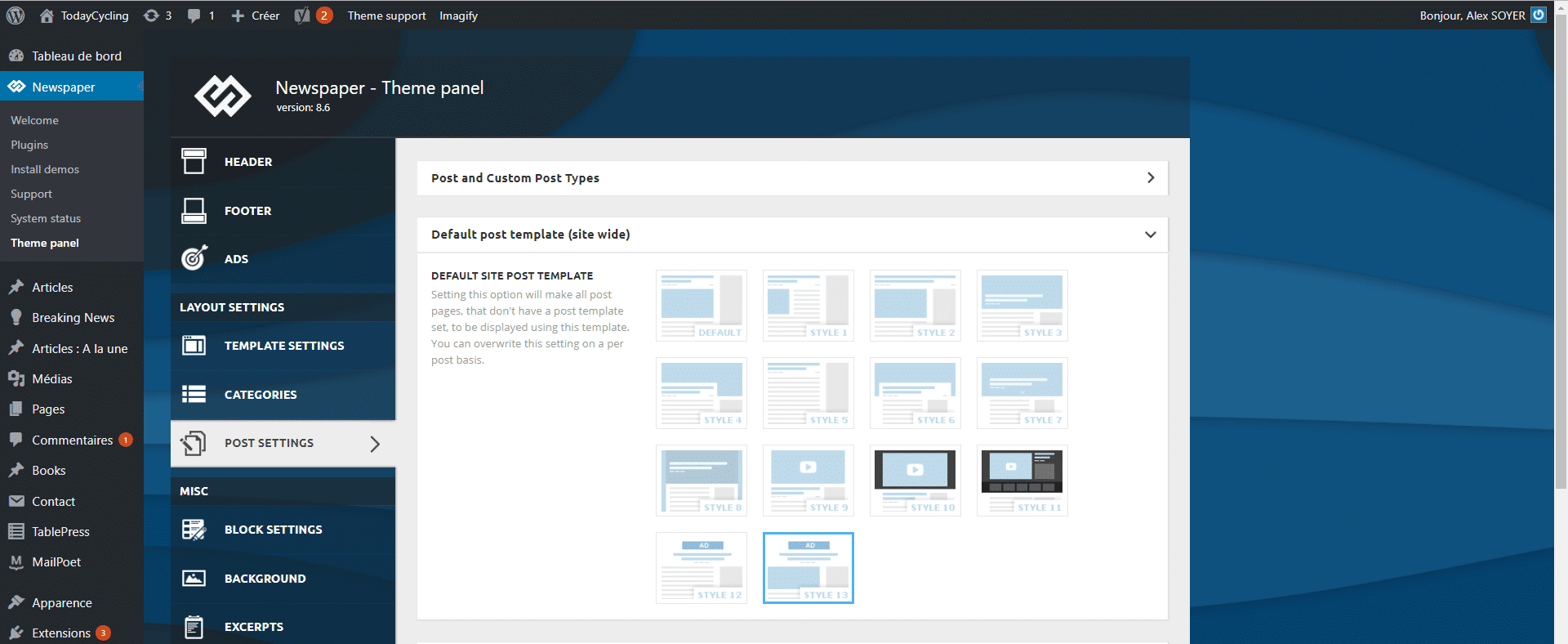
If I do create CPTs, is it possible to use the same template as Articles in those pages ?
-
This reply was modified 8 years by
AlexSoyer.
 Bogdan B.
 Hello,
You will have to style the page in the tagdiv composer to your preference. That page was created before the tagdiv composer was born so it could not work properly in the new builder. It was meant to provide an example of how the shop page can look, but not provide a predefined template. Please use the tagdiv composer and create the shop page to your own liking using the tagdiv composer elements together with woocommerce elements: https://docs.woocommerce.com/document/woocommerce-shortcodes/
Thank you!
 eivindert
Hi,
Check the frontpage of Huslig.no
I want the top picture to be bigger, to go over 2 rows so the size of the top picture is equal to both the pictures beneath. In Page Builder it looks great, but when i publish it shrinks. I have turned of sidebar in template settings.
Do you have any clue how I can manage this?
Best regards
 petrikjosef
Hi everyone,
is it possible to use premium feature Visual Composer database? In preferences, I have non-activated Visual Composer, but there I read that plugin from theme is activated.
I need for example download template of contact-page from theme library in VC.
Thank you for reply.
Sincerely
mr. Joe
Simion C. Hi,
The footer can have a maximum of 3 columns at all times
– https://forum.tagdiv.com/footer-templates/
All the footer templates are based on this limitation. You could however display a page in the footer created anyway you like, with any row layouts
– https://www.screencast.com/t/QyYHYPguke
– https://www.screencast.com/t/oD2LhfFq07S
Thanks
Bogdan B. Hello,
Unfortunately only pages can have a wider layout. Posts and other templates have a fixed width. Please provide an example of what you are trying to achieve.
Thank you!
Simion C. Hi,
Yes it is possible. Check the page settings when the Latest articles template is selected
– https://www.screencast.com/t/5Pf3Ihb4
There you can see all the settings this page template has available.
Thanks
Bogdan B. Hello,
You can use the latest articles pagination activated by changing the page template: https://forum.tagdiv.com/page-templates-2/
Thank you!
Simion C. Hi,
So you would like tot display a text below the author box in the post page, in the same style of the block headers. There would be a method to do that. It will require you to enter it directly in the post template file used.
Each post template has a corresponding loo-single file (Ex. post template 2->loop-single-2).
Edit the post template you want to do this for, in this example I use post template 2, this is a do_shortcode that is needed
<?php echo do_shortcode ('your code here'); ?>
Set a title element on a page and configure it as you wish
– https://www.screencast.com/t/oWqjw6Lyiudx
– https://www.screencast.com/t/hE3oDFGAD
Then enter it in the post template file (below the author box if that is where you want to show it)
– https://www.screencast.com/t/NNjdPeby
– https://www.screencast.com/t/nfhhnD7HS
– https://www.screencast.com/t/qvUaeoULH8J
The result – https://www.screencast.com/t/2bVAD95pN5
Thanks
 curmi01AlexSoyer
 Hi,
global $paged;
Does not work to get the matched pages in class td_category_template_1 extends td_category_template, missing something ?
-
This reply was modified 8 years by
 Freddy Meynard
 I think it might be because it am trying to use html tags that contain quotes and brackets in them, hmmm.
Question, i see that there are you can save shortcodes within TD composer…is there a way to setup a page as a template?
Simion C. Hi,
You could set pagination for the blocks used on the page
– https://forum.tagdiv.com/block-settings-guide/
Or use the Latest articles page template, which will display latest articles by default, with pagination on the bottom of the page
– https://www.screencast.com/t/hf1uah11
However on the second page when paginated latest articles is used, only the continuation of the posts will be displayed not the whole page.
Thanks
 eldiyarkg
Hello!
After installing plugin ‘accelerated-mobile-pages’ we had errors in Newspaper theme (v. 8.6).
[18-Jan-2018 16:11:05 UTC] PHP Fatal error: require_once(): Failed
opening required
‘/home/virtualmin/kloop.kg/public_html/wp-content/plugins/accelerated-mobile-pages/includes/vendor/amp//templates/functions.php’
(include_path=’.:/usr/share/php:/usr/share/pear’) in
/home/virtualmin/kloop.kg/public_html/wp-content/themes/Newspaper/includes/wp_booster/td_wp_booster_functions.php
on line 29
[18-Jan-2018 16:11:05 UTC] PHP Stack trace:
[18-Jan-2018 16:11:05 UTC] PHP 1. {main}()
/home/virtualmin/kloop.kg/public_html/index.php:0
[18-Jan-2018 16:11:05 UTC] PHP 2. require()
/home/virtualmin/kloop.kg/public_html/index.php:17
[18-Jan-2018 16:11:05 UTC] PHP 3. require_once()
/home/virtualmin/kloop.kg/public_html/wp-blog-header.php:13
[18-Jan-2018 16:11:05 UTC] PHP 4. require_once()
/home/virtualmin/kloop.kg/public_html/wp-load.php:37
[18-Jan-2018 16:11:05 UTC] PHP 5. require_once()
/home/virtualmin/kloop.kg/public_html/wp-config.php:130
[18-Jan-2018 16:11:05 UTC] PHP 6. include()
/home/virtualmin/kloop.kg/public_html/wp-settings.php:426
[18-Jan-2018 16:11:05 UTC] PHP 7. require_once()
/home/virtualmin/kloop.kg/public_html/wp-content/themes/Newspaper/functions.php:22
because of that code from /wp-content/themes/Newspaper/functions.php
if (td_util::is_amp_plugin_installed()) {
require_once AMP__DIR__ . “/templates/functions.php”;
}
after commenting these lines site works, both plugins AMP and accelerated-mobile-pages have no such file in template directory.
Bogdan B. Hello,
This probably happens because you use the mobile theme plugin. Please read this guide: https://forum.tagdiv.com/the-mobile-theme/
You have to create separate versions of your pages for the mobile template.
Thank you!
Simion C. Hi,
We are sorry for the issues you are encountering. We will try to solve each of them together.
1. Regarding the social icons, it seem the global header style is not applying when importing the demo. Please edit the page with the tagDiv composer and set the block header style of the social counter to global, like this
– https://www.screencast.com/t/IHwnZr5hD6
This should have been set by default.
2. That is an image box element, when editing the page with the composer it would appear like so
– https://www.screencast.com/t/jEfxhONC
It can be removed and replaced with an image of your choosing. In your case it seems that no image is appearing in the composer edit screen. I would suggest to try as a quick test to deactivate all plugins except theme plugins and check again. The image should appear.
3. The demo design is with a black header background, this is set manually in the demo stylesheet. I believe at the time of creation of the demo there was no theme panel option to set a header background color, so it was set with CSS.
The black color will appear automatically as long as header style 10 is used. If you want to keep using this header style with your own color from the theme panel, a small modification will be necessary in the demo stylesheet
– https://www.screencast.com/t/1uPQyhmuE
Then any color set in the theme panel will be displayed as a header background.
Regarding the featured video for posts, notice the allowed video sources which are Youtube, Vimeo, Dailymotion or Facebook. It will only work with these, use the recommended post templates, select the video post format as well. In case you are doing everything properly and it is not working properly, please provide more details about the issue it would be helpful.
The screenshot you posted with the problem cannot be viewed unfortunately
– https://www.screencast.com/t/p86Y3MN6FOs
Or the website – https://www.screencast.com/t/0V8uloTg
Thank you!
 simchris
 Okay…. use this inside your h1 tag -and- h2 description if/then block,
on the ‘tag’ and ‘category’ templates to insert numeration;
test and adjust:
<?php if ( $paged < 2 ) { } else { echo (' - Page '); echo ($paged);}

?>

