- NewsmagRequirements for Newsmag
- NewsmagBlock settings tutorial
 Anamaria
 Hello,
Due to certain data security requirements, access to personal accounts is restricted. We recommend switching to a business account -> https://help.instagram.com/502981923235522 and logging in to the Theme Panel -> Social/APIS -> https://i.imgur.com/Yx9KEOG.png. You need to be connected to a Facebook page. We will attempt to resolve this, but we cannot guarantee anything as it is beyond our control.
Thank you!
 wojciech
 Hello, I got same error on localhost:
Fatal error: Possible integer overflow in memory allocation (2 * 9158 + 32) in C:\xampp\htdocs\apna\wp-includes\shortcodes.php on line 273
I changed everything from your guide – https://forum.tagdiv.com/requirements-for-newspaper/
I tried change in php.ini, tried in .htaccess, nothing works even if panel shows everything is ok.
When I try to edit homepage I cant do anything. Errors appear in the top right corner:
Error at zones: 6(models) : 5(dom). The model does not match the content Current state has involved an issue. You could try an UNDO operation (CTRL+Z / CTRL+SHIFT+Z)
Any advices?
 Bettina
 Hello!
Please ask your host provider to check as well, and maybe he has an idea why this is occurring on your website. Check this guide: https://forum.tagdiv.com/requirements-for-newspaper/
Thank you!
 PatWire
 This issue persists with 12.6.2 – updating ( never had an update issue before )
The mobile plugin doesn’t auto install now but…
On mobile ( not plugin, responsive ) Big Grid Flex 1 corrupts to two massive images – the rest of the home page on mobile look fine – it’s Big Grid Flex 1 that is corrupting – no plugin deactivating or similar, fixes it – all site requirements are met all plugins tested. Only rolling back to 12.5 fixes the problem.
Desktop unaffected.
 digitalastitvaworks
 Hello,
As per our theme status i have completed all requirements but still not showing demo install option, Also follow the documentation
Bettina Hello @sasel57!
The ‘Error 503 Backend Fetch Failed’ is usually temporary. Usually, this error means that the server is temporarily unable to handle requests and fetch data from the backend for several reasons, including maintenance, heavy traffic, or technical difficulties.
Please address this issue to your host.
Check all these requirements for the theme: https://forum.tagdiv.com/requirements-for-newspaper/
Thank you!
 nagi
nagiRespected Sir/Mam,
I am a developer at Mallemaala Entertainments, located in Hyderabad. We have a few requirements for our movie review website, 123telugu.com. I am hereby mentioning our requirements.
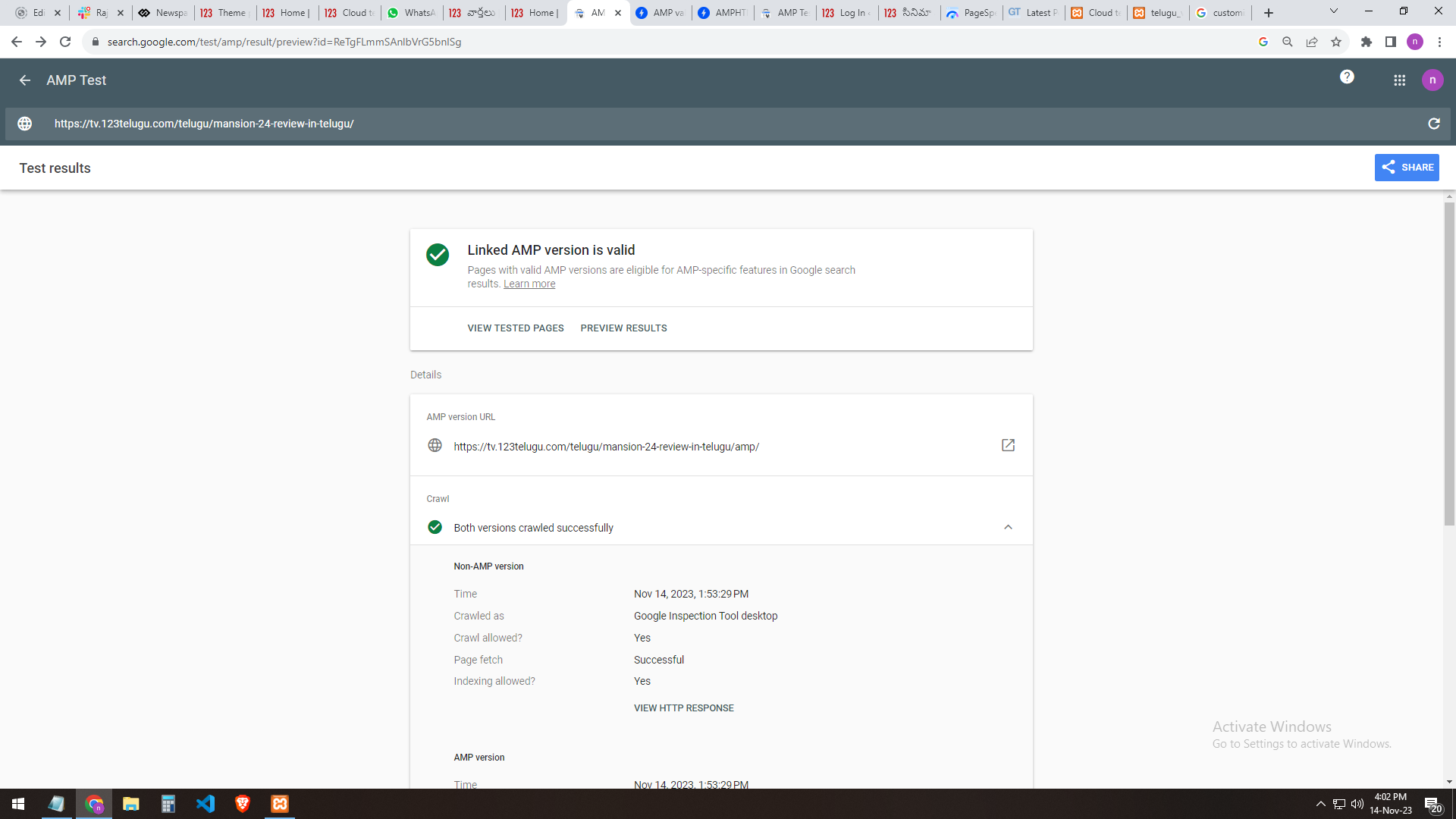
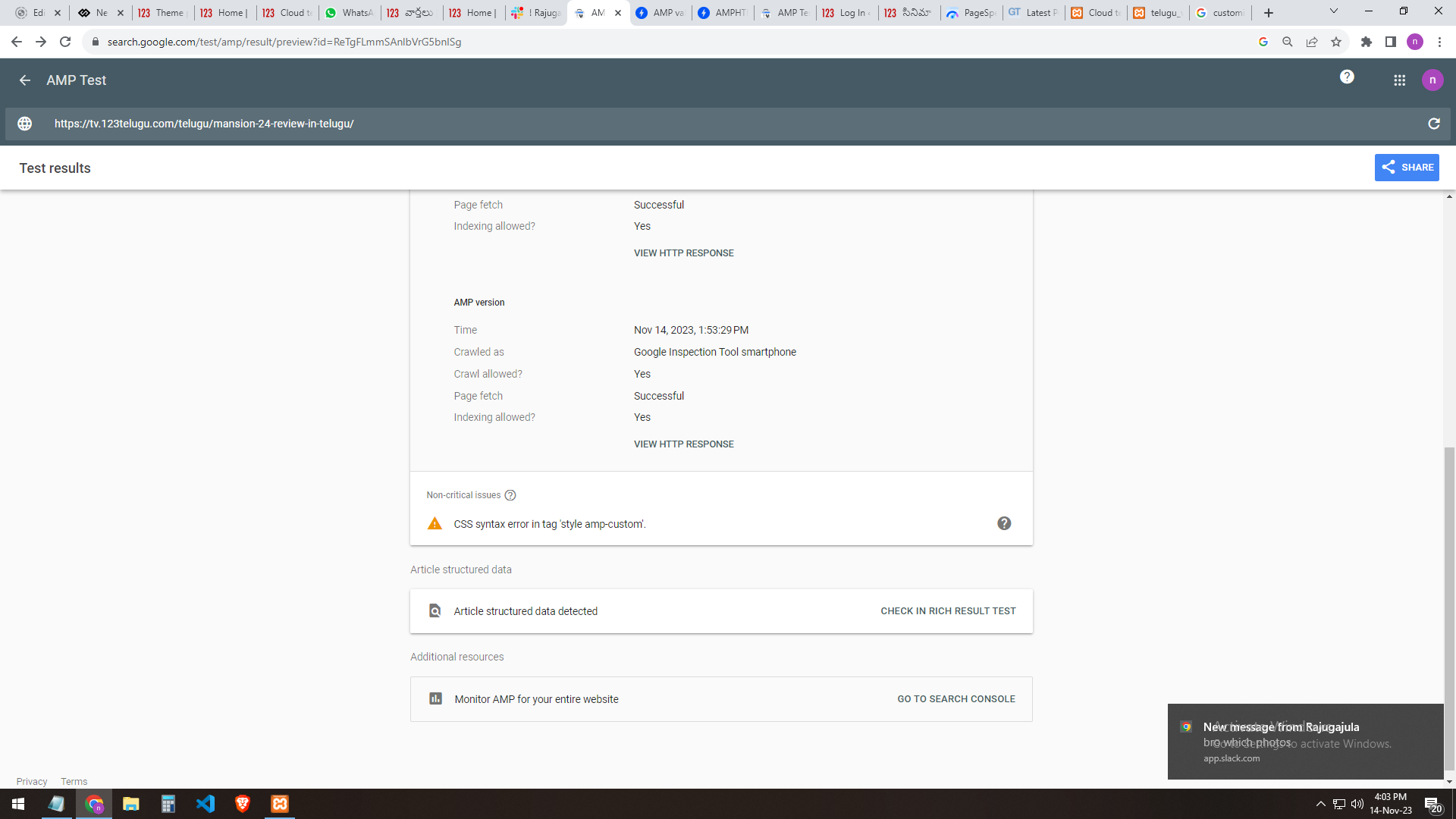
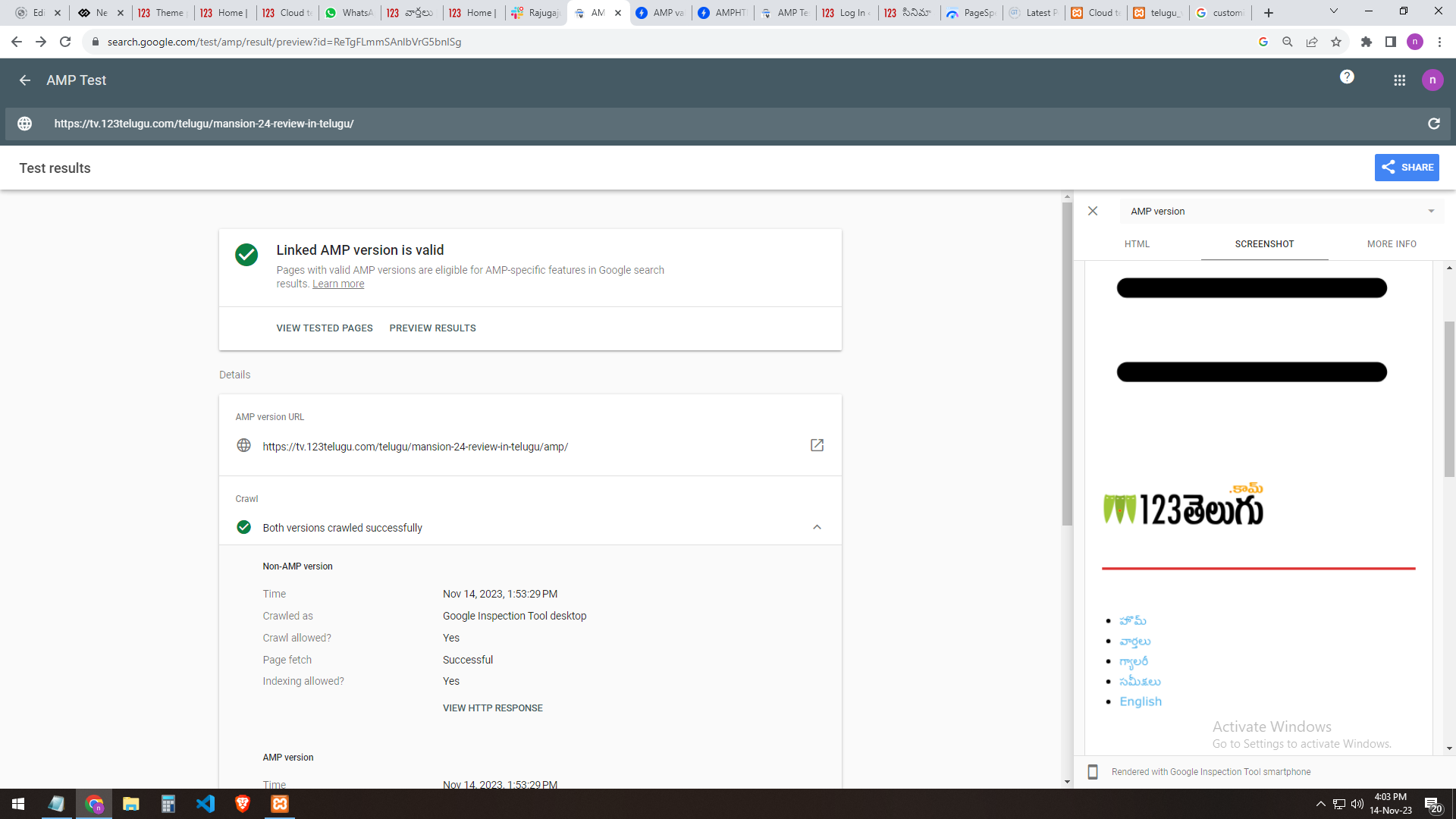
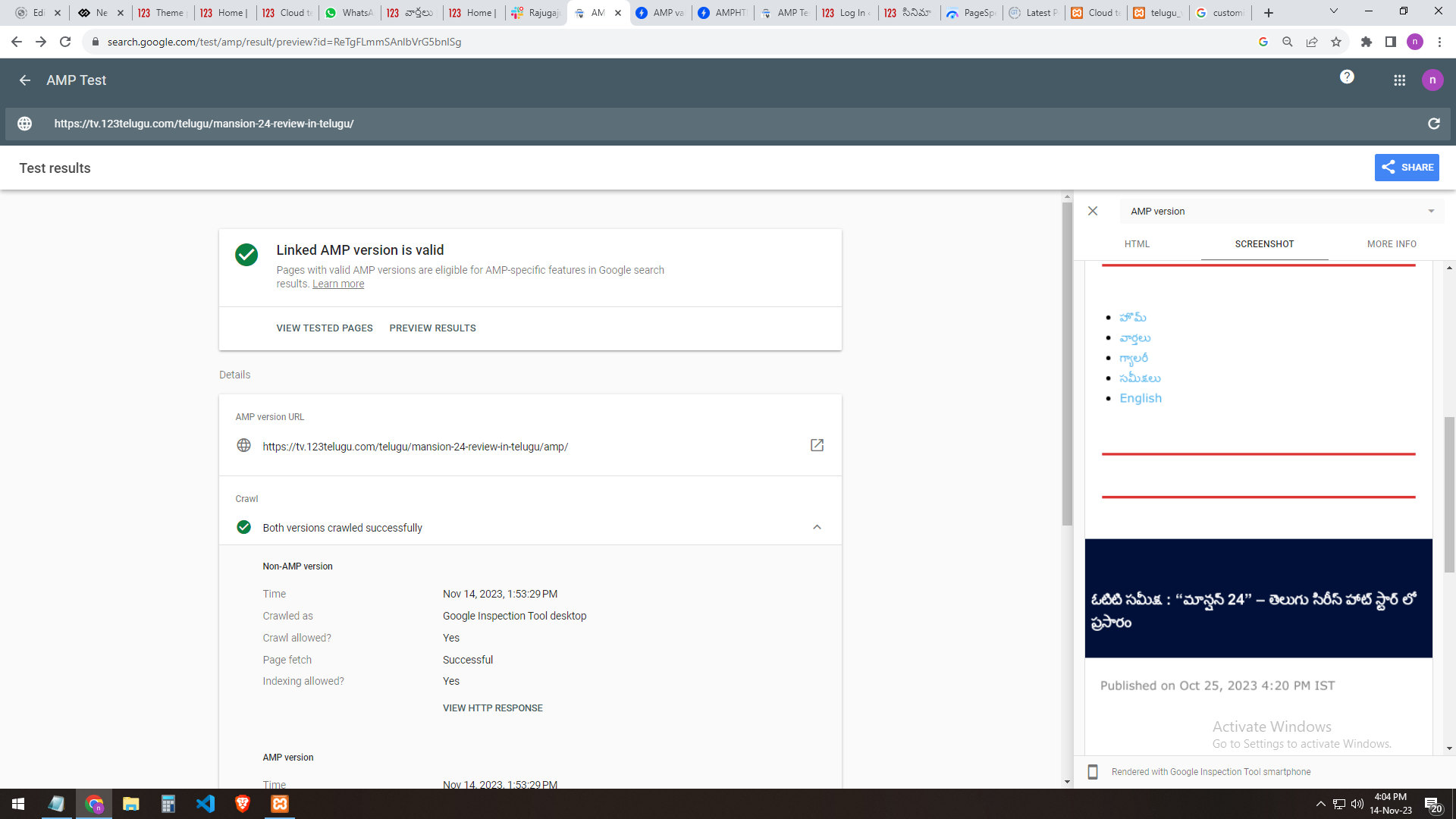
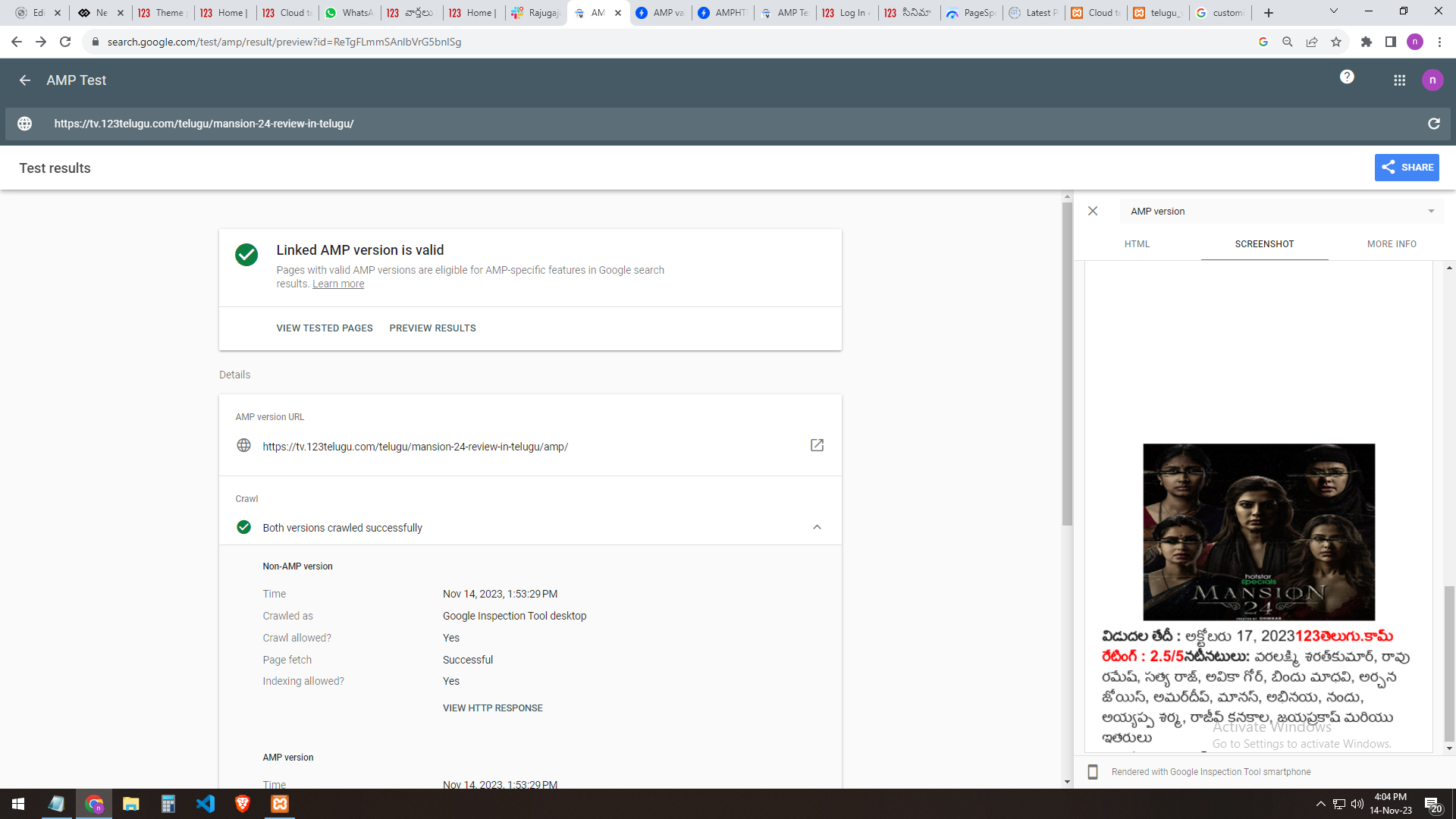
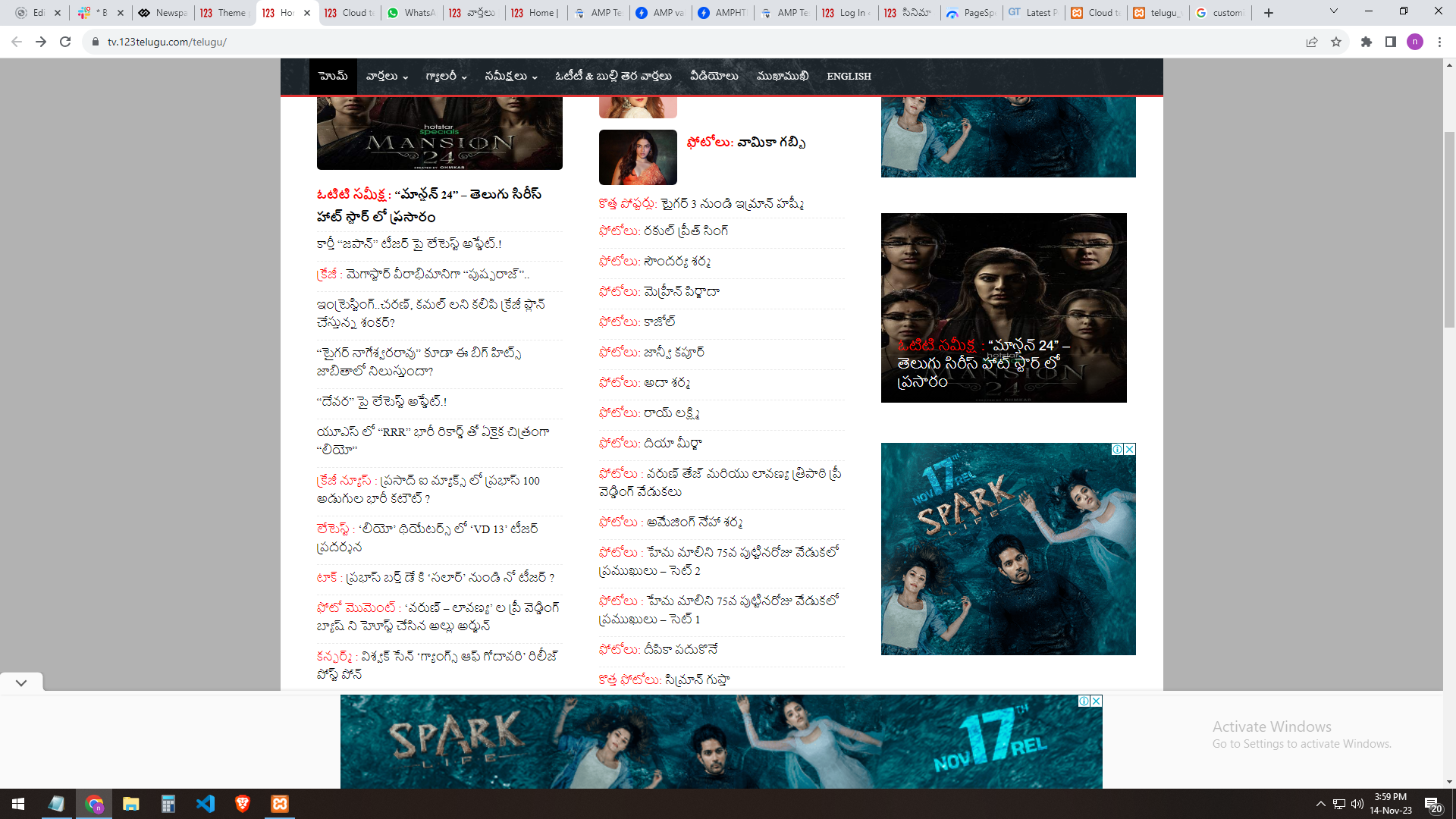
We have implemented AMP for our test website, https://tv.123telugu.com/telugu/, checking the URL with AMP validation, but we are facing a CSS syntax error in the tag
‘style amp-custom’. Please let us know how to sort out this issue.
my problem URLs
——-
https://gallery.123telugu.com/images/theme_test/banu2.png
https://gallery.123telugu.com/images/theme_test/banu3.png
https://gallery.123telugu.com/images/theme_test/banu4.png
https://gallery.123telugu.com/images/theme_test/banu5.png
https://gallery.123telugu.com/images/theme_test/banu6.png
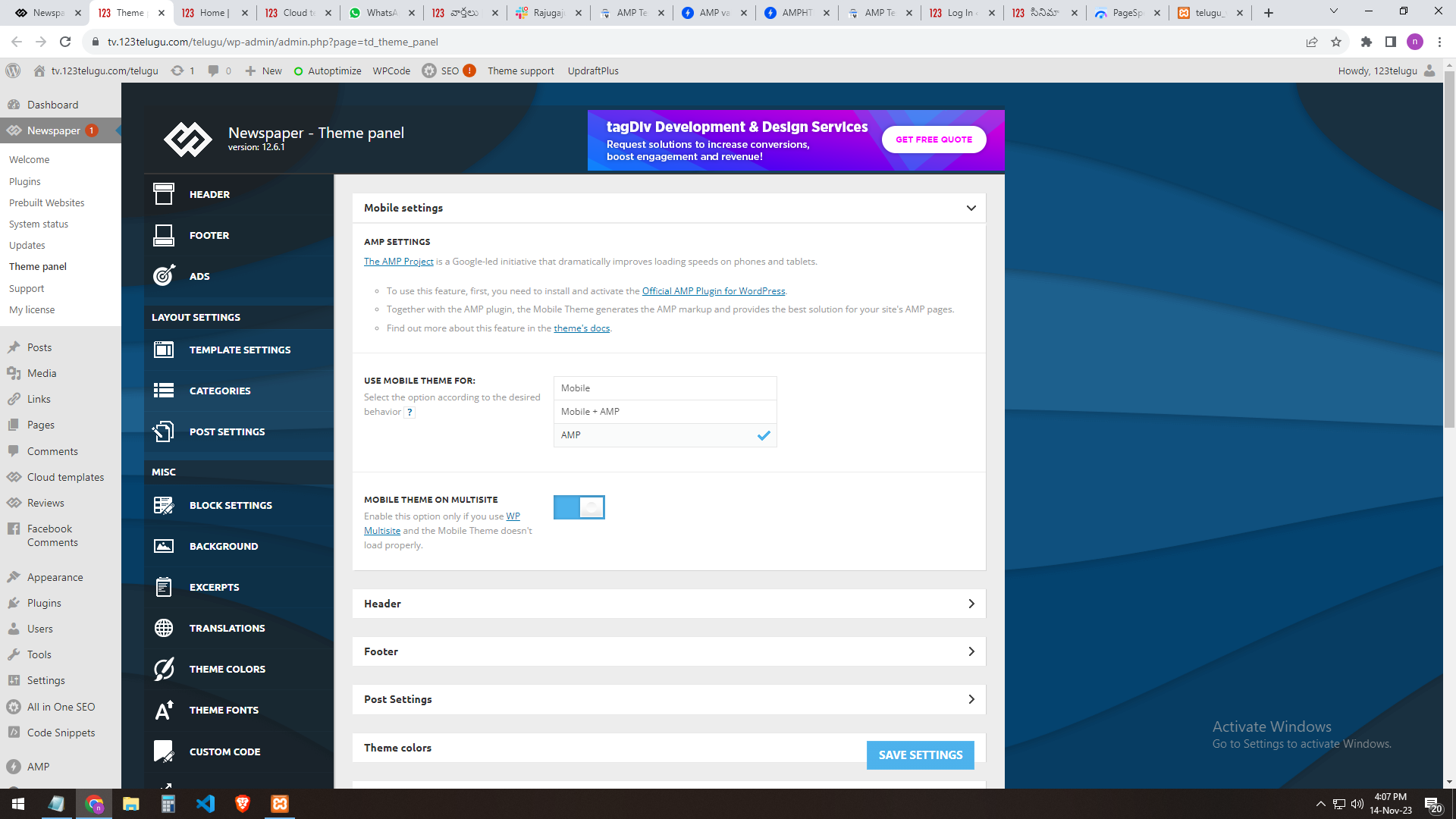
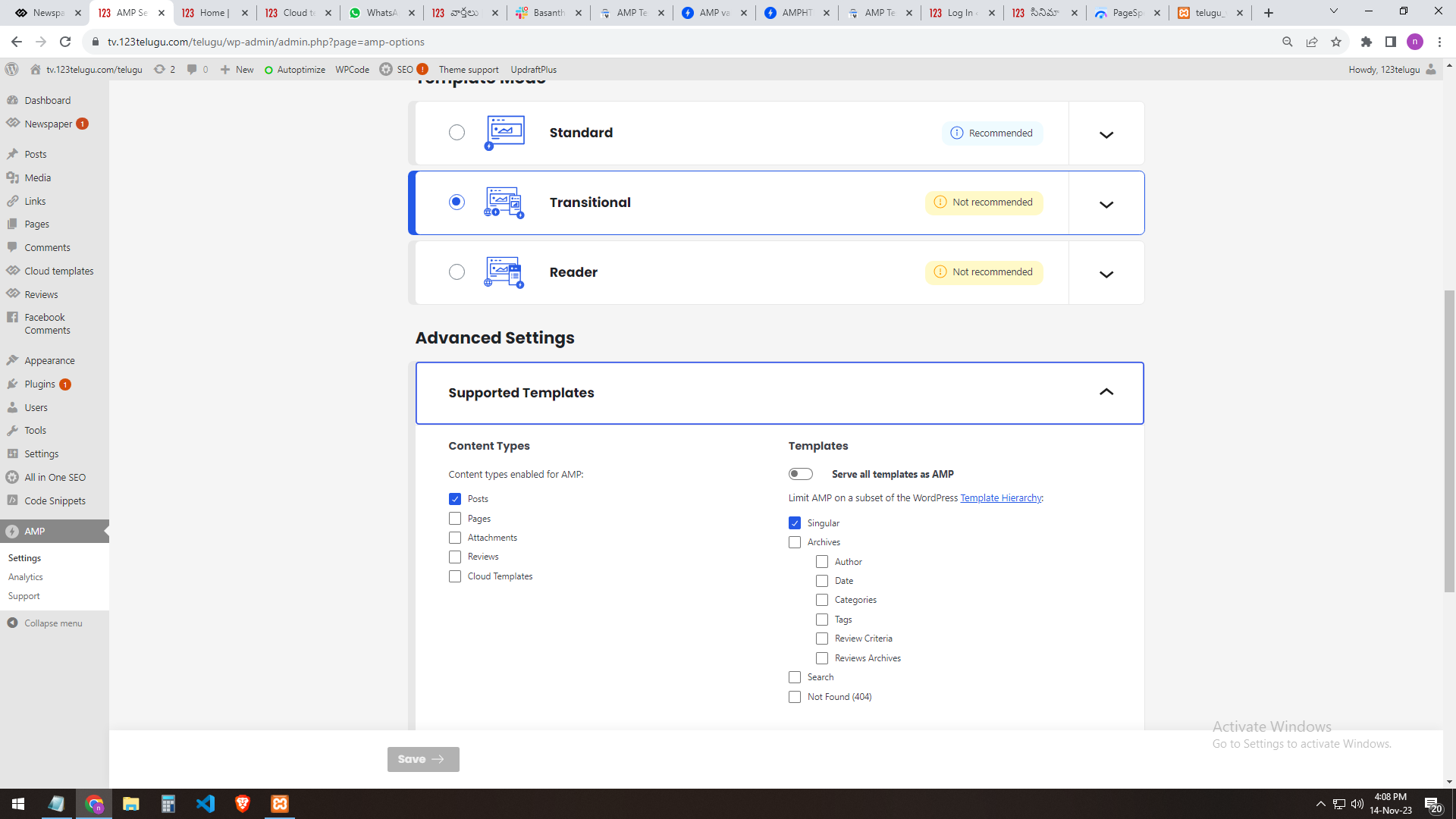
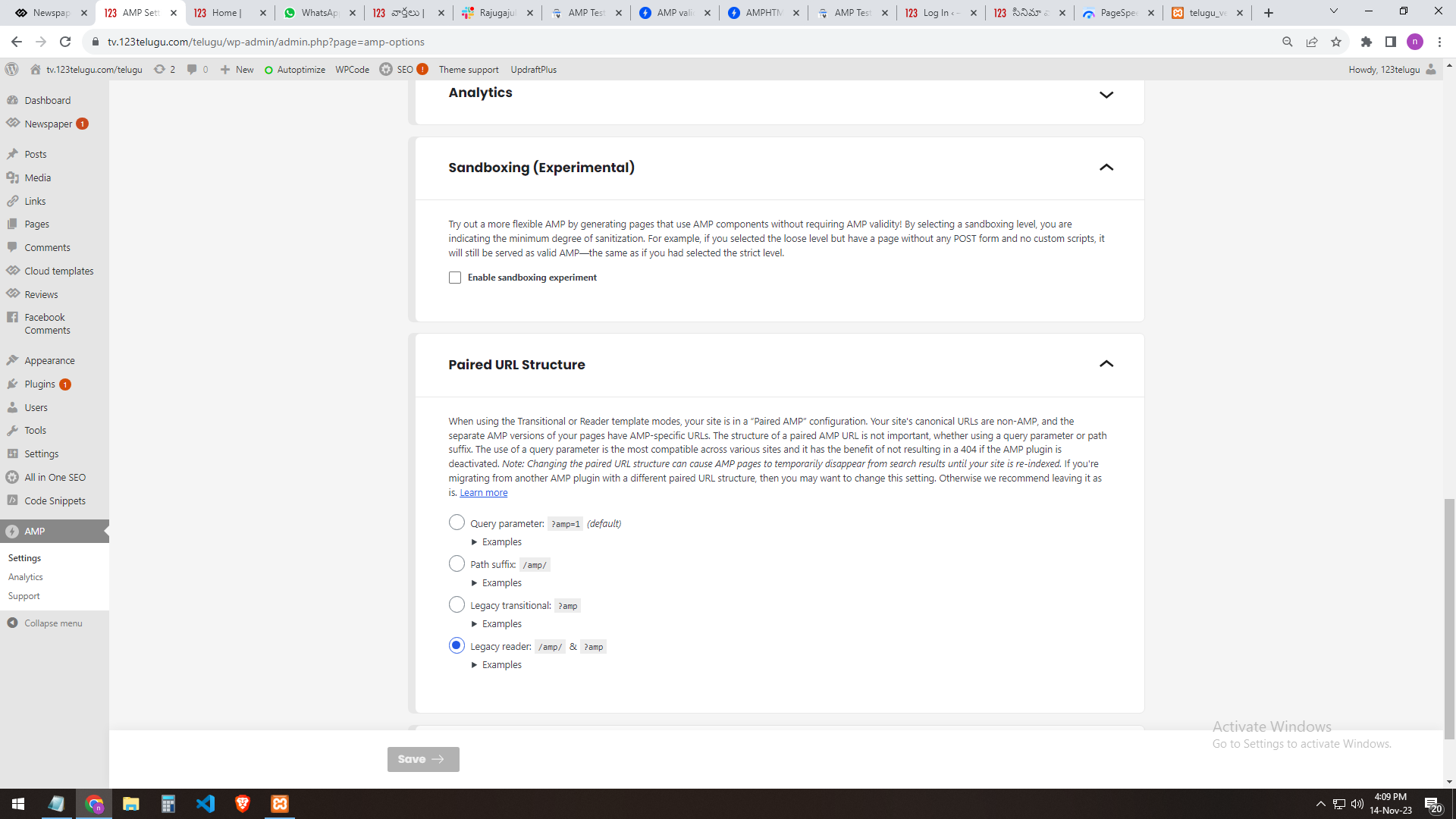
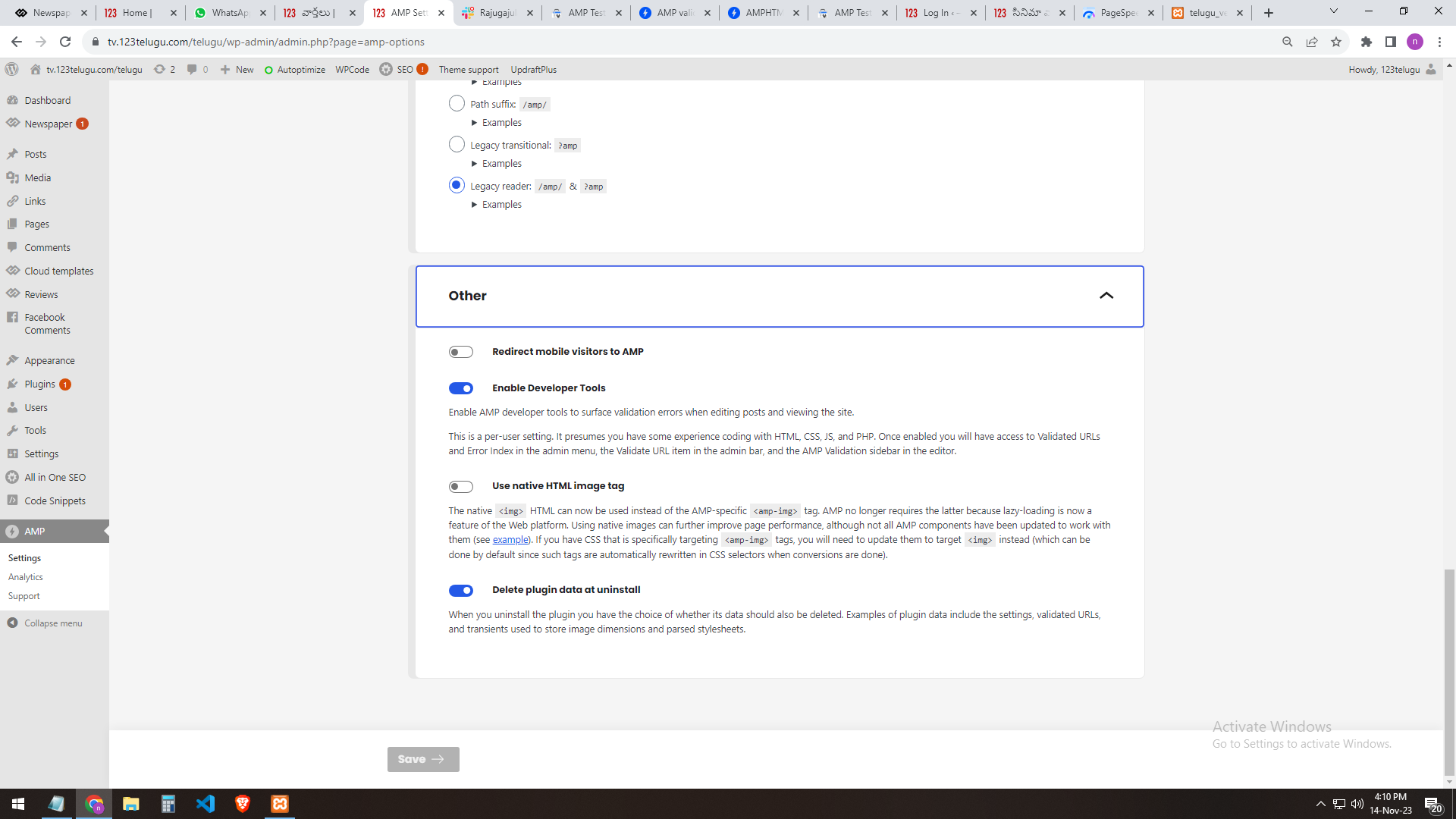
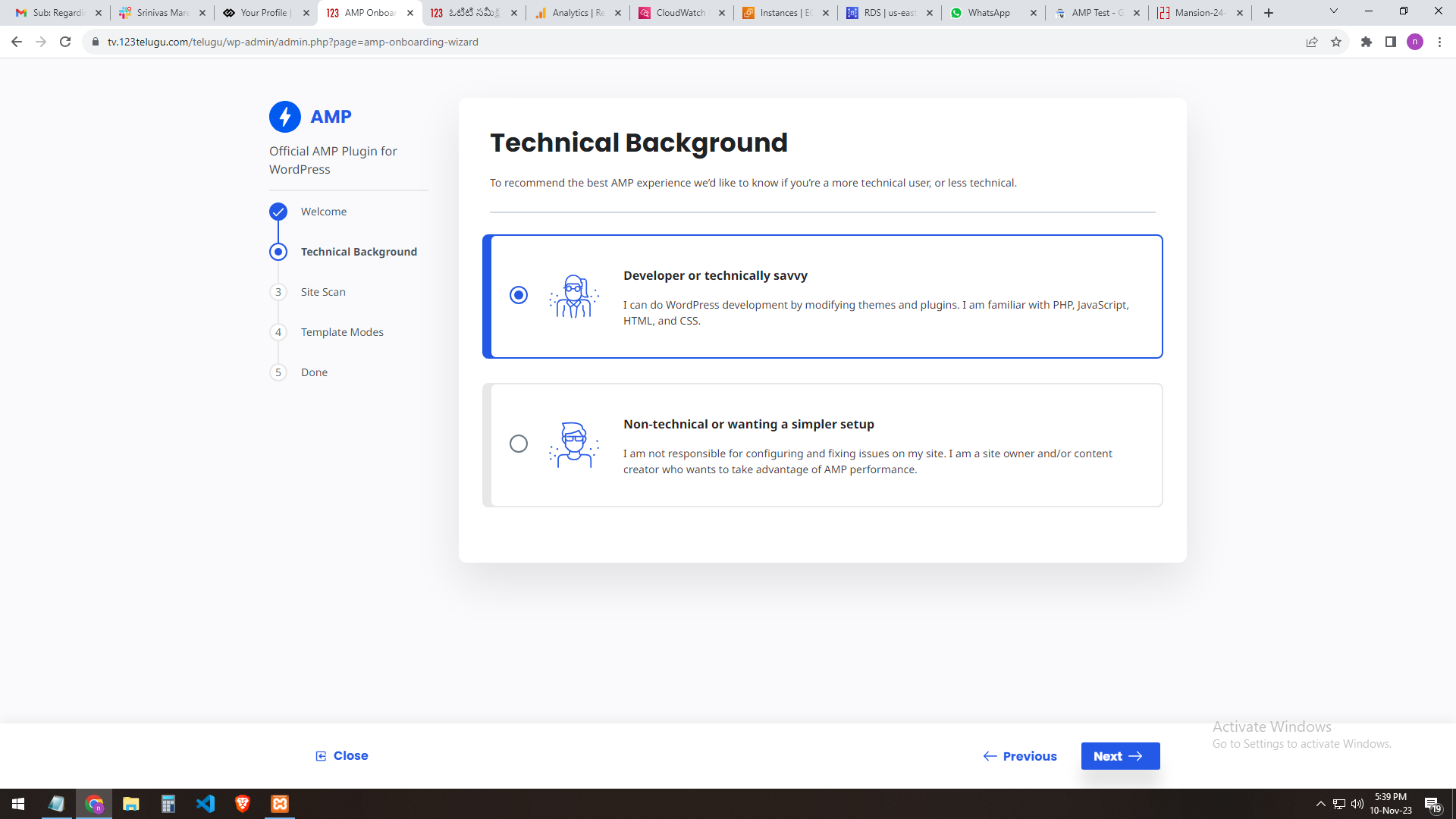
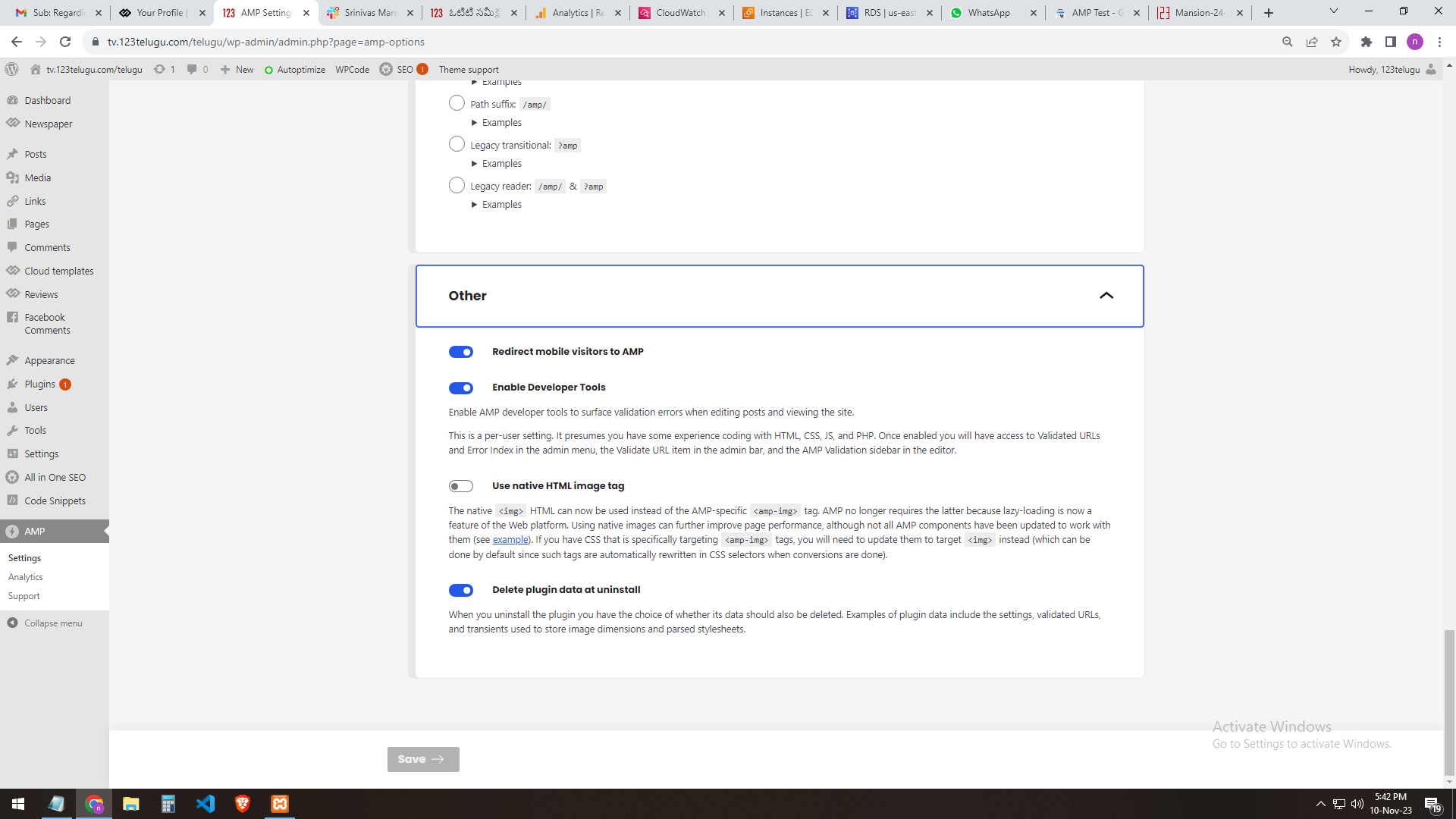
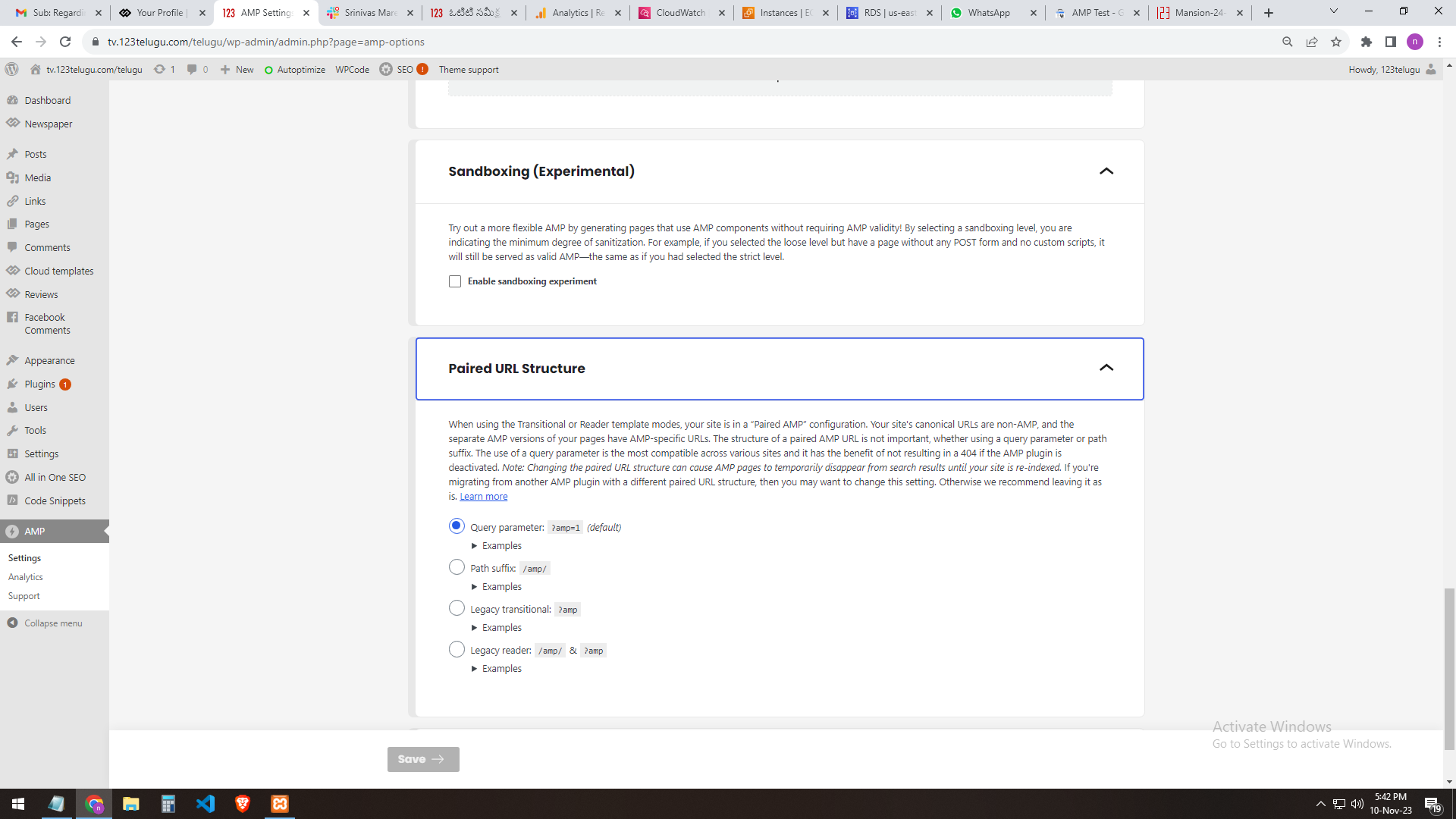
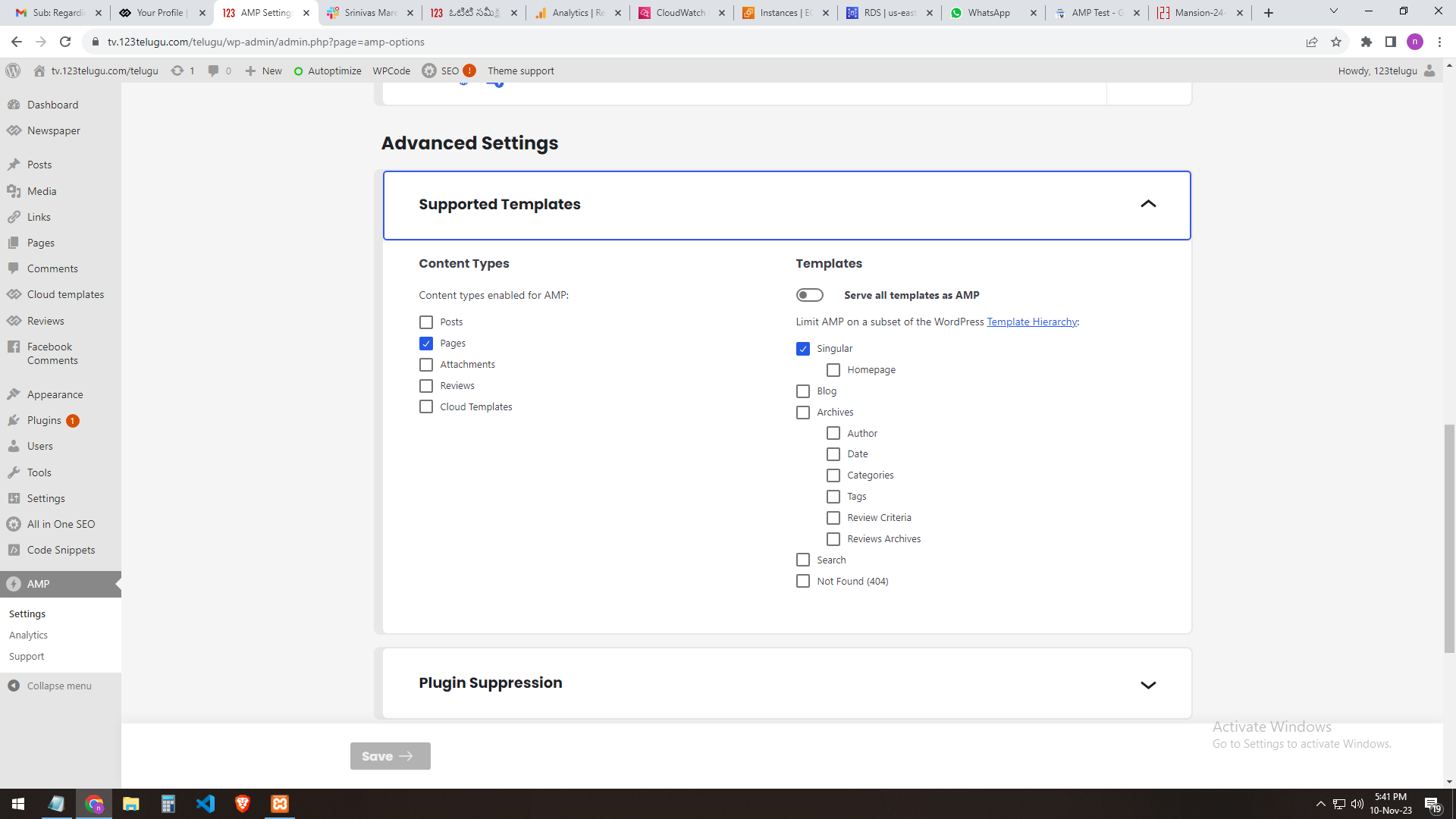
our site AMP settings
———————
https://gallery.123telugu.com/images/theme_test/banu7.png
https://gallery.123telugu.com/images/theme_test/banu8.png
https://gallery.123telugu.com/images/theme_test/banu9.png
https://gallery.123telugu.com/images/theme_test/banu10.png
Thanking you,
Regards,
Narendhar.
nagiRespected Sir/Mam,
I am a developer at Mallemaala Entertainments, located in Hyderabad. We have a few requirements for our movie review website, 123telugu.com. I am hereby mentioning our requirements.
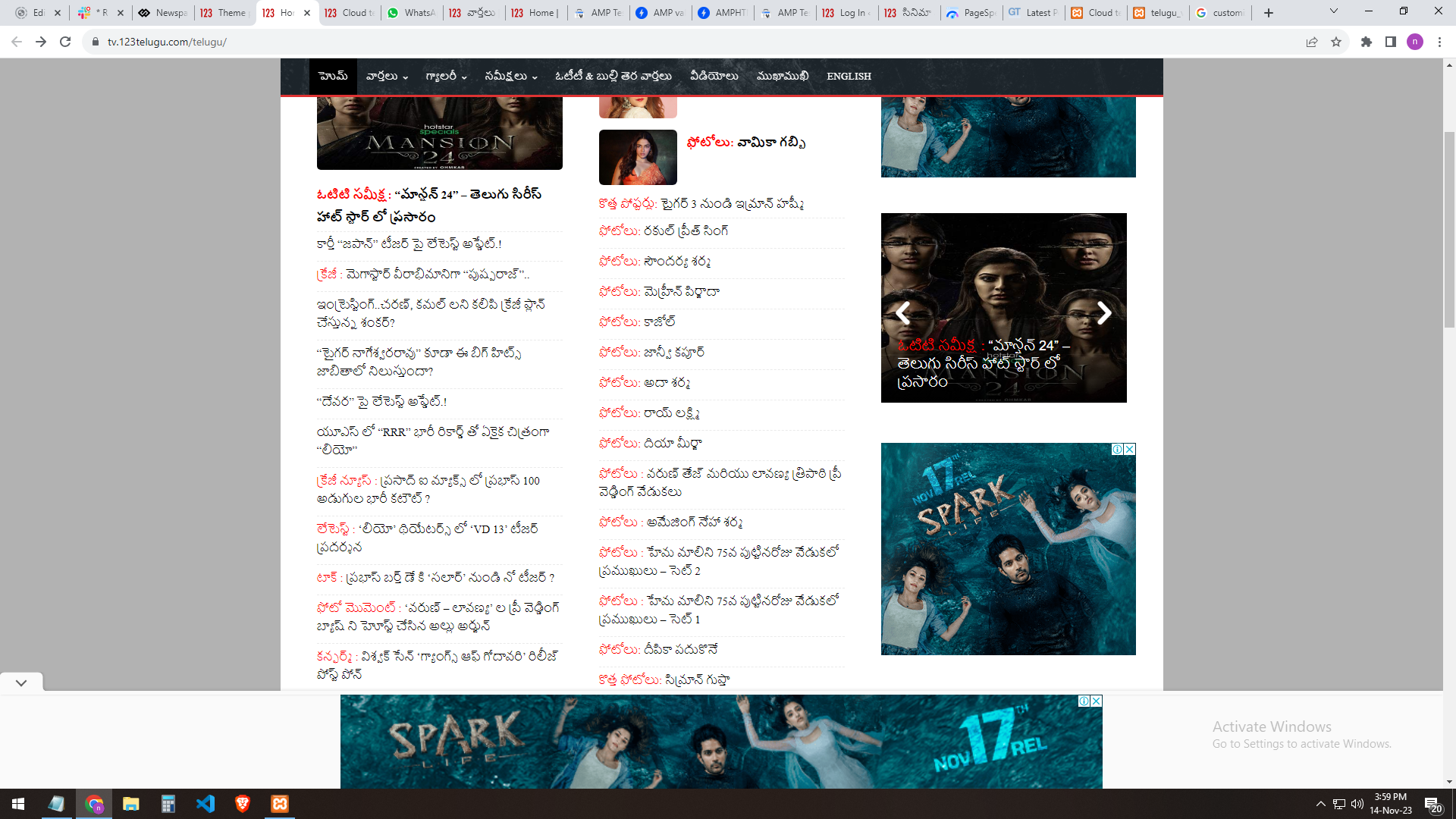
In the Newspaper theme, we are able to see the (slider) icons near the slider only through mouseover. But we want the icons visible even without a mouseover by default.
URL
—–
https://gallery.123telugu.com/images/theme_test/ban.png
https://gallery.123telugu.com/images/theme_test/banu1.png
Thanking you,
Regards,
Narendhar.
Bettina Hello @pentaliotis !
Check all these requirements for the theme: https://forum.tagdiv.com/requirements-for-newspaper/
Please make sure that is set as in our guide https://forum.tagdiv.com/cloudflare-cdn/, you need to disable the Rocket Loader.
Thank you!
Anamaria Hi,
Please make sure that you don’t have mixed content errors; you can check the console. You have to use an SSL plugin to fix it and then try to activate it again -> https://www.hostinger.com/tutorials/fix-mixed-content-wordpress/ -> https://wordpress.org/plugins/really-simple-ssl/
Also, if the theme can’t be activated, please check the console and see if there are message errors.
Also, make sure that all the settings are like in our requirements, please follow the guide carefully: https://forum.tagdiv.com/requirements-for-newspaper/
and please increase all requirements that are lower, and follow all steps.
Thank you!
 PIF21
PIF21Hi,
Where can I add more complex requirements for the registered user password? Currently the password is only required to be uppercase or lowercase letters. How do I add numbers and special characters to registered usere password requirement? Thanks.
 nycinsider
I am evaluating switching ad providers and they have sidebar requirements – width of 348. I use a post template with 75/25 column widths stretched to content with padding. But I can’t figure out from template what the actual width of the sidebar is when editing the template. How do I see/adjust the actual widths of the main content and sidebar?
nagiRespected Sir/Mam,
I am a developer at Mallemaala Entertainments, located in Hyderabad. We have a few requirements for our movie review website, 123telugu.com. I am hereby mentioning our requirements.
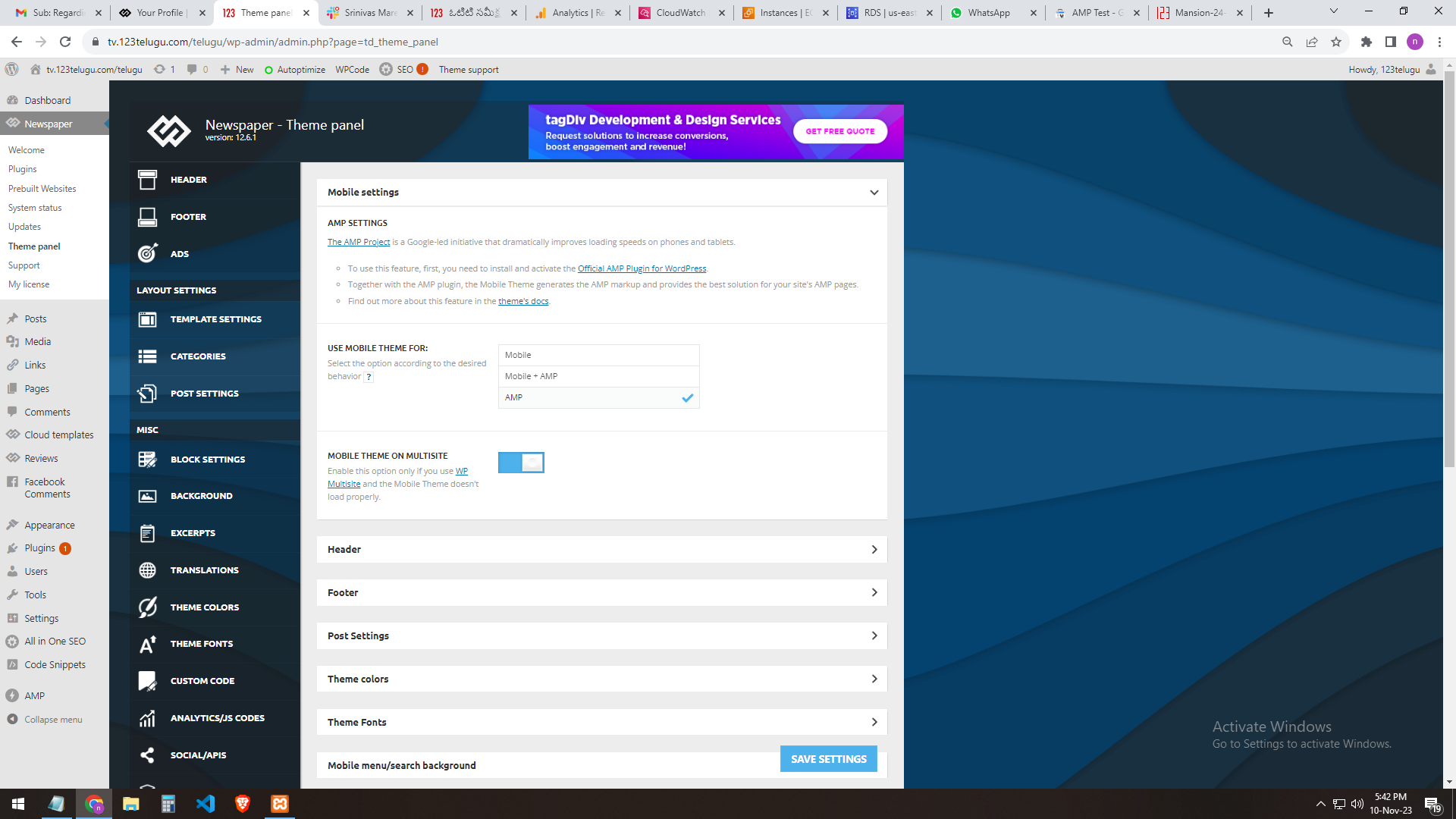
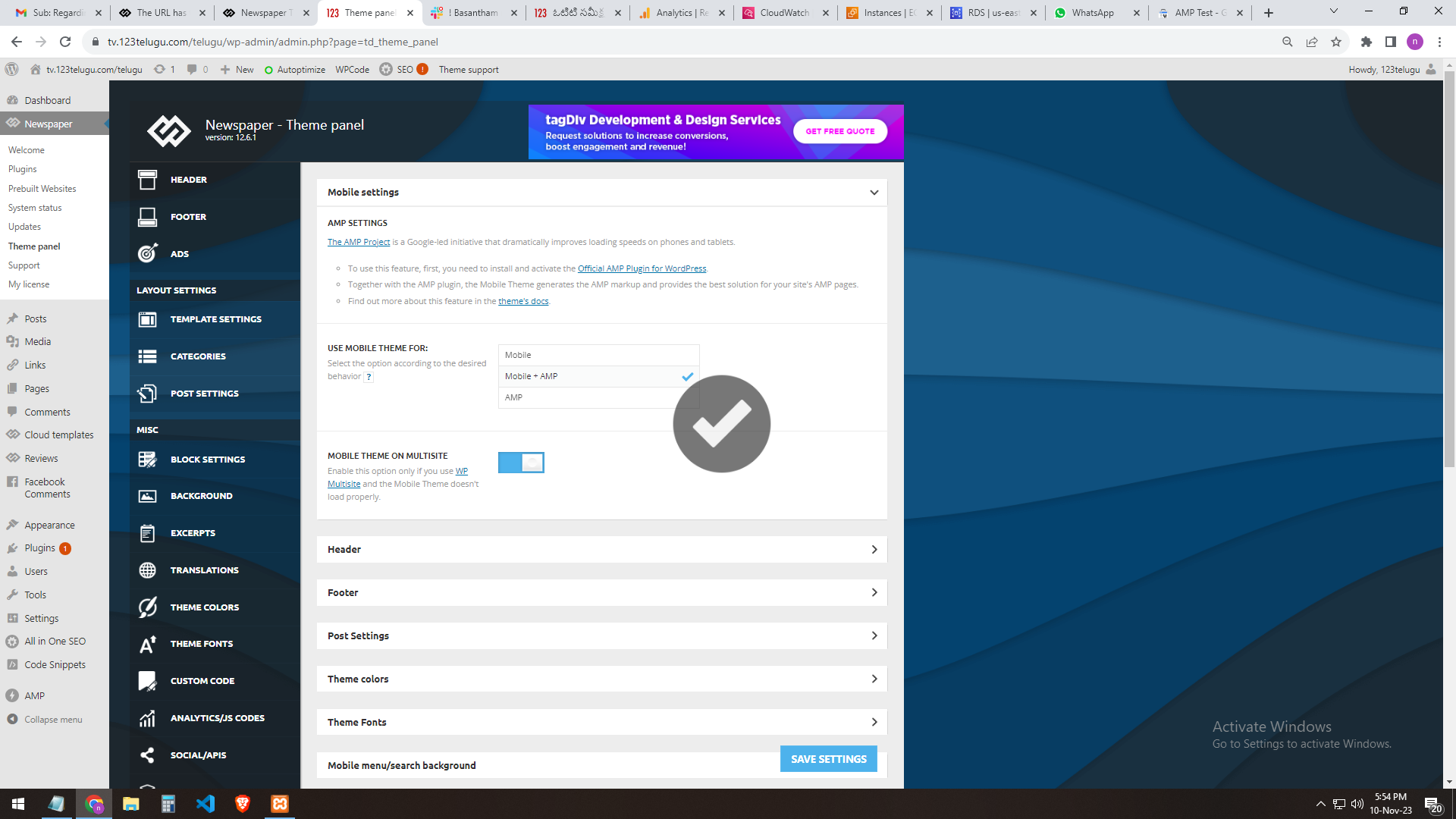
We need AMP validation. We are sending you the AMP changes (screenshots) that we did through the URL. In the mobile settings of the Newspaper theme panel, we are getting the mobile page only when we add AMP.
The plug-ins installed in the theme are the Tagdiv mobile theme and the official AMP for WP.
We installed these two plugins.
We need the best settings for AMP. Please send them step by step clearly.
In our 123telugu.com website, we have an AMP. We wanted to create an AMP with your theme.
my settings ONLY AMP
———
https://gallery.123telugu.com/images/theme_test/image2.png
https://gallery.123telugu.com/images/theme_test/image1.png
https://gallery.123telugu.com/images/theme_test/image3.png
https://gallery.123telugu.com/images/theme_test/image4.png
https://gallery.123telugu.com/images/theme_test/image5.png
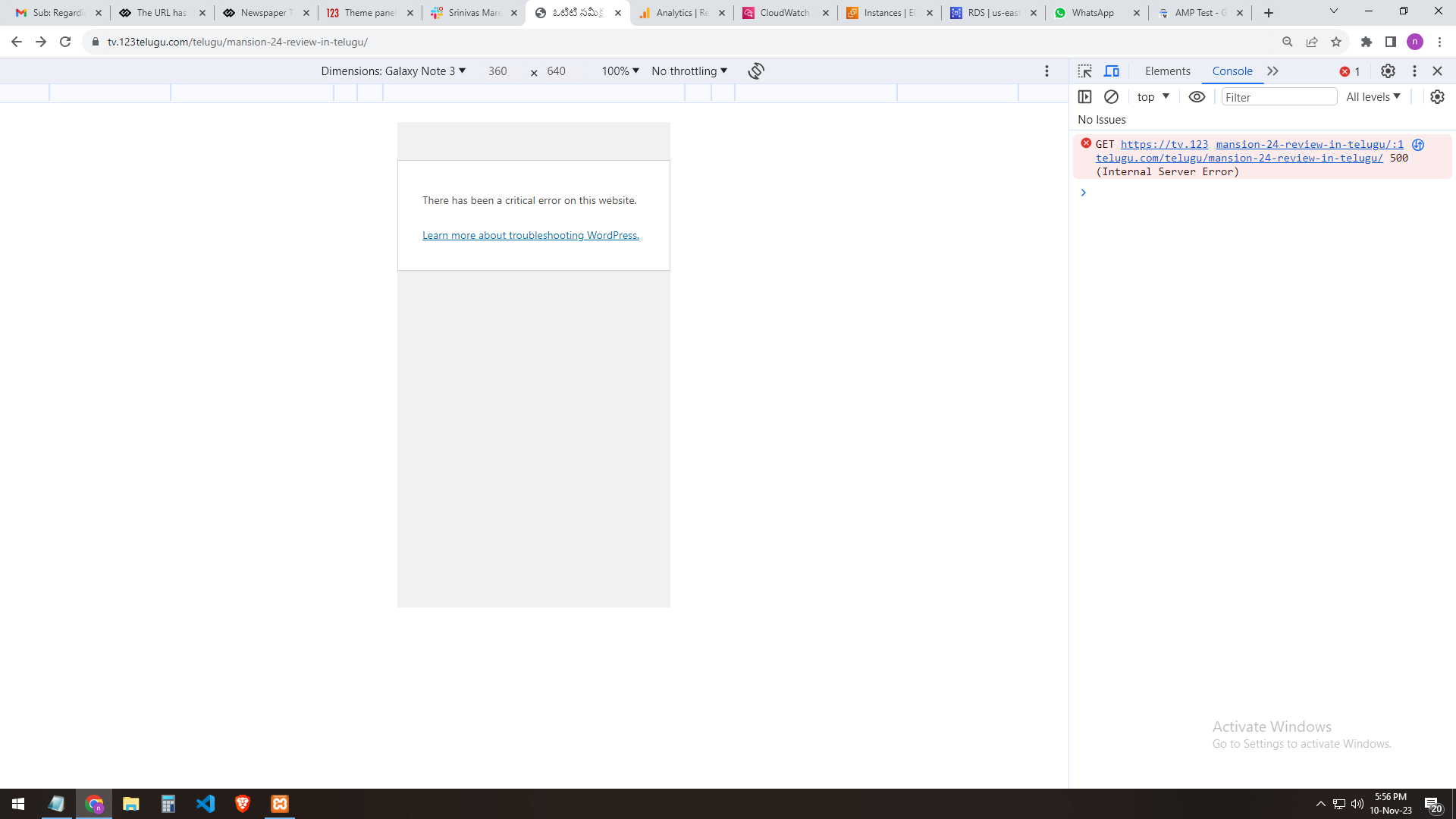
my 2nd settings AMP+ MOBILE AFTER error
—————
https://gallery.123telugu.com/images/theme_test/image9.png
https://gallery.123telugu.com/images/theme_test/image10.png
Thanking you,
Regards,
Narendra.
Anamaria Hi,
Please check this article: https://kinsta.com/knowledgebase/there-has-been-a-critical-error-on-your-website/
Make sure that all the settings are like in our requirements, please follow the guide carefully: https://forum.tagdiv.com/requirements-for-newspaper/
and please increase all requirements that are lower, and follow all steps.
Thank you!
Anamaria Hello,
Due to certain data security requirements, access to personal accounts is restricted. We recommend switching to a business account -> https://help.instagram.com/502981923235522 and logging in to the Theme Panel -> Social/APIS -> https://i.imgur.com/Yx9KEOG.png. You need to be connected to a Facebook page. We will attempt to resolve this, but we cannot guarantee anything as it is beyond our control.
Thank you!
Anamaria Hi,
@stephanwhelan
Please deactivate, delete, and reinstall the tagDiv mobile theme from Newspaper plugins and clear all cache.
@lstamellos It is not the same error because there are different errors; please create your topic in the future.
Usually when this problem appears what you need to do is to double the wp memory that is alcoate for the website.
We recommend to set it on 256MB, if you already have it at 256 then double it.
-> https://forum.tagdiv.com/requirements-for-newspaper/
Thank you!
Anamaria Hello,
Due to certain data security requirements, access to personal accounts is restricted. We recommend switching to a business account -> https://help.instagram.com/502981923235522 and logging in to the Theme Panel -> Social/APIS -> https://i.imgur.com/Yx9KEOG.png. We will attempt to resolve this, but cannot guarantee anything, as it is beyond our control.
Thank you!
Anamaria Hello,
Due to certain data security requirements, access to personal accounts is restricted. We recommend switching to a business account -> https://help.instagram.com/502981923235522 and logging in to the Theme Panel -> Social/APIS -> https://i.imgur.com/Yx9KEOG.png. We will attempt to resolve this, but cannot guarantee anything, as it is beyond our control.
Thank you!
Anamaria Hi,
Please check the requirements here: https://forum.tagdiv.com/requirements-for-newspaper/
Please let me know what host/server you have and what plugins you have installed.
Thank you!
Anamaria Hi,
Please make sure that you don’t have mixed content errors; you can check the console. You have to use an SSL plugin to fix it and then try to activate it again -> https://www.hostinger.com/tutorials/fix-mixed-content-wordpress/ -> https://wordpress.org/plugins/really-simple-ssl/
Also, if the theme can’t be activated, please check the console and see if there are message errors.
Also, make sure that all the settings are like in our requirements, please follow the guide carefully: https://forum.tagdiv.com/requirements-for-newspaper/
and please increase all requirements that are lower, and follow all steps.
Thank you!
Bettina Hello!
Follow this guide to clean your WordPress and theme of malware: https://askwpgirl.com/10-steps-remove-malware-wordpress-site/
After that, you can update the theme to the latest update.
For every update, we always recommend the following:
-> First of all, please make sure you have a backup.
-> Please deactivate all the non-tested plugins with our theme before updating.
-> Update WordPress, PHP, the theme, and plugins to the latest version: https://forum.tagdiv.com/how-to-update-the-theme-2/.
-> Check all these requirements for the theme: https://forum.tagdiv.com/requirements-for-newspaper/
Thank you!
Bettina Hello Andreea!
Follow this guide to clean your WordPress and theme of malware: https://askwpgirl.com/10-steps-remove-malware-wordpress-site/
For every update, we always recommend the following:
-> First of all, please make sure you have a backup.
-> Please deactivate all the non-tested plugins with our theme before updating.
-> Update WordPress, PHP, the theme, and plugins to the latest version: https://forum.tagdiv.com/how-to-update-the-theme-2/.
-> Check all these requirements for the theme: https://forum.tagdiv.com/requirements-for-newspaper/
Thank you!
Bettina Hello!
I’m sorry to hear that. We did not change anything regarding this issue with the plugins, which automatically activate on your end.
For every update, we always recommend the following:
-> First of all, please make sure you have a backup.
-> Please deactivate all the non-tested plugins with our theme before updating.
-> Update WordPress, PHP, the theme, and plugins to the latest version: https://forum.tagdiv.com/how-to-update-the-theme-2/.
-> Check all these requirements for the theme: https://forum.tagdiv.com/requirements-for-newspaper/.
If the problem will always continue like that on your end, then we should investigate this issue and fix it. All the personal data can be sent to our email, contact@tagidv.com.
Thank you!
 veridik
We have been using the professional theme “Newspaper” that we had previously with OVH and LWS, and it was working very well. However, we are currently experiencing a significant difficulty in creating a presentation page with the tagDiv Composer plugin.
The following error is displayed: “Error at zones: 6(models) : 0(dom). The model does not match the content. Current state has involved an issue. You could try an UNDO operation (CTRL+Z / CTRL+SHIFT+Z).”
We have consulted the tagDiv Composer support page:
https://forum.tagdiv.com/tagdiv-composer-not-working/
but we have been unable to determine the problem.
We have also looked at the link regarding the required configuration:
https://forum.tagdiv.com/requirements-for-newspaper/
However, we do not have the necessary expertise to diagnose the root of the problem.
Could you help us to determine if it comes from an improper server configuration?
Kind regards,
Vincent
Anamaria Hi,
Please check this article: https://kinsta.com/knowledgebase/there-has-been-a-critical-error-on-your-website/
Make sure that all the settings are like in our requirements, please follow the guide carefully: https://forum.tagdiv.com/requirements-for-newspaper/
and please increase all requirements that are lower, and follow all steps.
Thank you!