Vlad S
 Hello !
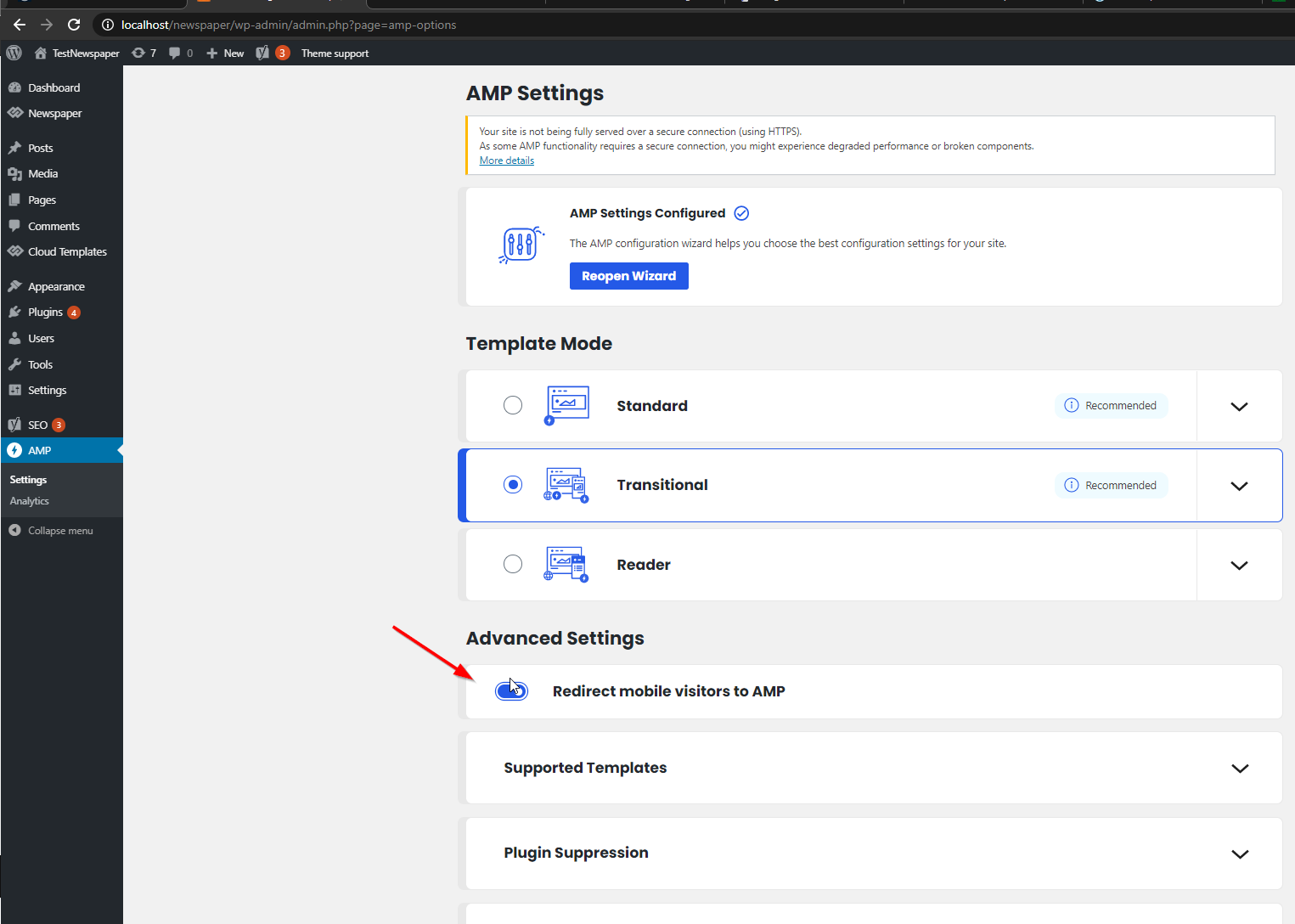
That is because this option is enabled: https://slack-imgs.com/?c=1&o1=ro&url=https%3A%2F%2Fi.imgur.com%2F649ocos.png
Please disable this option and let us know the result !
Thank you !
Vlad S Hello !
There are 5 flex blocks in total, you can test each one and see which one you like the most: https://www.screencast.com/t/vYytUkpKOXnk
I am sorry for misunderstanding ! Insert the css of the image here then: https://www.screencast.com/t/J1Nxw5s5
Thank you !
Vlad S Hello !
This is how the theme was built. It wasn’t designed to work with other plugins except the tested ones therefore some untested plugin may or may not work.
We are sorry for the inconvenience !
Thank you !
Vlad S Hello !
In order to activate the featured image option when sharing a post you will have to use SEO Yoast plugin. Simply activate it and clear your cache.
Let us know the result !
Thank you !
Vlad S Hello !
Please note that we answer messages from latest to newest. If you keep replying to your topic this will be automatically refreshed and we will never reach it. Unfortunately at the moment the support is a bit crowded and we do our best in fixing this as soon as possible.
For the mobile theme article issue. Can you inspect from another device too ? This may be a caching issue in your device browser. You can even try incognito mode. That is the most accurate way to see what your users see.
1. Please note that Disqus plugin and Schema & Structured Data for WP & AMP have not been tested with Newspapaer Theme. Disqus is known to be a bit of a trouble maker in Newspaper Theme. We recommend and use SEO Yoast plugin.
2. That is how mobile theme looks and works. You can tweak it from Theme panel as you can see here: https://www.screencast.com/t/dEjrK65z Also, the last post never appears or it takes some time before it shows up ?
I hope this was helpful !
Thank you !
Vlad S Hello !
I am sorry but I think I misunderstood what you wanted to edit.
I understood that you want to change the H1. Isn’t that correct ?
Thank you !
Vlad S Hello !
We are sorry for the inconvenience !
Our e-mails are all answered in maximum 48hrs except weekends. What is your e-mail address ? Maybe the e-mail is in the SPAM Folder.
Thank you !
Vlad S Hello !
Please provide a link to your website in order to inspect.
Thank you !
Vlad S Hello !
Please use this css code in order to fix your issue.
.td_block_social_counter{

color:black!important;

}
The code must be inserted here: https://www.screencast.com/t/J1Nxw5s5
Let us know the result !
Thank you !
Vlad S Hello !
We need to take a look and see what can be done there to see if a fix can be done in order to fit your needs.
Please contact us via email at contact@tagdiv.com and provide the following:
– admin url and credentials
– A link to this topic in order to identify you
Our team will take a look !
Please note that at the moment the Support team is not 24/7 available. We answer the topics from Latest to Newest Monday – Friday from 08:00AM to 05:00PM GMT+2
Thank you !
Vlad S Hello !
At the moment we hope to release the update in January but this is not fixed yet. Our developers are working in implementing a tool to remove the unused CSS automatically.
Thank you !
Vlad S Hello !
It means that there is no problem if you don’t see the fonts there. It is ok.
Thank you !
Vlad S Hello !
We need to take a look and see what can be done there to see if a fix can be done in order to fit your needs.
Please contact us via email at contact@tagdiv.com and provide the following:
– admin url and credentials
– A link to this topic in order to identify you
Our team will take a look !
Please note that at the moment the Support team is not 24/7 available. We answer the topics from Latest to Newest Monday – Friday from 08:00AM to 05:00PM GMT+2
Thank you !
Vlad S Hello !
This happens due to cache. Please follow our guide and make sure that WP Super Cache has been installed properly: https://forum.tagdiv.com/cache-plugin-install-and-configure/
Let us know the result.
Thank you !
Vlad S Hello !
Can you send us a screenshot of your issue ? I’m not quite sure I understand the issue.
Thank you !
Vlad S Hello !
At the moment you can only reduce it by using it less or trying a different font.
Thank you !
Vlad S Hello !
As mentioned in all the topics, our developers are very aware about what is coming in 2021 and this is our main focus for the next updates.
You can however contact our custom work team for adapting the plugin if you want: https://tagdiv.com/web-development-services/
Also as you can see here: https://www.screencast.com/t/eFOwuLY9fDPA This is the main issue of speed on your website at the moment.
Thank you !
Vlad S Hello !
As mentioned in all the topics, our developers are very aware about what is coming in 2021 and this is our main focus for the next updates.
You can however contact our custom work team for adapting the plugin if you want: https://tagdiv.com/web-development-services/
Also as you can see here: https://www.screencast.com/t/eFOwuLY9fDPA This is the main issue of speed on your website at the moment.
Thank you !
Vlad S Hello !
Please provide a link to your website in order to inspect.
Thank you !
Vlad S Hello !
In this case we recommend you to delete the post loop element and use Flex Block element which is more customizable and has more filters.
Thank you !
Vlad S Vlad S Hello !
You can restore when using tagDiv Composer, simply CTRL + Z and it will go one step back.
Let me know if this worked out for you.
Thank you !
Vlad S Hello !
Please send us a screenshot of your System Status Tab and make sure that all the requirements are met as you can see here: https://forum.tagdiv.com/requirements-for-newspaper/ ; You will have to first start looking for a plugin conflict. please deactivate ALL plugins except tagDiv ones, also if you are using child theme or cache plugin, deactivate them, clear all cache and try again.
Also you can try and remove and re-install the tagDiv Composer plugin.
Let us know the results.
Thank you !
Vlad S Hello !
I am not sure I fully understand your query, What exactly is missing ? can you provide a screenshot ?
Thank you !
Vlad S Hello !
The update can be downloaded from here: https://themeforest.net/item/newspaper/5489609
Please follow our guide in order to update: https://forum.tagdiv.com/how-to-update-the-theme-2/
Thank you !