- NewsmagUsing the theme translations together with WPML
- NewsmagHow to update a plugin
- NewsmagCustom Post Type Support
- NewsmagAbove footer ads
- NewsmagWeather Widget
- NewsmagHow to update the theme
- NewsmagIntroduction
- NewsmagLogo & Favicon
- NewsmagFooter templates
- NewsmagUsing other ads
- NewsmagCustom ad spots
- NewsmagArticle ads
- NewsmagSidebar ads
- NewsmagHeader ads
- NewsmagLoading image effects
- NewsmagCategory top post styles
- NewsmagSmart Lists
- NewsmagGeneral settings
- NewsmagTheme thumbs
- NewsmagtagDiv slider gallery
 unit45host
 Hi,
There still problem with the base pictures “just re-appear” some how…
Look the screenshot:
https://1000wordsmagazine.com/wp-content/uploads/2018/01/tagdiv-error-pictures-re-appear.jpg
last night 22:14 I deleted those pics from wordpress media library — and post updated pictures back again…
Since I reported to you – probably deleted 30 times…
It is outside of the wordpress structuralised media system : wp-uploads folder – but not in the YEAR/MONTH directory..
Yesterday morning I reseted wordpress with clean install after drop all table in db.
Then imported back everything with xml’s.
The problem the same+a few more..
1., mobil theme has interfere with the ahmed kaludi’s ampforwp plugin – mobil-view on desktop/laptop pc. ( contacted with them also )
https://1000wordsmagazine.com/wp-content/uploads/2018/01/26695270_1716932865018171_1038534762_o.jpg
2., author pages 404 ( and only the author pages) — no yoast was installed..
https://1000wordsmagazine.com/wp-content/uploads/2018/01/404-authors-not-work.jpg
3., Theme panel – chinese looks like letters/icons/chars on post sharing option.
https://1000wordsmagazine.com/wp-content/uploads/2018/01/chinese-chars-letter-socialshare.jpg
4., likes disapear / re-appears
5., posts view counts not show in responsive view ( profile – only in landscape view ) nor if mobile theme active
6., and its slowly in wp-admin.
There is a massive server resource ( 30gib ram, 2*2.1 ghz cpu, 100 gib NVE-SSD disk, cloudlinux 7, litespeed webserver, cloudflare railgun, etc ).
When created this ticket the website was on Nginx server. Since its moved to new location, problem not only the same but more.
hm..
Thank you – if you could help.
Zoltan
 curmi01
Hi Guys , i am reletively new to this type of job.
I have this code and instructions but don’t know where to input them respectively.
So I just bought a facebook-page about fitness, training etc. I will do some changes to it and post articles to get traffic to the webpage. But I also want people visiting the website to like the fb-page. So I would like this placed in the kind of sidebar on the right within the design.
Code for likebox:
Step 1: Include the JavaScript SDK on your page once, ideally right after the opening body tag.
<div id=”fb-root”></div>
<script>(function(d, s, id) {
var js, fjs = d.getElementsByTagName(s)[0];
if (d.getElementById(id)) return;
js = d.createElement(s); js.id = id;
js.src = ‘https://connect.facebook.net/en_US/sdk.js#xfbml=1&version=v2.11’;
fjs.parentNode.insertBefore(js, fjs);
}(document, ‘script’, ‘facebook-jssdk’));</script>
Step 2: Place this code wherever you want the plugin to appear on your page.
<div class=”fb-page” data-href=”https://www.facebook.com/NorwegianAesthetics/” data-small-header=”false” data-adapt-container-width=”true” data-hide-cover=”false” data-show-facepile=”true”>
</div>
ANY IDEAS?
THANKS SO MUCH
 serambca
Good night and happy new year!
I detect a little problem with an images in my main page.
Let me explain you.
I have a module Big grid Slide in the main page.
When I put some pictures, are dropped by down and only are dropped here. When I clic in the post show correct in the other sites ( for example in the up of the article ).
The image appears fine in the other blocks. For example (Blocks 17)
I invite you to access my website https://www.binaryworld.es and see that I am talking.
I see that the images are resizing but in this module don’t resize correct .. in change in other modules fine…
I hope you can help me.
Thanks and regards
 arirasanen
Hi!
I think 16 pt font size and default line height works well for my site on laptop. But on mobile device the text is too big for my eyes. Is it anyhow possible to change the size & line height only for mobile?
 Cthulhus
Hello,
It’s very important for my that people don’t know that I’m using WP (for security reason) and I don’t want that they know that I’m using that a specific theme. I get Hide Wy WP and it’s nice, many aspects are now hidden. It’s a big plus for security reason. But if I check the code when not connected, I still see that code :
var td_ajax_url=”http:\/\/redacted.com\/ajax.php?td_theme_name=Newspaper&v=8.6″;
Is their a way to hide this ?
Thanks!
 Mariano Jonte
 I have already uploaded the images to an external and free server. To be able to visualize what I say. In pictures.
There is a problem, especially with the ENTRY titles. In desktop it looks very good, but in MOBILE, the text covers almost the entire image. Please see the screenshots.
BIG GRID 2:
https://image.ibb.co/nDy06b/Big_Grid2_Desktop.jpg
https://ibb.co/f1s4XG
Desktop: OK.
In MOBILE… wrong:
https://image.ibb.co/ji5PXG/Big_Grid2_Mobile.jpg
https://ibb.co/fjtYRb
As an example, in the image, below, you can see how the title would look good on mobile. But it does not adapt the Big Grid 2 … since it does not have this configuration option.
Please, tell me how I can do, since all the Big Grid have the title on the photo for MOBILE. That’s why I wanted to use the BLOCKS, but there’s no possibility that they cover 100% of the desktop width.
In short, a big problem. Please help.
Mariano Jonte Ok there I uploaded the images to an external server.
Please see…
1º) Block1 : Empty space in the right.
Image:
https://image.ibb.co/ekF2Kw/Block_1_Empty_Space.jpg
https://ibb.co/bvVrCG
Why is a space left blank?
2º) Block2:
A “more” note appears on the side, alone. Because it does not occupy 100% of the width with the Block2 format ?.
Image:
https://image.ibb.co/czXSmb/Block_2_Error_Visual.jpg
https://ibb.co/cOgL6b
3º) Block3: Again, a note “ghost. The block does not occupy the entire width.
Image:
https://image.ibb.co/g7DYRb/Block_3_Error_Visual.jpg
https://ibb.co/ccArCG
4º) Block 4: Again.
Image:
https://image.ibb.co/bW47mb/Block_4_Error_Visual.jpg
https://ibb.co/fVGysG
5º) Again… right and down…
Images:
https://image.ibb.co/gnEUzw/Block_5_Error_Visual.jpg
https://ibb.co/cBBWCG
Please, help, the blocks are not shown as they should be.
I put some of the blocks as an example, but the same thing happens with all of them.
Thank you, regrats.
 deanysus
 Hi,
Just to follow-up on this. I’ve noticed another issue that seems quite problematic, and I have no clue what that is.
When I load or refresh the homepage, for a split second, there’s some screen (seems like login screen). It shows for maybe 0.5 second, and then disappears, moving to the right (takes about 1 second). It’s a transparent screen, looks like some login confirmation. This started immediately after installing the Newspaper Theme or after the Travel Demo, not sure.
Also, it doesn’t happen every time. I’ve noticed that it’s most likely to happen after some settings in Theme Panel are saved. For example, I’ve just been experimenting with fonts, and after every 2-3 Theme Panel saves, I get that screen on refreshing the homepage.
It’s hard to catch it in full screen mode because it’s fast, but here’s a screenshot of this screen moving to the right and then hiding (there’s also an X to close it at the top right): https://i.imgur.com/YX9sYv8.jpg
Do you know how to disable that thing?
 Marcus_S
How can I format text in the custom fields? I have to mark appropriate places with me for example with < strong >.
That worked until some time ago. Now the command is displayed in plain text.
For example these post: https://salzsau-panorama.de/2017/11/26/wahre-musik-kenner-und-liebhaber/ under ‘Ergänzende Informationen’
 videomaker
 Are you talking about this code:
.td-js-loaded .td-post-sharing{
transition:none!important;
}
if so, it was suggested you put that code inside your theme’s style.css file
example:
/wp-content/theme/YourTheme/style.css <–
-
This reply was modified 8 years by
videomaker.
 simchris
 Theme has nothing to do with Google News image selection.
a) check your Google News sitemap to see what images are in the sitemap XML
b) check your meta data for proper open graph tags with og:image for featured image
c) Google News will normally pick the largest image in post “automatically” (if not first one after first paragraph), if there is no featured image in your meta data
d) check your search console account for any ‘errors’ in your Google News sitemap/feed
Generally Google News needs an image large enough to be considered ‘main image’ (696px minimum for AMP; 600px minimum for featured image — we’ve found for our sites). If you have four images in post, and featured image smallest one; it might not be chosen for featured image.
However — normal behavior is to choose the ‘featured image’ as specified in your meta data *and* in your Google News specific sitemap XML.
(My sites have been in GN since the 2005 beta, so I speak with some authority.)
 fp-inf
Hi,
I have an outdated version of Newspaper theme that I do not want to update because I have no advanced knowledge and I didn’t install a child theme for the (minimal customization) we’ve done.
Pretty often we get a very slow post.php when we want to post new articles. Often getting 504 Gateway Time-Out.
I was wondering if you guys offer and can quote me with a way to fix this for once and forever. Your reply would be very much appreciated people from tagDev team.
my email fpico@infiniton.com
Additional details
Ded Server details
2 PROCESSORS 2620 at 2.4GHz each with 24 cores & 64GB RAM
We have a HIGH volume of articles (over 101k) but our site traffic isn’t big. Right now avg of # sessions per day.
Can provide error logs
 dita999
 Hi Catalin,
Here’s an example URL (it’s the same on all post pages) https://www.hungrypinner.com/copycat-carrabbas-bread-dip-spices/
This is where the ad is displaying now: 
The code looks like it should be displaying just above the review: 
I want it placed in the default location for the Article bottom ad. Based on the above img, I’m assuming the correct placement should be in the yellow box:

Thanks!
 ozgur
ozgur for example after dates I want to set view count :
https://forum.tagdiv.com/wp-content/uploads/2015/05/thumbnails_disabled.png
ozgur Hi,
I want to display view counter different place, how to ?
For example in blocks after the dates, after the author names etc.
 Simion C.
 Hi,
There are multiple social sharing styles available, you can choose a style that displays the text in the buttons. Like this one for example
– https://www.screencast.com/t/dQ7OuCGpW
– https://www.screencast.com/t/qX7qkuyJh
Thanks
Simion C. Hi,
You could try different popular post widgets, if you require more advanced sorting. That would be easier then modifying theme files, which will be lost after a theme update. Maybe some of these for example
– http://www.wpbeginner.com/plugins/5-best-popular-posts-plugins-for-wordpress/
Thanks
 ScubaDiverMag
Hi,
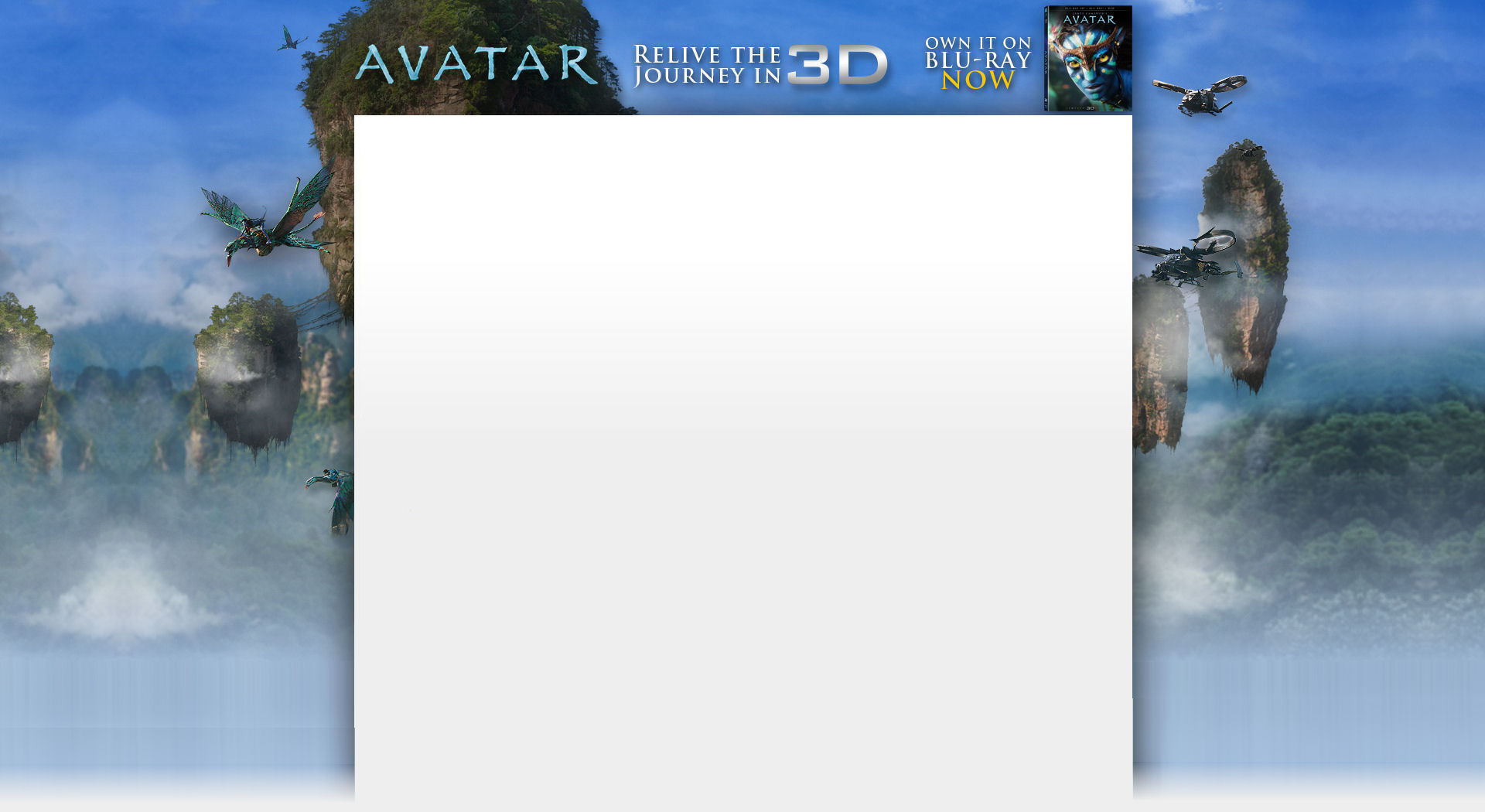
Couple of questions, firstly if we design at 1920×1080 will this automatically resize for screens on lower resolutions, or will it miss part of the ad?
Secondly is it possible to run pushdown or fireplace ads like this http://www.advertserve.com/examples/downloads/avatar_1920x1050.jpg
Thanks
 greggus
 I understand the point of using a CDN, but what if cloudflare (for example) decided to stop the free service ? I think it would be nice to choose between using or not a CDN (feature request :p).
Regarding the socials feature, i have a problem since the icons are always hiding even if the width of the screen is ok.
Here is what i get : http://i1312.photobucket.com/albums/t538/oomfr/img1.jpg
Here is what i need by default : http://i1312.photobucket.com/albums/t538/oomfr/img2.jpg
Can you help me regarding this ?
 mvl
mvl Hi, for example this header: zwanger.
https://mooiemama.com/category/zwanger/
 Bogdan B.
 Hello,
the problems with amp have been fixed. A new package has been uploaded to envato. Please download the theme again. s for the lazyload of the icons, you can deactivate it from here: https://www.screencast.com/t/mPfDGqbw
Thank you!
 Jose
JoseHello,
I would like to make some publications, showing access to several categories (for example, a publication of “dog breeds” in which I can add “blocks” of the categories “small breeds” “medium breeds” “large breeds”).
It’s possible? Is there any way?
regards
 krysn76
 Hi Simion,
The theme’s popular post widget sorting option only displays last 7 days & all time popular posts, while this plugin displays todays/this weeks/this months/ & any custom period popular posts thats why using it. Its very versatile & popular plugin.
Pls help me with the that theme error “Theme missing the id attribute on before_widget”
If i could add some code in td_wp_booster_functions.php for any sidebar that will fix this prob ?
Thanks
 PatWire
Hi updated to 8.6 – social icons work very well on mobile devices – but on desktop something is wrong – see example here on desktop only http://westbridgfordwire.com/collin-street-bridges-removed-january-major-disruption-expected/
Have cleared host cache – cleared CloudFlare cache/purge all – restarted browser ( Safari )
It works better in Chrome (except WhatsApp icon is corrupted )
Is it possible to edit ‘Share’ text to ‘Share this’ or similar?
Thanks
Pat
Simion C. Hi,
The Envato automatic update may not work properly some times, based on user feedback. You could wait for a while and try again, or update the theme by FTP for example
– https://forum.tagdiv.com/how-to-update-the-theme-2/
The theme panel settings will not be lost, they are saved in the database. As always it is recommended to make backups just to be safe.
Thanks