- NewsmagUsing the theme translations together with WPML
- NewsmagHow to update a plugin
- NewsmagCustom Post Type Support
- NewsmagAbove footer ads
- NewsmagWeather Widget
- NewsmagHow to update the theme
- NewsmagIntroduction
- NewsmagLogo & Favicon
- NewsmagFooter templates
- NewsmagUsing other ads
- NewsmagCustom ad spots
- NewsmagArticle ads
- NewsmagSidebar ads
- NewsmagHeader ads
- NewsmagLoading image effects
- NewsmagCategory top post styles
- NewsmagSmart Lists
- NewsmagGeneral settings
- NewsmagTheme thumbs
- NewsmagtagDiv slider gallery
 Fenix
FenixHi, I’m trying to move css and js from header to footer in the mobile version of Newspaper (I’m actually using the plugin tagDiv Mobile Theme) using the method here: https://forum.tagdiv.com/how-to-make-the-site-faster/
I have also tried to put the code inside the function.php of mobile theme but when i go to load the website in mobile version i don’t find the css and js file IDs that i need for move them. I don’t even know if i can move the css and js of mobile version with the speed booster plugin.
Here is the test of Google Page Speed where you can see the files i’m talking about: https://developers.google.com/speed/pagespeed/insights/?hl=it&url=http%3A%2F%2Fgamesquare.it%2Frecensione-steep%2F&tab=mobile
Can you help me? Thanks in advance
 scadamoran
How can i align the “Apply” button to vertical center ? its inside a table
EXAMPLE URL: http://dubaijobs.co/information-technology-careers-dubai-wipro/
 Bogdan B.
 In order to hide the images from multiple theme elements, you will have to edit that particular theme element and create conditions in the code for it. It will be no walk in the park though. Here is an example.
   <?php
                if (!in_category('featured')){
                echo $this->get_image('td_218x150');}

                ?>
The condition explanation is as follows. If the post is not in the fatured category, then get the image for it.
else, do not get any image.
So changing the featured category in the code you will be able to make the element not grab the image for that specific category. In the related articles module, you can wrap this code in the condition:
https://www.screencast.com/t/jpSd4qegeD7A
This is how you can implement such features you request.
Thank you!
 piortek
Hello I’m using utm tags to track traffic coming to my site from different sources. Using utm tags results in long url which brakes the theme. Take a look at the example below.
http://gurbacka.pl/3-glowne-bledy-zywieniowe-przez-ktore-trudniej-schudnac/?utm_campaign=kg_lista1&utm_content=3-glowne-bledy-zywieniowe&utm_medium=email&utm_source=getresponse&utm_term=3-glowne-bledy-zywieniowe
While regular link without utm works fine:
http://gurbacka.pl/3-glowne-bledy-zywieniowe-przez-ktore-trudniej-schudnac/
Any idea how to overcome this issue?
 PedroMiguelMoreira
Hello,
In my site (www.videosupporters.com) I´ve got the Search function, that is working well in the desktop and in the mobile theme. In the Search function, it is supposed that the user writes the name of the countries or teams that have already related videos. As I don´t have videos in all countries or teams, in the menu of the site it is possible to see which teams and countries have already videos, in order that the user in the search function writes only those who already exist.
When the user is in mobile (and I have the mobile theme installed), I don´t have the menu option activated, because as you have explained in a previous support the theme can only put posts and not pages. As a result, I´d like to know if it is possible the following: reactivate the menu (I know how to do that) and, for example, if the user selects “Argentina”, it will open a page where are going to appear all the videos that have the tag “Argentina” (in order words, it is a kind of search function with a previous defined tag – for example, if the user selects the sub-menu “Argentina”, it will open a page with all the videos that have the tag argentina; if the user selects the sub-menu “Portugal”, it will open a page with all the videos that have the tag portugal; and so on).
Thank you.
Best regards.
 Jessie
Hi guys,
Thanks for the hard work on the theme and support. Is it possible to add a slider to the “big grid blocks” to display/rotate different posts every few seconds?
An example of what I want to do is here, at the top of the page http://harrietsugarcookie dot com
 indro
indro Hello Catalin,
Thank you for your help,you helped me with spacing, maybe I wasn’t clear enough with my help request so I do need a little bit more of fine tuning:
I do not want the color of the two big images to be the same as it’s shown in your screencast –> https://www.screencast.com/t/cJ5X4QPJOtW
Why am I insisting on this?
Because it is supposed that there will go the two big news, the most important ones and the problem here is to visually differentiate them, for example: the pic on the left may contain a big red colored title, and the right one may contain a let’s say brown with a little text shadow on it.
I really need to achieve this, otherwise I have to create a picture placeholder on the top of the homepage and upload images after a good photoshop editing, and again in this case will be the problem on how to show this pics on full width or in a way like Bild.de does.
I really hope you’ll help me on this!
Indro,
Bogdan B. Hello,
q2: You can change the stars color using this css:
.td-icon-star, .td-icon-star-half{
color:orange!important
}
The summary does not have a detect for a single review criteria. I will add this to our list for future updates.
q4: You added an incorrect channel to the youtube widget: https://www.screencast.com/t/d7bijfHV After you add the correct channel, click the widget. It should take you to your youtube channel.
q5: Please check the theme colors section in the theme panel. If you use the mobile theme plugin you will find it in the mobile theme section of the theme panel under colors.
q6. It is possible with a bit of css. For example:
@media (max-width:767px){

.single-post .category-video .td-post-featured-image{

display:none!important

}}
This code will remove the mobile featured imege from all posts in the “video category”
q8: The mobile theme will not render visual composer shortcodes. It does not matter if it’s a post or page. They will not work.
q9: I;m not sure what space you are referring to. please provide more details.
Thank you!
 munvik
I would like to hide image from related post box for certain specific category alongwith its child categories. Similarly, would like to remove author box and ‘more from author’ box from certain categories alongwith its child categories.
For doing that I added following code in css:
.td_block_related_posts .td-module-thumb {
display: none;
}
.td-related-right, .td-author-description{
display:none!important;
}
but problem is that it hide both thing from all posts. Further, it does not hide image and name of author from More article box of specific category and its child categories / posts from specific author.
 betapolar
 Hi there,
thanks for your answer. After a few days of testing, I still don’t know how to apply a slider on my start page as in your example here: http://demo.tagdiv.com/newspaper_blog_travel/
Applying a slider to a post or page works so far, but I don’t need it. I would like to show a slider at the main page.
Jan
 haqemcom
Hi why my blog using ssl and at https:// not green color ? but i try to change to another theme the https:// is green color ? see image i.is.cc/1roMoPyy.png & i.is.cc/1roWGAzJ.png why ?
 planetvic
I want to be able to create custom image url redirects.
I will give an example of what I am trying to do.
I made my original aerospaceguide website using Microsoft Frontpage.
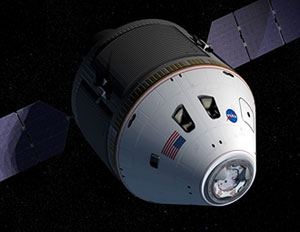
I am trying to change / customise / redirect an image on the Orion Spacecraft page.
http://www.aerospaceguide.net/spaceexploration/orion.html
The original picture address was:
/spaceexploration/orion.jpg
or http://www.aerospaceguide.net/spaceexploration/orion.jpg
Using WordPress I added the same picture, but wordpress has named it:
http://www.aerospaceguide.net/wp-content/uploads/2016/07/orion.jpg
Is the a way to redirect it so it shows http://www.aerospaceguide.net/spaceexploration/orion.jpg
Reason: I have alot of picture links from other websites, but they point at my old picture addresses.
Is there are way to do the redirect?
Note: I use the Redirection WordPress plugin for pages and that works well, but it doesn’t seem to work with images. It has the option to do it, but doesn’t seem to work.
I await your reply,
Vic Stathopoulos
http://www.aerospaceguide.net
 pvergados
Hi,
The Category pull-down filter is partially hidden on category template style 8
Similar category style 6 fix needs to be applied to style 8
https://forum.tagdiv.com/topic/category-pull-down-filter-partially-hidden/
.td_category_template_8 .td-category-header {

    z-index: 1!important;

}
You can see a live example on your demo.
http://demo.tagdiv.com/newspaper/category/template-style-8/
 visioneer
Hi,
i want to integrate horizontal lines to our page (http://www.nateuerlich-schoener.de) by using visual composer. By widget I can define the design of the line, but not of the text. So i define a class name and want to change font, style and size by custom CSS. Custom CSS works fine for the font-size but I’m not able to change font or style (bloder).
Please teach me, who I can change font (for example google fonts) and style or where I can find that in the theme panel.
see picture below:horizontal line
Thanks
Lars
 Zappa
ZappaHi guys,
I hope someone can help me out, login and look at what’s wrong. If you would like to help, please leave your e-mail adress do I can forward you my login.
I am completely stuck. Have deleted and re-installed the Newspaper theme and plugins five times now. Installation by upload and ftp.
Website: http://www.amazingandalucia.com/
The NewsMag page seems to load well http://www.amazingandalucia.com/homepage-newsmag/ but all the others don’t
http://www.amazingandalucia.com/homepage-full-post-featured/
http://www.amazingandalucia.com/homepage-big-slide/
I just don’t understand why. There also is a different admin topbar. The Newsmag examples shows a correct one and the other have a white topbar with no admin hrefs and a purchase this theme link. Why is that?
Kind regards,
Tim
 usman
usmanDear Team,
I received this error today in my webmaster :
Non-Secure Collection of Passwords will trigger warnings in Chrome 56 for http://www.xyz.com/
To: owner of http://www.xyz.com/
Beginning in January 2017, Chrome (version 56 and later) will mark pages that collect passwords or credit card details as “Not Secure” unless the pages are served over HTTPS.
The following URLs include input fields for passwords or credit card details that will trigger the new Chrome warning. Review these examples to see where these warnings will appear, so that you can take action to help protect users’ data. The list is not exhaustive.
The new warning is the first stage of a long-term plan to mark all pages served over the non-encrypted HTTP protocol as “Not Secure”.
Now, when I searched this in google I reached at Google Forums : https://productforums.google.com/forum/#!msg/webmasters/2H8lnEEux_g/C04Yf5L7AQAJ
Here I found that most of the people using Newspaper theme encountered with that error. Kindly look at this please thanks.
 Cultured Black Pearl
Hi there, I’m finding the search bar to be inconsistent in the results displayed/not. For example, if someone types a string of keywords (all of which appear in blog posts) the search bar does not always produce results. However, if just one keyword from the string is entered, results are usually generated.
So, relevant articles are not being displayed on terms which should trigger a search result. This is frustrating as it causes people to leave the site although the information they sought is actually in an article. Sometimes several articles.
Is there a way to fix this or is this a WordPress problem? I’d really like for the search bar to generate accurate results (preferably the right results) when terms are entered regardless if it’s one term or a sentence/question entered in the search bar. It should find those keywords and display articles that contain those words.
I promise I searched and did not see this addressed in the forum. 🙂
Thank you,
CULTUREDBLACKPEARL
 shinny0129
Hi,
I am writing this topic to ask how I can erase “About us” and “Follow us” on the mobile site.
Surely, there should be the php file which I can manage on, but do not want to “touch” it in any case.
The best and easiest way to erase is to use css with “display: none;” but I am not sure which css file should be modified. I guess it should be around “.td-footer-social” and “.td-footer-description”.
Please let me know if any way to erase it.
Thank you for your support!
All best
 accomm
 Hi,
we have the same problem, chrome says:
tagdiv_theme.min.js: 156 Uncaught TypeError: Cannot read property ‘init’ of undefined
After disabling LazyLoad, images are displayed, but the error still exists and some other JS function are not working properly (search for example)
The problem first occurred today, after Updating 2 Plugins (Maintenance && NextGen Gallery)
To check if the problem was caused by the update, we restored the last backup from yesterday, but no change, error is still there.
 adrapper
Hi,
Another feature request is…
A full post block. I often want to put a special section at the top of my home page. But I am not really happy to be editing my home page so regularly. Also, I can not automate updates to the home page.
If there was a block that could contain the full content of a post, images and all, using its title as the section heading etc. Very much like a text block, but run from a post. Then I could add a new post, automate its publication and unpublishing times, give it the right category and it would post into the home page fo the right amount of time, then it would also unpublish and leave the home page as it normally appears. As an example, a Christmas message might be up until the 25th December, then automatically be replaced with the new year message from the 26th December, until January 1st. Then back to normal until the next event.
Many thanks,
Andrew
Bogdan B. Hello,
Please provide an example of this issue so we can see it. WHere is the default featured video not showing up properly?
thanks
Bogdan B. Hi,
You placed the ad codes in the theme panel in the custom ad spot. But this also requires an ad box for ads to show. Please provide an example of how you are implementing the ads.
Thank you!
 Catalin
 Hello irlandacenter,
Please notice that our sidebar for Author Page is simply created using settings of the theme from the panel. You should use our Inspector Browser guide inspecting our demo page because in this way you can see what blocks were used. Check the tutorial here -> https://forum.tagdiv.com/create-custom-code-using-the-browsers-inspector/ For example, you can see the following screenshot like this -> https://www.screencast.com/t/FzYUMIQo6W0z
Thanks for your understanding!
 justfreshkicks
 Thanks for the response! I contacted them about the 3 ad policy and Google AsSense responded:
“You’re right! We did remove the ad limit per page. I think the problem is with the Blogger site layout. It’s possible that it is only allocating 3 ad units.
The bad news is that we don’t have the ability to do technical troubleshooting of the Blogger widget. Could you try hardcoding all of your ad units and see if it lets them appear?”
So they DID have a 3 ad limit, but have removed that now.
Also, I have over 3 ads showing correctly on the homepage, but not for post pages for some reason. And when I remove an ad for the post page template, the bottom sidebar ad actually DOES show. for example, this page I removed the in-article ad, and then the bottom sidebar ad showed. (http://justfreshkicks.com/ad-test/)
So for some reason with the layout of the theme it’s only allowing up to three ads to show for the post template, NOT the homepage. However Google Adsense confirmed they don’t have a limit anymore and I have more than 3 ads showing on my homepage, so it has to be something with the template.
Appreciate any help in solving this problem. Thanks!
 123tlumacz
Hi Guys!
Well first of all thanks for awsome work and outstanding theme.
I’m running news website (in Polish) based on Newspaper theme.
As you may see website has lots of different categories and I came to the point when the standard display is way too long to scroll. As the example just click on the first “AKTUALNOŚCI” menu.
My question is if there is a way to display this sub-categories in columns? It would short menu and give much better overview.
Many thanks!