- NewsmagUsing the theme translations together with WPML
- NewsmagHow to update a plugin
- NewsmagCustom Post Type Support
- NewsmagAbove footer ads
- NewsmagWeather Widget
- NewsmagHow to update the theme
- NewsmagIntroduction
- NewsmagLogo & Favicon
- NewsmagFooter templates
- NewsmagUsing other ads
- NewsmagCustom ad spots
- NewsmagArticle ads
- NewsmagSidebar ads
- NewsmagHeader ads
- NewsmagLoading image effects
- NewsmagCategory top post styles
- NewsmagSmart Lists
- NewsmagGeneral settings
- NewsmagTheme thumbs
- NewsmagtagDiv slider gallery
 steve@tvstrategies.com
 Hi – Thanks for the support! Which link are you asking for? Here is a link to the home page, which currently has no image in the header.
If that is not what you asked me for, please be more specific.
Also, there is no ad in the header. Only a logo (Theme panel > Header > Logo & Favicon > 272×80 and 544×180)
 seyyahadam
Dear Mr.
I pasted my google auto ad code into ‘analytics/js codes’ area. Vignette and Anchor banners are working well. BUT In-Page ads not working on mobile and desktop!!!!
By the way, AMP ads working well! (there is no any issue)
I started using this theme last week. In my old theme, I was using google auto ads without any problems.
I read all forums to find a solutions but I couldn’t. Please help to resolve this issue.
 jfmombiela
 renatols
HI, I would like to translate only some parts of the theme.
Example: “Modified date” in the posts.
Can I do that?
Regards.
 Parsgeo
I created a new page for video news. I wanted to use the video news homepage template. After importing it overwrote my main home page. Is there a way to import the various templates and create section pages.
Example
Home page : default
Video news page : Use homepage : Video News Template.
 carlosxuma
 Thank you for your answer.
I now see that the problem could be something different.
Once I copy the code I cannot save it from TagDiv.
Also I cannot add a single element to the page – not that nor the new one.
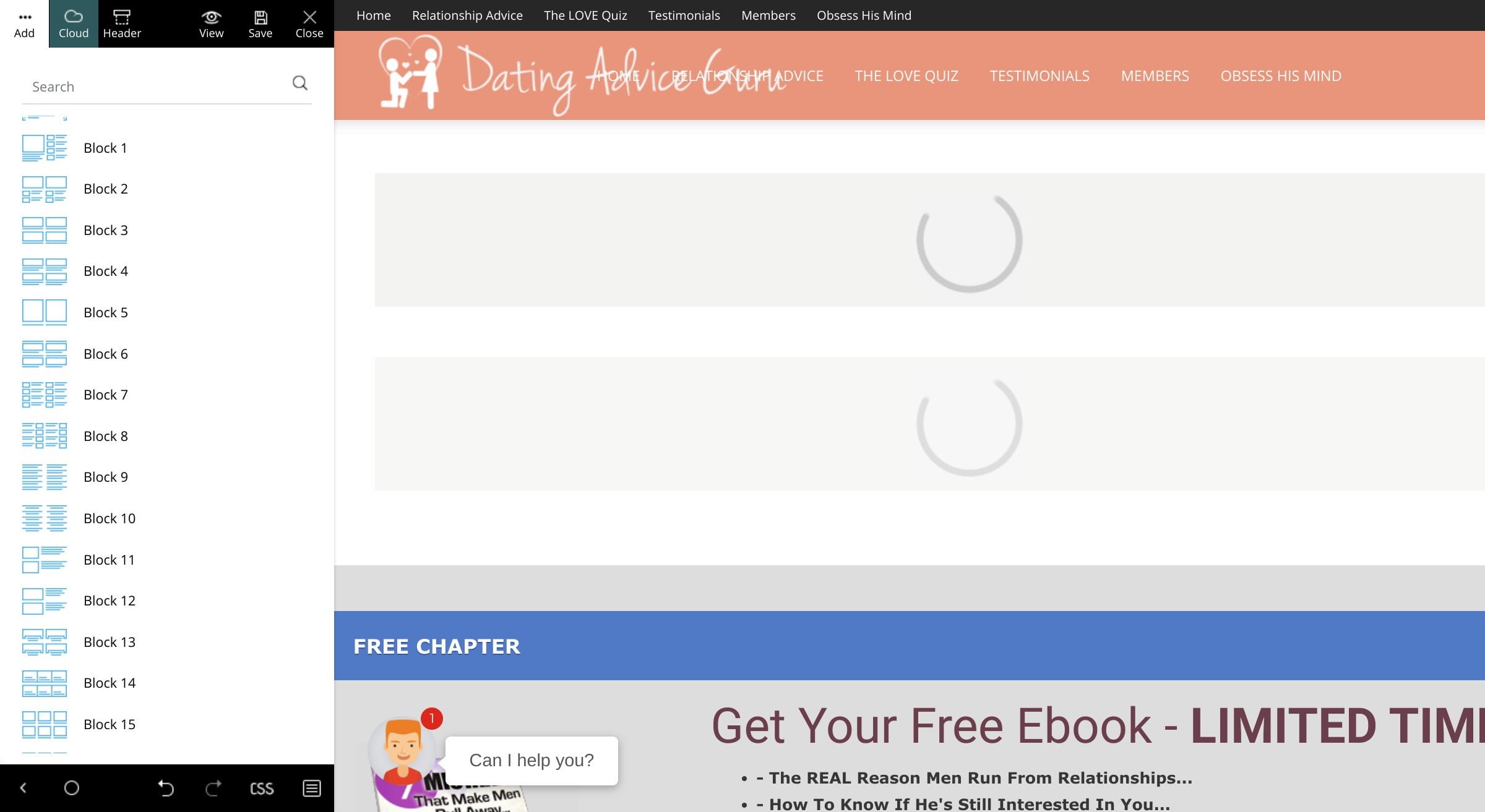
All I get is the loading icon. Example:
https://www.datingadviceguru.com/wp-content/uploads/2020/02/tagdiv-loading.jpg
To make things even weirder, I don’t see any errors in the console.
We use same plugins on two installations:
test.datingadviceguru.com
and
datingadviceguru.com
We’ve used the first site to prepare the site and then move it to the second one.
The hosting is different, though.
Do you happen to know what could be causing this – tagDiv Composer not to work?
Please advise. Thanks.
 Vlad S
 Hello !
The only thing called “stories” in Newspaper Theme is this: https://www.screencast.com/t/rceZYjd8N and they are located in the Cloud Library. Please be a bit more specific about what stories you want to implement in AMP.
Thank you !
 besidoravet
Hello
My antivirus Bitdefender blocked login link
Privacy threat blocked
Feature:Online Threat Prevention
An attempt to send your password unencrypted was about to occur on alert.al. We blocked the connection to stop your private data from being exposed and tampered with.
Add to exceptions
 fatih-2
You guys brought a fine feature but single post template bulk update do not apply. I did not even try the bulk category template feature..which I believe is also not working. ( Update: I need to go to each post, in the end of the post, you need to select, post template, FROM PANEL. Than it applies. But again, we have to go each single post. simply the feature do not work.)
Also, the issue with -WPML string translation resetting itself after changing the theme panel language- still continues. Here’s Simion’s last reply..
Hi,
I have recreated the issue on my end. For example I have translated the header template and the footer page fields – https://prnt.sc/qtc1hn – https://prnt.sc/qtchl8 – https://prnt.sc/qtchqp And then I did what you mentioned, changed the language in the theme panel and saved. The strings disappeared – https://prnt.sc/qtcicr If I changed the language back, and set the header template and footer page again, they reappeared – https://prnt.sc/qtcito and the translations were still valid, just that the strings disappeared.
I can’t say if this is supposed to happen however (most likely not), or if it happened up to this point, or if it started happening after the recent updates. I will make a note of it and pass it along to the developer team, they will investigate. Thank you for bringing this to our attention and sorry for any inconvenience. Let me know if you notice anything else, or if you have more questions.
This is not related to the cloud library issue mentioned in the topic, that was a different issue. That issue caused cloud library templates to not import correctly or at all when WPML was active, which is now fixed.
Thank you!
Simion C.
 liberoarbitrio
Hi if I activate google fonts but deactivate thema fonts, the Chorome developer tool reports this error, as if the font css were missing
(index): 65 GET https://fonts.googleapis.com/css?family&display=swap&ver=10.3 net :: ERR_ABORTED 400
Thx
 Calin
Calin Hi,
The featured image set on pages will be display only on blocks, here is an example -> https://i.imgur.com/QMVKs5V.png -> https://i.imgur.com/amSNTi1.png -> Flex Block Settings Guide -> https://forum.tagdiv.com/flex-block-settings-guide/
Thank you!
Calin Hi,
I just checked your website and something is not write with your website, the theme should be looking like this -> https://demo.tagdiv.com/select_demo/select_demo_newspaper?utm_source=live_preview&utm_medium=click&utm_campaign=demos&utm_content=demos_button#demos
Did you change something in theme files ? because the width 100% is not set from theme, and this make the vertical scroll bar and more anther problems. -> https://i.imgur.com/DpgaVeM.png -> https://i.imgur.com/wD2TA6k.png
I recommend to make a fresh install and do not change anything in theme files, please check our documentation for:
Basics: Using the tagDiv Composer Front-End Page Builder
What is the Cloud Library and How You Should Use It?
Homepage – How to build and set it
Let me know the results!
Thank you!
 Diario Freestyle
I´m starting my first blog and I´m having troubles setting the correct image size on different categories postst. I have different sizes on different pages posts and I´m not able to set the featured image as it should be. Here you see the examples: (Not sure gow to upload images to this forum, god help me haha)
<img src="https://i.ibb.co/rcRF9Wf/Sin-t-tulo.jpg" alt="<img src=”https://i.ibb.co/rcRF9Wf/Sin-t-tulo.jpg” alt=”Sin-t-tulo” border=”0″ />” />
<img src="<img src=”https://i.ibb.co/f82MJL9/1.jpg” alt=”1″ border=”0″ />” alt=”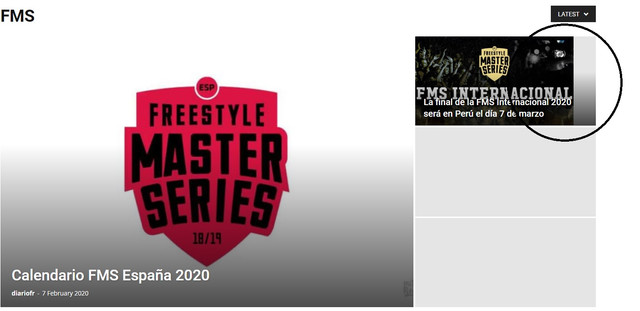 ” />
” />
 irshadalam
Hey There,
I am looking to create 2 zones on the front page of the website for example 1st one on the top called “Exclusive” which contain my selected stories in it, same underneath 2nd called “Important” where I will manage some specific stories to it.
Now I want this to be happen from back-end while creating a post there should be a checkbox for both zones “Exclusive”, “Important” when I check the box for any of these the post will straight go to the checked zone on front page. I used zoninator (Zone manager) but this only works for sidebar (widgets).
How is it possible?
Looking for your response.
Thanks
 glick-fray
 Can we set it site wide vs per page. This seems like a baind-aid fix..
It looks some items are still coming through blue—instead of black:
The solution provided only worked on “some” of the pages
The below list of the pages we found. I’m sure there are others.
· Grants/Grants Recipients – When you click on each year
· Recent News/Recent News – when you click on each item
· Recent News/Newsletters – 2019 Summer & 2019 Spring were done with WordPress. They should both be black.
Thanks.
 iconshare Calin
 Hi,
For example you can set a class, lat’s say removeSpage and add it on your elements, after that you need to set this class in Theme panel. Custom code> Custom css, here is a cod example to remove the bottom margin
.removeSpage {

margin-bottom: 0;

}
Hope this will help you!
Thank you!
Calin Hi,
The Latest Articles can be set on pages in to ways, one from page template by using Page Builder + Latest Articles + Pagination and you can edit it from the bottom of the page or using tagDiv Composer and set a posts loop element -> https://i.imgur.com/2JFJcwl.jpg
The footer can be set from here -> https://i.imgur.com/QGaN1jr.png if you have for example set footer style 1/2 these are custom made and can’t be edited only if you change the style template.
Thank you!
 botosaniul.ro
Hi, can u tell my why the theme is making so more copyes of a photo, in so many dimensions:
All this photos meaning more space and also my website is a little bit slow…
 Horizon72
Hi there,
Is there any way to use rotating banners in this theme?
Or shortcodes in the code area of the header ad, for example?
Thanks!
Szabolcs
 PopTvFilm
 Sorry, i should have updated, I’ve turned AMP off for the whole site and seems to be linking better now.
 thethctimes
 Hi Calin, thanks for your help in disabling the website field within comments.
I’ve never seen the desktop version problem in your first image before, so I’m not too worried about that at the moment.
I still have my initial problem of my footer images not appearing on AMP pages. Are you able to help with that?
Thanks
Calin Hi,
For classic editor you’ll need to add a class. The fix requires to set a class for the post content, by editing the post template files. For example this post uses post template 7 – https://descubreasriasbaixas.com/el-bano-de-las-nueve-olas/ The file that has to be modified is loop-single-7.php
-> https://prnt.sc/q5z8qa After adding the class here -> https://prnt.sc/q5z932 (class is called tagdiv-type ) the styles should apply correctly again. In case you use other post templates as well, then the modification will have to be made in them also.
Hope this will help you!
Thank you!
 TheRiz
How do we modify what appears in the AMP footer? It does not currently match up with the regular mobile or desktop on my website.
The content widgets and copyright statement are older, from a previous iteration of the website. Which footer template do we need to modify to change this?
 monitoryngzmi
 ok. But we need to hide only 1 category
Example: {fb}{BeAUTY}{news}
Results: {BeAUTY}{news}
Nowadays we saw only: {fb}