
- NewsmagBlock settings tutorial
- NewsmagCategory tag on modules/blocks
- NewsmagtagDiv Composer Tutorial
- NewsmagWeather Widget
- NewsmagExchange widget
- NewsmagInstagram widget
- NewsmagHow to use the Visual Composer plugin
- NewsmagIntroduction
- NewsmagFooter templates
- NewsmagCustom ad spots
- NewsmagLoading image effects
- NewsmagSmart sidebar
- NewsmagFeatured images
- NewsmagGeneral settings
- Newsmag7 days post sorting
- NewsmagTheme thumbs
- NewsmagExcerpts introduction
- NewsmagTheme colors introduction
- NewsmagtagDiv slider gallery
- NewsmagVideo playlist
 FrankG
I recently upgraded from Version 9.5 with WPBakery to Version 11.5.1 (with TD Composer/Cloud Builder/Standard Pack on). It seemed to go alright but after a few days it became clear that ads on the site aren’t showing up for a good portion of the audience.
For those it does, it takes up to 10-15 seconds to load them because they seem to be the last things to load on the page, and even when they do there’s a lot of errors in the console, either ‘address unreachable’ or missing consent value issues.
It’s not a server issue. If I include the ad code directly through the header, there is no delay – they load instantly. It’s including them through the ‘Ads’ part in the theme panel that leads to the issue, something is slowing things way down.
I’ve switched off all non tagdiv plugins to test, with the exception of Iubenda for GDPR compliance which has to stay on, and the slowdown is still there.
My assumption is it’s something to do with one of the TD plugins. I’ve noticed that the one page I have built in TD composer (the homepage), one block on the page has an ajax category filter that is also delayed a good 10-15 seconds and then shows up at the exact same time the ads do – every single time.
At this point I don’t know what to do. I can’t roll back to Version 9.5 of the theme because it’s too outdated. Switching off the standard pack leaves the site a mess. At this point I’m considering just hard coding the ads into the files somehow or moving to a whole different theme after seven years with you guys.
Any suggestions I could test? I can’t share the site URL publicly, so what should I do?
 Anamaria
 Hello,
Did you edit the shortcode of the block? If you edited the code of the block, then you need to add it from the tagDiv composer again.
Also, make sure you have the tagDiv Standard Pack activate.
Please let me know what changes appeared.
Thank you!
FrankG Sure. I have PHP 8.0, Newspaper 11.5.1 and the ‘Classic Widgets’ plugin installed
When I go to widgets, the ‘Ad Box’ element if I place it in a sidebar and open it, it just throws up those orange ‘Warning’ boxes with:
“Undefined array key “show_name” in /public_html/wp-content/plugins/td-composer/legacy/common/wp_booster/td_block_widget.php on line 383”
My Wp-Admin on my live site is causing all sorts of errors to appear and I’m fairly sure it’s actively hurting my page loading and ad loading.
As far as I can see, it’s only the Ad Box widget that has this issue – all the others don’t cause the error.

-
This reply was modified 4 years by
FrankG.
FrankGMy site’s admin error log is throwing up constant errors which ties to using the adbox widget.
The errors are all from the same file, but different lines in the file:
Undefined array key “show_name” in /public_html/wp-content/plugins/td-composer/legacy/common/wp_booster/td_block_widget.php on line 383
Also line 393, 409, 421, 479
I recently upgraded both the theme and the site’s PHP from 7.4 to 8.0. Does this tie in with that?
 mediaapps
I would like to be able to create ordered lists with sub-lists using numerals for main list and alpha for sub lists like:
- first part of a list
- indented part
- next indented
- Next part of main list
I tried entering the html in a Text Block and a Code Block but the alpha isn’t recognised.
 PaoloVe
Hello, please, I would like you to tell me the way to make the empty space of “single post featured image” disappear when there is no photo.
Obviously I cannot remove that block because otherwise it will no longer show the photos in any other post.
So I would like a system that intervenes only when a text does not have the photo.
I attach example: the gray empty space should disappear and the text, of course, should go up.
Thank you
Anamaria Hello,
Edit with tagDiv Composer, select the block and search after button and in the tab layout your can translate it https://i.imgur.com/jSdQwCq.png
Thank you!
 Calin
Calin Hi GanaAdhikar,
First I suggest to try the flex block 1 and 2 -> https://i.imgur.com/HecGZeA.png, those have special option that allow you to create different layouts, after that you can simply save the shortcodes -> https://i.imgur.com/HMsArnD.jpg
I hope this will help you!
 GanaAdhikar
Hi,
I want to add new blocks to composer. I need a custom layout that isn’t present in composer.
Can anyone help me in guiding, how to add new blocks?

I tried to use td-api-plugin, but it is giving errors.
thanks
Anamaria Hi,
Considering that that block is not something global but static, you save it with the settings made when you save it. Maybe you should first create a block as you would like it to look, and only then use it on other pages.
Also, you can try to copy and paste the style for that block https://imgur.com/QOEBkZO
Thank you!
Anamaria Hello,
1. You need to change the name of the category in Posts -> Categories, or if you want to display posts from another category, then you can filter the block on that category https://imgur.com/Nnt3zGX
2. You can remove the block with right-click, and to add the ads you can use the ad box element.
The ad box has 3 sections for ads: using theme panel ads -> https://i.imgur.com/KFa9ibl.png, using images/banners -> https://i.imgur.com/MfAPTaE.png and custom code -> https://i.imgur.com/2rh8SuD.png save it and will appear on the post (you can set a shortcode like a shortcode from adrotate plugin or other plugins)
Thank you!
 tenacemente
Salve, sito tenacemente.com, utilizzo per la versione mobile il plugin Mobile Theme, vorrei sapere come e se posso rimuovere questi elementi che ritardano il caricamento su dispositivo mobile come segnalatomi da PageSpeed Insights:
mediaelementplayer-legacy.min.css
block-library/style.min.css
admin-bar.css
dashicons.min.css
 Bettina
 Hello @luisle!
A workaround there could be to use 2 blocks: the first block to contain only the special post(add the post ID and set the limit: 1) and the second block to contain the others. You can use the unique article feature on that page : https://forum.tagdiv.com/unique-articles/
Thank you!
 Estar
EstarHello, on my website https://revistaestar.es/ I see a link to follow us on Instagram at the end of the page block, before the footer, which I don’t want to appear, and it also leads to a page that doesn’t exists because it concatenates the link twice.
In the theme options in the social networks section everything is blank.
This has started to happen in this month of September.
How can I make that follow us link on instagram not appear?
I’ve restored a backup from August 15th and it’s still happening.
Thank you and greetings.
Stephen Martin
Bettina Hello @joema!
Yes, you can use the post limit and the offset features. Check the documentation:
– https://forum.tagdiv.com/flex-block-settings-guide/
– https://forum.tagdiv.com/offset-feature/
If you have 2 flex blocks with the same settings and they are displaying the same posts, then you can use an offset and a limit for the flex blocks. For example: 1 block with the limit posts: 2 and the second one with the limit posts: 2 and offset: 2, if you would like the 3rd one then you set limit posts: 2 and offset 4, etc. They have many settings and you can use a filter.
In the tagdiv composer, you can delete and add any elements you need and change the settings to display and filter your articles as you want.
Thank you!
Bettina Hello Aline!
It is a text. Please try to edit the page normally and delete that text. You’ve probably had a default block before.
Thank you!
 Opes
Opes Hi. I’ve read your email, conclusion is i can’t edit pages with blocks composer, might be ok. I have other problems now, for example i can’t change fonts on preview posts/post.
-
This reply was modified 4 years by
Opes.
Bettina Hello @Edragon!
Unfortunately, I do not have any ETA, sorry.
Try this code:
figure.wp-block-gallery.has-nested-images {padding-bottom: 20px!important;}
Thank you!
Bettina Hello @sarahp!
I’ve checked your website and I can see your header and menu. Please install and activate the Newsletter plugin from Newspaper-> Plugins. You can edit and add a flex block instead of block 4. Or if you need block 4, then you also need to have the Standard Pack plugin(not recommended).
Thank you!
 Edanur
Hi,
I changed the category background color in the blocks after choosing the category template. But colors are not applied. What should I do?
Thank you!
Edanur Bettina Hello @nwnuyhs!
For cloud templates, there is this setting in the element’s settings: https://prnt.sc/yZB70HHZQLA5
For default templates, there are no settings for that because the blocks are standard.
Thank you!
 nwnuyhs
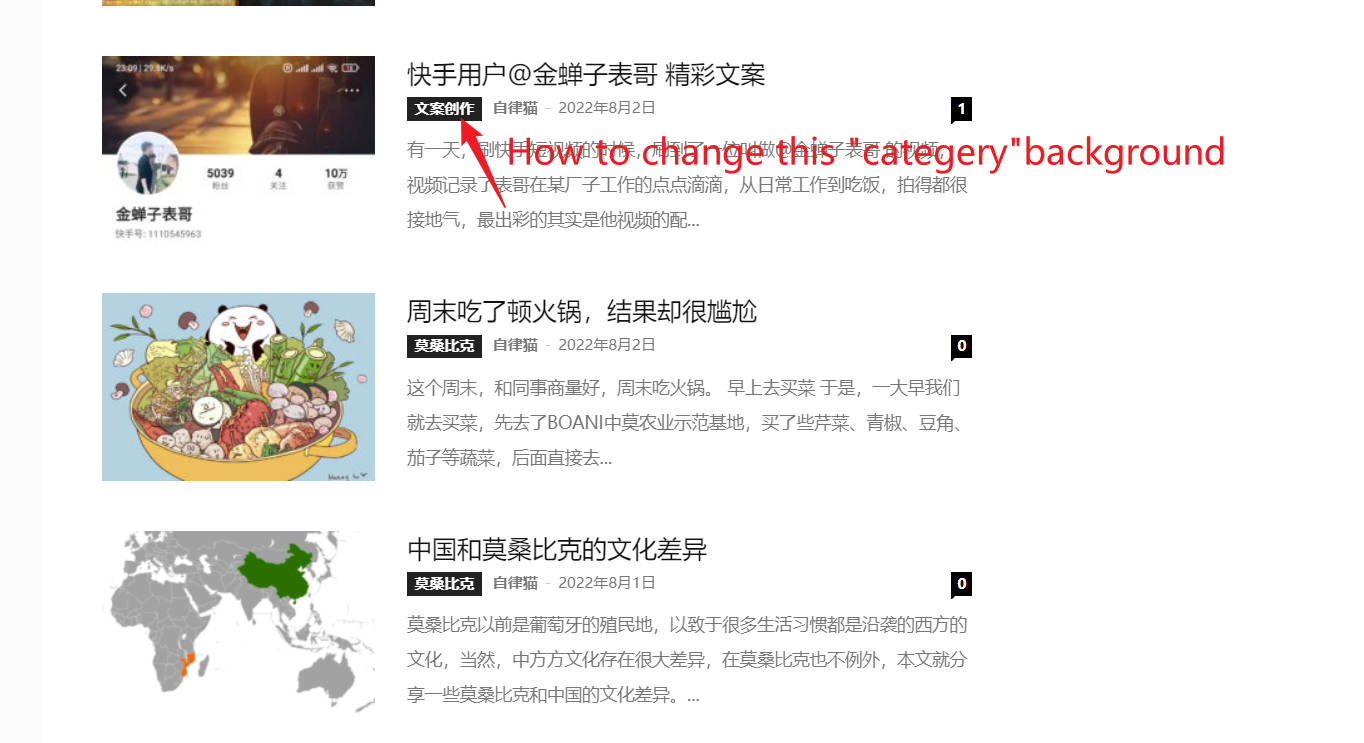
Hello,I want to know hwo to change post block “categery” words background color.
Thanks
nwnuyhs
Bettina 


