- NewsmagBlock settings tutorial
- NewsmagCategory tag on modules/blocks
- NewsmagtagDiv Composer Tutorial
- NewsmagWeather Widget
- NewsmagExchange widget
- NewsmagInstagram widget
- NewsmagHow to use the Visual Composer plugin
- NewsmagIntroduction
- NewsmagFooter templates
- NewsmagCustom ad spots
- NewsmagLoading image effects
- NewsmagSmart sidebar
- NewsmagFeatured images
- NewsmagGeneral settings
- Newsmag7 days post sorting
- NewsmagTheme thumbs
- NewsmagExcerpts introduction
- NewsmagTheme colors introduction
- NewsmagtagDiv slider gallery
- NewsmagVideo playlist
 Anamaria
 Hi,
If you use the auto ad code then needs to be set only once on the page/post template, set it multiple times may block the code.=> https://www.screencast.com/t/VEyHrvaTjuC
Thank you!
 dariodeleonardis
Hi. Is there a way to customize the “authors box” (I mean the authors list block, not the single author box for each post)?
Like changing thumbnail size and, inline align and simple tweaks like those.
Thanks in advance.
 Bettina
 Hello!
There you can add an element for example, flex block or grid which can display your posts there and also you can apply filtering option. For more information please take a look in our guides here:
– https://forum.tagdiv.com/big-grid-flex-settings/
– https://forum.tagdiv.com/flex-block-settings-guide/
You can edit any page which has a cloud/PRO template with TagDiv Composer plugin: https://forum.tagdiv.com/tagdiv-composer-tutorial/
You need an API Key in order to display the weather widget and also you can see an error displaying to attention you about that.
Please follow our guide here: https://forum.tagdiv.com/weather-widget/
You can change that title by editing the page with TagDiv Composer, click on that element and you will see some settings which can let you change the title there.
Thank you!
 Arifur90
Hey Team,
I’ve bought two themes recently. I’ve found there an issue. Feature posts are not showing in the top of the home page. Why? see here: https://prnt.sc/10vv6jy
Prbolem 2. why the weather things are not showing? see here: https://prnt.sc/10vv81q
problem3: How can i change this category? see here: https://prnt.sc/10vv9o7
Anamaria Hello,
You need to enable the thumbnails for those blocks from Theme Panel -> Block Settings -> Thumbs on modules/blocks => https://www.screencast.com/t/bOpWqaggST
If you want to delete an empty column you need to know that empty columns are part of the row, and you can’t delete the column only the row that holds the column, this can be done with: using the right click on the row icon -> http://prntscr.com/owlyuw -> http://prntscr.com/owlynq or using the drag and drop -> http://prntscr.com/owlz2r or you can simply click on the row and press the delete button from your keyboard.
Hope this helps you!
Thank you!
Anamaria Hi,
I just checked your website and the thumbs aren’t enabled => https://www.screencast.com/t/wRXu3DkhVzfw, please enable them from Theme Panel -> Block Settings -> Thumbs on modules/blocks => https://www.screencast.com/t/NXHvlZkM
Thank you!
 mikevanmoonlight
 Please edit the page, and select the page attributes on default => https://www.screencast.com/t/GdYjOa6EVGdD and see if the problem persists
That was helpful, thank you! For mobile menu I want it to open faster.
Also, a new problem is detected. I see no thumbnails here and do not really understand what i should do https://pipsik.club/category/interesnye-fakty
Bettina Hello!
Big flex grid has no header settings because they don’t contain a header.
Only flex blocks has these settings: https://www.screencast.com/t/qCDlltBI
Thank you!
 PeteMason
Hi all,
The newspaper “magazine pro” demo, which looks really amazing, has a block in it with the header TRAVEL GUIDES.
Having imported this demo into my WordPress site, I see it is a “big flex grid 1”, but there is no header and there are no header settings in the same way as the blocks have header settings under the General tab “Header settings”.
I wonder how it is created in the demo. I must be missing something very simple… I have version 10.3.9.1 and I have magazine Pro installed. Latest version of everything I think. Thanks!
Anamaria Hello,
I just inspected again and the plugin is still activated => https://www.screencast.com/t/pr6vb6gb
Please provide some screenshots with the blocks where you want to make changes.
Thank you!
 infanta_2001
My site https://ladyinfantahealth.ru/ on the main page does not load images in the mobile version. Tell me, what could be the reason?
Also, I don’t use Google ad blocks. When inserting the ad code into the ad box via tagdiv, my ad is not displayed. What should I do?
In the article https://forum.tagdiv.com/article-ads/ it says that when placing ads in an article, you can use shortcodes. Tell me where you can read about how shortcodes are formed for each advertising code. In a word, where can I read how to do this?
 Kaino
KainoI was using the normal version of my website but want a few blocks different so made a mobile layout but noticed padding and margins only shows working in the editor but once I check on multiple mobile devices nothing changed. What is the issue?
Obviously no caching plugins active while designing 😉
 Calin
Calin Hi,
I just checked and for me this looks normal -> https://i.imgur.com/rOv3FwK.png -> https://i.imgur.com/wZz5jfl.png also the images from blocks are thumbs that are created by them.
Thank you!
 angelicantunes
 Hi!
The title options only appear for blocks, not for the rest:
https://imgur.com/a/HT9WsIl
 blueridgeguardian
Hello,
I wanted to know how would a I resize a block Image? I do not want it this large. Thank You
It’s the block that says Newborn Contest near the bottom.
 madamcza
Hi,
i am modifying animals pro theme and on one of the full width sections i changed background image in the CSS tab of the row options.
I changed it to a proper, good quality big image (1800px x 1000px), set it up as ‘cover’ however it is displayed in very poor quality.
I checked in the page source code and it seems that theme is resizing the image and choosing some small one. You can see that in the image file URL there is suffix 300×169. I do not have any other themes or plugins active:
<div class="tdi_121_366_rand_style td-element-style" ><div class="td-element-style-before"><style>

.tdi_121_366_rand_style > .td-element-style-before {

content:'' !important;

width:100% !important;

height:100% !important;

position:absolute !important;

top:0 !important;

left:0 !important;

display:block !important;

z-index:0 !important;

background-image:url("image file url with this suffix -300x169.jpg") !important;

background-position:right top !important;

background-size:cover !important;

}

</style></div>
 denya
denyaOne of the blocks does not display the next button
https://prnt.sc/10uc632
I have no plugin conflict
cleared the cache
my website is nevessta.ru
the button is active but not displayed
 renzosm
Hi, i am getting heavy load any help on this?
[24-Mar-2021 13:12:46] [pool gsvunyrkkt] pid 22597
script_filename = /home/567960.cloudwaysapps.com/gsvunyrkkt/public_html/wp-admin/admin-ajax.php
[0x00007f8aec2142e0] asort() /home/567960.cloudwaysapps.com/gsvunyrkkt/public_html/wp-content/plugins/td-composer/legacy/common/wp_booster/td_util.php:2878
[0x00007f8aec214190] get_font_family_list() /home/567960.cloudwaysapps.com/gsvunyrkkt/public_html/wp-content/plugins/td-composer/legacy/common/wp_booster/td_fonts.php:982
[0x00007f8aec214110] get_block_font_params() /home/567960.cloudwaysapps.com/gsvunyrkkt/public_html/wp-content/plugins/td-composer/legacy/Newspaper/includes/td_config_helper.php:14
[0x00007f8aec214000] get_map_block_font_array() /home/567960.cloudwaysapps.com/gsvunyrkkt/public_html/wp-content/plugins/td-cloud-library/includes/tdb_config.php:9102
[0x00007f8aec213db0] on_tdc_loaded() /home/567960.cloudwaysapps.com/gsvunyrkkt/public_html/wp-includes/class-wp-hook.php:287
[0x00007f8aec213cd0] apply_filters() /home/567960.cloudwaysapps.com/gsvunyrkkt/public_html/wp-includes/class-wp-hook.php:311
[0x00007f8aec213c60] do_action() /home/567960.cloudwaysapps.com/gsvunyrkkt/public_html/wp-includes/plugin.php:478
[0x00007f8aec213b80] do_action() /home/567960.cloudwaysapps.com/gsvunyrkkt/public_html/wp-content/plugins/td-composer/td-composer.php:167
[0x00007f8aec213ae0] tdc_plugin_init() /home/567960.cloudwaysapps.com/gsvunyrkkt/public_html/wp-includes/class-wp-hook.php:287
[0x00007f8aec213a00] apply_filters() /home/567960.cloudwaysapps.com/gsvunyrkkt/public_html/wp-includes/class-wp-hook.php:311
[0x00007f8aec213990] do_action() /home/567960.cloudwaysapps.com/gsvunyrkkt/public_html/wp-includes/plugin.php:478
[0x00007f8aec2138b0] do_action() /home/567960.cloudwaysapps.com/gsvunyrkkt/public_html/wp-content/plugins/td-composer/legacy/common/wp_booster/td_wp_booster_functions.php:231
 Hinako
Hello,
For certain blocks that we’re using, we don’t want any excerpt and the excerpt length has been set to zero for them, but after updating to the new version today, the dots “…” appeared:
https://paste.pics/7ad078d643003e79400f30b26e57655c
https://paste.pics/f753f851b4de899c35330b1eeb35f9b1
We don’t want these dots but we still want them for the other blocks that we display excerpts.
Could you help please?
Anamaria Hello,
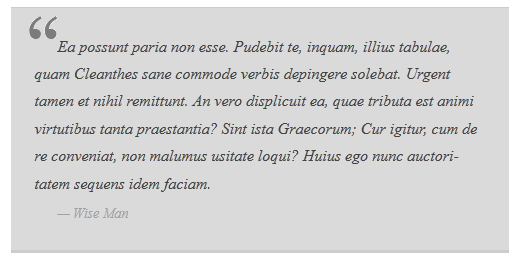
You can add the quote like in the image, using a custom code CSS, like this => https://www.screencast.com/t/Ht5zaaJ1iKcY
The code is
blockquote{

  display: block;

  background: #fff;

}

blockquote::before{

  content: "\201C"; /*Unicode for Left Double Quote*/

  /*Font*/

  font-family: Georgia, serif;

  font-size: 60px;

  font-weight: bold;

  color: #999;
/*Positioning*/
position: absolute;
left: -15px;
top:-30px;
} you need to adjust the left and top position.
If you like it, you can add the code in Theme Panel -> Custom Code -> Custom CSS.
Thank you!
Anamaria Hi,
Is possible to be from the firewall or security module which blocks admin-ajax.php request. Please verify the console for error while saving the settings on the Theme Panel, usually, it displays a 403 or 404 error.
If you don’t use a security plugin, please ask your host about this, maybe you have a security module that blocks this.
If you use a plugin like Wordfence please set it in learning mode.
Also, make sure that you do not have a plugin conflict, please deactivate ALL plugins except tagDiv plugins, also if you are using a child theme or cache plugin, deactivate them, clear all cache and try again.
Hope this will help you!
Thank you!
 Vlad S
 Hello !
So you want to limit the flex block content to 5 posts ? That can be done from here: https://www.screencast.com/t/F4TcPkM1
Thank you !
 Rony123456
Hi there,
What is the best way to add the quote sign on blockquote text?
https://www.wpbeginner.com/wp-content/uploads/2013/03/classic-image-quotes.png
Similarly to the image referenced above, where the quote icons are on the upper left part of the blockquote
Anamaria Hi,
Using our theme with flex blocks you can use some image size for blocks, for the moment only available image size are those=> https://www.screencast.com/t/AxT49Vs53gKJ
, also, if you use flex block 1 you can set the width and height for the image => https://www.screencast.com/t/bpHO0VB0kq2c
Thank you!
 stringbenderb5
Can you please watch the short video below and explain to me how I can fix the columns below the Big Grid Flex 4 Block?
The row is set to 2/3 + 1/3 however, both columns are pushed to the center of the page. Please watch video.
Thanks