
- TutorialstagDiv Social Counter Tutorial
 Ericky
Can I change this flex block to show pages instead of posts?
I want to show my pages here, not posts. But can’t find it on filter area. It’s a module from EchoVerse cloud temp.
 simchris
 That is how cloudflare’s checking system works. Read up on how cloudflare works to learn more.
 techifollow
 Anamaria
 Hello,
AMP is deprecated as of January 2023-> https://developer.bigcommerce.com/docs/storefront/wordpress/platform-integration/enabling-amp so we don’t longer recommend it.
You have the mobile theme version now, so you can disbale the plugins to check the responsive version.
Using our theme, you can choose from 3 mobile versions
-> mobile responsive => https://www.screencast.com/t/oJ2ShOp47
-> mobile theme plugin => https://forum.tagdiv.com/the-mobile-theme/
-> mobile page => https://tagdiv.com/newspaper-10-3-7-update-brings-customizable-and-fast-mobile-pages/ The option that you need to use.
Suppose you created the mobile pages with tagDiv Composer. In that case, when you install the Mobile Theme plugin, your pages will be overwritten by the plugin (the mobile theme comes with its templates for page, post, category, etc, so your current templates from the desktop theme will get converted to the mobile theme layout, the page content is made without builders in mobile editor => https://www.screencast.com/t/xbgZG8kH also, the options that are provided to edit the mobile theme version are limited (this keeps the things simple)).
This is a video about Responsive Newspaper Theme, AMP & Mobile Theme, Mobile Pages & Templates -> https://www.youtube.com/watch?v=SpGkOnJeNZY.
So, the mobile responsive is what you see when that you select the viewport on phone => https://www.screencast.com/t/matV17hH, so some settings may apply for each viewport(where is the border blue), and others are not(where the border is black).
The mobile page has the mobile templates from Cloud Library => https://www.screencast.com/t/YCcZ8rL8
The Mobile responsive version of the theme and the mobile page editor can be edit with tagDiv Composer, the mobile theme plugin cannot.
For example, you can have the mobile theme plugin activated and use the mobile page/mobile responsive version for the homepage/pages, but for the categories pages/404 page, you can’t use the mobile page/mobile responsive version if you have the mobile theme plugin activated.
So, if you want to design the pages with tagDiv Composer, you can use the mobile page or mobile responsive version.
Thank you!
Anamaria Hello,
You have a header template from Cloud Library, then you need to edit with tagDiv Composer https://www.screencast.com/t/Y5j6ArY8Ug, select the logo and set there the image, make sure that is set to show and delete the logo text or SVG code-> https://imgur.com/ve11Fwt -> https://forum.tagdiv.com/add-logo-newspaper/ For mobile please edit with tagDiv Composer, select the viewport on phone, select the header logo and change it => https://i.imgur.com/cR7F0v4.png
You can to add the favicon, in Theme Panel -> Header -> Logo and Favicon => https://www.screencast.com/t/H4ucPC2wwz
Also, on the homepage there’s an option Customize icon => https://www.screencast.com/t/I2uVvP4b -> Site identity -> Site icon -> Change image -> publish => https://www.screencast.com/t/lY9WEOZEj also, here https://i.imgur.com/s3kT6q8.png
Thank you!
ErickyHi, how can edit this text? (Search)
Since it is a pop-up modal I can’t edit directly with Tag-Div Composer. It is from Cali Sight header cloud template so I couldn’t find the page for edit too.
 Greg
GregHello Support Team,
Since updating to version 12.6.9, I have noticed an issue. Every time I load a page, a black-and-white screen appears for about 0.1 seconds before the actual content loads (see attached screenshot).
I suspect this might be related to the WP Super Cache plugin, which is also recommended by you. To troubleshoot, I have taken the following steps:
Deactivated WP Super Cache → The issue persists.
Cleared all cache (WP Super Cache & Cloudflare) → No improvement.
Reactivated WP Super Cache and cleared cache again → The problem remains.
This issue did not exist before the update. Could you please advise on what might be causing this and how to fix it?
Thank you for your support!
Best regards,
Greg

Anamaria Hi,
here are many optimization guides provided by our users here in the forum, some made by us; you could check some of them
– https://www.infophilic.com/get-almost-100-pagespeed-newspaper-theme/
– https://forum.tagdiv.com/cache-plugin-install-and-configure/
– https://forum.tagdiv.com/how-to-make-the-site-faster/
– https://forum.tagdiv.com/topic/high-number-of-ajax-request/
– https://forum.tagdiv.com/topic/score-100100-pagespeed-with-newspaper-wordpress-theme/
– https://www.andraware.com/wp-rocket-for-newspaper-theme/
– https://forum.tagdiv.com/topic/page-speed-guide-for-2023-beginners-and-advanced/
– https://forum.tagdiv.com/topic/newspaper-theme-speedify-your-website/
– https://forum.tagdiv.com/topic/tutorial-chriss-custom-optimizations-for-functions-php-etc/
– https://forum.tagdiv.com/cloudflare-cdn/
– https://forum.tagdiv.com/topic/theme-causing-high-cpu-usage-2/
– https://forum.tagdiv.com/topic/sql-querys-high-cpu/
– https://forum.tagdiv.com/topic/newspaper-theme-slow-to-respond/
– https://premium.wpmudev.org/blog/optimizing-your-wordpress-database-a-complete-guide/
– https://underconstructionpage.com/optimize-wordpress-database/
– https://crunchify.com/better-optimize-wordpress-database-all-in-one-guide/
Thank you!
Anamaria Hello,
In td_011 are store all the data from the theme, there all set the settings, cloud templates, backup for theme panel, pages and so on. -> https://imgur.com/k7nkIRg
If you have more settings and a big website then is possible that the database to grow, there are set data for posts and pages, categories, authors. You can change the limit of backups from here https://imgur.com/Riz0x9H
You can use this plugin https://wordpress.org/plugins/aaa-option-optimizer/ to sort and delete the autoloaded options. I see that the limit for the autoloaded options size is 800 KB. Some found a way to increase that limit so the message goes away – https://wordpress.org/support/topic/autoloaded-options-issue-in-site-health/ But it would be best to actually check and maybe reduce the autloaded options. This plugin looks great for that – https://wordpress.org/plugins/aaa-option-optimizer/ If you want I’ll install the plugin and then you can analyze the reports and stop unnecessary options from loading.
Thank you!
 Aragosta
 Hi,
I assure you that there is some problem not attributable to the cache or plug-in conflict, since I deleted the cache and also entered anonymous browsing and also deactivated all the plugins leaving only the necessary “tagDiv Composer” and “tagDiv Cloud Library”.
The example you shared you can see it from the backend, in fact it works for me from there too but if I see it from the front end it doesn’t work.
Anamaria Hello,
You have a prebuilt website with cloud templates, so if you have the tagdiv Standard pack plugin activated, please disable it.
You need to customize everything with tagdiv Composer.
Please let me know what you want to change.
Thank you!
Anamaria Hi,
You need to go to the cloud template section -> general, and here you can edit it -> https://i.imgur.com/0seoIL7.png
Thank you!
Anamaria Hello,
I recommend checking if you use standard templates from the theme panel, blocks from 1 to 25, and big grid blocks. Replace them with cloud templates and Flex block and big grid flex blocks, and disable the tagdiv Standard pack plugin. The prebuilt website doesn’t affect your page speed and how the website loads, but maybe on the other website, you have other extra plugins, and you optimized the website using the cache plugin, a plugin for images, and the OMGF plugin for Fonts. This depends on how your website is optimized and what plugins you use. You can provide the link to your website to check it.
Thank you!
 Tony
TonyIs there a way (either in cloud template or in the code) to display a post like in category pages like the one linked below, but make it so if there was no content in the post itself, it would show the meta fields and featured image, but disable the link so it showed up in the category listings, but would not link to the blank post?
https://tonylaubach.net/category/storm-chase-logs/chase-logs-2023/
So something similar to..
If content=true, then link to post. If content=false, no link would occur.
 Mikal
MikalI am editing my site and when I try to open a page and edit it, Tagdiv Composer will not open the page. It opens the page with only the left panel showing to access the cloud library and the “Welcome To TagDiv Composer” message. The right side where the content is supposed to be only displays a blank page, and the loading icon just keeps loading. Nothing else. The page can be previewed with no apparent issues except the menu and header section won’t display.
I have 6 pages and none will open with Tagdiv Composer except one but it is not a page I need to work on. I’ve tried clearing the cache, disabling plugins, unistalling and reinstalling the TagDiv Composer and TagDiv cloud library. I’ve also tried reinstalling the theme. Nothing works.
The site is not live and has never been published. Any suggestions?
 SvijetS
Hi,
please, how to edit 404 page from cloud import after import?
thx
 allerenitalie
Hi, I’have bought a licence for allerenitalie.com.
I must make some update and development on it, so I need to manage on localhost.
BUT in localhost I have on it, so i cannot see Cloud Templates and so i cannot see properly editor.
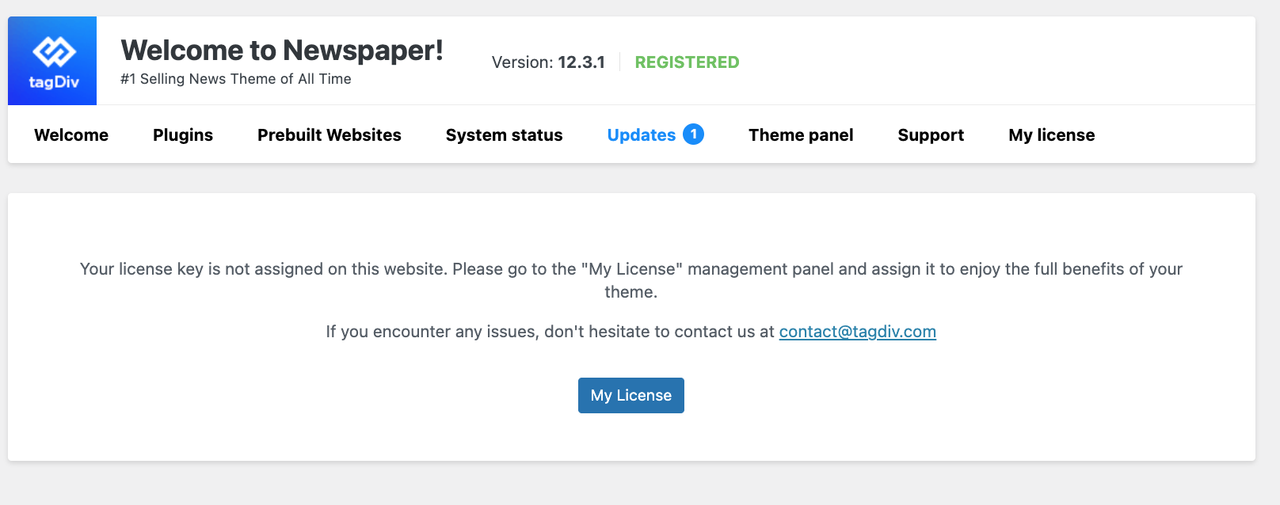
How i can achieve that?
 Oktay
Oktay Anamaria – I sent an email with login details.
Seneca – I did a rollback to but it did not fix the problem, all fonts, colors, assigned cloud templates are messy :/
 m
mI am running a site with a Newspaper: Urban Observer theme. I have tagDiv Composer, tagDiv Cloud Library, tagDiv Opt-In Builder and tagDiv Standard Pack plugins installed. My site is running very slow, loading time is above 3 seconds. Note that database returns queries in less than 0,2s.
I have tried to find what’s slowing the page down, including upgrading the server etc but nothing helped significantly. I have decided to change the theme to Twenty-Twentyfive and the site loads under 0,5s. Ovbiously,Newspaper theme is to blame for the slow response time. Since I’m running another site with Newspaper that runs faster, but using another theme (Gossip that is not cloud based), I have tried to see if the tagdiv cloud is slowing my site down. I have disabled tagDiv Cloud Library plugin and the site loaded in less than 1s. Of course, the site design was broken. But still, obviously, tagDiv Cloud Library plugin is responsible for greatly reducing site speed.
Here are my questions:
1. Am I using the Cloud theme somehow incorrectly?
2. Can I still use the theme but disable cloud features (and have a site that is not broken)?
3. If I change to another non-cloud theme, what’s the best way to do it in order not to lose all the settings?
Side note: two other themes that I’m using with different sites are also slow, but not so slow: Publication PRO and Video News PRO. Both are running with tagDiv Cloud Library enabled.
 Bettina
 Hello!
Go to Cloud Templates -> Taxonomies, add and install that template, and then edit it with the tagdiv Composer. Make sure that you import the custom module https://app.screencast.com/T2zJ1KM18Ysdk
Let me know the results!
Thank you!
Anamaria Hi,
Unfortunately, no. Only the pages that you have imported from tagdiv Cloud Library will be displayed there.
Have a great day!
Anamaria Hello,
Yes, you need to use the cloud templates. The standard template from tagdiv Standard pack plugin are deprecated.
You can use the smart list element. You need to use the smart list from tagDiv Composer, instead of Single Post Content ->
https://i.imgur.com/dbipPWQ.png according to the documentation https://forum.tagdiv.com/smart-lists/. You can create the smart list in Gutenberg.
Also, you don’t need to use the classic editor, you can use the Gutenberg editor, which is the default editor for WordPress and select/add the element classic https://i.imgur.com/9sWuCtW.png to add the smart list.
Also, please make sure you have the same heading in the post editor and in the smart list element.
Thank you!
Anamaria Hi,
We recommend WPML plugin for translations: https://forum.tagdiv.com/using-theme-translations-together-wpml/
You need to translate the English (original language) the template for each language in part – https://i.imgur.com/CDmeHCf.png you should have them for each language cloud template – https://i.imgur.com/4agmUtg.png
A much simpler and faster alternative is to duplicate the cloud template you want to use in another language, edit it and select the desired language – https://i.imgur.com/z1CqgBo.png (edit the name) – https://i.imgur.com/dPX8ROs.png – https://i.imgur.com/Lc81IgP.png This method needs to be used to translate all cloud templates.
The pages are created with tagDiv Composer which is a page builder, when WPML is used it cannot translate everything that was built with the page builder and must be edited for each language separately. Please open the page in the editor and click on translate – https://i.imgur.com/TXH6y1c.png. After, if you duplicate the template, you can edit it to change the logo, menu, and whatever you want.
When you make the corrections, make sure you are on the page with the language you are editing, and if you use the cache, or object cache, please clear it.
Please check this topic https://forum.tagdiv.com/topic/missing-strings-on-wpml/
Have a great day!
 endyuzo
 Thanks for the reply. So I have to use the TagDiv Cloud Library because I don’t use it.
 paeg_asia
 Hi I activated TagDiv Cloud Library and those broken codes are now ok.
I am sharing these video capture for your reference and wait for your comment
https://www.loom.com/share/259e9d5ab1d24775afd283f798e67a2c?sid=c7051ab3-e2ba-4a59-b978-ad4c471af425



