- TutorialsFrom WPBakery to tagDiv Composer
- TutorialsDefault Block Settings Guide
- TutorialsOffset Feature
- TutorialstagDiv Social Counter Tutorial
- TutorialsHow to Update the WPBakery Page Builder plugin
 BrettD
 Just got with my managed hosting support and had them check all permissions. Somehow, I’m getting these messages no matter if I’m trying to update the TD Cloud Library or the TD Composer in the theme or with the child theme activated. Also, same thing if I try to auto update or manually click on “Update” in the plugin panel.
BTW, my child theme made it through the jump to the 9 series just fine. The hold up is this update from 9.7.2 to 9.7.3.
“Download failed. Unauthorized.”
 deborasilvestri
hi, i have installed visual composer in my website but when i try to add a block tre are only 3 kinds of elements: row, text and single image… could you please help?
 Simion C.
 Hi,
That is how the mobile theme works. The mobile version of pages will not be the same as the desktop version. This is explained in the guide – https://tagdiv.com/mobile-theme-automatic-optimization-for-mobile-newspaper-theme/
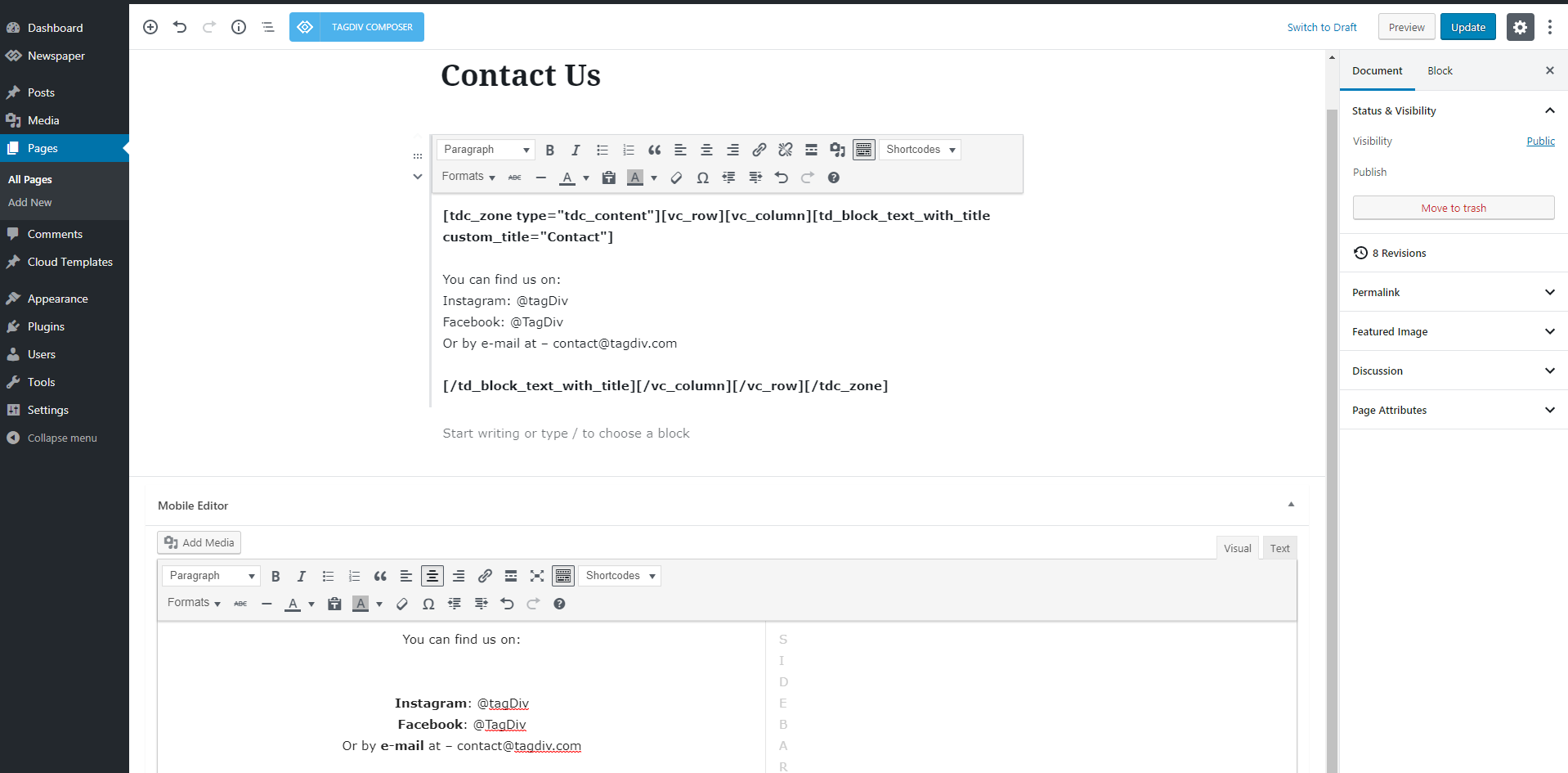
So while the desktop page can be built with the composer, and contain blocks, grids etc. the mobile version is limited to the mobile editor – http://prntscr.com/o8vbaq
If a page contains no content in the mobile editor, on phones it will be empty when the mobile theme is active.
The homepage on mobile displays a top grid with featured posts
– https://forum.tagdiv.com/featured-posts-2/
Then there will be a latest articles section. If you enter content in the mobile editor for the homepage, it will be displayed between those 2 sections.
If you want to see see how the mobile theme looks and works, please check this demo with a phone, it has the plugin active – https://demo.tagdiv.com/newspaper_local_news/
I should note that in coming updates there will be more options added for the mobile theme, like for example the option to disable it for specific pages and many others.
The plugin is optional, if you want the same content from desktop to be displayed on phones, you can disable the mobile theme plugin.
Please let us know if you have more questions.
Thanks
 Akhouri Rohit
Thanks for your reply,
but with my three problems only one problem solved and that is how to delete the empty column in tagdivi composer [ solved ].
Now, look the big problem in my website [ http://www.akhourigen.com ] is that i have a video playlist in the homepage and also a separate page for the videos and these videos is not showing in mobile version. i have tried everything as you told me earlier but nothing worked for me. i have tried to switch off the mobile theme but not worked.
also in mobile version not a single grid is showing as a post only the latest post shows [ no grid is showing nor my video is showing in mobile version ]
Videos is very important for my website to show as on desktop version and also on mobile version, i want to show both as i uploaded a separate video form from the add media option of post or a video youtube playlist. i want that people see my website post and videos on every devices. [ want everything in mobile version with AMP too.]
So, tell me the step by step point that how to achieve that because your tutorial page not worked for me.
last problem is that the big grid full 9, i don’t have any background image still the grid is small, it’s not coming up with full width.
Make sure to provide the clear steps that how to do it.
thanks.
 redgry
 I do not use Composer
 Vlad S
 Hello !
In order to change the font there you will have to edit the block using the tagDiv Composer, simply click on the block you want to edit and then go to Style tab like here: https://www.screencast.com/t/WLkiq13XKX
There you will find the options to edit your font and much more !
I hope this was helpfull !
Thank you !
Vlad S Hello !
You should be able to edit that using the tagDiv Composer on your page template. In order to remove it you will need to simply hold your click on it and you will see a delete button. Simply drag it there like here: https://www.screencast.com/t/qbuVoiVFTK
If you do not want to delete that element and only to edit it you will see some options in the left side of the screen.
I hope this was helpfull !
Thank you !
Simion C. Maybe the shortcode method would work, in a column text element
– https://www.advancedcustomfields.com/resources/displaying-custom-field-values-in-your-theme/
But you would have to edit each page and add the column text with the shortcode in it, manually.
Also manually, maybe it could work using a plugin that provides a widget that supports PHP code, for example – https://wordpress.org/plugins/safe-php-code-widget/
– https://wordpress.org/plugins/code-widget/
Then place the widget in a sidebar and add a widget sidebar element in the composer, and select the respective sidebar.
Or ultimately modify the theme files in those locations, but after a theme update the modifications will be lost.
Vlad S Hello !
Now that file is located in the TD Composer plugin so your path should look like this: \Desktop\Newspaper\plugins\td-composer\mobile
I hope this was more helpfull !
Thank you !
Vlad S Hello !
To make your custom pages visible into the Mobile Theme they need to be recreated inside the Mobile Editor tab. It supports custom HTML and photos too !
This Mobile Editor does not recognize a page builder so the tagDiv Composer shortcodes cannot be rendered: https://forum.tagdiv.com/wp-content/uploads/2016/01/mobile-theme.png
Find out more about it here: https://forum.tagdiv.com/the-mobile-theme/
Thank you !
 Calin
Calin Hello,
Please make sure that all the settings are like in our requirements, please follow the guide carefully
– https://forum.tagdiv.com/requirements-for-newspaper/
and please increase all requirements that are lower, and follow all steps.
Please make sure that you do not have a plugin conflict with untested plugins, please deactivate all plugins and child theme ( if you are using ) and let only the tagDiv Composer , clear all cache, deactivate the cache plugin and try again.
Please check this article about when tagDiv Composer is not working -> https://forum.tagdiv.com/tagdiv-composer-not-working/
If there is still a problem, you can send us an email at contact@tagdiv.com and provide admin login, as well as cPanel or FTP if possible. We will take a look. Include a link to this topic in the email.
Thank you!
 Catalin
 Hi,
I have checked your website on mobile and it seems that you have added some styles on the main ROW on the mobile from the TD Composer and that’s why it seems to be broken on mobile, as you can see here -> https://www.screencast.com/t/KyvdfdynlE3 Please edit again your page on mobile from TD Composer, like this -> https://www.screencast.com/t/wK5MfZ4BP Please check your composer configuration on mobile devices and remove all of your added style in that section and check again. Should works as expected.
Hope this helps and let us know how it goes!
Thank you!
Vlad S Hello !
If you go into your post you should be able to see this option: https://www.screencast.com/t/3xDFtUxoug2 That will allow you to edit your template using the tagDiv Composer.
Let me know how this went !
Thank you !
Vlad S Hello !
It appears that your review is located in a single post template from the cloud library. You should be able to edit the review area using the tagDiv Composer in order to change the backgroud. Unforutnately the title cannot be moved.
Also i’m not sure what do you mean with the 5 point system. Please take a look at our documentation regarding the review options: https://forum.tagdiv.com/reviews-2/
I hope this was helpfull !
Thank you !
Simion C. Glad to help. Regarding the font, I still see this font family set to load
– http://prntscr.com/oaudqx
If you have changed the font in the composer – http://prntscr.com/oaue6i it should be seen on the front end. Could be a caching issue if you use one, maybe try to clear it then check again.
If you want us to take a closer look at it, please send us an email at contact@tagdiv.com and provide admin login. Include a link to this topic in the email. Let me know.
Calin Hi,
The Latest articles that you have in the homepage came from the page template -> https://forum.tagdiv.com/page-templates-2/ -> Page Builder + Latest Articles + Pagination, if you want to edit the Latest Articles using tagdiv Composer then you should change the page template to “Default Template” and edit the homepage using the TD Composer and set the posts loop element where you want in the page -> https://www.screencast.com/t/yPt3PzRm68 -> https://www.screencast.com/t/SA01tVWwZ
Block settings guide -> https://forum.tagdiv.com/block-settings-guide/
Thank you!
 hundredkorea
hello~~
I have a question
I can not creat any page with tagdiv composer.
Error mesage is same like bleow.

I use wpml plugin, and basic language is normal not occur error.
But If I write a new page, other language with wpml, occur error like upper.
I can not creat any page with tagdiv composer, and translate any page.
What is this case???
Please answer me
Calin Hi,
If the content that you want to set in 5/12 column is static you can add the column text and set in it the content you want
-> https://www.screencast.com/t/sY17o5tY also if you are suing some plugins that generate content you can set the shortcode in Column text in text section; or if you want to set a pot in that section you can use the flex block and set the numbers of post you want to show , filter, set the layout … -> https://tagdiv.com/tagdiv-composer-flex-block-elements/
Thank you!
Simion C. If you want to try the template I mentioned above, all you have to do is to edit the page and select it, then save/update the page.
It can be set either in the backend of the page – http://prntscr.com/oau7fx
Or while editing it with the composer – http://prntscr.com/oau7qv
The result after applying the page template will be something like this
– http://prntscr.com/oau7zn
In case I misunderstand what you want to do, or you have more questions, let me know.
Simion C. Hi,
Note that the 9.7 update was a major update, it consists of modifications to the theme file structure, most of the files are now in the tagDiv composer plugin. Here is an article about the changes made and why they were made – https://tagdiv.com/updating-the-core-of-tagdiv-themes/
The loop single files are now here – http://prntscr.com/oau433 and the page templates here
– http://prntscr.com/oau4p0
Modifying these files in a child theme will not work anymore unfortunately.
Let me know if you have more questions.
Thanks
Vlad S Hello !
In order to sort the categories of a block you will have to simply click on the block you want to edit using the tagDiv Composer and go to the filter tab as you can see here: https://www.screencast.com/t/765iSrCiBg7
I hope this was helpfull !
Thank you !
Vlad S Hello !
In order to make the site full width you have to select every row of your page using the tagDiv Composer and then set the stretch mode you want like here : https://www.screencast.com/t/BkWwdHh6
In order to make the post page full width you will have to add a single post template and then edit it. Check more about how to have single post template here: https://tagdiv.com/customize-articles-with-single-post-templates/ And for the header you can do it here: https://www.screencast.com/t/xf56tQN0.
These are the ways you can increase your page width from theme options. Anything above this will require custom code.
Let me know if this helped you !
Thank you !
 domien
Hi there,
I created a row with visual composer and background image. I have set the setting on strecth in visual composer row, but it’s not stretching out to left and right: https://photographycourse.net/product/wedding-essentiels-preset/ .
How can i fix this?
thanks
 ceylonchronicles
 Hello I am sorry I am still confusing to edit the latest article i unable edit this one
So please let me know how to edit with tagtd composer and also i want move up the latest article
Thanks
Simion C. Hi,
The excerpt font and font properties can be changed in general, in the theme panel
– http://prntscr.com/oaj72k
Or you can change them for specific modules in the composer. For example
– http://prntscr.com/oaj7z1
The font settings made in the composer will have priority over the general settings in the theme panel.
Please let me know if you have more questions.
Thanks