
 dennisjpitocco
 This error is significantly impacting our ability to update over a dozen pages. Can you please expedite the bug fix? Thank you!
wp_booster error:
Internal error: The system tried to use an att that does not exists! class_name: tds_button3 Att name: “button_tdicon” as “1-button_tdicon”
/home/bizcatal/public_html/wp-content/plugins/td-composer/legacy/common/wp_booster/td_style.php
 florentin
 The screenshot is visible to me, but anyway.
The video stream is added in page (Edit not TagDiv Composer) using FV Player.
https://www.screencast.com/t/pLuGaLHrhkHV
 Bettina
 Hello!
This issue has been discussed already here: https://forum.tagdiv.com/topic/tagdiv-composer-causing-slow-site-loading/
Thank you for understanding!
Bettina Hello @joema!
Please edit the page with the TagDiv Composer. Click on the 2 rows from the title and the one from subtitles and set the stretch row off like this: https://prnt.sc/Dyv9x_fDViMh
Thank you!
Bettina Hello @wydawca !
The Standard Pack plugin is useful only if you are using the default templates.
But, we recommend you to use cloud/PRO templates in order to have the possibility to edit them with the TagDiv Composer which contains a lot of functions and features, please check our tutorial here: https://forum.tagdiv.com/tagdiv-composer-tutorial/
Documentation here:
– https://forum.tagdiv.com/cloud-library-templates/
– https://forum.tagdiv.com/design-post-pages-using-cloud-library-templates/
– https://forum.tagdiv.com/cloud-library-category-templates/
If you are using a cache plugin, deactivate it, clear all cache and try again.
Thank you!
 Peter_86
 This is the error:
Internal error: The system tried to use an att that does not exists! class_name: tds_button8 Att name: “button_tdicon” as “1-button_tdicon”
/home/xxxxxxxx/public_html/wp-content/plugins/td-composer/legacy/common/wp_booster/td_style.php
I have 3 buttons with name: tds_button8 I have removed icons from buttons but it was the same. Now I have inserted them back.
Peter_86 Hello,
I have all the plugins installed and activated after update. The link you gave me is for post revision not for page – is the same procedure for page too?
Error that I get is on page, not on post.
On front end this page looks ok. This error is shown only in tagDiv composer.
Since there the error is specified in the popup, could one of your developers take a look what could be done to fix it? I am not a programmer/developer so I would be happy to get some programming help from one of your developers 🙂
Cheers,
Peter
 Calin
Calin Hi dnf67,
There are a few ways to add the Gtranslate where you want.
Please check if the plugin provides a shortcode, if is do provide, then set it with tagDiv Composer in a column text or text with title where you want to display it.
Another solution will be to set the element n a sidebar widget, then in tagDiv Composer to use the sidebar widget element -> https://i.imgur.com/xBIZAKO.png
Also, using a cloud header will allow you to set with tagDiv Composer the elements on header.
Thank you!
Calin Hi Peter_86,
If the problem is only with one page, there here is what you need to try:
– be sure that you have all the theme plugins that you have before the update (composer, cloud, standard pack … ).
– it is possible to be something that corrupted that page, what you can do is to try to use a page revision -> s https://www.wpbeginner.com/beginners-guide/complete-guide-to-wordpress-post-revisions/
I hope this will help you!
Peter_86Hello,
now after update I get this error on this specific subpage when I open it with tagDiv composer. On other pages everything is ok.
Looks like there is something with attribute that does not exist. (button icon …) Have no idea where could this be.
Image: 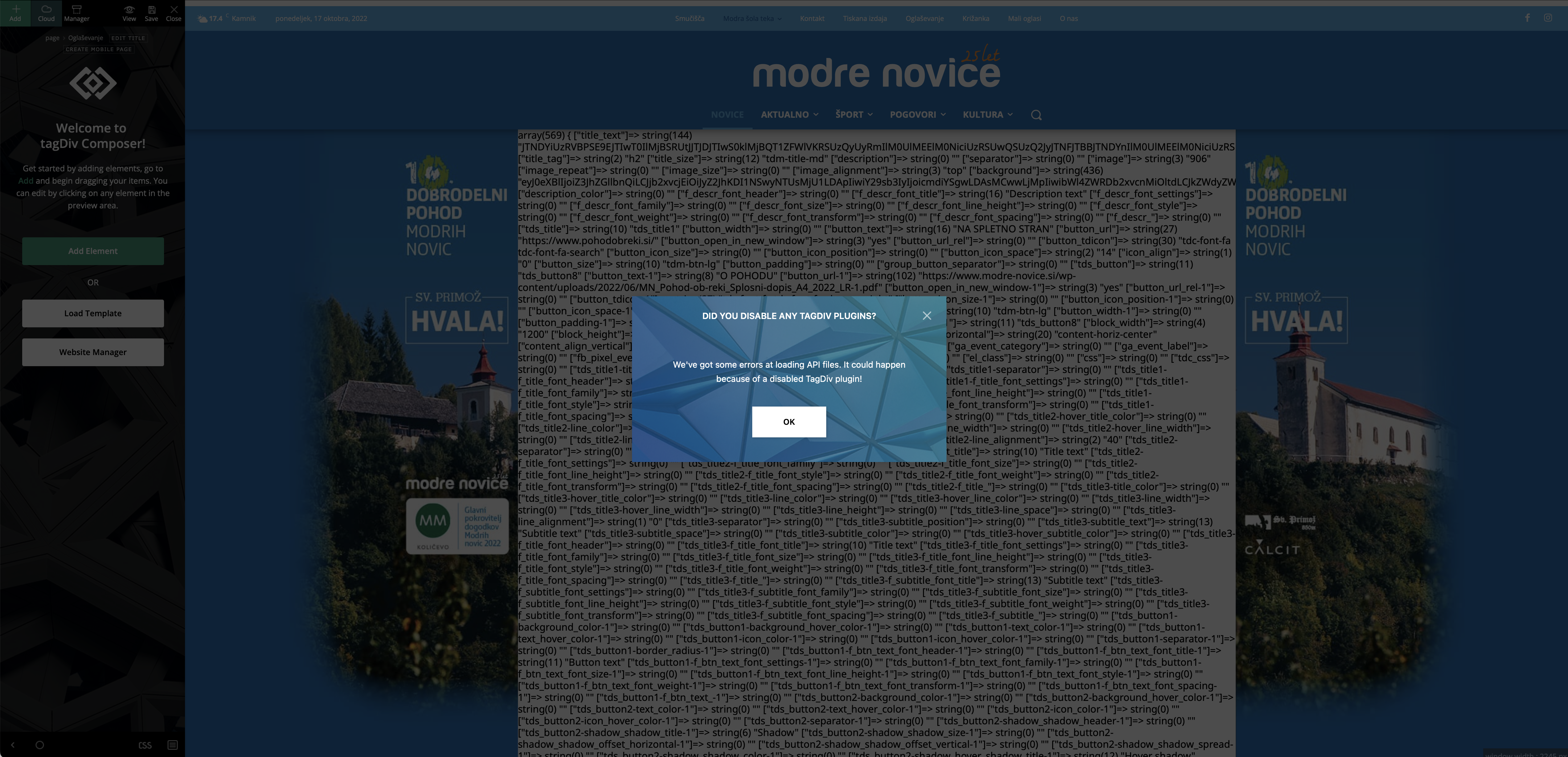
Image 2: 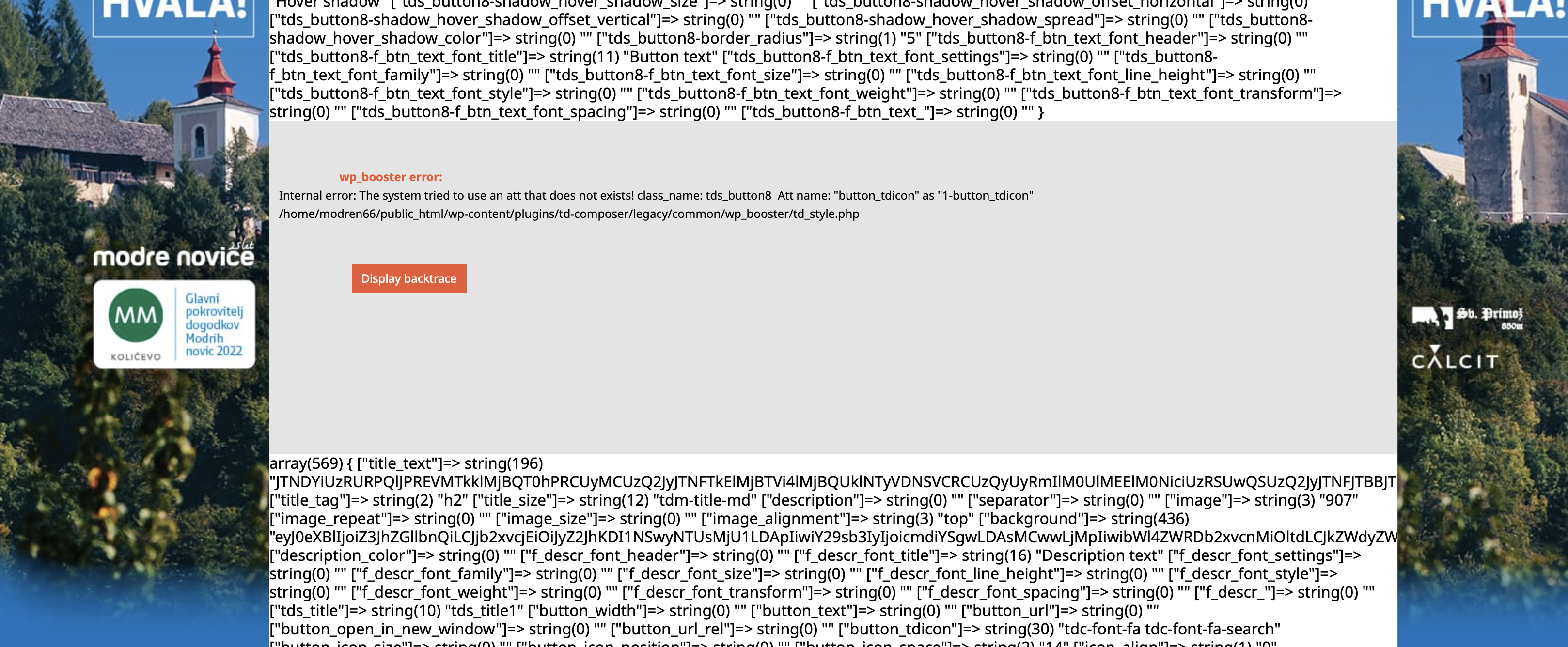
Help would be very much appreciated.
Thank you,
Peter
Bettina Hello @Sikandar!
We have 3 options for mobile versions that you can use:
1. Responsive version: A responsive version of your website looks similar to the desktop version. Edit the page with TagDiv Composer. Click on the mobile viewport: https://www.screencast.com/t/XDQJedlggSB; there you can see your mobile version and edit or adjust the elements to look better.
2. Mobile pages: https://tagdiv.com/newspaper-10-3-7-update-brings-customizable-and-fast-mobile-pages
3. Mobile theme plugin: The Mobile Theme is a performance-optimized theme included in the main Newspaper theme that only loads on mobile devices. It comes with its own templates and design for pages, posts, categories, etc., so your current templates from the desktop theme will get converted to the mobile theme layout. Please see https://forum.tagdiv.com/the-mobile-theme/ and https://forum.tagdiv.com/mobile-theme-introduction/ for more information.
A full explanation is here: https://www.youtube.com/watch?v=SpGkOnJeNZY
Thank you!
Bettina Hello @diocesipn !
Check in the Newspaper -> Theme panel -> Header -> Logo & Favicon -> Text Logo, text logo tagline.
Are you using the Mobile theme plugin? For Mobile Theme plugin, you can change the logo from Newspaper -> Theme panel -> Mobile theme -> Header and the copyright text in footer -> subfooter.
You can adjust the logo differently in the mobile viewport: https://www.screencast.com/t/XDQJedlggSB, so then it will fit there.
We have 3 options for mobile versions that you can use:
1. Responsive version: A responsive version of your website looks similar to the desktop version. Edit the page with TagDiv Composer. Click on the mobile viewport: https://www.screencast.com/t/XDQJedlggSB; there you can see your mobile version and edit or adjust the elements to look better.
2. Mobile pages: https://tagdiv.com/newspaper-10-3-7-update-brings-customizable-and-fast-mobile-pages
3. Mobile theme plugin: The Mobile Theme is a performance-optimized theme included in the main Newspaper theme that only loads on mobile devices. It comes with its own templates and design for pages, posts, categories, etc., so your current templates from the desktop theme will get converted to the mobile theme layout. Please see https://forum.tagdiv.com/the-mobile-theme/ and https://forum.tagdiv.com/mobile-theme-introduction/ for more information.
A full explanation is here: https://www.youtube.com/watch?v=SpGkOnJeNZY
Thank you!
 Anamaria
 Hello,
Those are just titles, and you can edit them with tagdiv Composer, and set your categories titles after you can apply a filter for each block, with what category you want to display -> https://i.imgur.com/Ap2LH3b.png
Also, on our channel https://www.youtube.com/channel/UCOT1RiNysIPCTPSnVZskwtQ, you can find more videos that can help you and documentation https://forum.tagdiv.com/newspaper-theme-documentation/ and you can ask us here on the forum if you have any questions.
Thank you!
Anamaria Hello,
Please edit the Single Post Template with tagdiv Composer.
You can set the ads in Single Post Template from tagDiv Cloud Library and you can set top ad, 3 inline ads set after x paragraphs and bottom ad, please check this article -> https://forum.tagdiv.com/article-ads/ and video https://www.youtube.com/watch?v=biTpVVlr8j8
Thank you!
Anamaria Hello,
You can design it as you want with tagdiv Composer; you can drag and drop the elements.
Thank you!
Anamaria Hi,
Please do a test using only tagDiv plugins, and clear all cache and after try to edit with tagdiv Composer.
Thank you!
Anamaria Hello,
If you have cloud templates, you need to customize with tagDiv Composer, please check these guides -> https://forum.tagdiv.com/header-manager/ https://www.youtube.com/watch?v=HXQQygkCCJo
Our theme is a frontend theme for most of the elements and changes, you’ll need to use the tagDiv Composer to edit the pages and templates for posts/categories, etc => https://i.imgur.com/I3OUYxr.jpg -> https://i.imgur.com/mMrEufY.jpg from the frontend, no in the code -> https://www.screencast.com/t/LDdokrHPl
Also, on our channel https://www.youtube.com/channel/UCOT1RiNysIPCTPSnVZskwtQ, you can find more videos that can help you and documentation https://forum.tagdiv.com/newspaper-theme-documentation/ and you can ask us here on the forum if you have any questions
The options from the Theme Panel are for the standard template.
Thank you!
Anamaria Hello,
Please deactivate if you have another page builder and use only tagdiv Composer.
If you have a header template from Cloud Library, you can edit the logo and header with tagDiv Composer => https://www.screencast.com/t/zuhG8uGZe, select the header and you can remove the logo image/text and add a new logo =>https://www.screencast.com/t/WSquHPNqT https://www.youtube.com/watch?v=HXQQygkCCJo
If you have a standard template then you need to go in Theme Panel -> Header -> Logo and Favicon => https://www.screencast.com/t/jk2I1xs4FH2
Thank you!
 mita
mitaHi,
I’d like to report issues with cloud templates on our site. So far we couldn’t find what’s causing it and I kindly ask your team to inspect it and provide feedback. Im sending this ticket by email to support@tagdiv.com with credentials to access the site.
https://jornaldoalgarve.pt/wp-admin/admin.php?page=tdb_cloud_templates
The preview of those templates are not working as expected. When clicking “view” we are always redirect to the last article published and for that reason we are not seeing the righ version of the template. We can access the right template only when using ‘Edit with Tad Composer’.
Thanks,
Marta
 tagdivchick
I’m trying to display a Post Loop, but only show posts from a specific category.
There isn’t an option to specify a category.
I’m sure there’s a way to do it but there’s no obvious way to do this. Im trying to do this within TagDiv Composer. If I do it with code, I can do it, but I thought TagDiv Composer was supposed to be robust enough to do a task like this.
Please advise. Thank you.
dennisjpitocco Thank you Bettina. We followed your steps above and still not working on certain pages. We see the following error displayed:
wp_booster error:
Internal error: The system tried to use an att that does not exists! class_name: tds_button8 Att name: “button_tdicon” as “1-button_tdicon”
/home/bizcatal/public_html/wp-content/plugins/td-composer/legacy/common/wp_booster/td_style.php
 alxcom
Hello, the formatting of our youtube playlist has completely disappeared. Everything looks normal when I’m in TagDiv Composer but the formatting disappears on the published page. The videos and links are functioning.
It was working fine for a while without ever any issue.
I’ve tested with the Vimeo shortcode with the same result.
I’ve imported different templates and the same thing happens to each.
I suspected a caching problem and cleared and deactivated Super Cache to no avail.
The Formatting everywhere else looks fine and no major update was made before this started. Any help or advice? please
Thanks
offthehooksports.com
Bettina Hello @universidademanizales!
You use the Mobile Theme plugin. If you uninstall it, then it will work like the desktop version. The Mobile layout is different than the desktop version and you need to apply the settings for the mobile theme in the theme panel-> Mobile theme. When you do some settings in the desktop version, the settings won’t apply to the mobile theme either.
We have 3 options for mobile versions that you can use:
1. Responsive version: A responsive version of your website looks similar to the desktop version. Edit the page with TagDiv Composer. Click on the mobile viewport: https://www.screencast.com/t/XDQJedlggSB. There you can see your mobile version and edit or adjust the elements to look better.
2. Mobile pages: https://tagdiv.com/newspaper-10-3-7-update-brings-customizable-and-quick-mobile-pages/
3. Mobile theme plugin: The Mobile Theme is a performance-optimized theme included in the main newspaper theme that only loads on mobile devices. It comes with its own templates and design for pages, posts, categories, etc., so your current templates from the desktop theme will get converted to the mobile theme layout. For more information, please visit https://forum.tagdiv.com/the-mobile-theme/ and https://forum.tagdiv.com/mobile-theme-introduction/.
A full explanation is here: https://www.youtube.com/watch?v=SpGkOnJeNZY
You can choose to use whichever one is more affordable and useful for you.
For options 1 and 2, you need to uninstall the Mobile Theme plugin.
Thank you!
Calin Hi,
Unfortunately, there is no option in the theme for this, you’ll need to manually change the links.
The file path for modal is this one -> wp-content/plugins/td-composer/legacy/Newsmag/parts/header/td-login-modal.php
The file path for the top bar that holds the elements sing in/join is this one -> wp-content/plugins/td-composer/legacy/Newsmag/parts/header/top-menu.php
I hope this will help you!
Bettina Hello Ketan Prajapati!
If you edit the page with the TagDiv Composer, then you can see the raw html, which is custom and the location does not come automatically there. You need to add it manually also. For example, search for the location in Google Maps and copy-paste the embed code into the raw HTML shortcode: https://prnt.sc/k_nOQ2-Fn6Ap
Thank you!



