- NewspaperCreate Custom Code with the browser’s Inspector or the Live CSS Box
- NewspaperScroll Animation
- NewspaperWP Rocket and Newspaper Theme: Optimization Guide
- NewspaperHow to setup Twitch for Social Counter
- NewspaperModal Popup
- NewspaperFlex Block Settings Guide
- NewspaperAutoptimize Plugin – install and configuration
- NewspaperAdding Multiple Authors to Your Articles
- NewspaperDesign your Post Pages using the Cloud Library Templates
- NewspaperBig Grid Flex Settings
- NewspapertagDiv Composer Tutorial
- NewspaperTheme modules and blocks
- NewspaperThe Mobile Theme
- NewspaperCompare theme files – Winmerge tutorial
- NewspaperUsing Other Ads
- NewspaperBlock settings tutorial
- Using custom fonts
- Using typekit fonts
- NewspaperChild Theme Support
- NewspaperHow to Make the Site Faster
 Bogdan B.
 Hello,
It seems the spacing comes from your image for the most part. Pleae change the logo and remove some of it’s spacing in your favorite photo editor. Then add this code in the theme panel-> custom css box:
.td-header-style-9 .td-logo-wrap-full{

    min-height: 95px!important;

    line-height: 102px!important;

}
I can’t see any ad underneath the menu however.
Thanks.
 rafael-l
 Thank you very very much, worked just FINE, impressive!
But for the second item the “2)” i think i found a better solution. I just entered this code in the live CSS
.td-post-content img {
display: inherit;
}
… and worked just fine for my content, but i will read more about “inherit” to see if this code will not cause a problem in any way or form.
Thank’s for the attention, all the best for you!
 Simion C.
 Hi,
It only started happening then because that was when the new post sharing was introduced maybe. Seems that text is removed at the moment, only the issue with the opacity is still present.
Try entering this code in Theme panel->Custom CSS to force the correct opacity
– https://www.screencast.com/t/8Dl6Sf2gqO
.td-post-sharing {

opacity:1!important;

}
Thanks
Simion C. Hi,
Maybe follow WordPress specifications and make tests
– https://developer.wordpress.org/reference/functions/wp_enqueue_style/
– https://developer.wordpress.org/reference/functions/wp_enqueue_script/
– http://www.wpbeginner.com/wp-tutorials/how-to-properly-add-javascripts-and-styles-in-wordpress/
– https://developer.wordpress.org/themes/basics/including-css-javascript/
Thanks
Simion C. Hi,
I could give you a code to reduce the margin between those elements, by default there is a margin set like this
– https://www.screencast.com/t/OCQJ2334lvqN
You could try a code like this to reduce that margin
– https://www.screencast.com/t/Yw42PRMi
.td-footer-wrapper .td_block_wrap {

margin-bottom: 24px;

}
Modify the value as you wish and enter the code in Theme panel->Custom CSS section.
Thanks
 Catalin
 Hello ravejungle,
You should use a bit of CSS code if you want to hide the google ad sense code for a specific post page. Also, use the post ID to target the specific one.
.td-g-rec{

display:none!important;

}
If you want a more accurate code, you should provide your website URL.
Thanks for your understanding!
Simion C. Hi,
You could enter the code in a child theme stylesheet or directly in the theme stylesheet. There is no option to load the custom CSS in a different location, unless thorough code modifications maybe.
Thanks
Simion C. Hi,
Thank you for your appreciation. Please do not hesitate to contact us if you have any questions or need help with something.
1. It seems the previous theme has a narrower post content width. The width in the Newspaper theme for the post content is 696px with a sidebar, with no sidebar it will use the full available width of the theme.
The post content general width cannot be changed by a setting, it is fixed and predefined in the theme.
Narrower post content could be achieved using the padding option
– https://www.screencast.com/t/xRg7co5liyD
But this would require you to set it for each post individually. I could give you a code solution, something like this example
– https://www.screencast.com/t/lhUVABqBUlzl
This could be a solution if you absolutely need to reduce the post content width, it will apply to all posts at once. This is the code used in the example, it will produce similar width as the other theme
.td-post-content {

padding-left:8.5%;

padding-right:8.5%;

}
Enter it in Advanced CSS if you want it to affect desktop only.
2. It seems the image is not aligned center. A solution would be setting a custom class to the div like this example
– https://www.screencast.com/t/h97F9Q1t
Then use a code like this (custom code can be entered in Theme panel->Custom CSS section)
– https://www.screencast.com/t/54aKKuy5
.myclass img {

margin:auto;

}
You don’t have to pay for anything, we will try to help you as best we can with theme options or by case with simple solutions.
Thank you!
 themesic
Any alternatives to this: https://forum.tagdiv.com/newsmag-how-to-add-icons-in-menu/ ?
Adding this plugin will load an extra .js and .css files.
Simion C. Hi,
That could be removed with this code
– https://www.screencast.com/t/3FZ0yVGF3j1y
If you can enter it in the general custom css section in the theme panel, it will affect mobile as well with this result
– https://www.screencast.com/t/ofsBmELkhjU
Or you can enter in the desktop section to work only on desktop
.home .td-main-page-wrap {

padding-top: 0;

}
Thanks
Catalin Hello tha,
You should use a bit of CSS code if you want to decrease the height size of this image.
The code is ->
.td-full-screen-header-image-wrap{

height:300px;

}
Thanks for the message!
Catalin Hello syahrizal.mu,
To fix this alignment you should use a bit of CSS code. Use the code below and place it in Theme panel -> Custom CSS area.
.td-ss-main-content ul{

list-style-position:outside!important;

}
The result is here -> https://www.screencast.com/t/Szece9pni
Thanks for your understanding!
 jmr
jmrI’m noticing some issues when my site loads because the CSS I’m adding in the Custom CSS section of the Theme Panel is being loaded at the bottom of the HTML. Is there a way to move this up into the head or at least high in the body?
 ravejungle
 how to hide with css code could you help me.
rafael-lFirst of all, the theme is just wow, easy to setup, and the best you can get in WordPress.
That being said, i have only 2 problems that i will ever need help with.
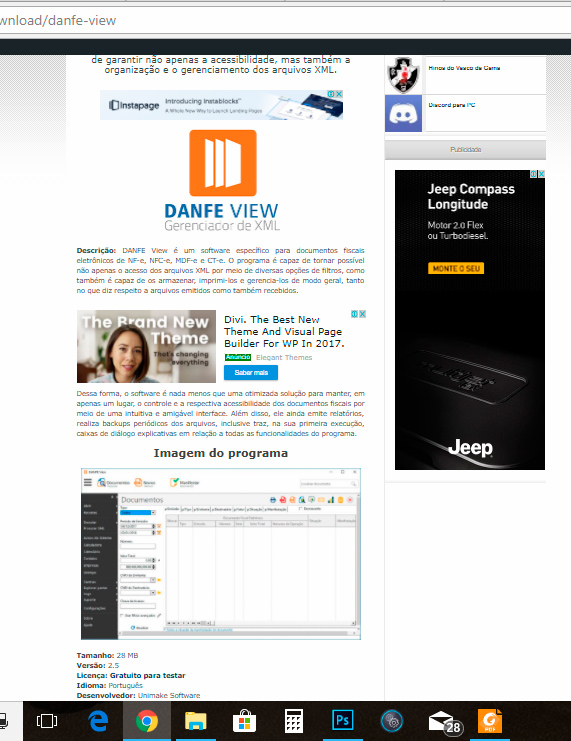
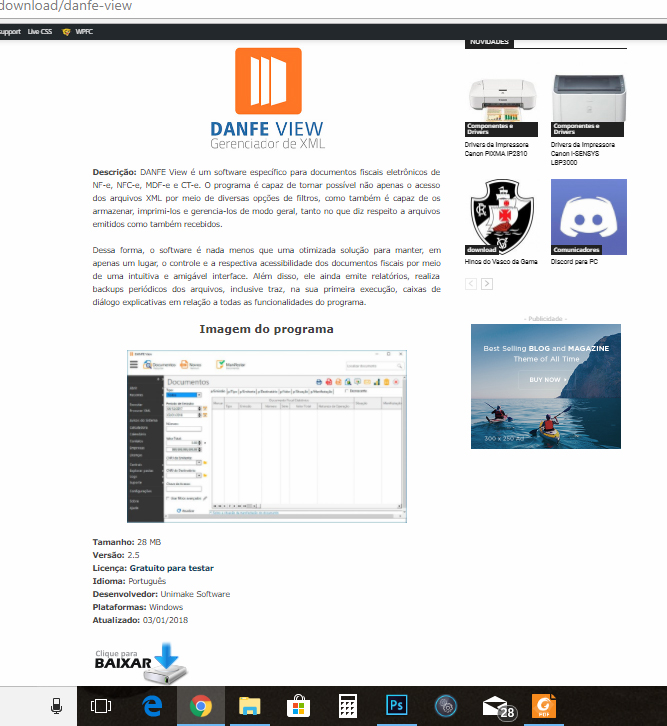
1) How do i change the content width? i know the original is best, but i’m migrating from the old theme to the newspaper, and for now it just don’t fit, i will demonstrate with screenshot links:
Currently my site is still running in old theme, i’m developing in a “laboratory” to apply the new config all at once, so this is the actual post format:
https://www.baixesoft.com/wp-content/uploads/2018/01/demonstration-1.jpg
and in the new theme, the newspapper, it just not fit good, so i want to apply the old width (later i will modernize posts, but for now i need to reduce de content width) please look:
https://www.baixesoft.com/wp-content/uploads/2018/01/demostration-2.jpg
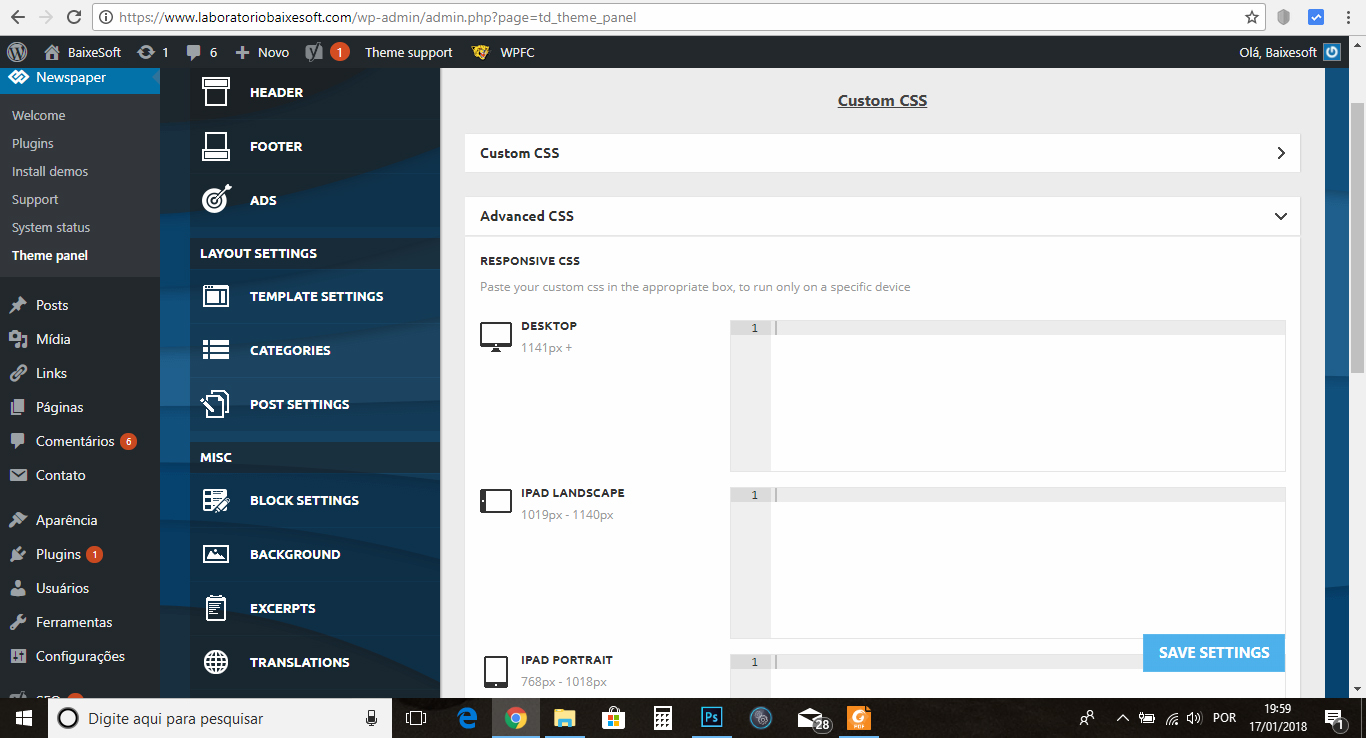
I think i find place to reduce in Theme panel >> custom code >> Advanced css like the screenshot:
https://www.baixesoft.com/wp-content/uploads/2018/01/demonstration-3.jpg
… or some adjust in line 455 or bellow in Style.css. The question is, how do i reduce the post width for desktops? any code that i can insert to reduce?
And the other thing…
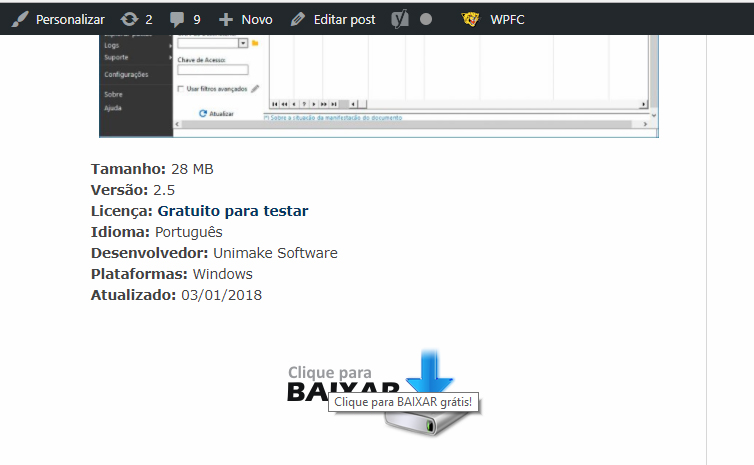
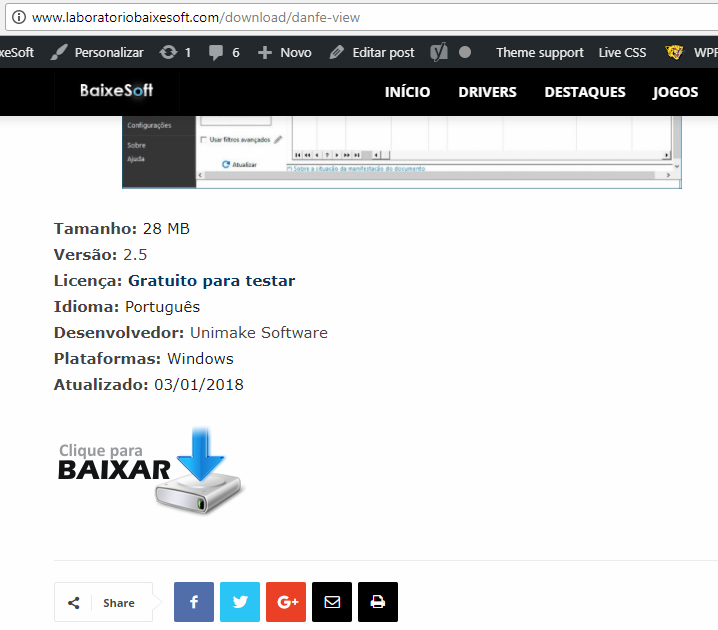
2) My website is like a download portal, and have a download button like this in the current theme
https://www.baixesoft.com/wp-content/uploads/2018/01/demonstration-4.jpg
but in the new theme it gets bugged for some theme thing, some newspapper particularity, and it gets like this:
https://www.baixesoft.com/wp-content/uploads/2018/01/demonstration-5.jpg
This is the code button:
https://www.baixesoft.com/wp-content/uploads/2018/01/code-button.txt
… it will not be a problem to adjust one by one of 2245 posts manualy, but it gets bugged annyway because you can click in empty space in the sides, and this is very bad for Google position, please see for yourself:
https://www.baixesoft.com/download/danfe-view (the actual website)
http://www.laboratoriobaixesoft.com/download/danfe-view (the laboratory)
So, how do i fix this other issue?
And this is the only two things i will ever ask here, if i have to pay for some support it will not be a problem.
Thank you very musch for the attention, and sorry for any bad english, i’m from Brazil!
 kautukbhatnagar
Hi,
I am looking to add two search forms in theme : Where search terms include custom taxonomy and Advance Custom Fields.
Just to specify i am looking to add datepicker in Form where my users are going to search post with date range vai ACF date fields.
QUERY:
=====
1. How would i add bootstrap css and js to child theme?
For this what i did yet
add_action( 'wp_enqueue_scripts', 'theme_enqueue_styles', 1001);

function theme_enqueue_styles() {

wp_enqueue_style( 'bootstrap_css', get_template_directory_uri() . '/bootstrap/css/bootstrap.css' );
wp_enqueue_style( 'bootstrap_css', get_template_directory_uri() . '/bootstrap/css/bootstrap-datepicker.css' );
wp_enqueue_style( 'bootstrap_css', get_template_directory_uri() . '/bootstrap/css/bootstrap-datepicker.min.css' );
wp_enqueue_style('td-theme', get_template_directory_uri() . '/style.css', '', TD_THEME_VERSION . 'c' , 'all' );
wp_enqueue_style('td-theme-child', get_stylesheet_directory_uri() . '/style.css', array('td-theme'), TD_THEME_VERSION . 'c', 'all' );
}
function theme_js() {
global $wp_scripts;
wp_enqueue_script( 'bootstrap_js', get_template_directory_uri() . '/bootstrap/js/jquery.min.js' );
wp_enqueue_script( 'bootstrap_js', get_template_directory_uri() . '/bootstrap/js/moment.min.js' );
wp_enqueue_script( 'bootstrap_js', get_template_directory_uri() . '/bootstrap/js/bootstrap.min.js' );
wp_enqueue_script( 'bootstrap_js', get_template_directory_uri() . '/bootstrap/js/bootstrap-datepicker.min.js' );
wp_enqueue_script( 'bootstrap_js', get_template_directory_uri() . '/bootstrap/js/bootstrap-datetimepicker.*js' );
}
add_action( 'wp_enqueue_scripts', 'theme_js');
But above code didn’t let me add datepicker or its not working !
2. Is there any way i could add custom search form in via td-api-plugin ?
So if i am able to create custom search form , how would i be able to custom created search template.
Please suggest.
Simion C. Hi,
Now it works. As I mentioned above the theme will not work properly with RTL, this is why the issue is happening. I could give you a code for this issue specifically, but others may happen with different elements and other modifications will be necessary.
Try entering this code in Theme panel->Custom CSS section
#td-mobile-nav {

position: fixed;

}
It should fix this problem, but it could create others as well.
Thanks
Bogdan B. Sure,
.td-post-views{

display:none;

}
Add this code in the theme panel- custom css box.
Thanks.
Simion C. Hi,
The color is coming from the demo, demos contain custom design. The same color is displayed here for example
– https://www.screencast.com/t/9BlLbBvQ
In this case you could if you want to change the demo design, you could remove this code here
– https://www.screencast.com/t/CiR8ggwWLM9
Then the default colors will apply
– https://www.screencast.com/t/hfT265ituKMp
– https://www.screencast.com/t/WdwRH7aXzJ2
Another way would be to override the demo color with a similar code in Theme panel->Custom CSS
– https://www.screencast.com/t/8UBO8jMhU
But it would be better to make the modification in the demo stylesheet as shown instead of the CSS solution.
Thanks
Simion C. Hi,
Visual composer hides the row background on mobile, that would be the default behaviour. It could be made visible with custom code, such as this one
– https://www.screencast.com/t/rN5XtdsorPIB
@media (max-width: 767px) {

.vc_hidden-xs {

display: block!important;

}}
Enter the code in Theme panel->Custom CSS and the video background should be visible on mobile.
Thanks
Bogdan B. Hello,
When using an overlay menu, you will have to make the menu visible for all other templates besides the page and implement the css for that page only. Please make the menu black or other colors so you can see it on every other template and then add this css code to your page in the tagdiv composer:
.home .td-header-wrap .td-header-menu-wrap .sf-menu>li>a{

color:white;

}
Thank you!
Simion C. Hi,
They seem to display better now, one below the other at least. I see the titles have a white color, so they are invisible
– https://www.screencast.com/t/3La3P0k9hqjZ
Also the first single image is aligned right, the middle one is center and the last is left. If you could align them all center and also set a different color for the titles they would display better. Or try with custom code, with this result
– https://www.screencast.com/t/iJhwSmwA6
– https://www.screencast.com/t/4aWg1S4u0z
This is the code I used, it should be entered in the Theme panel->Advanced CSS in the phones section. This way it will only be applied on mobile, while desktop remains the same
.home .wpb_single_image {

text-align:center!important;

}

.home .vc_custom_heading {

color:black!important;

text-align:center!important;

}
Thanks
Catalin Hello tal1481,
It seems that your font-size for that section is too much and that’s why your numbers are cut. You should decrease the font size by using the code below and place it in Theme panel -> Custom CSS area. Another alternative would be to change the font size directly from Widgets section in WordPress.
.widget_text .textwidget{

font-size:13px!important;

}
The result is here -> https://www.screencast.com/t/tGZM6tiZF
Thanks.
Bogdan B. Hello,
The social icons are added through our own custom newspaper theme font. They are font icons. If you want to change them you will need to know how font icons work and how they can be changed using css. Sorry but the theme has no settings in this regard.
Thank you!
Simion C. Hi,
The theme by itself does not have preferential settings for the ads. Once entered in the theme panel they will always be displayed in their respective locations.
If the ads you are using are not Adsense they could be removed with CSS maybe, based on the post IDs.
Or you could try the Adrotate plugin, this works with the theme based on user feedback. I believe it has options like you want, it would offer better control over the ads. Here is some documentation on the plugin if you should give it a try
– https://ajdg.solutions/manuals/adrotate-manuals/
– http://www.wpbeginner.com/plugins/how-to-manage-ads-in-wordpress-with-adrotate-plugin/
Thanks