
New Feature: Scroll Animation on Reveal Now Available Across All Elements
We’re excited to introduce a powerful new design feature in our Newspaper theme: Scroll Animation on Reveal. This enhancement gives you more control over how your content appears, helping you create a more dynamic and engaging browsing experience.
What Is Scroll Animation on Reveal?
Scroll animation allows elements on your page to animate into view as users scroll down. Instead of static content appearing all at once, sections can now fade, slide, or animate smoothly into place, making your website feel more interactive and modern.
Where You Can Use It
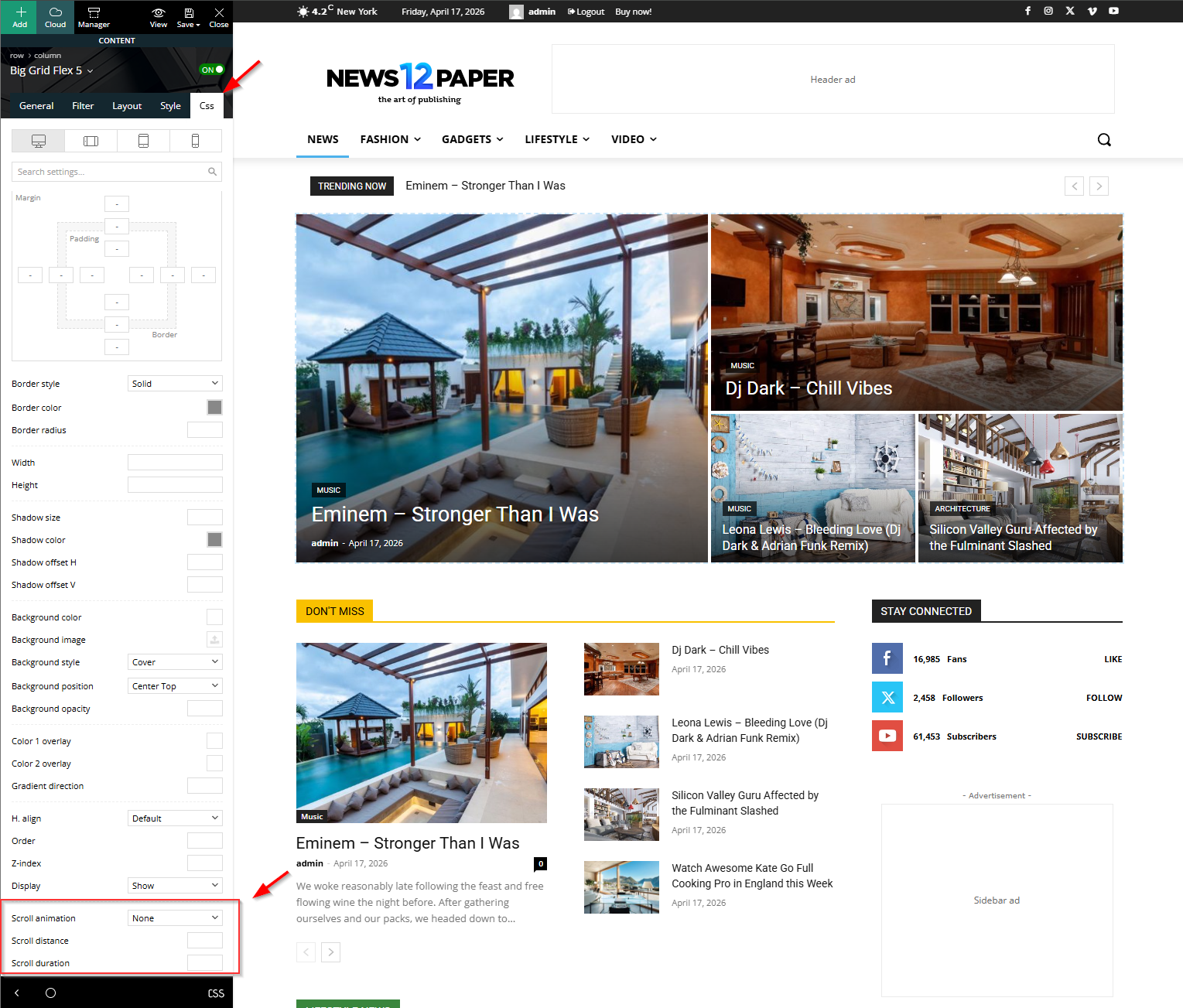
This feature has been fully integrated across the builder and is now available in the CSS tab for:
- Zones
- Rows
- Columns
- Inner Rows
- Inner Columns
- Individual Elements
No matter how your layout is structured, you can apply animations at any level.
How to Enable Scroll Animation
Using this feature is simple:
- Open the page in the Composer (builder).
- Select the element, row, or column you want to animate.
- Go to the CSS tab.
- Locate the new Scroll Animation option.
- Choose your preferred animation style.
- Optionally adjust:
- Scroll Distance – controls when the animation triggers
- Scroll Duration – controls how long the animation lasts
Once saved, your content will animate into view as users scroll.
Why Use Scroll Animations?
Scroll animations can:
- Draw attention to important content
- Improve user engagement
- Make layouts feel more polished and professional
- Guide readers naturally through your page
Best Practices
While animations are powerful, they should be used thoughtfully:
- Avoid overusing animations on every element
- Keep durations smooth and not too slow
- Use subtle effects for readability-focused sections
- Highlight key content like headlines, images, or calls to action