
- NewspaperFlex Block Builder and Flex Loop Builder
- NewspaperHow to use the Flex Blocks cache option
- NewspaperHow to edit modules for Flex Block X
- NewspaperFlex Block Settings Guide
- NewspaperBig Grid Flex Settings
- NewspaperSingle Post Excerpt
- NewspaperWP Rocket and Newspaper Theme: Optimization Guide
- NewspaperSearch setup for custom post type
- NewspaperBookmark – Save For Later
- NewspaperModules Builder in Newspaper Theme
- NewspaperFilters and sorting for taxonomies
- NewspaperHow to insert a block inside the content of a post
- NewspaperCustom Post Type Support
- NewspaperMeta Info on Modules and Blocks
- NewspapertagDiv Composer Tutorial
- NewspaperSocial Counter Styles on Newspaper
- NewspaperCloudflare (CDN)
- NewspaperPage templates
- NewspaperFeatured Posts
- NewspaperTheme Colors Introduction
 Ashish Waykar
 Hi Anamaria and Bettina,
We cannot remove Big Grid Flex 5. Desktop version of website is kind of finalized. Now Desktop layout cannot be changed. Now at this stage if you ask me to use another component,it would affect our go -live date. Also there is no mobile page associated with our current page. Its handled automatically
What I need
1> No need to change Componenet. I will have to use Big Grid Flex 5 in any condition
2> In mobile view that scroll should be removed.Posts should appear one below another.
 Anamaria
 Hello,
It’s not an issue, this is how the Big Grid Flex blocks were designed, with that scroll bar on mobile.
All blocks Big Grid Flex have this option, if you don’t like it, you can change the block with another block, like Flex Block=> https://i.imgur.com/mlVSboN.png
Thank you!
 coralcode
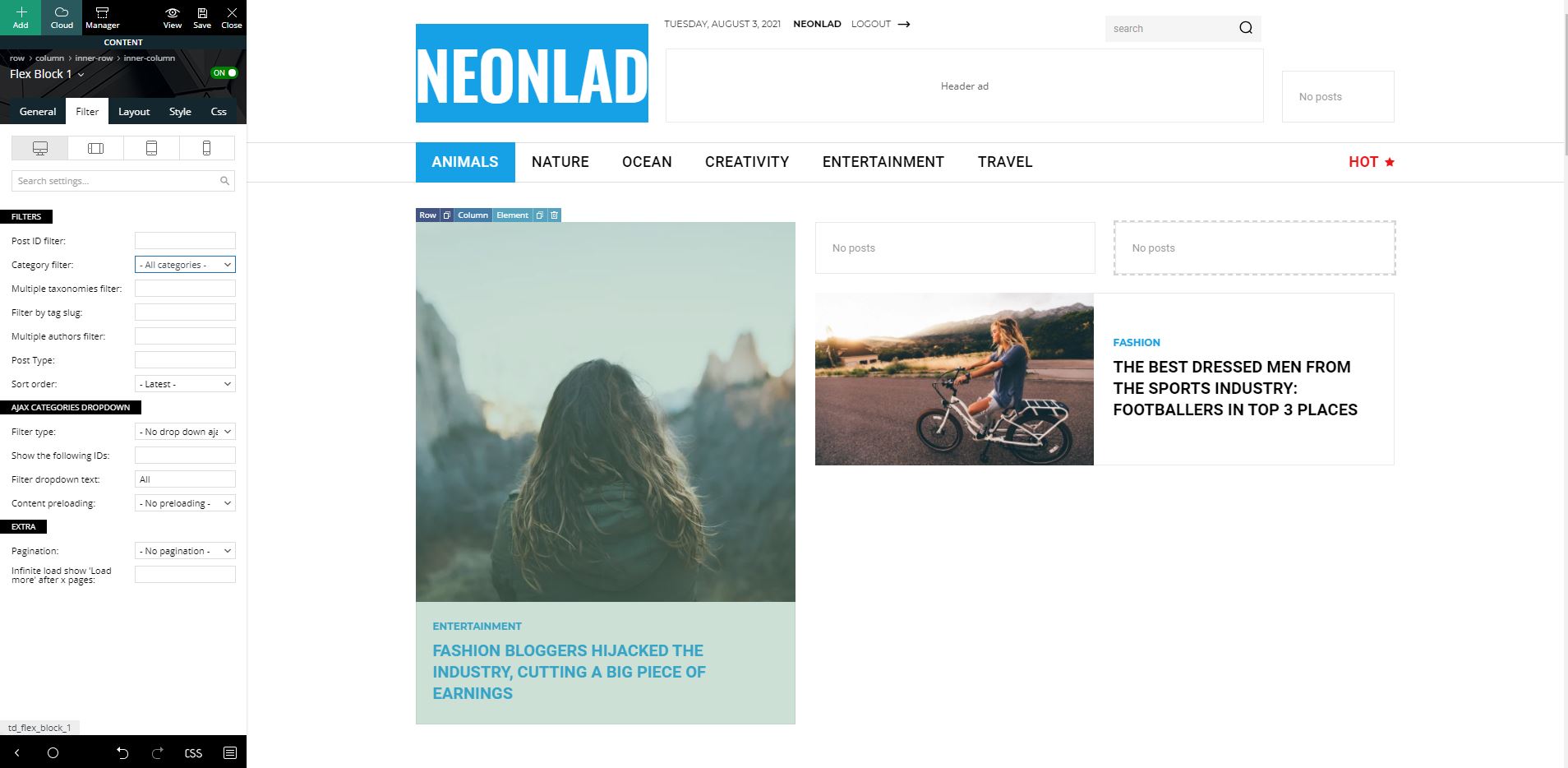
After adding new posts flex box 1 on home page doesn’t show any posts
Even filtered by all categories
 weedinsider.ca
 Hi,
How do I make a new template? When I delete the flex block from one of the categories, it also deletes from all the categories
Anamaria Hello,
The zoom effect is available on the Big Grid Flex blocks => https://www.screencast.com/t/VoNacNuHBRKW
Thank you!
 Bettina
 Hello!
This is a flex block 1 element and you need to edit every category with TagDiv Composer and change the filter: Current category in order to display the posts from the current category. If you want to delete this element, you should duplicate the template and make the changes. If you have the same template for all your pages, then this flex block will appear on every page.
Thank you!
Anamaria Hello,
I saw you set the title for the video pop up ad, this will show if you have set a featured video on that post and if you set an ad on the flex block on the video and will look like this https://imgur.com/fPgww6j
Thank you!
 Calin
Calin Hi,
I think that I understand, you use the unique article, but this will display the posts in different blocks and you want for a specific section to be all posts display there.
In this case, the is not recommended to use the unique article option. To can do this you need to work a little on your homepage using tagDiv Composer. What you need to do is to use the offset option -> https://i.imgur.com/jXnWdCr.png from blocks and the filter tab -> https://i.imgur.com/EOGZJkj.png -> https://forum.tagdiv.com/flex-block-settings-guide/
I hope this will help you!
Ashish WaykarHi Team,
We are facing issue with mobile view in Big Grid Flex 5.In mobile view we get slider. It should not be there.Please check below screenshot for current look

What we are looking for is

Can you please suggest something ?
weedinsider.ca But when I delete the flex block from the home page, it is removed from my “reviews” menu category as well.
What I need is for the flex block I chose to only appear in the category I selected which is under my “reviews” menu of the site, not home page.
Any ideas?
 Bill Fleak
I have added the text Sponsored content in my Flex Block 1 to identify sponsored articles. I am not seeing this appear on my page. How do we get this to display in Flex Block 1 as it does in our Ad Box Block.
https://www.loom.com/share/975e38c757ee4bb1b89c269f9d2ec0df
 Vlad S
 Hello!
That option is available on Flex and Big Grid Flex blocks only. You will have to switch to a flex block.
Thank you!
Vlad S Hello!
You can edit each template individually. If let’s say you edit the Category template for the category News, the settings done there will remain there. If you want a flex block to display more posts all you have to do is to use this setting: https://www.screencast.com/t/h3zZmg4EdZ ; If you want that flex block to display all the posts from your current category you need to use this filter: https://www.screencast.com/t/FVVdhmeu13G
You can duplicate this template for multiple categories and edit it for each one.
Thank you!
weedinsider.ca Hi Calin,
Looks like my last message didn’t send through.
I have done what you said but this flex block also appears on beginning of home page as well as on top of each of the individual “review” blog post.
Any ideas on how I can just show this flex block on the category page itself and not the home page and individual posts?
 mganzha
 Hello,
Thank you for replay. I’ve already turned this option on and it show only Categories of posts in flex block1. I want to display both: Categories and Tags (built in WordPress mechanism). As far as I know there’s no predefined option to display Tags in Flex Blocks. I’m wondering if there’s any chance to achieve this with hard coding(e.g. modifying TagDiv code) or shortcodes or if some. Maybe some specific block have this option built in but I couldn’t find it.
Anamaria Hello,
I don’t really understand what you mean by “flexbox”, but yes, you can add the newsletter in the footer section or you can import a footer template that has the newsletter =>https://i.imgur.com/cD592OF.png
Thank you!
 iamkevalkaria
 How do I add newsletter Shortcode in Footer Section is it possible to do via flexbox?
Vlad S Hello !
The latest articles option and related posts come from WordPress not from Newspaper Theme. You can disable it from here as you can see: https://www.screencast.com/t/uzXRgXTiHlH You can disable that and replace it with a Flex block that has more editing options.
Thank you !
Calin Hi weedinsider.ca,
This https://weedinsider.ca/reviews/ is a page not a category, but you can edit it using tagDiv Composer -> https://i.imgur.com/6zy8zjM.png click on the flex block and you can check the number of posts from here https://i.imgur.com/JdImJXq.png also you can add pagination from here -> https://i.imgur.com/WMxVE7s.png or if you want numbered pagination, then use the posts loop element https://i.imgur.com/h2yO3rm.png
I hope this will help you better!
Thank you!
Anamaria Hello,
Unfortunately, these blocks don’t have the option to apply on the image radius, this option is available on the flex block.
For these blocks, you need to use some Custom code CSS.
You can check this topic https://forum.tagdiv.com/topic/how-can-i-create-a-rounded-big-grid-flex-with-colored-meta-info-background/
Thank you!
 kyniu
kyniu1. Text with title in sibebar ->> Edit content – I cant see button do save the text – How save the text?
2. Flex blox in sidebar ->> I choose filter popular post (7 day) – shows “no post”, why? Whe I choose populat post all time show posts ok. I add now post every day.


 jayscustomcreations
Anyone know the solution to this?
URL https://jayscustomcreations.com/
From my dev:
RCA was that TagDiv (developer of Newspaper Theme) updated their TagDiv Composer plugin and left out the core 12 block elements that are typically included with the product. Downgrading theme versions does not solve this issue as the TagDiv Composer plugin is always set to the current version and cannot be downgraded.
What I’ve currently done to temporarily solve the issue is to convert td_block_2 formatted sections to td_flex_block_4 sections. This has a different design and is not the desired / original main page however the plugin can’t be downgraded using a manual backup due to code they’ve written for manual version parity.
Our best course of action is to either implement a new front page (choose which of the flex_block or big_grid_block designs you like) or submit a support ticket on their official support forum.
mganzhaHello.
I’m trying to migrate page from older CMS into WordPress with Newspaper theme. I want to display latests post on main page. Layout should go like this:

I’ve tried to accomplish this with Flex Block 1 but I can’t find option to display post tags there. Is there any option to display post tags like this?
Anamaria Hello,
So, you have 8 posts in that category, and you want to display only 4 in a row, so you can achieve that like in this video => https://www.screencast.com/t/pwSWHEmhlUCX
The block ‘Single related post’ was removed from tagDiv Composer because it did not have many options and can be replaced with a flex block that has more options.
Thank you!
Anamaria Hello,
1. To change the website width, you need to make sure that you don’t have set a background color/image in the Theme Panel because this makes your website boxed. Make sure this option is disabled => https://www.screencast.com/t/ejiNPCBF
To set a page to full width, you’ll need to edit it with tagDiv Composer like this -> https://i.imgur.com/i5IUJ9E.jpg add or select a row and stretch it after your needs -> https://i.imgur.com/WKYebPX.jpg -> https://i.imgur.com/TO1BZ3M.png -> https://i.imgur.com/Yq8UCv3.jpg
2. Unfortunately, you can change the elements big grid flex, but you can use flex block 1, where you can set limit post number and modules per row => https://www.screencast.com/t/fg5VvdLRa
3.For ads in the posts please check this article https://forum.tagdiv.com/article-ads/ and video https://www.youtube.com/watch?v=biTpVVlr8j8
Thank you!



