
- NewspaperHeader Builder
- NewsmagHeader styles
- NewsmagHeader ads
- NewspaperHeader ads
- NewspaperHeader styles
- Apitd_api_header_style::delete
- Apitd_api_header_style::update_key
- Apitd_api_header_style::update
- Apitd_api_header_style::add
- ApiAPI – Header style – Introduction
- NewspaperSearch setup for custom post type
- NewspapertagDiv Composer – Website Manager
- NewspaperBookmark – Save For Later
- NewspaperWooCommerce: Happy “Add to Favorites!”
- NewspaperModal Popup
- NewspaperFlex Block Settings Guide
- NewspaperPosts Loop Element
- NewspaperHow to Add a Logo in Newspaper
- NewspaperDefault Category Settings
- NewspaperWhen tagDiv Composer is Not Working
 Anamaria
 Hello,
Please delete the code from the header.php. The code must be added in the head tags, you can add the code in Theme Panel -> Analytics/Js Codes.
Thank you!
 sheikhali191
I have added google analytics and google adsense code in header section (header.php) and save it but they are not working. And I can’t see it using Cntrl + U. Now I have installed plugin for adding scripts to header. But why header.php file not working?
 Adi
Adi1. I am using newspaper 12.6.2 latest version. how can I reduce space between two paragraph and two elements? check this image: https://prnt.sc/fHn3AcLV1sPd
2. I want to reduce the header and footer width, how can I create a boxed version site like this: https://hindi1.in/
I already uploaded an image in theme background but it’s not working. you can check my site.
Anamaria Hello,
Please check this topic https://forum.tagdiv.com/topic/compatibility-with-wpml-cannot-translate-headers/
Thank you!
 larutachina
 I already fixed the menu problem but I still have the blank space between the header and the content in the mobile version. I just downloaded the theme again but I still have the same problem.
larutachina And other problem I have (sorry I forgot to mention before) is that I see a blanket space between the header and the starting of the posts that doesn’t exit in the composer. Sorry if it’s a really silly question but I’m using this tool for the first time and the mobile page is a fundamental part of my website.
Thank you!
 Calin
Calin Hi,
What you can try is to set a big line-height on header elements from header and desktop, another alternative is with css, for example for mobile it can be used this custom css:
.td-header-main-menu  {

min-height: 100px!important;

}

.td-header-menu-wrap {

    min-height: 101px!important

}

#td-top-mobile-toggle i {

      line-height: 101px;

}
– https://i.imgur.com/tzKCv1q.png
I hope this will help you!
 renovaweb
Hello !
I really like this theme, thanks !
But the mobile version doesn’t work (critical error)
Homepage seems fine
I tried with AMP, AMP + Mobile, Mobile
I tried with AMP plugin not activated too
Website: https://dev.magazine3rve.cc/
PHP 8 with php ini ressources boosted to max
WordPress 6.4.1 with Newspaper Child theme Version : 9.0c
NewspaperVersion : 12.6.1
PHP errors on inner pages or articles
Warning: require_once(/home/mag3rve/dev.magazine3rve.cc/wp-content/themes/Newspaper/legacy/common/wp_booster/td_css_res_compiler.php): Failed to open stream: No such file or directory in /home/mag3rve/dev.magazine3rve.cc/wp-includes/template.php on line 790
Fatal error: Uncaught Error: Failed opening required ‘/home/mag3rve/dev.magazine3rve.cc/wp-content/themes/Newspaper/legacy/common/wp_booster/td_css_res_compiler.php’ (include_path=’.:/opt/cpanel/ea-php80/root/usr/share/pear’) in /home/mag3rve/dev.magazine3rve.cc/wp-includes/template.php:790 Stack trace: #0 /home/mag3rve/dev.magazine3rve.cc/wp-content/plugins/td-composer/legacy/common/wp_booster/td_autoload_classes.php(42): load_template(‘/home/mag3rve/d…’, true) #1 [internal function]: td_autoload_classes->loading_classes(‘td_css_res_comp…’) #2 /home/mag3rve/dev.magazine3rve.cc/wp-content/plugins/td-composer/legacy/common/wp_booster/td_global.php(780): class_exists(‘td_css_res_comp…’, true) #3 /home/mag3rve/dev.magazine3rve.cc/wp-content/plugins/td-composer/legacy/common/wp_booster/td_wp_booster_functions.php(1184): td_global::reset_theme_settings() #4 /home/mag3rve/dev.magazine3rve.cc/wp-includes/class-wp-hook.php(324): hook_wp_head(”) #5 /home/mag3rve/dev.magazine3rve.cc/wp-includes/class-wp-hook.php(348): WP_Hook->apply_filters(NULL, Array) #6 /home/mag3rve/dev.magazine3rve.cc/wp-includes/plugin.php(517): WP_Hook->do_action(Array) #7 /home/mag3rve/dev.magazine3rve.cc/wp-includes/general-template.php(3052): do_action(‘wp_head’) #8 /home/mag3rve/dev.magazine3rve.cc/wp-content/plugins/td-standard-pack/Newspaper/header.php(11): wp_head() #9 /home/mag3rve/dev.magazine3rve.cc/wp-content/plugins/td-composer/td-composer.php(259): require_once(‘/home/mag3rve/d…’) #10 /home/mag3rve/dev.magazine3rve.cc/wp-includes/class-wp-hook.php(324): {closure}(”) #11 /home/mag3rve/dev.magazine3rve.cc/wp-includes/class-wp-hook.php(348): WP_Hook->apply_filters(”, Array) #12 /home/mag3rve/dev.magazine3rve.cc/wp-includes/plugin.php(517): WP_Hook->do_action(Array) #13 /home/mag3rve/dev.magazine3rve.cc/wp-content/themes/Newspaper/header.php(2): do_action(‘tdc_header’) #14 /home/mag3rve/dev.magazine3rve.cc/wp-includes/template.php(790): require_once(‘/home/mag3rve/d…’) #15 /home/mag3rve/dev.magazine3rve.cc/wp-includes/template.php(725): load_template(‘/home/mag3rve/d…’, true, Array) #16 /home/mag3rve/dev.magazine3rve.cc/wp-includes/general-template.php(48): locate_template(Array, true, true, Array) #17 /home/mag3rve/dev.magazine3rve.cc/wp-content/plugins/td-standard-pack/Newspaper/page.php(7): get_header() #18 /home/mag3rve/dev.magazine3rve.cc/wp-includes/template-loader.php(106): include(‘/home/mag3rve/d…’) #19 /home/mag3rve/dev.magazine3rve.cc/wp-blog-header.php(19): require_once(‘/home/mag3rve/d…’) #20 /home/mag3rve/dev.magazine3rve.cc/index.php(17): require(‘/home/mag3rve/d…’) #21 {main} thrown in /home/mag3rve/dev.magazine3rve.cc/wp-includes/template.php on line 790
Thank you very much !
 news9
news9Hi
How can I set height for header on both desktop and mobile specifically?
Thank You
 stefanoroma
Hi,
I migrate the website from https://www.cestaysetas.com/dev/ url to https://www.cestaysetas.com/ and it is a nightmare.
It’s really a very bad bad experience with this theme.
If you try with chrome smartphone simulation all is fantastic but if you try with real mobile (cache is deleted and it the same in new mobile) begin the nightmare.
– The header in mobile don’t work, it charge the theme default header
– Categories and post page are the dafault, it don’t load the CloudTheme
So please help because it is very noising problem.
I can’t undestand how you have 4.8 rating in Themeforest.
The website is: https://www.cestaysetas.com/ please check with your mobile.
 Vairao
 I edited the htaccess this way but doesn’t help :
# SGS XMLRPC Disable Service
<Files xmlrpc.php>
# order deny,allow
# deny from all
</Files>
# SGS XMLRPC Disable Service END
# BEGIN WordPress
# Les directives (lignes) entre « BEGIN WordPress » et « END WordPress » sont générées
# dynamiquement, et doivent être modifiées uniquement via les filtres WordPress.
# Toute modification des directives situées entre ces marqueurs sera surchargée.
<IfModule mod_rewrite.c>
RewriteEngine On
RewriteRule .* – [E=HTTP_AUTHORIZATION:%{HTTP:Authorization}]
RewriteBase /
RewriteRule ^index\.php$ – [L]
RewriteCond %{REQUEST_FILENAME} !-f
RewriteCond %{REQUEST_FILENAME} !-d
RewriteRule . /index.php [L]
</IfModule>
# END WordPress
# SGO Unset Vary
Header unset Vary
# SGO Unset Vary END
 renergy
Hi! Not familiar with .css and what to write in it in order to display my website in full page/full width on screens. Found some adivesc on net but they only full screens my header and my footer. Very much appreciate your support
 vallartamirror
 I switched for the “Header categories list” to “Mobile menu”. This seems to have corrected the problem… at least for now.
 banyaninfomedia
I am using newspaper theme and current version of theme is 12.6.2 whenever i try to edit any css files in order to reduce unused css & Js. the ‘td cloud library’ plugin deactivate automatically and and on activation it shows an error that this plugin is not compatible with current version of newspaper theme. and after this my site shows error on header and footer. how can i solve this issue, please provide me a proper solution.
Is this possible to remove Unused CSS & JS from my site?
news9Hi I am using Newsmag header style 4. There is nine dot icon on mobile menu. How can I switch it to hamburger menu. Example is shown in screenshot
 Bettina
 Hello @perspektive!
Delete the logo element and add the other one with your logo image and text. Scroll down in Composer, and you will see the sticky header. The logo should be changed there too.
Deactivate the mobile theme when you edit the post with Gutenberg.
Please see https://forum.tagdiv.com/the-mobile-theme/ and https://forum.tagdiv.com/mobile-theme-introduction/ for more information.
Thank you!
 perspektive
Hey there!
I changed the Header of the mainpage and the main blog-post-sample on the page perspektive-online.net to cloud-based samples. Then i modified them by the tagdiv composer
Unfortunatly sometimes it doesnt work
On the mainpage sometimes still the “coronavirus”-logo is displayed.
https://postimg.cc/yWBBdQbv
On the blogposts when clicking on the first post a old version of the mobile-theme is shown. It’s not a problem on older posts.
https://postimg.cc/p9N4SyNq
Can you help?
Thanks!
Anamaria  MrJim
MrJimhttp://www.thaipuls.com I have no time to search for the issues and why they happen, so anyone knows a good developer on Theme Newspaper and can help me. Just send me an mail at jim@vianke.com and give me a price.
vallartamirror I have made my menus match for “Categories” and “Primary”.
I have set the header to show “Primary”.
I have added the “Header Categories List” back to the mobile design.
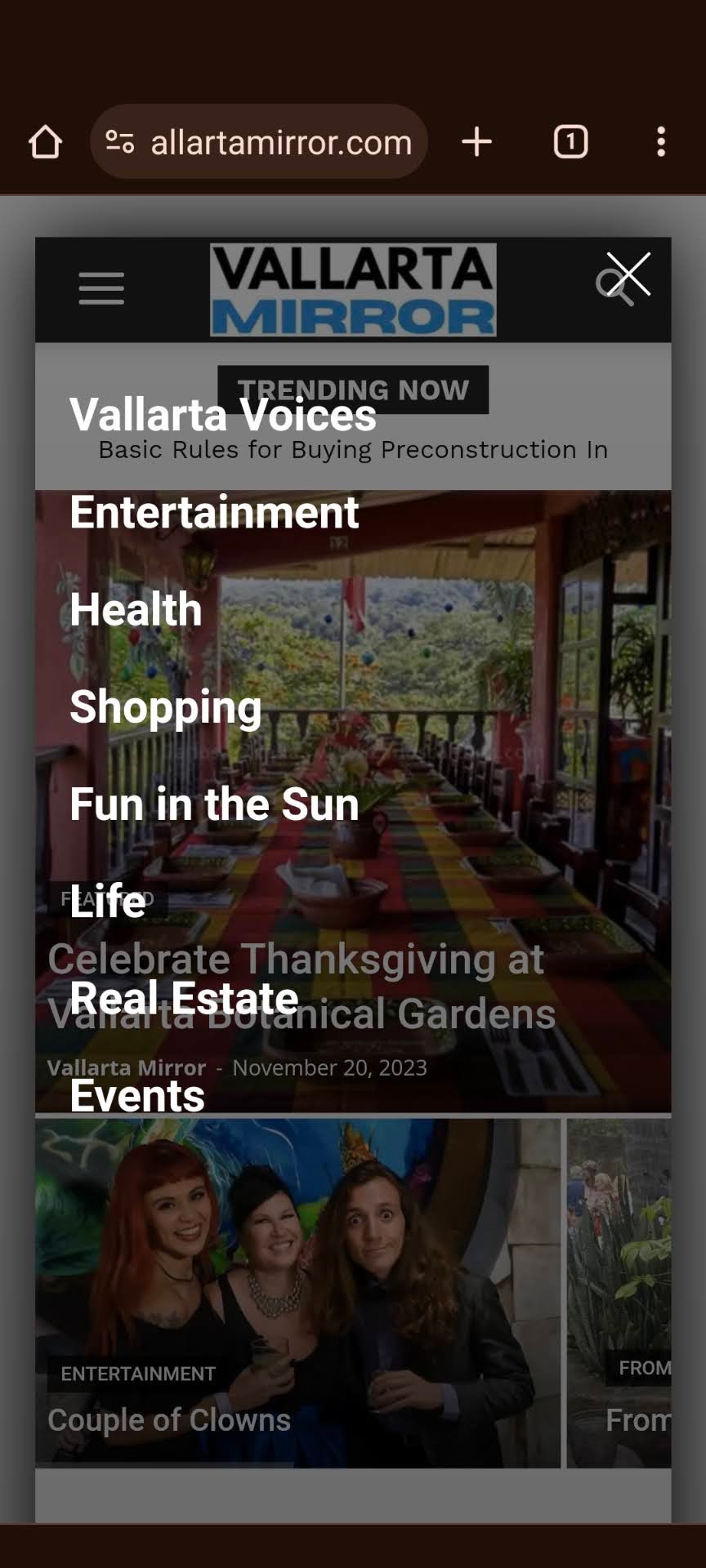
Now the menu shows correctly on the mobile home, but it does not display correctly on the mobile categories pages or the mobile individual posts.
Correct:
Incorrect:
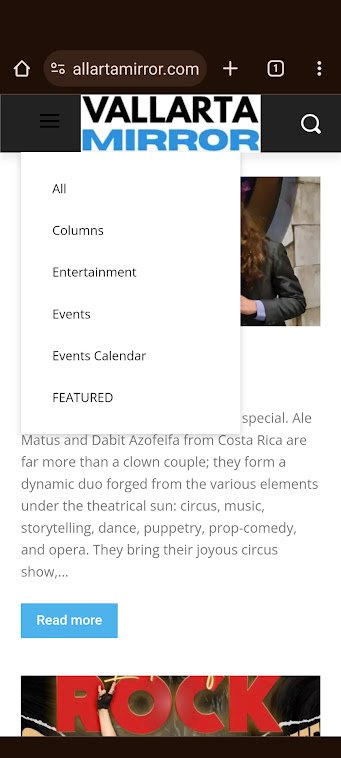
Also… the correct one shows a nice white hamburger menu, and the incorrect hamburger menu is dark.
-
This reply was modified 2 years by
vallartamirror.
 HeatherKitching
 I updated to 5.4.2 and cleared cache, and I’m not getting the critical error any more but the site is still not displaying properly on mobile. On my Google Pixel, I’m still not getting the header and footer on the individual pages. What could be causing this?
 SC HOJE News
Hello,
I need your help placing AdSense ads on my website, which uses the Newspaper theme. I would like to insert ads in specific places in articles and posts:
1- In the header of the post page:
2- an advertisement right after the title.
3- After the first highlighted image of the article.
4- In the body of the text: an announcement after the first, third and fifth paragraphs.
I need to know how to insert these ads directly into the theme, using the ads section of the theme. Specifically, I would like to add ads after the 1st, 3rd and 5th paragraphs, in the article page header, after the title and after the first featured image.
Please, could you help me with this? If possible, please suggest a tutorial or plugin compatible with the Newspaper theme that makes this process easier.
 serhiibilenkyi
After update 9 -> 12.6.2 problem with display site https://l30class.org/
—–exemple message—–
[td_block_1 custom_title=”LATEST NEWS” block_template_id=”td_block_template_8″ m4_el=”0″ category_id=”4″ limit=”6″ css=”.vc_custom_1576418171150{background-color: #ffffff !important;}” f_header_font_family=”file_1″ m4f_title_font_family=”file_1″ m6f_title_font_family=”file_1″]
—————
thx
Serhii
Calin Hello,
Please check it now, the blue underline is full and the header menu is display
Thank you!
Bettina Hello @vallartamirror!
The desktop menu is this one: https://prnt.sc/lFKV2zmGfmIg.
I see you deleted the menu from your mobile. Please add the same cloud header and add the mobile menu element from Composer there.
Thank you!

