
- NewspaperHow to Add a Logo in Newspaper
- NewsmagLogo & Favicon
- NewspaperShortcodes
- NewspaperHow to Set the Image Avatar
- NewspaperThe Mobile Theme
- NewsmagWhat’s included in Newsmag theme package
- NewsmagMain menu
- NewsmagHeader styles
- NewsmagFooter templates
- NewsmagTheme colors introduction
- NewspaperFavicon & iOS Bookmarklet
- NewspaperHeader styles
- NewspaperWhat’s Included in the Newspaper Theme Package
 Munim07
Hello, I’ve installed the demo theme but the logo of the demo is not removing.
 sproutnepal
 One more issue when i check my browser in mobile version then “Gossip” default theme name/logo is coming. Why? https://imgur.com/a/ueOxqy8
I have added mobile logo through theme panel. Please help on all matters urgently.
 SeaBlueHK
 Hello, I do not understand how I can get the cloud header settings panel. When I click on it, it just acts like normal site link that goes back to homepage.
Site: https://shop.seablue.hk/
I want the top logo to have different url.
Thanks!
 Simion C.
 Hi,
Please provide a link to the website so we can take a look. From what I understand the logo and the ads do not appear in the homepage header, but they appear in the rest of the website. Are you using the same header?
Thank you!
 Calin
Calin Hi,
If you choose header style 7, 8 or 10 then you can set the size you want for the logo https://i.imgur.com/7SZvpfc.png -> https://i.imgur.com/qm5LYeR.png -> https://i.imgur.com/BWZ8IkK.jpg also if you are using other header style, please make sure that the logo is set in full size.
Header styles -> https://forum.tagdiv.com/header-styles/
Logo & Favicon in Newspaper Theme -> https://forum.tagdiv.com/logo-favicon/
Also you can use cloud headers from tagDiv Cloud Library, these can be edited using tagDiv Composer and adjust after your needs.
If this is not what you mean, please provide some more details and a link where I can inspect the header image.
Thank you!
 ryanward1993
My header and logo on my website liive.org – is little slow to load, and moving around before it shows.
Is it possible to hire some one here to support my website, i checked my google ratings for speed -and its performing poorly. Or some advice in right direction would be appreciated?
I am using things such as cloudflare, and wp-rocket pro – WPMU DEV- smush etc, but still some loading issues. I tried disabling all plugins – but still loading issues.
Much love & best of health to all.
 Jenny
Jenny Despite what you say about database, I lost links to logos and favicon, all footer info, ad placeholder links, and some social media links. Could that have been caused by a hack?
 sympan
hi,
in my site not see logo and header ads
try to disable any plugin is new but nothing, in others pages see normally
can help me about this ?
Calin Hi,
If you choose header style 7, 8 or 10 then you can set the size you want for the logo https://i.imgur.com/7SZvpfc.png -> https://i.imgur.com/qm5LYeR.png -> https://i.imgur.com/BWZ8IkK.jpg also if you are using other header style, please make sure that the logo is set in full size.
Header styles -> https://forum.tagdiv.com/header-styles/
Logo & Favicon in Newspaper Theme -> https://forum.tagdiv.com/logo-favicon/
Also you can use cloud headers from tagDiv Cloud Library, these can be edited using tagDiv Composer and adjust after your needs.
Thank you!
 kevinsikora
 But even in the (Cloud Templates -> Tagdiv Composer) the image doesn’t show up correctly. Then I try on multiple mobile devices, Google Pixel 2 and some Samsung device, same thing. The image does not show up properly.
When you refresh the page, while you are in the mobile viewport, the whole header gets refreshed and the logo image is no longer selected.
Calin Hi,
The links for banners can be adjusted, for example if the ads are set in theme panel -> https://i.imgur.com/oEFqGhf.png or if you have a cloud header from tagDiv Cloud Library it can be set with ad box, for this you need to edit the cloud header with tagDiv Composer -> https://i.imgur.com/Z72PVG5.jpg
Of if you are referring to logo and not banner ads this can have a different url only if is set a cloud header -> https://i.imgur.com/r4Kusm9.png
Hope this will help you!
Thank you!
 Etoimos
 Hi Vlad,
That screenshot shows that it is not displaying my logo, only the logo text. This is what you see in IE:
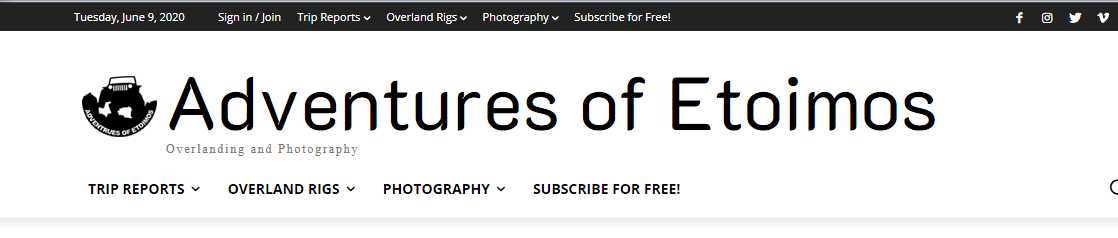
 Vlad S
 Hello !
As you can see here your logo seems to be appearing: https://www.screencast.com/t/OSC5CuP1qL Are we looking in the wrong place?
Thank you !
 domien
Greetings,
We need to put H1 text into our logo, but when we do so, the H1 changes for the pages, posts and all other templates, because the same header is being used everywhere. Is it possible to add a separate header for the homepage?
Please let us know. Thanks!
Domien
 redheaddigital
Hi, Staging site link is https://z2655p2b.dreamwp.com/
I would like to change the color of the ‘All’ link in the Mega Menu subcategory list but I cannot find the color control setting. Please assist. Screenshot https://gyazo.com/8543d422f652805df8b96bb11e7f1cb6
Is it possible to align the menu left with the image and logo on Desktop view? I have tried using negative padding but it then displays terribly on other devices. Screenshot https://gyazo.com/2c514b1646b42c28f5fc8d4cb821e42d
thank you
 Vikramsinghrao
Sir recently your say me but my website logo size doesn’t complete this issue it’s are showing very small…
Mobile devices:-
https://imgur.com/BqvBuFa
Desktop Version:-
 smahfujk
Hello, I am facing big problem. 100% recourse showing my cpnel. i have contact my server administrator and they said, td-cloud-library – plug in problem …
[08-Jun-2020 16:07:02 UTC] PHP Warning: getimagesize(): SSL: Bad address in /home/——/public_html/wp-content/plugins/td-cloud-library/shortcodes/header/tdb_header_logo.php on line 792
 lucasfsa21949
Pessoal, bom dia!
Recentemente comprei o Newspaper da tagDiv no ThemeForest, um excelente tema, porém encontra-se com alguns bugs:
1.AO COMPARTILHAR POSTAGENS FEITAS NO SITE NAS REDES SOCIAIS, NÃO APARECE A MINIATURA DA IMAGEM E SIM O LOGOTIPO DO SITE
2.O SIDEBAR QUE APARECE NA VERSÃO PARA COMPUTADOR, NÃO APARECE NA VERSÃO MOBILE.
Alguém por gentileza, poderia me ajudar a solucionar?
EtoimosMy site’s logo only appears in the IE browser (I’ve not checked the Apple browsers) and on mobile devices:
 Maxyct
 I found out how to add shadow. But I have an additional question: in the mobile version I see the menu (the hamburgher icon) but I cannot see the logo or the search icon. How can I add them? Dragging and dropping is not working. If a set a row with 3 columns i see them as row.
Thanks,
Max
 hywdotbrk
Why does our site, seemingly randomly have this issue? We have followed all the specs for configs, limits, etc. Yet we continue to randomly see this error message:
PHP Warning: getimagesize(WEBSITEURL/wp-content/uploads/2020/06/logo_1200.png): failed to open stream: HTTP request failed! HTTP/1.1 403 Forbidden
in /home/ACCOUNT/public_html/wp-content/plugins/td-cloud-library/shortcodes/header/tdb_header_logo.php on line 792
That image is uploaded and available.
We have logo images in normal, retina, and mobile – all the same image.
Our system status is fine.
Nothing is being blocked in .htaccess.
We really can’t take it anymore. It’s ruining the experience on the site for mobile users.
What is making it hard to diagnose is that it seems to happen randomly. One second the error is there, the other it’s gone? I can view the PHP error log and it will have a scattering of error messages throughout the day.
We see endless support forum posts about people having problems like this with no real solutions.
MaxyctHi, I want to create the shadow effect of this template (https://cloud.tagdiv.com/header-template-46-fitness-pro/). I’m referring to the shadow between the header and the page. I’ve started from a blank header but I cannot replicate it.
The second question is about the vertical separator line between logo and search icon. How can i add it?
Thanks,
Max
 gumball44
 I found my own solution, I deleted the header add block (I don’t need it) and replaced it by Logo block, then I added my header image in compressed png as logo. The problem is fixed, It’s very fast now !
-
This reply was modified 6 years by
gumball44.
 lemads
I one problem left before I can call my site complete 🙂
When I make a notice on Facebook to a post on my site, it’s not the featured image that are shown om FB. It’s the logo of the site.
When I refere from another media, a newspaper, it’s the image from the article that are shown.
How can I change that

Calin Hi,
Make sure that you select the full size of image -> https://i.imgur.com/O4GmQi2.jpg
Header styles -> https://forum.tagdiv.com/header-styles/
Logo & Favicon in Newspaper Theme -> https://forum.tagdiv.com/logo-favicon/
Also you can use cloud headers from tagDiv Cloud Library, these can be edited using tagDiv Composer and adjust after your needs.
Thank you!



