- NewspaperHow to Add a Logo in Newspaper
- NewsmagLogo & Favicon
- NewspaperShortcodes
- NewspaperHow to Set the Image Avatar
- NewspaperThe Mobile Theme
- NewsmagWhat’s included in Newsmag theme package
- NewsmagMain menu
- NewsmagHeader styles
- NewsmagFooter templates
- NewsmagTheme colors introduction
- NewspaperFavicon & iOS Bookmarklet
- NewspaperHeader styles
- NewspaperWhat’s Included in the Newspaper Theme Package
 MzMaffei
We are using Newspaper 12.7.5 with td-cloud-library 3.9.4 and WPML. We need a native language switcher element in the header Cloud Template builder, but tdb_header_language does not exist in our shortcodes/header/ directory and does not appear in the editor element list.
Available header shortcodes in our installation: tdb_header_categories, tdb_header_date, tdb_header_logo, tdb_header_mega_menu, tdb_header_menu, tdb_header_menu_favorites, tdb_header_search, tdb_header_user, tdb_header_weather.
Questions:
Is tdb_header_language available in a newer version of Newspaper or td-cloud-library?
Is there a dedicated WPML + tagDiv integration plugin that adds this element?
Is there an official recommended approach to integrate WPML language switcher natively in the header Cloud Template builder?
 fwoedit
 The logos are loaded in fine although I can’t attach the picture here so that should not be an issue either.
fwoedit I don’t think that any of the templates will work because they all include a menu and the menu looks fine, the only issue is the logo not rendering.
 danizar
Hello,
i have created two custom blocks. I want to use them inside a “Module cloud template” to render items in a “Flex Loop Builder”
I used de td-api-plugin. I can drag and Drop de block inside de tag div editor but something is not working. I can save de “module template” the first time but when i edit again it returns an ERROR “Errors at columns elements: 1(models) : 0(dom). The model does not match the content Current state has involved an issue. You could try an UNDO operation (CTRL+Z / CTRL+SHIFT+Z)”
What i am doing wrong?
This is how i add the api block (it has no parameters, all is coded into de file that renders the module -> td_video_empresa.php):
td_api_block::add('td_video_empresa',

                array(

                    'map_in_visual_composer' => false,

                    'map_in_td_composer' => true,

                    "name" => 'Mòdul Video Empresa',

                    "base" => "td_video_empresa",

                    'tdc_category' => 'Modules elements',

                    'file' => $this->plugin_path . '/modules/td_video_empresa.php',

                    "params" =>

                        array_merge(

                            td_config::get_map_block_general_array()

                        )

                )

            );
This is the file that renders the block -> td_video_empresa.php
class td_video_empresa extends tdb_module_template_part {
function render( $atts, $content = null ) {
/* -- Call the parent render method -- */
parent::render($atts);
/* -- Retrieve the module post data -- */
$post_obj = self::$post_obj;
$post_type = null;
$postID=$post_obj->ID;
$url_video=get_field("url_video_empresa",$postID);
$video_extern=get_field("link_finestra_nova",$postID);
$logo=get_post_thumbnail_id($postID);
$linkEmpresa=get_permalink($postID);
$tituloEmpresa=$post_obj->post_title;
$string="";
$string.=renderVideo($url_video,220,$tituloEmpresa,$postID);
$string.='<div class="modul-caixa" >';
$string.='<h3 style="margin:0px;">'.$post_obj->post_title.'</h3>';
$string.='</div>';
return $string;
}
}
fwoedit Fixed admin-ajax and was able to save Settings, even re-uploaded logo, still nothing. TagDiv Standard Pack breaks header worse, and I don’t think I was using that before.
 Calin
Calin Hi,
I just checked the mobile version and this is how it looks for me – https://prnt.sc/tOyXyazgtwgU the logo looks ok on the homepage, also the mobile menu – https://prnt.sc/yCI7odkibKLN
 mithun
i am using newspaper theme. In mobile version the image logo and menu is not showing in homepage but in other pages they are showing. problem is only in homepage. please help me to solve the issue
Calin Hi,
I’m glad that you managed to resolve the problem.
I checked the webiste and I see that you are using the plugin tagDiv Mobile theme, personaly I will recomand disable the plugin and use the responsive theme version, however if you want to use it please check our guide https://forum.tagdiv.com/mobile-theme-introduction/ how to create the content for mobile pages and how to change the logo and settings on the tagDiv Mobile theme plugin.
Also, the cache plugin that is used should be set to display a separate cache for mobile and for desktop.
fwoedit I got the featured image working again. Apparently I for some reason had lost the installation for cloud library. However the logo issue persists even after clearly seeing that the settings are correct.
fwoeditAfter updating certain elements are not displaying correctly for example the header block (which normally has our logo) also the featured image is not appearing
https://fashionweekonline.com/
https://fashionweekonline.com/leo-prothmann-autumn-winter-2026-cabana-all-genders-collection
Calin Hi,
The logo image used in email is the one set in the theme panel > header – https://prnt.sc/86FCUmbWVqhP. What you need to do is to make sure that you select there the logo with the size you want for your email, not too big, also not too small.
If there is no need for any payment, then any text/data can be set and you should also make sure that the option to enabled permants is disabled/unchecked – https://prnt.sc/3OjLxD3FfuCR
Thank you!
Calin Hi,
The mobile logo was already replaced and now is displaying your logo on mobile.
 robinspaul
 Thank you so much Calin, we can edit the text now.
Could you please let us know how we can edit the size of the Logo on the email which is sent out when someone subscribes to the website on leads?
Also, when we were setting up subscribe, it was asking for bank account details.
We are not planning to have any paid subscribers. So, we just added some dummy text. Hope that is ok?
Thanks,
Calin Hi,
1. When you set a image/banner, make sure that you do not set a thumb and you set the full image – https://prnt.sc/Q1o1_k2xjxWZ
2. This situation is usually related to teh offset from the posts loop element, so, please edit it with tagDiv Composer like this – https://i.imgur.com/yVdPa3f.png select the posts loop element and remove the offset number, after that the posts from that category would be displayed – https://i.imgur.com/cIsacyO.png
3. The footer logo should be set like this to be centered – https://prnt.sc/SQR8fngSORPJ logo should not be inline.
4. For the social counter, make sure that the social API’s are set in the theme panel – https://prnt.sc/rxdFFuu7QBPA – https://prnt.sc/YbExQPok_eHk
5. Check if you have the api key for the weather is set and if you set Nice as the location – https://prnt.sc/Y9mG8aOIwkGq – https://forum.tagdiv.com/weather-widget/
Thanks
 ludovichubler@yahoo.fr
Dear Support Team,
I am currently experiencing several issues with the Twamzine integration and would appreciate your assistance in resolving them.
1. The banner appears blurry when imported into Twamzine (top right corner, next to the logo).
2. Category issue: Articles are not displaying in the Twamzine categories, even though they are correctly categorized in WordPress.
3. The Twamzine logo cannot be centered in the footer; it remains aligned to the left despite configuration changes.
4. The number of Facebook, Instagram, and YouTube followers is not updating.
5. The temperature displayed shows not the right temperature in Nice.
Could you please investigate these issues and advise on how they can be resolved?
Thank you in advance for your support.
Best regards,
robinspaul Thank you so much Calin, it sends emails now.
Could you please let us know how we can change the default subject, content and logo of the emails sent when someone subscribes using Leads.
Many thanks
Calin Please click on mobile preview – https://prnt.sc/66LPVRU9TuhZ then just select the logo element and check the settings for it.
How to Add a Logo in Newspaper
 opinandosinanestesia
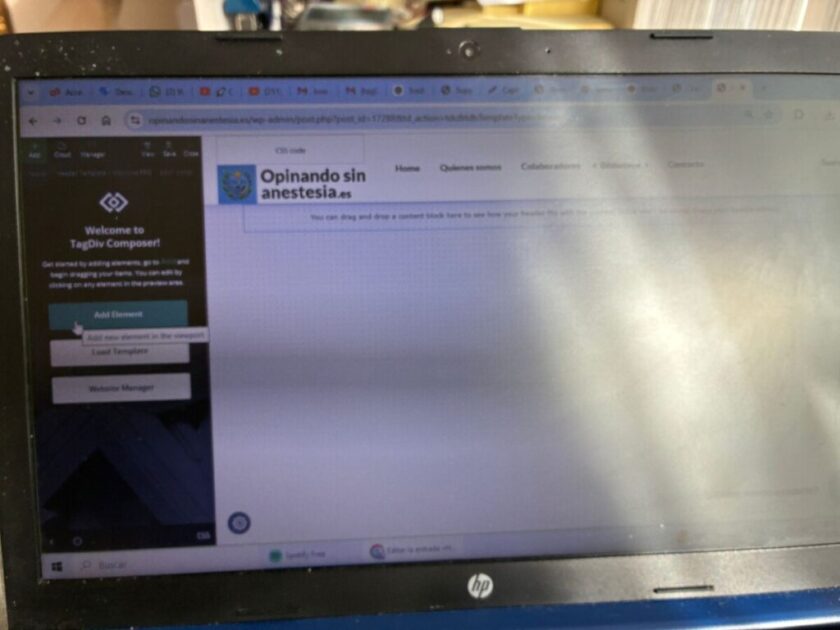
 He intentado seguir tus consejos, pero no soy capaz de localizar header logo. Llego a esta pantalla (https://opinandosinanestesia.es/wp-content/uploads/2026/02/e0fff827-325a-4de8-ae6d-5e9033770763.jpg) y no soy capaz de localizar la ventana que me dices… incluso he eliminado el logotipo de la web y lo volví a cargar (también en la versión movil), y nada. El problema persiste… ¡Qué lio!
Calin Hi,
When you make the edits, please edit the homepage using tagDiv Composer and follow my screenshots – https://prnt.sc/auUIF4PfYWlH do the same for the mobile logo – https://prnt.sc/pSP6HPUu8vDW
mithunHello, I am using newspaper theme. the purchase code is . But i have a issue. in mobile version other pages logo and menu is ok. but only in homepage it shows the text logo and other menu. i have changed several times by the tagdive editor. but in homepage it is not changing. I am very confused. need helo in this. The other menu pages logo and menu is ok in mobile.
opinandosinanestesia Con respecto a la opción de eliminar el logotipo del tema en la versión movil, he llegado hasta aqui: https://opinandosinanestesia.es/wp-content/uploads/2026/02/2f382000-9bef-42aa-9b0a-f3e474fe598e.jpg. He navegado en diferentes pantallas pero no logro localizar la ruta exacta. ¿Cuál es?
He modificado, según indicas, el AMP para corregir el problema del menú en la version movil, lo hice, refresqué, y parece que ahora funciona…
Calin Hi,
The mobile logo should be checked using the tagDiv Composer as mentioned above, the theme panel settings will apply only in case that no logo is set using tagDiv Composer, but the header you have in use has the logo set using the tagDiv Composer.
The menu problem is related to the amp plugin, if you’ll disable the mobile redirect to amp or remove teh amp plugin, the problem will be resolved – https://prnt.sc/NibvVYdgSGi3
Thank you!
opinandosinanestesia Thank you for your email.
In the Newspaper menu (within the WordPress admin panel), under Theme Panel → Header → Mobile Header, the theme logo does not appear; however, it does show up in the mobile version.
Regarding the mobile menu issue, we are not referring to a mega menu. It is something simpler. I mean the home menu, where the pages are not visible in the mobile version.
Calin Hi,
For the logo prolem use tagDiv Composer edit the homepage and scroll down and when the sticky is displayed, click on the logo and look for logo text tagline – https://prnt.sc/auUIF4PfYWlH do the same for the mobile logo – https://prnt.sc/pSP6HPUu8vDW
Second situation I think you are referring to the mega menu – https://prnt.sc/yp6EBFt1c_JJ. This can be set in wordpress menu were you can set a category as mega menu – https://forum.tagdiv.com/mega-menu/
opinandosinanestesia Gracias.
Lo conseguí pero siguen apareciendo dos problemas.
En el home junto al logotipo, aparece la imagen con el nombre del tema (Coronavirus medicina pro). ¿Cómo lo elimino. Ahi solo se tendría que ver el logotipo de la web.
Y, por otro lado, ¿Por qué en el menu de inicio no se ven correctamente las páginas? Necesito solucionar esto lo más pronto posible.
Gracias.