- NewspaperHow to Add a Logo in Newspaper
- NewsmagLogo & Favicon
- NewspaperShortcodes
- NewspaperHow to Set the Image Avatar
- NewspaperThe Mobile Theme
- NewsmagWhat’s included in Newsmag theme package
- NewsmagMain menu
- NewsmagHeader styles
- NewsmagFooter templates
- NewsmagTheme colors introduction
- NewspaperFavicon & iOS Bookmarklet
- NewspaperHeader styles
- NewspaperWhat’s Included in the Newspaper Theme Package
 curistorian
 Also I am not seeing a way to add a logo option in addition to the featured image. Is there clearer documentation on how to do this?
 sar_news
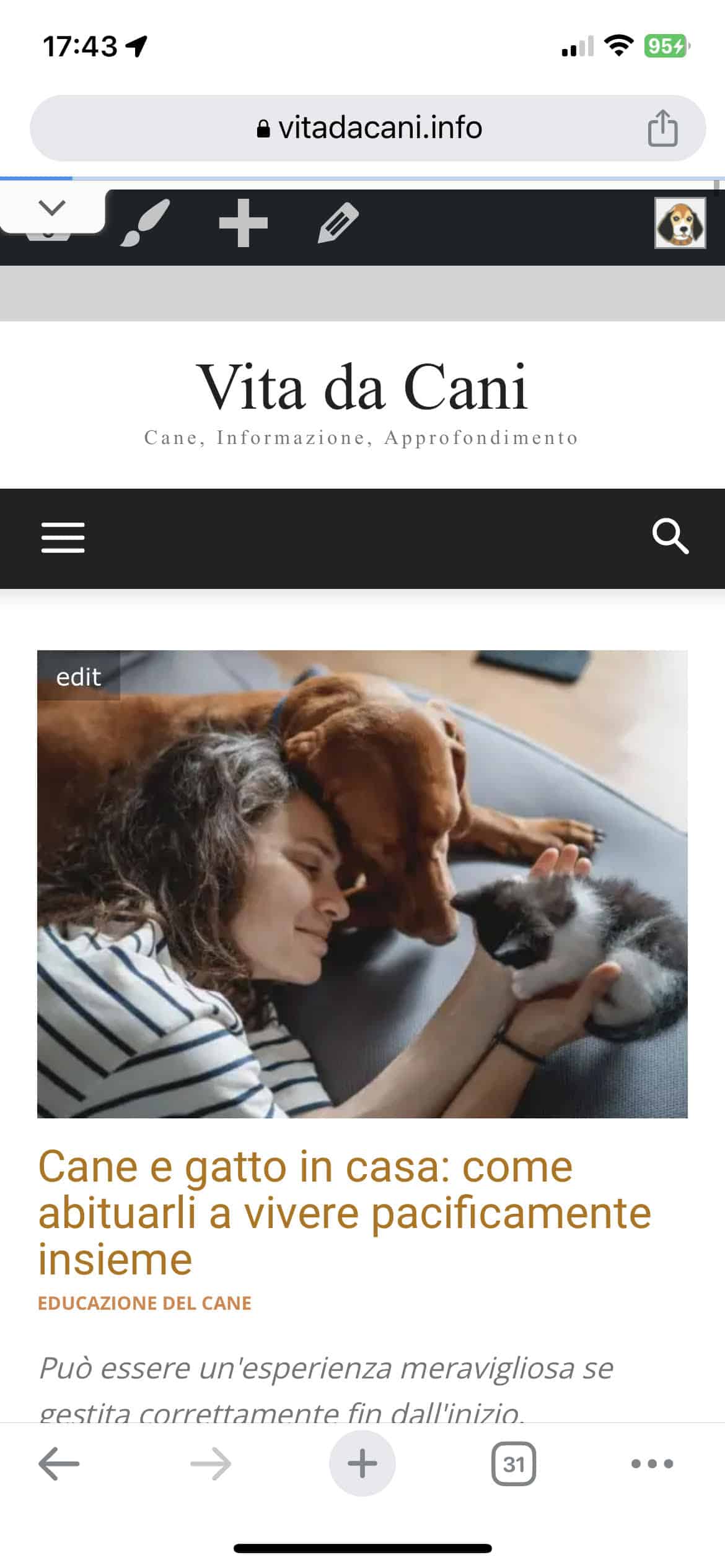
I have an issue with the mobile header configuration. In the mobile version, I am unable to see the logo. I am attaching the screenshots for your reference. Thank you very much.
Site URL: http://www.vitadacani.info
Desktop header https://vitadacani.info/wp-content/uploads/2023/05/Schermata-2023-05-18-alle-16.56.57.png
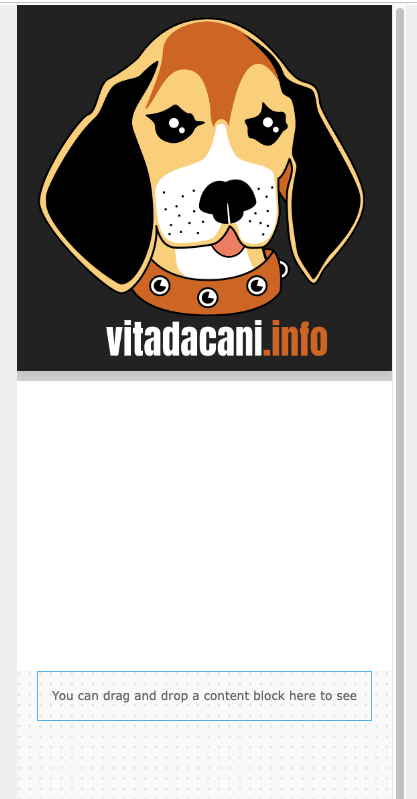
Mobile header configuration as I set it up https://vitadacani.info/wp-content/uploads/2023/05/Schermata-2023-05-18-alle-16.57.09.png
Mobile header as I actually see it https://vitadacani.info/wp-content/uploads/2023/05/mobile-header.jpeg
curistorianHi – is there documentation on directory features and building that out? I am using the ‘Cali’ template but would like to add various features, for example geo filtering, adding a logo to location pages, etc.
 themastrem
 I am trying but could not fix the logo with the menu and search….please offer more help.
Thanks
themastremBuna,
Am si eu o problema privind centrarea logo-ului si a butonului de meniu si cautare pentru afisarea pe mobil.
Cum pot remedia? Va rog, ajutor, pentru http://www.ziarulincomod.ro
Multumesc.
 Santy
SantyHello. I need help with the favicon logo of http://www.noticiasparacuellosdejarama.es
I think everything is correct but I can’t get it to show up in google results. ¿Can you help me and tell me if I have to do something else? thank you
 Anamaria
 Hi,
This is possible when you will use a cloud/PRO template. In order to have different elements(ads) inside for every category/post, you need to have a different template for each category/post.
If you want the same style of your categories/posts, then you can duplicate a template/layout for every category/post to have a different template, make the specific changes and assign it to that category/post.
Check this topic: https://forum.tagdiv.com/topic/different-logo-in-categorypage/ ; Here
is explained step by step how you can duplicate a template.
Thank you!
 Prateek
Hi,
I’ve using this theme for about five years. No other news theme comes close to offering what you guys do and that too with great efficiency. I’ll be forever grateful.
From time to time, I like to make feature suggestions and recommendations. I’ve noted a few of them in my diary over the last couple weeks that I’d like to share.
Display all posts in a single line using flex block: Flex blocks offer great flexibility. So naturally it becomes first choice to display posts. It would be amazing to have a flex block that could display posts using slider. Something like choosing to display 12 posts in a single line, with only 3-4 displayed in the viewport; in mobile devices, just one. With the rest of them being accesible using slider. If you’re wondering, I am, indeed, familiar with the next/prev pagination but they’re not very intuitive and user-freindly for mobile devices because it stacks the articles over one another so if there are 4 articles visible on desktop, on mobile they stack up. So if a user has click on next, they would have to scroll down a bit to see the first article at the top. I am talking about something like the bottom row of Big Grid Flex 9, but with flex block’s customizability.
Menu specific module for popups: The introduction of popup to the theme has solved a lot of problems and has provided new oppurtunities. Having a stand-alone modal module for desktop/mobile hamburger menu will be greatly appreciated. For example, instead of button trigger, you can give a menu icon as trigger(without ability to change) that turns into(animated) a cross/close button when clicked, and can itself close the popup without requiring another close button on the popup, an option to set top offset relative to menu as in search feature so that it doesn’t cover the logo, etc.
Menu description: An option to add description to menu items(independent of category/tag descriptions) that would appear below menu and sub-menu items in various menu shortcodes like, header menu, mobile menu, list menu (extended shortcode), etc.
Limiting excerpts/title length using lines rather than words/character: Commonly, we use word or character limits to determine the length of excerpts/titles which often results in uneven display of modules because some excerpts/titles take up more space than others due to variation in word length or character width. So, number of lines limit can help achieve uniformity in the way modules look because all the excerpts/titles would take up the same amount of space, i.e. two lines, three lines, etc. I am not sure if it’s achievable, just suggesting.
You can ask for more details if need be.
Please bear in mind that these are mere recommendations — not demands.
Good day.
 platamun47
 Dear Anamaria,
I use text logo and after change width
text logo unchanges…
Anamaria Hi,
You can set the image width, please let us know what type of logo you have, text/image svg.
Also, please check the width of the column -> https://i.imgur.com/09QYb1k.png -> https://i.imgur.com/fupsQTx.png
Thank you!
 amritlawin
 Hi,
I tried to edit from the mobile view and other viewport but was still not able to remove the white spaces https://prnt.sc/7yunXuv_HxD3, Header menu (menu, search bar, date & logo) is not visible in the mobile https://prnt.sc/hzoAaMJrdBaQ, Footer section got messed up in desktop, portrait, landscape and mobile view https://prnt.sc/DRs_6JCPtotG, Post date and category in the single post section https://prnt.sc/jCLu9umxR-Ka. Kindly assist me how I fix this.
Thanks
platamun47Dear support,
how to resolve this?
https://imgur.com/a/qD6j94D
Thanks a lot!
Anamaria Hi,
There I see that it is your logo, not ours.
Also, to share you must use a SEO plugin and configure it for social media -> https://forum.tagdiv.com/facebook-share/
Thank you!
 mouawiaa
 i want to share the link with thare text & phot
not my newspaper logo
 simchris
 Ironically, I am redoing all my logos as svg now since all modern web browsers support it.
 Rosemarie
 Hi Bettina,
You may not understand what I mean. I want to add a logo in the middle of the header on the mobile side, can you show me the steps to do it?
https://prnt.sc/5QTQiexcAV4B
Thanks.
 twhitfield27
could someone share how to change the Logo Header to be multiple colors?
For instance, This Site, where “This” is red and “Site” is Black.
I have already tried using a png image. Does not work the way it is set up.
Also, through inspect I have tried to change the colors using the selector name, but LiveCSS does not appear to have any effect, more likely, the selector name is incorrect.
Is there any documentation on LiveCSS?
#Header #Newspaper #LogoText
RosemarieHi,
How to add header logo in mobile, I can’t place it in the middle of the header when I add row.
Please check: https://prnt.sc/L4729U8BXvvI
https://prnt.sc/0weMqnl0ATl6
Thanks.
 admin@2022
https://www.felanews.com/
This is coming when i am opening the website
[tdb_header_weather icon_color=”#000000″ temp_color=”#000000″ loc_color=”#000000″ inline=”yes” tdc_css=”eyJhbGwiOnsibWFyZ2luLXRvcCI6Ii00IiwibWFyZ2luLXJpZ2h0IjoiMzAiLCJkaXNwbGF5IjoiIn0sInBvcnRyYWl0Ijp7Im1hcmdpbi1yaWdodCI6IjE1IiwiZGlzcGxheSI6IiJ9LCJwb3J0cmFpdF9tYXhfd2lkdGgiOjEwMTgsInBvcnRyYWl0X21pbl93aWR0aCI6NzY4fQ==” unit_color=”#000000″ f_temp_font_family=”712″ f_unit_font_family=”712″ f_loc_font_family=”712″ f_temp_font_size=”11″ f_unit_font_size=”9″ f_loc_font_size=”11″ f_temp_font_weight=”500″ f_unit_font_weight=”500″ f_loc_font_weight=”500″ f_temp_font_line_height=”1″ f_unit_font_line_height=”1″ f_loc_font_line_height=”1″ location=”New Delhi” api=”c396e133ca2ab7dfa7cffcf66e07ca35″][tdb_header_date inline=”yes” date_color=”#000000″ tdc_css=”eyJhbGwiOnsibWFyZ2luLXJpZ2h0IjoiMzAiLCJkaXNwbGF5IjoiIn0sInBvcnRyYWl0Ijp7Im1hcmdpbi1yaWdodCI6IjE1IiwiZGlzcGxheSI6IiJ9LCJwb3J0cmFpdF9tYXhfd2lkdGgiOjEwMTgsInBvcnRyYWl0X21pbl93aWR0aCI6NzY4fQ==” f_date_font_family=”712″ f_date_font_size=”11″ f_date_font_weight=”500″ f_date_font_line_height=”1″][tdb_header_user inline=”yes” logout_tdicon=”td-icon-logout” usr_color=”#000000″ log_color=”#000000″ log_ico_color=”#000000″ tdc_css=”eyJhbGwiOnsibWFyZ2luLXJpZ2h0IjoiMjAiLCJkaXNwbGF5IjoiIn0sInBvcnRyYWl0Ijp7Im1hcmdpbi1yaWdodCI6IjE1IiwiZGlzcGxheSI6IiJ9LCJwb3J0cmFpdF9tYXhfd2lkdGgiOjEwMTgsInBvcnRyYWl0X21pbl93aWR0aCI6NzY4fQ==” f_usr_font_family=”712″ f_usr_font_weight=”500″ f_usr_font_size=”11″ f_log_font_size=”11″ f_log_font_weight=”500″ f_log_font_family=”712″ f_usr_font_line_height=”1″ f_log_font_line_height=”1″]
[tdb_header_logo align_vert=”content-vert-top” display=”” align_horiz=”content-horiz-center” show_title=”none” show_tagline=”none” tagline_align_horiz=”content-horiz-left” tdc_css=”eyJhbGwiOnsiZGlzcGxheSI6IiJ9LCJsYW5kc2NhcGUiOnsibWFyZ2luLXJpZ2h0IjoiLTMwIiwibWFyZ2luLWxlZnQiOiItMjAiLCJkaXNwbGF5IjoiIn0sImxhbmRzY2FwZV9tYXhfd2lkdGgiOjExNDAsImxhbmRzY2FwZV9taW5fd2lkdGgiOjEwMTksInBvcnRyYWl0Ijp7Im1hcmdpbi1yaWdodCI6Ii0xMCIsIm1hcmdpbi1sZWZ0IjoiLTUiLCJkaXNwbGF5IjoiIn0sInBvcnRyYWl0X21heF93aWR0aCI6MTAxOCwicG9ydHJhaXRfbWluX3dpZHRoIjo3Njh9″ media_size_image_height=”99″ media_size_image_width=”300″ image=”507″]
spot_img
[tdb_header_menu main_sub_tdicon=”td-icon-down” sub_tdicon=”td-icon-right-arrow” mm_align_horiz=”content-horiz-center” modules_on_row_regular=”20%” modules_on_row_cats=”20%” image_size=”td_324x400″ modules_category=”above” show_excerpt=”none” show_com=”none” show_date=”none” show_author=”none” mm_sub_align_horiz=”content-horiz-right” mm_elem_align_horiz=”content-horiz-center” mm_align_screen=”yes” f_elem_font_size=”eyJhbGwiOiIxMyIsInBvcnRyYWl0IjoiMTAifQ==” elem_padd=”eyJwb3J0cmFpdCI6IjAgMTBweCIsImFsbCI6IjAgMTJweCJ9″ menu_id=”203″ text_color=”#ffffff” tds_menu_active=”tds_menu_active3″ f_elem_font_line_height=”eyJhbGwiOiI0OHB4IiwicG9ydHJhaXQiOiI0MHB4In0=” f_elem_font_family=”712″ f_elem_font_transform=”capitalize” f_elem_font_weight=”400″ f_elem_font_spacing=”0.4″ tdc_css=”eyJhbGwiOnsibWFyZ2luLWxlZnQiOiItMTAiLCJkaXNwbGF5IjoiIn0sInBvcnRyYWl0Ijp7ImRpc3BsYXkiOiIifSwicG9ydHJhaXRfbWF4X3dpZHRoIjoxMDE4LCJwb3J0cmFpdF9taW5fd2lkdGgiOjc2OH0=” main_sub_icon_size=”eyJhbGwiOiIxMCIsInBvcnRyYWl0IjoiOSJ9″ tds_menu_active3-bg_color=”#000000″ f_sub_elem_font_family=”712″ f_sub_elem_font_size=”12″ mm_shadow_shadow_size=”20″ mm_shadow_shadow_color=”rgba(0,0,0,0.15)” sub_shadow_shadow_size=”10″ sub_shadow_shadow_offset_horizontal=”0″ sub_shadow_shadow_offset_vertical=”2″ sub_shadow_shadow_color=”rgba(0,0,0,0.15)” mm_shadow_shadow_offset_vertical=”4″ sub_first_left=”-15″ sub_rest_top=”-15″ sub_padd=”10px 0 15px” sub_elem_padd=”5px 20px” align_horiz=”content-horiz-center” main_sub_icon_align=”eyJhbGwiOjEsInBvcnRyYWl0IjoiMCJ9″ f_sub_elem_font_weight=”500″ mm_child_cats=”10″ main_sub_icon_space=”eyJwb3J0cmFpdCI6IjUifQ==” show_mega_cats=”yes” sub_text_color=”#000000″ tds_menu_sub_active1-sub_text_color_h=”#008d7f” mm_border_size=”0″ mm_elem_border=”0″ mm_elem_border_a=”0″ mm_sub_width=”100%” mm_elem_padd=”eyJhbGwiOiI1cHggMTVweCIsInBvcnRyYWl0IjoiM3B4IDEycHgifQ==” modules_gap=”eyJhbGwiOiIxNSIsInBvcnRyYWl0IjoiNyJ9″ all_modules_space=”0″ mm_sub_padd=”eyJhbGwiOiI1cHggMCAxNXB4ICIsInBvcnRyYWl0IjoiM3B4IDAgMTJweCAifQ==” mm_width=”eyJhbGwiOiIxMTY0IiwibGFuZHNjYXBlIjoiMTAwJSIsInBvcnRyYWl0IjoiMTAwJSJ9″ mm_padd=”eyJhbGwiOiIyNSIsImxhbmRzY2FwZSI6IjIwIiwicG9ydHJhaXQiOiIxNSJ9″ mm_sub_inline=”yes” mm_sub_border=”0″ mm_subcats_posts_limit=”5″ mm_subcats_bg=”#ffffff” meta_info_horiz=”content-horiz-center” meta_padding=”eyJhbGwiOiIxNXB4IDVweCAwIDVweCIsInBvcnRyYWl0IjoiMTJweCAwIDAgMCJ9″ modules_category_padding=”0″ art_title=”eyJhbGwiOiIxMHB4IDAgMCAwIiwicG9ydHJhaXQiOiI4cHggMCAwIDAifQ==” art_excerpt=”0″ f_mm_sub_font_family=”712″ f_mm_sub_font_size=”eyJhbGwiOiIxMyIsInBvcnRyYWl0IjoiMTEifQ==” f_mm_sub_font_line_height=”1.2″ f_mm_sub_font_weight=”500″ title_txt_hover=”#008d7f” title_txt=”#000000″ mm_elem_color_a=”#008d7f” cat_bg=”rgba(255,255,255,0)” cat_bg_hover=”rgba(255,255,255,0)” cat_txt=”#000000″ cat_txt_hover=”#008d7f” pag_h_bg=”#008d7f” pag_h_border=”#008d7f” f_title_font_family=”712″ f_title_font_size=”eyJhbGwiOiIxNSIsInBvcnRyYWl0IjoiMTEifQ==” f_title_font_line_height=”1.2″ f_title_font_weight=”500″ f_cat_font_size=”eyJhbGwiOiIxMyIsInBvcnRyYWl0IjoiMTEifQ==” f_cat_font_line_height=”1″ f_cat_font_weight=”400″ f_cat_font_transform=”uppercase” pag_icons_size=”eyJwb3J0cmFpdCI6IjYifQ==” mc1_title_tag=”p”]
[tdb_header_search results_msg_align=”content-horiz-center” image_floated=”float_left” image_width=”30″ image_size=”td_324x400″ show_cat=”none” show_btn=”none” show_date=”” show_review=”none” show_com=”none” show_excerpt=”none” show_author=”none” meta_padding=”0 0 0 15px” art_title=”0 0 5px” all_modules_space=”15″ tdc_css=”eyJhbGwiOnsiZGlzcGxheSI6IiJ9fQ==” form_align=”content-horiz-right” icon_color=”#ffffff” icon_size=”eyJhbGwiOiIxOCIsInBvcnRyYWl0IjoiMTQifQ==” icon_padding=”eyJhbGwiOjIuNiwicG9ydHJhaXQiOiIyLjgifQ==” tdicon=”td-icon-magnifier-medium-short-light” show_form=”yes” form_border_color=”#dd3333″ arrow_color=”#dd3333″ form_shadow_shadow_size=”10″ form_shadow_shadow_color=”rgba(0,0,0,0.12)” f_input_font_family=”712″ f_input_font_weight=”400″ f_btn_font_family=”712″ f_btn_font_weight=”400″ f_input_font_size=”13″ f_placeholder_font_family=”712″ f_placeholder_font_weight=”400″ f_placeholder_font_size=”13″ f_btn_font_size=”13″ f_results_msg_font_family=”712″ f_results_msg_font_size=”11″ f_title_font_family=”712″ f_title_font_size=”13″ f_title_font_line_height=”1.2″ f_meta_font_family=”712″ f_meta_font_size=”11″ f_meta_font_line_height=”1″ title_txt_hover=”#008d7f” btn_bg_h=”eyJ0eXBlIjoiZ3JhZGllbnQiLCJjb2xvcjEiOiIjMDA4ZDdmIiwiY29sb3IyIjoiIzAwOGQ3ZiIsIm1peGVkQ29sb3JzIjpbXSwiZGVncmVlIjoiLTkwIiwiY3NzIjoiYmFja2dyb3VuZC1jb2xvcjogIzAwOGQ3ZjsiLCJjc3NQYXJhbXMiOiIwZGVnLCMwMDhkN2YsIzAwOGQ3ZiJ9″ modules_gap=”0″ image_height=”80″ meta_info_align=”center” results_msg_color_h=”#008d7f”]
Anamaria Hi,
Please go and check the phone mobile viewport and disable the h1-> https://i.imgur.com/j6DLcTm.png -> https://i.imgur.com/PdM3lSo.png delete the older logo.
Thank you!
 jubeljoy
 Hi Anamaria,
Thanks. Suggested changes done. Can you please recheck now.
When I check about H1 tag in source found 3nos in Home Page. Showing extra 2 for logo.
Please suggest.
Anamaria Hi Ken,
The video is without audio, the logo can be set on each viewport -> https://i.imgur.com/2ivLhDY.png
Do you use a mobile template for categories? For this you need to convert the existing header/footer like this => https://www.screencast.com/t/HrjOBNayd
Thank you!
Anamaria Hi,
Please disable them on the sticky menu where is the logo-> https://i.imgur.com/d1E9IDU.png -> https://i.imgur.com/zB7oqut.png
Thank you!
 Calin
Calin Hi,
Yes, please set it back and see if the problem reappears (please make sure that the logo size is the one indicated in the theme panel), if it reapers, please contact us via email at contact@tagdiv.com and provide temporary access to the website and I will check it and fix it in a moment.
Thank you!
jubeljoy Hi Anamaria,
I want only latest post H1 to be active.
Would like to disable all others. Already tried to disable the options given on theme designer and setup. Still not works that why contact you.
Suggest the way to disable H1 for Logo on Home page