- TutorialsFrom WPBakery to tagDiv Composer
- TutorialsDefault Block Settings Guide
- TutorialsOffset Feature
- TutorialsSystem status parameters guide
- TutorialsWhat is Ajax preloading?
- TutorialsHow to Update the WPBakery Page Builder plugin
- TutorialsHow to Install bbPress forum
 ned4spd8874
 Sorry, but it’s still not working for me. I had to disable the ads for now that this isn’t working for, but here’s another post that does the exact same thing: http://aftercredits.com/2015/02/official-android-app/
If you click on the Amazon image, it’s supposed to take you to the Amazon Appstore, but instead tries to open up lightbox.
 Alin [tagDiv]
 Hi,
If you use another ad system you have to modify the code or use a plugin which may handle your ads(if are different than adsense).
Thanks!
 Emil G
 Hi,
The theme works with Adsense and custom image banner+link ads, if you use another ad system you have to modify the code or use a plugin which may handle those ads.
Thank you.
Emil G Hi,
Speed Booster is optional and it only moves the js/css at the page bottom, it’s not a substitute for cache. By doing this it creates the illusion that the page loads faster because the html loads first followed by css/js.
This problem may appear because of a conflict with another plugin, try to disable all plugins, enable Visual Composer and Speed Booster, then enable the rest of the plugins one by one, see which one doesn’t work with SpeedBooster.
Thank you.
 Lucian
 Hi,
Edit the comments template and remove this code: http://screencast.com/t/NnVDP8cA
For the other matters please follow and use all instructions provided in all this treads:
* https://forum.tagdiv.com/topic/pagespeed/
* https://forum.tagdiv.com/topic/tutorial-chriss-custom-optimizations-for-functions-php-etc/
* https://forum.tagdiv.com/page-speed-guide/
Thanks
 fixthisbuildthat
 The different headers are working great! The only other thing is I want to suppress the ad totally on the front page. I don’t want it showing up below the header on the front page in Style 7, but want the ads on all others pages in style 1.
I was doing this when using Style 7 by using the disable buttons in the theme panel, but it now disables them for Style 1 also. Is there a line of code I can add to just suppress ads on homepage header?
thanks!
fixthisbuildthatHi, I am trying to figure out how to use on header on my homepage (Header 7 – full logo and ads suppressed on desktop with toggle). And then use the default header with ads enabled on all other pages.
Different Headers on pages
http://screencast.com/t/xUFzgXJyLS
The above post and screenshot was very useful, but the header.php is not setup this way in Newsmag. Where could I implement the if-else statements in Newsmag to do this?
thanks!
 Blackpads
Hello,
I’ve set header ad sample on the stem, then the only header ad has been shown twice. One is the right header position, but another one coming at middle of center position on the home page. Will you help, please? Other ads properties have been figuring out correct.
Alin [tagDiv] Hi,
You can try something like this: http://screencast.com/t/iypfdBseavb but you have to find a solution for tablets and mobile view, because you will have to make another custom modification.
.td-header-sp-ads{

width:470px;

margin-right:0px;

}

.td-header-sp-logo{

width:550px;

}
Hope this helps!
Emil G Hi,
You need menus, containers, css and other elements to make the page look nice. You also added a lot of custom elements like pop-ups, ads, etc.
Your main page doesn’t come with content, it’s just a gate, maybe that’s why the tool returns a lower score for it.
I’ve made a test on one of your posts and i got this – http://screencast.com/t/mz1Jy7M2v41 , i’ve tried to make another test and i got this – http://screencast.com/t/UkOSFC5c89zA , my advise would be to use another testing tool.
We followed the best SEO practices and we tested the theme on Google webmaster tools.
Thank you, Emil G.
 nias
nias Hi, that works.
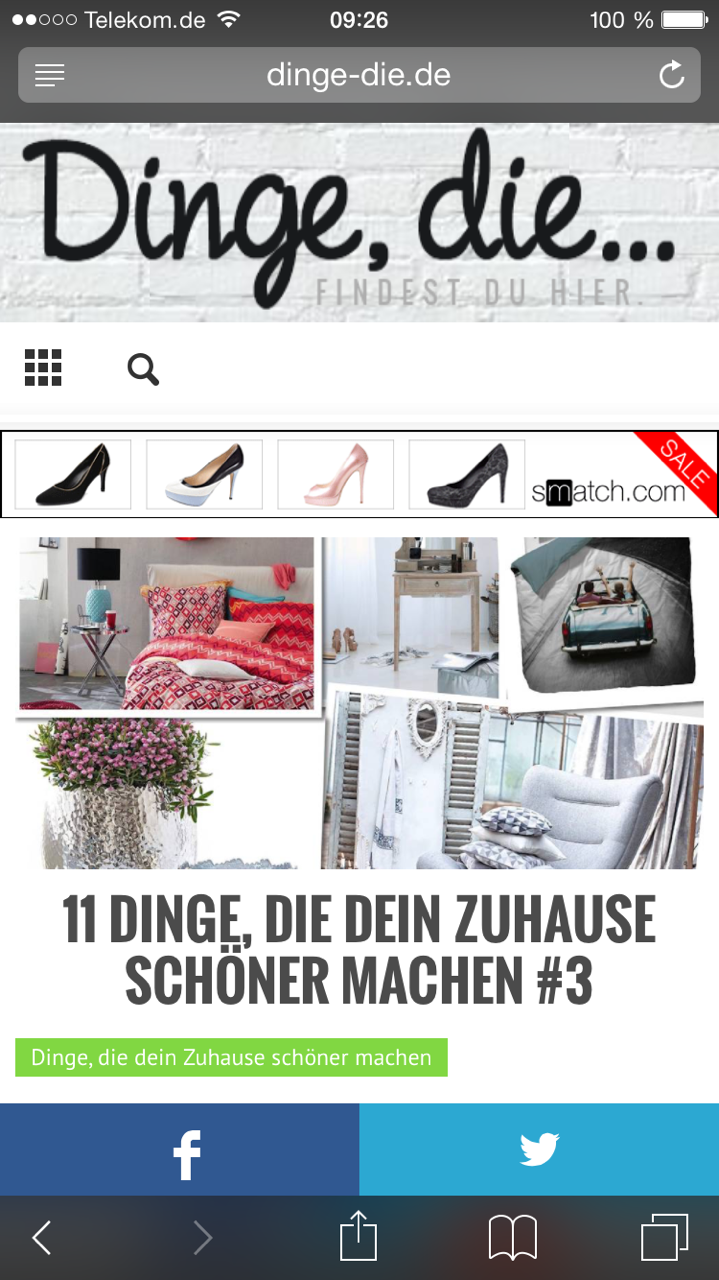
But now i recognized another Problem with the ads. The top ad works fine on the frontpage an on desktop. On other article / posts like this: http://www.dinge-die.de/dein-zuhause-schoener-machen/11-dinge-die-dein-zuhause-schoener-machen-3/ the header ad is not clickable on mobile devices.
http://www.dinge-die.de/wp-content/uploads/2015/02/IMG_9811.png Screenshot Iphone
Thanks a lot and kind regards!
Emil G Hi,
The theme doesn’t require code modifications, all solutions provided by me are either server optimizations (gzip compression, browser leverage), image optimization (when you deliver uncompressed/uncropped images and your page has 4-6Mb multiplied with a large number of visitors it will certainly lead to a blockage), cache. The Speed Booster is not that important, it will just move js and css at the page end giving the illusion that the page loads faster because the js/css executes after the other content elements are loaded. All those optimizations should be done regardless of the theme used and unfortunately we couldn’t include them in the theme as an automatic feature. I’ve made a guide here – https://forum.tagdiv.com/how-to-make-the-site-faster/ – the setting presented on the guide were taken from our demo server – also it requires to regenerate the thumbs – https://forum.tagdiv.com/how-to-fix-strange-thumbnails/
There are also discussions on the forum on this subject – https://forum.tagdiv.com/topic/pagespeed/ – https://forum.tagdiv.com/topic/tutorial-chriss-custom-optimizations-for-functions-php-etc/
Sorry for all the trouble you encountered with our theme, we can offer a full refund, just send us an email at contact@tagdiv.com and we’ll discuss the details.
PS – We’re testing the latest version of VC, on our tests it behave properly, we’re trying to identify why it uses so many resources on some of our clients servers. We advise anyone who has trouble with the latest version to switch to the previous one (4.3.5) which should work fine.
Thank you, Emil G.
 sidsmut
 Hi Emil,
Thank you for your reply.
Unfortunately, that solution hasn’t worked because the initial header loads without the full colour box. I changed all 99 instances of the colour I was trying to remove and they are gone but it still doesn’t look good because I am using the full colour box in option number two. I have noticed that the menu background flashes black too so there are also other style clashes going on.
Do you have an email address I can send my url to?
Regards,
Wayne
-
This reply was modified 11 years by
sidsmut.
Emil G Hi,
1.Do you have access to the error.log file? if you do please send me a copy at contact@tagdiv.com , the cause of this issue may be recorded in it. Also, the theme Ad system was designed for Adsense and custom banner+click ads, i see you use another system, it may not work fine because of that. But technically if it shows up on a page it should appear on all.
2. There’s no further markup inside that’s why you receive that warning, there’s no penalty for it so you shouldn’t worry.
Thank you, Emil G.
Emil G Hi,
Could you provide the url so i can check the header movement issue?
The css is loaded in a cascade, one after the other. The theme CSS loads first then the custom css is loaded.
A way to fix this may be to edit the style.css file , find and replace the theme default color with your own – http://screencast.com/t/sujORnpYJTy
Thank you, Emil G.
 kirikovdan
First of all great theme! Thanks!
But i have some issue
1) is it possible to change all font element to Open Sans? When i try to change in theme panel, it still download old font.
2) In line ad, doesn’t work at all. I put adsense code, select paragraph, style, save. Nothing happen. It work on all other places.
3) i have over 2500 images is it possible rebuild thumbnail to theme size? I try to use Ajax thumbnail Rebuild, it doesn’t help. I really like “Style 5” blog post, but image doesn’t much size.
 marqha
hi,
i see too more link in main page.
for example in Big Grid Section;

this areas are clickable. and posts titles same. i want to delete post title links. how can i do ths?
Another topic;

i use block 1 and block 2. posts pictures and post titles are clickable. i want to delete pictures links or title links.
thank you
 evreychik1
few questions, issues:
1. the ads are not showing on the home page and not showing properly on post pages
2. where do i change what account or what is assigned to like button on posts, i want it to be assigned for the group, not for individual posts
3. where can i find short codes for Facebook like and share buttons, i want o make them big!
4. i have another content site that i have a widget for, can u help me to where to enter the code? these are the instructions i have:
Place this code in the <head> section: —-> where or which line can i place that
and Place this code where you want the “Below Article Thumbnails” widget to render: —> where do i put this, i want this to show up on every page below my content, including the home page
Place this code at the end of your <body> tag: –> and where would i put htis
thank you, really appreciate the help!
Lucian Hi,
When using the image banner ads (div’s from the ads guide/documentation: https://forum.tagdiv.com/ads-system-full-guide/) all those divs will be loaded on page an just the div for the corresponding screen size(mobile/tablet/desktop) will be displayed, the other 2 will be hidden via css.
Thanks
Lucian Hi,
I have also checked and tested this using the latest theme version however I haven’t found an issue related to this. I believe that this happens due to your code which needs to be a google adsense ad otherwise the panel ad settings will not apply: http://screencast.com/t/BfR3LMEHjuZ
Thanks
Emil G Hi,
The theme was designed to work with adsense and custom banner/click ads, i think you’re using something else http://screencast.com/t/t9h0nfix
For other ads you have to look for a plugin that can handle those types of ads or try to add the code manually into the template files in the location you want to appear.
Thank you, Emil G.
 Tech Lifestyle
Hi,
I would like you to give us a recommendation for an independent Adv plugin that is compatible with the theme NewsMag, which has more options for an Ad campaigns (display options, google formats, static or animated banners, campaign tracking throw google ad sense, third party access, etc).
Or information that you may plan to improve adv plugin within NewsMag theme.
In search I found this 3 plugins , so I’m interested in your opinion that it matches the theme NewsMag before I buy it.
2. http://codecanyon.net/item/pro-ads-buy-and-sell-woocommerce/9826037
3. http://codecanyon.net/item/wp-pro-advertising-system/269693
Or some other.
Thanks a lot!
 Olga
Olga Hi Lucian
Thanks for your email. I understand that this site does not support the responsive view. In the same time, if you download the “full version” (please see the printscreen “view the full version”) – the page looks fine! Therefore, would you please tell me how to “switch off” the other mode, if viewed from the mobile (the printscreen I was sending you before). Am I making it clear enough?
Thanks!
Olga
 Radu
Radu Hi Chris,
If possible please wait a bit more until you modify the core of the theme (2 weeks – until we deliver the next update). We plan to bring another big update to the core of the theme and after that I hope we will have a stable core for at least half a year. We are also working to bring a new api that will allow developers to build a lot of nice stuff on top of the theme.
Here is a short description:
- the tgm plugin installer can be removed safely with the code under the require_once
- td_ads.php can be removed
- td_demo_site.php is used in the backend on the view that imports the content. That view will no longer work but I think the panel should work as normal.
- td_cake.php can be removed 🙂
- td_video_playlist_support.php + td_video_playlist_render.php – can be removed if you also delete the playlist shortcode td_block_video_youtube and td_block_video_vimeo in /includes/td_config.php – we will change this file in the next update to a new structure and I don’t have on this dev machine a old copy of the file
- in td_first_install.php, this line should remain in the theme: http://screencast.com/t/0Wxs8cejxYiE
- td_smart_list.php can be removed… but if you use a smart list it will give a fatal error. The part the calls the smart lists is here: http://screencast.com/t/yJoBHOMeC that should also be deleted
- td_login.php can also be removed
If you need more information please let me know
~ Radu O.
Lucian Hi,
Still not sure what you mean.. The theme doesn’t have an option to rotate ads and in this case you have to use a plugin like Chris suggested. On other hand adsense ads are loaded by google and you don’t have an option over that.
Hope this helps!
Thanks