
- NewspaperDesign your Post Pages using the Cloud Library Templates
- NewspaperDesign your post pages using the Default Templates
- NewsmagPage templates
- NewspaperPage templates
- NewspaperCreate a form contact page
- NewspaperCloud Library Templates
- NewspaperCloud Library – Category Templates
- NewsmagCategory templates
- NewsmagFooter templates
- NewsmagDefault post templates
- NewsmagPost templates
- NewsmagHomepage – How to build and set it
- NewspaperHomepage – How to build and set it
- NewspaperPost templates
- NewspaperDefault post templates
- NewspaperCategory templates
- NewspaperPost template ads
- Apitd_api_single_template::update_key
- Apitd_api_single_template::update
- Apitd_api_single_template::add
 WilliamWorthy
I used the RAW code Calin gave earlier to look like it seems the technology template . what would the home page code be for Cars
 pwisker
Hi,
How do I remove the words: Home Price-to-Earnings (P/E) at https://ztratum.com/price-to-earnings-p-e-ratio-studies/ in between the navigation menu and the page title?
Thank you,
Patrick
 Bettina
 Hello @msakande!
If you use mobile pages, then you can have a mobile page to any cloud template. You can find and edit them in the Cloud Templates or while you see the pages in frontend: https://www.screencast.com/t/cI3kmlNrcklY
Thank you!
 Anamaria
 Hi,
You can use mobile page/templates, but for page speed please check this topic -> https://forum.tagdiv.com/topic/slow-my-webiste/
If you want to make the website boxed, you need to have set a background image/color from Theme Panel -> Background => https://i.imgur.com/i2qlhzX.png and Theme Panel -> Theme Colors => https://i.imgur.com/h808nlK.png and enable the option to make the background boxed layout. Select the row on the header and footer and set the option for “Row stretch” on Default => https://www.screencast.com/t/I7lDMXJjiwZ -> https://www.screencast.com/t/O8cc7n4ZzIc
Thank you!
Anamaria Hi,
Please edit the page normally and change the setting for the page into Template: Default template because I think you have there the setting: Pagebuilder + Latest articles + Pagination and these are not editable by tagDiv Composer plugin.
Let me know the results!
Thank you!
 iamratnesh
 Thanks for the help. Also I want to know creating Mobile themes of the below mentioned templates will create any speed issues or slow down the HTML page?
 desirevp
1. The tool mobile page, is only for pages and not for categories? When I am in a category page or a category template the option to add a mobile page is not visible, only in pages like home.
2. URLs for image adds when inserted via tagdiv composer sometimes disappear after “save”. I have a header banner in mobile which link would not work and reverts to the same page. Tried to delete and add it again and the same happens. The sidebar banners work good in mobile. If I implement it through mobile page works good, but that is only valid for the home, and not for the posts and categories…(see my first question), so I ended up using a mobile page for home and the rest of the responsiveness was inherited (at least the link works on home page).
 Dibbes
Hi,
I managed to change the 404 response for non-existing / deleted posts to a 410 by modifying
wp-content/plugins/td-cloud-library/wp_templates/tdb_view_404.php
added : header($_SERVER[“SERVER_PROTOCOL”] . ” 410 Gone”);
It would be much better that I could that in the child-theme functions. As when the theme will update the code will be removed.
I would even prefer that I could create a special page for the 410 response like doing something like this:
$custom_410_page_ID = 76761;//Error 410 page ID
header($_SERVER[“SERVER_PROTOCOL”] . ” 410 Gone”);
header(“Refresh: 0; url=” . get_permalink($custom_410_page_ID));
Could you explain how I can add this functionality in the child theme?
Bettina Hello @jozef !
From what I can see in your screenshot, it seems that you use the Mobile Theme plugin which can overwrite the design you build for your mobile view. If you deactivate the plugin, then it will show the responsive version of your desktop.
We have 3 options of mobile versions that you can use:
1. Responsive version: A responsive version of your website is looking similar like on desktop, edit the page with TagDiv Composer, click on the mobile viewport: https://www.screencast.com/t/XDQJedlggSB ; there you can see your mobile version and you can edit the elements there.
2. Mobile pages: https://tagdiv.com/newspaper-10-3-7-update-brings-customizable-and-fast-mobile-pages/
3. Mobile theme plugin: The Mobile Theme is a performance optimized theme included in the Newspaper main theme and it loads only for mobile devices. It comes with its own templates/design for page, post, category, etc so your current templates from the desktop theme will get converted to the mobile theme layout. For more details, please take a look here: https://forum.tagdiv.com/the-mobile-theme/ and https://forum.tagdiv.com/mobile-theme-introduction/
A full explanation you can find here: https://www.youtube.com/watch?v=SpGkOnJeNZY
You can choose to use which one is more affordable and useful for you.
Hope that helps you!
Thank you!
Anamaria Hi,
You can create a new mobile page, and now with content, and delete the mobile page which is blank -> https://tagdiv.com/newspaper-10-3-7-update-brings-customizable-and-fast-mobile-pages/ -> https://www.youtube.com/watch?v=SpGkOnJeNZY (03:11 – Mobile Templates & Pages)
Thank you!
Anamaria Hello,
1. The modal made is a page and assigned in the modal popup element. You can find more details here https://forum.tagdiv.com/topic/smart-pop-up-shortcode/
2. The unique id us when you want to use the element in another template, or section on the page “A unique identifier used by some of the modal’s functionalities. When duplicating the shortcode, make sure to change this ID to avoid any issues.”
Soon we will add the documentation for the modal popup.
Thank you!
 deepak8151
 I made a blog in it, using cloud templates I have made a home page and a footer but my computer shows both these templates but not on my phone why?
 msakande
Dear,
I download the cloud template contact page contact-us-law-firm
I change the name to CONTACT
But when I call this page, I see that the name is not change it’s still display the old name contact-us-law-firm as you can see in this link
https://owonews.info/contact-us-law-firm/
When I go to https://owonews.info/contact/ I get this link https://owonews.info/contact-us-law-firm/
As you can notice, the new name of the page (CONTACT) cannot display
 oulyrics
Hi,
Although I selected “Disable dropdown when display inline” from the TagDiv composer for the sibling category in the lyrics category, it doesn’t work. I can’t see all subcategories. Subcategories appear within some Parent categories, but not others. It’s a complex situation. I would be glad if you help. Site http://www.oulyrics.com
The related page with the problem is https://oulyrics.com/category/lyrics/
It’s a weird problem. This part works worse on mobile version. Another detail is that after logging into wordpress on the computer, subcategories in the Lyrics category become fully visible. But it shows some of it when not logged in. It doesn’t show them all. The same is true for the mobile version. The mobile version is important to me.
Thank you for your interest. I wish the problem to be solved as soon as possible.
The template name I use is “Living Pro”.
Related images (after logging into wordpress by Admin): 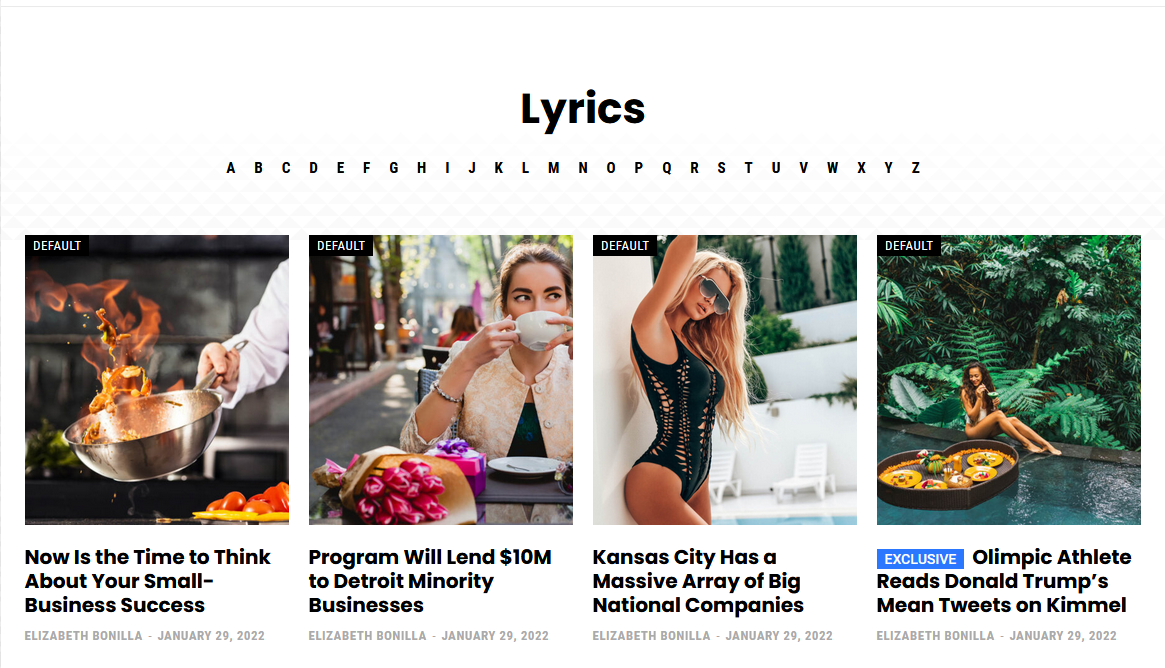
Related image 2 (Not logged in): 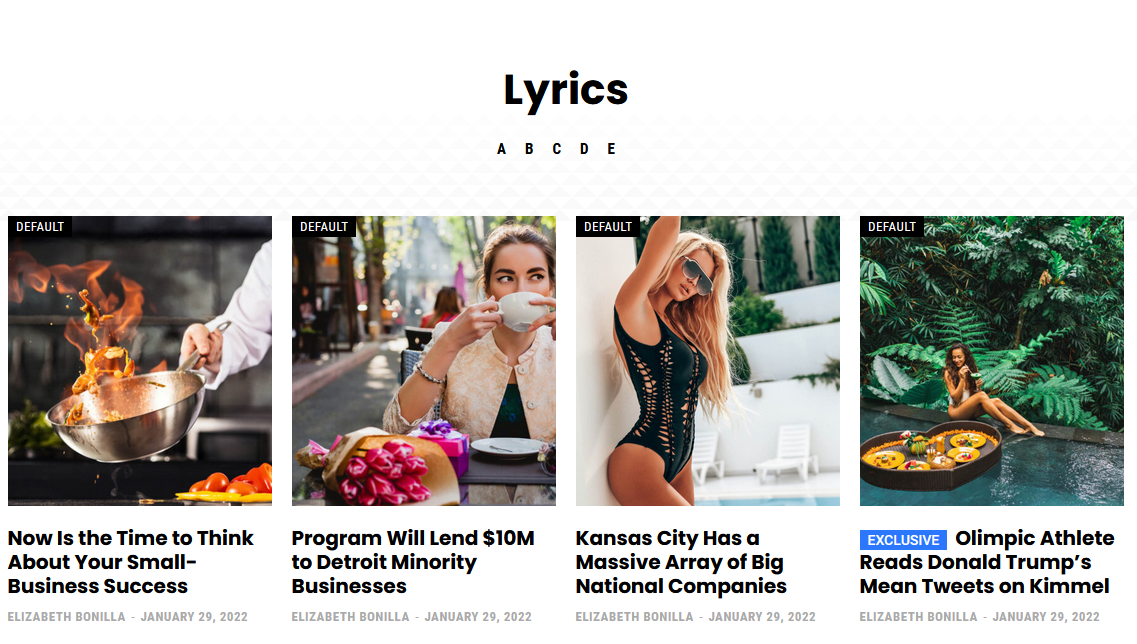
Related image 3 (Mobile version): 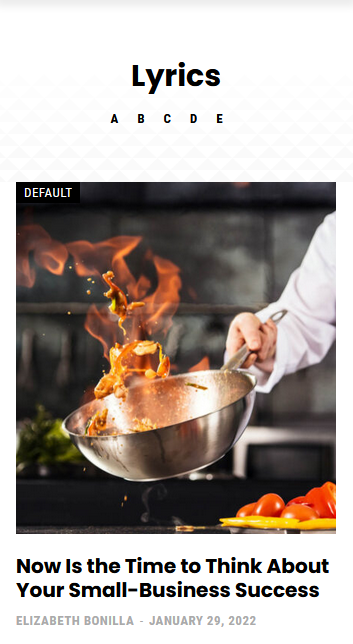
Related image 4 (subcategory page not working correctly): 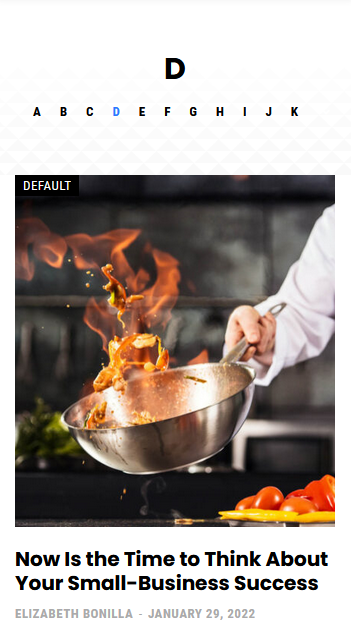
Related image 5 (subcategory page working correctly): 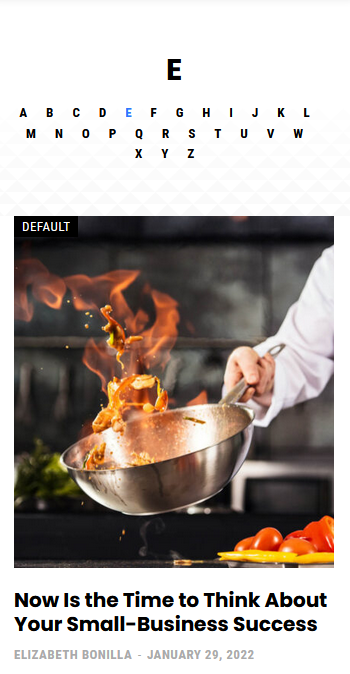
Related image 6 (TagDiv Composer settings): 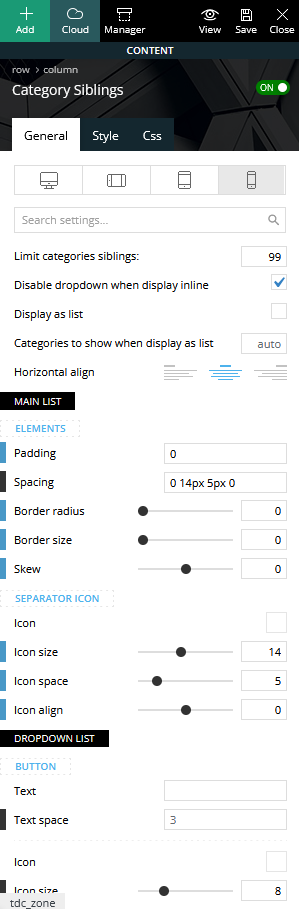
 Masudul Alam
I import ‘newspaper week pro‘ cloud header template. but I can’t configure modal popup page for left menu. My question is:
1. Using tagDiv composer, How to build modal popup like ‘newspaper week pro‘? I did not find any documentation related to this.
2. What is ‘Unique id‘ under the modal popup? How do I get this ID?
I’m surprised that there is nothing in the documentation about modal popup.
 muterobert
 Hi, we’ve upgraded our Newspaper theme to the latest version (11.4). I have re-tested the issue following the steps you shared previously (https://www.screencast.com/t/l1ED4kGni).
The same issue remains. When I preview the newly built page, the columns are side-by-side as they should be.
But once I set this to be the default template and then go view a real post, the elements are forced into a single column (like so: https://imgur.com/a/RpwQVKs).
 premiumsn
When I click on the edit button, this is what i get. SEE URL above.
 sudipto
Hi,
Is there anyway we can use a cloud template for a custom taxonomy listing page?
We have custom taxonomies in our website. We want to build a template for each custom taxonomy page. At the moment, it just picks up a default template and we cannot find a way to edit it using Tagdiv composer. Is there a way for this to happen?
 tennistalker
 Unfortunately, as you can see from this image, I still do not have the Page Template Settings section:

This is my system status:

 vikasnangia
 To add to my last message, it appers that we’re able to configire the image size for category pages via the cloud templates section, but what about the mobile site theme settings?
Where is the setting that allows us to choose what image size to show on the mobile site theme? Currently it is defaulting to show 1536×864 on the mobile site category listing page.
 Calin
Calin Hi gwk,
For pages what you can do is to duplicate the page, in this way all you need to do is to change the page content. Or you can make a “page template”, a page that will have the layout and elements that you want on all pages, then just duplicate that “page template” and adjust it after your needs!
With tagDiv Composer you can add the sidebar widget or you can create one for cloud templates, but this will be the same for all posts where will be apply.
Thank you!
 catalingeangos
 Sorry to bother you again and thank you Bettina. So what you telling me is to add the breadcrumbs block on each page of my website where I’m using cloud templates. Im not very skillful in development mode or anything like that but you telling me that will sort my issues? i cant see how adding a breadcrumbs block to lets say “contact page” will sort the issues from the next picture
screenshot
since i don’t have any skills at all in coding and/or development and my dev is away in holiday, I’ve asked someone to take care of the search console breadcrumbs issue, and after 2 days he said he tried anything to take them off but it didn’t work unless disabling the table of contents and YOAST SEO. I obviously cannot stay without Yoast SEO because i already tried rankmath and is messing up with some pages and i returned back to yoast SEO.
And now I’m going back to my question, how can i remove the breadcrumbs errors from the search console? basically, adding the breadcrumbs block on every page of the website because its already on the blog posts?
like that?
breadcrumbs block
adding this on every page with sort this out?
tennistalker After updating to WordPress 5.9 with the Newspaper 11.4 theme, the “Page Template Settings” below the Page Content editing section has disappeared, so it is not possible to enable/disable the Unique Articles feature or set other required template settings. Could you check please?
 kjervert
 Thank you as always for these detailed and easy to follow instructions! I think I lied about my last question!
Hopefully this is the last. I followed your instructions. My template settings for page width is set to default (if that is helpful info), the row for the header set to “stretch row”, and the boxed site settings are as you have indicated, but still am having two bits of trouble. I can’t seem to resolve a few pixels on each side, as you can see in this photo. I’ve tried a few different configurations where I can add padding in pixels or percentages, but this always breaks the responsiveness of it at smaller screen sizes.

I can add paddings to match it, if I use the “stretch to 1200 content” option, but then this breaks the responsiveness of the site.
Thanks again!
Karin
 Rhonda
 Hi Bettina,
I deactivated all of the plugins except tagdiv, flushed cache, and opened a post in a private browser. The articles are still not showing the sidebar.
I did discover that when I created a new post template from Tag Div’s cloud source that the sidebar posts that are built into the template do appear. So the problem is specific to the WordPress widgets section. Sidebars items appear when added manually to the page or past, but not from the widgets section of WordPress.
As a temporary solution to this, is there a way to set the default post template to one of the Cloud templates that I downloaded to my WordPress panel?
Thank you for your help!
~Rhonda


