
- NewsmagReviews
- NewsmagtagDiv Composer Tutorial
- NewsmagCategory templates
- NewsmagHow to add icons in the menu
- NewsmagNewsmag documentation
- NewsmagBlock settings tutorial
- NewsmagInstalling pre-built websites
- NewsmagMain menu
- NewsmagFeatured image or video
 markosr2650
Hello there! I have the following problem: when I am creating a slider with Revolution Slider, and preview it in a plugin panel is perfectly fine. The slider have a custom css.
But when I implement in my site, and view it through a mobile it does not look like the preview slider on the plugin panel.
This is my site , it is under construction, when view it through a mobile the slider elements doesn’t look well.
 PierreBoullier
 Dear @Catalin-l,
It worked really well.
Thank you for your precious help.
Where can i submit a positive review about you ?
Thanks again and have an awesome day,
Pierre Boullier
 mikezenmx
hi i need some help, i dont know if some one can help me about this but, the problem is that i cant set up the “most popular” or “latets entries” section/block of my blog, im using newspaper and i cant find the way to do it or hide it, im looking all the settings of the page “news” that it comes as example, but im not getting it work, can some one please give me an advice?
i see those section on preview and in the live site but not in the page builder.
thaaanks ?
 nhatducdx
I’m a newbie, and I’ve try to creat the table of content like THIS (JUMP TO Wiget) on Newspaper theme by using Visual Composer – Backend Editor Mode.
Please help me !
Thanks a lot !
 arara
arara Hello Catalin,
thanks for description of the pagination function in your theme. I activated the page-builder+latest articles+pagination option and in the preview I can see the right result but when I switch to online version the pagination is not working. For example I klick to second page like here: http://www.top-energy-news.de/page/2/ I get every time the first page (home page) http://www.top-energy-news.de.
Best regards
Josephine
 skyscorcher
Hello I have an issue with the theme. After I press the preview button to view a post it shows the homepage.
I tried to delete the .htaccess and recreate it but I had no luck.
Moreover I deactivated all the plugins but the problem persists.
Could you help on this one?
Thanks
 jcgilliland
Hello,
I have two problems that started in the last 72 hours: 1) I updated the JetPack plug-in, which immediately caused the display images on the homepage to not resize, instead displaying as full size in the preview window; 2) I am unable to update the new theme upgrade, as the theme add option does not have an “update” option, instead giving me an error that the upgrade cannot be performed because the theme folder already exists.
I checked the JetPack plug-in, which said there was an error, which could be caused by a problem with the theme.
Suggestions are welcome.
 griffinassoc
Hi,
A client waited a loooong time to upgrade from version 1.5-ish to the latest version last month. A big jump.
The last issue we’re helping them fix is a problem with the preview thumbnails in the post body area. The thumbs are showing up in various sizes. Here’s an example:
http://www.archaeologicalconservancy.org/investigating-a-maritime-mystery/
The media setting are set to 150×150 and cropped. Are we missing a setting here?
Thanks!
 omar ahmed
 i used same font icon in demo verision theme
please see demo on internet exprlore 9
http://themeforest.net/item/newspaper/full_screen_preview/5489609
and see my site
 simchris
 and, oh my gosh … it’s still there!
I guess the file names “update_log.txt” and “changed_files_6.5_6.6.1.html” are not specific enough?
===
NEWSPAPER THEME
Thanks for your support and feel free to contact us any time 🙂
https://forum.tagdiv.com/
~ Radu, Marius, Emil, Alina, Lucian, Nicu G., Alin and Nicu S. ~
[ Version 6.6.1 ]
– new social counter version. Facebook requiers now an API key, read more here: https://forum.tagdiv.com/tagdiv-social-counter-tutorial/
[ Version 6.6 ]
– new: Custom code panel. We realized that all the custom css, html and javascript should be in one panel. We also added a custom HTML code section. All the input areas from this panel have autocomplete (ctrl+space) and error checking.
– new: whatsapp share for article on mobile devices
– new: added http channel test status in the system status panel. You can now check if the theme is able to get the tweet count, like count etc from your host.
– new: filter posts by ID in blocks. You can add/exclude specific posts on all the blocks now.
– new: the theme now has it’s own logging system. We can now debug hosting issues easier.
– new: a new self diagnosting and self configurating module that allows our theme to pull data from other sites more reliably.
– fix: smart list 7 and 8 – sometimes the content was doubled
– fix: g+ new icon
– improvement: video playlist is now more reliable and all the code is loaded only when needed via autoload. The youtube videos information is now collected using just one API call instead of multiple API calls for each videos.
– improvement: speedbooster 4.2 now supports woocommerce better and moves the style.css to the bottom
– improvement: the theme panel works better now when adblock is used
– improvement: all the ajax functionality of the theme is now loaded only when needed
– improvement: better security checks on all the ajax requests
– improvement: html is allowed now in the copyright section of the footer
– improvement: social counter button is clickable on the entire area
– improvement: almost all the javascript code now passes jshint. We still have about 15-20% of the code to refactor to the new standards but with time we will get there.
– improvement: the theme’s data source class can now be overwritten from the child theme
– improvement: all the widgets from the theme are now optimized to work better. The widget_builder class is now deprecated and all the functionality was moved to td_block_widget
– improvement: the video playlist now downloads the videos metadata on render, not on save post. This allows us to use the playlist on the on click demos.
– improvement: the following modules of the theme are loaded on demand now: td_log, td_remote_http, td_remote_video, td_data_source, td_video_support, td_more_article_box, td_page_views, td_review, td_ajax. This means that the theme loads them only when needed. We mesured a 10% faster load time after this tweak.
– fix: theme animations where incompatible with some plugins and the visual composer gallery. The animations still worked but all of them looked a bit strange.
– fix: bug with the demo loader – the dinamic css for a specific demo was still loaded even after the demo was uninstall
– fix: header style 8 top submenu z-index fix
– fix: image aligment issue when using custom article paddings
– fix: the documentation url for demos was wrong in wp-admin
– fix: we updated the ads links to point to the right documentation
– fix: Social counter now shows the followers instead of +1 on google plus. Please update your social counter to see the improvement.
– fix: styling issues with the latest version of BuddyPress
– fix: on rare ocassions with some plugins the theme was emitting warnings in the server logs like: “Catchable fatal error: Object of class stdClass could not be converted to string”
– fix: error that was showing up in logs when the theme panel was saved
==
-
This reply was modified 10 years by
simchris.
 gokaytem
 Hello.
1. I will use 696*464.
2. To obtain this menu with sub-category (look) I made some categories into sub-categories. This is necessary. But for parent category I created new parent categories like Teknoloji2 (technology2), Eğlence2 (entertainment2), Sanat2 (art2) etc… And this parent-category (even I haven’t selected) preview in the post. (look) This is weird. How to hide parent-category from post ?
4. Yes.
5. I forgot. I know I can add background color to the row or column but there are several block in the row. please look. I just want to add background color to only this block. I think this can be a css trick.
6. All button in the block of homepage doesn’t work. It get all post in the all categories not specific categories belonging to the block.
 comsolo
Hello,
I want to change the size of them but I couldn’t find a way to. And, I want to change colors of posts’ title on the front page. Is there any possibility to do it? And the last thing, in the font settings how to figure out which font corresponds exactly which block? Can we preview font changes rather than simlply ‘save settings’?
gokaytem Thank you for reply. Sorry but these couldn’t be answer for my question.
1. I don’t want to use a plugin. Only I want to know what the optimum image size for all thumb’s containers. 800*600 is suitable for optimal image quality on theme ?
2. Yes, Ok but I want to obtain a megamenu with sub-category. That’s why I turned the categories into sub-categories. But it previews in post together parent category.
3. Thanks. It’s done.
4. No, I don’t want to disable author box. I just want not to preview a author box depending on specific author.
-
This reply was modified 10 years by
gokaytem.
 shadyns
 Here are images when i click preview post and its all ok and when i publish and go to post.
Preview and how it need to be when all is ok.

Published: how it looks when i publish post.

shadynsAll was good till few days ago, I use Newspaper V 6.5.1 and all in one seo, first it start to not change my title when i change permalink from post and i need to use first permalink i made when published post, or it dont change tittle but that wasnt that much problem like now. I cant even make post, when i add new post and write all what needed and go for preview all is good but when i publish nothing is good. I gave page just with future picture and some attachment picture… what the hell ? Help me fix this
gokaytemHello. I’m new buyer. Firstly congratulations and thanks for this perfect theme.
I’d like to learn what size of a post image. I selected style 2 for post template. And I use the template like in the demo homepage (http://demo.tagdiv.com/newspaper/)
Depending on my before theme my post image size is in 765*400 dimensions. But I think this dimension is not suitable for Newspaper theme. Please look at this : 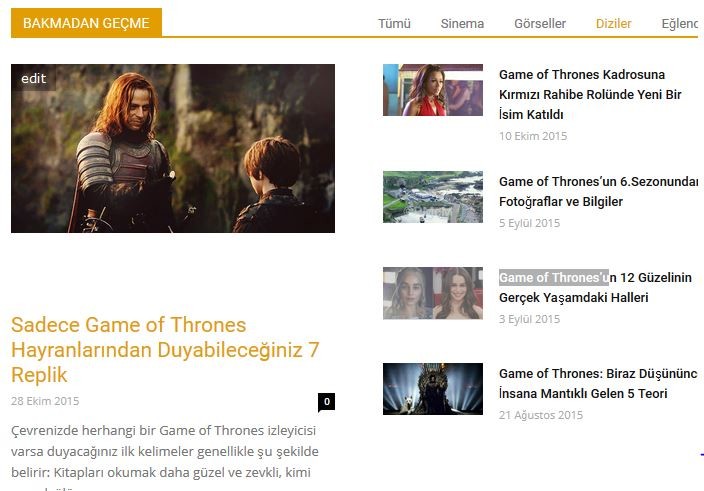 (don’t miss section)
If possible I want to ask more questions :
1: how can I achieve to do black color of a section’s background in homepage (not title background). like this : 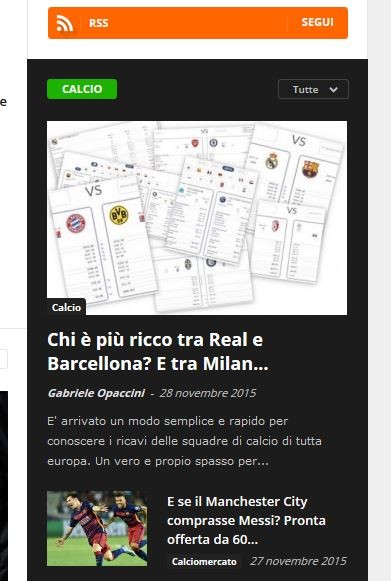
2: A post has 1 or 2 category. But to obtain mega menu I made all category as sub-category of parent catogories. That’s why in top of posts previews not only selected categories but parent categort. This is weird to me. Not ?
3: Is this possible that latest articles block in homepage has infinite scroll not pagination ?
4: I want to not show author box for my posts. Normally in my other theme It wasn’t previewed unless typing author description in backend panel.
Thank you so so much.
Greetings from Turkey.
 FelipeRau12
One question I buying the wrong template .
bought newsmag
http://themeforest.net/item/newsmag-news-magazine-newspaper/full_screen_preview/9512331
and in fact my client wanted a newspaper
http://themeforest.net/item/newspaper/full_screen_preview/5489609
As the two are very similar I bought the wrong . It would be possible to make the switch ? Paid different from one to another.
If so how can we proceed so that I have that I want ?
Thank you
Felipe Rau
 davidcolq
Hi,
I’ve recently updated the Newpaper theme from ver4 to ver6. I’m really enjoying some of the new features that the TagDiv team have added, however what I have not enjoyed is that the update has screwed up my main menu.
Previously if you clicked on say Reviews, it would display the latest 10 reviews. Now with the update, when you click on Review it displays the Homepage again. This happens on all of the items on the Menu.
I have tried the following:
1. creating a new menu
2. Added a Home Page and a Reviews Category to the new menu and saved
3. Change from the old menu to the new one via Newspaper>Themes>Main Menu
But I get the same issue, if you click on Home its fine, but if you click on Reviews it displays the homepage
Any assistance would be great as its difficult to see where i’m going wrong
Regards,
Dave
betotg(dot)com
 iamawalrus
 and it shows this on the webpage for the slider header place:
[vc_row full_width="stretch_row" el_class="import_video_slider_bg"][vc_column][td_block_big_grid_6 category_id=”357″ sort=”featured”][/vc_column][/vc_row][vc_row full_width="stretch_row" el_class="import_video_ad_bg"][vc_column][td_block_ad_box spot_id="content_bottom"][/vc_column][/vc_row][vc_row el_class="td-ss-row"][vc_column width="2/3"][td_block_3 custom_title="POPULAR VIDEOS" limit="4" td_ajax_filter_type="td_category_ids_filter" ajax_pagination="next_prev"][td_block_15 custom_title=”MOVIE TRAILERS” sort=”random_posts” limit=”6″ ajax_pagination=”load_more”][td_block_ad_box spot_id="custom_ad_2" spot_title="Advertisement "][td_block_15 custom_title=”GAMEPLAY” sort=”random_posts” limit=”6″ ajax_pagination=”load_more”][/vc_column][vc_column width="1/3"][td_block_ad_box spot_id="sidebar" spot_title="Advertisement "][td_block_video_youtube playlist_yt=”14JuGRUu_bo, aZdpX6SF5Z8, 1LK0iDlPlTU, 8RrS0GTsEEg, YcNJrufroUQ, Sfiflu_CdJ4″][td_block_18 custom_title=”TOP REVIEWS”][/vc_column][/vc_row][vc_row full_width="stretch_row" el_class="import_dont_miss"][vc_column][td_block_14 custom_title=”DON’T MISS” header_color=”#f8c900″ sort=”random_posts” limit=”3″ td_ajax_filter_type=”td_category_ids_filter” ajax_pagination=”next_prev”][/vc_column][/vc_row]
 solo
soloHi community,
I’ve purchased the theme today and installed the Newspaper demo. But I can’t find a way to setup the home page to loop layout as seen here http://themeforest.net/item/newspaper/full_screen_preview/5489609 under homepage layout. Any tips/documentation would be helpful.
Thanks in advance
 cthrag
 Preview screen im seeing: http://imgur.com/QGkjjZp
cthragHi all,
i want to upgrade theme, but when i try to check preview, i see there is “hack” warning on screen. im using the old Newsmag theme right now.
My Website: http://www.gribilge.com
Preview screen im seeing:

+
When i install first time this theme, i get same problem but fix, i dont remember how but with little change i think.
 rocket.works
Hello!
Is it possible that the theme is using the WordPress <more> tag, to show the excerpt?
I have a site, migrated from joomla and the <more> tag got automatically placed.
Is there any option or possibility to get the theme to work with this tag (showing the text above this line as the excerpt in the article previews)?
Cheers!
Dom from rocket.works
 posonty
Hi guys.
I upload my web sports photo reports, you can help me with an idea to create a gallery in Articles ?, so for example:
http://codecanyon.net/item/fast-gallery-mosaic-wordpress-plugin/full_screen_preview/13103473
 Bogdan B.
 Hello,
Unfortunately there is no option for this in the theme but it can be done with a bit of customization.
You can hide the other review scores with css in order to just display the overall score:
before: http://screencast.com/t/j0lEQc3x
after: http://screencast.com/t/zH23QN8DuqG2
Use this code in the theme panel->custom css box:
.td-review-row-stars{

display:none!important;

}
As for the position you will nedd to edit the theme files to move the reviews.
Edit the loop-single_x.php template you use on your post. (you will need to edit every template you use on your posts http://screencast.com/t/gNewwrcmEQ3q)
Modify the template you use like so: http://screencast.com/t/CcMkeJjJ
Thank you!
