- NewsmagHow to update a plugin
- NewspaperHow to update a plugin
- NewsmagHow to update the theme
- NewsmagHow to update the WPBakery plugin
- NewspaperHow to update the WPBakery Page Builder plugin
- NewspaperHow to Update the Newspaper Theme
- Apitd_api_top_bar_template::update_key
- Apitd_api_top_bar_template::update
- Apitd_api_single_template::update_key
- Apitd_api_single_template::update
- Apitd_api_footer_template::update_key
- Apitd_api_footer_template::update
- Apitd_api_smart_list::update_key
- Apitd_api_smart_list::update
- Apitd_api_thumb::update_key
- Apitd_api_thumb::update
- Apitd_api_category_top_posts_style::update_key
- Apitd_api_category_top_posts_style::update
- Apitd_api_category_template::update_key
- Apitd_api_category_template::update
 Allen Clein
So, my theme is updated to the latest version and it persists the problem. The login popup and login page not working. Even with correct credentials it just endlessly loads. How to fix it?
Screenshots: https://prnt.sc/g17xB5Y0_PdU
 midtcnick
Wondering if there’s any solution to lock a block or set of blocks.
We have a client who wants users with a certain user role to not be able to move homepage components, but update elements visually using the Post ID within the filter.
I can’t find any functionality to lock the blocks.
 Bettina
 Hello @DUNKY59!
Check these guides: https://www.jezweb.info/how-to-create-a-blog-post-using-wordpress-gutenberg/ and https://forum.tagdiv.com/design-post-pages-using-cloud-library-templates/
We have 3 options for mobile versions that you can use:
1. Responsive version: A responsive version of your website looks similar to the desktop version. TagDiv Composer is used to edit the page.Click on the mobile viewport: https://www.screencast.com/t/XDQJedlggSB. There, you can see your mobile version and edit or adjust the elements to look better.
2. Mobile pages: https://tagdiv.com/newspaper-10-3-7-update-brings-customizable-and-fast-mobile-pages
3. Mobile theme plugin: The Mobile Theme is a performance-optimized theme included in the main Newspaper theme that only loads on mobile devices. It comes with its own templates and designs for pages, posts, categories, etc., so your current templates from the desktop theme will get converted to the mobile theme layout. Please see https://forum.tagdiv.com/the-mobile-theme/ and https://forum.tagdiv.com/mobile-theme-introduction/ for more information.
A full explanation is here: https://www.youtube.com/watch?v=SpGkOnJeNZY
If you need to use mobile version 1 or 2, then you need to uninstall the Mobile Theme plugin and AMP.
Thank you!
 ilouie
 Thank you for your reply. I’ve used this option and this is where the problem is, when I add a header to the mobile. If I add the same header as the desktop version, the desktop version would display the mobile site version, and if I add completely different header, the mobile site would display as the desktop site version, which would be incorrectly displayed on a mobile device. I’m all out of options. Here’s the version I’m using: 2. Mobile pages: https://tagdiv.com/newspaper-10-3-7-update-brings-customizable-and-fast-mobile-pages
BTW, if I use version 1, and if I remove certain information I don’t want to show on the mobile, then the desktop will not show it either..
-
This reply was modified 2 years by
ilouie.
Bettina Hello @ilouie!
We have 3 options for mobile versions that you can use:
1. Responsive version: A responsive version of your website looks similar to the desktop version. TagDiv Composer is used to edit the page.Click on the mobile viewport: https://www.screencast.com/t/XDQJedlggSB. There, you can see your mobile version and edit or adjust the elements to look better.
2. Mobile pages: https://tagdiv.com/newspaper-10-3-7-update-brings-customizable-and-fast-mobile-pages
3. Mobile theme plugin: The Mobile Theme is a performance-optimized theme included in the main Newspaper theme that only loads on mobile devices. It comes with its own templates and designs for pages, posts, categories, etc., so your current templates from the desktop theme will get converted to the mobile theme layout. Please see https://forum.tagdiv.com/the-mobile-theme/ and https://forum.tagdiv.com/mobile-theme-introduction/ for more information.
A full explanation is here: https://www.youtube.com/watch?v=SpGkOnJeNZY
If you need to use mobile version 1 or 2, then you need to uninstall the Mobile Theme plugin and AMP.
Make a test and deactivate ALL plugins except tagDiv ones, also if you are using a cache plugin, deactivate it, clear all cache and try again.
Thank you!
 rimivtech
I have installed the following version for my new website https://staging.softwaregala.com
Newspaper version: 12.6.3
Theme: APP FIND PRO
My brand logo is not getting updated. I tried uploading both the standard logo and retina size logo from the theme panel and also tried editing using Tagdiv composer.
Please help me solve this problem.
https://drive.google.com/file/d/1MCsBixxIJegtvZ5OZzluXLsE5umX8KUj/view?usp=sharing
https://drive.google.com/file/d/1MCSKYJ2_v5ab5VbSlNh0HnaykaLNJzGL/view?usp=sharing
https://drive.google.com/file/d/1M8Ui49xanhgK2zOI8fhb_wPiV_TzBlOK/view?usp=sharing
Bettina Hello @joeyfatstat !
Do you have the latest update of the theme and plugins?
We have 3 options for mobile versions that you can use:
1. Responsive version: A responsive version of your website looks similar to the desktop version. TagDiv Composer is used to edit the page.Click on the mobile viewport: https://www.screencast.com/t/XDQJedlggSB. There, you can see your mobile version and edit or adjust the elements to look better.
2. Mobile pages: https://tagdiv.com/newspaper-10-3-7-update-brings-customizable-and-fast-mobile-pages
3. Mobile theme plugin: The Mobile Theme is a performance-optimized theme included in the main Newspaper theme that only loads on mobile devices. It comes with its own templates and designs for pages, posts, categories, etc., so your current templates from the desktop theme will get converted to the mobile theme layout. Please see https://forum.tagdiv.com/the-mobile-theme/ and https://forum.tagdiv.com/mobile-theme-introduction/ for more information.
A full explanation is here: https://www.youtube.com/watch?v=SpGkOnJeNZY
If you need to use mobile version 1 or 2, then you need to uninstall the Mobile Theme plugin and AMP.
From my point of view, if you don’t use the Mobile Theme plugin, then there is no reason or benefit to AMP. Unfortunately, AMP is not working with the cloud templates because the AMP’s layout is not fully customized.
The AMP version works best with default templates and not cloud templates. That’s why we integrated it with the Mobile theme plugin.
The feedback from our clients about AMP was negative and it is not used anymore, that’s why we didn’t add more customization options.
Thank you for understanding!
Bettina Hello @segunfunmi !
We have 3 options for mobile versions that you can use:
1. Responsive version: A responsive version of your website looks similar to the desktop version. TagDiv Composer is used to edit the page.Click on the mobile viewport: https://www.screencast.com/t/XDQJedlggSB. There, you can see your mobile version and edit or adjust the elements to look better.
2. Mobile pages: https://tagdiv.com/newspaper-10-3-7-update-brings-customizable-and-fast-mobile-pages
3. Mobile theme plugin: The Mobile Theme is a performance-optimized theme included in the main Newspaper theme that only loads on mobile devices. It comes with its own templates and designs for pages, posts, categories, etc., so your current templates from the desktop theme will get converted to the mobile theme layout. Please see https://forum.tagdiv.com/the-mobile-theme/ and https://forum.tagdiv.com/mobile-theme-introduction/ for more information.
A full explanation is here: https://www.youtube.com/watch?v=SpGkOnJeNZY
If you need to use mobile version 1 or 2, then you need to uninstall the Mobile Theme plugin and AMP.
Thank you!
Bettina  Anamaria
 Hi,
Using our theme you can choose from 3 mobile versions
-> mobile responsive => https://www.screencast.com/t/oJ2ShOp47
-> mobile theme plugin => https://forum.tagdiv.com/the-mobile-theme/
-> mobile page => https://tagdiv.com/newspaper-10-3-7-update-brings-customizable-and-fast-mobile-pages/
If you created the mobile pages with tagDiv Composer, then when you install the Mobile Theme plugin, your pages will be overwritten by the plugin (the mobile theme comes with its templates for page, post, category, etc so your current templates from the desktop theme will get converted to the mobile theme layout, the page content is made without builders in mobile editor => https://www.screencast.com/t/xbgZG8kH also, the options that are provided to edit the mobile theme version are limited (this keeps the things simple)).
This is a video about Responsive Newspaper Theme, AMP & Mobile Theme, Mobile Pages & Templates -> https://www.youtube.com/watch?v=SpGkOnJeNZY
So, the mobile responsive is what you see when that you select the viewport on phone => https://www.screencast.com/t/matV17hH, so some settings may apply for each viewport(where is the border blue), and others are not(where the border is black).
The mobile page has the mobile templates from Cloud Library => https://www.screencast.com/t/YCcZ8rL8
The Mobile responsive version of the theme and the mobile page editor can be edit with tagDiv Composer, the mobile theme plugin cannot.
For example, you can have the mobile theme plugin activated and use the mobile page/mobile responsive version for the homepage/pages, but for the categories pages/404 page, you can’t use the mobile page/mobile responsive version if you have the mobile theme plugin activated.
So, if you want to design the pages with tagDiv Composer, you can use the mobile page or mobile responsive version.
No, you do not need a plugin to redirect to the homepage; this will automatically change, but please make sure that you have a cache plugin with the support alos mobile versions.
Thank you!
 Calin
Calin Hello,
1. Using the mobile theme plugin the mobile version will no longer be the same – https://forum.tagdiv.com/mobile-theme-introduction/ if you need the same layout you can use the responsive version or the mobile page – https://tagdiv.com/newspaper-10-3-7-update-brings-customizable-and-fast-mobile-pages/
For pages speed what I can recommend is to have the last theme version, use the responsive version, with CDN with rocket and also make sure that you have the last theme version and you are using those options – https://i.imgur.com/73DZLL2.png –
2. For this you can use the mobile theme and amp and set the mobile theme only for amp – https://i.imgur.com/SEpWmz2.jpg – https://i.imgur.com/ClbZ3Ay.png (using tagDiv Composer you can disable the desktop header on mobile and the mobile on desktop).
Thank you!
Calin Hi,
There were some more reports for the Instagram and Twitter, normally the Instagram can be used as on business and should be ok.
Our developers will check it and if thee are some problems will be fixed for the coming update.
Thank you!
Calin Hello,
1. Most of the time this is because the mobile content takes to long to loading and the page is to big and it needs to be smaller, what can be done is to use the mobile theme plugin, but the mobile version will no longer be the same as the desktop, or you can use the mobile page template, this is usually a copy of desktop version and it is edited to have small images and compress content so you can have a smaller mobile page.
2. I checked the screenshot and related to this you are using the mobile theme plugin, when this is used the mobile layout is simplified and is no longer longer related to the desktop version.
If you want to have the desktop version on mobile then you’ll need to disable the mobile theme plugin.
Also, for page speed what I can recommend is to make sure you have the last theme version and you are using those options – https://i.imgur.com/kR0SKAV.png – https://i.imgur.com/NwJkkqL.png – https://i.imgur.com/L7nijex.png (using tagDiv Composer check the header zone and disable it from mobile and desktop this will help wit the pagespped), also please use a CDN and a good cache plugin.
Thank you!
Anamaria Hello,
I’m glad that you managed to solve it. I think that you have made an update to the latest version of theme 12.6.3
Thank you!
 nagi
nagiRespected Sir/Mam,
We have a few requirements for our website. I am hereby mentioning our issues and requirements.
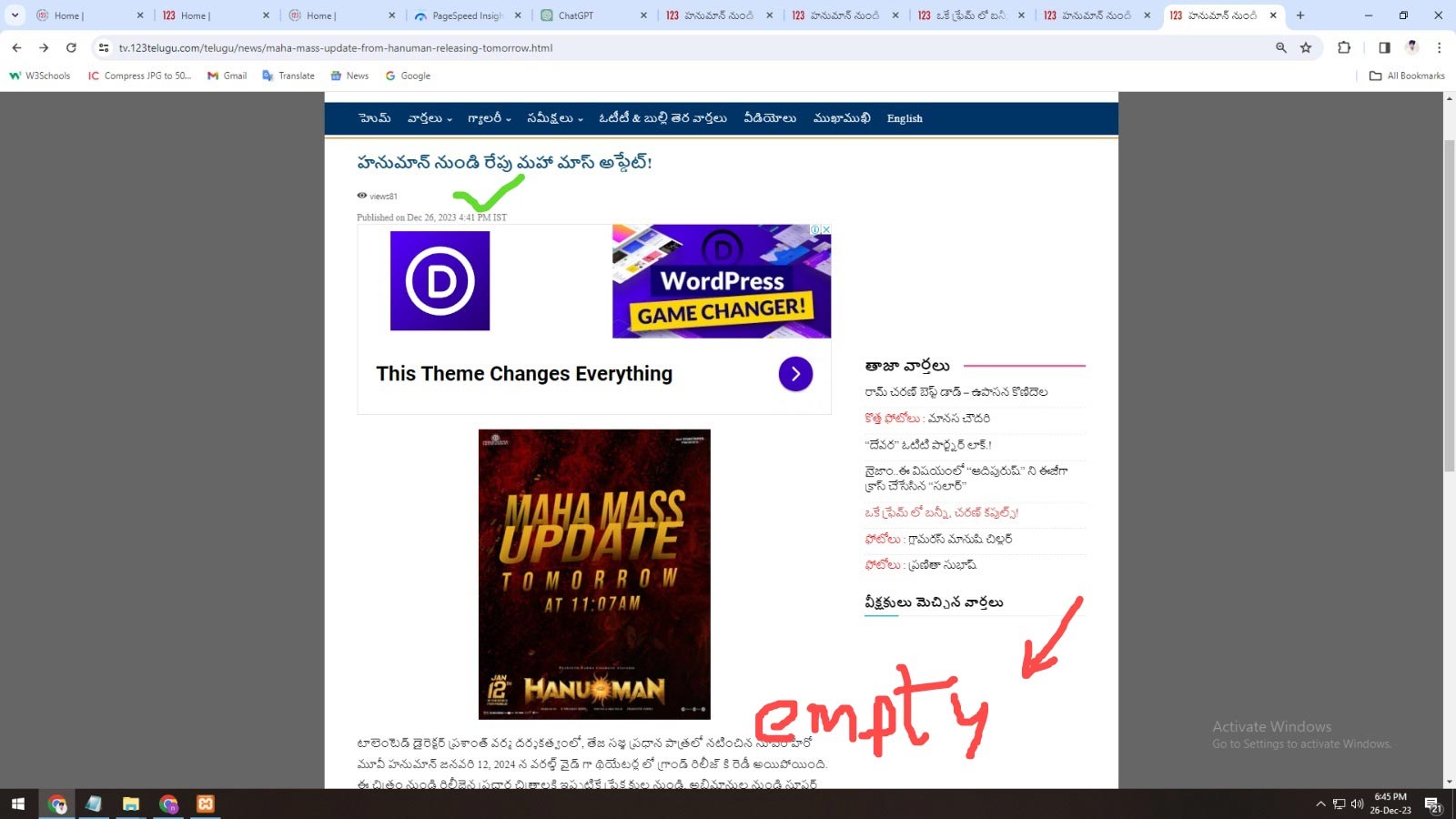
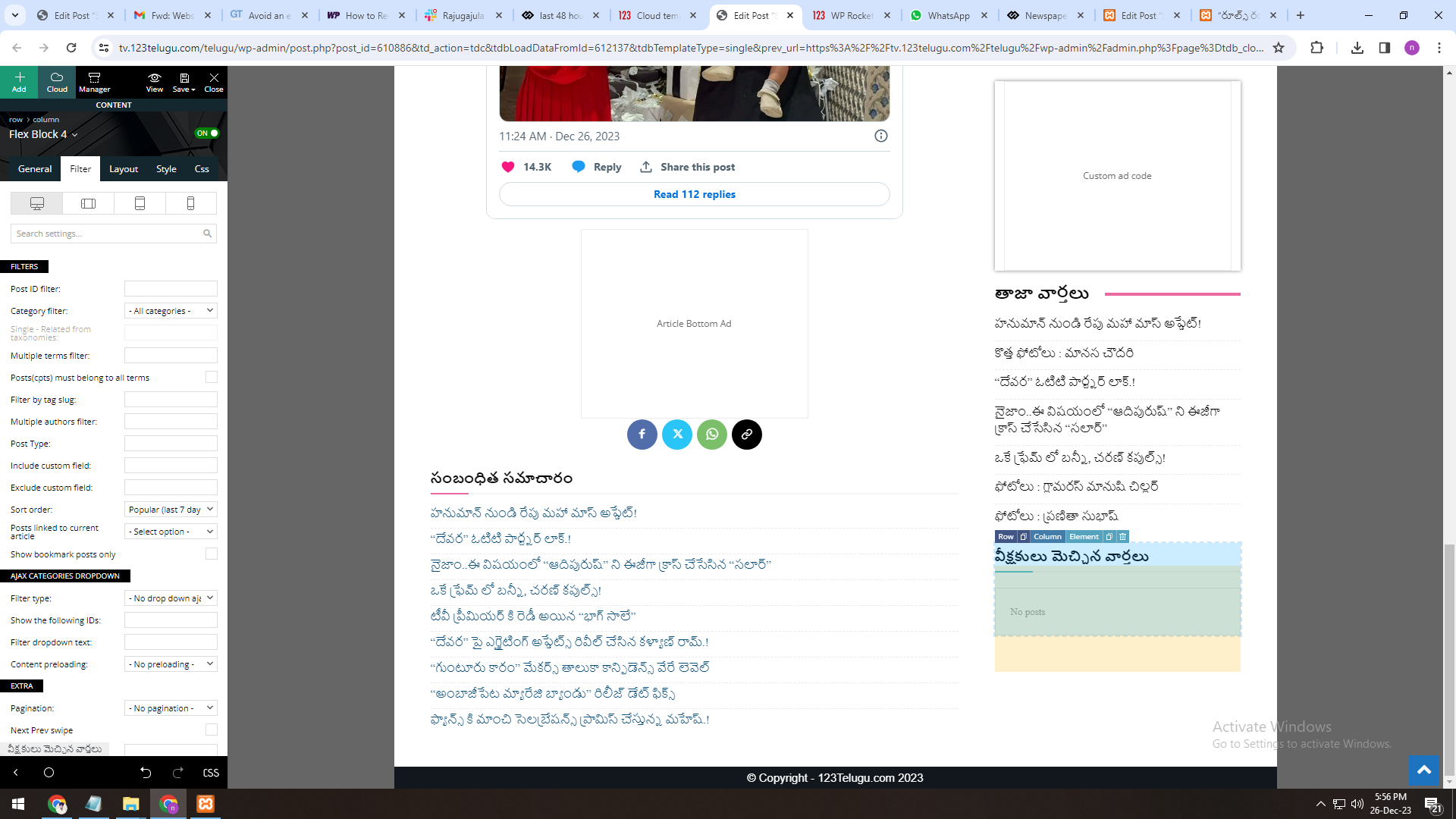
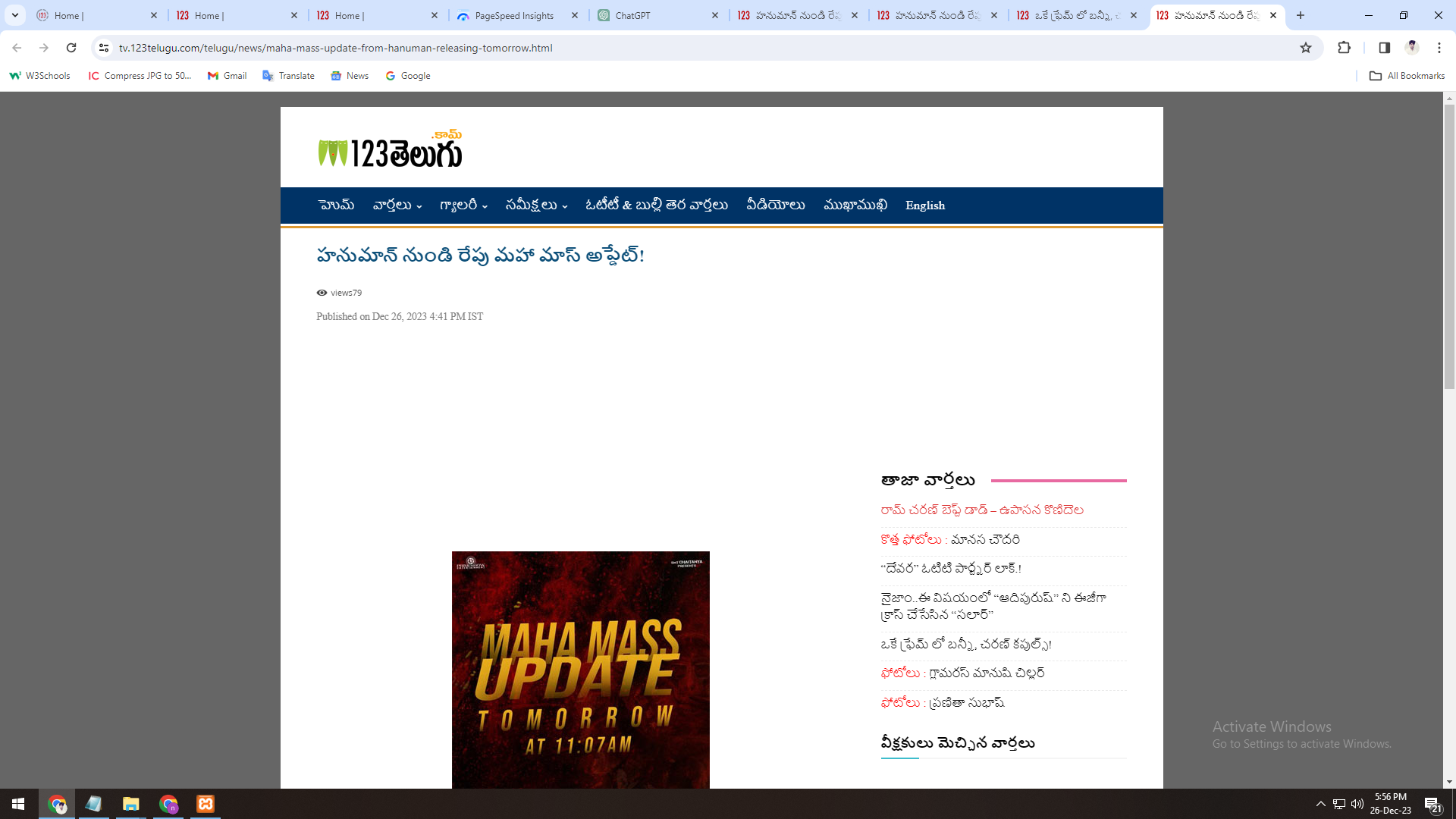
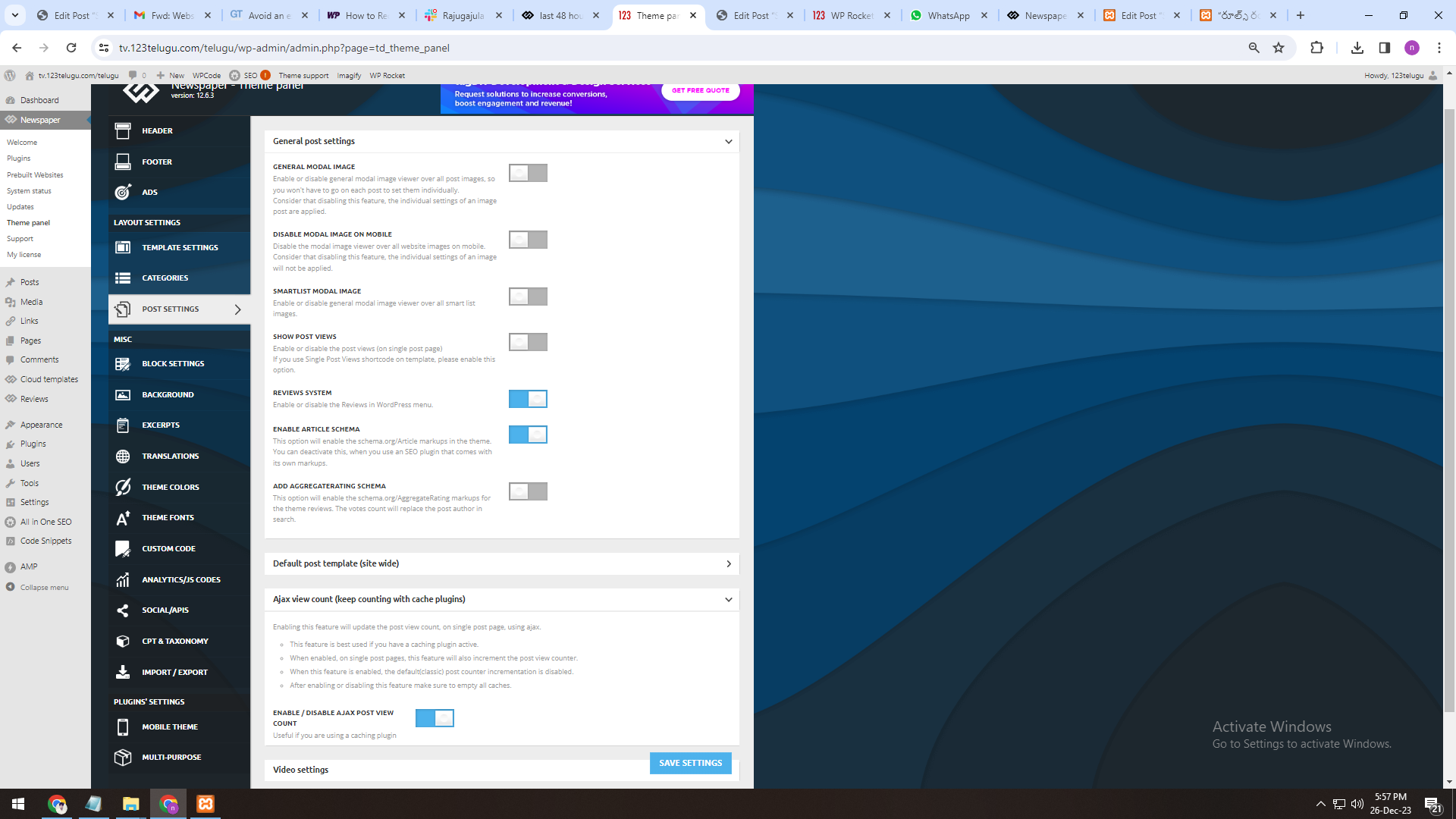
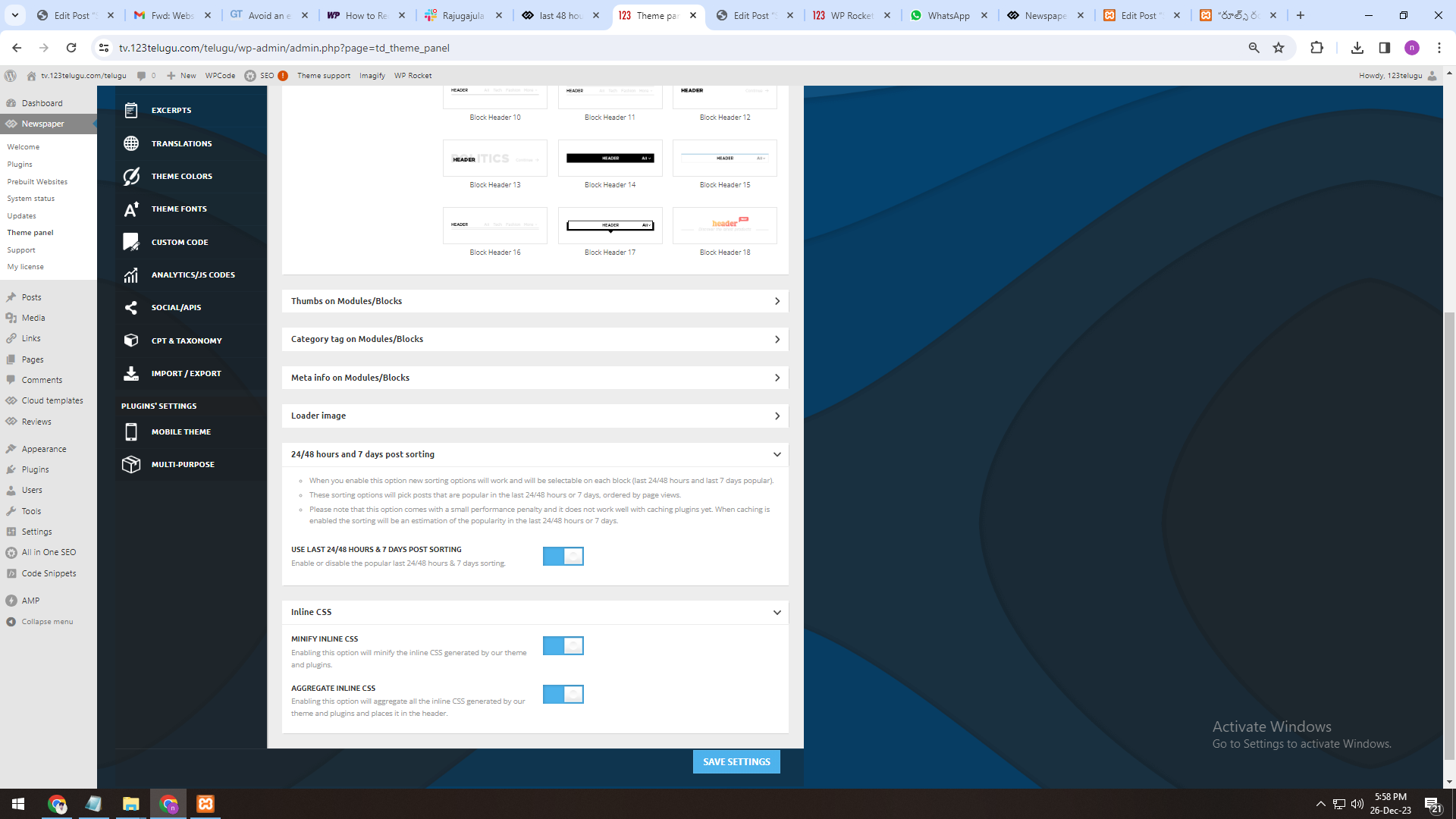
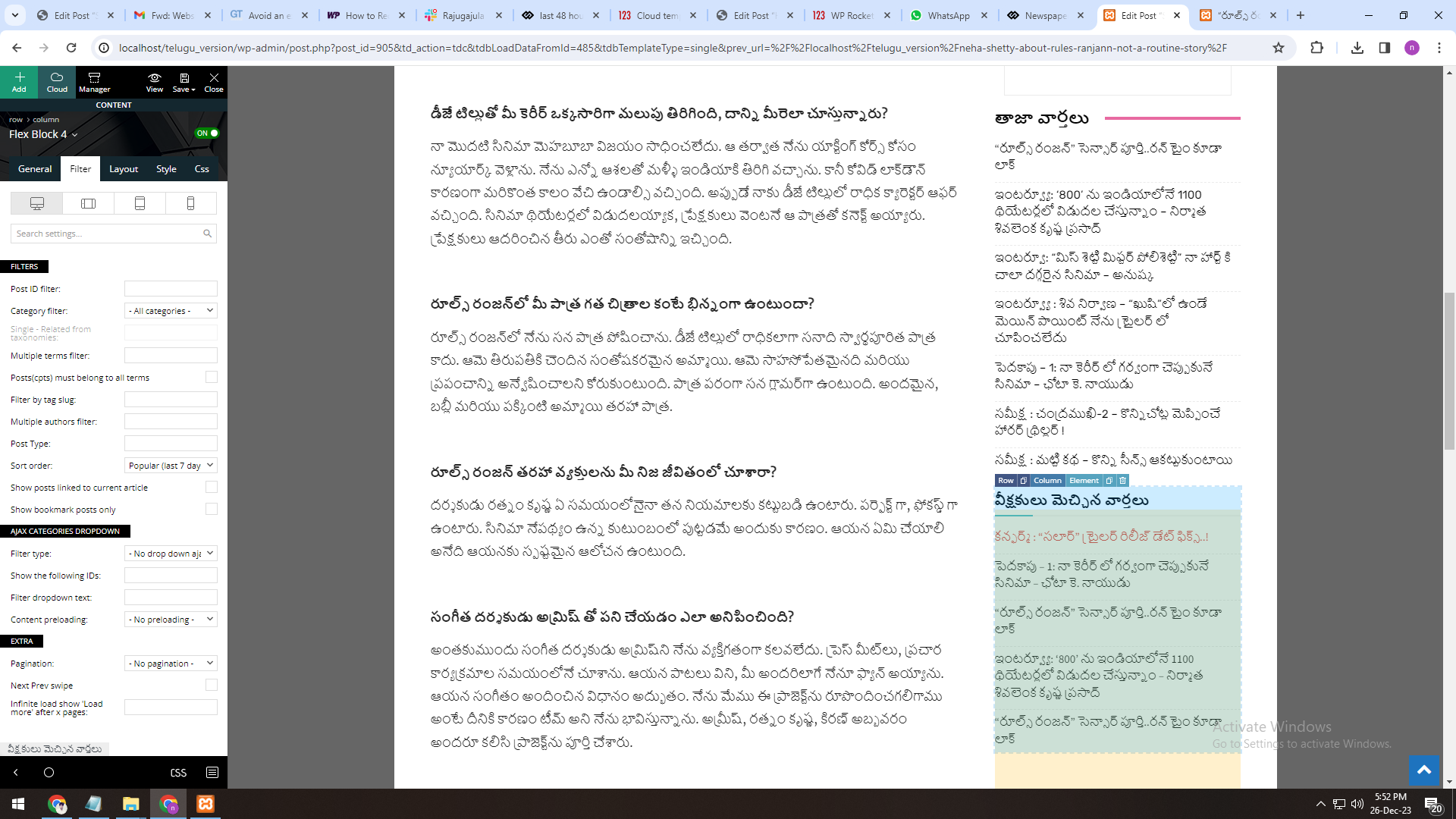
1. The most popular 24 hours, 48 hours, and 7-days section isn’t working properly in the 12.6.3 Newspaper
Theme version (In the filter section).
We are sending the screenshots through a link. Page View Count is enabled
and working well, though. Website Inner Page URL: https://tv.123telugu.com/telugu/news/maha-mass-update-from-hanuman-releasing-tomorrow.html
https://gallery.123telugu.com/images/theme_test/img.jpg
https://gallery.123telugu.com/content/images/a.png
https://gallery.123telugu.com/content/images/b.png
https://gallery.123telugu.com/content/images/c.png
https://gallery.123telugu.com/content/images/d.png
2. The most popular 24 hours, 48 hours, and 7-days section working properly in the 12.4 Newspaper Theme version (In the filter section) on my Local host.
We are sending the screenshots through a link. Page View Count is enabled and working well, though.
Website Inner Page URL: https://gallery.123telugu.com/content/images/e.png
We need to display most popular articles (by views) in last 48 hours for Newspaper 12.6.3 version, can you please check and help us.
 Savas
SavasThe latest update to the Newspaper theme changed my site appearance. The header is completely different and the posts appear whole on the homepage, and not as an excerpt. How can this be fixed?
 santabazz
https://annapurnatimes.com/archives/73532 this is a single post from my website here, i have updated the date in Nepali BS date format using the date converter pluign. Previously when i was using the non cloud default single page template (old template any) the date was updating finely on the website single page. But when i have installed the cloud single templete the time shown converted is the time and date of publication of that cloud template not of the single post.
but i wanted is the date the post published. It is just not rendering the updated date but in the edit with tagdiv composer there is updated date shown which is not rendering on the frontend on the of the post date section correctly. in that link the date shown २०८० पुष ९, सोमबार is the published date of the tagdiv single template rather than post actual date. i have tried a lot to render the actual post date in loop but unable to do so. what will be the solution for that
 thalesbrandao
good morning. Merry Christmas. Thank you very much for your contribution in helping.
1) our mobile version takes a long time to update our content. via desktop the article is published and viewed instantly; in the mobile version it takes a long time to be viewed – I’ve already tested it on other computers, cell phones and with friends from other countries;
2) I need my mobile format to include all my content – I still have difficulty getting my mobile format to not just contain news – but to include our videos, podcasts and other content on the main page. I’ve already used all the settings but I’m not having any success. thanks
The Renault article was published and appears in the news section and does not appear on the main page via mobile – it takes a long time to appear on the main page – and the content is already published and ranked on Google. Another detail is the format of the main mobile page, which I need to be complete with all our content.
 platamun47
 Dear Anamaria,
Do you have any update…
Thank in advance.
 depatech
 Merry Christmas to everyone!
Newspaper team if you have any news/updates for counters please post here.
Thanks~
 CarlG
CarlGSomewhere in one of the updates, I lost the edit with the tag div composer option when creating a new post. I have disabled all my other plugins, 1 by 1 to try and figure out what is blocking/stopping it. To no avail, the option is still missing. I am at a loss as to what to try next to figure it out.
 mongooz
Hello. Starting with version 12.6.2, Safari browser lag is very severe. So I’m using version 12.6.1. Please fix it in the next update.
 SamW2023
Hi, Why your new update is missing “newsletter” from the edit with the tag divi composer panel? It broke my entire site. Giving only code for the newsletter in the website and not the image. Please fix this asap.
 Mededgemea
 Hi,
Any update on which event calendar plugin works? I am having many issues with the theme.
 2wwagency
 Wordpress editor
http://tinyurl.com/yqg4s4kv
Live page
http://tinyurl.com/ytusptz2
interline space didnt change in live version when update