
 Simion C.
 Hi,
Maybe try and check what are these scripts and CSS files that slow the website speed, I browsed the website for a while, seems fast at the time of checking, page size is normal
– http://prntscr.com/lwtvv1
This would be the theme requirements guide – https://forum.tagdiv.com/requirements-for-newspaper/
If there are multiple other plugins installed the parameters mentioned in the guide should be set higher if possible (I see WPML is used).
We haven’t made any testing with Varnish and the theme, we only tested with WP Super Cache up to this point. Also maybe tweak the cache settings if possible, check with online testing tools and try to make more improvements.
There will be optimizations made by us in the theme, in coming updates. These should provide a noticeable improvement in the matter of speed.
For the count to work with caching try this setting – https://forum.tagdiv.com/ajax-view-count/
Thanks
 Calin
Calin Hi,
In order to be load only the custom color, you’ll need to change the color from theme file for mobile.
If you want to set the color in theme file please provide a link were I can inspect the colors you want to change in theme, but notice, if you make update to the theme this change will be lost, if you do not want to lose the changes you’ll need to use child theme
-> https://forum.tagdiv.com/the-child-theme-support-tutorial/
Thank you for your understanding.
 Joe Jerde
 Same problem here. Just updated my site to the latest version. Did all necessary checks.
 mightypixel
 Even after the recent updates, the problem continues.
Cloud Templates is the only section on my Dashboard to keep returning 500 errors. I have disabled all plugins and cache but it was no help.
I have 4 custom templates (Author, Single, Tag, Category) created here, and Cloud Templates > All Templates opened up fine before these were created. As in, there are no problems unless a few templates are created here.
Thanks for checking this out.
 miltonrodas
 Hello, the newspaper status paremeters match your documentation, the only thing that my host won’t do is raise max_execution_time to 60 (limit for shared hosting is 30) –
I currently have:
max_input_vars = 5000
max_execution_size = 30
post_max_size = 50M
upload_max_filesize = 50M
memory_limit = 128M
There seems to be a disconnect between this demo theme (voice report) and the newspaper Theme panel. Examples: 1) The social network counts are not updated even though I put in my social networks in the theme panel (how does it grab the counts?) 2) also, the instagram feed at the bottom of the homepage…it won’t update and there seems to be no way of updating it within Theme panel.
Here are the screenshots for the menus not showing as you requested:
domain is: miltonrodas.com
 GiacomoLaw
Hi all,
Just wondering how I can add this to the header.php and keep it there:
<meta name="description" content="Tips, tricks and reviews on the world of digital productivity. Read reviews on apps and products, tips on how to more productive, and more!">
Whenever the theme updates, it is removed.
The site is https://thenerdystudent.com
Thank you!
 git
git Hello. It’s great.
In SOCIAL NETWORKS, would you please add LINE
in the future update?
Simion C. I vaguely remember a few similar cases in the past, it happened in some isolated cases. I believe the issue was investigated at the time, the latest theme version should solve it however.
Maybe consider to update the theme to the latest version and monitor the situation, should not happen anymore. Updating is not a difficult process, here is a guide
– https://forum.tagdiv.com/how-to-update-the-theme-2/
 neakriti
 Hi,
yes, I understand that.
What I asked if it would be easy in a future update to include GitHub in your social network items at a future update as it is something widely used by people, especially when it comes to portfolios, and in that case, many would be interested to add a GitHub account into their social profiles.
Also it appears like very simple update to be included in a future release of newspaper.
Thank you
 pcservis
Hello, my website (used WP Bakery) is messed up after last 2 updates (just found out about it, so I dont know which one messed it up). Tried disabling all plugins but WP Bakery, still same result.
https://banjalucanke.com/?s=bla
On other hand, my second website is working fine. All same plugins, exact same setup, etc.
Any ideas?
Simion C. I have added this issue on our list and it will be investigated, after it will be fixed it will be included in the next theme update. I will try to post the fix here as soon as possible.
Sorry again for the inconvenience.
 Catalin
 Hello,
Please make sure that your theme has been updated to the latest version of it, check the system status parameters to be correctly increased according to our documentation from here -> https://forum.tagdiv.com/system-status-parameters-guide/. If the problem is still there, please send us an email at contact@tagdiv.com with your log-in information (wp-admin) so we can further investigate it closer your setup page.
Thanks.
Simion C. Hi,
There are plans to improve our own AMP plugin in coming updates. I can’t say exactly what these improvements will be, at the moment. As for compatibility with the plugins you mention, I could add this on the list for testing but I can;t promise anything. Sorry for the inconvenience.
Thanks
Simion C. It is a problem mentioned by some users, but we cannot recreate it on our end. All the IDs I have checked so far work at all times.
That is why we need to investigate in those specific cases, in order to identify if there is a problem in the matter. We haven’t made changes to our Instagram widgets in the latest updates so they should work same as before.
 ctoweett
 The lagging I reported earlier in this thread is still happening, since around update 9.1 with the same plugins, I used before installed. It is working well on Firefox. I cannot find a software to record the issue as it is done on Github.
ctoweett Use this guide, and preferably update via ftp https://forum.tagdiv.com/newsmag-how-to-update-the-theme/
 frau1983@libero.it
Hi, i received the messages with the newspaper update. How i can update the theme? thanks
Calin Hi,
Please make update to the theme and clear all cache, after that try again.
Thank you for your understanding.
Catalin Hi,
First of all, you should make a full backup to your database to avoid losing all of your data. Please notice if you will make this update, you should recreate all of your pages with TD Composer. Notice that our theme has changed a lot and the latest version is Newsmag 4.7. YOur theme version is too old and deprecated, sorry! You should keep up the steps with our theme’s updates if you want to achieve a better theme’s results.
Thanks.
Calin Hi,
Please make a full backup, delete the theme with plugins ( theme plugins), and make a fresh install.
How to update the theme -> https://forum.tagdiv.com/how-to-update-the-theme-2/
Install via FTP -> https://forum.tagdiv.com/install-via-ftp/
Install via WordPress -> https://forum.tagdiv.com/install-via-wordpress/
Please make sure that the theme system status is configured as mentioned in the requirements guide. Please follow the guide carefully
– https://forum.tagdiv.com/requirements-for-newspaper/
and please increase all requirements that are lower.
If there is still a problem please let us know.
Thank you for your understanding.
Simion C. Hi,
There are plans to add many more features to our AMP plugin in coming updates. The design we created was inspired from the Yoast SEO website AMP template, which is simple with not many other elements except the content itself
– https://yoast.com/social-media-optimization-with-yoast-seo/amp/
Sorry for any inconvenience.
Thanks
 turanika
How can I update from Newsmag 3.3.1 to the latest version ?
 erick485
 Thank you Simion,
I want to display the via not the source. Which code should I use to display the td_via and td_via_url ?
I know that I will have to modify it in each update, but my client needs it.
Thank you!
Simion C. Hi,
While it is possible to do it, note that this modifications will have to be made after each theme update, the plugins will need updating.
I have tested the code in my end, it displays only the source, no via
– http://prntscr.com/lwcycb
So that would be what you wanted.
Thanks
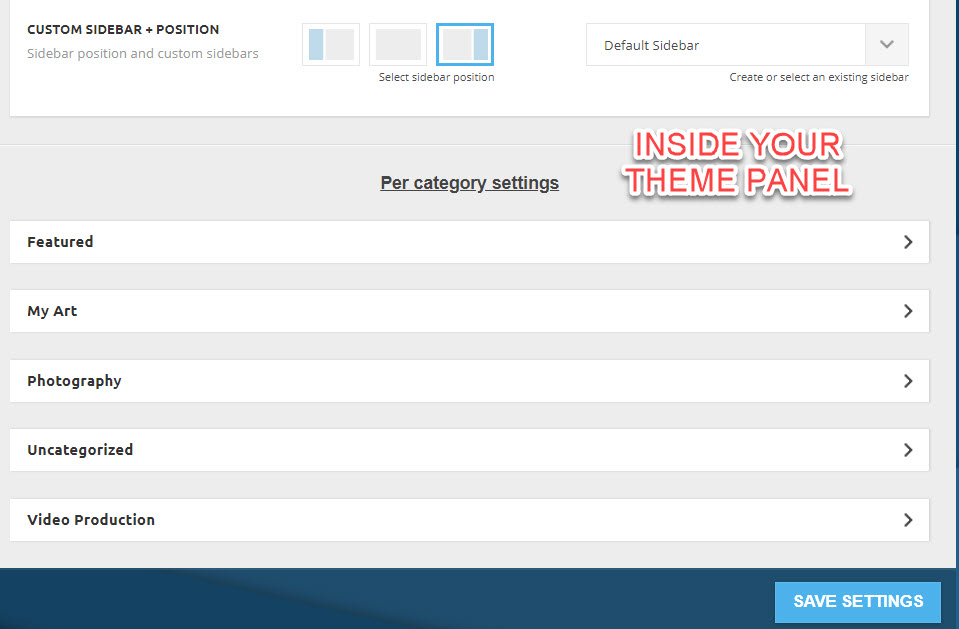
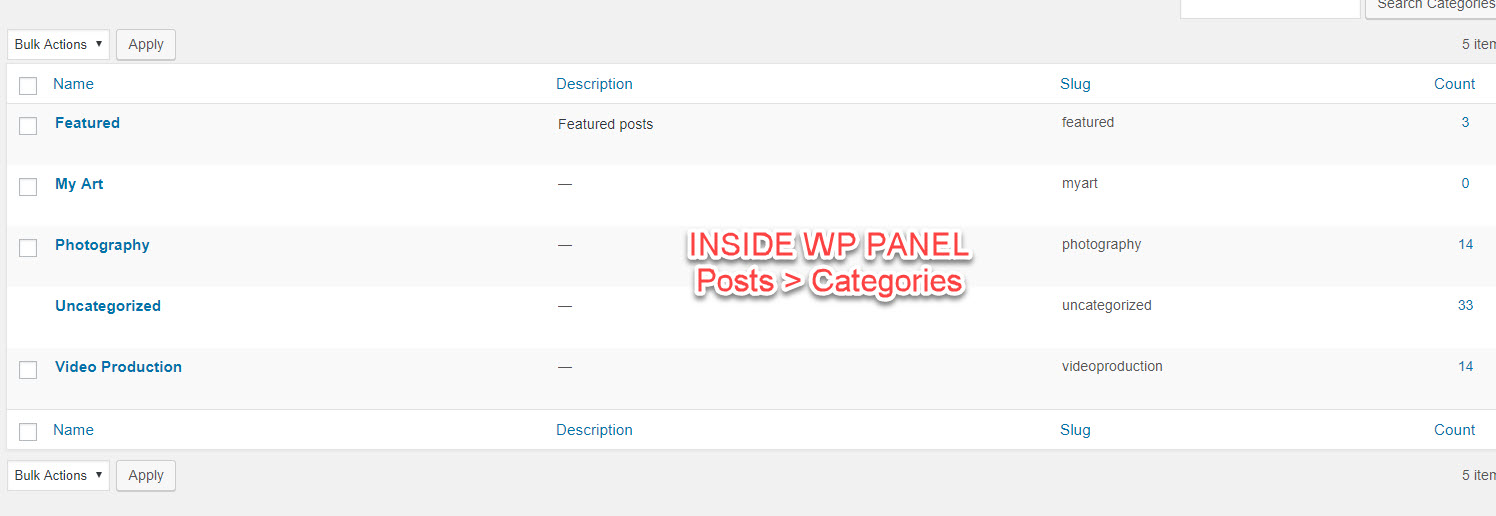
miltonrodasI installed your template, now changing category titles using wordpress (Posts > Categories), and I can see the change inside your Template admin page, but the new Category update does not show in front-end.
What is going on here? Thanks for your help
