Simion C.
 I would help you with those database errors, but I am no expert in the matter of databases. The theme has these requirements
– https://forum.tagdiv.com/requirements-for-newspaper/
For WPML – https://wpml.org/home/minimum-requirements/
If those are met the theme and plugins should work properly. Maybe check if these are met, increase the WP-memory and other parameters mentioned in the guide, test with no plugins active except theme plugins and WPML to see if the same database errors appear.
Also maybe attempt to repair the database (make backup before)
– https://www.wpbeginner.com/wp-tutorials/how-to-fix-the-error-establishing-a-database-connection-in-wordpress/
– https://premium.wpmudev.org/blog/repairing-corrupted-broken-missing-files-databases-wordpress/
Simion C. Hi,
That would be unusual, so you are only adding it once and it displays twice? I made a quick test, seems to work alright – https://www.screencast.com/t/TANTrUx0k2
Does the same happen if you deactivate all your plugins except theme plugins? Could be plugin interference. Or does it happen with all widgets or just the tag cloud?
If the problem remains, we could take a look. Send us an email at contact@tagdiv.com and provide admin login. Please also include a link to this topic in the email.
Thanks
Simion C. Hi,
Could be something as simple as browser cache. Try to force refresh the page in the browser (Ctrl+Shift+R).
If the problem remains, we could take a look. Send us an email at contact@tagdiv.com and provide admin login, cPanel as well if possible. Include a link to this topic in the email.
Thanks
Simion C. Hi,
That would be the homepage post element, maybe you have added that to the page
– http://prntscr.com/m59fzm
To remove it you can edit the page and delete the homepage post element.
The homepage post will display one post at the top of the page, the featured image is set as background
– https://demo.tagdiv.com/newspaper/homepage-one-top-post/
Thanks
Simion C. Hi,
The theme ad management options are simple, the ad codes can be entered in the theme panel and they will be displayed.
Using cloud templates the ads have to be entered in the template itself while editing it with the composer
– http://prntscr.com/m597q5
So the post ads will appear only in the posts that use that template, not in all posts.
The theme will not differentiate between users (registered or not etc), the ads will appear at all times.
Maybe this is possible if you use a plugin to implement the ads, most users who require a more advanced ad management capability recommend the Adrotate plugin. This may have what you are looking for. More info about it here
– http://www.wpbeginner.com/plugins/how-to-manage-ads-in-wordpress-with-adrotate-plugin/
– https://ajdg.solutions/manuals/adrotate-manuals/
Thanks
Simion C. Hi,
@rahulroushan That file can’t be modified in a child theme, so the modification will have to be made in the main theme.
But if you want to modify the user capabilities easiest way would be with a plugin
– https://wpdean.com/wordpress-plugins-to-extend-user-roles-capabilities/
– https://wpengine.com/blog/plugged-in-user-role-plugins/
– https://torquemag.io/2014/08/5-wordpress-plugins-manage-user-roles/
Simion C. The fonts used by the logo are FAST – Gotham Medium Italic and NEWS – Allura Regular. Hope this helps.
Simion C. Hi,
That would not be possible at the moment, the loop of posts in the category pages is predefined to be sorted by latest. There is no setting to change this.
I believe there are plans to add sorting methods to the loop cloud elements, so this will be possible in the future within cloud category templates.
For the default category template I am not sure if this will be available.
Thanks
Simion C. Hi,
That will be the case indeed. Navigating away from the AMP page served by Google will direct to the normal website. Either to the default responsive version of the website or the mobile theme if active.
So clicking on links to other posts in the related articles, next/prev post links, using the search function, trying to leave a comment, will direct the user away from the AMP post.
Not the whole website will be in AMP, only the post that Google displays in the search results page and the user will access.
Thanks
Simion C. You could modify that margin left like this – https://prnt.sc/m58et9
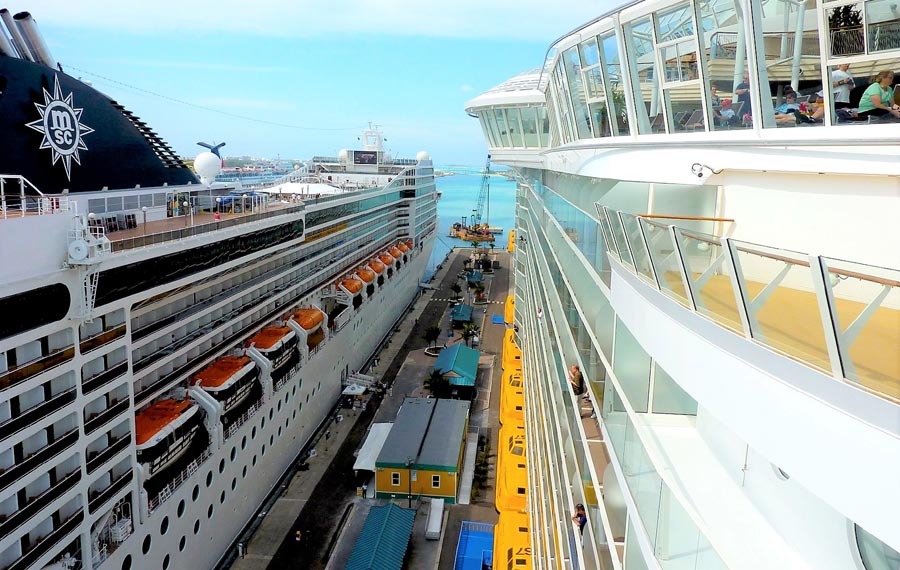
Indeed the result has not changed, seems the original image used as featured is not that big in size
– https://www.cruisehive.com/wp-content/uploads/2015/12/shipsport2small.jpg
It is a little stretched so a loss in quality may happen.
Simion C. @Joe Jerde From what I can find, the performance on mobile may influence Google search results by the algorithms they introduced a while ago
– https://moz.com/blog/mobile-first-indexing-seo
– http://theconversation.com/google-wants-more-mobile-friendly-websites-in-its-mobile-searches-40457
– https://www.searchenginejournal.com/flawed-google-mobile-usability-test-results/127623/
If you don’t like the mobile theme plugin, then the default responsive version of the website will be loaded on mobile devices, meaning the exact same content.
You could activate the AMP plugin, AMP posts will have priority in Google search results
– https://forum.tagdiv.com/tagdiv-amp-plugin-tutorial/
Simion C. It looks fuzzy because a small thumbnail is used, try to set a bigger thumbnail for the element, for example this one – http://prntscr.com/m4uwy4
The image will then be of better quality and 580px in height. For full width results the row containing the featured image element would have to be stretched to full width.
Simion C. Hi,
1. I have no idea how that would be possible, haven’t tried doing this. The plugin resources will be loaded at all times usually. From within the plugin I don’t think it is possible, you could check through the documentation
– https://www.themepunch.com/revslider-doc/slider-revolution-documentation/
Or go through the plugin files and try to set a condition where the resources are loading, or maybe with a function
– https://wordpress.stackexchange.com/questions/695/restricting-a-plugin-to-only-load-its-css-and-js-on-selected-pages
Also there could be optimization plugins that may be capable of such a restriction for plugins.
2. I believe this is already added on our to do list, it will be modified in coming updates. Sorry for the inconvenience.
Thanks
Simion C. Hi,
If you don’t use the tagDiv composer, please deactivate it. It will be activated automatically when the theme is updated.
So for example if you use WPBakery to build the pages, the tagDiv composer when active can interfere with some elements and cause them to not function correctly.
Simion C. Hi,
@Roman_Kiev What exactly do you require to know about the fast news demo? I will make some inquiries with our design team and try to help you.
Thanks
Simion C. The get header error is a common issue in WordPress, there are quite a few topics about it. Some of them here, there are some suggestions in these topics, you could go over them
– https://forum.tagdiv.com/topic/fetching-with-google/
– https://forum.tagdiv.com/topic/theme-code-can-be-accessed-directly-outside-wordpress/
– https://www.wpproblems.com/how-to-fix-fatal-error-call-to-undefined-function-get-header/
– https://forum.tagdiv.com/topic/fetching-with-google/
– https://forum.tagdiv.com/topic/crawl-error-newspaper-theme/
– https://forum.tagdiv.com/topic/fatal-error-in-wp-contentthemesnewspaper/
Simion C. I believe you are using a plugin to extend the editors options. If you use the TinyMCE advanced plugin it could be the same as in this topic
– https://forum.tagdiv.com/topic/the-formats-button-does-not-exist-on-the-text-optimization-features/
Simion C. Hi,
Something must be adding those parameters in the URL for some reason, but the theme is not capable of doing that. Chances are this will still happen with a default WordPress theme.
Those extra parameters could be added by a plugin, you could investigate plugins. Also check the permalink settings. Or maybe by a code entered somewhere in WordPress or the theme.
Also check some more guides – https://wpsites.net/seo/how-to-fix-duplicate-title-tags-detected-in-google-webmaster-tools/
– https://moz.com/community/q/wordpress-blog-pages-duplicate-title-tag
– https://moz.com/community/q/what-does-google-considered-a-duplicate-title-tag
Simion C. Hi,
@therealshaunproulx I am not aware of such plans at the moment, I could add this request on our list however. Hopefully in the future the newsletter plugin will support other providers as well, also more options.
So for the moment the only option to display a newsletter from a provide which is not supported , would be to enter the form code in text elements (column text/text with title). Sorry for the inconvenience.
Thanks
Simion C. The predefined post templates cannot be edited, only the cloud post templates can
– https://forum.tagdiv.com/tagdiv-cloud-library-plugin/
Through the cloud library plugin you can import cloud templates, these can be edited with the composer. Here you can find the available cloud post templates, preview and even edit them
– https://affiliate.tagdiv.com/#/load/Single
Placing a widget above the featured image will be easy in this case, edit the template with the tagDiv composer and place it there
– http://prntscr.com/m4sifw
Then the widgets you want will appear in all posts that use that cloud template.
Simion C. Hi,
If you use the Gutenberg editor the format options will be available in the classic element
– https://www.screencast.com/t/bljvtQWQBG
If you use the classic editor they will be available at all times
– https://www.screencast.com/t/x0UBjgKz
Thanks
Simion C. Replied in your other topic – https://forum.tagdiv.com/topic/wp-error-upon-activating-tagdiv-composer-plugin/
Simion C. Please try to increase the WP-memory to 256M if possible, in most similar cases 500 errors were caused by insufficient memory
– https://forum.tagdiv.com/newsmag-requirements-for-newsmag/
If necessary contact the hosting provider to do it for you.
Also enter the code provided at the bottom of the guide in the htaccess file on the server.
Chances are that after doing these suggestions the problem will be resolved.
Thanks
Simion C. Hi,
Without a featured image, the theme will not be able to create thumbnails. For the best results the posts need to have featured images set
– https://forum.tagdiv.com/featured-image-or-video/
– https://forum.tagdiv.com/newsmag-theme-thumbs/
– https://forum.tagdiv.com/thumbnails-vs-featured-image-size/
If for some reason you cannot set featured images for all posts, you could try some plugins, like the ones mentioned above. Maybe they will work, we haven’t tested any however.
Simion C. Hi,
The featured category is still a normal category, so it will appear in the URL. The theme will hide it from various theme elements like category tags, but not in the URL, that is not possible to do from the theme.
Maybe it is possible to remove only a specific category from the URL, you could check a similar topic I found
– https://wordpress.stackexchange.com/questions/288675/how-to-remove-one-specific-category-uncategorized-from-post-permalinks
Thanks