
 Bettina
 Hello!
Make a test and deactivate ALL plugins except tagDiv ones, also if you are using a cache plugin, deactivate it, clear all cache and try again. It’s possible to be from the firewall or security module which blocks the admin-ajax.php request, which usually displays a 403 or 404 error.
If you don’t use a security plugin, please ask your host about this, maybe you have a security module that blocks this.
If you use a plugin like Wordfence please set it in learning mode.
Also, if you are using Cloudflare, please make sure that is set as in our guide https://forum.tagdiv.com/cloudflare-cdn/, you need to disable the Rocket Loader.
Let me know the results!
Thank you!
 erfahrungsguru
We have completely reinstalled WordPress and the Newspaper Theme on a fresh domain and have set up a demo theme. Now we have noticed that both the existing and new posts, the texts are displayed twice. That is, in the demo posts and in new ones from us, the text is doubled and we do not know why. What can we do? As I said, everything is installed FRESH.
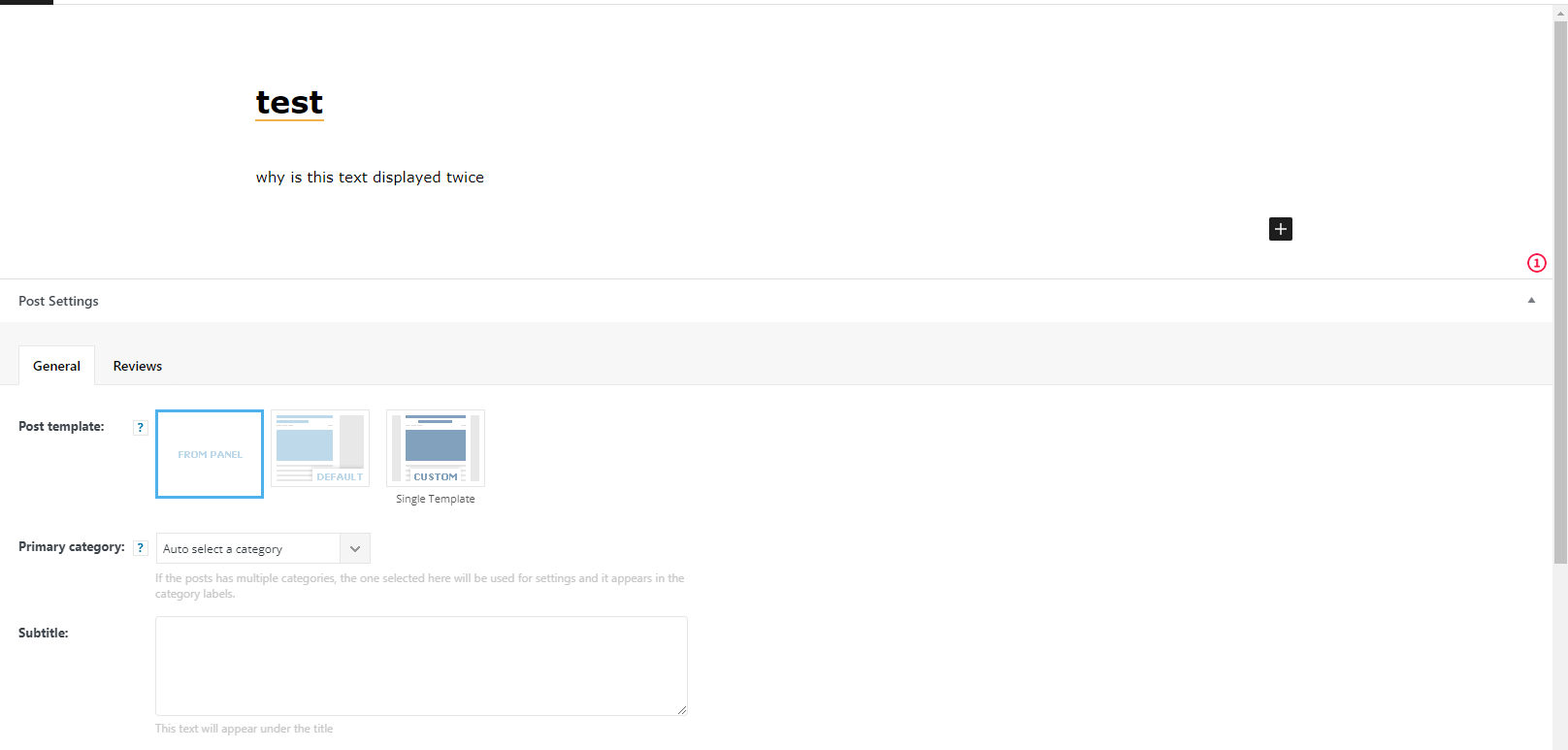
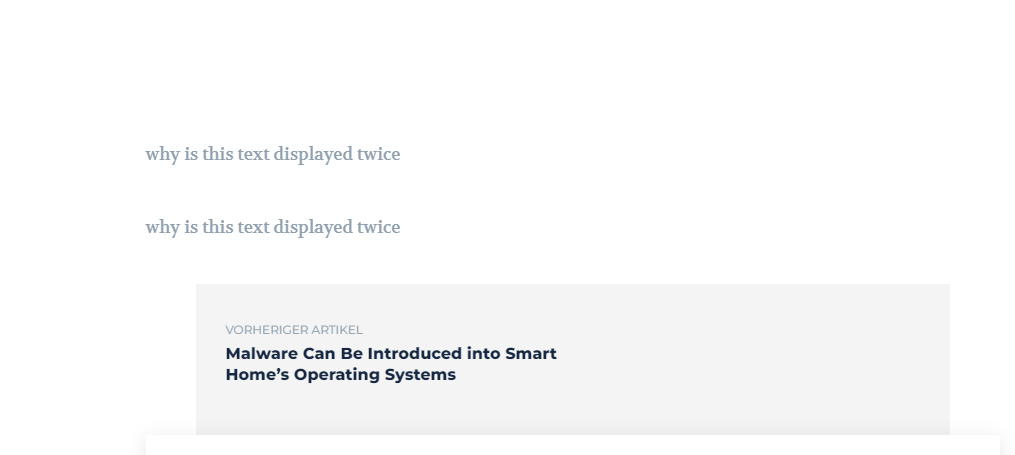
here is an example. own post – see scrollbar, the text can be seen twice.
 Anamaria
 Hello,
Please make sure you don’t have an object cache.
Also, please check the console when you try to save the changes made with tagDiv Composer maybe is possible to be from the firewall or securitymodule which blocks the admin-ajax.php request, which usually displays a 403 or 404 error.
If you don’t use a security plugin, please ask your host about this, maybe you have a security module that blocks this.
If you use a plugin like Wordfence please set it in learning mode.
Also, if you are using Cloudflare, please make sure that is set as in our guide https://forum.tagdiv.com/cloudflare-cdn/, you need to disable the Rocket Loader.
Thank you!
Anamaria Hello,
@slavamatador, I answered you by email, the problem was that you have mixed content and you have to use an SSL plugin to fix it and then try to activate it again -> https://www.hostinger.com/tutorials/fix-mixed-content-wordpress/ -> https://wordpress.org/plugins/really-simple-ssl/
@ThanosGogos Please provide a screenshot with 403 error.
Thank you!
 ThanosGogos
 Having the same problem
Getting a 403 error on console and access not allowed message.
Also deactivated and tried with no other plugins activated other than the tagDiv ones
Bettina Hello!
Make a test and deactivate ALL plugins except tagDiv ones, also if you are using a cache plugin, deactivate it, clear all cache and try again. Please check the console in the TagDiv Composer, and make sure you do not have a 403 error. It’s possible to be from the firewall or security module which blocks the admin-ajax.php request, which usually displays a 403 or 404 error.
If you don’t use a security plugin, please ask your host about this, maybe you have a security module that blocks this.
If you use a plugin like Wordfence please set it in learning mode.
Also, if you are using Cloudflare, please make sure that is set as in our guide https://forum.tagdiv.com/cloudflare-cdn/, you need to disable the Rocket Loader.
Let me know the results!
Thank you!
Anamaria Hi,
Please check if this code is missing from your .htaccess: https://www.screencast.com/t/iN0R93dD3p from our requirements https://forum.tagdiv.com/requirements-for-newspaper/ this requirement is not displayed in System Status.
Usually, after you set the code in .htaccess the WP editor works well.
Please do a test using only tagDiv plugins and try to open the WP Editor.
Please check the console if you have any errors when you try to open the wp editor, maybe is possible to be from the firewall or security module which blocks the admin-ajax.php request, which usually displays a 403 or 404 error.
If you don’t use a security plugin, please ask your host about this, maybe you have a security module that blocks this.
Thank you!
Anamaria Hello @netbios,
The 403 is forbidden access, this is usually related to a security module or custom code set in the access file -> https://i.imgur.com/eqP5gIq.png -> https://forum.tagdiv.com/general-options-may-interfere-newspaper-theme/
If you agree we can take a look at this situation, but for this, you’ll need to contact us via email at contact@tagdiv.com and please provide wp-admin and cPanel access. We’ll check it as soon as possible.
Thank you!
 netbios
 Hello, same happens to me, but I cannot install/update de standard pack plugin. It is sending me a 403 error at the console anytime I try to install it.
 kinderkram-sh
Hello
I installed the Newspaper Template as a child theme with the Default PRO Demo here:
https://neu.kinderkram-sh.de
When I want to edit the Header Template – Default Pro with the TagDiv Composer an error occurs:
Delete
Not Found
The requested URL was not found on this server.
Additionally, a 403 Forbidden error was encountered while trying to use an ErrorDocument to handle the request.
Error at zones: 6(models) : 0(dom). The model does not match the content Current state has involved an issue. You could try an UNDO operation (CTRL+Z / CTRL+SHIFT+Z)
What can I do here?
Thanks for Feedback
Bernd
 Calin
Calin Hi,
Usually, this problem can be if there is enabled a restriction from host, or if there is a custom code set in htaccess.
Also, you need to be sure that the theme requirements are set at least as in our guide , if you already have 256MB for wp-memory limit, please double it.
Also, here is a guide that can help you: How to Fix the 403 Forbidden Error in WordPress
Thank you!
Calin Hi raulfloresp and WEBBERMAN,
The 403 is a forbidden access, this is usually related to a security module or custom code set in htaccss file -> https://i.imgur.com/eqP5gIq.png -> https://forum.tagdiv.com/general-options-may-interfere-newspaper-theme/
If you agreed we can take a look at this situation, but for this you’ll need to contact us via email at contact@tagdiv.com and please provide wp-admin and cPanel access. We’ll check it as soon as possible.
Thank you!
 raulflorespAnamaria
 Hi,
Make sure you have the latest update of the theme(11.4.2) and plugins too, that all the requirements are done as you can see here: https://forum.tagdiv.com/requirements-for-newspaper/
So, please make sure you don’t have a plugin conflict.
Also, please check the console when you try to save the changes made with tagDiv Composer maybe is possible to be from the firewall or security module which blocks the admin-ajax.php request, which usually displays a 403 or 404 error.
If you don’t use a security plugin, please ask your host about this, maybe you have a security module that blocks this.
If you use a plugin like Wordfence please set it in learning mode.
Also, if you are using Cloudflare, please make sure that is set as in our guide https://forum.tagdiv.com/cloudflare-cdn/, you need to disable the Rocket Loader.
Thank you!
Bettina Hello!
Make sure you use the latest version of the theme and plugins(11.4.2).
Please check the console in the TagDiv Composer, and make sure you do not have a 403 error.
We have a guide with some tips why our Composer is not working properly, please check: https://forum.tagdiv.com/tagdiv-composer-not-working/
Check some other possible factors which can interfere there: https://forum.tagdiv.com/general-options-may-interfere-newspaper-theme/
Please make sure that you have set the mod substitute in the htaccess file https://i.imgur.com/VuMw1lq.png -> https://forum.tagdiv.com/requirements-for-newspaper/.
If that problem is still there, then please execute these steps:
1. disable TagDiv Composer
2. uninstall(delete) TagDiv Composer
3. clear cache (if cache plugin exists)
4. install TagDiv Composer
5. activate TagDiv Composer
6. clear cache (if cache plugin exists)
Sometimes, the issue can be from a plugin conflict or a cache issue, that’s why, we recommend first to deactivate ALL plugins except tagDiv ones, also if you are using a cache plugin, deactivate it, clear all cache (also from your browser) and see the results.
Let me know the results!
Thank you!
Bettina Hello!
Please check the console in the TagDiv Composer, and make sure you do not have a 403 error.
We have a guide with some tips why our Composer is not working properly, please check: https://forum.tagdiv.com/tagdiv-composer-not-working/
Check some other possible factors which can interfere there: https://forum.tagdiv.com/general-options-may-interfere-newspaper-theme/
Please make sure that you have set the mod substitute in the htaccess file https://i.imgur.com/VuMw1lq.png -> https://forum.tagdiv.com/requirements-for-newspaper/.
Sometimes, the issue can be from a plugin conflict or a cache issue, that’s why, we recommend first to deactivate ALL plugins except tagDiv ones, also if you are using a cache plugin, deactivate it, clear all cache (also from your browser) and see the results.
Thank you!
Anamaria Hello,
Please check the console when you try to save the changes made with tagDiv Composer maybe is possible to be from the firewall or security module which blocks the admin-ajax.php request, which usually displays a 403 or 404 error.
If you don’t use a security plugin, please ask your host about this, maybe you have a security module that blocks this.
If you use a plugin like Wordfence please set it in learning mode.
Also, if you are using Cloudflare, please make sure that is set as in our guide https://forum.tagdiv.com/cloudflare-cdn/, you need to disable the Rocket Loader.
Thank you!
 akarim
 Hi Anamaria. I was able to contact my hosting provider siteground and they were able to tell me what was causing the 403 error that was hindering the theme panel to be updated. It was blog-vault backup. I did not see the plugin in the dashboard, but it was in file manager.
I renamed it to “blog-vault-backup-old” to disable it and it worked!
It is now updating properly.
I hope this information helps anyone else having the same problem
https://imgbb.com/vxxwR4g
-
This reply was modified 4 years by
akarim.
Bettina Hello Ben!
It seems that you have a 403 error for WP Editor, so it is clear that something interfere with our theme. Check this topic too: https://forum.tagdiv.com/topic/tagdiv-computer-not-saving/
If you want you can contact us via email at contact@tagdiv.com and provide the cpanel url and credentials too.
Thank you!
 joseacevedotp
 Hello Anamaria;
I still working with this situation, the bottoms you show me are not available in the footer. https://imgur.com/a/RMf2403
Anamaria Hello,
I made a test and for me works -> https://i.imgur.com/HrZglR5.jpg
Please check the console when you try to save the changes made with tagDiv Composer maybe is possible to be from the firewall or security module which blocks the admin-ajax.php request, which usually displays a 403 or 404 error.
If you don’t use a security plugin, please ask your host about this, maybe you have a security module that blocks this.
If you use a plugin like Wordfence please set it in learning mode.
Also, if you are using Cloudflare, please make sure that is set as in our guide https://forum.tagdiv.com/cloudflare-cdn/, you need to disable the Rocket Loader.
Check some other possible factors which can interfere there: https://forum.tagdiv.com/general-options-may-interfere-newspaper-theme/
Thank you!
Anamaria Hello,
Please check the console when you try to save the changes made with tagDiv Composer maybe is possible to be from the firewall or security module which blocks the admin-ajax.php request, which usually displays a 403 or 404 error.
If you don’t use a security plugin, please ask your host about this, maybe you have a security module that blocks this.
If you use a plugin like Wordfence please set it in learning mode.
Also, if you are using Cloudflare, please make sure that is set as in our guide https://forum.tagdiv.com/cloudflare-cdn/, you need to disable the Rocket Loader.
Check some other possible factors which can interfere there: https://forum.tagdiv.com/general-options-may-interfere-newspaper-theme/
Thank you!
Bettina Hello @mdfutbol!
Please check the console in the TagDiv Composer, and make sure you do not have a 403 error.
We have a guide with some tips why our Composer is not working properly, please check: https://forum.tagdiv.com/tagdiv-composer-not-working/
Check some other possible factors which can interfere there: https://forum.tagdiv.com/general-options-may-interfere-newspaper-theme/
Please make sure that you have set the mod substitute in the htaccess file https://i.imgur.com/VuMw1lq.png -> https://forum.tagdiv.com/requirements-for-newspaper/.
Let me know the results!
Thank you!
 shuaib
WP Editor doesn’t work
I’m getting a 403 error when I click the ‘Edit Content’ button within the ‘Column Text’ or ‘Text and Title’ elements
 mdunlap
We’re running into some trouble on fubo.tv/news. We’re running a reverse proxy setup (different wordpress and site urls) and as such have had to adjust some settings, but this cross frame error is one we haven’t been able to fix. Any ideas?
tagdiv_theme.min.js?ver=11.4.1:334 Uncaught DOMException: Blocked a frame with origin “https://fubo.tv” from accessing a cross-origin frame.
at Object.init (https://fubotv.wpengine.com/wp-content/plugins/td-composer/legacy/Newspaper/js/tagdiv_theme.min.js?ver=11.4.1:334:282)
at https://fubotv.wpengine.com/wp-content/plugins/td-composer/legacy/Newspaper/js/tagdiv_theme.min.js?ver=11.4.1:349:80
at dispatch (https://fubotv.wpengine.com/wp-includes/js/jquery/jquery.min.js?ver=3.6.0:2:43064)
at v.handle (https://fubotv.wpengine.com/wp-includes/js/jquery/jquery.min.js?ver=3.6.0:2:41048)
init @ tagdiv_theme.min.js?ver=11.4.1:334
(anonymous) @ tagdiv_theme.min.js?ver=11.4.1:349
dispatch @ jquery.min.js?ver=3.6.0:2
v.handle @ jquery.min.js?ver=3.6.0:2
load (async)
add @ jquery.min.js?ver=3.6.0:2
s.event.add @ jquery-migrate.min.js?ver=3.3.2:2
(anonymous) @ jquery.min.js?ver=3.6.0:2
each @ jquery.min.js?ver=3.6.0:2
each @ jquery.min.js?ver=3.6.0:2
Ee @ jquery.min.js?ver=3.6.0:2
on @ jquery.min.js?ver=3.6.0:2
(anonymous) @ tagdiv_theme.min.js?ver=11.4.1:198
js_files_for_wp_admin.min.js?ver=23f7cf05c1213c4bc7a6753a64c58bf1:31 {collection: n, jqDOMElements: Array(0), info: ‘Error at zones: 6(models) : 0(dom)’}
js_files_for_wrapper.min.js?ver=23f7cf05c1213c4bc7a6753a64c58bf1:22 Uncaught TypeError: Cannot read properties of null (reading ‘addEventListener’)
at Object.init (js_files_for_wrapper.min.js?ver=23f7cf05c1213c4bc7a6753a64c58bf1:22:341)
at Object.showNotice (js_files_for_wp_admin.min.js?ver=23f7cf05c1213c4bc7a6753a64c58bf1:19:461)
at new notice (js_files_for_wp_admin.min.js?ver=23f7cf05c1213c4bc7a6753a64c58bf1:18:218)
at Object.init (js_files_for_wrapper.min.js?ver=23f7cf05c1213c4bc7a6753a64c58bf1:247:189)
at HTMLIFrameElement.loadIframe (js_files_for_wrapper.min.js?ver=23f7cf05c1213c4bc7a6753a64c58bf1:398:15)
at HTMLIFrameElement.dispatch (jquery.min.js?ver=3.6.0:2:43064)
at HTMLIFrameElement.v.handle (jquery.min.js?ver=3.6.0:2:41048)
init @ js_files_for_wrapper.min.js?ver=23f7cf05c1213c4bc7a6753a64c58bf1:22
showNotice @ js_files_for_wp_admin.min.js?ver=23f7cf05c1213c4bc7a6753a64c58bf1:19
notice @ js_files_for_wp_admin.min.js?ver=23f7cf05c1213c4bc7a6753a64c58bf1:18
init @ js_files_for_wrapper.min.js?ver=23f7cf05c1213c4bc7a6753a64c58bf1:247
loadIframe @ js_files_for_wrapper.min.js?ver=23f7cf05c1213c4bc7a6753a64c58bf1:398
dispatch @ jquery.min.js?ver=3.6.0:2
v.handle @ jquery.min.js?ver=3.6.0:2
load (async)
add @ jquery.min.js?ver=3.6.0:2
s.event.add @ jquery-migrate.min.js?ver=3.3.2:2
(anonymous) @ jquery.min.js?ver=3.6.0:2
each @ jquery.min.js?ver=3.6.0:2
each @ jquery.min.js?ver=3.6.0:2
Ee @ jquery.min.js?ver=3.6.0:2
on @ jquery.min.js?ver=3.6.0:2
checkIframe @ js_files_for_wrapper.min.js?ver=23f7cf05c1213c4bc7a6753a64c58bf1:400
init @ js_files_for_wrapper.min.js?ver=23f7cf05c1213c4bc7a6753a64c58bf1:395
init @ js_files_for_wrapper.min.js?ver=23f7cf05c1213c4bc7a6753a64c58bf1:404
(anonymous) @ js_files_for_wrapper.min.js?ver=23f7cf05c1213c4bc7a6753a64c58bf1:405
(anonymous) @ js_files_for_wrapper.min.js?ver=23f7cf05c1213c4bc7a6753a64c58bf1:405
jquery.min.js?ver=3.6.0:2 jQuery.Deferred exception: Cannot read properties of null (reading ‘addEventListener’) TypeError: Cannot read properties of null (reading ‘addEventListener’)
at Object.init (https://fubotv.wpengine.com/wp-content/plugins/td-composer/assets/js/js_files_for_wrapper.min.js?ver=23f7cf05c1213c4bc7a6753a64c58bf1:22:341)
at https://fubotv.wpengine.com/wp-admin/post.php?post_id=23327&td_action=tdc&tdbTemplateType=page&prev_url=%2F%2Ffubotv.wpengine.com%2Fwp-admin%2Fedit.php%3Fpost_type%3Dpage:1191:44
at c (https://fubotv.wpengine.com/wp-includes/js/jquery/jquery.min.js?ver=3.6.0:2:28327)
at fireWith (https://fubotv.wpengine.com/wp-includes/js/jquery/jquery.min.js?ver=3.6.0:2:29072)
at e (https://fubotv.wpengine.com/wp-includes/js/jquery/jquery.min.js?ver=3.6.0:2:30310)
at t (https://fubotv.wpengine.com/wp-includes/js/jquery/jquery.min.js?ver=3.6.0:2:30340) undefined
S.Deferred.exceptionHook @ jquery.min.js?ver=3.6.0:2
t @ jquery.min.js?ver=3.6.0:2
setTimeout (async)
(anonymous) @ jquery.min.js?ver=3.6.0:2
c @ jquery.min.js?ver=3.6.0:2
fireWith @ jquery.min.js?ver=3.6.0:2
fire @ jquery.min.js?ver=3.6.0:2
c @ jquery.min.js?ver=3.6.0:2
fireWith @ jquery.min.js?ver=3.6.0:2
s.<computed> @ jquery.min.js?ver=3.6.0:2
c @ jquery.min.js?ver=3.6.0:2
fireWith @ jquery.min.js?ver=3.6.0:2
s.<computed> @ jquery.min.js?ver=3.6.0:2
k.onsuccess @ js_files_for_wp_admin.min.js?ver=23f7cf05c1213c4bc7a6753a64c58bf1:38
IndexedDB (async)
get @ js_files_for_wp_admin.min.js?ver=23f7cf05c1213c4bc7a6753a64c58bf1:38
(anonymous) @ post.php?post_id=23327&td_action=tdc&tdbTemplateType=page&prev_url=%2F%2Ffubotv.wpengine.com%2Fwp-admin%2Fedit.php%3Fpost_type%3Dpage:1161
load (async)
(anonymous) @ post.php?post_id=23327&td_action=tdc&tdbTemplateType=page&prev_url=%2F%2Ffubotv.wpengine.com%2Fwp-admin%2Fedit.php%3Fpost_type%3Dpage:1160
(anonymous) @ post.php?post_id=23327&td_action=tdc&tdbTemplateType=page&prev_url=%2F%2Ffubotv.wpengine.com%2Fwp-admin%2Fedit.php%3Fpost_type%3Dpage:1195
api-fetch.min.js?ver=134e23b5f88ba06a093f9f92520a98df:2 GET https://fubo.tv/news/wp-json/wp/v2/types?context=edit&_locale=user 403 (Forbidden)



